time Peugeot 308 2014 User Guide
[x] Cancel search | Manufacturer: PEUGEOT, Model Year: 2014, Model line: 308, Model: Peugeot 308 2014Pages: 400, PDF Size: 10.05 MB
Page 31 of 400
29
1
Monitoring
308_EN_CHAP01_CONTROLE DE MARCHE_ED02-2013
Engine oil level indicator
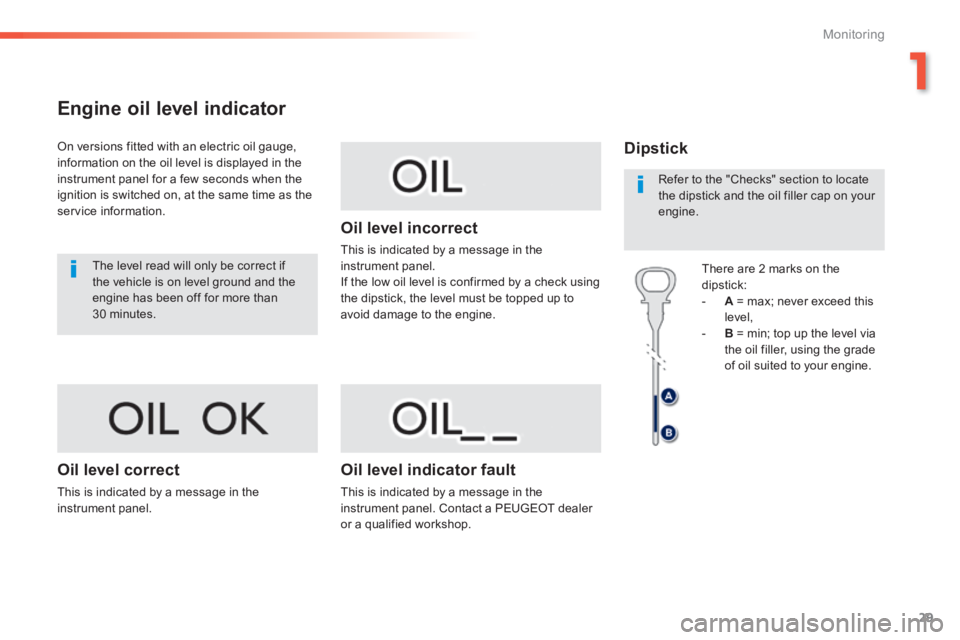
On versions fitted with an electric oil gauge, information on the oil level is displayed in the instrument panel for a few seconds when the ignition is switched on, at the same time as the service information.
The level read will only be correct if the vehicle is on level ground and the engine has been off for more than 30 minutes.
Oil level correct
This is indicated by a message in the instrument panel.
Oil level incorrect
This is indicated by a message in the instrument panel. If the low oil level is confirmed by a check using the dipstick, the level must be topped up to avoid damage to the engine.
Oil level indicator fault
This is indicated by a message in the instrument panel. Contact a PEUGEOT dealer or a qualified workshop.
Dipstick
There are 2 marks on the dipstick: - A = max; never exceed this level, - B = min; top up the level via the oil filler, using the grade of oil suited to your engine.
Refer to the "Checks" section to locate the dipstick and the oil filler cap on your engine.
Page 34 of 400
32
Monitoring
308_EN_CHAP01_CONTROLE DE MARCHE_ED02-2013
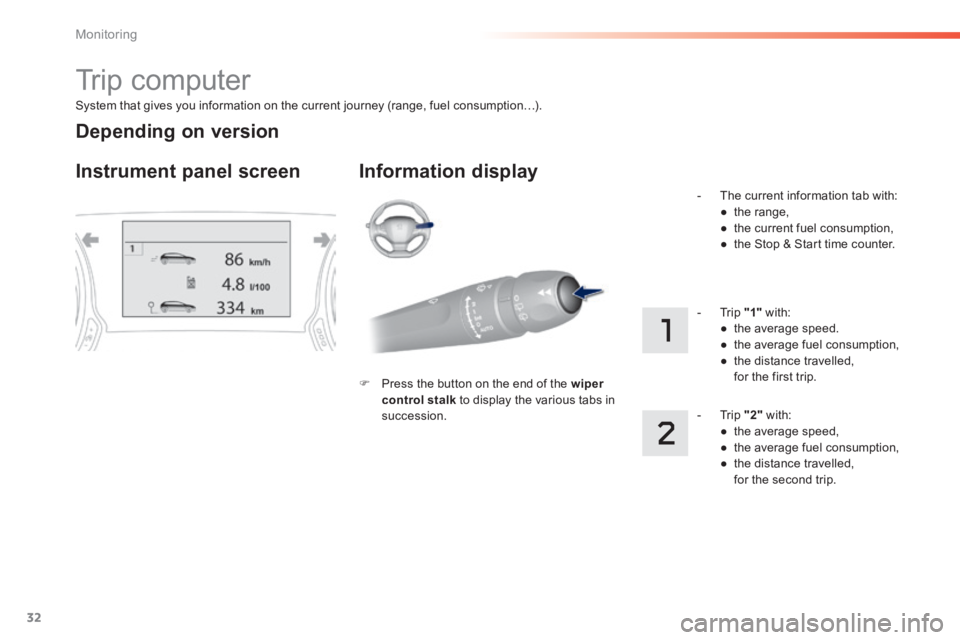
System that gives you information on the current journey (range, fuel consumption…).
Trip computer
Instrument panel screen Information display
Press the button on the end of the wiper control stalk to display the various tabs in succession.
- The current information tab with: ● t h e r a n g e , ● the current fuel consumption, ● the Stop & Start time counter.
- Trip "1" with: ● the average speed. ● the average fuel consumption, ● the distance travelled, for the first trip.
- Trip "2" with: ● the average speed, ● the average fuel consumption, ● the distance travelled, for the second trip.
Depending on version
Page 36 of 400
34
Monitoring
308_EN_CHAP01_CONTROLE DE MARCHE_ED02-2013
Trip computer
System that gives you information on the current journey (range, fuel consumption…).
Information display in the
touch screen
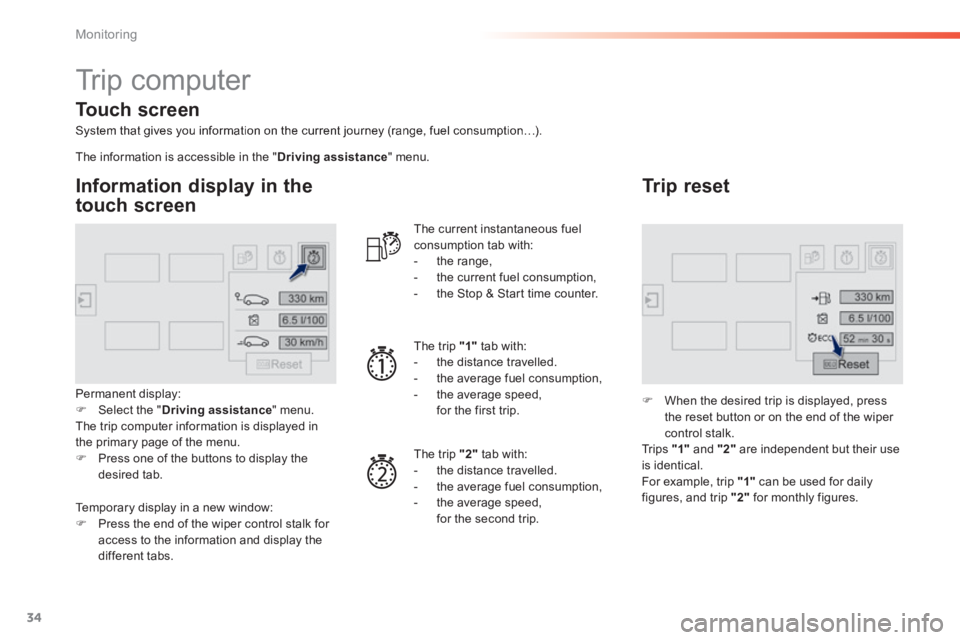
Permanent display: Select the " Driving assistance " menu. The trip computer information is displayed in the primary page of the menu. Press one of the buttons to display the desired tab.
The current instantaneous fuel consumption tab with: - the range, - the current fuel consumption, - the Stop & Start time counter.
The trip "1" tab with: - the distance travelled. - the average fuel consumption, - the average speed, for the first trip.
The trip "2" tab with:
- the distance travelled. - the average fuel consumption, - the average speed, for the second trip.
Trip reset
When the desired trip is displayed, press the reset button or on the end of the wiper
control stalk. Tr i p s "1" and "2" are independent but their use is identical. For example, trip "1" can be used for daily figures, and trip "2" for monthly figures.
The information is accessible in the " Driving assistance " menu.
Temporary display in a new window: Press the end of the wiper control stalk for
access to the information and display the different tabs.
Touch screen
Page 37 of 400
35
1
Monitoring
308_EN_CHAP01_CONTROLE DE MARCHE_ED02-2013
Trip computer, a few definitions
Range
(miles or km) The distance which can still be travelled with the fuel remaining in the tank (related to the average fuel consumption over the last few miles (kilometres) travelled).
This value may vary following a change in the style of driving or the relief, resulting in a significant change in the current fuel consumption.
When the range falls below 20 miles (30 km), dashes are displayed. After filling with at least 5 litres of fuel, the range is recalculated and is displayed when it exceeds 60 miles (100 km).
If dashes are displayed continuously while driving in place of the digits, contact a PEUGEOT dealer or a qualified workshop.
This function is only displayed from 20 mph (30 km/h).
Current fuel consumption
(mpg or l/100 km or km/l) Calculated over the last few seconds.
Average fuel consumption
(mpg or l/100 km or km/l) Calculated since the last trip computer reset.
Average speed
(mph or km/h) Calculated since the last trip computer reset.
Distance travelled
(miles or km) Calculated since the last trip computer reset.
Stop & Start time counter
(minutes / seconds or hours / minutes)
If your vehicle is fitted with Stop & Start, a time counter calculates the time spent in STOP mode during a journey. It resets to zero every time the ignition is switched on.
Page 41 of 400
39
1
Monitoring
308_EN_CHAP01_CONTROLE DE MARCHE_ED02-2013
ButtonCorresponding functionComments
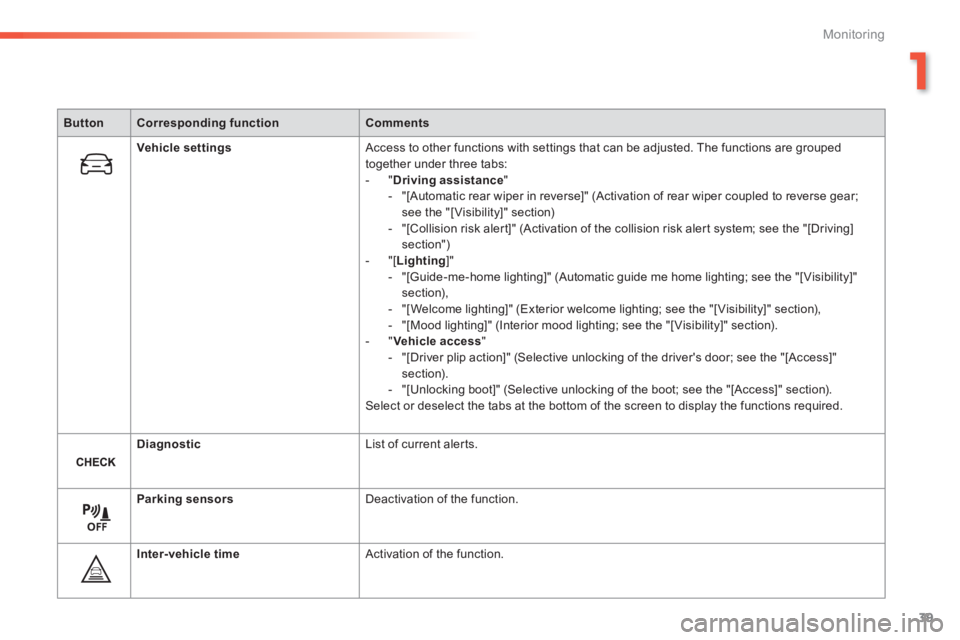
Vehicle settings Access to other functions with settings that can be adjusted. The functions are grouped together under three tabs: - " Driving assistance " - "[Automatic rear wiper in reverse]" (Activation of rear wiper coupled to reverse gear; see the "[ Visibility]" section) - "[Collision risk alert]" (Activation of the collision risk alert system; see the "[Driving] section") - "[ Lighting ]" - "[Guide-me-home lighting]" (Automatic guide me home lighting; see the "[ Visibility]" section), - "[Welcome lighting]" (Exterior welcome lighting; see the "[ Visibility]" section), - "[Mood lighting]" (Interior mood lighting; see the "[ Visibility]" section). - " Vehicle access " - "[Driver plip action]" (Selective unlocking of the driver's door; see the "[Access]" section). - "[Unlocking boot]" (Selective unlocking of the boot; see the "[Access]" section). Select or deselect the tabs at the bottom of the screen to display the functions required.
Diagnostic List of current alerts.
Parking sensors Deactivation of the function.
Inter-vehicle time Activation of the function.
Page 43 of 400
41
1
Monitoring
308_EN_CHAP01_CONTROLE DE MARCHE_ED02-2013
ButtonCorresponding functionComments
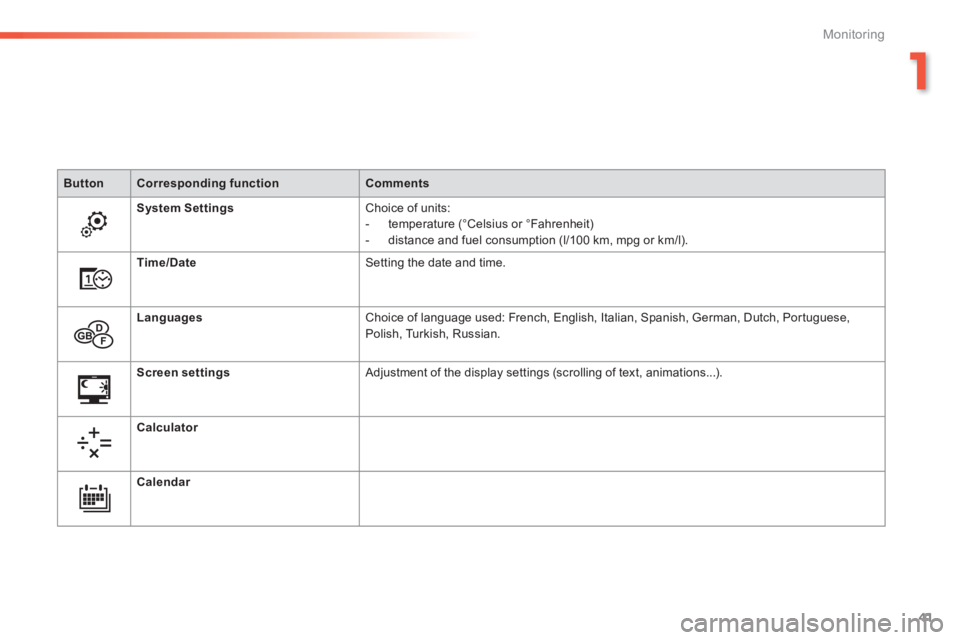
System Settings Choice of units: - temperature (°Celsius or °Fahrenheit) - distance and fuel consumption (l/100 km, mpg or km/l).
Time/Date Setting the date and time.
Languages Choice of language used: French, English, Italian, Spanish, German, Dutch, Portuguese, Polish, Turkish, Russian.
Screen settings Adjustment of the display settings (scrolling of text, animations...) .
Calculator
Calendar
Page 44 of 400
42
Monitoring
308_EN_CHAP01_CONTROLE DE MARCHE_ED02-2013
Touch screen
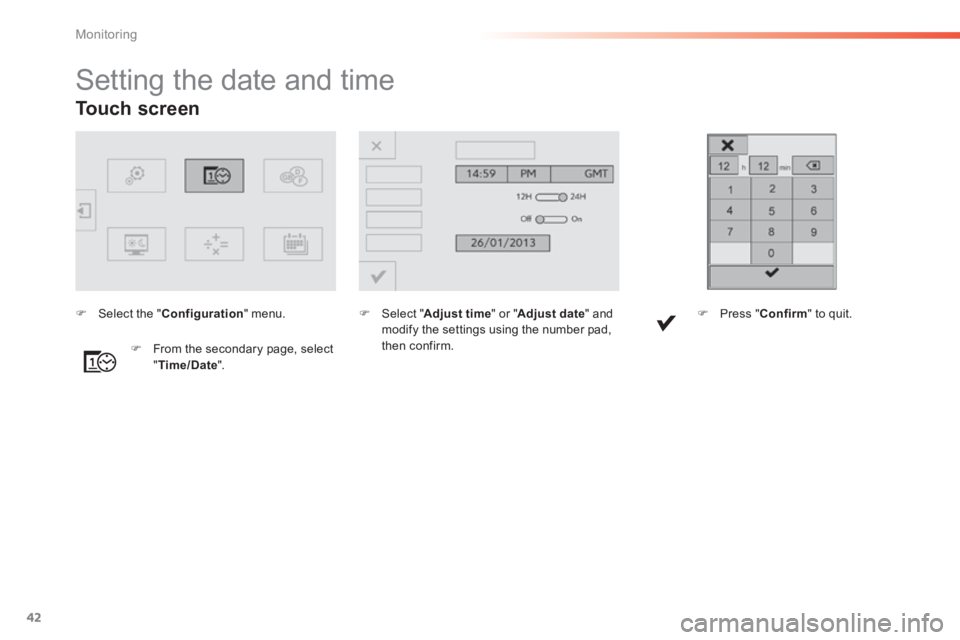
Setting the date and time
Select " Adjust time " or " Adjust date " and modify the settings using the number pad, then confirm. From the secondary page, select " Time/Date ".
Select the " Configuration " menu. Press " Confirm " to quit.
Page 45 of 400
43
1
Monitoring
308_EN_CHAP01_CONTROLE DE MARCHE_ED02-2013
For more information on the Multimedia menu, refer to the "Audio
equipment and telematics" section.
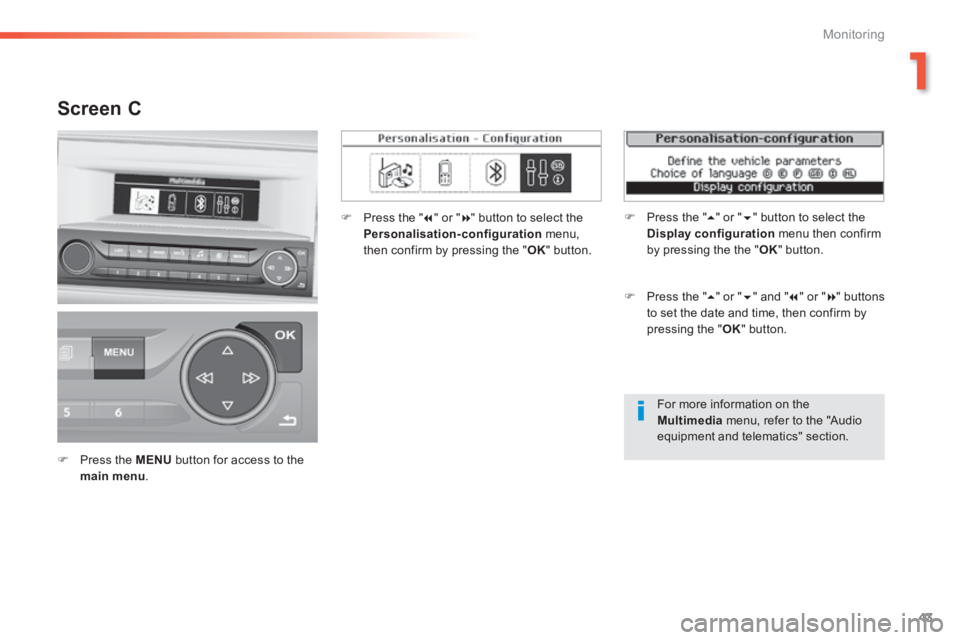
Screen C
Press the MENU button for access to the main menu .
Press the " " or " " button to select the Personalisation-configuration menu, then confirm by pressing the " OK " button.
Press the " " or " " and " " or " " buttons to set the date and time, then confirm by pressing the " OK " button.
Press the " " or " " button to select the Display configuration menu then confirm by pressing the the " OK " button.
Page 49 of 400
47
2
Access
308_EN_CHAP02_OUVERTURES_ED02-2013
Selective unlocking
To unlock the driver's door only press the open padlock once.
Using the remote control
Complete unlocking is activated by default. This is set in the " Driving assistance " menu, then " Vehicle settings " and " Vehicle access ".
Unlocking is confirmed by rapid flashing of the direction indicators for approximately two seconds. According to version, the door mirrors unfold at the same time as the first unlocking action.
To unlock the other doors and the boot, press the open padlock again .
Complete unlocking
Using the key Using the remote control
Press the open padlock to unlock the vehicle.
Unlocking is confirmed by rapid flashing of the direction indicators for approximately two seconds. According to version, the door mirrors unfold at the same time.
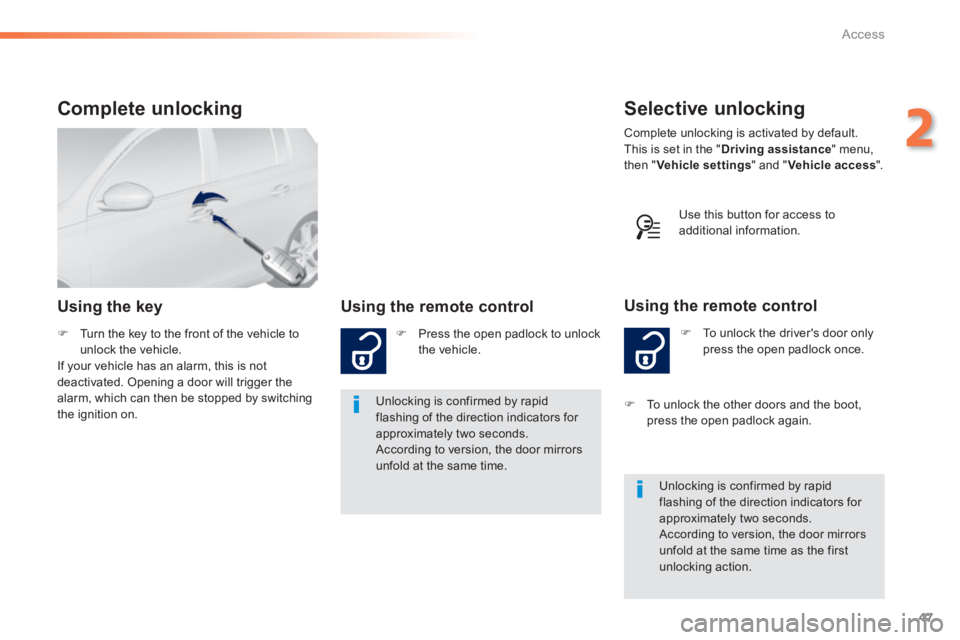
Turn the key to the front of the vehicle to unlock the vehicle. If your vehicle has an alarm, this is not deactivated. Opening a door will trigger the alarm, which can then be stopped by switching the ignition on.
Use this button for access to additional information.
Page 50 of 400
48
Access
308_EN_CHAP02_OUVERTURES_ED02-2013
Locking is confirmed by fixed lighting of the direction indicators for approximately two seconds. According to version, the door mirrors fold at the same time.
Driving with the doors locked may render access for the emergency services difficult in an emergency. As a safety measure (children on board), never leave the vehicle without taking your key, even for a short period.
Normal locking
Using the remote control
Press the closed padlock to lock the vehicle completely.
Using the key
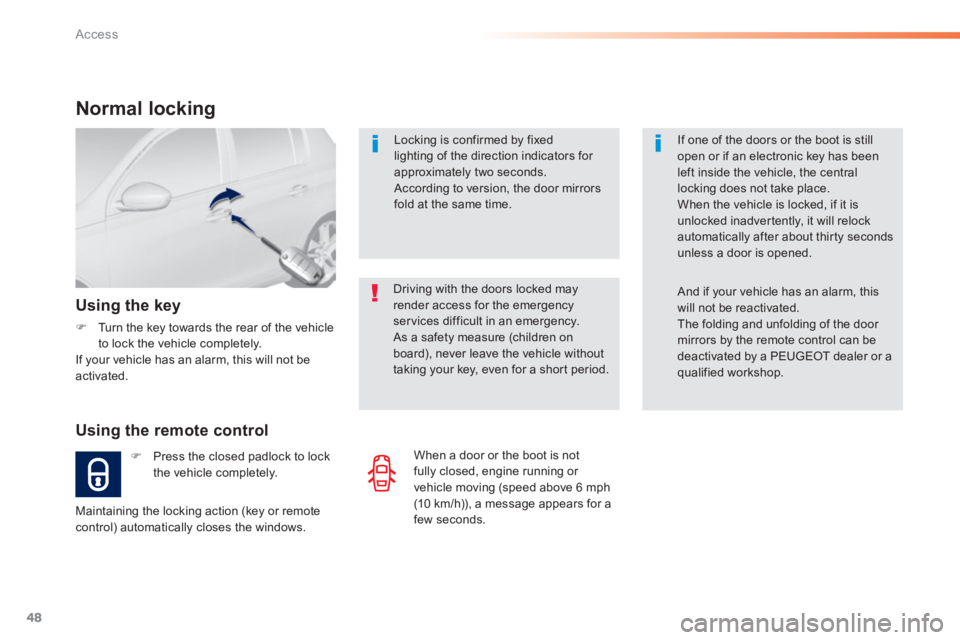
Turn the key towards the rear of the vehicle to lock the vehicle completely. If your vehicle has an alarm, this will not be activated.
Maintaining the locking action (key or remote control) automatically closes the windows.
If one of the doors or the boot is still open or if an electronic key has been left inside the vehicle, the central locking does not take place. When the vehicle is locked, if it is unlocked inadvertently, it will relock automatically after about thirty seconds unless a door is opened.
And if your vehicle has an alarm, this will not be reactivated. The folding and unfolding of the door mirrors by the remote control can be deactivated by a PEUGEOT dealer or a qualified workshop.
When a door or the boot is not fully closed, engine running or vehicle moving (speed above 6 mph (10 km/h)), a message appears for a few seconds.