time Peugeot 308 2014 Workshop Manual
[x] Cancel search | Manufacturer: PEUGEOT, Model Year: 2014, Model line: 308, Model: Peugeot 308 2014Pages: 400, PDF Size: 10.05 MB
Page 150 of 400
148
Driving
308_EN_CHAP04_CONDUITE_ED02-2013
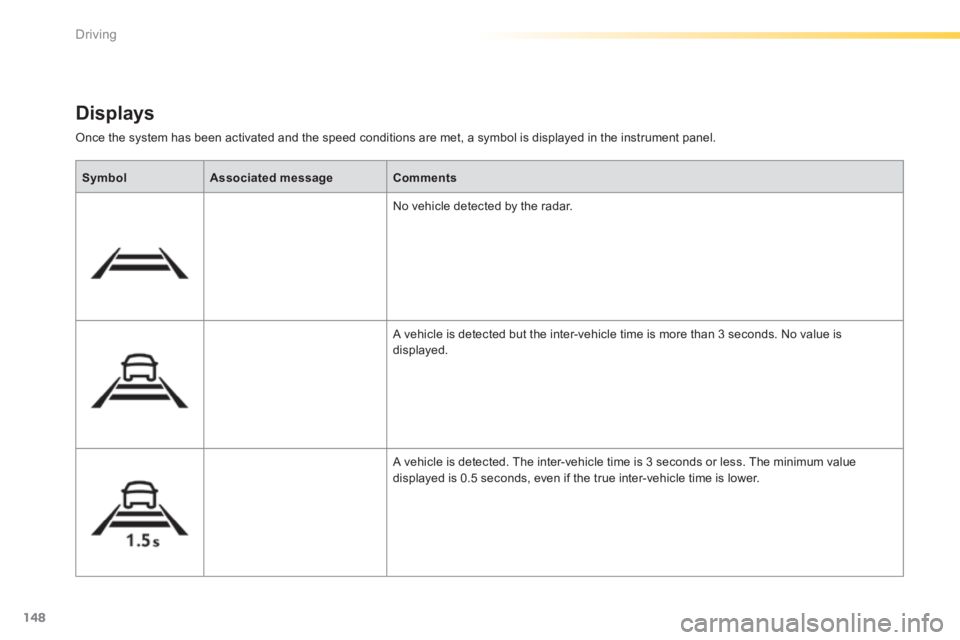
Once the system has been activated and the speed conditions are met, a symbol is displayed in the instrument panel.
Displays
SymbolAssociated messageComments
No vehicle detected by the radar.
A vehicle is detected but the inter-vehicle time is more than 3 seconds. No value is displayed.
A vehicle is detected. The inter-vehicle time is 3 seconds or less. The minimum value displayed is 0.5 seconds, even if the true inter-vehicle time is lower.
Page 155 of 400
153
4
Driving
308_EN_CHAP04_CONDUITE_ED02-2013
The change from one level of alert to the next takes place if the driving conditions do not change (speed unchanged, no change of lane...)
If the speed of your vehicle is too high when approaching another vehicle, the first level of alert may not be displayed: the level 2 alert may be displayed di r e c t l y. On the other hand, the level 1 alert is never displayed with the "close" triggering threshold 3. Severe weather conditions (very heavy rain, accumulations of snow in front of the radar) may inter fere with the operation of the system, resulting in the display of this message " SYSTEM INACTIVE: Reduced visibility ". The system will remain unavailable until the message disappears.
The emergency collision alert system does not replace the vigilance and responsibility of the driver.
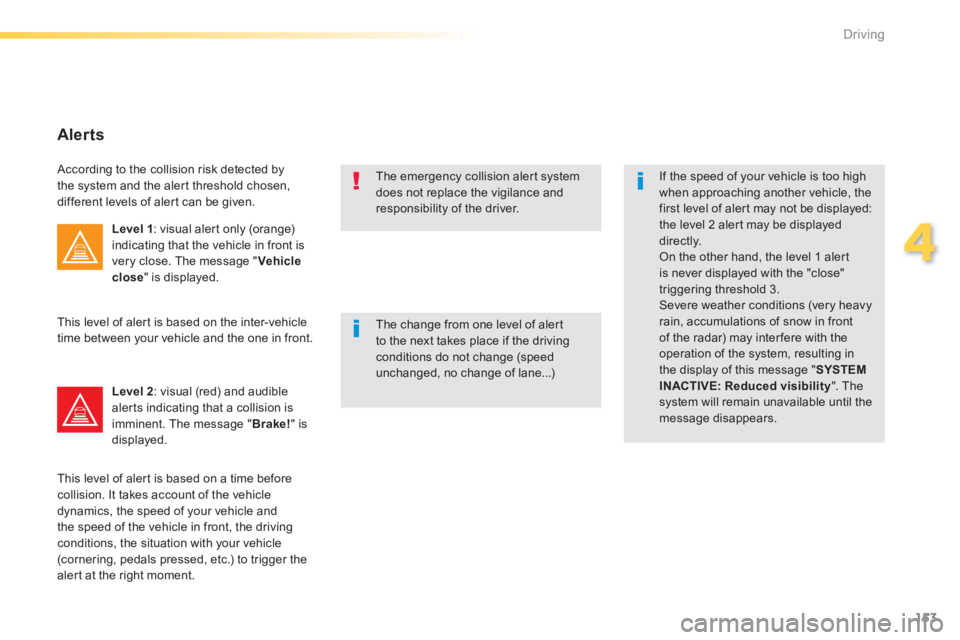
Alerts
According to the collision risk detected by the system and the alert threshold chosen, different levels of alert can be given.
Level 1 : visual alert only (orange) indicating that the vehicle in front is very close. The message " Vehicle close " is displayed.
Level 2 : visual (red) and audible alerts indicating that a collision is imminent. The message " Brake! " is displayed.
This level of alert is based on the inter-vehicle time between your vehicle and the one in front.
This level of alert is based on a time before collision. It takes account of the vehicle dynamics, the speed of your vehicle and the speed of the vehicle in front, the driving conditions, the situation with your vehicle (cornering, pedals pressed, etc.) to trigger the alert at the right moment.
Page 159 of 400
157
4
Driving
308_EN_CHAP04_CONDUITE_ED02-2013
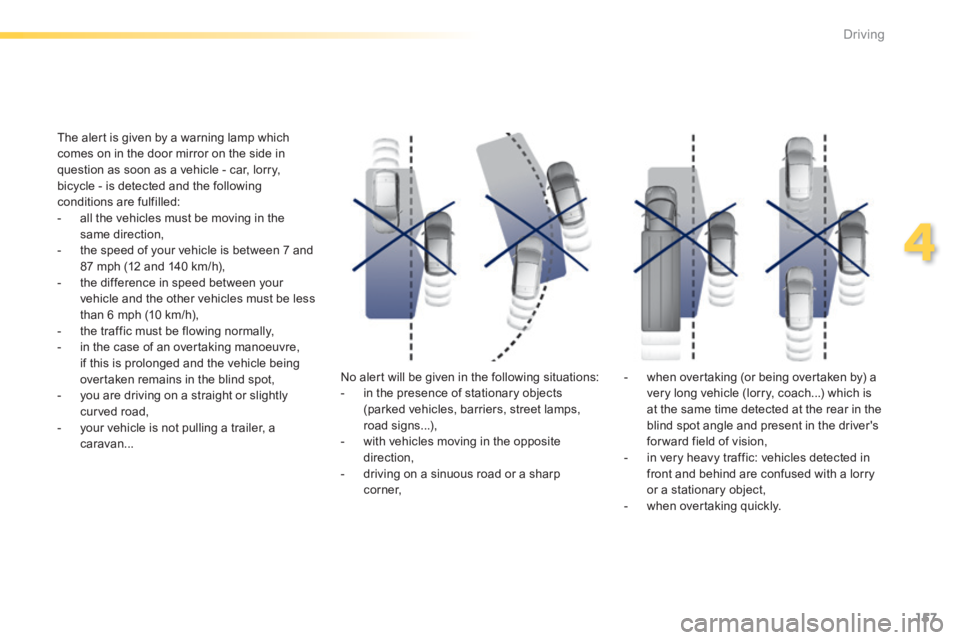
The alert is given by a warning lamp which comes on in the door mirror on the side in question as soon as a vehicle - car, lorry, bicycle - is detected and the following conditions are fulfilled: - all the vehicles must be moving in the same direction, - the speed of your vehicle is between 7 and 87 mph (12 and 140 km/h), - the difference in speed between your vehicle and the other vehicles must be less than 6 mph (10 km/h), - the traffic must be flowing normally, - in the case of an overtaking manoeuvre, if this is prolonged and the vehicle being overtaken remains in the blind spot, - you are driving on a straight or slightly curved road, - your vehicle is not pulling a trailer, a caravan...
No alert will be given in the following situations: - in the presence of stationary objects (parked vehicles, barriers, street lamps, road signs...), - with vehicles moving in the opposite direction, - driving on a sinuous road or a sharp c o r n e r,
- when overtaking (or being overtaken by) a very long vehicle (lorry, coach...) which is at the same time detected at the rear in the blind spot angle and present in the driver's for ward field of vision, - in very heavy traffic: vehicles detected in front and behind are confused with a lorry or a stationary object, - when overtaking quickly.
Page 161 of 400
159
4
Driving
308_EN_CHAP04_CONDUITE_ED02-2013
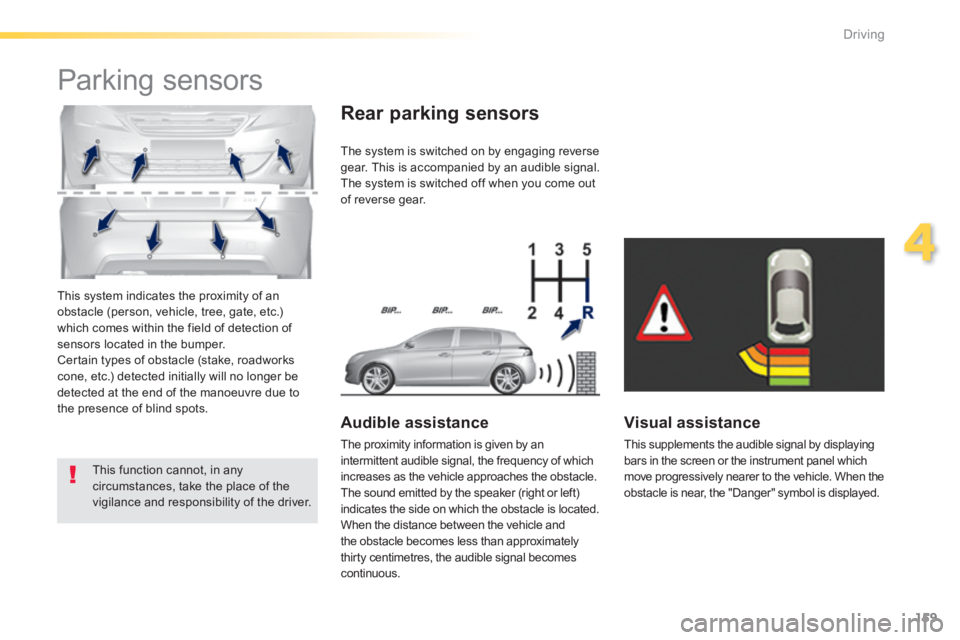
This system indicates the proximity of an obstacle (person, vehicle, tree, gate, etc.) which comes within the field of detection of sensors located in the bumper. Certain types of obstacle (stake, roadworks cone, etc.) detected initially will no longer be detected at the end of the manoeuvre due to the presence of blind spots.
Parking sensors
This function cannot, in any circumstances, take the place of the vigilance and responsibility of the driver.
The system is switched on by engaging reverse gear. This is accompanied by an audible signal. The system is switched off when you come out of reverse gear.
Audible assistance
The proximity information is given by an intermittent audible signal, the frequency of which increases as the vehicle approaches the obstacle. The sound emitted by the speaker (right or left) indicates the side on which the obstacle is located. When the distance between the vehicle and the obstacle becomes less than approximately thirty centimetres, the audible signal becomes continuous.
Rear parking sensors
Visual assistance
This supplements the audible signal by displaying bars in the screen or the instrument panel which move progressively nearer to the vehicle. When the obstacle is near, the "Danger" symbol is displayed.
Page 164 of 400
162
Driving
308_EN_CHAP04_CONDUITE_ED02-2013
Park Assist
This system provides active assistance with parking, detecting a parking space then controlling the steering to park in the space. It controls the steering while the driver manages the accelerator, brakes, gears and clutch (manual gearbox). During phases of entry into and exit from a parking space, the system provides visual and audible information
to the driver in order to make the manoeuvres safe. It may be necessary to move for wards and backwards more than once.
During a manoeuvre the steering wheel turns quickly: do not hold the steering wheel, do not place your hand between the spokes of the steering wheel and take care with loose and bulky clothing, scarves, handbags... There is a risk of injury.
When Park Assist is activated, it prevents a change to STOP mode of Stop & Start. In STOP mode, activation of Park Assist restarts the engine.
The Park Assist system cannot in any circumstances replace the care and responsibility of the driver. The driver must remain in control of their vehicle ensuring that the space remains clear throughout the manoeuvre. In some circumstances, the sensors may not detect small obstacles located in their blind spots.
The driver can take control at any time by gripping the steering wheel.
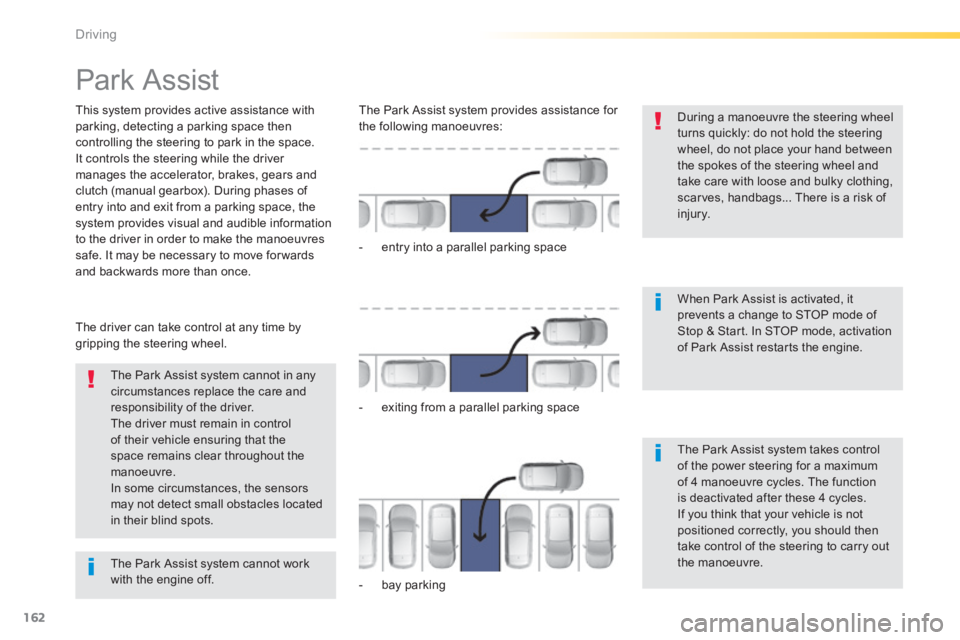
The Park Assist system provides assistance for the following manoeuvres:
- entry into a parallel parking space
- exiting from a parallel parking space
- bay parking
The Park Assist system takes control of the power steering for a maximum of 4 manoeuvre cycles. The function is deactivated after these 4 cycles. If you think that your vehicle is not positioned correctly, you should then take control of the steering to carry out the manoeuvre. The Park Assist system cannot work with the engine off.
Page 165 of 400
163
4
Driving
308_EN_CHAP04_CONDUITE_ED02-2013
The sequence of manoeuvres and the driving instructions are displayed in the instrument panel.
You should always check the surroundings of your vehicle before starting a manoeuvre.
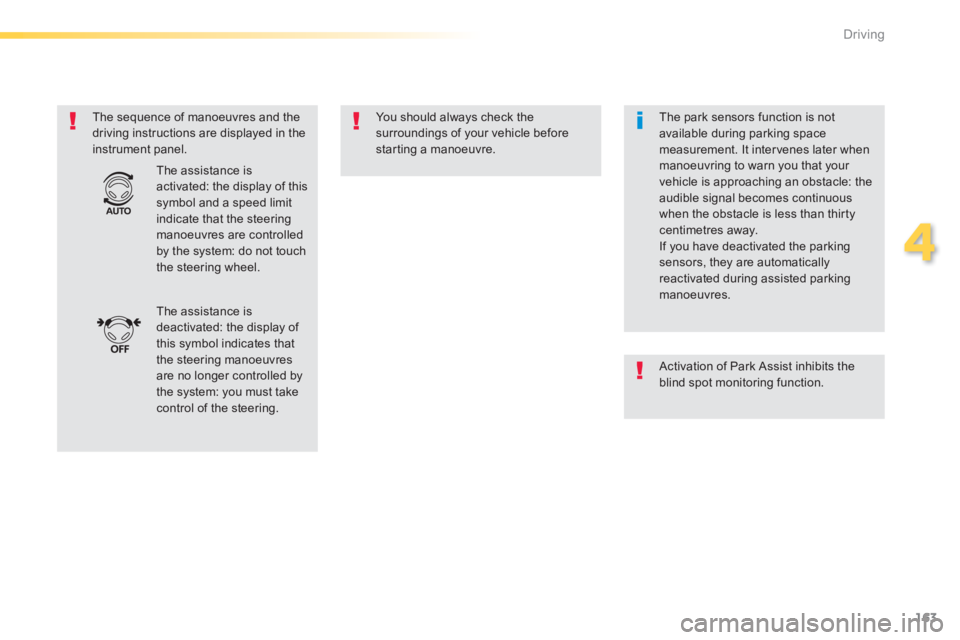
The assistance is deactivated: the display of this symbol indicates that the steering manoeuvres are no longer controlled by the system: you must take control of the steering.
The assistance is activated: the display of this symbol and a speed limit indicate that the steering manoeuvres are controlled by the system: do not touch the steering wheel.
The park sensors function is not available during parking space measurement. It intervenes later when manoeuvring to warn you that your vehicle is approaching an obstacle: the audible signal becomes continuous when the obstacle is less than thirty centimetres away. If you have deactivated the parking sensors, they are automatically reactivated during assisted parking manoeuvres.
Activation of Park Assist inhibits the blind spot monitoring function.
Page 175 of 400
173
5
Visibility
308_EN_CHAP05_VISIBILITE_ED02-2013
Lighting System for selection and control of the various front and rear lamps providing the vehicle's lighting and signalling.
Main lighting
There are various lamps on the vehicle: - sidelamps, to be seen, - dipped beam headlamps to see without dazzling other drivers, - main beam headlamps to see clearly when the road is clear.
Additional lighting
Other lamps are installed to fulfil the requirements of particular driving conditions: - rear foglamps, to better signal the presence of the vehicle in foggy conditions,
- front foglamps, for better visibility in foggy conditions and to improve lighting at intersections and when parking, - daytime running lamps, to be seen during the day.
Automatic lighting
functions
Various automatic lighting functions are also available depending on options: - guide-me-home lighting (from a distance), - welcome lighting, - daytime running lamps, - automatic illumination of headlamps.
Page 177 of 400
175
5
Visibility
308_EN_CHAP05_VISIBILITE_ED02-2013
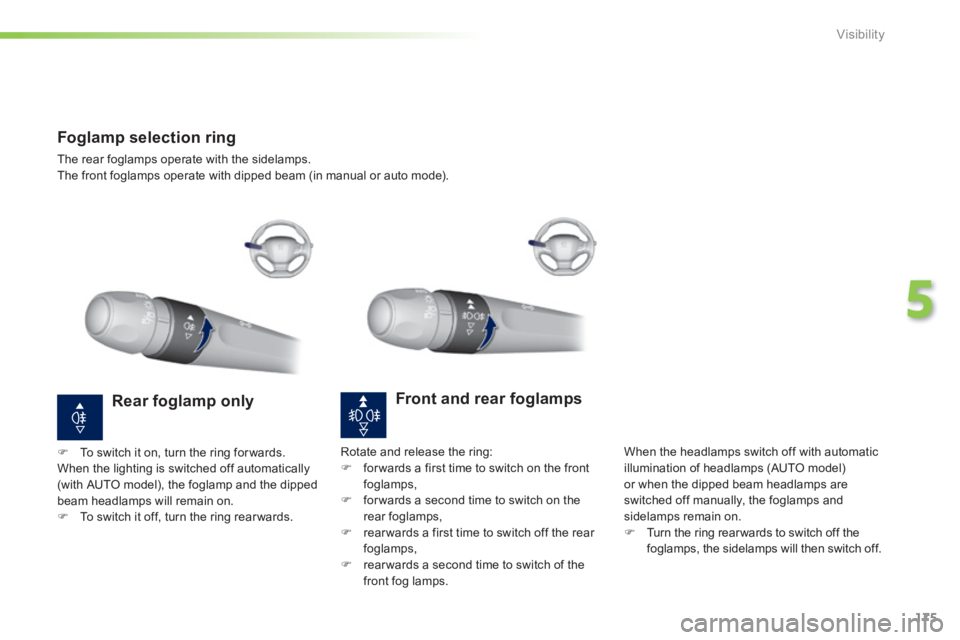
Foglamp selection ring
The rear foglamps operate with the sidelamps. The front foglamps operate with dipped beam (in manual or auto mode).
Front and rear foglamps
When the headlamps switch off with automatic illumination of headlamps (AUTO model) or when the dipped beam headlamps are switched off manually, the foglamps and sidelamps remain on. Turn the ring rear wards to switch off the foglamps, the sidelamps will then switch off.
Rear foglamp only
To switch it on, turn the ring for wards. When the lighting is switched off automatically (with AUTO model), the foglamp and the dipped beam headlamps will remain on. To switch it off, turn the ring rear wards.
Rotate and release the ring: for wards a first time to switch on the front foglamps, for wards a second time to switch on the rear foglamps, rear wards a first time to switch off the rear foglamps, rear wards a second time to switch of the front fog lamps.
Page 179 of 400
177
5
Visibility
308_EN_CHAP05_VISIBILITE_ED02-2013
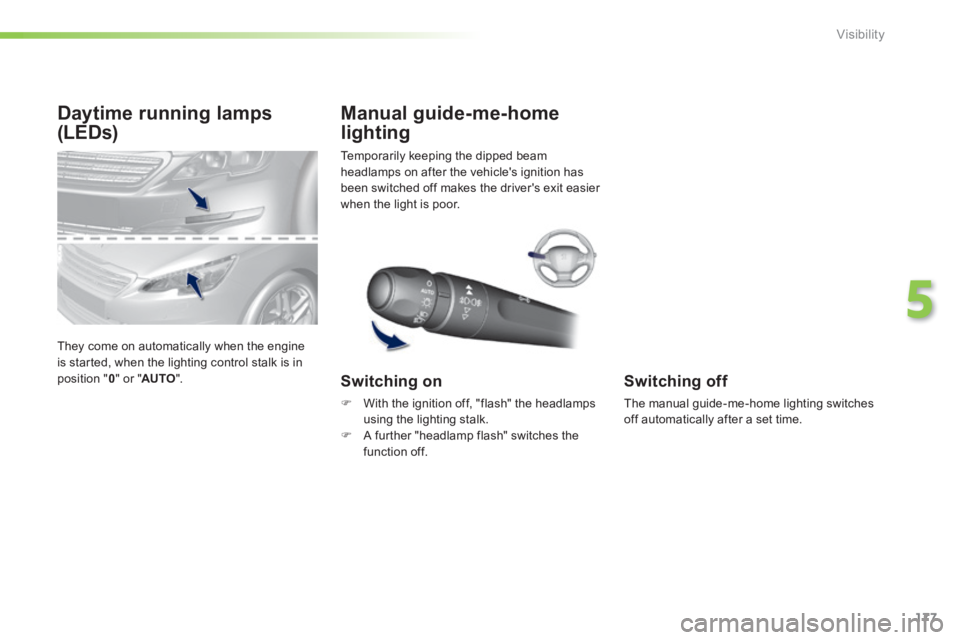
Daytime running lamps
(LEDs)
They come on automatically when the engine is started, when the lighting control stalk is in position " 0 " or " AUTO ".
Temporarily keeping the dipped beam headlamps on after the vehicle's ignition has been switched off makes the driver's exit easier when the light is poor.
Manual guide-me-home
lighting
Switching on
With the ignition off, "flash" the headlamps using the lighting stalk. A further "headlamp flash" switches the function off.
Switching off
The manual guide-me-home lighting switches off automatically after a set time.
Page 180 of 400
178
Visibility
308_EN_CHAP05_VISIBILITE_ED02-2013
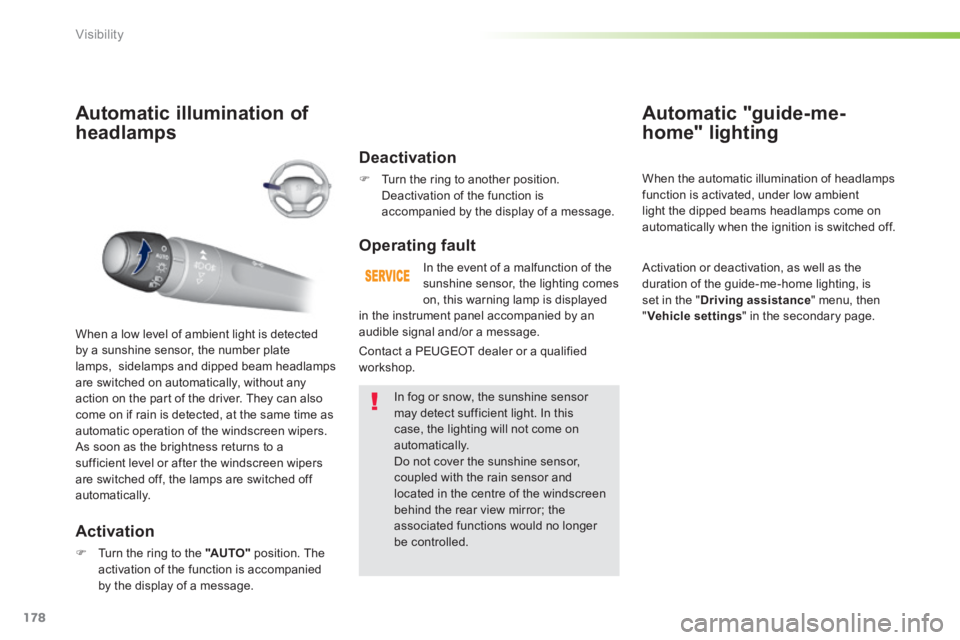
Automatic illumination of
headlamps
Activation
Turn the ring to the "AUTO" position. The activation of the function is accompanied by the display of a message.
When a low level of ambient light is detected by a sunshine sensor, the number plate lamps, sidelamps and dipped beam headlamps are switched on automatically, without any action on the part of the driver. They can also come on if rain is detected, at the same time as
automatic operation of the windscreen wipers. As soon as the brightness returns to a sufficient level or after the windscreen wipers are switched off, the lamps are switched off automatically.
Deactivation
Turn the ring to another position. Deactivation of the function is accompanied by the display of a message.
Operating fault
In the event of a malfunction of the sunshine sensor, the lighting comes on, this warning lamp is displayed
In fog or snow, the sunshine sensor may detect sufficient light. In this case, the lighting will not come on automatically. Do not cover the sunshine sensor, coupled with the rain sensor and located in the centre of the windscreen behind the rear view mirror; the associated functions would no longer be controlled.
Automatic "guide-me-
home" lighting
When the automatic illumination of headlamps function is activated, under low ambient light the dipped beams headlamps come on
automatically when the ignition is switched off.
Activation or deactivation, as well as the duration of the guide-me-home lighting, is set in the " Driving assistance " menu, then " Vehicle settings " in the secondary page.
Contact a PEUGEOT dealer or a qualified workshop.
in the instrument panel accompanied by an audible signal and/or a message.