phone PEUGEOT 5008 2017 Repair Manual
[x] Cancel search | Manufacturer: PEUGEOT, Model Year: 2017, Model line: 5008, Model: PEUGEOT 5008 2017Pages: 404, PDF Size: 15.31 MB
Page 385 of 404
13
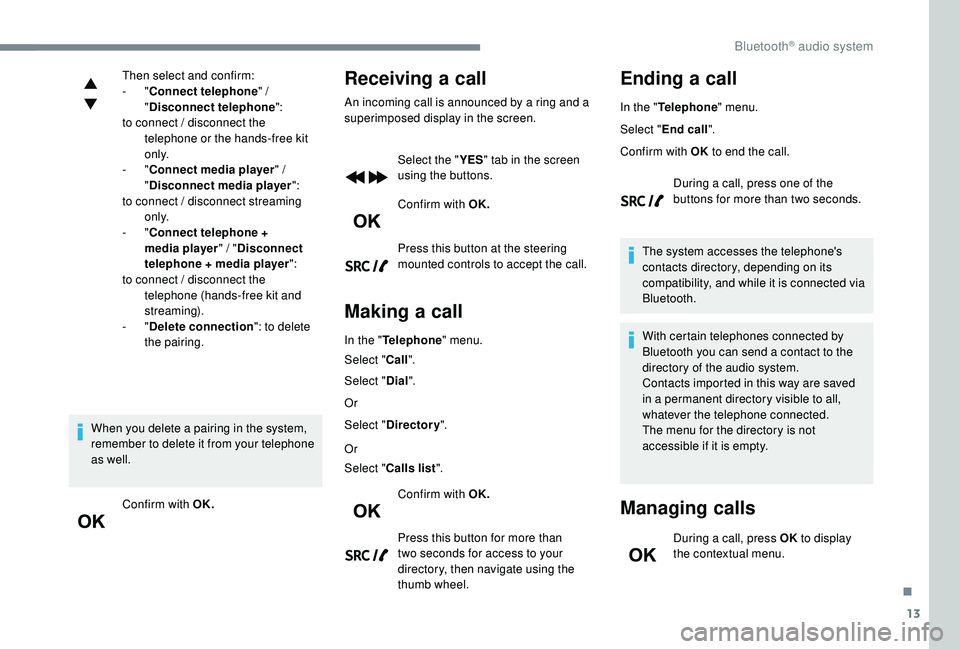
Then select and confirm:
- "Connect telephone " /
" Disconnect telephone ":
to connect / disconnect the telephone or the hands-free kit
o n l y.
-
"Connect media player " /
" Disconnect media player ":
to connect / disconnect streaming o n l y.
-
"Connect telephone +
media player " / "Disconnect
telephone + media player ":
to connect / disconnect the telephone (hands-free kit and
streaming).
-
"Delete connection ": to delete
the pairing.
When you delete a pairing in the system,
remember to delete it from your telephone
as well. Confirm with OK.Receiving a call
An incoming call is announced by a ring and a
superimposed display in the screen. Select the " YES" tab in the screen
using the buttons.
Confirm with OK.
Press this button at the steering
mounted controls to accept the call.
Making a call
In the " Telephone " menu.
Select " Call".
Select " Dial".
Or
Select " Directory ".
Or
Select " Calls list ".
Confirm with OK.
Press this button for more than
two seconds for access to your
directory, then navigate using the
thumb wheel.
Ending a call
In the " Telephone " menu.
Select " End call".
Confirm with OK to end the call.
During a call, press one of the
buttons for more than two seconds.
The system accesses the telephone's
contacts directory, depending on its
compatibility, and while it is connected via
Bluetooth.
With certain telephones connected by
Bluetooth you can send a contact to the
directory of the audio system.
Contacts imported in this way are saved
in a permanent directory visible to all,
whatever the telephone connected.
The menu for the directory is not
accessible if it is empty.
Managing calls
During a call, press OK to display
the contextual menu.
.
Bluetooth® audio system
Page 386 of 404
14
End call
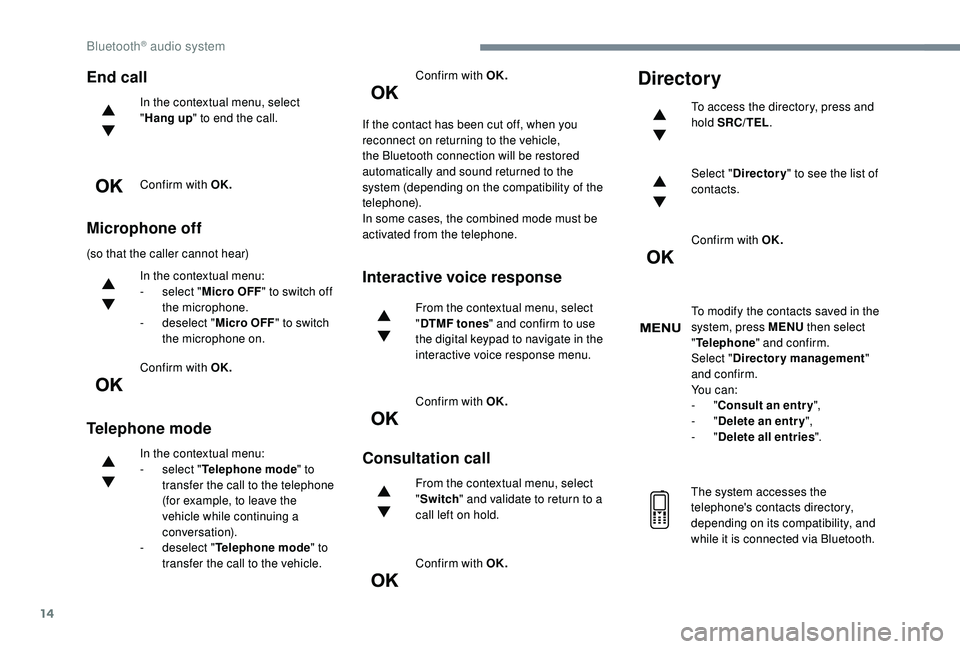
In the contextual menu, select
"Hang up " to end the call.
Confirm with OK.
Microphone off
(so that the caller cannot hear) In the contextual menu:
-
s
elect "Micro OFF " to switch off
the microphone.
-
d
eselect "Micro OFF " to switch
the microphone on.
Confirm with OK.
Telephone mode
In the contextual menu:
- s elect " Telephone mode " to
transfer the call to the telephone
(for example, to leave the
vehicle while continuing a
conversation).
-
d
eselect " Telephone mode " to
transfer the call to the vehicle. Confirm with OK.
If the contact has been cut off, when you
reconnect on returning to the vehicle,
the Bluetooth connection will be restored
automatically and sound returned to the
system (depending on the compatibility of the
telephone).
In some cases, the combined mode must be
activated from the telephone.
Interactive voice response
From the contextual menu, select
" DTMF tones " and confirm to use
the digital keypad to navigate in the
interactive voice response menu.
Confirm with OK.
Consultation call
From the contextual menu, select
" Switch " and validate to return to a
call left on hold.
Confirm with OK.
Directory
To access the directory, press and
hold SRC/TEL .
Select " Directory " to see the list of
contacts.
Confirm with OK.
To modify the contacts saved in the
system, press MENU then select
" Telephone " and confirm.
Select " Directory management "
and confirm.
Yo u c a n :
-
"Consult an entr y ",
-
"Delete an entry ",
-
"Delete all entries ".
The system accesses the
telephone's contacts directory,
depending on its compatibility, and
while it is connected via Bluetooth.
Bluetooth® audio system
Page 387 of 404
15
With certain telephones connected
by Bluetooth you can send a contact
to the directory of the audio system.
Contacts imported in this way are
saved in a permanent directory
visible to all, whatever the telephone
connected.
The menu for the directory is not
accessible if it is empty.
Voice recognition
This function allows you to use your
smartphone's voice recognition via the system.
To start voice recognition, depending on the
type of steering mounted controls:
Make a long press on the end of the lighting
control stalk.
ORPress this button. Voice recognition requires the use of a
compatible smartphone first connected to
the vehicle by Bluetooth.
.
Bluetooth® audio system
Page 390 of 404
18
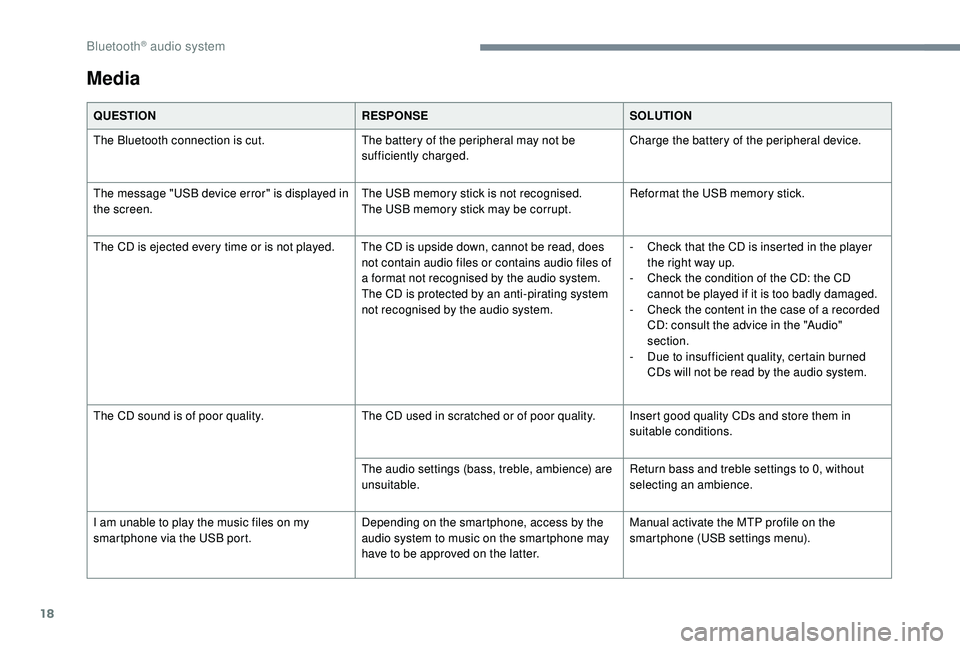
Media
QUESTIONRESPONSESOLUTION
The Bluetooth connection is cut. The battery of the peripheral may not be
sufficiently charged.Charge the battery of the peripheral device.
The message "USB device error" is displayed in
the screen. The USB memory stick is not recognised.
The USB memory stick may be corrupt.Reformat the USB memory stick.
The CD is ejected every time or is not played. The CD is upside down, cannot be read, does not contain audio files or contains audio files of
a format not recognised by the audio system.
The CD is protected by an anti-pirating system
not recognised by the audio system.-
C
heck that the CD is inserted in the player
the right way up.
-
C
heck the condition of the CD: the CD
cannot be played if it is too badly damaged.
-
C
heck the content in the case of a recorded
CD: consult the advice in the "Audio"
section.
-
D
ue to insufficient quality, certain burned
CDs will not be read by the audio system.
The CD sound is of poor quality. The CD used in scratched or of poor quality. Insert good quality CDs and store them in
suitable conditions.
The audio settings (bass, treble, ambience) are
unsuitable. Return bass and treble settings to 0, without
selecting an ambience.
I am unable to play the music files on my
smartphone via the USB port. Depending on the smartphone, access by the
audio system to music on the smartphone may
have to be approved on the latter.Manual activate the MTP profile on the
smartphone (USB settings menu).
Bluetooth® audio system
Page 391 of 404
19
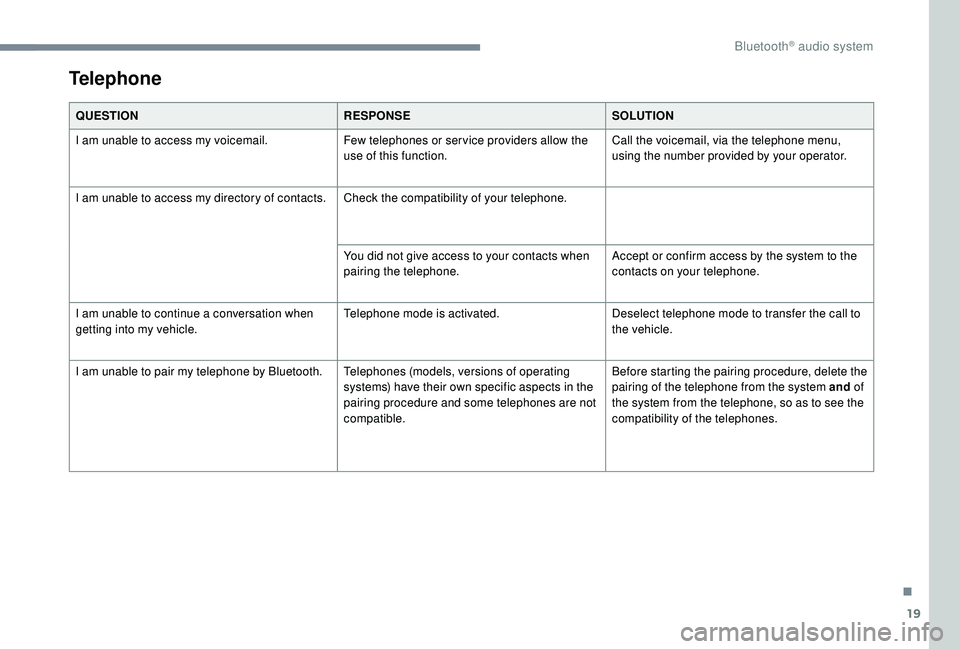
Telephone
QUESTIONRESPONSESOLUTION
I am unable to access my voicemail. Few telephones or ser vice providers allow the
use of this function.Call the voicemail, via the telephone menu,
using the number provided by your operator.
I am unable to access my directory of contacts. Check the compatibility of your telephone.
You did not give access to your contacts when
pairing the telephone.Accept or confirm access by the system to the
contacts on your telephone.
I am unable to continue a conversation when
getting into my vehicle. Telephone mode is activated.
Deselect telephone mode to transfer the call to
the vehicle.
I am unable to pair my telephone by Bluetooth. Telephones (models, versions of operating
systems) have their own specific aspects in the
pairing procedure and some telephones are not
compatible.Before starting the pairing procedure, delete the
pairing of the telephone from the system and
of
the system from the telephone, so as to see the
compatibility of the telephones.
.
Bluetooth® audio system
Page 395 of 404
297
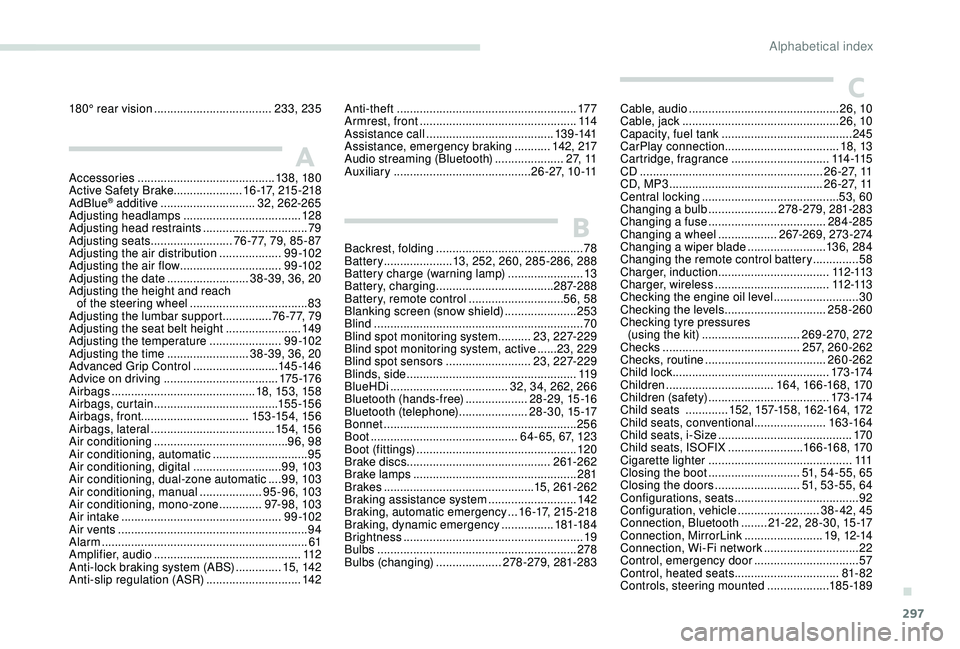
Accessories .......................................... 13 8, 18 0
Active Safety Brake..................... 1 6 -17, 215 -218
AdBlue
® additive ............................. 3 2, 262-265
Adjusting headlamps .................................... 128
Adjusting head restraints
................................ 79
Adjusting seats
......................... 7 6 - 7 7, 79, 85 - 87
Adjusting the air distribution
...................9 9 -10 2
Adjusting the air flow
............................... 9
9 -10 2
Adjusting the date
......................... 38-39, 36, 20
Adjusting the height and reach of the steering wheel
.................................... 83
Adjusting the lumbar support
............... 7
6 - 7 7, 79
Adjusting the seat belt height
....................... 14
9
Adjusting the temperature
......................9 9 -10 2
Adjusting the time
......................... 38-39, 36, 20
Advanced Grip Control
.......................... 145 -14 6
Advice on driving
................................... 175 -176
Airbags
...............................
.............18, 15 3, 15 8
Airbags, curtain
...................................... 15 5 -15 6
Airbags, front ................................. 15 3 -15 4, 15 6
Airbags, lateral
...................................... 15 4, 15 6
Air conditioning
......................................... 96, 98
Air conditioning, automatic
.............................95
Air conditioning, digital
........................... 99, 103
Air conditioning, dual-zone automatic
....99, 103
Air conditioning, manual
................... 9
5-96, 103
Air conditioning, mono-zone
.............97- 9 8 , 103
Air intake
................................................. 9 9 -10 2
Air vents
.......................................................... 94
Alarm
............................................................... 61
Amplifier, audio
...............................
..............112
Anti-lock braking system (ABS)
..............15, 142
Anti-slip regulation (ASR)
............................. 142Anti-theft
.......................................................
17 7
Armrest, front ................................................
114
Assistance call
...............................
........
13 9 -141
Assistance, emergency braking
...........
142, 217
Audio streaming (Bluetooth)
.....................
2 7, 11
Auxiliary
..........................................
2 6 - 2 7, 1 0 -11 Cable, audio
..............................................
26, 10
Cable, jack
................................................
26, 10
Capacity, fuel tank
........................................
245
CarPlay connection ................................... 18, 13
Cartridge, fragrance
.............................. 11
4 -115
CD
........................................................
2 6 - 2 7, 11
CD, MP3
...............................................
2 6 - 2 7, 11
Central locking .......................................... 5 3,
60
Changing a bulb ..................... 2
78-279, 281-283
Changing a fuse
.................................... 28
4-285
Changing a wheel
.................. 2
67-269, 273-274
Changing a wiper blade
........................ 13
6, 284
Changing the remote control battery
..............58
Charger, induction
..................................112 -113
Charger, wireless
................................... 11
2 -113
Checking the engine oil level
..........................30
Checking the levels
...............................258-260
Checking tyre pressures (using the kit)
..............................269-270, 272
Checks
..........................................2 5 7, 260-262
Checks, routine
.....................................260-262
Child lock
................................................173 -174
Children
.................................16 4, 166 -168, 170
Children (safety)
.....................................173 -174
Child seats
.............15
2, 157-15 8, 162-16 4, 172
Child seats, conventional
......................163 -16 4
Child seats, i-Size
.........................................170
Child seats, ISOFIX
.......................166 -168, 170
Cigarette lighter
............................................111
Closing the boot
............................51
, 54-55, 65
Closing the doors
..........................51, 53-55, 64
Configurations, seats
......................................92
Configuration, vehicle
......................... 3
8 - 42, 45
Connection, Bluetooth
........ 21
-22, 28-30, 15 -17
Connection, MirrorLink
........................19, 12-14
Connection, Wi-Fi network
.............................22
Control, emergency door
................................ 57
C
ontrol, heated seats
................................81- 82
Controls, steering mounted
...................185 -189
A
B
C
Backrest, folding ............................................. 78
B attery ..................... 13, 252, 260, 285-286, 288
Battery charge (warning lamp)
.......................13
Battery, charging
.................................... 287-288
Battery, remote control
.............................56, 58
Blanking screen (snow shield)
......................253
Blind
..............................
..................................70
Blind spot monitoring system
..........23, 227-229
Blind spot monitoring system, active
......23, 229
Blind spot sensors
..........................23, 227-229
Blinds, side
.................................................... 11 9
BlueHDi
.................................... 32, 34, 262, 266
Bluetooth (hands-free)
................... 2
8-29, 15 -16
Bluetooth (telephone)
..................... 2
8-30, 15 -17
Bonnet
........................................................... 256
Boot
............................................. 64-65, 6 7, 123
Boot (fittings)
................................................. 120
Brake discs
............................................ 261-262
Brake lamps
...............................
...................281
Brakes
.............................................. 15, 261-262
Braking assistance system
...........................142
Braking, automatic emergency
...1 6 -17, 215 -218
Braking, dynamic emergency
................181-18 4
Brightness
....................................................... 19
Bulbs
............................................................. 278
Bulbs (changing)
....................278-279, 281-283
180° rear vision
....................................
233, 235
.
Alphabetical index
Page 399 of 404
301
U
V
W
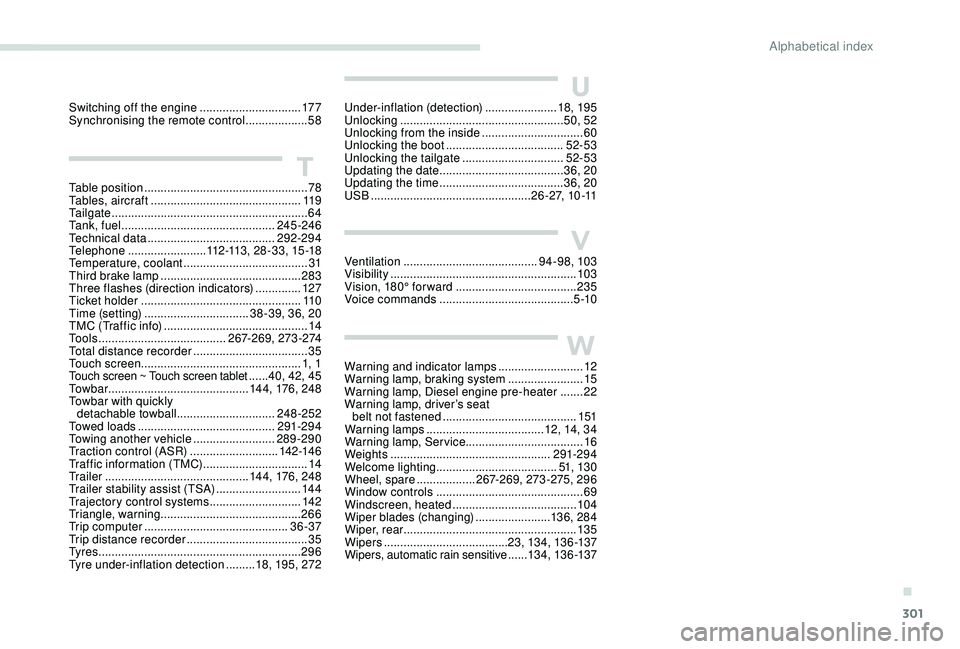
Under-inflation (detection) ......................18, 195
Unlocking .................................................. 50, 52
Unlocking from the inside
...............................60
Unlocking the boot
...............................
.....52-53
Unlocking the tailgate
............................... 5
2-53
Updating the date
...................................... 3
6, 20
Updating the time
...............................
.......36, 20
USB
................................................. 2 6 - 2 7, 1 0 -11
Ventilation
......................................... 94-98, 103
Visibility
...............
.......................................... 103
Vision, 180° for ward
..................................... 235
Voice commands
......................................... 5 -10
Warning and indicator lamps
.......................... 12
W
arning lamp, braking system
.......................15
Warning lamp, Diesel engine pre-heater
.......22
Warning lamp, driver’s seat belt not fastened
...............................
..........151
Warning lamps
.................................... 12, 14, 34
Warning lamp, Service ....................................16
Weights
...............
.................................. 291-294
Welcome lighting ..................................... 51, 13 0
Wheel, spare
.................. 2
67-269, 273-275, 296
Window controls
............................................. 69
Windscreen, heated
...................................... 104
Wiper blades (changing)
.......................13 6, 284
Wiper, rear ..................................................... 13 5
Wipers
...................................... 23, 13 4, 13 6 -137
Wipers, automatic rain sensitive
......13 4, 13 6 -137
Table position
.................................................. 78
Tables, aircraft
.............................................. 11 9
Tailgate
................
............................................ 64
Ta n k , f u e l
............................................... 245 -246
Technical data
....................................... 29
2-294
Telephone
........................ 11
2 -113 , 28-33, 15 -18
Temperature, coolant
...................................... 31
Third brake lamp
........................................... 283
Three flashes (direction indicators)
.............. 12
7
Ticket holder
................................................. 11 0
Time (setting)
................................ 38-39, 36, 20
TMC (Traffic info)
............................................ 14
T
o o l s
....................................... 267-269, 273-274
Total distance recorder
................................... 35
Touch screen ................................................. 1, 1
Touch screen ~ Touch screen tablet
...... 40, 42, 45
To w b a r
...............................
............ 14 4, 176 , 248
Towbar with quickly detachable towball
.............................. 248-252
Towed loads
.......................................... 291-294
Towing another vehicle
......................... 289-290
Traction control (ASR)
........................... 142-14 6
Traffic information (TMC)
................................ 14
Tr a i l e r
...............
............................. 14 4, 176 , 248
Trailer stability assist (TSA)
.......................... 14
4
Trajectory control systems
............................ 14
2
Triangle, warning ........................................... 266
Trip computer
............................................ 36 -37
Trip distance recorder
..................................... 35
T
y r e s
.............................................................. 296
Tyre under-inflation detection
......... 18, 195, 272
T
Switching off the engine ...............................17 7
Synchronising the remote control ...................58
.
Alphabetical index