Air PEUGEOT 5008 2018 Manual PDF
[x] Cancel search | Manufacturer: PEUGEOT, Model Year: 2018, Model line: 5008, Model: PEUGEOT 5008 2018Pages: 364, PDF Size: 13.03 MB
Page 257 of 364
255
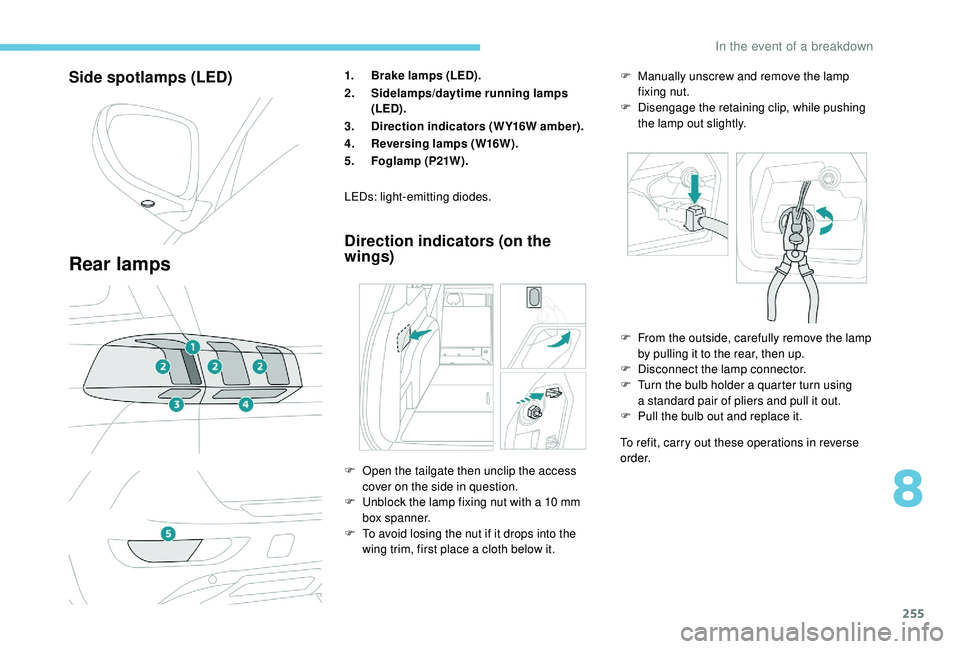
Side spotlamps (LED)
Rear lamps
1.Brake lamps (LED).
2. Sidelamps/daytime running lamps
(LED).
3. Direction indicators (WY16W amber).
4. Reversing lamps (W16W).
5. Foglamp (P21W).
Direction indicators (on the
wings)
To refit, carry out these operations in reverse
o r d e r.
LEDs: light-emitting diodes.
F
O
pen the tailgate then unclip the access
cover on the side in question.
F
U
nblock the lamp fixing nut with a
10
mm
box spanner.
F
T
o avoid losing the nut if it drops into the
wing trim, first place a
cloth below it. F
F
rom the outside, carefully remove the lamp
by pulling it to the rear, then up.
F
D
isconnect the lamp connector.
F
T
urn the bulb holder a quarter turn using
a standard pair of pliers and pull it out.
F
P
ull the bulb out and replace it.
F
M
anually unscrew and remove the lamp
fixing nut.
F
D
isengage the retaining clip, while pushing
the lamp out slightly.
8
In the event of a breakdown
Page 260 of 364
258
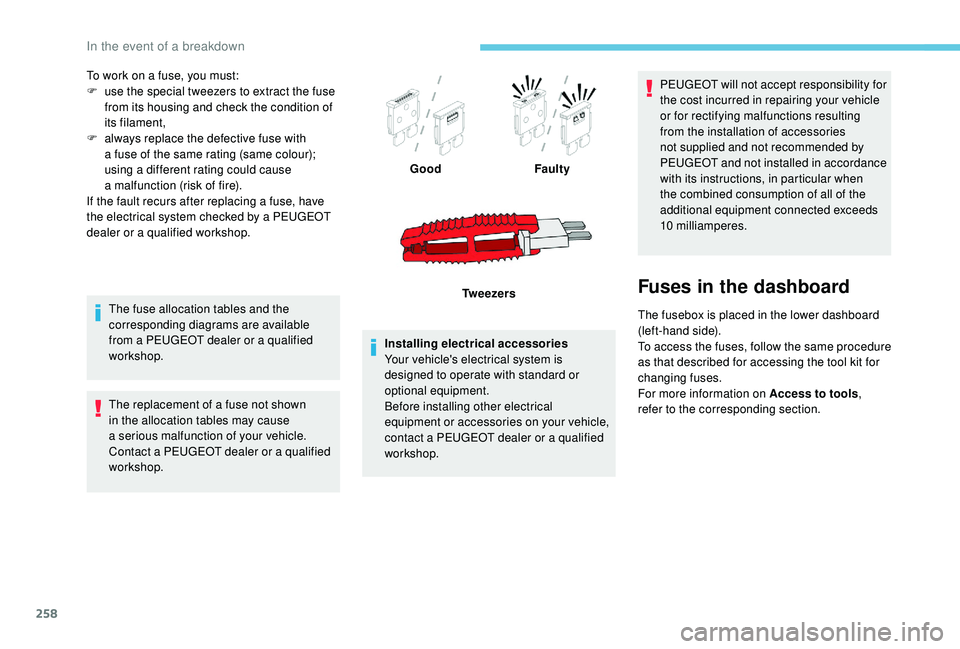
To work on a fuse, you must:
F u se the special tweezers to extract the fuse
from its housing and check the condition of
its filament,
F
a
lways replace the defective fuse with
a
fuse of the same rating (same colour);
using a
different rating could cause
a
malfunction (risk of fire).
If the fault recurs after replacing a
fuse, have
the electrical system checked by a
PEUGEOT
dealer or a
qualified workshop.
The fuse allocation tables and the
corresponding diagrams are available
from a
PEUGEOT dealer or a qualified
workshop.
The replacement of a
fuse not shown
in the allocation tables may cause
a
serious malfunction of your vehicle.
Contact a
PEUGEOT dealer or a qualified
workshop. Installing electrical accessories
Your vehicle's electrical system is
designed to operate with standard or
optional equipment.
Before installing other electrical
equipment or accessories on your vehicle,
contact a
PEUGEOT dealer or a qualified
workshop. PEUGEOT will not accept responsibility for
the cost incurred in repairing your vehicle
or for rectifying malfunctions resulting
from the installation of accessories
not supplied and not recommended by
PEUGEOT and not installed in accordance
with its instructions, in particular when
the combined consumption of all of the
additional equipment connected exceeds
10
milliamperes.
Fuses in the dashboard
The fusebox is placed in the lower dashboard
(left-hand side).
To access the fuses, follow the same procedure
as that described for accessing the tool kit for
changing fuses.
For more information on Access to tools,
refer to the corresponding section.
Good
Faulty
Tw e e z e r s
In the event of a breakdown
Page 261 of 364
259
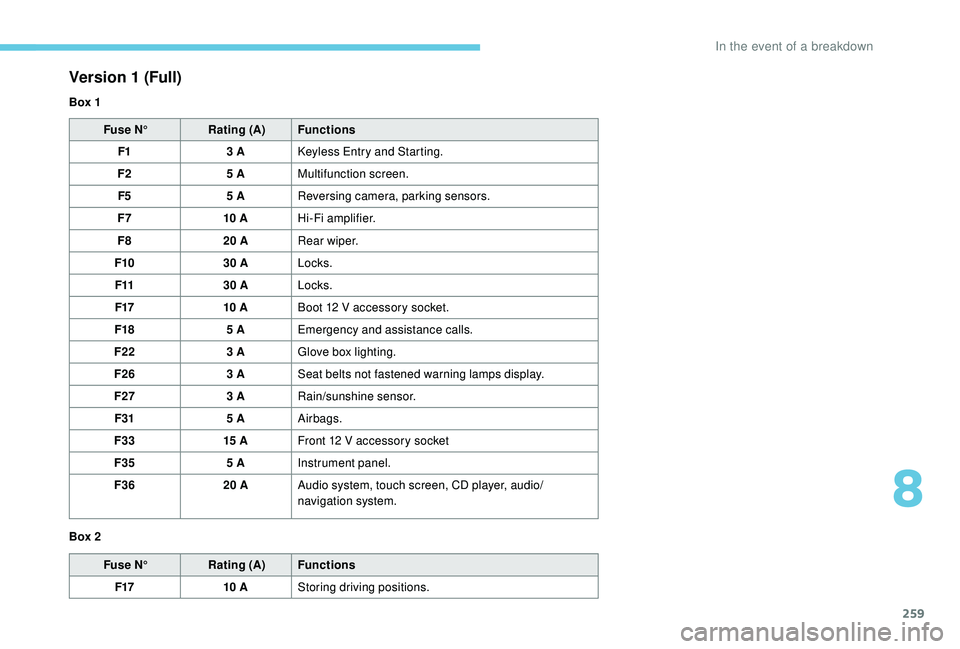
Fuse N°Rating (A) Functions
F1 3
A
K
eyless Entry and Starting.
F2 5
AMultifunction screen.
F5 5
AReversing camera, parking sensors.
F7 10
AHi-Fi amplifier.
F8 20
ARear wiper.
F10 30
ALocks.
F11 30
ALocks.
F17 10
ABoot 12
V accessory socket.
F18 5
AEmergency and assistance calls.
F22 3
AGlove box lighting.
F26 3
ASeat belts not fastened warning lamps display.
F27 3
ARain/sunshine sensor.
F31 5
AAirbags.
F33 15
AFront 12
V accessory socket
F35 5
AInstrument panel.
F36 20
AAudio system, touch screen, CD player, audio/
navigation system.
Fuse N° Rating (A) Functions
F17 10
AStoring driving positions.
Version 1 (Full)
Box 1
Box 2
8
In the event of a breakdown
Page 262 of 364
260
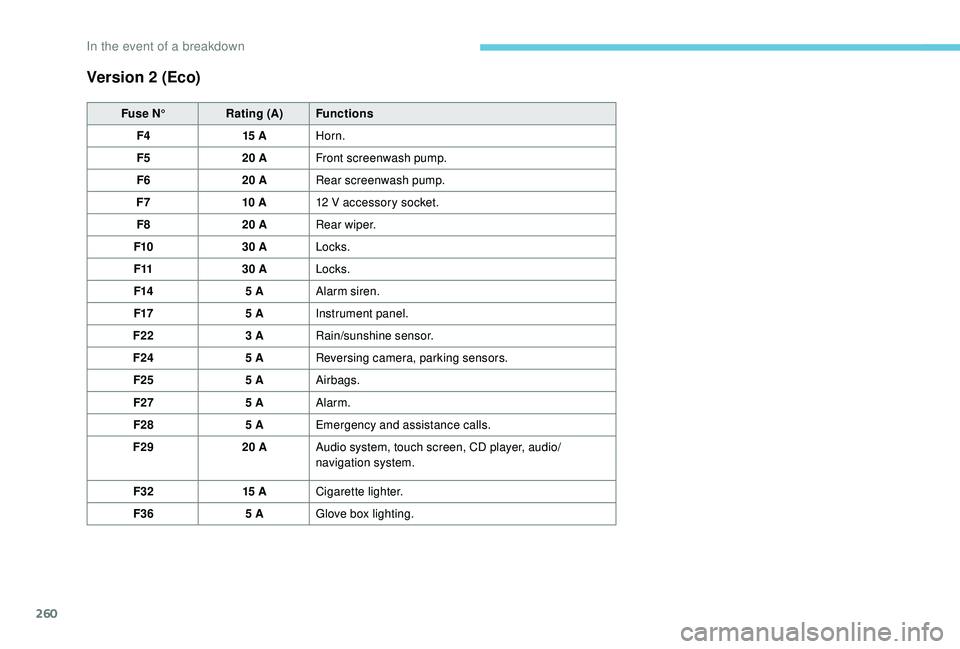
Version 2 (Eco)
Fuse N°Rating (A) Functions
F4 15
AHorn.
F5 20
AFront screenwash pump.
F6 20
ARear screenwash pump.
F7 10
A12
V accessory socket.
F8 20
ARear wiper.
F10 30
ALocks.
F11 30
ALocks.
F14 5
AAlarm siren.
F17 5
AInstrument panel.
F22 3
ARain/sunshine sensor.
F24 5
AReversing camera, parking sensors.
F25 5
AAirbags.
F27 5
AAlarm.
F28 5
AEmergency and assistance calls.
F29 20
AAudio system, touch screen, CD player, audio/
navigation system.
F32 15
ACigarette lighter.
F36 5
AGlove box lighting.
In the event of a breakdown
Page 277 of 364
1
PEUGEOT Connect Nav
GPS satellite navigation –
Applications – Multimedia
audio system – Bluetooth
®
telephone
Contents
First steps
2
S
teering mounted controls
3
M
enus
3
V
oice commands
5
N
avigation
1
1
Connected navigation
1
3
Applications
1
6
Radio
21
D
AB radio (Digital Audio Broadcasting)
2
2
Media
23
T
elephone
2
5
Settings
2
9
Frequently asked questions
3
2The different functions and settings
described vary according to the version
and configuration of your vehicle.
As a
safety measure and because it
requires sustained attention by the
driver, the pairing of a Bluetooth mobile
telephone with the Bluetooth hands-free
system of your audio system must be
done with the vehicle stationary and the
ignition on.
The system is protected in such a way that
it will only operate in your vehicle.
The display of the message Energy
Economy Mode signals that a change to
standby is imminent.
The link below gives access to OSS (Open
Source Software) codes for the system.
https://www.groupe-psa.com/fr/oss/
https://www.groupe-psa.com/en/oss/
.
PEUGEOT Connect Nav
Page 278 of 364
2
12:13
18,5 21,5
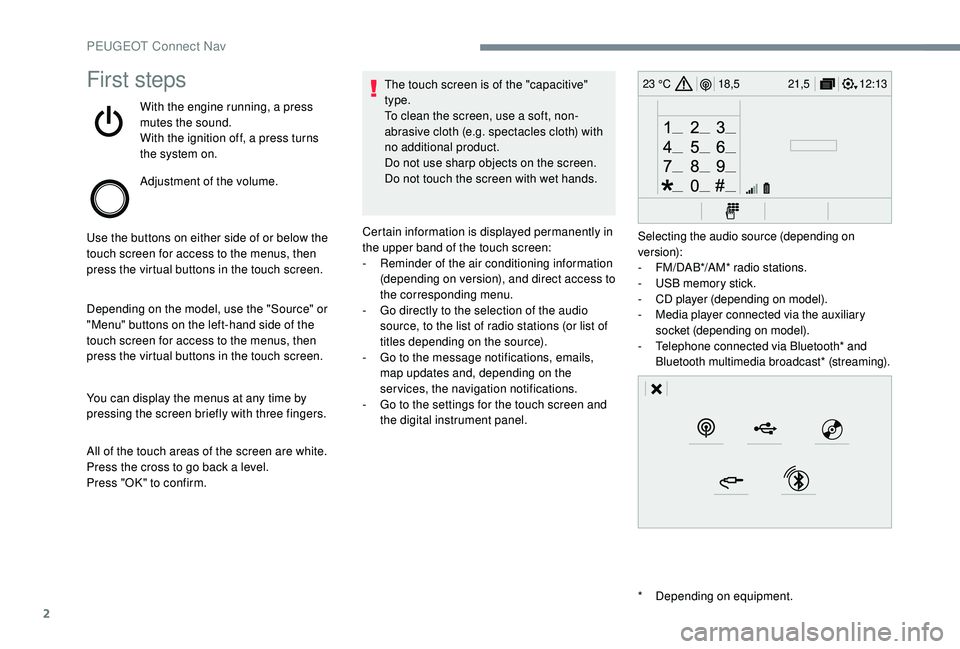
23 °CFirst steps
With the engine running, a press
mutes the sound.
With the ignition off, a press turns
the system on.
Adjustment of the volume.
Use the buttons on either side of or below the
touch screen for access to the menus, then
press the virtual buttons in the touch screen.
Depending on the model, use the "Source" or
"Menu" buttons on the left-hand side of the
touch screen for access to the menus, then
press the virtual buttons in the touch screen.
You can display the menus at any time by
pressing the screen briefly with three fingers.
All of the touch areas of the screen are white.
Press the cross to go back a
level.
Press "OK" to confirm. The touch screen is of the "capacitive"
type.
To clean the screen, use a
soft, non-
abrasive cloth (e.g. spectacles cloth) with
no additional product.
Do not use sharp objects on the screen.
Do not touch the screen with wet hands.
*
D
epending on equipment.
Certain information is displayed permanently in
the upper band of the touch screen:
-
R
eminder of the air conditioning information
(depending on version), and direct access to
the corresponding menu.
-
G
o directly to the selection of the audio
source, to the list of radio stations (or list of
titles depending on the source).
-
G
o to the message notifications, emails,
map updates and, depending on the
services, the navigation notifications.
-
G
o to the settings for the touch screen and
the digital instrument panel. Selecting the audio source (depending on
version):
-
F
M/DAB*/AM* radio stations.
-
U
SB memory stick.
-
C
D player (depending on model).
-
M
edia player connected via the auxiliary
socket (depending on model).
-
T
elephone connected via Bluetooth* and
Bluetooth multimedia broadcast* (streaming).
PEUGEOT Connect Nav
Page 279 of 364
3
21,518,5
12:1323 °C
In the "Settings" menu you can create
a profile for just one person or a group
of people with shared interests, with
the possibility of entering multiple
settings (radio presets, audio settings,
navigation history, contact favourites,
etc.); these settings are taken into account
automatically.
In very hot conditions, the volume may
be limited to protect the system. It may go
into standby (screen and sound off) for at
least 5
minutes.
The return to normal takes place after
the temperature in the passenger
compartment drops.
Steering mounted controls
Depending on model.
Voice commands :
This control is located on the
steering wheel or at the end of the
lighting control stalk (depending on
model).
Short press, system voice
commands.
Long press, smartphone voice
commands via the system. or
Increase volume.
or Mute/Restore the sound.
Or
Mute by pressing the volume
increase and decrease buttons
simultaneously.
Restore the sound by pressing one
of the two volume buttons.
or Decrease volume.
or Media
(short press): change the
multimedia source.
Telephone (short press): start
telephone call.
Call in progress (short press):
access telephone menu.
Telephone (long press): reject an
incoming call, end call; when no call
is in progress, access telephone
menu. or
Radio
(rotate): automatic search for
the previous/next station.
Media (rotate): previous/next track,
move in a list.
Short press : confirm a selection; if
nothing selected, access to presets.
Radio : display the list of stations.
Media : display the list of tracks.
Radio (press and hold): update the
list of stations received.
Menus
Depending on model/Depending on version
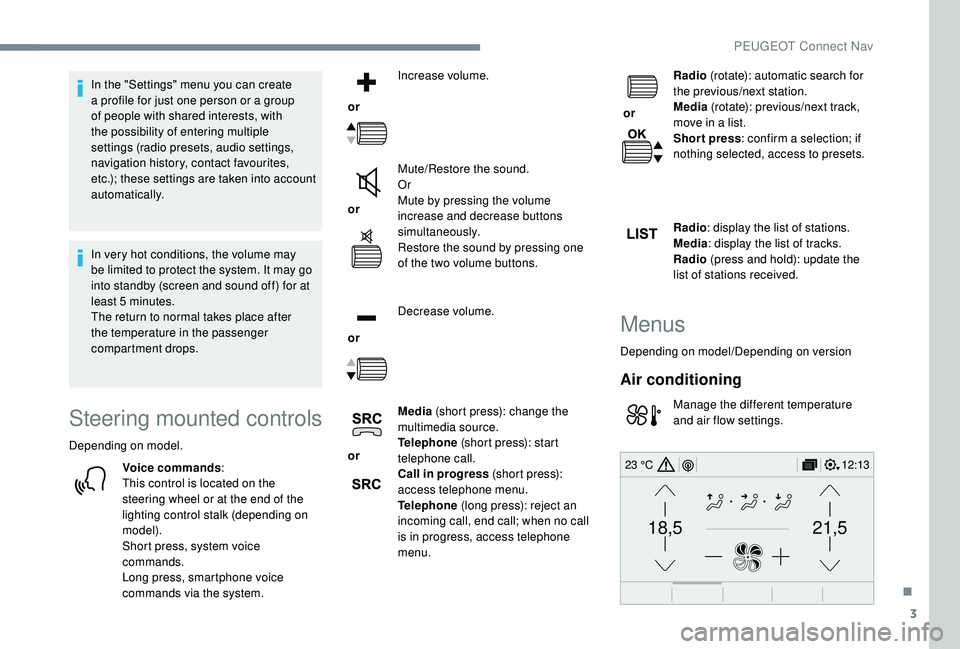
Air conditioning
Manage the different temperature
and air flow settings.
.
PEUGEOT Connect Nav
Page 295 of 364
19
Different audio sources remain accessible in
the margin of the Android Auto display, using
touch buttons in the upper bar.
Access to the menus for the system is possible
at any time using the dedicated buttons.In Android Auto mode, the function to
display the menus by pressing the screen
briefly with three fingers is deactivated.
There may be a
waiting time for the
availability of applications, depending on
the quality of your network.
Bluetooth® connection
As a safety measure and because they
r equire prolonged attention on the part
of the driver, the operations for pairing
of the Bluetooth mobile telephone with
the Bluetooth hands-free system of your
audio system must be carried out with the
vehicle stationary and the ignition on. Activate the Bluetooth function on the
telephone and ensure that it is "visible to
all" (telephone configuration).
Procedure from the telephone
Select the system name in the list of
devices detected.
In the system, accept the connection request
from the telephone. To complete the pairing, whichever
procedure used (from the telephone or
from the system), ensure that the code
is the same in the system and in the
telephone.
Procedure from the system
or Press Applications
to display the
primary page.
Press the " OPTIONS" button to go to the
secondary page.
Press "Bluetooth connection ".Select "
Search".
The list of telephones detected is
displayed.
If the pairing procedure fails, it is recommended
that you deactivate and then reactivate the
Bluetooth function in your telephone.
Select the name of the chosen
telephone in the list.
Depending on the type of telephone, you
may be asked to accept or not the transfer
of your contacts and messages.
Connection sharing
The system offers to connect the telephone
with 3 profiles:
-
"Telephone " (hands-free kit, telephone
only),
-
"Streaming " (streaming: wireless playing of
the audio files on the telephone),
-
"Mobile internet data ".
.
PEUGEOT Connect Nav
Page 301 of 364
25
It is advisable to restrict file names to
20 characters, without using special characters
(e.g. " " ?.; ù) so as to avoid any reading or
display problems.
Use only USB keys in FAT32
format (File
Allocation Table).
It is recommended that the original USB
cable for the portable device be used.
In order to be able to play a
burned CDR or
CDRW, select standards ISO
9660 level 1, 2 or
Joliet if possible when burning the CD.
If the disc is burned in another format, it may
not be played correctly.
It is recommended that the same burning
standard be always used on an individual disc,
with the lowest speed possible (4x maximum)
for the best acoustic quality.
In the particular case of a
multi-session CD, the
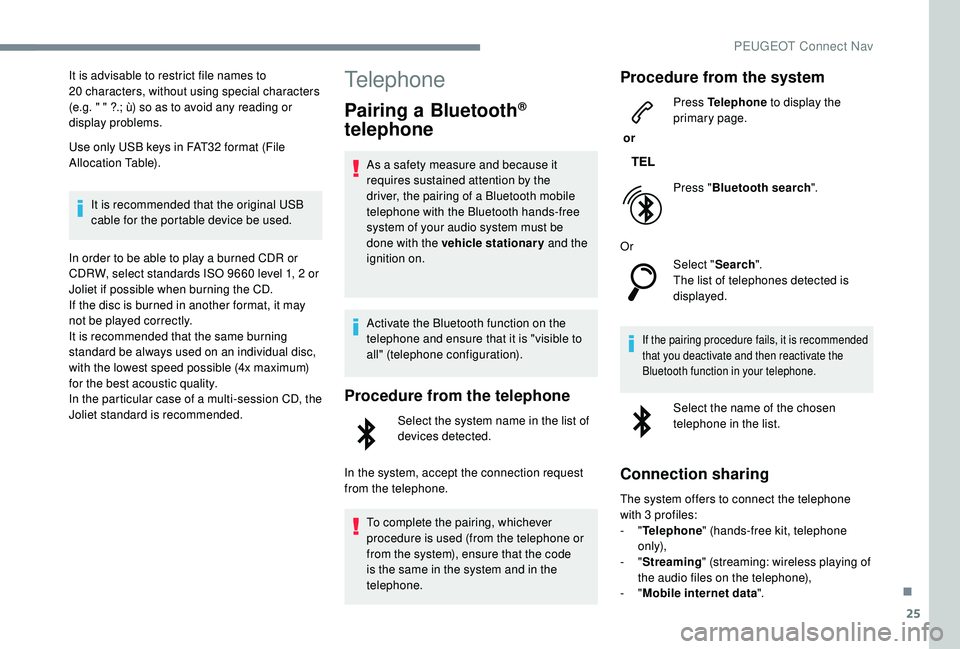
Joliet standard is recommended.Telephone
Pairing a Bluetooth®
telephone
As a safety measure and because it
r equires sustained attention by the
driver, the pairing of a
Bluetooth mobile
telephone with the Bluetooth hands-free
system of your audio system must be
done with the vehicle stationary and the
ignition on.
Activate the Bluetooth function on the
telephone and ensure that it is "visible to
all" (telephone configuration).
Procedure from the telephone
Select the system name in the list of
devices detected.
In the system, accept the connection request
from the telephone. To complete the pairing, whichever
procedure is used (from the telephone or
from the system), ensure that the code
is the same in the system and in the
telephone.
Procedure from the system
or Press Telephone
to display the
primary page.
Press " Bluetooth search ".
Or Select "Search".
The list of telephones detected is
displayed.
If the pairing procedure fails, it is recommended
that you deactivate and then reactivate the
Bluetooth function in your telephone.
Select the name of the chosen
telephone in the list.
Connection sharing
The system offers to connect the telephone
with 3 profiles:
-
"Telephone " (hands-free kit, telephone
only),
-
"Streaming " (streaming: wireless playing of
the audio files on the telephone),
-
"Mobile internet data ".
.
PEUGEOT Connect Nav
Page 302 of 364
26
Activation of the profile; "Mobile internet
data " is obligatory for connected
navigation having first activated sharing of
this connection on your smartphone.
Select one or more profiles.
Press " OK" to confirm.
Depending on the type of telephone, you
may be asked to accept or not the transfer
of your contacts and messages.
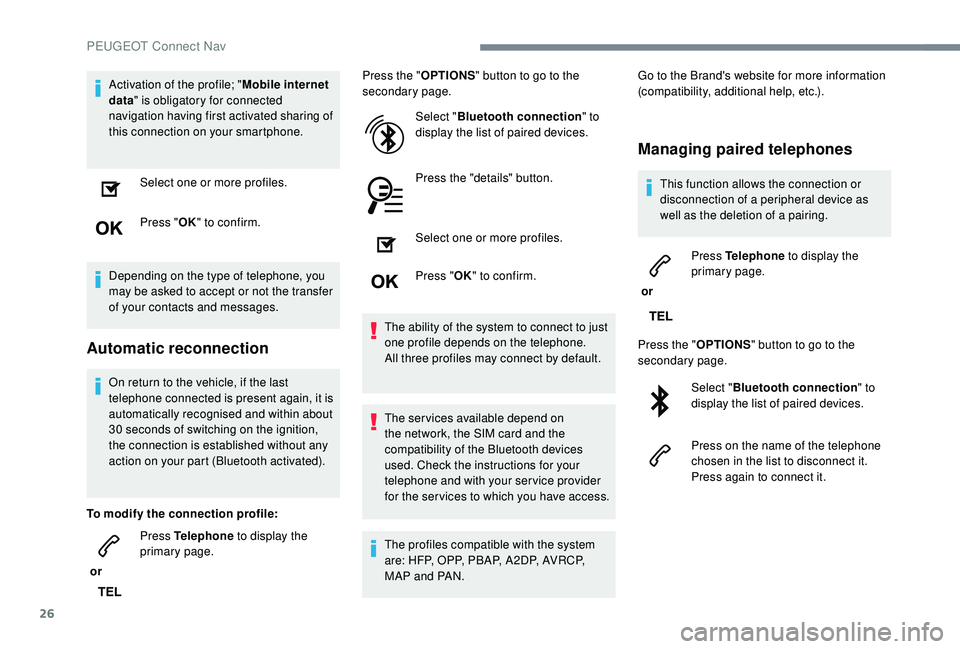
Automatic reconnection
On return to the vehicle, if the last
telephone connected is present again, it is
automatically recognised and within about
30 seconds of switching on the ignition,
the connection is established without any
action on your part (Bluetooth activated).
To modify the connection profile:
or Press Telephone
to display the
primary page. Press the "
OPTIONS" button to go to the
secondary page.
Select "Bluetooth connection " to
display the list of paired devices.
Press the "details" button.
Select one or more profiles.
Press " OK" to confirm.
The ability of the system to connect to just
one profile depends on the telephone.
All three profiles may connect by default.
The services available depend on
the network, the SIM card and the
compatibility of the Bluetooth devices
used. Check the instructions for your
telephone and with your service provider
for the ser vices to which you have access.
The profiles compatible with the system
are: HFP, OPP, PBAP, A 2DP, AVRCP,
MAP and PAN. Go to the Brand's website for more information
(compatibility, additional help, etc.).
Managing paired telephones
This function allows the connection or
disconnection of a
peripheral device as
well as the deletion of a
pairing.
or Press Telephone
to display the
primary page.
Press the " OPTIONS" button to go to the
secondary page.
Select "Bluetooth connection " to
display the list of paired devices.
Press on the name of the telephone
chosen in the list to disconnect it.
Press again to connect it.
PEUGEOT Connect Nav