Air PEUGEOT 5008 2018 Owner's Guide
[x] Cancel search | Manufacturer: PEUGEOT, Model Year: 2018, Model line: 5008, Model: PEUGEOT 5008 2018Pages: 364, PDF Size: 13.03 MB
Page 101 of 364
99
Reinitialising the remote control
If the battery is disconnected or when changing
the battery, the remote control must be
reinitialised.
F
A
fter turning on the power, within the next
5
seconds, press button 4 for 1 second.
If the operation is successful, the message
" OK " will be displayed on the remote
control's screen.
If there is a
fault, the message " FA I L" will
appear.
F
St
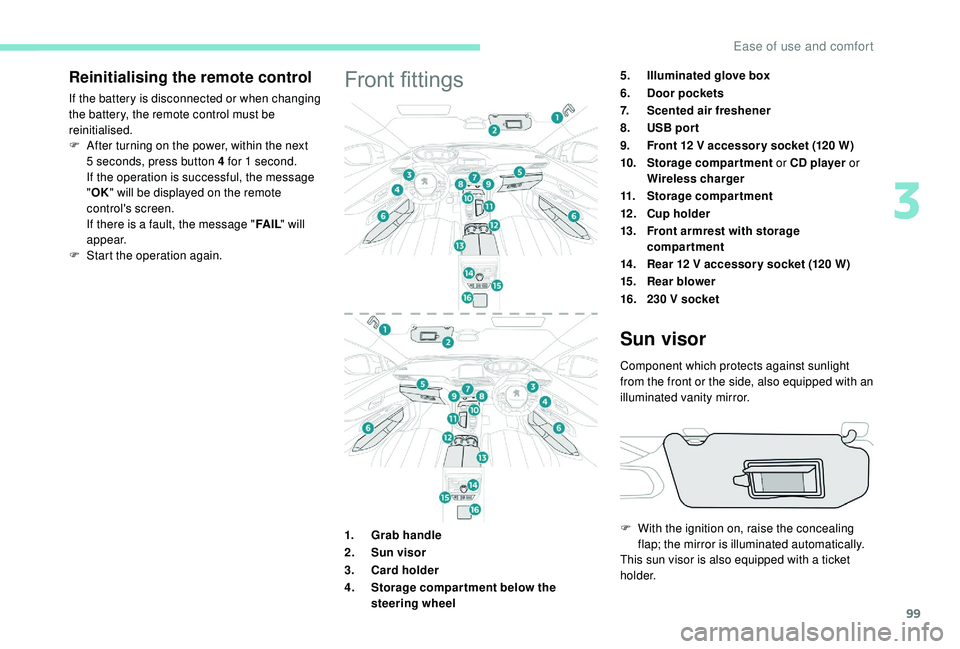
art the operation again.Front fittings5.Illuminated glove box
6. Door pockets
7. Scented air freshener
8. USB por t
9. Front 12
V accessor y socket (120 W)
10. Storage compartment or CD player or
Wireless charger
11. Storage compartment
12 . Cup holder
13. Front armrest with storage
compartment
14 . Rear 12
V accessor y socket (120 W)
15. Rear blower
16. 230
V socket
1. Grab handle
2. Sun visor
3. Card holder
4. Storage compar tment below the
steering wheel
Sun visor
Component which protects against sunlight
from the front or the side, also equipped with an
illuminated vanity mirror.
F
W
ith the ignition on, raise the concealing
flap; the mirror is illuminated automatically.
This sun visor is also equipped with a
ticket
h o l d e r.
3
Ease of use and comfort
Page 102 of 364
100
Glove box
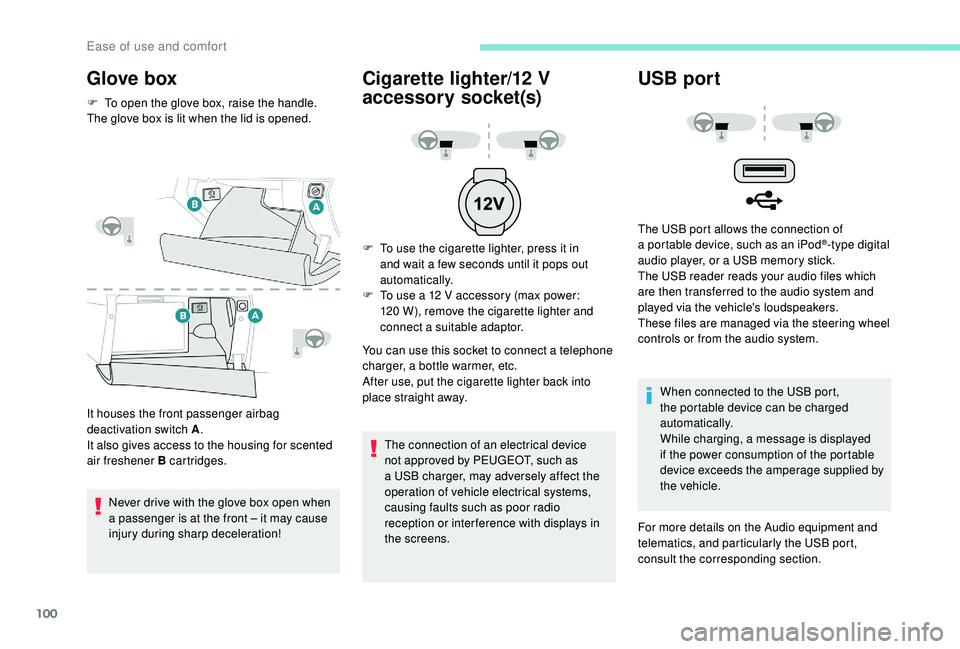
F To open the glove box, raise the handle.
The glove box is lit when the lid is opened.
It houses the front passenger airbag
deactivation switch A .
It also gives access to the housing for scented
air freshener B cartridges.
Never drive with the glove box open when
a
passenger is at the front – it may cause
injury during sharp deceleration!
Cigarette lighter/12 V
a ccessory socket(s)
F To use the cigarette lighter, press it in
and wait a few seconds until it pops out
automatically.
F
T
o use a 12 V accessory (max power:
120
W), remove the cigarette lighter and
connect a
suitable adaptor.
You can use this socket to connect a
telephone
charger, a bottle warmer, etc.
After use, put the cigarette lighter back into
place straight away.
The connection of an electrical device
not approved by PEUGEOT, such as
a
USB charger, may adversely affect the
operation of vehicle electrical systems,
causing faults such as poor radio
reception or inter ference with displays in
the screens.
USB port
The USB port allows the connection of
a portable device, such as an iPod®-type digital
audio player, or a
USB memory stick.
The USB reader reads your audio files which
are then transferred to the audio system and
played via the vehicle's loudspeakers.
These files are managed via the steering wheel
controls or from the audio system.
When connected to the USB port,
the portable device can be charged
automatically.
While charging, a message is displayed
if the power consumption of the portable
device exceeds the amperage supplied by
the vehicle.
For more details on the Audio equipment and
telematics, and particularly the USB port,
consult the corresponding section.
Ease of use and comfort
Page 104 of 364
102
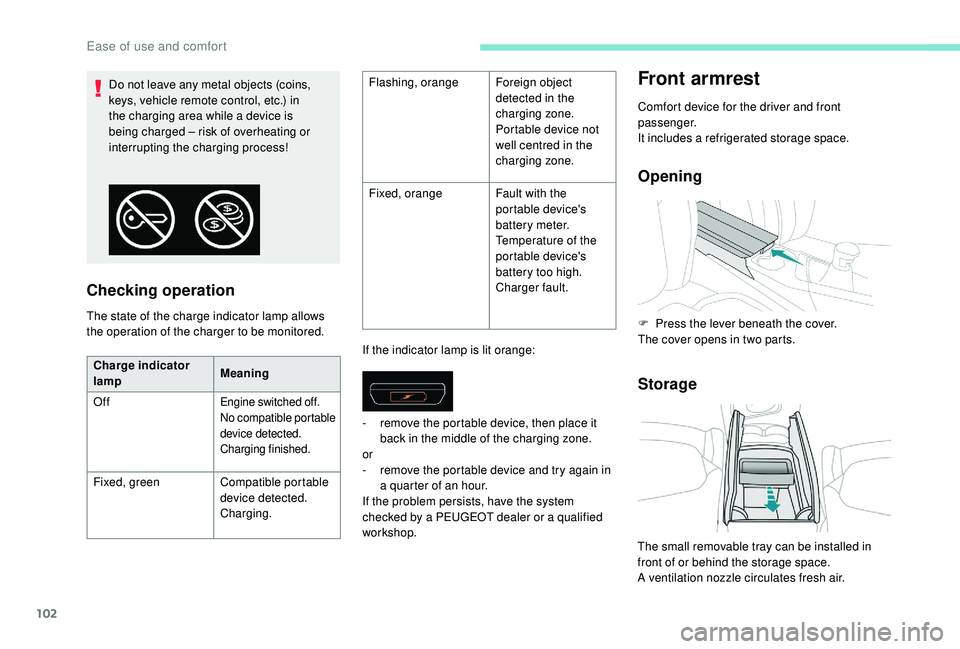
Checking operation
The state of the charge indicator lamp allows
the operation of the charger to be monitored.If the indicator lamp is lit orange:
Front armrest
Comfort device for the driver and front
passenger.
It includes a
refrigerated storage space.
Opening
Storage
Do not leave any metal objects (coins,
keys, vehicle remote control, etc.) in
the charging area while a device is
being charged – risk of overheating or
interrupting the charging process! Flashing, orange
Foreign object
detected in the
charging zone.
Portable device not
well centred in the
charging zone.
Fixed, orange Fault with the
portable device's
battery meter.
Temperature of the
portable device's
battery too high.
Charger fault.
Charge indicator
lamp Meaning
Off
Engine switched off.
No compatible portable
device detected.
Charging finished.
Fixed, green Compatible portable
device detected.
Charging. -
r
emove the portable device, then place it
back in the middle of the charging zone.
or
- r emove the portable device and try again in
a quarter of an hour.
If the problem persists, have the system
checked by a
PEUGEOT dealer or a qualified
workshop. F
P
ress the lever beneath the cover.
The cover opens in two parts.
The small removable tray can be installed in
front of or behind the storage space.
A ventilation nozzle circulates fresh air.
Ease of use and comfort
Page 105 of 364
103
Closing
Scented air freshener
A complete air freshener system for the
passenger compartment. It is supplied by
a
three-fragrance cartridge.
This system operates only with the engine
running.
Activation/Settings
The activation and adjustment of the air
freshener are done from the touch screen:
-
e
ither directly from the Applications menu,
-
o
r by personalising an ambience for the
i-Cockpit Amplify function.
F
F
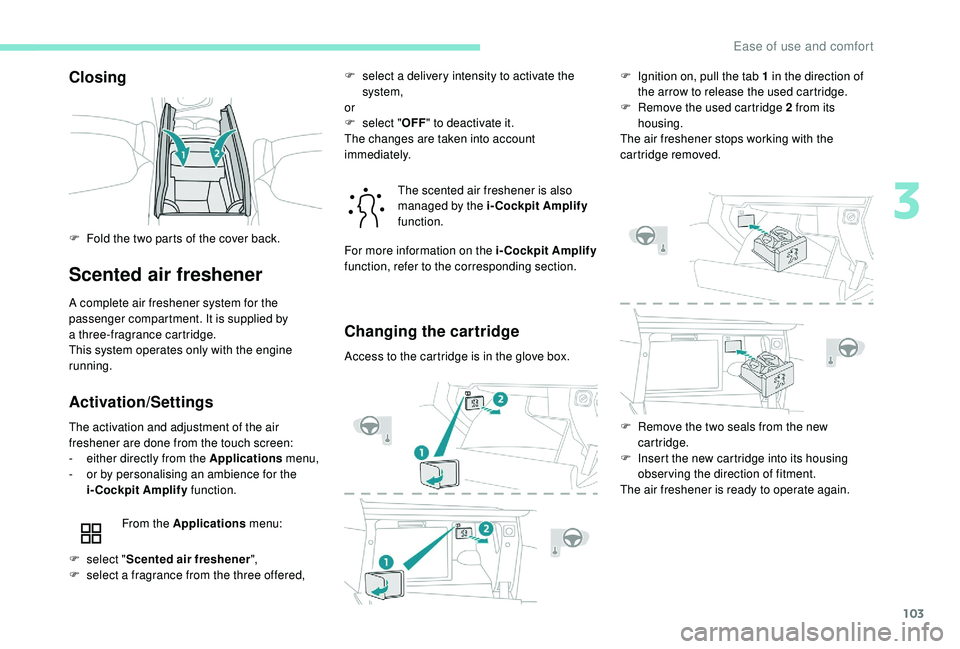
old the two parts of the cover back.
From the Applications menu: The scented air freshener is also
managed by the i-Cockpit Amplify
function.
Changing the cartridge
Access to the cartridge is in the glove box. F
I
gnition on, pull the tab 1 in the direction of
the arrow to release the used cartridge.
F
R
emove the used cartridge 2 from its
housing.
The air freshener stops working with the
cartridge removed.
F
s
elect " Scented air freshener ",
F
s
elect a
fragrance from the three offered, F
s
elect a delivery intensity to activate the
system,
or
F
s
elect "
OFF" to deactivate it.
The changes are taken into account
immediately.
For more information on the i-Cockpit Amplify
function, refer to the corresponding section.
F
R
emove the two seals from the new
cartridge.
F
I
nsert the new cartridge into its housing
observing the direction of fitment.
The air freshener is ready to operate again.
3
Ease of use and comfort
Page 106 of 364
104
Recommendations
Do not discard the original cartridge, which
ser ves as a blanking plug if the air freshener is
not used.
Retain the cartridge sealing caps which ser ve
as packaging if the cartridge is not used.
Replacement cartridges are available from
PEUGEOT dealers or from the brand's internet
website.
As a
safety measure:
-
u
se only the cartridges designed for
the system,
-
d
o not try to fit or remove a cartridge
when driving,
-
d
o not try to refill or dismantle the
cartridges.
Keep cartridges out of the reach of
children or pets.
Do not allow the fluid in the cartridge to
come into contact with the skin or eyes.
In the event of ingestion of the fluid in the
cartridge, consult a
doctor, showing them
the product packaging or label.
Mats
Fitting
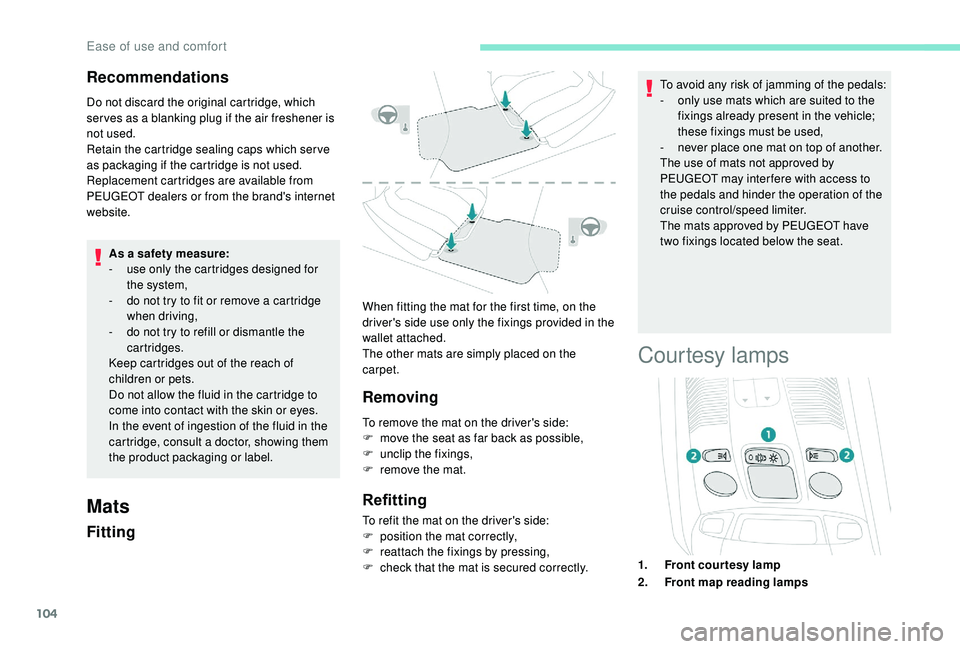
When fitting the mat for the first time, on the
driver's side use only the fixings provided in the
wallet attached.
The other mats are simply placed on the
carpet.
Removing
To remove the mat on the driver's side:
F m ove the seat as far back as possible,
F
un
clip the fixings,
F
r
emove the mat.
Refitting
To refit the mat on the driver's side:
F p osition the mat correctly,
F
r
eattach the fixings by pressing,
F
c
heck that the mat is secured correctly. To avoid any risk of jamming of the pedals:
-
o
nly use mats which are suited to the
fixings already present in the vehicle;
these fixings must be used,
-
n
ever place one mat on top of another.
The use of mats not approved by
PEUGEOT may inter fere with access to
the pedals and hinder the operation of the
cruise control/speed limiter.
The mats approved by PEUGEOT have
two fixings located below the seat.
Courtesy lamps
1. Front courtesy lamp
2. Front map reading lamps
Ease of use and comfort
Page 109 of 364
107
Connect only one device at a time to the
s ocket (no extension lead or multi-socket
connector).
Connect only devices with class II
insulation (shown on the device).
Do not use a
device with a metal case
(electric shaver, etc.).
12 V accessory socket
The connection of an electrical device
not approved by PEUGEOT, such as
a
USB charger, may adversely affect the
operation of vehicle electrical systems,
causing faults such as poor radio
reception or inter ference with displays in
the screens.
As a safety measure, when electrical
c onsumption is high and when required by
the vehicle's electrical system (particular
weather conditions, electrical overload,
etc.), the current supply to the socket will be
cut off; the green indicator lamp goes off.
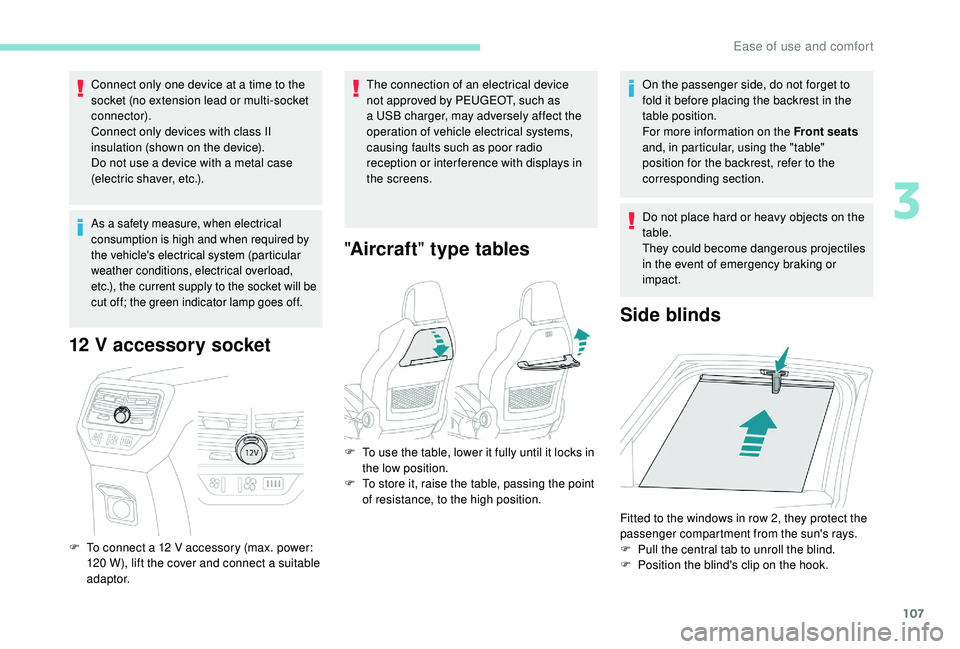
F To connect a 12 V accessory (max. power:
120 W), lift the cover and connect a suitable
adaptor.
" Aircraft " type tables
On the passenger side, do not forget to
fold it before placing the backrest in the
table position.
For more information on the Front seats
and, in particular, using the "table"
position for the backrest, refer to the
corresponding section.
Do not place hard or heavy objects on the
table.
They could become dangerous projectiles
in the event of emergency braking or
impact.
Side blinds
F To use the table, lower it fully until it locks in the low position.
F
T
o store it, raise the table, passing the point
of resistance, to the high position.
Fitted to the windows in row 2, they protect the
passenger compartment from the sun's rays.
F
P
ull the central tab to unroll the blind.
F
P
osition the blind's clip on the hook.
3
Ease of use and comfort
Page 110 of 364
108
Always guide the blind slowly using the
tab, both up and down.
Storage boxes
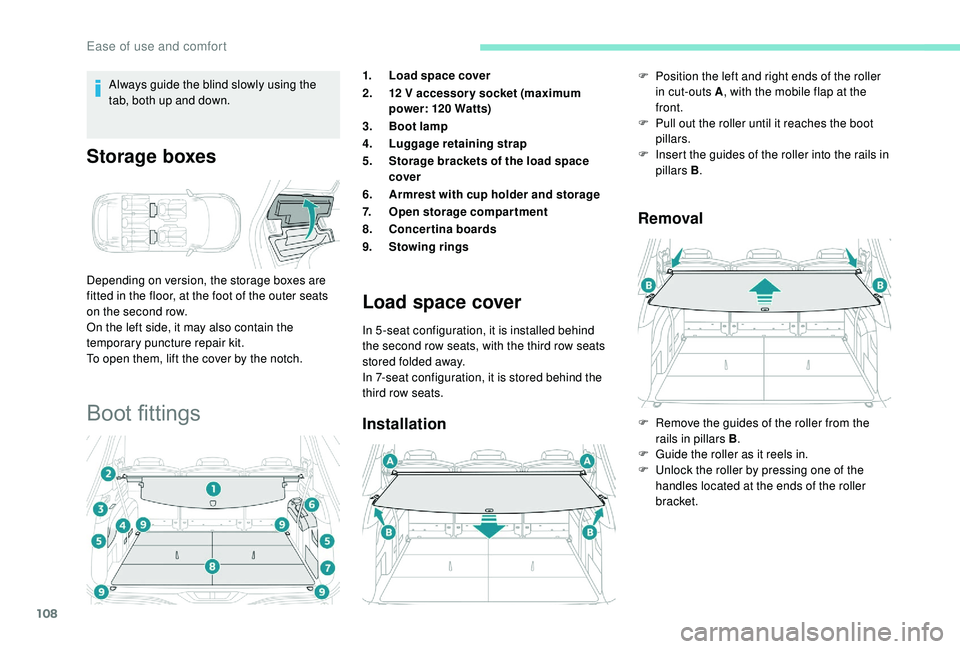
Depending on version, the storage boxes are
fitted in the floor, at the foot of the outer seats
on the second row.
On the left side, it may also contain the
temporary puncture repair kit.
To open them, lift the cover by the notch.
Boot fittings
1.Load space cover
2. 12
V accessor y socket (maximum
power: 120
Watts)
3. Boot lamp
4. Luggage retaining strap
5. Storage brackets of the load space
cover
6. Armrest with cup holder and storage
7. Open storage compartment
8. Concertina boards
9. Stowing rings
Load space cover
In 5 -seat configuration, it is installed behind
the second row seats, with the third row seats
stored folded away.
In 7-seat configuration, it is stored behind the
third row seats.
Installation Removal
F Position the left and right ends of the roller
in cut-outs A , with the mobile flap at the
front.
F
P
ull out the roller until it reaches the boot
pillars.
F
I
nsert the guides of the roller into the rails in
pillars B .
F
R
emove the guides of the roller from the
rails in pillars B .
F
G
uide the roller as it reels in.
F
U
nlock the roller by pressing one of the
handles located at the ends of the roller
bracket.
Ease of use and comfort
Page 126 of 364
124
If an impact is detected by the airbag
control unit, an emergency call is made
automatically and independently of the
deployment of any airbags.
If you benefit from the Peugeot Connect
Packs offer with the SOS and assistance
pack included, there are additional
ser vices available to you in your personal
space, via the website for your country.
Operation of the system
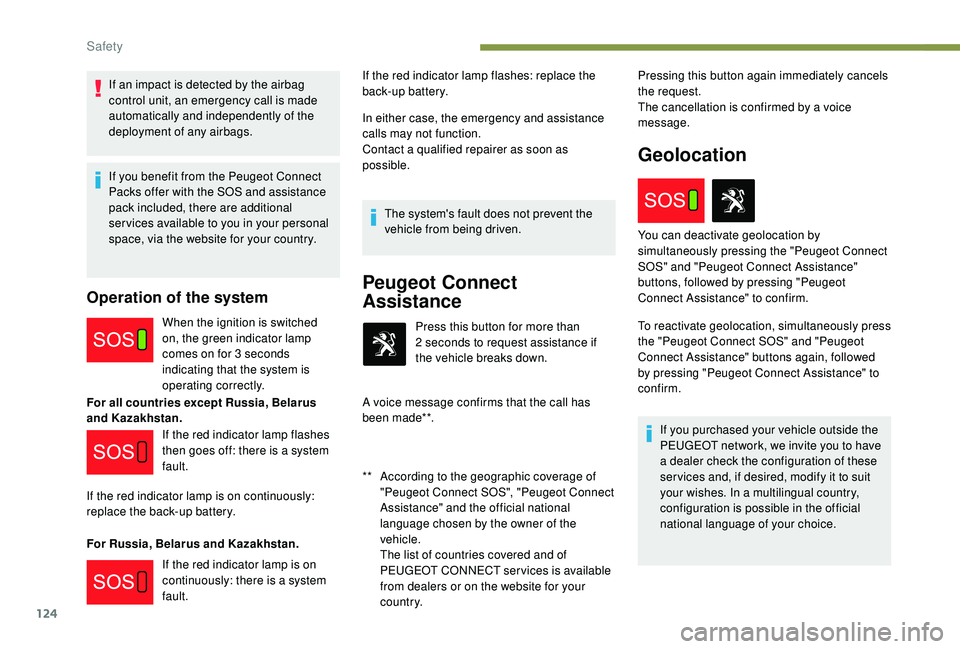
When the ignition is switched
on, the green indicator lamp
comes on for 3 seconds
indicating that the system is
operating correctly.
For all countries except Russia, Belarus
and Kazakhstan.
For Russia, Belarus and Kazakhstan. In either case, the emergency and assistance
calls may not function.
Contact a
qualified repairer as soon as
possible.
The system's fault does not prevent the
vehicle from being driven.
Peugeot Connect
Assistance
** According to the geographic coverage of "Peugeot Connect SOS", "Peugeot Connect
Assistance" and the official national
language chosen by the owner of the
vehicle.
T
he list of countries covered and of
PEUGEOT CONNECT services is available
from dealers or on the website for your
c o u nt r y. Press this button for more than
2
seconds to request assistance if
the vehicle breaks down.
A voice message confirms that the call has
been made**. Pressing this button again immediately cancels
the request.
The cancellation is confirmed by a voice
message.
Geolocation
If the red indicator lamp flashes
then goes off: there is a system
fault.
If the red indicator lamp is on continuously:
replace the back-up battery.
If the red indicator lamp is on
continuously: there is a
system
fault. If the red indicator lamp flashes: replace the
back-up battery.
To reactivate geolocation, simultaneously press
the "Peugeot Connect SOS" and "Peugeot
Connect Assistance" buttons again, followed
by pressing "Peugeot Connect Assistance" to
confirm.If you purchased your vehicle outside the
PEUGEOT network, we invite you to have
a dealer check the configuration of these
ser vices and, if desired, modify it to suit
your wishes. In a
multilingual country,
configuration is possible in the official
national language of your choice.
You can deactivate geolocation by
simultaneously pressing the "Peugeot Connect
SOS" and "Peugeot Connect Assistance"
buttons, followed by pressing "Peugeot
Connect Assistance" to confirm.
Safety
Page 129 of 364
127
ASR/DSC
These systems offer increased safety
in normal driving, but they should not
encourage the driver to take extra risks or
drive at high speed.
It is in conditions of reduced grip (rain,
snow, ice) that the risk of loss of grip
increases. It is therefore important for your
safety to keep these systems activated in
all conditions, and particularly in difficult
conditions.
The correct operation of these
systems depends on obser vation of
the manufacturer's recommendations
regarding as much the wheels (tyres and
rims), braking and electronic components
as the assembly and repair procedures
used by PEUGEOT dealers.
The use of snow tyres is recommended,
in order to be able to benefit from the
efficiency of these systems in winter
conditions.
In this case, it is essential to equip the
four wheels with tyres approved for your
vehicle.Trailer stability assist
When towing, this system reduces the risk of
the vehicle or trailer swaying.
Operation
The system is activated automatically when the
ignition is switched on.
The electronic stability control (ESC) must not
have any faults.
Between 37 and 99 mph (60 and 160 km/h), if
the system detects oscillations (snaking) in the
movement of the trailer, it acts on the brakes to
stabilise the trailer and, if necessary, reduces
engine power to slow down the vehicle.
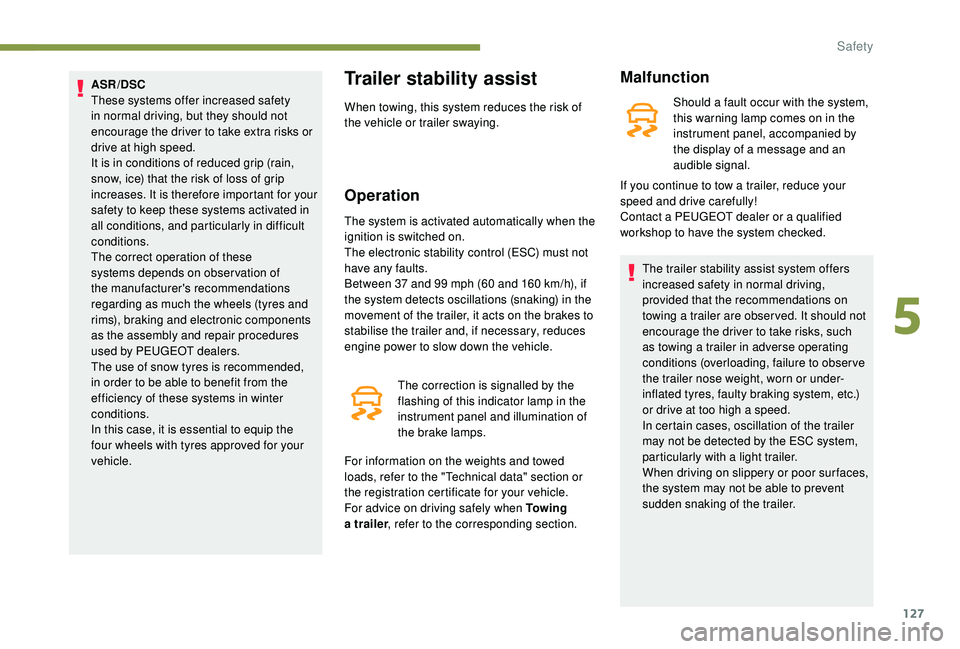
The correction is signalled by the
flashing of this indicator lamp in the
instrument panel and illumination of
the brake lamps.
For information on the weights and towed
loads, refer to the "Technical data" section or
the registration certificate for your vehicle.
For advice on driving safely when To w i n g
a
trailer , refer to the corresponding section.
Malfunction
Should a fault occur with the system,
t his warning lamp comes on in the
instrument panel, accompanied by
the display of a
message and an
audible signal.
The trailer stability assist system offers
increased safety in normal driving,
provided that the recommendations on
towing a
trailer are obser ved. It should not
encourage the driver to take risks, such
as towing a
trailer in adverse operating
conditions (overloading, failure to obser ve
the trailer nose weight, worn or under-
inflated tyres, faulty braking system, etc.)
or drive at too high a
speed.
In certain cases, oscillation of the trailer
may not be detected by the ESC system,
particularly with a
light trailer.
When driving on slippery or poor sur faces,
the system may not be able to prevent
sudden snaking of the trailer.
If you continue to tow a
trailer, reduce your
speed and drive carefully!
Contact a
PEUGEOT dealer or a qualified
workshop to have the system checked.
5
Safety
Page 134 of 364
132
Removal and storage
F Press the red button on buckle B, then the
black button on buckle A .
F
G
uide the strap as it reels in and take
tongue B , then A to the magnet at the
anchoring point on the roof.
Rear 3rd row seat belts
Installation
F Pull the strap then insert the tongue in the buckle.
F
C
heck that the seat belt is fastened
correctly by pulling the strap.
Removal and storage
Ensure seat belts are always fixed when
not in use.
Seat belt not fastened/
unfastened alerts
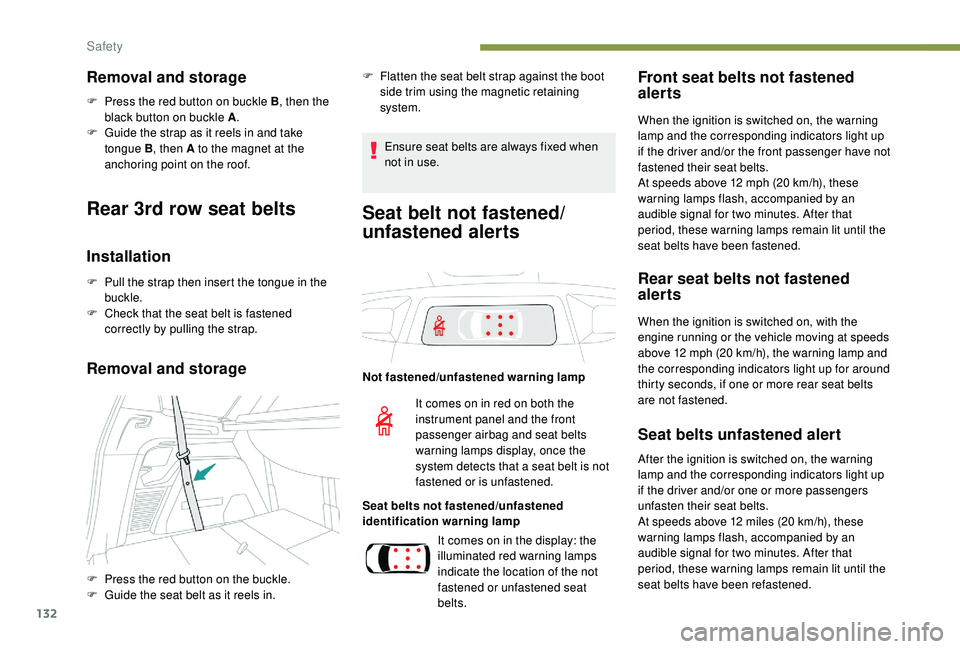
Not fastened/unfastened warning lamp
Seat belts not fastened/unfastened
identification warning lamp
Front seat belts not fastened
alerts
When the ignition is switched on, the warning
lamp and the corresponding indicators light up
if the driver and/or the front passenger have not
fastened their seat belts.
At speeds above 12
mph (20 km/h), these
warning lamps flash, accompanied by an
audible signal for two minutes. After that
period, these warning lamps remain lit until the
seat belts have been fastened.
Rear seat belts not fastened
alerts
When the ignition is switched on, with the
engine running or the vehicle moving at speeds
above 12
mph (20 km/h), the warning lamp and
the corresponding indicators light up for around
thirty seconds, if one or more rear seat belts
are not fastened.
Seat belts unfastened alert
F Flatten the seat belt strap against the boot side trim using the magnetic retaining
system.
F
P
ress the red button on the buckle.
F
G
uide the seat belt as it reels in. It comes on in red on both the
instrument panel and the front
passenger airbag and seat belts
warning lamps display, once the
system detects that a
seat belt is not
fastened or is unfastened.
It comes on in the display: the
illuminated red warning lamps
indicate the location of the not
fastened or unfastened seat
belts. After the ignition is switched on, the warning
lamp and the corresponding indicators light up
if the driver and/or one or more passengers
unfasten their seat belts.
At speeds above 12
miles (20 km/h), these
warning lamps flash, accompanied by an
audible signal for two minutes. After that
period, these warning lamps remain lit until the
seat belts have been refastened.
Safety