configuration Peugeot 508 RXH 2013 User Guide
[x] Cancel search | Manufacturer: PEUGEOT, Model Year: 2013, Model line: 508 RXH, Model: Peugeot 508 RXH 2013Pages: 308, PDF Size: 8.95 MB
Page 157 of 308
5
155
Visibility
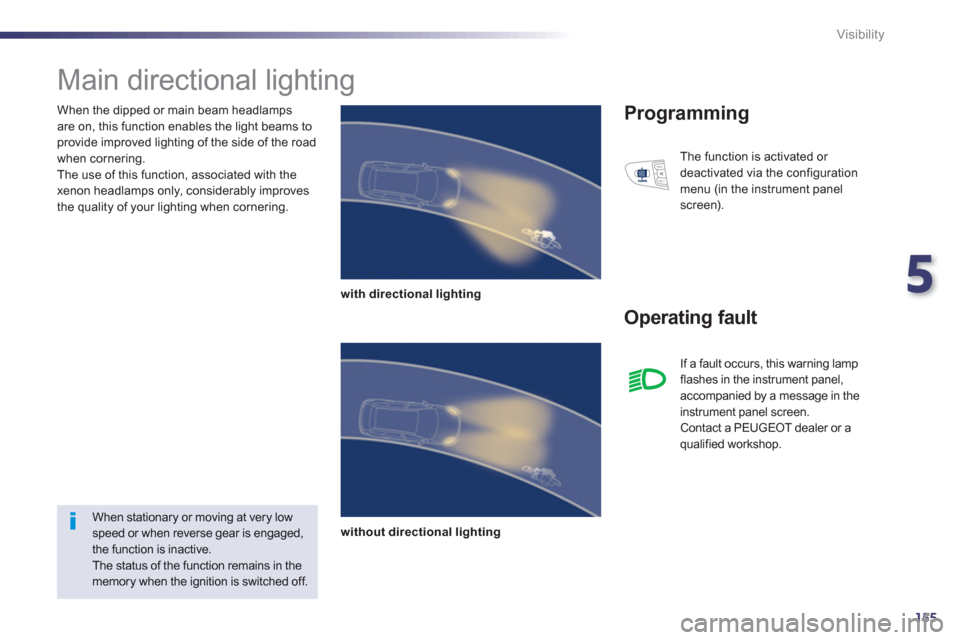
When the dipped or main beam headlamps
are on, this function enables the light beams toprovide improved lighting of the side of the road
when cornering.
The use of this function, associated with the
xenon headlamps only, considerably improves
the quality of your lighting when cornering.
Main directional lighting
with directional lighting
without directional lighting
Programming
Operating fault
The function is activated or
deactivated via the configuration
menu (in the instrument panel
screen).
When stationary or moving at very lowspeed or when reverse gear is engaged,the function is inactive.
The status of the function remains in the memory when the ignition is switched off. I
f a fault occurs, this warning lampflashes in the instrument panel,
accompanied by a message in the
instrument panel screen.
Contact a PEUGEOT dealer or a qualified workshop.
Page 159 of 308
5
157
Visibility
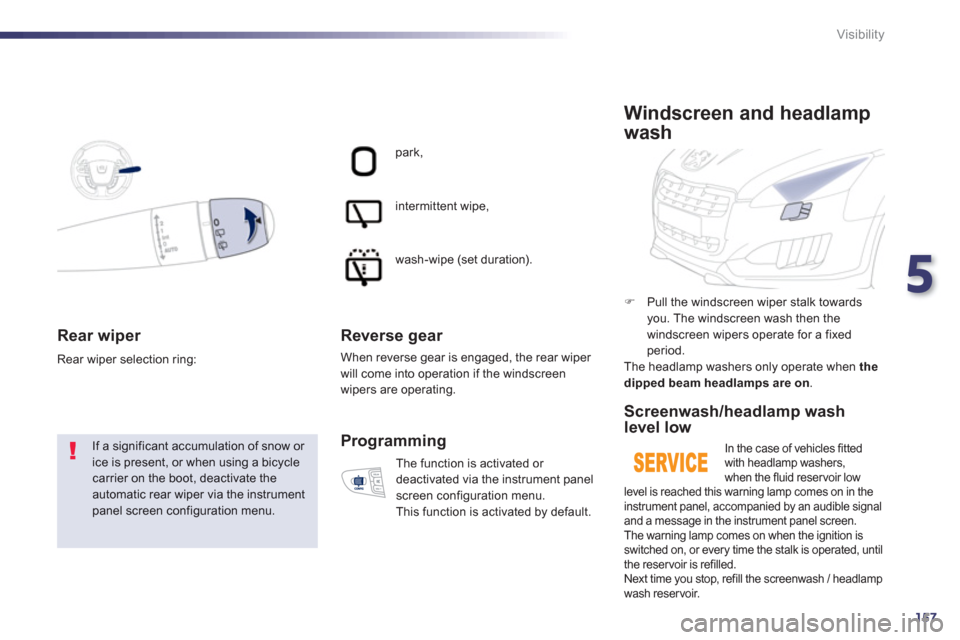
Rear wiper
If a significant accumulation of snow or ice is present, or when using a bicycle carrier on the boot, deactivate theautomatic rear wiper via the instrumentpanel screen configuration menu. Rear wiper selection rin
g:
park,
intermittent wipe,
wash-wipe
(set duration).
Reverse gear
When reverse gear is engaged, the rear wiper will come into operation if the windscreen wipers are operating.
Th
e function is activated or
deactivated via the instrument panel
screen confi
guration menu.
This function is activated by default.
Programming
)
Pull the windscreen wiper stalk towards you. The windscreen wash then the
windscreen wipers operate for a fixed period.
The headlamp washers only operate when the
dipped beam headlamps are on .
Windscreen and headlamp
wash
Screenwash/headlamp wash level low
In the case of vehicles fittedwith headlamp washers,
when the fluid reservoir low level is reached this warning lamp comes on in the
instrument panel, accompanied by an audible signal
and a message in the instrument panel screen.
The warning lamp comes on when the ignition isswitched on, or every time the stalk is operated, until
the reservoir is refilled.
Next time you stop, refill the screenwash / headlamp
wash reservoir.
Page 241 of 308
239
The system is protected in such a way that it will onlyoperate in your vehicle.
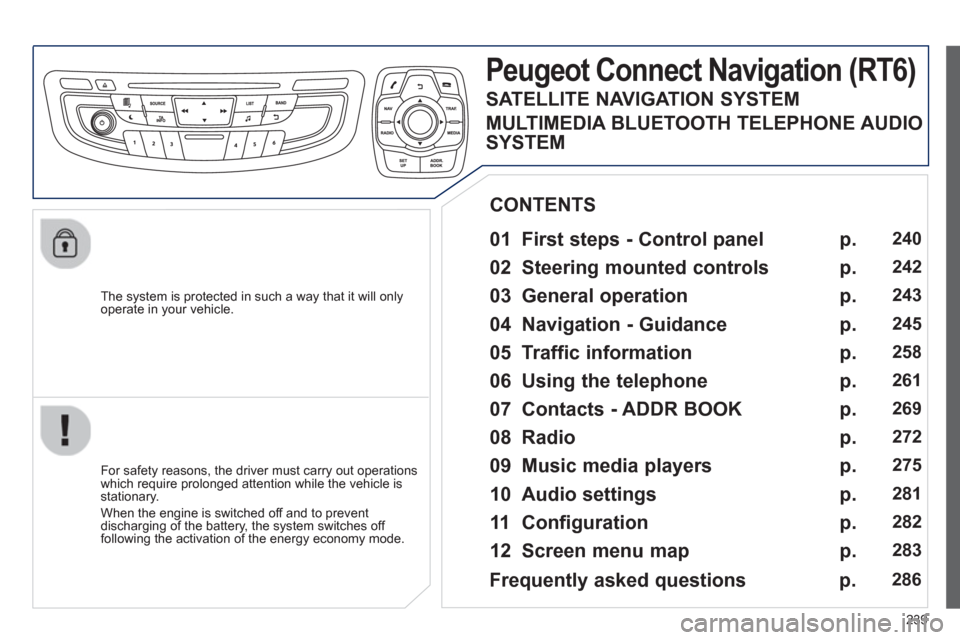
Peugeot Connect Navigation (RT6)
01 First steps - Control panel
For safety reasons, the driver must carry out operations
which require prolonged attention while the vehicle is stationary.
When the en
gine is switched off and to prevent
discharging of the battery, the system switches off following the activation of the energy economy mode.
CONTENTS
02 Steering mounted controls
03 General operation
04 Navigation - Guidance
05 Traffic information
06 Using the telephone
07 Contacts - ADDR BOOK
08 Radio
09 Music media players
10 Audio settings
11 Configuration
12 Screen menu map p.
p.
p.
p.
p.
p.
p.
p.
p.
p.
p.
p.
240
2
42
243
245
2
58
261
269
272
275
2
81
282
283
Frequently asked questions p. 286
SATELLITE NAVIGATION SYSTEM
MULTIMEDIA BLUETOOTH TELEPHONE AUDIO
SYSTEM
Page 284 of 308
282
11CONFIGURATION
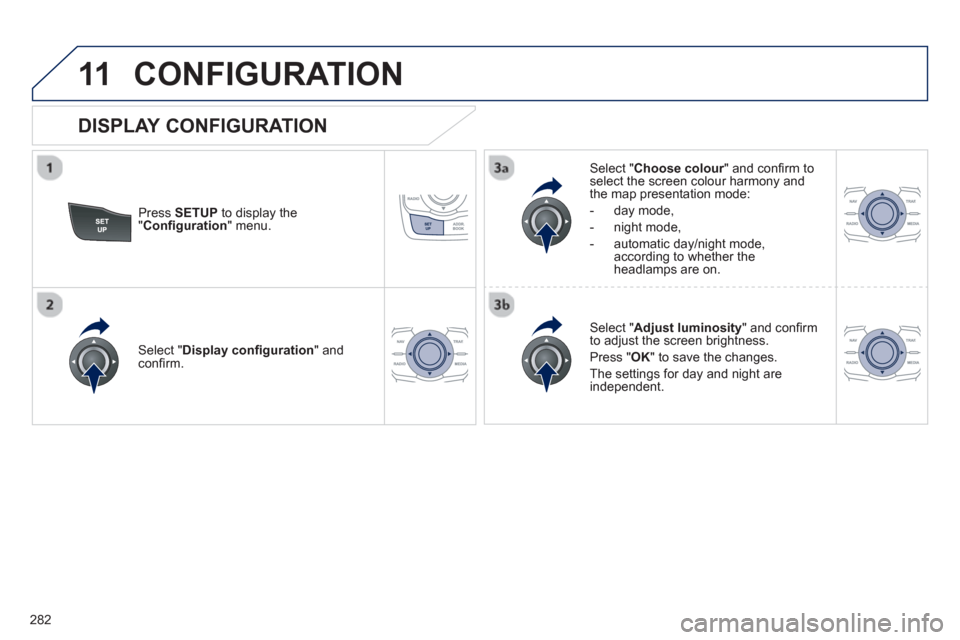
Press SETUP
to display the"Confi guration " menu.
Select " Choose colour" and confi rm torselect the screen colour harmony and
the map presentation mode:
- da
y mode,
- ni
ght mode,
- automatic da
y/night mode,according to whether theheadlamps are on.
Select " Adjust luminosity
" and confi rm
to adjust the screen brightness.
Pr
ess " OK" to save the changes.
The settin
gs for day and night are independent.
Select " Display confi guration" andconfi rm.
DISPLAY CONFIGURATION
Page 286 of 308
284
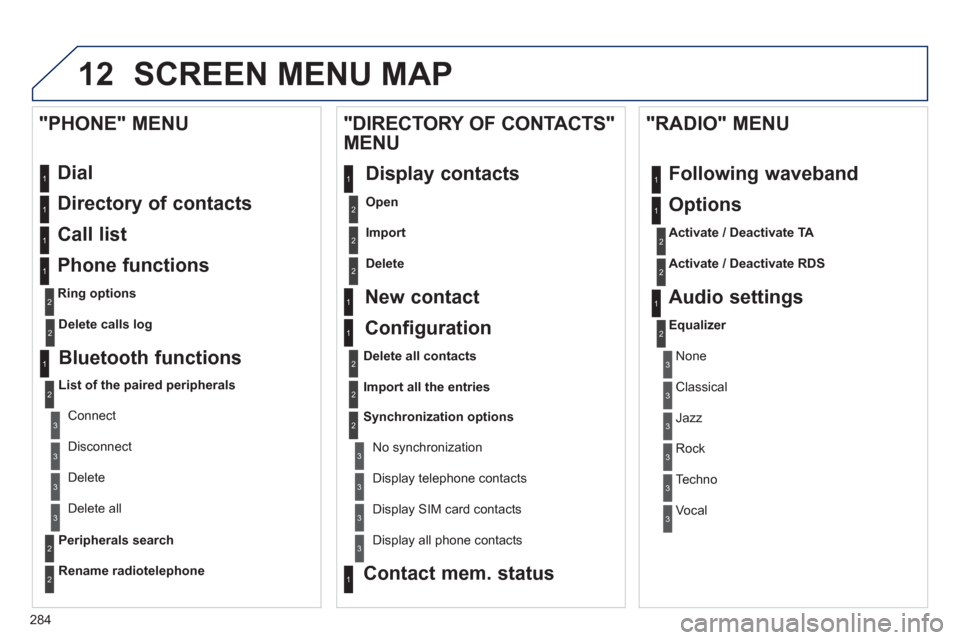
12 SCREEN MENU MAP
Dial
Directory of contacts
Call list
Phone functions
Ring options
"PHONE" MENU
1
1
2
1
1
2
3
3
2
1
3
3
2
2
1
2
2
2
1
1
2
2
2
1
3
3
3
3
1
2
2
1
1
3
3
3
3
3
3
2
Configuration
Delete all contacts
Import all the entries
S
ynchronization options
No s
ynchronization
"DIRECTORY OF CONTACTS"
MENU
Display contacts
Open
Import
Delete
New contact
Equalizer
"RADIO" MENU
Following waveband
Options
Activate / Deactivate TA
Activate / Deactivate RDS
Audio settings
Display telephone contacts
Displa
y SIM card contacts
Contact mem. status
Display all phone contacts
Delete calls log
Bluetooth functions
List of the paired peripherals
Connect
Di
sconnect
D
elete
Peripherals searchD
elete all
Rename radiotelephon
e
None
Classical
Jazz
Rock
Techno
Vocal
Page 287 of 308
285
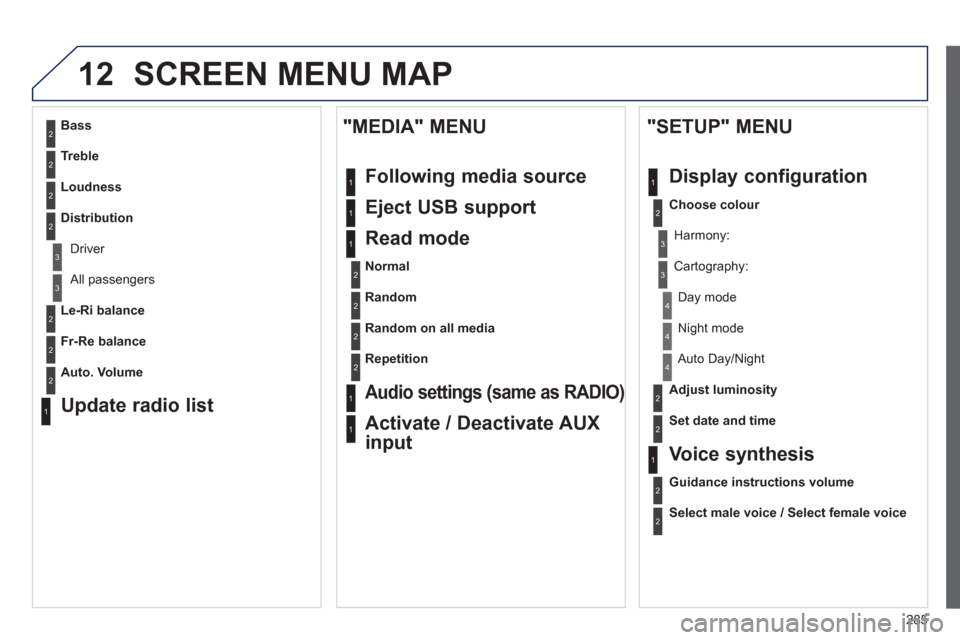
12 SCREEN MENU MAP
2
3
3
1
4
2
2
1
4
4
2
2
1
1
1
2
1
1
2
2
2
2
2
2
2
3
3
2
2
2
1
Random on all media
Repetition
Audio settings (same as RADIO)
Activate / Deactivate AUX
input
"MEDIA" MENU
Following media source
Eject USB support
Read mode
Normal
Random
All passengers
Le-Ri balance
Fr-Re balance
Auto. Volume
Update radio list
Bass
Treble
Loudness
Distribution
Driv
er
Ni
ght mode
Auto Day/Night
Ad
just luminosity
Set date and time
"SETUP" MENU
Display configuration
Choose colour
Harmony:
Carto
graphy:
Da
y mode
Voice synthesis
Guidance instructions volume
Select male voice / Select female voice