display Peugeot 508 RXH 2013 User Guide
[x] Cancel search | Manufacturer: PEUGEOT, Model Year: 2013, Model line: 508 RXH, Model: Peugeot 508 RXH 2013Pages: 308, PDF Size: 8.95 MB
Page 45 of 308
.
43
Hybrid system
200 V high voltage battery
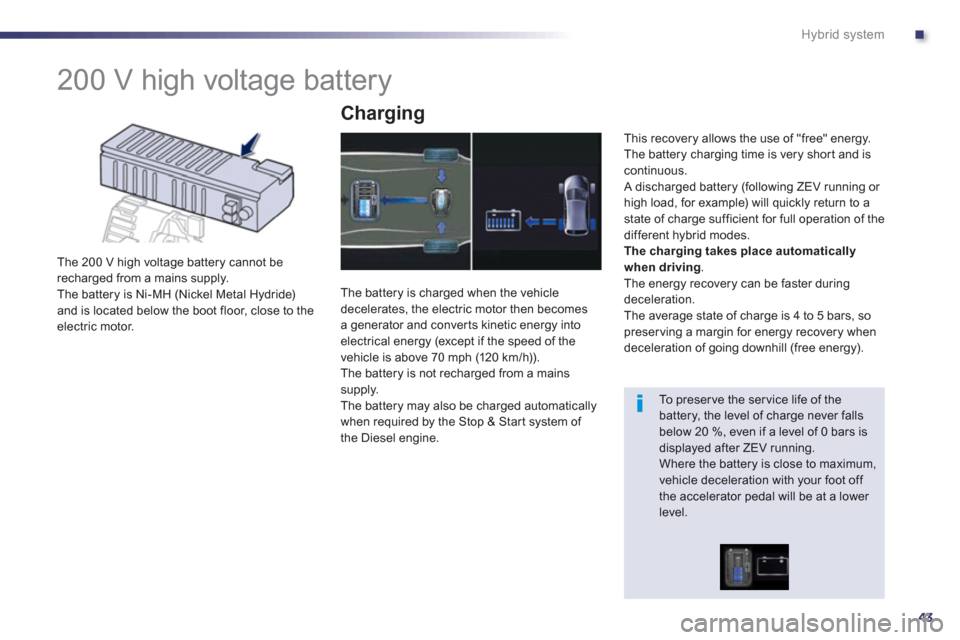
The 200 V high voltage battery cannot be
recharged from a mains supply.
The battery is Ni-MH (Nickel Metal Hydride)
and is located below the boot floor, close to the electric motor.
Charging
The battery is charged when the vehicledecelerates, the electric motor then becomesa generator and conver ts kinetic energy into
electrical energy (except if the speed of the
vehicle is above 70 mph (120 km / h)).
The battery is not recharged from a mains
supply.
The battery may also be charged automaticallywhen required by the Stop & Start system of
the Diesel engine.
This recover
y allows the use of "free" energy.
The battery charging time is very shor t and iscontinuous.
A discharged battery (following ZEV running or
high load, for example) will quickly return to astate of charge sufficient for full operation of the
different hybrid modes.
Thecharging takes place automatically
when driving.
The energy recovery can be faster during deceleration.
The average state of charge is 4 to 5 bars, so
preserving a margin for energy recovery when
deceleration of going downhill (free energy).
To preser ve the ser vice life of the battery, the level of charge never fallsbelow 20 %, even if a level of 0 bars isdisplayed after ZEV running. Where the battery is close to maximum,vehicle deceleration with your foot off the accelerator pedal will be at a lower level.
Page 51 of 308
1
49
Instruments and controls
Instrument panel
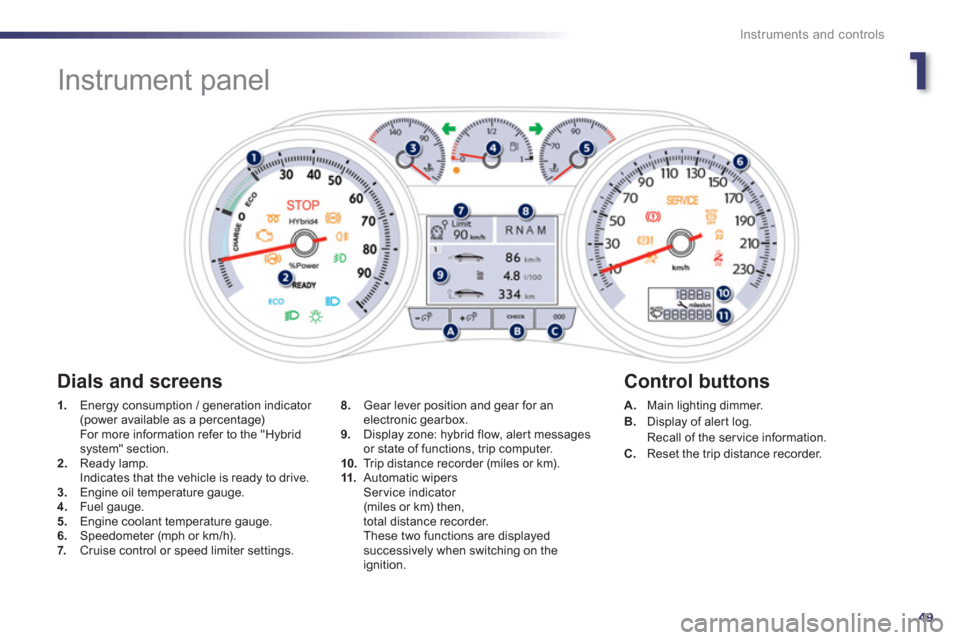
1.
Energy consumption / generation indicator (power available as a percentage) For more information refer to the "Hybrid system" section. 2.Ready lamp.
Indicates that the vehicle is ready to drive. 3.Engine oil temperature gauge. 4. Fuel gauge.
5. Engine coolant temperature gauge.
6.Speedometer (mph or km/h).7. Cruise control or speed limiter settings.
A.Main lighting dimmer. B.
Display of aler t log.
Recall of the service information.
C. Reset the trip distance recorder.
8.
Gear lever position and gear for anelectronic gearbox.
9. Display zone: hybrid flow, alert messages
or state of functions, trip computer.
10.Trip distance recorder (miles or km). 11.Automatic wipersSer vice indicator (miles or km) then,
total distance recorder.
These two functions are displayedsuccessively when switching on the ignition.
Dials and screens
Control buttons
Page 55 of 308
1
53
Instruments and controls
StateCauseAction / Observations
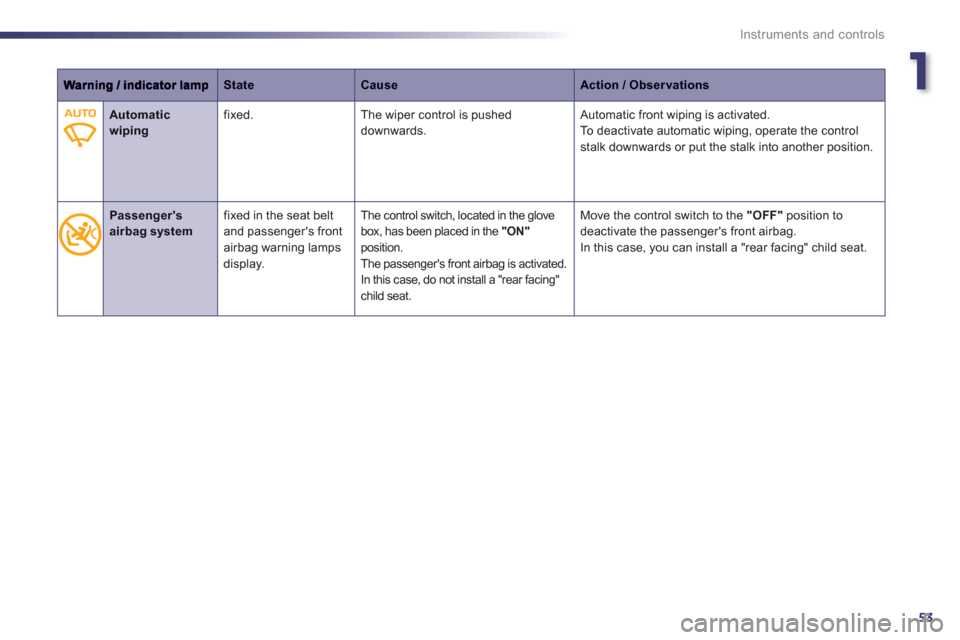
Automatic wiping
fixed. The wiper control is pushed downwards. Automatic front wiping is activated.
To deactivate automatic wiping, operate the controlstalk downwards or put the stalk into another position.
Passenger's airbag system fixed in the seat belt
and passenger's front
airbag warning lampsdisplay.
The control switch, located in the glove box, has been placed in the "ON" position.
The passenger's front airbag is activated. In this case, do not install a "rear facing"child seat.
Move the control switch to the "OFF"
position to
deactivate the passenger's front airbag.
In this case, you can install a "rear facing" child seat.
Page 56 of 308
54
Instruments and controls
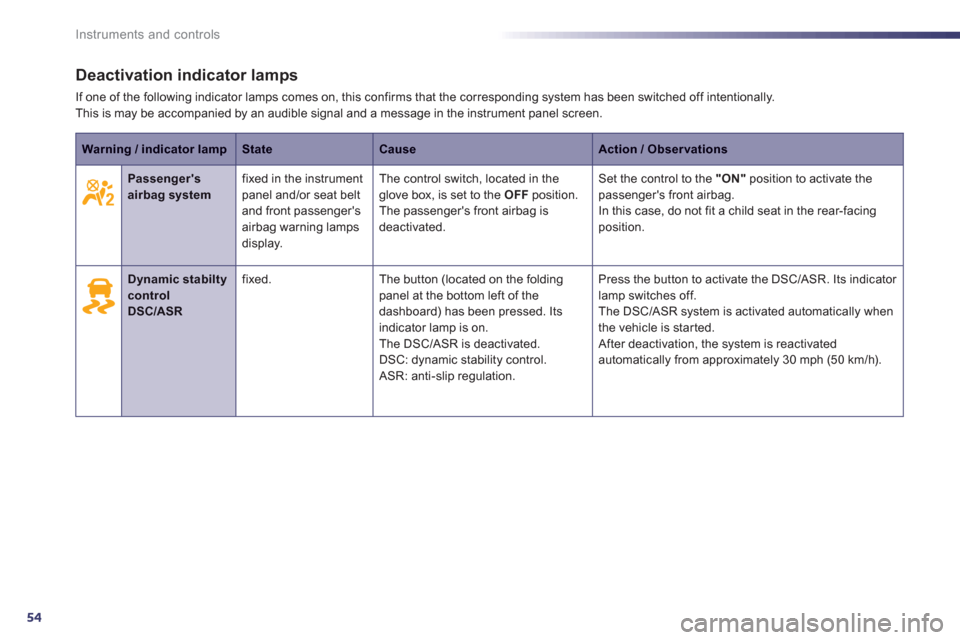
Deactivation indicator lamps
If one of the following indicator lamps comes on, this confirms that the corresponding system has been switched off intentionally.This is may be accompanied by an audible signal and a message in the instrument panel screen.
Warning / indicator lampStateCauseAction / Observations
Passenger's airbag systemfixed in the instrumentpanel and/or seat beltand front passenger's airbag warning lamps
display.
The control switch, located in the glove box, is set to the OFF
position.
The passenger's front airbag is deactivated.
Set the control to the "ON"
position to activate the passenger's front airbag.
In this case, do not fit a child seat in the rear-facing position.
Dynamic stabilty controlDSC/ASR
fixed. The button (located on the foldingpanel at the bottom left of the
dashboard) has been pressed. Its
indicator lamp is on.
The DSC/ASR is deactivated.
DSC: d
ynamic stability control.
ASR: anti-slip regulation.Pr
ess the button to activate the DSC/ASR. Its indicator
lamp switches off.
The DSC/ASR system is activated automatically when
the vehicle is started.
After deactivation, the system is reactivated
automatically from approximately 30 mph (50 km/h).
Page 64 of 308
62
Instruments and controls
* According to country.
CHECK (vehicle autotest)
Automatic CHECK
With the key in the ignition on position, all of the
warning lamps for the functions tested are displayed.They are switched off after a few seconds. At the same time, an automatic CHECK(vehicle autotest) is carried out.
In the presence of a fault
A "minor" fault has been detected: the warning
lamp(s) are displayed then go off.You can star t your vehicle; however, contact a
PEUGEOT dealer or a qualified workshop assoon as possible.
A "major" fault has been detected: theassociated warning lamps(s) remain onaccompanied by the STOP or SERVICE
warning lamp.
Do not star t your vehicle. Call a PEUGEOT dealer or a qualified
wor
kshop without delay.
Manual CHECK
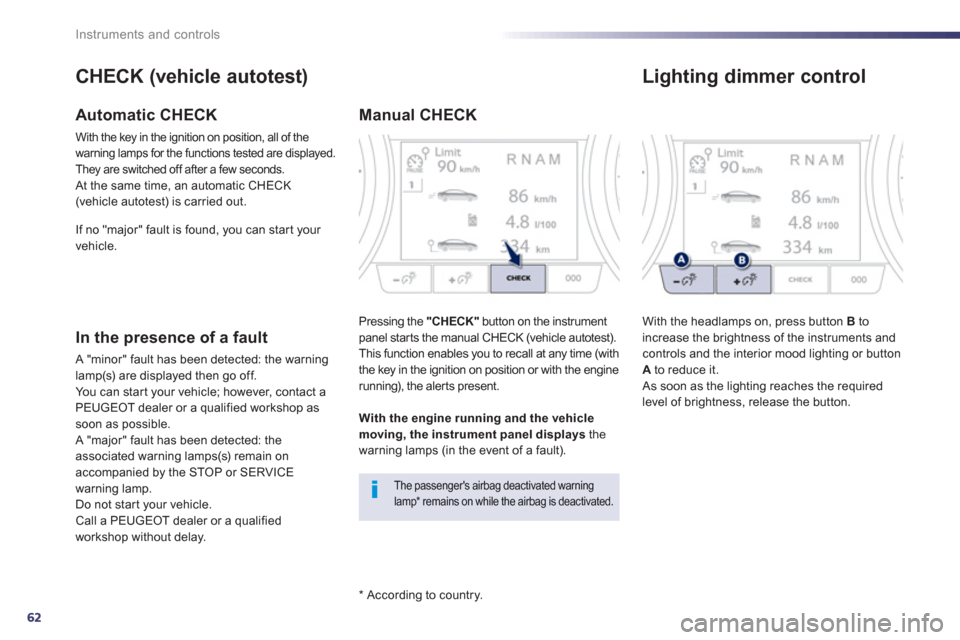
Pressing the "CHECK"
button on the instrument
panel star ts the manual CHECK (vehicle autotest).
This function enables you to recall at any time (with
the key in the ignition on position or with the enginerunning), the aler ts present.
The passenger's airbag deactivated warning lamp * remains on while the airbag is deactivated.
With the engine running and the vehiclemoving, the instrument panel displays
the
warning lamps (in the event of a fault). I
f no "major" fault is found, you can star t your
vehicle.
Lighting dimmer control
With the headlamps on, press button Bto
increase the brightness of the instruments and controls and the interior mood lighting or button Ato reduce it.
As soon as the lighting reaches the required
level of brightness, release the button.
Page 65 of 308
1
63
Instruments and controls
Service indicator
More than 1 800 miles (3 000 km)remain before the next service is due
When the ignition is switched on, no ser vice information appears in the screen. S
ystem which informs the driver when the next ser vice is due, in accordance with themanufacturer's servicing schedule.
The point at which the ser vice is due is calculated from the last indicator zero reset. It
is determined by two parameters:
- the distance travelled,
- the time elapsed since the last ser vice. Between 600 miles (1 000 km)and 1 800 miles (3 000 km) remainbefore the next service is due
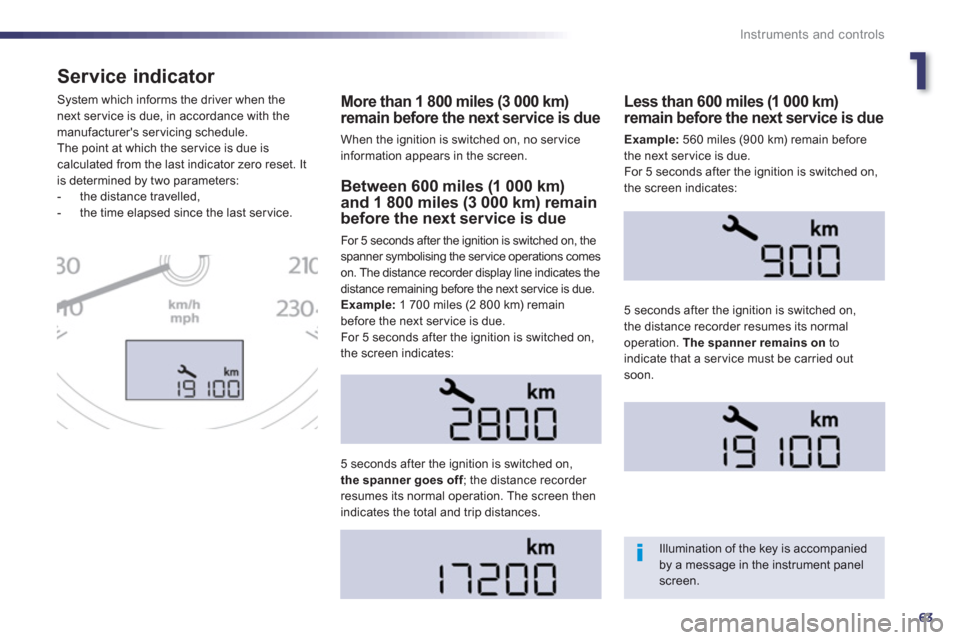
For 5 seconds after the ignition is switched on, the
spanner symbolising the ser vice operations comes
on. The distance recorder display line indicates the
distance remaining before the next ser vice is due.
Example:
1 700 miles (2 800 km) remain before the next service is due.
For 5 seconds after the ignition is switched on,
the screen indicates:
5 seconds a
fter the ignition is switched on,the spanner goes off; the distance recorder fresumes its normal operation. The screen thenindicates the total and trip distances.
Less than 600 miles (1 000 km)remain before the next service is due
Example:560 miles (900 km) remain before
the next service is due.
For 5 seconds after the i
gnition is switched on,
the screen indicates:
5 seconds after the i
gnition is switched on,
the distance recorder resumes its normal operation. The spanner remains on
toindicate that a service must be carried out soon.
Illumination of the key is accompaniedby a message in the instrument panel screen.
Page 66 of 308
64
Instruments and controls
Service overdue
The distance remaining may be weighted by the time factor, dependingon the driving conditions.
Therefore, the spanner may also comeon if you have exceeded the period since the last service, indicated in the warranty and maintenance record.
Following this operation, if you wish to disconnect the battery, lock the vehicle and wait at least five minutes for the zero reset to be taken into account. 5 seconds after the i
gnition is switched on,
the distance recorder resumes its normal
operation. The spanner remains on.
Service indicator zero reset
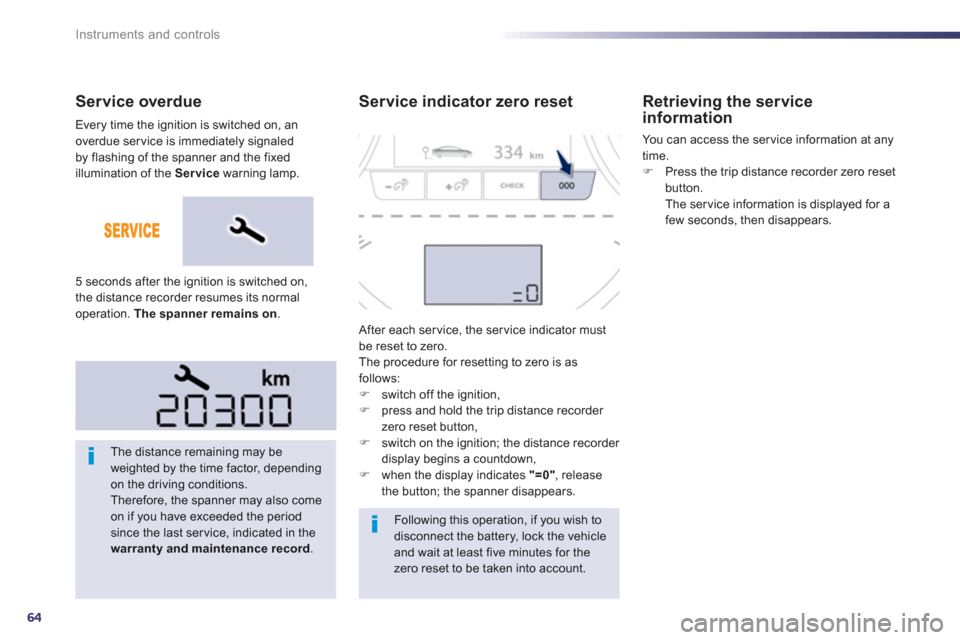
After each ser vice, the ser vice indicator mustbe reset to zero.
The procedure for resetting to zero is as
follows: ) switch off the ignition,)
press and hold the trip distance recorder
zero reset button,
) switch on the ignition; the distance recorder
display begins a countdown,
) when the display indicates "=0", release
the button; the spanner disappears.
Retrieving the serviceinformation
You can access the ser vice information at any
time.
)Press the trip distance recorder zero reset button.
The ser vice information is displayed for a
few seconds, then disappears.
Every time the ignition is switched on, an
overdue ser vice is immediately signaled
b
y flashing of the spanner and the fixed
ill
umination of the Service
warning lamp.
Page 67 of 308
1
65
Instruments and controls
Engine oil level indicator
Oil level incorrect
This is indicated by a message in the
instrument panel screen.
If the low oil level is confirmed b
y a check usingthe dipstick, the level must be topped up to
avoid damage to the engine.
Oil level indicator fault
This is indicated by a message in the instrument panel screen. Contact a PEUGEOT
dealer or a qualified workshop.
Dipstick
Refer to the "Checks" section to locate the
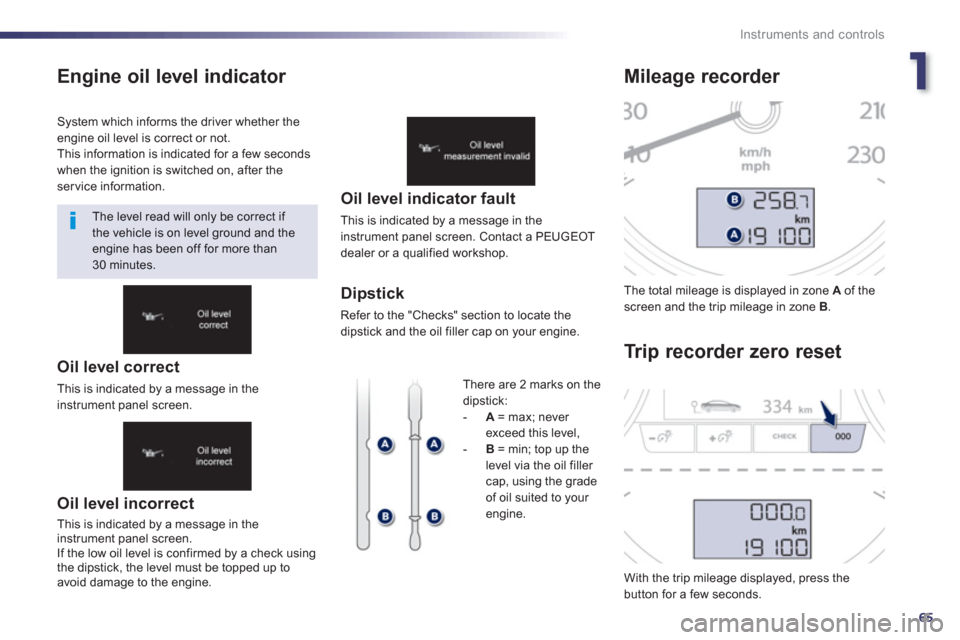
dipstick and the oil filler cap on your engine. The total milea
ge is displayed in zone Aof thescreen and the trip mileage in zone B.
With the trip mileage displayed, press the button for a few seconds.
Mileage recorder
Tr i
p recorder zero reset
System which informs the driver whether theengine oil level is correct or not.
This information is indicated for a few secondswhen the ignition is switched on, after theservice information.
The level read will only be correct if
the vehicle is on level ground and the engine has been off for more than30 minutes.
Th
ere are 2 marks on thedipstick:-A = max; never
exceed this level, -B = min; top up the level via the oil filler cap, using the grade
of oil suited to your
engine.
Oil level correct
This is indicated by a message in theinstrument panel screen.
Page 68 of 308
66
Instruments and controls
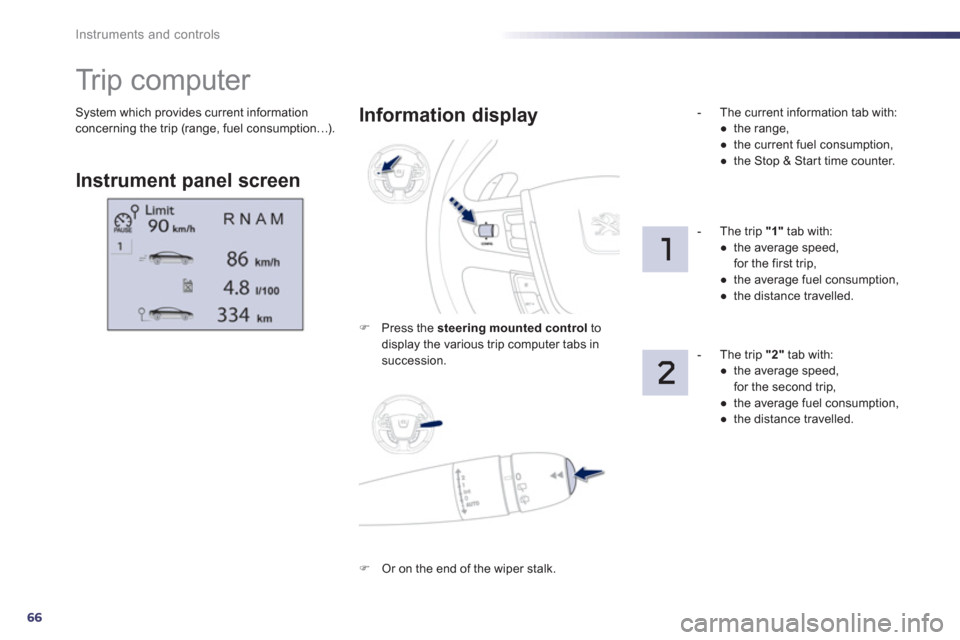
System which provides current information concerning the trip (range, fuel consumption…).
Tr i p c o m p u t e r
Instrument panel screen
Information displa
y
)
Press the steering mounted control
todisplay the various trip computer tabs in succession.
- Th
e current information tab with:
●
the range,
●
the current fuel consumption,
●
the Stop & Start time counter.
-
The trip "1"tab with:
●
the average speed,
for the first trip,
●
the average fuel consumption,
●
the distance travelled.
- The trip
"2"
tab with:
●
the average speed,
for the second trip,
●
the average fuel consumption,
●
the distance travelled.
)
Or on the end of the wiper stalk.
Page 69 of 308
1
67
Instruments and controls
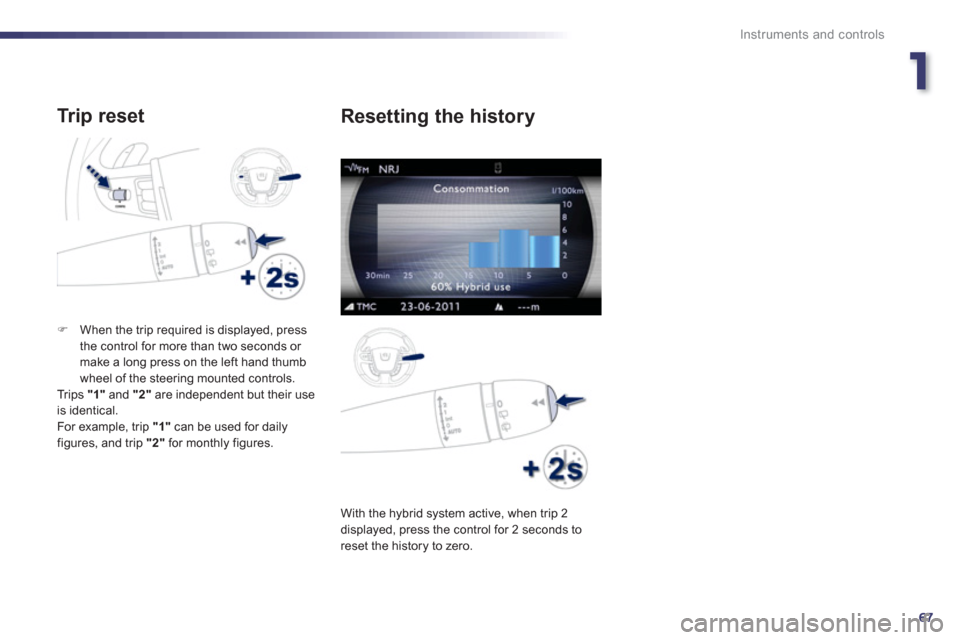
Tr ip reset
)When the trip required is displayed, press
the control for more than two seconds or make a long press on the left hand thumb
wheel of the steering mounted controls.
Trips "1"
and "2"are independent but their useis identical.
For example, trip "1"
can be used for daily figures, and trip "2"
for monthly figures.
With the h
ybrid system active, when trip 2
displayed, press the control for 2 seconds to reset the history to zero.
Resetting the history