phone Peugeot Bipper 2014 User Guide
[x] Cancel search | Manufacturer: PEUGEOT, Model Year: 2014, Model line: Bipper, Model: Peugeot Bipper 2014Pages: 192, PDF Size: 11.02 MB
Page 90 of 192
88
Bluetooth hands-free system
If your mobile telephone includes this
function, every time a text message is
received, the system produces an audible
signal and offers to read the text message
vocally.
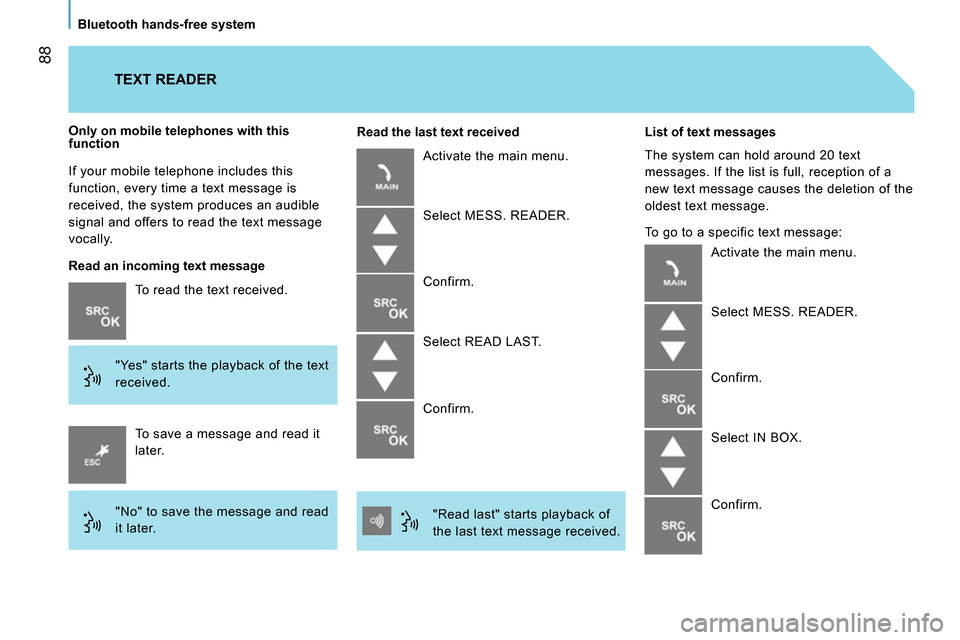
To read the text received.
"Yes" starts the playback of the text
received.
Only on mobile telephones with this
function
To save a message and read it
later.
"No" to save the message and read
it later.
TEXT READER
Read an incoming text message
Read the last text received
Activate the main menu.
Select MESS. READER.
Confirm.
Select READ LAST.
Confirm.
"Read last" starts playback of
the last text message received.
List of text messages
The system can hold around 20 text
messages. If the list is full, reception of a
new text message causes the deletion of the
oldest text message.
To go to a specific text message:
Activate the main menu.
Select MESS. READER.
Confirm.
Select IN BOX.
Confirm.
Page 92 of 192
90
Bluetooth hands-free system
VOICE COMMANDS
Message reader
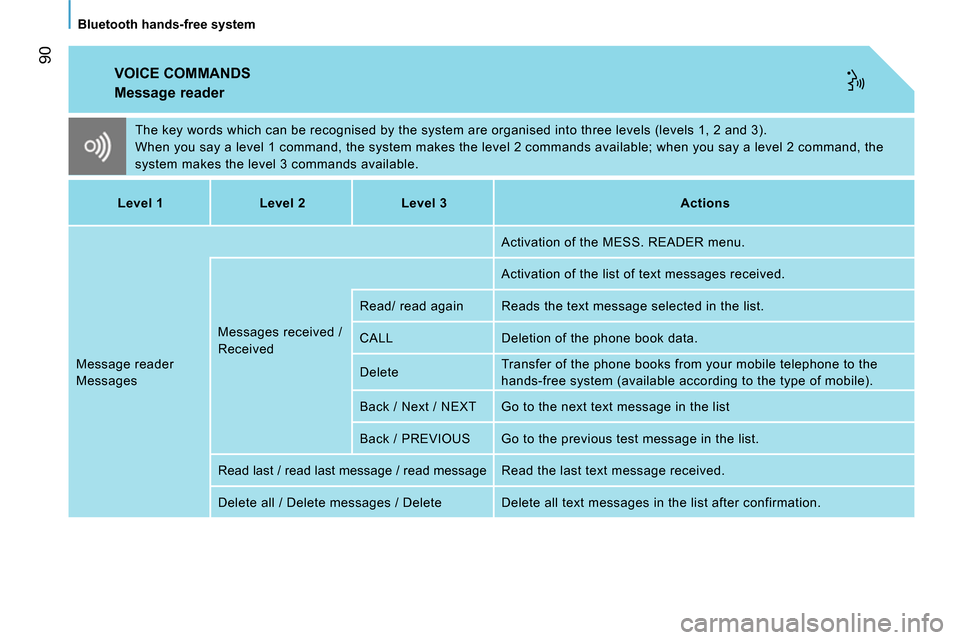
The key words which can be recognised by the system are organised into three levels (levels 1, 2 and 3).
When you say a level 1 command, the system makes the level 2 commands available; when you say a level 2 command, the
system makes the level 3 commands available.
Level 1
Level 2
Level 3
Actions
Message reader
Messages Messages received /
Received Activation of the MESS. READER menu.
Activation of the list of text messages received.
Read/ read again Reads the text message selected in the list.
CALL Deletion of the phone book data.
Delete Transfer of the phone books from your mobile telephone to the
hands-free system (available according to the type of mobile).
Back / Next / NEXT Go to the next text message in the list
Back / PREVIOUS Go to the previous test message in the list.
Read last / read last message / read message Read the last text message received.
Delete all / Delete messages / Delete Delete all text messages in the list after confirmation.
Page 115 of 192
11 3
4
EASE OF USE and COMFORT
Practical information
INTERIOR LIGHTING
Front courtesy lamp
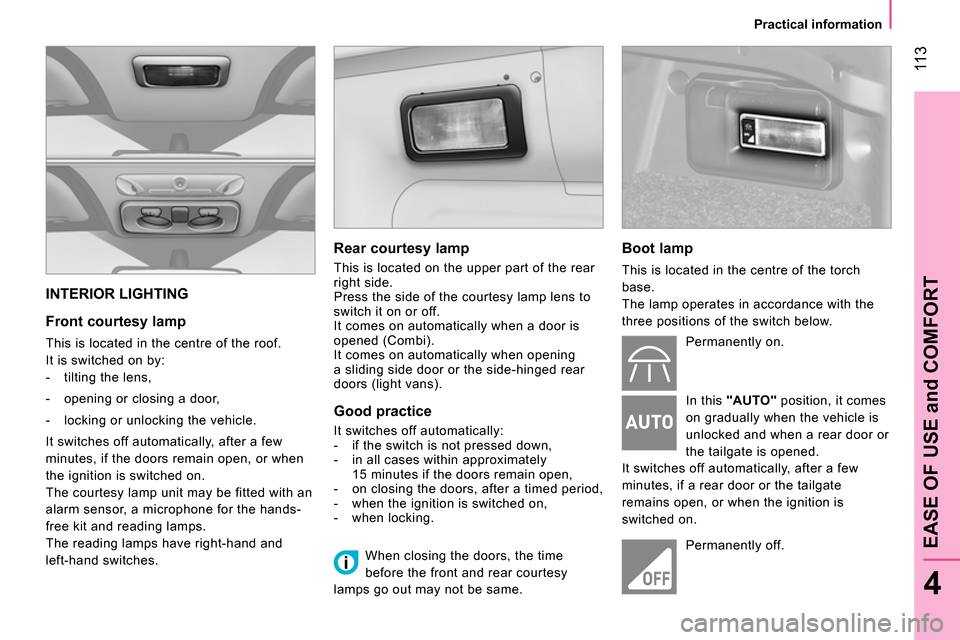
This is located in the centre of the roof.
It is switched on by:
- tilting the lens,
- opening or closing a door,
- locking or unlocking the vehicle.
It switches off automatically, after a few
minutes, if the doors remain open, or when
the ignition is switched on.
The courtesy lamp unit may be fitted with an
alarm sensor, a microphone for the hands-
free kit and reading lamps.
The reading lamps have right-hand and
left-hand switches.
Rear courtesy lamp
This is located on the upper part of the rear
right side.
Press the side of the courtesy lamp lens to
switch it on or off.
It comes on automatically when a door is
opened (Combi).
It comes on automatically when opening
a sliding side door or the side-hinged rear
doors (light vans).
Good practice
It switches off automatically:
- if the switch is not pressed down,
- in all cases within approximately
15 minutes if the doors remain open,
- on closing the doors, after a timed period,
- when the ignition is switched on,
- when locking.
Boot lamp
This is located in the centre of the torch
base.
The lamp operates in accordance with the
three positions of the switch below.
Permanently on.
In this "AUTO"
position, it comes
on gradually when the vehicle is
unlocked and when a rear door or
the tailgate is opened.
It switches off automatically, after a few
minutes, if a rear door or the tailgate
remains open, or when the ignition is
switched on.
Permanently off.
When closing the doors, the time
before the front and rear courtesy
lamps go out may not be same.
Page 159 of 192
157
7
QUICK HELP
Changing a fuse
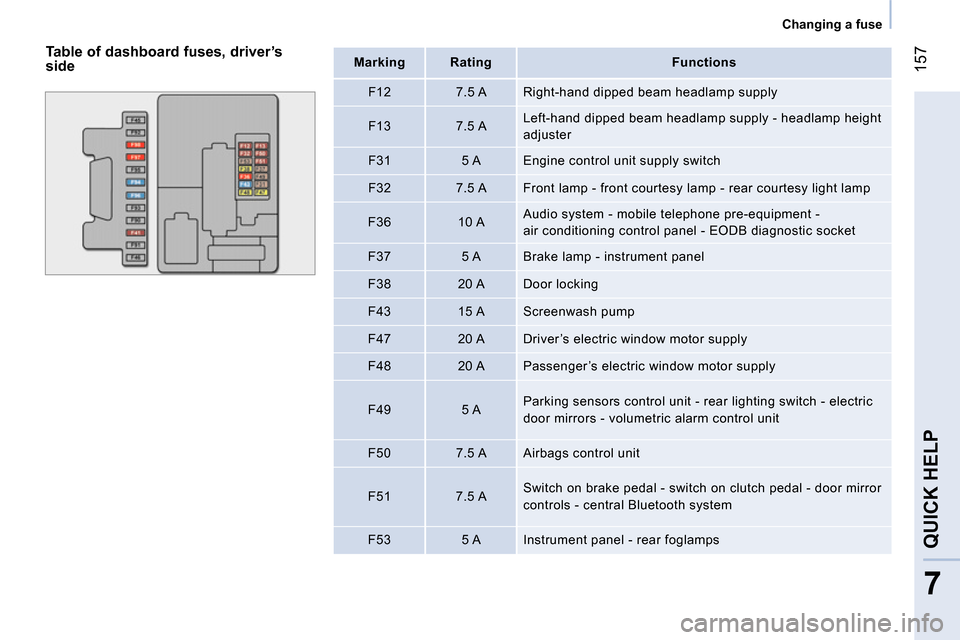
Table of dashboard fuses, driver’s
side
Mark
ing
Rating
Functions
F12
7.5 A Right-hand dipped beam headlamp supply
F13
7.5 A Left-hand dipped beam headlamp supply - headlamp height
adjuster
F31
5 A Engine control unit supply switch
F32
7.5 A Front lamp - front courtesy lamp - rear courtesy light lamp
F36
10 A Audio system - mobile telephone pre-equipment -
air conditioning control panel - EODB diagnostic socket
F37
5 A Brake lamp - instrument panel
F38
20 A Door locking
F43
15 A Screenwash pump
F47
20 A Driver’s electric window motor supply
F48
20 A Passenger’s electric window motor supply
F49
5 A Parking sensors control unit - rear lighting switch - electric
door mirrors - volumetric alarm control unit
F50
7.5 A Airbags control unit
F51
7.5 A Switch on brake pedal - switch on clutch pedal - door mirror
controls - central Bluetooth system
F53
5 A Instrument panel - rear foglamps