Message Peugeot Boxer 2020 Owner's Guide
[x] Cancel search | Manufacturer: PEUGEOT, Model Year: 2020, Model line: Boxer, Model: Peugeot Boxer 2020Pages: 196, PDF Size: 5.1 MB
Page 160 of 196
158
Touch screen audio and telematics system
Touch screen audio and telematics system
Multimedia audio system -
Bluetooth
® telephone - GPS
navigation
The system is protected in such a way
that it will only operate in your vehicle.
For safety reasons, the driver must only
carry out operations that require close
attention with the vehicle stationary.
When the engine is switched off and to
prevent discharging of the battery, the
system switches off after activation of energy
economy mode.
First steps
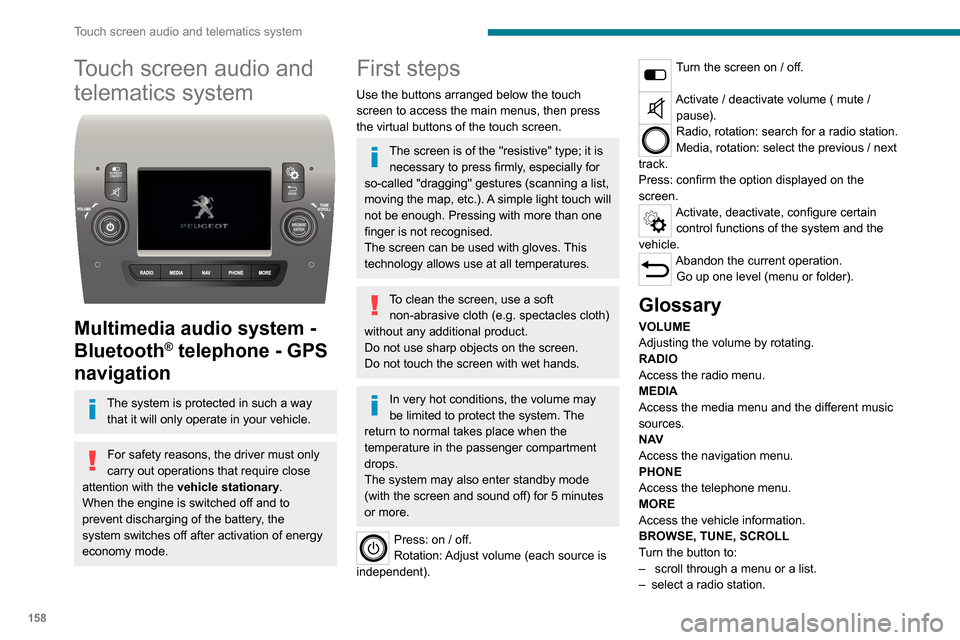
Use the buttons arranged below the touch
screen to access the main menus, then press
the virtual buttons of the touch screen.
The screen is of the "resistive" type; it is necessary to press firmly, especially for
so-called "dragging" gestures (scanning a list,
moving the map, etc.). A simple light touch will
not be enough. Pressing with more than one
finger is not recognised.
The screen can be used with gloves. This
technology allows use at all temperatures.
To clean the screen, use a soft non-abrasive cloth (e.g. spectacles cloth)
without any additional product.
Do not use sharp objects on the screen.
Do not touch the screen with wet hands.
In very hot conditions, the volume may
be limited to protect the system. The
return to normal takes place when the
temperature in the passenger compartment
drops.
The system may also enter standby mode
(with the screen and sound off) for 5 minutes
or more.
Press: on / off.
Rotation: Adjust volume (each source is
independent).
Turn the screen on / off.
Activate / deactivate volume ( mute / pause).
Radio, rotation: search for a radio station.
Media, rotation: select the previous / next
track.
Press: confirm the option displayed on the
screen.
Activate, deactivate, configure certain control functions of the system and the
vehicle.
Abandon the current operation. Go up one level (menu or folder).
Glossary
VOLUME
Adjusting the volume by rotating.
RADIO
Access the radio menu.
MEDIA
Access the media menu and the different music
sources.
N AV
Access the navigation menu.
PHONE
Access the telephone menu.
MORE
Access the vehicle information.
BROWSE, TUNE, SCROLL
Turn the button to:
– scroll through a menu or a list.– select a radio station.
ENTERConfirm an option displayed on the screen by
pressing.
Steering mounted controls
Activate / deactivate the pause function of USB/iPod and Bluetooth® sources.
Activate / deactivate the mute function of the
radio.
Activate / deactivate the microphone during a
telephone conversation.
Toggle up or down: increase or decrease volume for voice announcements, and
music sources, hands-free, and text message
reader.
Activate voice recognition.Pause a voice message to start a new
voice command.
Pause voice recognition.
Accept an incoming call.Accept a second incoming call and put
the active call on hold.
Activate voice recognition for the telephone
function.
Pause a voice message to give another voice
command.
Pause voice recognition.
Radio, toggle up or down: select next / previous station.
Radio, toggle up or down continuously: scan up /
down frequencies until you release the button.
Page 161 of 196
159
Touch screen audio and telematics system
12ENTER
Confirm an option displayed on the screen by
pressing.
Steering mounted controls
Activate / deactivate the pause function of USB/iPod and Bluetooth® sources.
Activate / deactivate the mute function of the
radio.
Activate / deactivate the microphone during a
telephone conversation.
Toggle up or down: increase or decrease volume for voice announcements, and
music sources, hands-free, and text message
reader.
Activate voice recognition. Pause a voice message to start a new
voice command.
Pause voice recognition.
Accept an incoming call. Accept a second incoming call and put
the active call on hold.
Activate voice recognition for the telephone
function.
Pause a voice message to give another voice
command.
Pause voice recognition.
Radio, toggle up or down: select next /
previous station.
Radio, toggle up or down continuously: scan up /
down frequencies until you release the button. Media, toggle up or down: select next / previous
track.
Media, toggle up or down continuously: fast
forward / rewind ntil you release the button.
Refuse an incoming call.
End the call in progress.
Menus
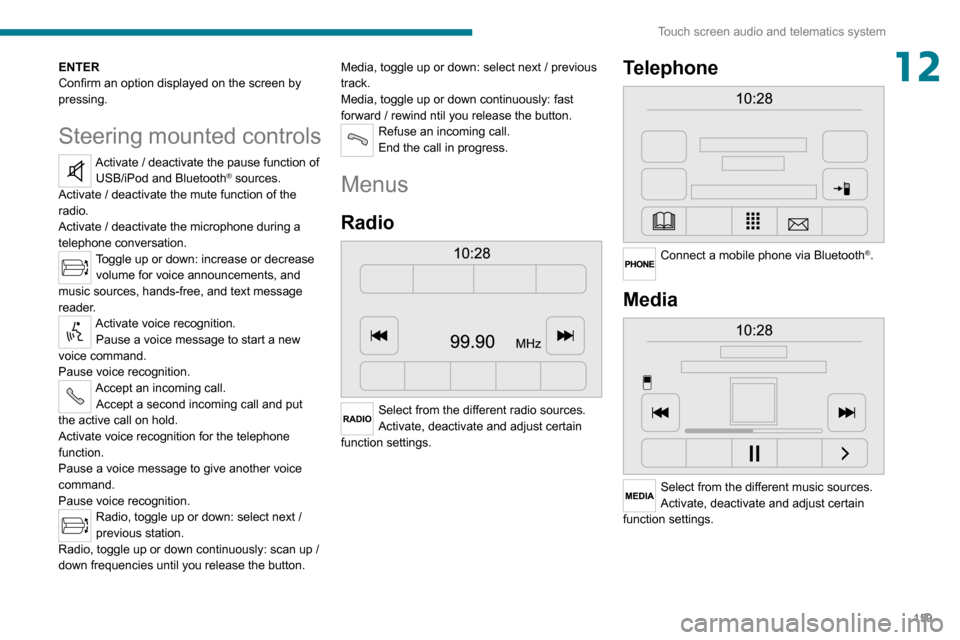
Radio
Select from the different radio sources.
Activate, deactivate and adjust certain
function settings.
Telephone
Connect a mobile phone via Bluetooth®.
Media
Select from the different music sources.
Activate, deactivate and adjust certain
function settings.
Page 167 of 196
165
Touch screen audio and telematics system
12► Insert the USB device into the USB socket located in the central storage space dedicated
to data transfer.
The system starts preparing the USB device.
– If the system continues to ask you to insert a USB device, make sure that your USB device meets the above conditions, and then try again.– If you connect multiple USB devices, the system prompts you to remove devices so that only the device to be prepared is connected.– If there is not enough space on the USB device, you are prompted to use another USB device.– If you connect a USB device that contains files, the system warns you that files on the USB device may be deleted.
When the USB device is ready, the message below appears:"Navigation updates"
The preparation of the USB device is
finished.
You can now safely remove the USB device.
► Remove the USB device; you can now download the new map to your USB device.
Install TomTom HOME
To install "TomTom HOME" and create a "MyTomTom" account, perform the following steps:
► Download and install the TomTom HOME app on your computer through this link:tomtom.com/getstarted► Select and download TomTom HOME, then follow the on-screen instructions.
Use a secure Wi-Fi network rather than 3G/4G to download the application on your computer.
► Connect the USB device to your computer; "TomTom HOME" starts automatically.► Select "Log in" in the upper right corner of
"TomTom HOME".
► Select "Register" and enter your information
to create a "MyTomTom" account.
To receive map updates, you must have a "MyTomTom" account.
Once the account is created, you must indicate whether you want to link your system to your account. The prepared USB device represents your system.► Select “Link device”, then “Close”.
You are now ready to download a map to your USB device.
Download a map
Connect your USB device to your computer.Select a map to download– To check if you can download a map for free with the map refresh guarantee, select "Tools"
and then "Map refresh guarantee " in "TomTom
HOME".
– To purchase a map update, select "Buy
maps" in "TomTom HOME".
– If you have already purchased an update, select "Update my device" in "TomTom HOME".
Download a map
If a map update is available for your system, it is listed as an available update.
If your system already has the most recent map, no updates are available.
► Select the map to download, then select "Update and install"; the map will be downloaded and installed on your USB device.► Select “Done” once the process is finished.
Install the map
The new map must be downloaded
with the engine running and the
vehicle stationary.
Once you have downloaded a map to your USB device, you can install it on your system.► Insert the USB device containing the new
map into the USB socket located in the central
storage space dedicated to data transfer to the
system.
The system detects the presence of a new map on the USB device. It may also contain an update of the navigation software if it is necessary for the new map.► You must indicate whether you want to update the system.► Select "Start".
Page 168 of 196
166
Touch screen audio and telematics system
If the USB device contains new software,
the system starts by updating the navigation
software. Once the software is updated, the
system must restart.
► Select "OK".
Before the system starts updating the map,
it warns you that a minimum of 30 minutes is
required to install the map.
Do not remove the USB device or turn off
the system until the update is complete.
You cannot use the system until the update is
complete. If the update is interrupted, restart
the system update.
Once the map is updated, the message below
appears:
"Updates completed"
You can now safely remove the USB device.
► Click on “Close”.
The new map is now available on the system.
Troubleshooting
During an update, the following issues may
occur:
– The map on the USB device is invalid. If this is the case, download the map to the USB device
again using "TomTom HOME".
You may need to prepare the USB device again.
– The version of the map on the USB device is the same as the version on the system, or older.
If this is the case, download the map to the USB
device again using "TomTom HOME".
You may need to prepare the USB device again.
Telephone
Press "PHONE" to display the telephone
menus:
– Mobile phone .– Display and call the contacts in the mobile phone directory.– Press on the 5 or 6 buttons to scroll through the contacts.– Skip directly to the desired letter in the list.Recent calls– All calls, In, Out, Missed .– Display and call recent call log contacts.
The system memory contains predefined text
messages, which can be sent to reply to a
received message or as a new message.
Upon receipt of a text message (depending on
the telephone version), the system also relays
the message in question to you.
Settings
– Connected tels. Add device, Connected
audio.
– Combine up to 10 telephones/audio devices to make it easier and faster to access and connect.
Dial the telephone number using the on-screen
virtual keypad.
Transf.– Transf..– Transfer calls from the system to the mobile phone and vice versa.– Mute.– Disable the system microphone's audio for private conversations.
Pairing a Bluetooth®
telephone
For safety reasons and because it
requires sustained attention by the driver,
the pairing of a Bluetooth
® mobile phone with
the hands-free kit of your audio system must
be done with the vehicle stationary.
Activate the telephone's Bluetooth function
and ensure that it is "visible to all" (telephone
configuration).
Press on "PHONE".
If no mobile phone has yet been paired
with the system, a special page is displayed on
the screen.
Select "Yes" to start the pairing procedure, and
then search for the name of the system on the
mobile phone (on the other hand, by selecting
"No", the main screen page of the Telephone is
displayed).
Select the name of the system and, depending
on the telephone, using the telephone keypad,
enter the PIN displayed on the screen of the
Page 169 of 196
167
Touch screen audio and telematics system
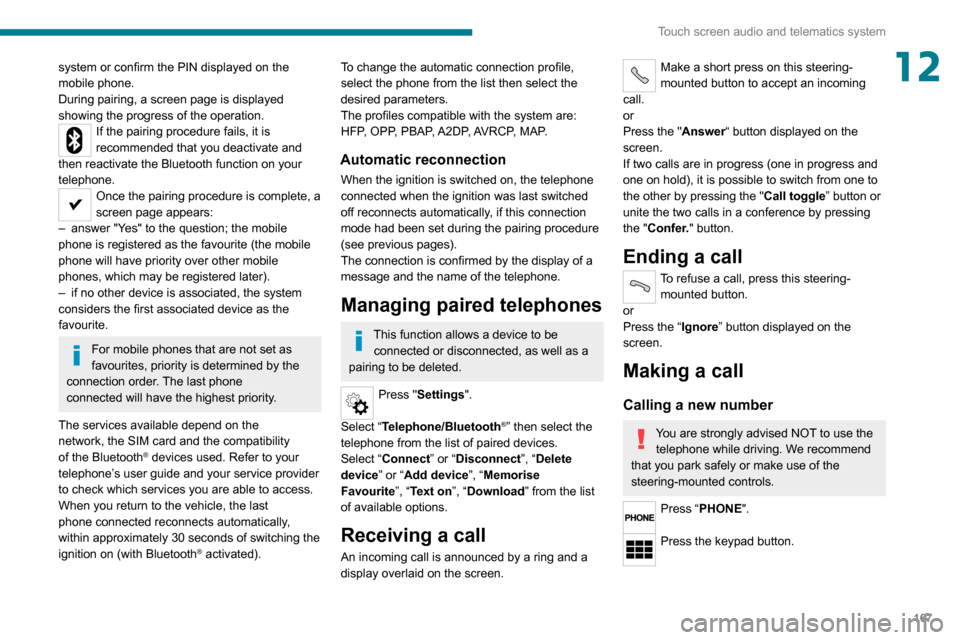
12system or confirm the PIN displayed on the
mobile phone.
During pairing, a screen page is displayed
showing the progress of the operation.
If the pairing procedure fails, it is
recommended that you deactivate and
then reactivate the Bluetooth function on your
telephone.
Once the pairing procedure is complete, a
screen page appears:
– answer "Y es" to the question; the mobile phone is registered as the favourite (the mobile
phone will have priority over other mobile
phones, which may be registered later).
– if no other device is associated, the system considers the first associated device as the
favourite.
For mobile phones that are not set as
favourites, priority is determined by the
connection order. The last phone
connected will have the highest priority.
The services available depend on the
network, the SIM card and the compatibility
of the Bluetooth
® devices used. Refer to your
telephone’s user guide and your service provider
to check which services you are able to access.
When you return to the vehicle, the last
phone connected reconnects automatically, within approximately 30 seconds of switching the ignition on (with Bluetooth® activated).
To change the automatic connection profile,
select the phone from the list then select the
desired parameters.
The profiles compatible with the system are:
HFP, OPP, PBAP, A2DP, AVRCP, MAP.
Automatic reconnection
When the ignition is switched on, the telephone
connected when the ignition was last switched
off reconnects automatically, if this connection
mode had been set during the pairing procedure
(see previous pages).
The connection is confirmed by the display of a
message and the name of the telephone.
Managing paired telephones
This function allows a device to be connected or disconnected, as well as a
pairing to be deleted.
Press "Settings".
Select “Telephone/Bluetooth
®” then select the
telephone from the list of paired devices.
Select “Connect” or “Disconnect”, “Delete
device” or “Add device”, “Memorise
Favourite”, “Text on”, “Download ” from the list
of available options.
Receiving a call
An incoming call is announced by a ring and a
display overlaid on the screen.
Make a short press on this steering-
mounted button to accept an incoming
call.
or
Press the "Answer“ button displayed on the
screen.
If two calls are in progress (one in progress and
one on hold), it is possible to switch from one to
the other by pressing the " Call toggle” button or
unite the two calls in a conference by pressing
the "Confer." button.
Ending a call
To refuse a call, press this steering- mounted button.
or
Press the “Ignore
” button displayed on the screen.
Making a call
Calling a new number
You are strongly advised NOT to use the telephone while driving. We recommend
that you park safely or make use of the
steering-mounted controls.
Press “PHONE".
Press the keypad button.
Page 171 of 196
169
Touch screen audio and telematics system
12Telephone/Bluetooth®
– Connected tels.– Start the Bluetooth® connection of the selected
mobile device.
– Delete the selected mobile device.– Memorise the selected mobile device in the favourites.– Set the parameters.– Add device.– Add a new mobile device.– Connected audio.– Connect the mobile device only for audio.Radio setting– DAB announcements.– Activate or deactivate the announcements.– Activate or deactivate the options: Alarm, Event announc., Stock market newsflash,
Newsflash, Programme info, Special event, Sport
info, Public transp. info. Alarm announcement,
Weather newsflash.
Restore settings
Restore the default settings of the screen, clock,
sound and radio.
Delete personal data
Delete personal data, Bluetooth
® devices and
built-in presets.
Voice commands
Information - Using the
system
Instead of touching the screen, you can
use your voice to control the system.
To ensure that voice commands are always recognised by the system, please
observe the following recommendations:
– speak in a normal tone of voice,– before speaking, always wait for the "beep" (acoustic signal),– the system is able to recognise the voice commands provided, regardless of gender,
tone and inflection of the voice of the speaker,
– if possible, minimise the noise inside the passenger compartment,– before issuing a voice command, ask any other passengers to refrain from speaking.
Since the system recognises commands
regardless of who is speaking, when several
people are speaking simultaneously, it
is possible for the system to recognise
commands that are different or additional to
what has been requested,
– for optimal operation, you are advised to close the windows and any sunroof present
(on versions/markets where fitted) to avoid
any external source of disturbance.
Steering-mounted controls
This button is used to activate the “Telephone” voice recognition mode that
allows you to make calls, view recent/received/
outgoing calls, display the directory, etc.
This button is used to activate the "Radio/ Media" voice recognition mode that allows
you to tune to a specific radio station or a
specific AM/FM radio frequency, play a track or
an album contained on a USB stick/iPod/MP3/
CD.
Quick voice interaction can be used if
these buttons are depressed during a
voice message from the system; it allows you
to directly say a voice command.
For example, if the system is in the middle
of saying a voice help message and if we
know the command to give the system, by
pressing these buttons, the voice message
is interrupted and it is possible to directly
say the desired voice command (so avoiding
having to listen to the complete voice help
message).
When the system is waiting for a voice
command from the user, pressing these
buttons closes the voice session.
Each time a button is pressed, a "beep"
(acoustic signal) is emitted and the
screen displays a screen page of suggestions
asking the user to say a command.
Page 172 of 196
170
Touch screen audio and telematics system
Global voice commands
These commands can be made from any screen page after
pressing the voice recognition or telephone
button located on the steering wheel, as long as
there is no telephone call in progress.
Help
Provide generic help to the user by offering
some available commands.
Cancel
Close the current voice sequence.
Repeat
Repeat the last spoken voice message to the
user.
Voice tutorial
Provide a detailed description to the user on how
to use the voice system.
"Telephone" voice
commands
If a telephone is connected to the system,
the following voice commands can be
made from any main screen page after pressing
the telephone button located on the steering
wheel, as long as there is no telephone call in
progress.
If no telephone is connected, a voice message
announces: "No telephone is connected.
* This function is av ailable only if the telephone connected to the system supports downloading of contacts and recent calls and if the corresponding download has been performed.
** This function is available only if the telephone connected to the system supports the text message reading function.
Connect a telephone and try again” and the
voice session will be closed.
It is possible to replace the "Mobile phone" tag with three other available tags: "Home"; "Office"; "Other".
Call* > Henri Dupont
Dial the telephone number associated with the
contact Henri Dupont.
Call* > Henri Dupont > Mobile phone
Dial the telephone number with the mobile phone
tag associated with the contact Henri Dupont.
Call number > 0123456789
Call number 0123456789.
Redial
Call the number or contact of the last call made.
Call back
Call the number or contact of the last call
received.
Recent calls*
View the complete list of recent calls: outgoing,
missed and incoming.
Outgoing calls *
View the list of outgoing calls.
Missed calls*
View the list of missed calls.
Incoming calls *
View the list of incoming calls.
Directory *
View the directory of the connected telephone.
Search* > Henri Dupont
View Henri Dupont's contact information in the
directory with all of the numbers saved.
Search* > Henri Dupont > Mobile phone
View the telephone number with the mobile
phone tag associated with the contact Henri
Dupont.
View messages **
View the list of text messages received by the
connected telephone.
If the telephone allows the recording of
the "First Name" (Henri) and the
"Surname" (Dupont) in two separate fields,
perform the following voice commands:
– "Call" > "Henri" > "Dupont" or "Call" > "Dupont" > "Henri".– "Search" > "Henri" > "Dupont" or "Search" > "Dupont" > "Henri".
"AM/FM/DAB radio" voice
commands
The following commands can be made from any main screen page after pressing
the voice recognition button located on the
steering wheel, as long as there is no telephone
call in progress.
Tune to > 105.5 > FM
Tune the radio to the 105.5 frequency of the FM
band.
Tune to > 940 > AM
Tune the radio to the 940 frequency of the AM
band.
Tune to * > Magic > FM
Tune the radio to the station Magic.
Tune to DAB channel ** > Absolute Radio
Tune the DAB radio to the Absolute Radio
channel.
"Media" voice commands
The following commands can be made from any main screen page after pressing
the voice recognition button located on the
steering wheel, as long as there is no telephone
call in progress.
Listen to track > "Track 1 "
Play the track “Track 1”.Listen to album > "Album 1"
Play the songs of the album “Album 1”.
Listen to artist > "Artist 1"
Play the songs of the artist “Artist 1”.Listen to music style > "Jazz"
Play the songs of the music style “Jazz”.
Listen to playlist > "Playlist 1"
Play the songs of the playlist “Playlist1”.
Listen to podcast > "Radio 1"
Play the podcast “Podcast 1”.
* It is possible to replace "Magic" with any other FM station name received by the radio. Not all radio stations provide this service.
** It is possible to replace "Absolute Radio" with any other DAB channel received by the radio. Not all DAB channels provide this service.
Page 173 of 196
171
Touch screen audio and telematics system
12Tune to > 105.5 > FM
Tune the radio to the 105.5 frequency of the FM
band.
Tune to > 940 > AM
Tune the radio to the 940 frequency of the AM
band.
Tune to * > Magic > FM
Tune the radio to the station Magic.
Tune to DAB channel ** > Absolute Radio
Tune the DAB radio to the Absolute Radio
channel.
"Media" voice commands
The following commands can be made from any main screen page after pressing
the voice recognition button located on the
steering wheel, as long as there is no telephone
call in progress.
Listen to track > "Track 1"
Play the track “Track 1”.Listen to album > "Album 1"
Play the songs of the album “Album 1”.
Listen to artist > "Artist 1"
Play the songs of the artist “Artist 1”.Listen to music style > "Jazz"
Play the songs of the music style “Jazz”.
Listen to playlist > "Playlist 1"
Play the songs of the playlist “Playlist1”.
Listen to podcast > "Radio 1"
Play the podcast “Podcast 1”.
* It is possible to rep lace "Magic" with any other FM station name received by the radio. Not all radio stations provide this service.
** It is possible to replace "Absolute Radio" with any other DAB channel received by the radio. Not all DAB channels provide this service.
Listen to audio book > "Book 1"
Play the audio book "Book 1”.
Listen to track number > "5"
Play track number “5”.Select > "USB"
Select the USB media support as the active
audio source.
Browse > "Album"
View the list of available albums.
"Navigation" voice
commands
The following commands can be made from any main screen page after pressing
the voice recognition or telephone button located
on the steering wheel, as long as there is no
telephone call in progress.
Go home
Display the route home.
2D mode
Switch to 2D mode.
3D mode
Switch to 3D mode.
Clear route
Clear the displayed route.
Add a favourite
Display the favourites screen page.
Repeat instruction
Repeat the last spoken voice message.
"Text message" voice
commands
The following commands can be made from each main screen after pressing the
telephone button located on the steering wheel,
as long as there is no telephone call in progress.
Send a text message to > 0123456789
Start the voice procedure to send a preset text
message using the system.
Send a text message to > Henri Dupont >
Mobile phone
Start the voice procedure to send a preset text
message using the system.
View text message > Henri Dupont > Mobile
phone
View the list of text messages downloaded by
the phone.
"Hands-free calls" voice
commands
The following commands are available when a call is in progress.
The commands can be made from any screen
page during a call after pressing the telephone
button located on the steering wheel.
Send 0123456789
The selection tones are sent for 0123456789.
Send Voicemail password