buttons PEUGEOT PARTNER 2022 User Guide
[x] Cancel search | Manufacturer: PEUGEOT, Model Year: 2022, Model line: PARTNER, Model: PEUGEOT PARTNER 2022Pages: 324, PDF Size: 9.42 MB
Page 77 of 324

75
Ease of use and comfort
3For maximum cooling or heating of the
passenger compartment, it is possible to
exceed the minimum value 14 or the
maximum value 28.
►
T
urn control 1 to the left until "LO"
is displayed or to the right until "HI" is
displayed.
Air distribution
Windscreen and side windows ( 3a).
Central and side air vents (3b).
Footwells (3c).
The air distribution can be adapted by combining
the corresponding buttons.
For optimum comfort, depending on
the outside temperature
<15°C: press buttons 3a and 3c.
15°C- 25°C: press buttons 3b and 3c.
>25°C: press button 3b.
Air conditioning
With the engine running, the air conditioning is
designed to operate effectively in all seasons,
with the windows closed.
It enables you to:
–
lower the temperature in summer
,
–
enhance the effectiveness of the demisting
function in winter
, above 3°C.
On/Off
► Press button 5 to activate/deactivate the air
conditioning system.
When the air conditioning is in operation, to
cool the air more quickly, you can use interior
air recirculation for a few moments by pressing
button 4. Then restore the intake of exterior air.
The air conditioning does not operate when the air flow adjustment is set to off.
Switching the system off could result in
discomfort (humidity, misting).
Dual-zone automatic air
conditioning
1. Temperature.
2. Air flow.
3. Air distribution.
4. Recirculation of interior air.
5. Air conditioning on/off.
6. Automatic comfort mode.
7. Visibility programme.
8. "Mono" function.
Automatic comfort mode
► Press the " AUTO" button 6 to toggle the
mode.
The active mode appears in the display screen,
as described below:
Ensures soft, quiet operation by limiting
air flow.
Offers the best compromise between a
comfortable temperature and quiet
operation.
Provides dynamic, effective air flow.
When the engine is cold, the air flow will
only increase to its optimum level
gradually, to avoid distributing too much cold
air.
In cold weather, it prioritises the distribution of
warm air to the windscreen, the side windows
and the footwells only.
Manual mode
If you wish, you can make a different choice from
that suggested by the system, by changing a
setting. The other functions will still be controlled
automatically.
The "AUTO" symbol disappears if you change
a setting.
Deactivating the system
► Press button 2 "-" until the fan symbol
disappears.
Page 79 of 324

77
Ease of use and comfort
3– windscreen and side windows (demisting or
defrosting).
For optimum comfort, depending on
the outside temperature
<15°C: press button 3 until air flow to the
windscreen, side windows and passenger
footwells is activated.
15°C-25°C: press button 3 until air flow to
the central and side air vents and passenger
footwells is activated.
>25°C: press button 3 until air flow to the
central and side air vents is activated.
Air flow
► Press the buttons 2 to increase/decrease the
air flow.
The air flow symbol (a fan) appears. It is filled in
or emptied gradually, according to the value set.
Recirculation of interior air
The intake of exterior air helps avoid and
eliminate misting of the windscreen and side
windows.
The recirculation of interior air allows the
passenger compartment to be isolated from
polluted air in areas of heavy traffic and inside
tunnels.
When required, this function also allows
faster heating or cooling of the air in the
passenger compartment.
► Press button 4 to recirculate the interior air or
allow the intake of exterior air.
Avoid the prolonged recirculation of interior air in order to ensure a good
supply of fresh air and reduce the risk of
misting (especially when several passengers
are on board or when the air is cold/damp,
etc.).
Front demisting - de-icing
Heating
For optimum demisting/de-icing in winter, carry
out the following adjustments:
► Press button 3a.
► Set knob 1 to the maximum temperature.
►
Set knob
2 to the "demisting/de-icing"
symbol.
►
Do not press any of the other buttons.
Once demisting/de-icing has been completed,
modify the settings according to the desired
conditions.
Manual air conditioning
To demist/prevent misting in high humidity or
when there is a big temperature difference between the outside and inside of the vehicle,
carry out the following adjustments:
► Press button
5.
► Press button 3a.
►
Set knob
1 to a high temperature (minimum
21).
►
Set knob
2 to level 2 or above.
►
Do not press any of the other buttons.
Once demisting has been completed, modify the
settings according to the desired conditions.
Dual-zone automatic air
conditioning
► Press this button to demist or defrost
the windscreen and side windows more
quickly
.
The system automatically manages the air
conditioning, air flow and air intake, and provides
optimum distribution towards the windscreen and
side windows.
Page 80 of 324

78
Ease of use and comfort
► To turn it off, press this button
again or press "AUTO".
The system restarts with the values in use before
it was deactivated.
Heated windscreen and washer jets
For more information on the Wiper
control stalk and in particular the heated
windscreen and washer jets, refer to the
corresponding section.
With Stop & Start, when demisting
- defrosting has been activated, STOP
mode is not available.
Heated windscreen
In cold weather, this system heats the bottom of
the windscreen, as well as the area alongside
the left-hand windscreen pillar.
Without changing the settings for the air
conditioning system, it allows faster release of the windscreen wiper blades when they
are frozen to the windscreen and helps avoid
the accumulation of snow resulting from the
operation of the windscreen wipers.
Switching on/off
► With the engine running, press this button to
activate/deactivate the function (confirmed by an
indicator lamp).
The period of operation depends on the outside
temperature.
The function switches off automatically to
prevent excessive power consumption.
Demisting/de-icing the
rear screen and/or the
door mirrors
► Press one of these buttons to switch on/off
rear screen and door mirror demisting/de-icing
(depending on version).
The indicator lamp in the button comes on
when
the function is activated.
Demisting/de-icing switches off automatically to
prevent excessive power consumption.
Switch off demisting/de-icing as soon
as you no longer consider it necessary,
as decreased power consumption in turn
reduces energy consumption.
Demisting/de-icing only operates with the
engine running.
Page 81 of 324
79
Ease of use and comfort
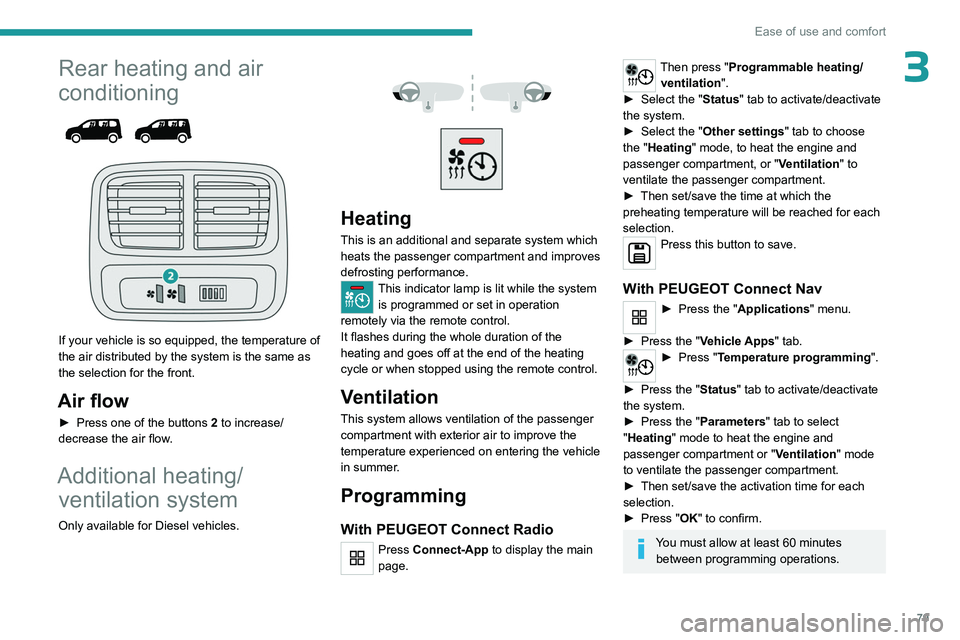
3Rear heating and air
conditioning
If your vehicle is so equipped, the temperature of
the air distributed by the system is the same as
the selection for the front.
Air flow
► Press one of the buttons 2 to increase/
decrease the air flow.
Additional heating/ ventilation system
Only available for Diesel vehicles.
Heating
This is an additional and separate system which
heats the passenger compartment and improves
defrosting performance.
This indicator lamp is lit while the system is programmed or set in operation
remotely via the remote control.
It flashes during the whole duration of the
heating and goes off at the end of the heating
cycle or when stopped using the remote control.
Ventilation
This system allows ventilation of the passenger
compartment with exterior air to improve the
temperature experienced on entering the vehicle
in summer.
Programming
With PEUGEOT Connect Radio
Press Connect-App to display the main
page.
Then press "Programmable heating/ ventilation ".
►
Select the "
Status" tab to activate/deactivate
the system.
►
Select the "
Other settings" tab to choose
the "Heating" mode, to heat the engine and
passenger compartment, or " Ventilation" to
ventilate the passenger compartment.
►
Then set/save the time at which the
preheating temperature will be reached for each
selection.
Press this button to save.
With PEUGEOT Connect Nav
► Press the " Applications" menu.
►
Press the "
Vehicle Apps" tab.
► Press " Temperature programming".
►
Press the "
Status" tab to activate/deactivate
the system.
►
Press the "
Parameters " tab to select
"Heating" mode to heat the engine and
passenger compartment or " Ventilation" mode
to ventilate the passenger compartment.
►
Then set/save the activation time for each
selection.
►
Press "
OK" to confirm.
You must allow at least 60 minutes between programming operations.
Page 96 of 324
94
Safety
Access to data
You have the right of access to data and
as appropriate to request the rectification,
erasure or restriction of processing of any
personal data not processed in accordance
with the provisions of GDPR. Third parties
to which data has been disclosed shall
be notified of any rectification, erasure or
restriction carried out in compliance with
GDPR, unless it proves impossible or
involves a disproportionate effort.
You also have the right to lodge a complaint
with the respective data protection
supervisory authority.
If you want to claim your above-mentioned
rights please contact us per email at:
[email protected].
For more information regarding our contact
details please take a look at our Privacy &
Cookies Policy on the brand's website.
ASSISTANCE
► If the vehicle breaks down, press button 2
for more than 2 seconds to request assistance
(confirmed by a voice message*).
►
Pressing again immediately cancels the
request.
* Depending on the geographic coverage of the "eCall (SOS)" and "ASSISTANCE" systems and the official national language chosen by the owner of the
vehicle.
The list of countries covered and the telematic services provided is ava\
ilable from dealers or on the website for your country.
Privacy mode allows you to manage the
level of sharing (data and/or location)
between your vehicle and PEUGEOT.
It can be configured in the Settings touch
screen menu.
By default, depending on equipment,
deactivate/reactivate geolocation by
simultaneously pressing the 2 buttons, then
press the "ASSISTANCE" button to confirm.
If you purchased your vehicle outside the
PEUGEOT dealer network, we invite you
to have a dealer check the configuration of
these services and, if desired, modify them to
suit your wishes. In a multilingual country,
configuration is possible in the official national
language of your choice.
For technical reasons, in particular to
improve the quality of telematic services
for customers, the Manufacturer reserves the
right to carry out updates to the vehicle's
on-board telematic system at any time.
If you benefit from the Peugeot Connect
Packs offer with the SOS and Assistance
Pack included, there are additional services
available to you in your personal space, via
the website for your country.
For information about the SOS and
Assistance Pack, please refer to the general
conditions for these services.
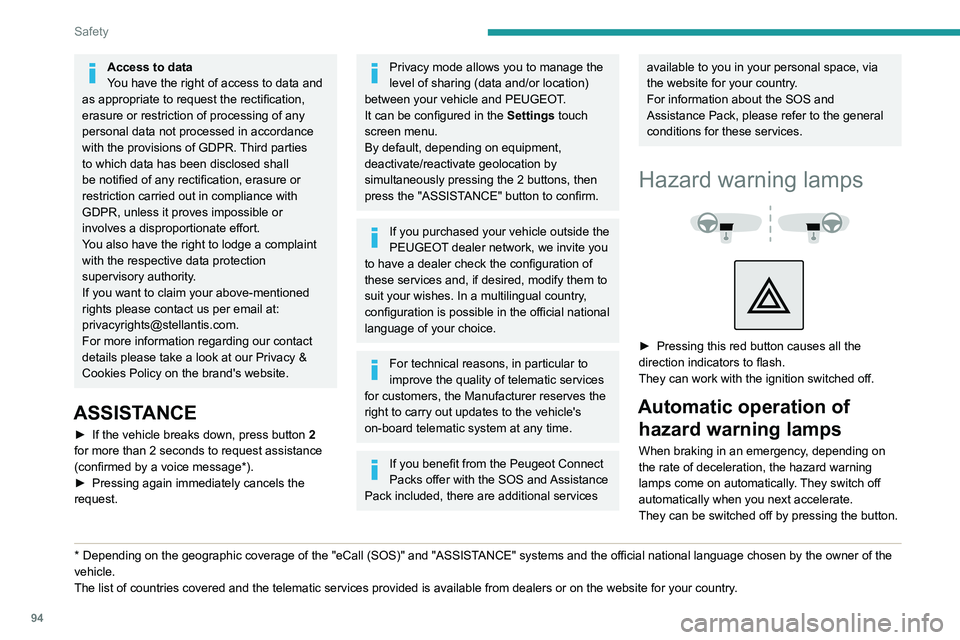
Hazard warning lamps
► Pressing this red button causes all the
direction indicators to flash.
They can work with the ignition switched off.
Automatic operation of hazard warning lamps
When braking in an emergency, depending on
the rate of deceleration, the hazard warning
lamps come on automatically. They switch off
automatically when you next accelerate.
They can be switched off by pressing the button.
Page 146 of 324
144
Driving
Malfunction
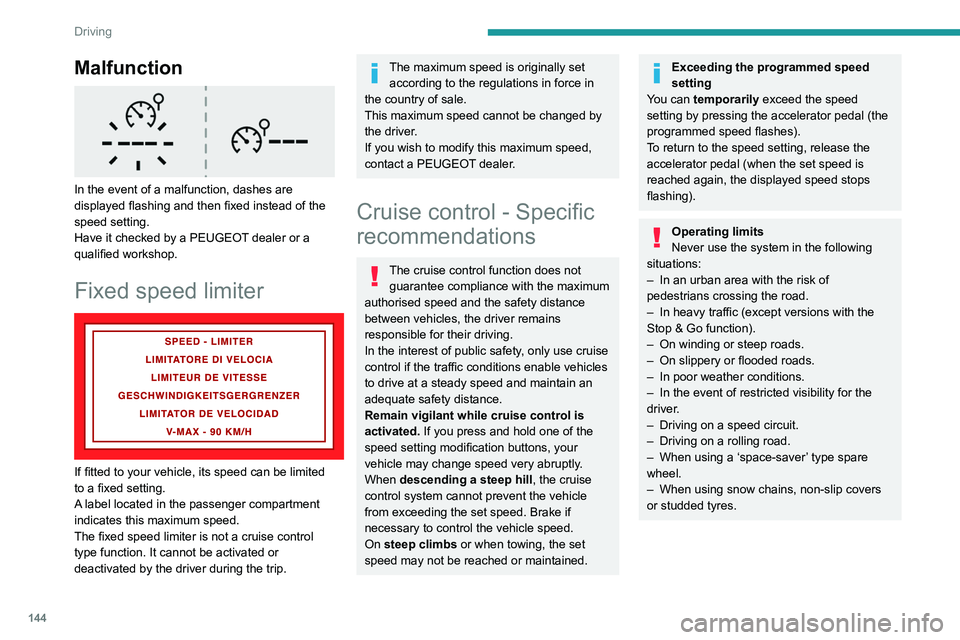
In the event of a malfunction, dashes are
displayed flashing and then fixed instead of the
speed setting.
Have it checked by a PEUGEOT dealer or a
qualified workshop.
Fixed speed limiter
If fitted to your vehicle, its speed can be limited
to a fixed setting.
A label located in the passenger compartment
indicates this maximum speed.
The fixed speed limiter is not a cruise control
type function. It cannot be activated or
deactivated by the driver during the trip.
The maximum speed is originally set according to the regulations in force in
the country of sale.
This maximum speed cannot be changed by
the driver.
If you wish to modify this maximum speed,
contact a PEUGEOT dealer.
Cruise control - Specific
recommendations
The cruise control function does not guarantee compliance with the maximum
authorised speed and the safety distance
between vehicles, the driver remains
responsible for their driving.
In the interest of public safety, only use cruise
control if the traffic conditions enable vehicles
to drive at a steady speed and maintain an
adequate safety distance.
Remain vigilant while cruise control is
activated. If you press and hold one of the
speed setting modification buttons, your
vehicle may change speed very abruptly.
When descending a steep hill , the cruise
control system cannot prevent the vehicle
from exceeding the set speed. Brake if
necessary to control the vehicle speed.
On steep climbs or when towing, the set
speed may not be reached or maintained.
Exceeding the programmed speed
setting
You can temporarily exceed the speed
setting by pressing the accelerator pedal (the
programmed speed flashes).
To return to the speed setting, release the
accelerator pedal (when the set speed is
reached again, the displayed speed stops
flashing).
Operating limits
Never use the system in the following
situations:
–
In an urban area with the risk of
pedestrians crossing the road.
–
In heavy traffic (except versions with the
Stop & Go function).
–
On winding or steep roads.
–
On slippery or flooded roads.
–
In poor weather conditions.
–
In the event of restricted visibility for the
driver
.
–
Driving on a speed circuit.
–
Driving on a rolling road.
–
When using a ‘space-saver
’ type spare
wheel.
–
When using snow chains, non-slip covers
or studded tyres.
Page 191 of 324
189
Practical information
7Operation
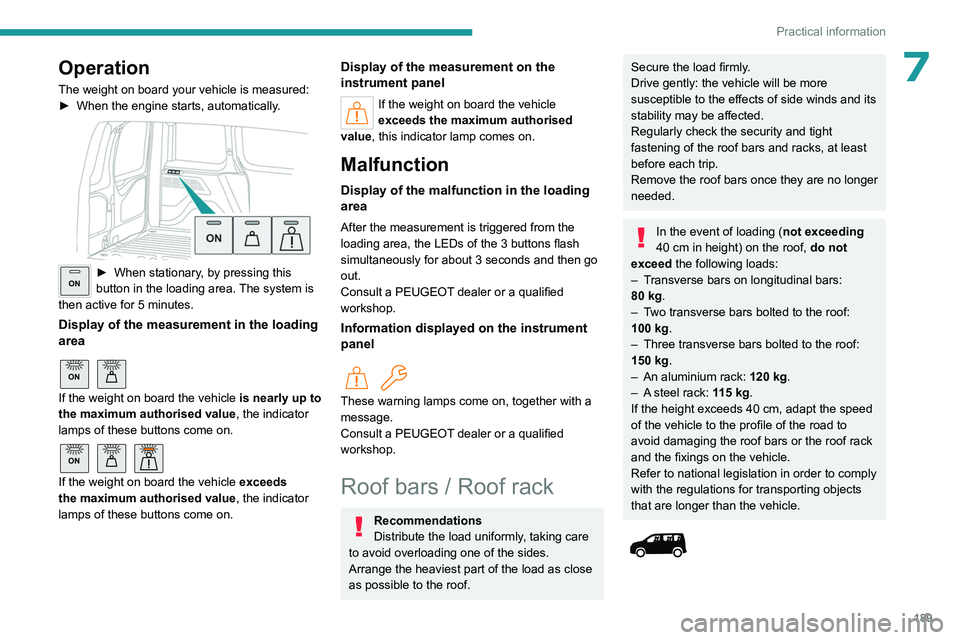
The weight on board your vehicle is measured:
► When the engine starts, automatically .
ON► When stationary, by pressing this
button in the loading area. The system is
then active for 5 minutes.
Display of the measurement in the loading
area
ON
If the weight on board the vehicle is nearly up to
the maximum authorised value, the indicator
lamps of these buttons come on.
ON
If the weight on board the vehicle exceeds
the maximum authorised value, the indicator
lamps of these buttons come on.
Display of the measurement on the
instrument panel
If the weight on board the vehicle
exceeds the maximum authorised
value, this indicator lamp comes on.
Malfunction
Display of the malfunction in the loading
area
After the measurement is triggered from the
loading area, the LEDs of the 3 buttons flash
simultaneously for about 3 seconds and then go
out.
Consult a PEUGEOT dealer or a qualified
workshop.
Information displayed on the instrument
panel
These warning lamps come on, together with a
message.
Consult a PEUGEOT dealer or a qualified
workshop.
Roof bars / Roof rack
Recommendations
Distribute the load uniformly, taking care
to avoid overloading one of the sides.
Arrange the heaviest part of the load as close
as possible to the roof.
Secure the load firmly.
Drive gently: the vehicle will be more
susceptible to the effects of side winds and its
stability may be affected.
Regularly check the security and tight
fastening of the roof bars and racks, at least
before each trip.
Remove the roof bars once they are no longer
needed.
In the event of loading ( not exceeding
40 cm in height) on the roof, do not
exceed the following loads:
–
T
ransverse bars on longitudinal bars:
80
kg.
–
T
wo transverse bars bolted to the roof:
100
kg.
–
Three transverse bars bolted to the roof:
150
kg.
–
An aluminium rack: 120
kg.
–
A
steel rack: 115 kg.
If the height exceeds 40
cm, adapt the speed
of the vehicle to the profile of the road to
avoid damaging the roof bars or the roof rack
and the fixings on the vehicle.
Refer to national legislation in order to comply
with the regulations for transporting objects
that are longer than the vehicle.
Page 238 of 324
236
Touch screen BLUETOOTH audio system
Short press: display the list of radio stations.
Long press: update the list.
Media:
Short press: display the list of folders.
Long press: display the available sorting options.
Short press: change audio source (radio;
USB; AUX if equipment connected; CD;
streaming).
Long press: display the call log.
Short press during an incoming call: accept the
call.
Short press during a call in progress: end the
call.
Confirm a selection.
Increase volume.
Decrease volume.
Mute/restore sound by simultaneously
pressing the increase and decrease
volume buttons.
Steering mounted controls -
Type 2
Voice commands:
This control is located on the steering
wheel or at the end of the lighting control stalk
(depending on equipment). Short press, smartphone voice commands via
the system.
Increase volume.
Decrease volume.
Mute by pressing the volume increase
and decrease buttons simultaneously
(depending on equipment).
Restore the sound by pressing one of the two
volume buttons.
Change the multimedia source.
Short press: display the calls log.
Short press during an incoming call:
accept the call.
Long press during an incoming call: reject the
call.
Short press during a call in progress: end the
call.
Radio (rotate): previous/next preset
station.
Media (rotate): previous/next track, move in a
list.
Short press: confirm a selection; if nothing
selected, access to presets.
Radio: display the list of stations.
Media: display the list of tracks.
Menus
Radio
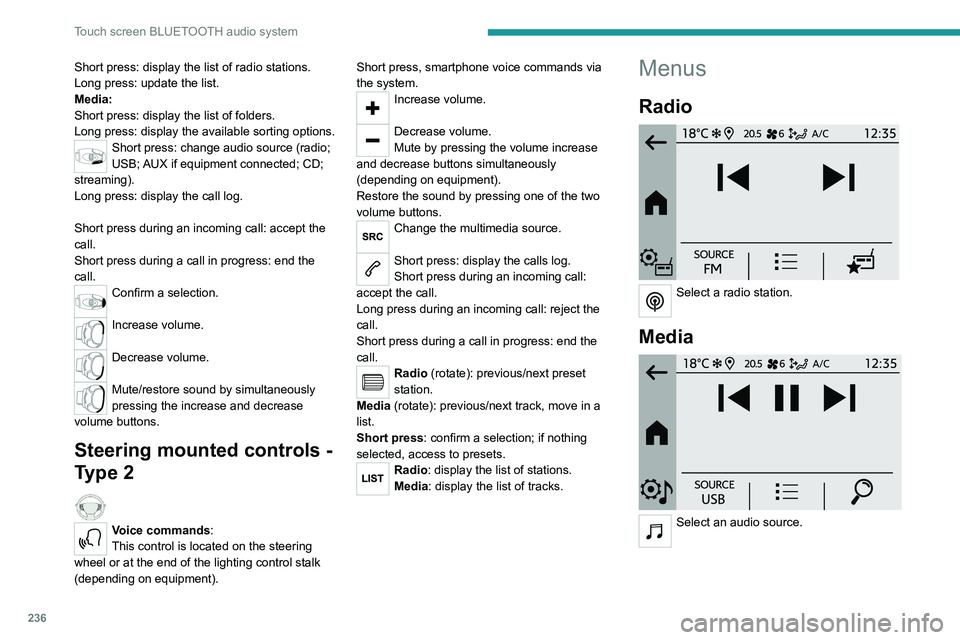
Select a radio station.
Media
Select an audio source.
Page 239 of 324
237
Touch screen BLUETOOTH audio system
10Telephone
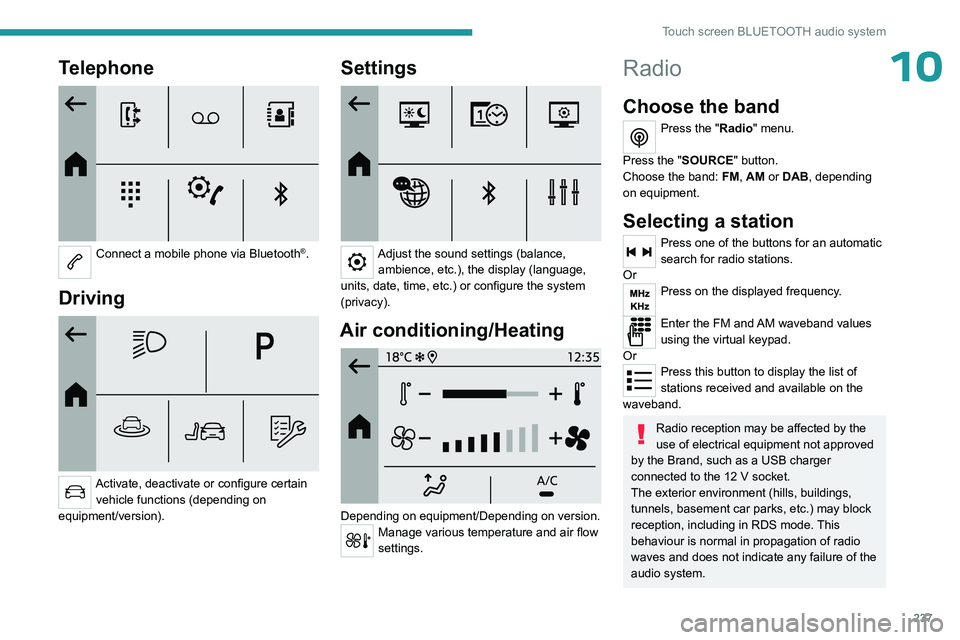
Connect a mobile phone via Bluetooth®.
Driving
Activate, deactivate or configure certain vehicle functions (depending on
equipment/version).
Settings
Adjust the sound settings (balance, ambience, etc.), the display (language,
units, date, time, etc.) or configure the system
(privacy).
Air conditioning/Heating
Depending on equipment/Depending on version.Manage various temperature and air flow
settings.
Radio
Choose the band
Press the "Radio" menu.
Press the "SOURCE" button.
Choose the band: FM, AM or DAB, depending
on equipment.
Selecting a station
Press one of the buttons for an automatic
search for radio stations.
Or
Press on the displayed frequency.
Enter the FM and AM waveband values
using the virtual keypad.
Or
Press this button to display the list of
stations received and available on the
waveband.
Radio reception may be affected by the
use of electrical equipment not approved
by the Brand, such as a USB charger
connected to the 12 V socket.
The exterior environment (hills, buildings,
tunnels, basement car parks, etc.) may block
reception, including in RDS mode. This
behaviour is normal in propagation of radio
waves and does not indicate any failure of the
audio system.
Page 241 of 324
239
Touch screen BLUETOOTH audio system
10when the system switches to "FM" analogue
radio with sometimes a variation in volume.
Once the digital signal quality is restored, the
system automatically changes back to "DAB".
If the "DAB" station being listened to is
not available on "FM", or if the "FM-DAB
tracking" is not activated, the sound will cut
out while the digital signal is too weak.
Media
Selecting the source
Press the "Media" menu.
Press the "SOURCE" button.
Select the source (USB, Bluetooth or AUX,
depending on equipment).
USB port
Insert the USB memory stick into the USB
port or connect the USB device to the
USB port using a suitable cable (not supplied).
To protect the system, do not use a USB hub.
The system builds playlists (in temporary
memory); this operation can take from a
few seconds to several minutes at the first
connection. Playlists are updated whenever a USB memory
stick is connected or the contents of a particular
USB memory stick are changed. The lists
are memorised: if they are not modified, the
subsequent loading time will be shorter.
Auxiliary (AUX) jack socket
Depending on equipmentConnect a portable device (MP3 player,
etc.) to the auxiliary jack socket using an
audio cable (not supplied).
This source is only available if " Aux
Amplification " has been selected in the audio
settings.
First adjust the volume on the portable device
(to a high level). Then adjust the volume of the
audio system.
Controls are managed via the portable device.
Bluetooth®streaming
Streaming allows you to listen to music from your
smartphone.
The Bluetooth profile must be activated, first
adjust the volume on the portable device (to a
high level).
Then adjust the volume of the system.
If play does not start automatically, it may be
necessary to start the audio playback from the
smartphone.
Control is from the portable device or by using
the system's touch buttons.
Once connected in Streaming mode, the
smartphone is considered to be a media
source.
Connecting Apple® players
Connect the Apple® player to the USB socket
using a suitable cable (not supplied).
Play starts automatically.
Control is via the audio system.
The classifications available are those of the portable device connected (artists/
albums/genres/playlists/audio books/
podcasts). It is also possible to use a
classification structured in the form of a
library.
The default classification used is by artist. To
modify the classification used, return to the
first level of the menu then select the desired
classification (playlists for example) and
confirm to go down through the menu to the
desired track.
The version of software in the audio system may
not be compatible with the generation of the
Apple
® player.
Media settings
Press the "Media Settings" button.
Activate/deactivate track playback options and
access the audio settings.