ignition PONTIAC BONNEVILLE 2003 Owner's Manual
[x] Cancel search | Manufacturer: PONTIAC, Model Year: 2003, Model line: BONNEVILLE, Model: PONTIAC BONNEVILLE 2003Pages: 418, PDF Size: 20.24 MB
Page 96 of 418
SECOND (2): This position gives you more power but
lower fuel economy.
You can use SECOND (2) on
hills. It can help control your speed as you go down
steep mountain roads, but then you would also want to
use your brakes
off and on.
Notice: Don’t drive in SECOND (2) for more than
5 miles (8 km), or at speeds over 55 mph (98 km/h),
or you can damage your transaxle. Use AUTOMATIC
OVERDRIVE
(@) or THIRD (3) as much as
possible.
Don’t shift into SECOND
(2) unless you are going
slower than
65 mph (105 km/h), or you can damage
your engine.
FIRST
(1): This position gives you even more power
but lower fuel economy than SECOND
(2). You can use
it on very steep hills, or
in deep snow or mud. If the
shift lever is put in
FIRST (l), the transaxle won’t shift
into first gear until the vehicle is going slowly enough.
Notice: If your front wheels won’t turn, don’t
try to drive. This might happen if you were stuck
in
very deep sand or mud or were up against a solid
object. You could damage your transaxle.
Also,
if you stop when going uphill, don’t hold your
vehicle there with only the accelerator pedal. This
could overheat and damage the transaxle. Use your
brakes to
hold your vehicle in position on a hill.
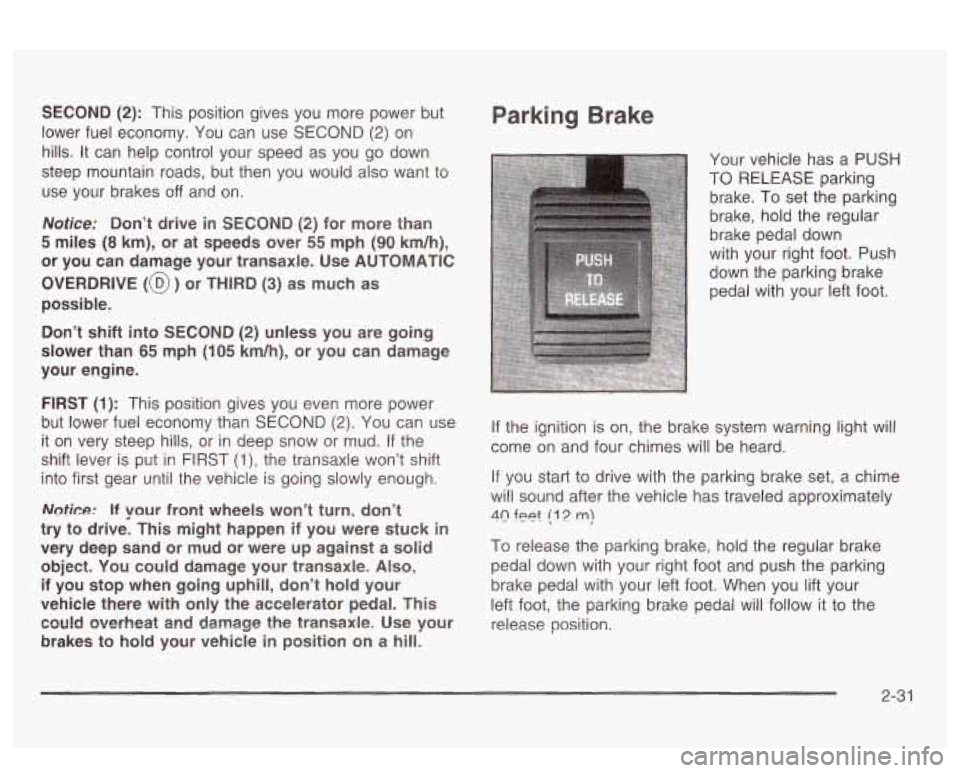
Parking Brake
Your vehicle has a PUSH
TO RELEASE parking
brake. To set the parking
brake, hold the regular
brake pedal down
with your right foot. Push
down the parking brake
pedal with your left foot.
If the ignition is on, the brake system warning light will
come on and four chimes will be heard.
If you start to drive with the parking brake set, a chime
will sound after the vehicle has traveled approximately
40 feet (1 2 m)
To release the parking brake, hold the regular brake
pedal down with your right foot and push the parking
brake pedal with your left foot. When you lift your
left foot, the parking brake pedal will follow it to the
release position.
2-3 1
Page 98 of 418
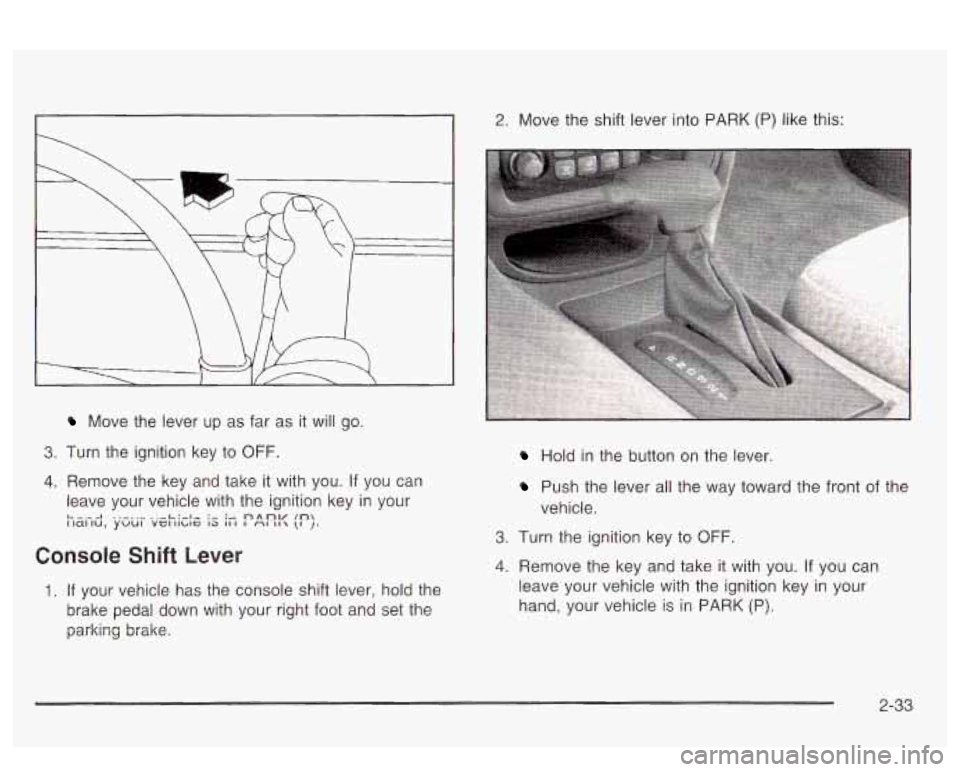
Move the lever up as far as it will go.
3. Turn the ignition key to OFF.
4. Remove the key and take it with you. If you can
leave your vehicle with the ignition key in your
L. -.-- I .,-..I ..-L:-l- :- :- nAOV In I id1 iU,
YUUl Vel IlLlG 13 II 1 I r\l II \I J.
Console Shift Lever
1. If your vehicle has the console shift lever, hold the
brake pedal down with your right foot and set the
parking brake.
2. Move the shift lever into PARK (P) like this:
Hold in the button on the lever
Push the lever all the way toward the front of the
vehicle.
3. Turn the ignition key to OFF.
4. Remove the key and take it with you. If you can
leave your vehicle with the ignition key in your
hand, your vehicle is in PARK (P).
2-33
Page 100 of 418
Shifting Out of Park (P)
Your vehicle has an automatic transaxle shift lock
control system. You have to fully apply your regular
brake before you can shift from PARK (P) when
the ignition is in
ON. See Automatic Transaxle Operation
on page
2-28.
If you cannot shift out of PARK (P), ease pressure on
the shift lever
- push the shift lever all the way into
PARK
(P) as you maintain brake application. Then move
the shift lever into the gear you want (if you have the
console shift lever, press the button first). If you
ever hold the brake pedal down but still can’t shift out of
PARK (P),
try this:
1. Turn the key to OFF.
2. Apply and hold the brake until the end of Step 4.
3. Shift to NEUTRAL (N).
4. Start the vehicle and then shift to the drive
gear you want.
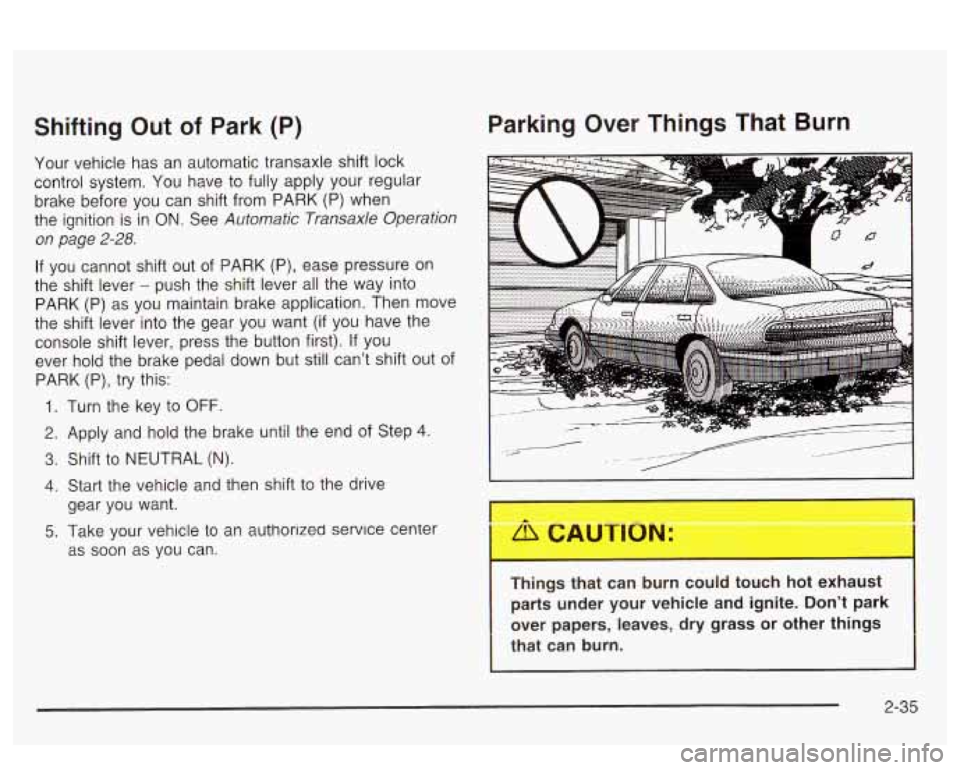
Parking Over Things That Burn
5. Take your vehicle to an authorlzed service center
as soon as you can.
Things that can burn could touch hot exhaust
parts under your vehicle and ignite. Don’t park
over papers, leaves, dry grass or other things
that can burn.
2-35
Page 112 of 418
Sunroof
Your vehicle may be equipped with a sunroof.
The sunroof has both manual and express features for
opening the glass panel and sunshade. Comfort
Stop: Press and
release the switch rearward
to the second position to express open the glass
panel to the comfort stop position. The comfort stop
position
is designed to help reduce noise and make
passengers more comfortable.
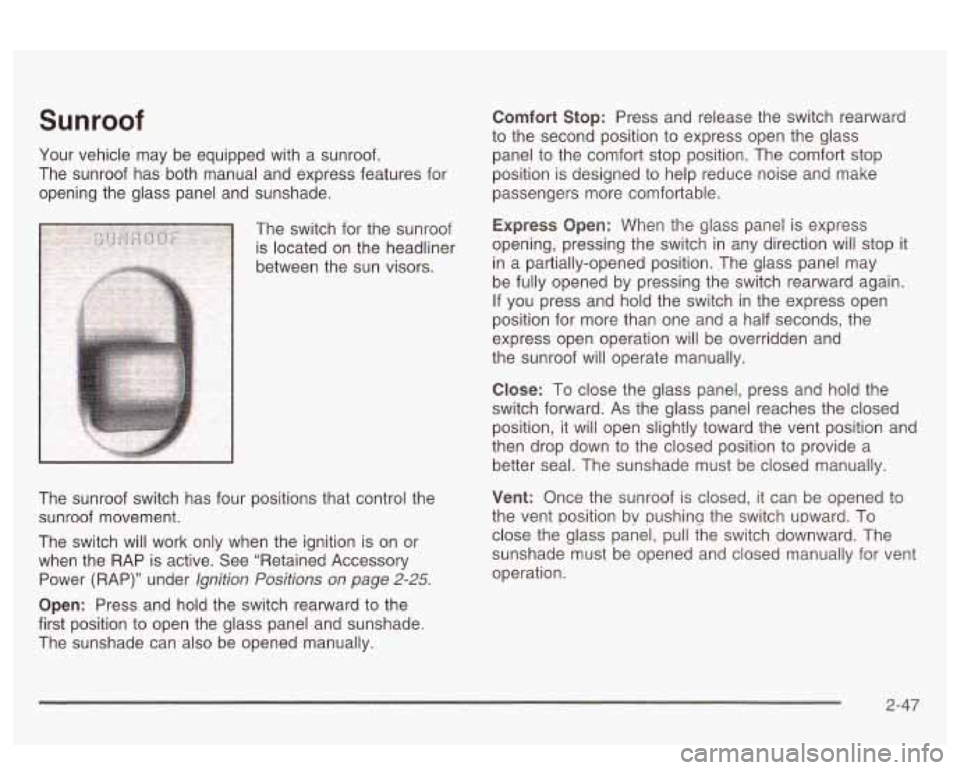
The switch for the sunroof
Express Opefl: When the glass panel is express
is located on the headliner opening,
pressing the switch in any direction
Will Stop it
between the sun visors. in
a partially-opened position. The glass panel may
be fully opened by pressing the switch rearward again.
If you press and hold the switch in the express open
position for more than one and a half seconds, the
express open operation will be overridden and
the sunroof will operate manually.
The sunroof switch has four positions that control the
sunroof movement.
The switch will work only when the ignition is on or
when the RAP is active. See “Retained Accessory
Power (RAP)” under
lgnition Positions on page 2-25.
Open: Press and hold the switch rearward to the
first position to open the glass panel and sunshade.
The sunshade can also be opened manually.
C!ose: To close the g!ass panel, press and held the
switch forward. As the glass panel reaches the closed
position, it will open slightly toward the vent position and
then drop down to the closed position to provide a
better seal. The sunshade must be closed manually.
Vent: Once the sunroof is closed, it can be opened to
the vent position bv pushina the switch upward. To
close the glass panel, pull the switch downward. The
sunshade must be opened and closed manually for vent
operation.
2-47
Page 120 of 418
The main components of your instrument panel are the
following:
A. Air Outlets
B. Turn Signal/Multifunction Lever
C. Audio System Steering Wheel Controls (If Equipped)
D. Windshield Wiper Lever
E. Steering Column Shift Lever
F. Driver Information Center (DIC) Controls
G. Audio System
H. Hazard Warning Flashers Control
I. Twilight Sentinel@ Controls and Fog Lamps Button
J. Ignition Switch
K. Comfort Control System
L. Heated Seat Switches (Option)
M. Traction Control Button (If Equipped)
N. Cigarette Lighter
u. Giove Eox
(If Equipped)
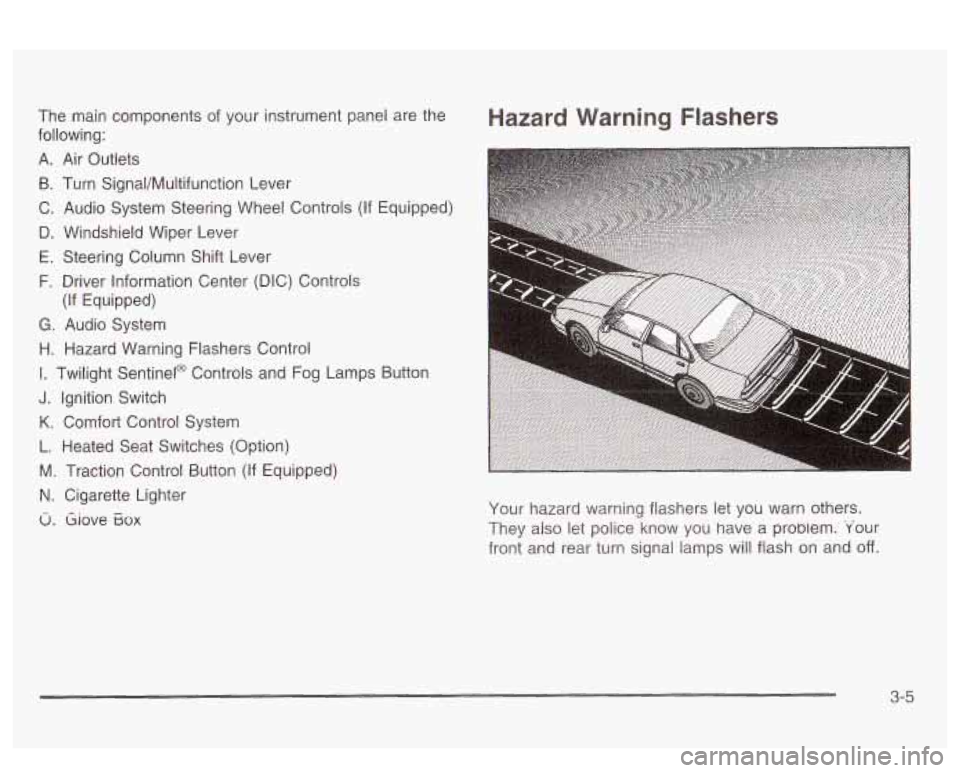
Hazard Warning Flashers
Your hazard warning flashers let you warn others.
They also let police know you have a probiem. 'Your
front and rear turn signal lamps will flash on and
off.
3-5
Page 128 of 418
Erasing Speed Memory
When you turn off the cruise control or the ignition, your
cruise control set speed memory is erased.
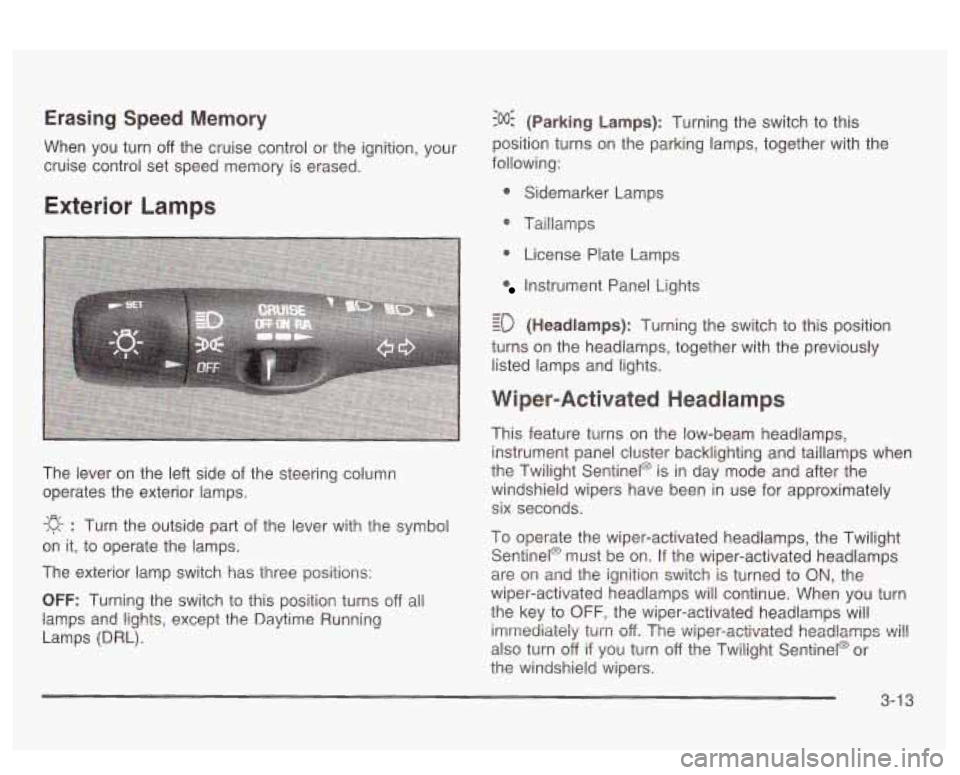
Exterior Lamps
The lever on the left side of the steering column
operates the exterior lamps.
-g- : Turn the outside part of the lever with the symbol
on it, to operate the lamps.
The exterior lamp switch has three positions:
OFF: Turning the switch to this position turns off all
lamps
and lights, except the Daytime Running
Lamps (DRL).
:o@ (Parking Lamps): Turning the switch to this
position turns on the parking lamps, together with the
following:
0 Sidemarker Lamps
@ Taillamps
0 License Plate Lamps
Instrument Panel Lights
- - ED (Headlamps): Turning the switch to this position
turns on the headlamps, together with the previously
listed lamps and lights.
Wiper-Activated Headlamps
This feature turns on the low-beam headlamps,
instrument panel cluster backlighting and taillamps when
the Twilight Sentinel@ is in day mode and after the
windshield wipers have been in use for approximately
six seconds.
To operate the wiper-activated headlamps, the Twilight Sentinel@ must be on. If the wiper-activated headlamps
are on and the ignition switch is turned to
ON, the
wiper-activated headlamps will continue. When you turn
the key to
OFF, the wiper-activated headlamps will
imrrtediaieiy
turn off. The v~iper-activated headlamps ~i!!
also turn off if you turn off the Twilight Sentinel@ or
the windshield wipers.
3-1 3
Page 129 of 418
Daytime Running Lamps
Daytime Running Lamps (DRL) can make it easier for
others to see the front of your vehicle during the
day. DRL can be helpful in many different driving
conditions, but they can be especially helpful in the
short
periods after dawn and before sunset. Fully functional
daytime running lamps are required on all vehicles
first sold in Canada.
A light sensor on top of the instrument panel monitors
the exterior light level for the operation of DRL and
Twilight Sentinel@,
so be sure it isn’t covered. The DRL
system will make your high-beam headlamps come
on at a reduced brightness when the following conditions
are met:
The ignition is on,
the exterior lamp control is off, and
the transaxle is not in PARK (P).
When the DRL are on, only your high-beam headlamps
will be
on at reduced intensity. The taillamps,
sidemarker and other lamps won’t be on. Your
instrument panel won’t be lit either. When it’s
dark enough outside, your regular intensity
headlamps will come on
at full brightness and the DRL
lighting will turn
off. The parking lamps that normally
come on with your headlamps will also come on. When
it’s bright enough outside, the regular intensity
headlamps and parking lamps will turn back
off, and the
reduced brightness
DRL lighting will turn back on.
To idle your vehicle during the day with the DRL
off,
shift the transaxle into PARK (P). The DRL will stay off
until you shift out of P.4RK (P).
At night, you can turn off all exterior lamps when you
are in PARK
(P) by turning the Twilight Sentinel@ knob
all the way to
OFF.
If the knob was already in OFF, it must be cycled to ON
and back to OFF. Turn the knob clockwise to turn the
exterior lighting back on. The lamps will come back
on automatically when you put the transaxle in gear.
As with any vehicle, you should turn on the regular
headlamp system when you need it.
3-1 4
Page 131 of 418
If the Twilight Sentinel@ lighting is active, it can be
disabled by turning on the manual parking lamps. This
lighting will be disabled until the key is turned from
ON or until the manual parking lamps are turned off.
Also, it’s possible that your headlamps may go out if you
drive from a dark area into a bright area like a lighted
parking lot.
If this happens, turn on your headlamps with
the exterior lamp control.
Exterior Lighting Battery Saver
If the exterior lamp control has been left on, the exterior
lamps will turn
off approximately 10 minutes after the
ignition is turned to
OFF and a door has been opened.
This protects against draining the battery in case
you have accidentally left the headlamps or parking
lamps on.
If you need to leave the lamps on for more
than
10 minutes, use the exterior lamp control to turn the
lamps back on after turning the ignition to
OFF and
opening a door. To delay the lamps from turning
off, see
“Twilight Sentinel@,” listed previously.
Interior Lamps
Instrument Panel Brightness
When it is dark outside, you can brighten or dim your
instrument panel cluster lights using the DIM knob,
located to the left of the steering wheel on the instrument
panel.
Turn the knob clockwise to brighten the instrument
panel cluster lights and displays. Turn the knob
clockwise all the way to turn on the interior courtesy
lamps. Turn the knob counterclockwise to dim the
instrument panel cluster lights and displays and to turn
off the courtesy lamps.
Courtesy Lamps
If it is dark enough outside, when any door is opened,
several lamps will come on. They make
it easier for you
to enter and leave the vehicle. Turn the dimmer knob
all the way clockwise to turn the interior courtesy
lamps on.
3-1 6
Page 132 of 418
Entry Lighting
If it is dark enough outside and you press the button
with the unlock symbol on the remote keyless entry
transmitter
(if equipped), the interior courtesy lamps will
come on and stay on for approximately
25 seconds,
The lamps will turn
off immediately by pressing
the button with the lock symbol on the remote keyless
entry transmitter, by turning the ignition key to
ON or by
activating the power door locks.
If a door is left ajar, your interior lamps will turn
off after
10 minutes to save your battery.
Delayed Entry Lighting
When you open the door to enter your vehicle, the
interior lamps will come on
if it is dark enough outside.
When you close the door with the ignition
off, the
interior lamps will stay on for
25 seconds or until the
ignition is turned on. Locking the doors with the power
door lock switch, or with the lock button on the
remote keyless entry transmitter (if equipped), will
override the delayed entry lighting and the lamps will
turn
off immediately.
Theater Dimming
This feature allows for a three to five-second fade out oi
the courtesy lamps instead of immediate turn off after
you remove the key from the ignition.
Delayed Exit Lighting
This feature will turn on the interior lamps for 25 seconds
after you remove the key from the ignition while the
doors are closed and it is night. This
will give you time
to find the door handle or lock switches as you exit
the vehicle.
This lighting will only be deactivated
if the key is
reinserted into the ignition switch or the power door
locks are activated.
Parade Dimming
To activate the instrument panel backlighting during the
day, turn the exterior lamp switch to the parking
lamp or headlamp position. Dimming
oi the instrument
panel display is not possible during daylight hours.
The instrument panel display can only be adjusted when
the parking lamps or headlamps are on and it is dark
outside.
Perimeter Lighting
When the button with the unlock symbol on the remote
keyless entry transmitter
(if equipped) is pressed,
the DRL headlamps, parking lamps and back-up lamps
will turn on
if it is dark enough outside.
3-1 7
Page 133 of 418
Personal Choice Programming
This feature can be programmed in the on or off mode
for each transmitter.
If your vehicle is equipped with the Driver Information
Center (DIC), you must program this feature through the
DIC. See DIC Vehicle Personalization on page 3-62.
To turn the feature off do the following:
1. Keep all doors closed, the vehicle in PARK (P) and
the ignition on throughout this procedure.
2. Press and hold LOCK on the power door lock
switch throughout this procedure. All the doors
will lock.
3. Press the instant alarm on the transmitter. Perimeter
lighting remains
on at this time and the horn will
chirp twice.
4. Press the instant alarm on the transmitter again.
Perimeter lighting is disabled and the horn will
chirp once.
feature is now
off.
5. Release the door lock switch. The perimeter lighting
To turn the feature on do the following:
1. Keep all doors closed, the vehicle in PARK (P) and
the ignition on throughout this procedure.
2. Press and hold LOCK on the power door lock
switch throughout this procedure. All the doors
will lock.
3. Press the instant alarm on the transmitter. Perimeter
lighting remains
off at this time and the horn will
chirp once.
4. Press the instant alarm on the transmitter again.
Perimeter lighting is now enabled and the horn
will chirp twice.
5. Release the door lock switch. The perimeter lighting
feature is now on.
This procedure only changes the mode for the
transmitter used to change this setting. The procedure
will need to be repeated for the second transmitter.
3-1 8