trailer RAM 1500 2021 User Guide
[x] Cancel search | Manufacturer: RAM, Model Year: 2021, Model line: 1500, Model: RAM 1500 2021Pages: 496, PDF Size: 20.89 MB
Page 110 of 496

108GETTING TO KNOW YOUR INSTRUMENT PANEL
PREMIUM INSTRUMENT CLUSTER
D
ESCRIPTIONS — GASOLINE
1. Tachometer
Indicates the engine speed in revolutions
per minute (RPM x 1000).
2. Instrument Cluster Display
When the appropriate conditions exist,
this display shows the instrument cluster
display messages Ú page 114.
Instrument Cluster Display/Controls Location
The display always show one of the main
menu item after ignition on. 3. Speedometer
Indicates vehicle speed.
4. Fuel Gauge
The pointer shows the level of fuel in the
fuel tank when the ignition is in the ON/
RUN position.
The fuel pump symbol points to the
side of the vehicle where the fuel door
is located.
5. Temperature Gauge
The pointer shows engine coolant
temperature. The pointer positioned
within the normal range indicates that
the engine cooling system is operating
satisfactorily.
The pointer will likely indicate a higher
temperature when driving in hot weather,
up mountain grades, or when towing a
trailer. It should not be allowed to exceed
the upper limits of the normal operating
range.
1 – Instrument Cluster Display Controls
2 – Instrument Cluster Display Screen
WARNING!
A hot engine cooling system is dangerous.
You or others could be badly burned by steam
or boiling coolant. You may want to call an
authorized dealer for service if your vehicle
overheats Ú page 423.
CAUTION!
Driving with a hot engine cooling system
could damage your vehicle. If the
temperature gauge reads “H,” pull over and
stop the vehicle. Idle the vehicle with the air
conditioner turned off until the pointer drops
back into the normal range. If the pointer
remains on the “H,” turn the engine off
immediately and call an authorized dealer for
service.
21_DT_OM_EN_USC_t.book Page 108
Page 116 of 496

114GETTING TO KNOW YOUR INSTRUMENT PANEL
INSTRUMENT CLUSTER DISPLAY
Your vehicle will be equipped with an
instrument cluster display, which offers useful
information to the driver. With the ignition in the
OFF mode, opening/closing of a door will
activate the display for viewing, and display the
total miles, or kilometers, in the odometer. Your
instrument cluster display is designed to display
important information about your vehicle’s
systems and features. Using a driver interactive
display located on the instrument panel, your
instrument cluster display can show you how
systems are working and give you warnings
when they are not. The steering wheel mounted
controls allow you to scroll through the main
menus and submenus. You can access the
specific information you want and make
selections and adjustments.
INSTRUMENT CLUSTER DISPLAY
C
ONTROLS
The instrument cluster display features a driver
interactive display that is located in the
instrument cluster.
Instrument Cluster Display/Controls Location
The instrument cluster display menu items may
consist of the following:
Speedometer
Vehicle Info
Off-Road — If Equipped
Driver Assist (show/hide) — If Equipped
Fuel Economy (show/hide)
Stop/Start — If Equipped
Trip Info (show/hide)
Trailer Tow (show/hide) — If Equipped
Audio (show/hide)
Messages
Screen Set Up
The system allows the driver to select
information by pushing the following instrument
cluster display control buttons located on the
left side of the steering wheel.
Instrument Cluster Display Control Buttons
1 – Instrument Cluster Display Controls
2 – Instrument Cluster Display Screen
21_DT_OM_EN_USC_t.book Page 114
Page 120 of 496

118GETTING TO KNOW YOUR INSTRUMENT PANEL
Trailer Tow
Push and release the up or down arrow
button until the Trailer Tow menu item is
highlighted in the instrument cluster display.
Push and release the right or left arrow
button to cycle through the following trailer tow
information:
Trip (trailer specific) Distance: Push and hold
the OK button to reset the distance.
Integrated Trailer Brake Module (ITBM):
Braking Output
Trailer Type
ITBM Gain
Trailer Light Check: Push and hold the OK
button to begin the Trailer Light Test
sequence Ú page 225.
Trailer Tire Pressure Monitoring: The Instru-
ment Cluster Display will display the Trailer
Tire Pressure for a connected trailer with
sensors that match the active trailer profile.
When a low tire is present, the low tire value
will be displayed in red, and the affected low
tire will have a red glow. “Trailer Tire Low“ will
be displayed on the center bottom of the
Instrument Cluster Display screen.
Audio
Push and release the up or down arrow
button until the Audio Menu icon/title is
highlighted in the instrument cluster display.
This menu will display the audio source
information, including the Song name, Artist
name, and audio source with an accompanying
graphic.
Phone Call Status
When a call is incoming, a Phone Call Status
pop-up will display on the screen. The pop-up
will remain until the phone is answered or
ignored.
NOTE:
The call status will temporarily replace the
previous media source information displayed
on the screen. When the pop-up is no longer
displayed, the display will return to the last used
screen.
Stored Messages
Push and release the up or down arrow
button until the Messages Menu item is
highlighted. This feature shows the number of
stored warning messages. Push and release the
right or left arrow button to cycle through
stored messages.
Settings
Head-Up Display (HUD)
NOTE:
The HUD feature Settings are available at any
vehicle speed.
Push and release the up or down arrow
button until the Settings Menu icon/title is
highlighted in the instrument cluster display.
Push and release the left or right arrow
button until the HUD Menu icon/title is
highlighted in the instrument cluster
display.Push and release the OK button to enter
HUD. Use the up or down arrow button to
select a setting, then push and release the OK
button to adjust the setting.
ON/OFF
Content and Layout
Simple : Speed, Speed Limit
Standard : Speed, Speed Limit, Naviga-
tion
Advanced : Speed, Speed Limit, Naviga-
tion, Driver Assist (ACC/Cruise, Lane -
Sense, Highway Assist/Highway Assist+),
Gear
21_DT_OM_EN_USC_t.book Page 118
Page 121 of 496

GETTING TO KNOW YOUR INSTRUMENT PANEL119
Custom 1: Speed, Speed Limit
Custom 2: Speed, Speed Limit, Naviga-
tion
Custom 3 : Speed, Speed Limit, Naviga-
tion, Driver Assist (ACC/Cruise, Lane -
Sense, Highway Assist/Highway Assist+)
Custom 4 : Speed, Speed Limit, Naviga-
tion, Driver Assist (ACC/Cruise, Lane -
Sense, Highway Assist/Highway Assist+),
Gear
Display Height
Brightness
NOTE:
The HUD basic settings (Brightness, Display
Height and Non Custom layouts), are controlled
through the Settings Screen in the Instrument
Cluster Ú page 114. Screen Setup Driver Selectable Items
Push and release the
up or down arrow
button until the Settings Menu Icon/Title is
highlighted in the instrument cluster display.
Push and release the OK button to enter the
sub-menus and follow the prompts on the
screen as needed. The Settings feature allows
you to change what information is displayed in
the instrument cluster as well as the location
that information is displayed.
NOTE:
The Settings feature is only available when the
vehicle speed is less than 5 mph.
Upper Left
None
Compass
Outside Temp
Time
Range To Empty
Average Econ
Current Econ
Trip A Distance
Trip B Distance
Trailer Trip – If Equipped
Trailer Brake – If Equipped
Oil Pressure – If Equipped
Coolant Temp – If Equipped
Oil Temperature – If Equipped
Battery Voltage – If Equipped
Transmission Temperature – If Equipped
Oil Life – If Equipped
Upper Center
None
Compass
Outside Temp
Time
Range To Empty
Average Econ
Current Econ
3
21_DT_OM_EN_USC_t.book Page 119
Page 122 of 496
120GETTING TO KNOW YOUR INSTRUMENT PANEL
Trip A Distance
Trip B Distance
Trailer Trip – If Equipped
Audio
Speedometer
Menu Title
Upper Right
None
Compass
Outside Temp
Time
Range To Empty
Average Econ
Current Econ
Trip A Distance
Trip B Distance
Trailer Trip – If Equipped
Trailer Brake – If Equipped
Oil Pressure – If Equipped
Coolant Temp – If Equipped
Oil Temperature – If Equipped
Battery Voltage – If Equipped
Transmission Temperature – If Equipped
Oil Life – If Equipped
Left Side – If Equipped
None
Range To Empty
Average Econ
Oil Temp
Transmission Temp
Coolant Temp
Oil Life
Menu Icon
Right Side – If Equipped
None
Range To Empty
Average Econ
Oil Temp
Transmission Temp
Coolant Temp
Oil Life
Menu Icon
Lower Left – If Equipped
None
Compass
Outside Temp
Time
Range To Empty
Average Econ
Current Econ
Trip A Distance
Trip B Distance
Trailer Trip
Trailer Brake
Oil Pressure
Coolant Temperature
Oil Temperature
Battery Voltage
Transmission Temperature
Oil Life
21_DT_OM_EN_USC_t.book Page 120
Page 123 of 496

GETTING TO KNOW YOUR INSTRUMENT PANEL121
Lower Right – If Equipped
None
Compass
Outside Temp
Time
Range To Empty
Average Econ
Current Econ
Trip A Distance
Trip B Distance
Trailer Trip
Trailer Brake
Oil Pressure
Coolant Temperature
Oil Temperature
Battery Voltage
Transmission Temperature
Oil LifeFavorite Menus
Speedometer
Vehicle Info
Driver Assist (show/hide) – If Equipped
Fuel Economy (show/hide)
Trip Info (show/hide)
Stop/Start
Trailer Tow (show/hide)
Audio (show/hide)
(Stored) Messages
Screen Setup
Current Gear
Off
On
Odometer
No Decimal Point
Decimal Point Defaults (Restores All Settings To Default
Settings)
Cancel
Restore
DIESEL PARTICULATE FILTER (DPF)
M
ESSAGES
This engine meets all required diesel engine
emissions standards. To achieve these
emissions standards, your vehicle is equipped
with a state-of-the-art engine and exhaust
system. These systems are seamlessly
integrated into your vehicle and managed by
the Powertrain Control Module (PCM). The PCM
manages engine combustion to allow the
exhaust system’s catalyst to trap and burn
Particulate Matter (PM) pollutants, with no input
or interaction on your part.
WARNING!
A hot exhaust system can start a fire if you
park over materials that can burn, such as
grass or leaves, and those items that come
into contact with your exhaust system. Do not
park or operate your vehicle in areas where
your exhaust system can contact anything
that can burn.
3
21_DT_OM_EN_USC_t.book Page 121
Page 131 of 496
GETTING TO KNOW YOUR INSTRUMENT PANEL129
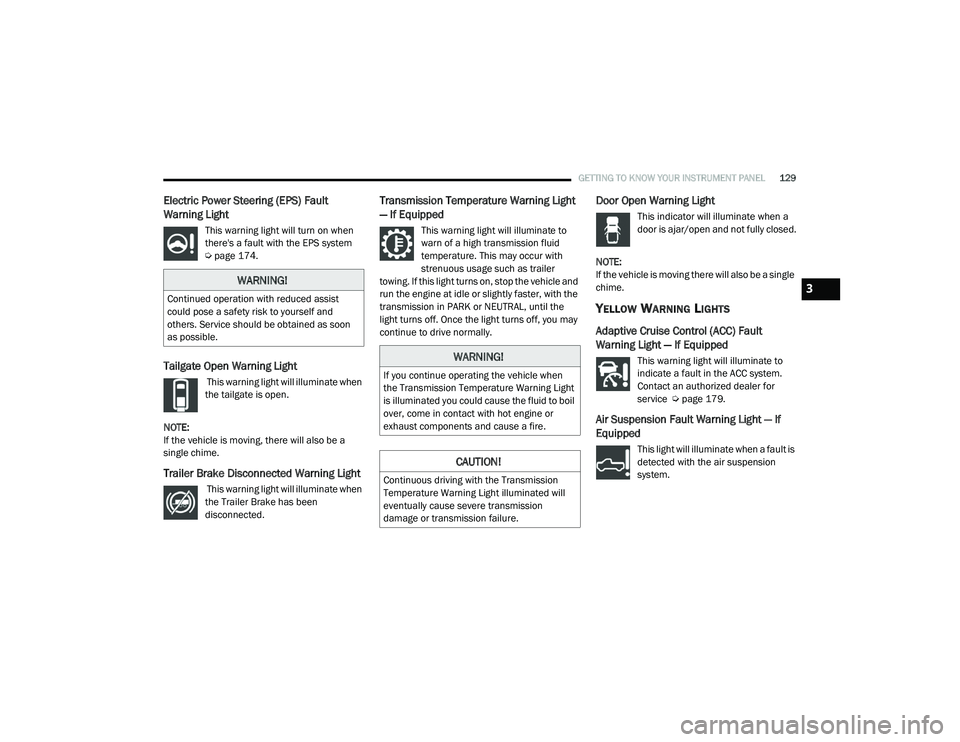
Electric Power Steering (EPS) Fault
Warning Light
This warning light will turn on when
there's a fault with the EPS system
Úpage 174.
Tailgate Open Warning Light
This warning light will illuminate when
the tailgate is open.
NOTE:
If the vehicle is moving, there will also be a
single chime.
Trailer Brake Disconnected Warning Light
This warning light will illuminate when
the Trailer Brake has been
disconnected.
Transmission Temperature Warning Light
— If Equipped
This warning light will illuminate to
warn of a high transmission fluid
temperature. This may occur with
strenuous usage such as trailer
towing. If this light turns on, stop the vehicle and
run the engine at idle or slightly faster, with the
transmission in PARK or NEUTRAL, until the
light turns off. Once the light turns off, you may
continue to drive normally.
Door Open Warning Light
This indicator will illuminate when a
door is ajar/open and not fully closed.
NOTE:
If the vehicle is moving there will also be a single
chime.
YELLOW WARNING LIGHTS
Adaptive Cruise Control (ACC) Fault
Warning Light — If Equipped
This warning light will illuminate to
indicate a fault in the ACC system.
Contact an authorized dealer for
service Ú page 179.
Air Suspension Fault Warning Light — If
Equipped
This light will illuminate when a fault is
detected with the air suspension
system.
WARNING!
Continued operation with reduced assist
could pose a safety risk to yourself and
others. Service should be obtained as soon
as possible.
WARNING!
If you continue operating the vehicle when
the Transmission Temperature Warning Light
is illuminated you could cause the fluid to boil
over, come in contact with hot engine or
exhaust components and cause a fire.
CAUTION!
Continuous driving with the Transmission
Temperature Warning Light illuminated will
eventually cause severe transmission
damage or transmission failure.
3
21_DT_OM_EN_USC_t.book Page 129
Page 135 of 496

GETTING TO KNOW YOUR INSTRUMENT PANEL133
Service Stop/Start System Warning Light —
If Equipped
This warning light will illuminate when
the Stop/Start system is not
functioning properly and service is
required. Contact an authorized
dealer for service.
Service 4WD Warning Light — If Equipped
This warning light will illuminate to
signal a fault with the 4WD system. If
the light stays on or comes on during
driving, it means that the 4WD system
is not functioning properly and that service is
required. We recommend you drive to the
nearest service center and have the vehicle
serviced immediately.
Cruise Control Fault Warning Light
This warning light will illuminate to
indicate the Cruise Control System is
not functioning properly and service is
required. Contact an authorized
dealer.
YELLOW INDICATOR LIGHTS
Forward Collision Warning Off Indicator
Light — If Equipped
This indicator light illuminates to
indicate that Forward Collision
Warning is off.
Air Suspension Payload Protection
Indicator Light — If Equipped
This indicator light will illuminate to
indicate that the maximum payload
may have been exceeded or load
leveling cannot be achieved at its
current ride height. Protection Mode will
automatically be selected to “protect” the air
suspension system, air suspension adjustment
is limited due to payload.
Trailer Merge Assist Indicator Light — If
Equipped
This indicator light will illuminate to
indicate when Trailer Merge Assist
has been activated Ú page 318.
TOW/HAUL Indicator Light
This indicator light will illuminate
when TOW/HAUL mode is selected.
Cargo Light — If Equipped
This indicator light will illuminate
when the cargo light is activated by
pushing the cargo light button on the
headlight switch.
Air Suspension Off-Road 1 Indicator Light
— If Equipped
This light will illuminate when the air
suspension system is set to the
Off-Road 1 setting Úpage 165.
Air Suspension Off-Road 2 Indicator Light
— If Equipped
This light will illuminate when the air
suspension system is set to the
Off-Road 2 setting Úpage 165.
3
21_DT_OM_EN_USC_t.book Page 133
Page 153 of 496

STARTING AND OPERATING151
ENGINE BREAK-IN RECOMMENDATIONS —
DIESEL ENGINE
The diesel engine does not require a break-in
period due to its construction. Normal operation
is allowed, providing the following
recommendations are followed:
Warm up the engine before placing it under
load.
Do not operate the engine at idle for
prolonged periods.
Observe vehicle oil pressure and tempera -
ture indicators.
Check the coolant and oil levels frequently.
Vary throttle position at highway speeds
when carrying or towing significant weight.
NOTE:
Light duty operation such as light trailer towing
or no load operation will extend the time before
the engine is at full efficiency. Reduced fuel
economy and power may be seen at this time.
The engine oil installed in the engine at the
factory is a high-quality energy conserving type
lubricant. Oil changes should be consistent with anticipated climate conditions under which
vehicle operations will occur. For the
recommended viscosity and quality grades
Ú
page 475.
NOTE:
NON-DETERGENT OR STRAIGHT MINERAL OILS
MUST NEVER BE USED.
PARKING BRAKE
ELECTRIC PARK BRAKE (EPB)
Your vehicle is equipped with an EPB that offers
simple operation, and some additional features
that make the parking brake more convenient
and useful.
The parking brake is primarily intended to
prevent the vehicle from rolling while parked.
Before leaving the vehicle, make sure that the
parking brake is applied. Also, be certain to
leave the transmission in PARK.
You can engage the parking brake in two ways:
Manually, by applying the parking brake
switch.
Automatically, by enabling the Auto Park
Brake feature in the customer programmable
features section of the Uconnect settings. The parking brake switch is located on the
instrument panel to the left of the steering
wheel (below the headlamp switch).
Electric Park Brake Switch
To apply the parking brake manually, pull up on
the switch momentarily. You may hear a slight
sound from the back of the vehicle while the
parking brake engages. Once the park brake is
fully engaged, the BRAKE telltale light in the
instrument cluster and an indicator on the
switch will illuminate. If your foot is on the brake
pedal while you apply the parking brake, you
may notice a small amount of brake pedal
movement. The parking brake can be applied
even when the ignition switch is OFF but the
BRAKE telltale light will not illuminate, however,
it can only be released when the ignition is in
the ON/RUN mode.
4
21_DT_OM_EN_USC_t.book Page 151
Page 160 of 496

158STARTING AND OPERATING
The following indicators should be used to
ensure that you have properly engaged the
transmission into the PARK position:
Look at the transmission gear position
display and verify that it indicates the PARK
position (P), and is not blinking.
With brake pedal released, verify that the
gear selector will not move out of PARK.
REVERSE (R)
This range is for moving the vehicle backward.
Shift into REVERSE only after the vehicle has
come to a complete stop.
NEUTRAL (N)
Use this range when the vehicle is standing for
prolonged periods with the engine running.
Apply the parking brake and shift the
transmission into PARK if you must exit the
vehicle. DRIVE (D)
This range should be used for most city and
highway driving. It provides the smoothest
upshifts and downshifts, and the best fuel
economy. The transmission automatically
upshifts through all forward gears.
When frequent transmission shifting occurs
(such as when operating the vehicle under
heavy loading conditions, in hilly terrain,
traveling into strong head winds, or while towing
a heavy trailer), select TOW/HAUL mode or use
the Electronic Range Select (ERS) shift control
to select a lower gear range
Úpage 159. Under
these conditions, using a lower gear range will
improve performance and extend transmission
life by reducing excessive shifting and heat
buildup.
Do not leave the key fob in or near the
vehicle (or in a location accessible to chil -
dren), and do not leave the ignition in the
ACC or ON/RUN mode. A child could
operate power windows, other controls, or
move the vehicle.
CAUTION!
DO NOT race the engine when shifting from
PARK or NEUTRAL into another gear range,
as this can damage the drivetrain.
Before moving the transmission gear
selector out of PARK, you must start the
engine, and also press the brake pedal.
Otherwise, damage to the gear selector
could result.
WARNING! (Continued)
WARNING!
Do not coast in NEUTRAL and never turn off
the ignition to coast down a hill. These are
unsafe practices that limit your response to
changing traffic or road conditions. You might
lose control of the vehicle and have a
collision.
CAUTION!
Towing the vehicle, coasting, or driving for any
other reason with the transmission in
NEUTRAL can cause severe transmission
damage.
For Recreational Towing Ú page 231.
For Towing A Disabled Vehicle Ú page 392.
21_DT_OM_EN_USC_t.book Page 158