service Seat Alhambra 2012 User Guide
[x] Cancel search | Manufacturer: SEAT, Model Year: 2012, Model line: Alhambra, Model: Seat Alhambra 2012Pages: 388, PDF Size: 6.72 MB
Page 31 of 388
29
Airbag system
WARNING
The airbag system provides protection for one accident only. If they have
been deployed, they must be replaced.
● Ensure deployed airbags and the system components involved are im-
mediately replaced with new, SEAT-approved components for the vehicle.
● Have any repairs or modifications carried out at a Technical Service.
Qualified workshops have the necessary tools, diagnostics equipment,
repair information and qualified personnel.
● Never fit recycled or reused airbag components in your vehicle.
● Never modify the airbag system components.
WARNING
If the airbags are triggered, a fine dust is produced. This is normal and it
is not an indication of fire in the vehicle.
● This fine dust may irritate the skin and eyes and cause breathing dif-
ficulties, particularly in people suffering from or who have suffered from
asthma or other illnesses of the respiratory tract. To reduce breathing dif-
ficulties, get out of the vehicle and open and doors and windows to
breath in fresh air.
● Should you touch the dust, wash your hands and face using a mild
soap and water before you eat.
● Prevent the dust from affecting the eyes or open wounds.
● Rinse your eyes with water if you have dust in them.
WARNING
Solvents cause the surfaces of the airbag modules to become porous. If
an airbag is accidentally triggered, the detachment of plastic parts could
cause serious injury.
● Never clean the instrument panel and the surfaces of the airbag mod-
ules with cleaners containing solvents.
Safety FirstOperating instructionsPractical tipsTechnical Specifications
Page 41 of 388

39
Child safety
Child safety
Child seats (accessories) Introduction
Please read the information regarding the airbag system fully before trans-
porting babies and children in a child seat or other child restraint system
installed on the front passenger seat.
This information is extremely important for driver and passenger safety, par-
ticularly that of babies and children.
SEAT recommends the use of child seats from the SEAT accessory pro-
gramme. These child seats have been designed and tested for use in SEAT
vehicles. You can purchase child seats with different mountings from a
Technical Service.
Using child restraint systems with a base or foot
Some child retention systems are secured to the seat using a base or foot.
For certain equipment the use of an additional accessory will be necessary
(for example, the accessory for the floor compartment) to fit the child reten-
tion system correctly and securely.
Additional information and warnings:
● Airbag system ⇒ page 31
● Integrated child seats ⇒ page 45
WARNING
Make sure children are properly belted in and correctly secured to avoid
severe or fatal injuries while the vehicle is in motion.
● Never use a rear-facing child seat in the front passenger seat if the
front passenger airbag is enabled.
● Children up to 12 years old should always travel on the rear seat.
● Children must always be protected with an approved child restraint
system suited to their height and weight.
● Children must assume the proper sitting position and be properly bel-
ted in while travelling.
● Ensure the backrest of a seat is upright when a child seat is being
used on it.
● Do not allow the child's head or other part of his or her body to fall
into the deployment area of the side airbags.
● Make sure the belt webbing is correctly positioned.
● Never hold children or babies on your lap or in your arms.
● Only one child may occupy a child seat.
● If you are using a child seat with a base or foot, always install this
base or foot correctly and safely.
● If the vehicle has a storage compartment in the foot well in front of
the last row of seats, this compartment cannot be used as designed; on
the contrary: It must be filled using the specially designed accessory so
that the base or foot is correctly supported by the closed compartment
and the child seat is secured properly. If this compartment is not suitably
secured when using a child seat with a base or foot then the compart-
ment cover could rupture in an accident and the child will be ejected and
suffer serious injury.
● Please read and observe the child seat manufacturer's handling in-
structions.
Safety FirstOperating instructionsPractical tipsTechnical Specifications
Page 42 of 388
40Child safety
WARNING
An empty or loose child seat could fly uncontrollably around the vehicle
interior and cause injuries in the event of an accident or sudden braking.
● When not in use while the vehicle is in motion, always safely secure it
or store it in the luggage compartment.
Note
Replace the child seat after an accident, as it may have invisible damage.
General information on transporting children in the vehicle
Legal regulations and provisions will always take priority over the descrip-
tions of this instruction manual. There are different regulations and provi-
sions for the use of child seats and their mountings ( ⇒ table on page 41).
In some countries, for example, the use of child seats on certain seats in the
vehicle may be forbidden.
The physical principles and the forces acting on the vehicle in the event of a
collision or other type of accidents also apply to children ⇒ page 21. Howev-
er, unlike adults and youngsters, children do not have fully developed mus-
cle and bone structures. In the event of an accident, children are subject to
a greater risk than adults of sustaining severe injuries.
Given that children's bodies are not yet fully developed, child restraint sys-
tems must be used that are especially adapted to their height, weight and
constitution. There are laws in force in many countries that determine the
use of approved seat systems for transporting babies and children.
Only used authorised, approved child seats that are suitable for the vehicle.
Always consult with a Technical Service or a specialised workshop should
you have any doubts. Checklist
To transport children in the vehicle
⇒
:
● Observe the legal requirements specific to each country.
● For safety reasons, SEAT recommends that children under 12 years of
age are transported on the rear seats.
● Only if you have no alternative should a child travel on the front passen-
ger seat ⇒ page 42. The safest place in the vehicle is on the rear seat be-
hind the front passenger seat.
● Child must always use a child restraint system when travelling in the ve-
hicle. The child restraint system must be suitable for the height, weight and
constitution of the child.
● Only one child may occupy a child seat.
● Follow the user instructions from the child seat manufacturer and always
keep them in the vehicle.
● If the child seat is secured using the seat belt, guide the seat belt
through or around the child seat according to the instructions of the child
seat manufacturer.
● Make sure the belt webbing is correctly positioned and that the child is
sitting properly.
● The child seat should be installed on the rear seat behind the front pas-
senger seat so that the child can exit the car on the kerb side.
● Do not leave toys or other loose objects on the child seat or on the seat
while the vehicle is in motion.
Specific child seat regulations for each country (selection)
RegulationFurther informationECE-R 44 a)Technical Service or qualified work-
shop
a)
ECE-R: Economic Comission for Europe Regulation.
Page 43 of 388

41
Child safety
Categorisation of child seats according to ECE-R 44
Weight cate- goryWeight of the childInstallation of the child seat
Group 0children up to 10 kgRear-facing. On rear seats, optionallyusing the ISOFIX system.
Group 0+children up to 13 kg
Group 19 to 18 kgForward-facing. On rear seats, optional-ly using the ISOFIX system.
Group 215 to 25 kg
Forward-facing. On the outer rear seatsor in the centre seat of the second row of seats and on all seats in the thirdrow. Optionally with ISOFIX system.
Group 322 to 36 kgForward-facing.
Not all children fit in the seat of their weight group. Nor do all seats adapt to
the vehicle. Therefore, always check whether the child fits properly in the
child seat and whether the seat can be installed safely in the vehicle.
The rear seats are suitable for child seats with the ISOFIX system specially
designed for this type of vehicle in accordance with regulation ECE-R 44.
Child seats approved under the ECE-R 44 regulation are fitted with the corre-
sponding approval symbol. The sign is an upper-case E in a circle with the
identification number below it.
WARNING
Not following the checklist prepared for your own safety could lead to ac-
cidents and severe injuries.
● Always follow the check list and perform the necessary operations.
WARNING
In general, the rear seat is always the safest place for correctly belted in
children in the event of an accident.
● A suitable child seat that is correctly installed and used on one of the
rear seats offer the most protection possible for babies and small chil-
dren in most accidents.
Note
Other accessories may be required to fit the child retention system with a
base or foot security and safely. Contact a Technical Service or specialised
workshop.
Different mounting systems
Fig. 26 On the rear seats: figure A shows the basic child restraint system mounting
using lower retaining rings and the upper retaining strap. Figure B shows the child
restraint system mounting using the vehicle's seat belt.
Safety FirstOperating instructionsPractical tipsTechnical Specifications
Page 44 of 388
42Child safety
Always secure child seats properly and safely in the vehicle according to the
child seat manufacturer's installation instructions.
Mounted child seats must rest correctly on the vehicle's seat and must not
move or rock more than 2.5 cm (1 inch).
Child seats equipped for a Top Tether strap must also be secured using the
Top Tether retaining strap in the vehicle ⇒ page 45. Only secure the re-
taining belt to the rings fitted for this purpose and identified as Top Tether.
Not all rings can be used with the Top Tether system. Always tighten the Top
Tether retaining strap so that the child seat fits snugly against the corre-
sponding seat in the vehicle.
Specific mounting systems for each country
Europe: ISOFIX retaining rings and upper retaining strap ⇒ page 44
and ⇒ page 45.
Three-point seat belt and upper retaining strap ⇒ page 44.
The systems include the child restraint system mounting with an upper re-
taining strap (Top Tether) and lower anchoring points on the seat.
Use of the child seat on the front passenger seat
Transporting children on the front passenger seat is not permitted in all
countries. Furthermore, not all child seats are approved for use on the front
passenger seat. Your Technical Service has an updated list of all approved
child seats. Only used child seats that are approved for each vehicle.
The frontal airbag on the front passenger side is highly dangerous for a
child. The front passenger seat is life-threatening to a child if he or she is
transported in a rear-facing child seat.
If a rear-facing child seat is secured to the front passenger seat, an inflating
airbag can strike it with such great force that severe or fatal injuries may re-
sult ⇒
. Therefore, rear-facing child seats must never be used on the front
passenger seat when the front passenger airbag is enabled. A
B
Only use a rear-facing child seat on the front passenger seat if the front pas-
senger airbag is disabled. When it is disabled, the yellow
PASSENGER
AIR BAG control lamp on the instrument panel will be lit ⇒ page 31. If
you cannot disable the front passenger airbag and it remains enabled, it is
forbidden to transport children on the front passenger seat ⇒
.
Things to note if using a child seat on the front passenger seat:
● The front passenger airbag must be disabled if using a rear-facing
child seat ⇒ page 35.
● The backrest of the front passenger seat must be upright.
● The front passenger seat must be moved as far back as possible.
● The backrest of the front passenger seat must be upright.
● The seat belt height adjustment must be as high as possible.
Suitable child seats
The child seat must be authorised by the manufacturer especially for use on
a front passenger seat with a frontal or side airbag.
If the front passenger seat is equipped with retaining rings, the child seat
can be secured using the approved retaining system provided it is approved
for this type of vehicle in accordance with current regulations in the country
in question.
Universal seats for children in groups 0, 0+, 1, 2 or 3 according to the ECE-
R 44 regulation.
WARNING
If a child seat is mounted on the front passenger seat, the risk of the
child sustaining severe or fatal injuries in the event of an accident increa-
ses. Rear-facing child seats must never be mounted on the front passen-
ger seat when the front passenger airbag is enabled. This is life-threaten-
ing to the child should the frontal airbag deploy, as the child seat would
be struck by the inflated airbag and thrown against the backrest.
Page 58 of 388
56Cockpit
SymbolMeaning ⇒ See
flashes: Engine oil sensor faulty.⇒ page 283lights: Insufficient engine oil.
Fault in airbag system and seat belt tensioners.⇒ page 31
Passenger front airbag is off ( PASSENGER AIR-
BAG ).⇒ page 31
Top up "AdBlue", or there is a fault in the "AdBl-
ue" system.⇒ page 275
Fuel tank not closed correctly.⇒ page 268
Lane Assist is connected, but not active.⇒ page 218
Green symbols
SymbolMeaning ⇒ See
Left or right turn signal.⇒ page 95
Hazard warning lights on.⇒ page 316
Use the foot brake!
Change
⇒ page 176
Brake
⇒ page 185
Cruise control operating.⇒ page 214
Lane Assist is connected and active.⇒ page 218
Blue symbols
SymbolMeaning ⇒ See
Headlight on or flasher on.⇒ page 95
Headlight adjustment (Light Assist) on.
Colourless symbols
SymbolMeaning ⇒ See
Electronic immobiliser active.⇒ page 172
Service interval display⇒ page 61
Mobile telephone is connected via Bluetooth to
the original telephone device.⇒ Book-
let Bluetooth
System
Mobile telephone battery charge meter. Availa-
ble only for pre-installed factory-fitted devices.
Freezing warning. The outside temperature is
lower than +4 °C (+39 °F).⇒ page 59
WARNING
If the warning lamps and messages are ignored, the vehicle may stall in
traffic, or may cause accidents and severe injuries.
● Never ignore the warning lamps or text messages.
● Stop the vehicle safely as soon as possible.
● Park the vehicle away from the traffic, ensuring that there are no easi-
ly inflammable materials under the vehicle which could come into contact
with the exhaust system (e.g. dry grass, fuel).
Page 60 of 388
58Cockpit
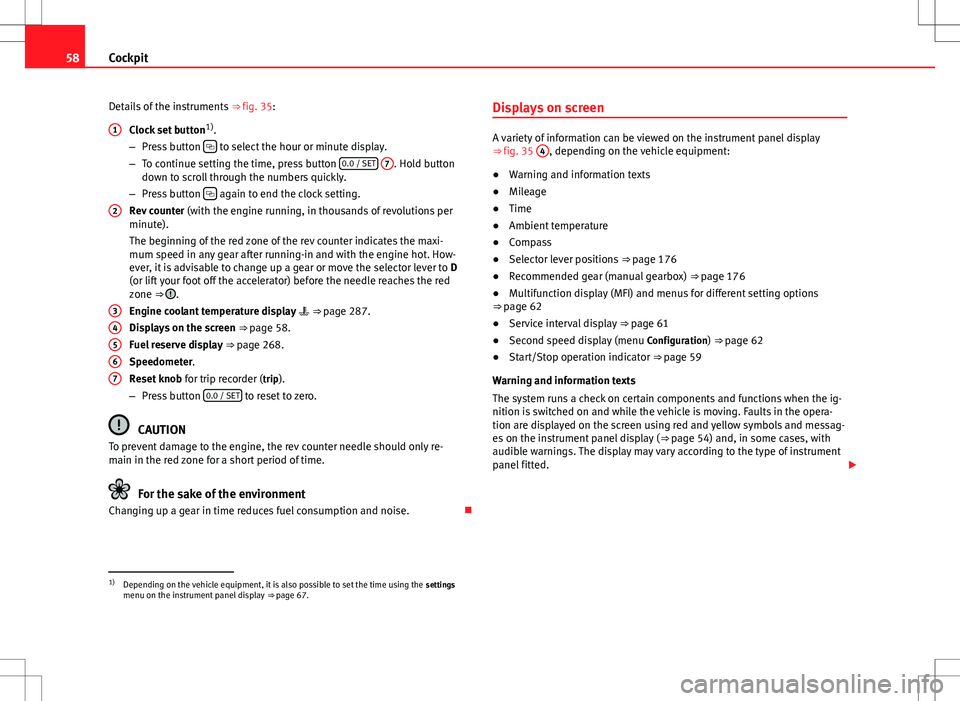
Details of the instruments ⇒ fig. 35:
Clock set button 1)
.
– Press button
to select the hour or minute display.
– To continue setting the time, press button 0.0 / SET
7. Hold button
down to scroll through the numbers quickly.
– Press button
again to end the clock setting.
Rev counter (with the engine running, in thousands of revolutions per
minute).
The beginning of the red zone of the rev counter indicates the maxi-
mum speed in any gear after running-in and with the engine hot. How-
ever, it is advisable to change up a gear or move the selector lever to D
(or lift your foot off the accelerator) before the needle reaches the red
zone ⇒
.
Engine coolant temperature display ⇒ page 287.
Displays on the screen ⇒ page 58.
Fuel reserve display ⇒ page 268.
Speedometer.
Reset knob for trip recorder (trip).
– Press button 0.0 / SET
to reset to zero.
CAUTION
To prevent damage to the engine, the rev counter needle should only re-
main in the red zone for a short period of time.
For the sake of the environment
Changing up a gear in time reduces fuel consumption and noise.
1
2
34567
Displays on screen
A variety of information can be viewed on the instrument panel display
⇒
fig. 35 4, depending on the vehicle equipment:
● Warning and information texts
● Mileage
● Time
● Ambient temperature
● Compass
● Selector lever positions ⇒ page 176
● Recommended gear (manual gearbox) ⇒ page 176
● Multifunction display (MFI) and menus for different setting options
⇒ page 62
● Service interval display ⇒ page 61
● Second speed display (menu Configuration) ⇒ page 62
● Start/Stop operation indicator ⇒ page 59
Warning and information texts
The system runs a check on certain components and functions when the ig-
nition is switched on and while the vehicle is moving. Faults in the opera-
tion are displayed on the screen using red and yellow symbols and messag-
es on the instrument panel display ( ⇒ page 54) and, in some cases, with
audible warnings. The display may vary according to the type of instrument
panel fitted.
1)
Depending on the vehicle equipment, it is also possible to set the time using the settings
menu on the instrument panel display ⇒ page 67.
Page 63 of 388
61
Cockpit
Calibrating compass
To calibrate the compass you must be in one of the valid magnetic zones
with sufficient space to be able to trace a circumference with the vehicle.
● Switch the ignition on.
● Select the Settings menu followed by the option Compass and Calibrate.
● Confirm the message Describe a complete circumference to calibrate the
compass with OK
and then trace a complete circumference driving at ap-
proximately 10 km/h (6 mph).
When the corresponding cardinal point is displayed, the calibration is com-
plete.
Service interval display
The inspection display appears on the instrument panel ⇒ fig. 35 4.
SEAT makes a difference between services with engine oil change (Mainte-
nance Service) and services without engine oil change (Inspection Service).
The service interval display only gives information for service dates which
involve an engine oil change. The dates of the remaining services (for exam-
ple, the next Inspection Service or change of brake fluid) are listed on the
label attached to the door strut, or even in the Maintenance Programme.
In vehicles with Services established by time or mileage , the service inter-
vals are already pre-defined.
In vehicles with LongLife Service , the intervals are determined individually.
Technical progress has made it possible to considerably reduce servicing re-
quirements. The technology used by SEAT ensures that your vehicle only
has an maintenance service when it is necessary. To establish when the
Maintenance Service is due (max. 2 years), the vehicle's conditions of use
and individual driving styles are considered. The service pre-warning first
appears 20 days before the date established for the corresponding service.
The kilometres remaining until the next service are always rounded up to the nearest 100 km and the remaining time is given in complete days. The
current service message cannot be viewed until 500 km after the last serv-
ice. Prior to this only lines are visible on the display.
Inspection reminder
When the Service date is approaching, when the ignition is switched on a
Service reminder is displayed.
In vehicles without text messages
, a spanner is displayed on the instrument
panel with a figure given in km. The number of kilometres shown is the
maximum number that may be driven until the next service. After a few sec-
onds,the display mode changes. A clock symbol appears and the number of
days until the next service appointment is due.
In vehicles with text messages , Service in --- km or --- days is displayed on
the instrument panel.
Service due
After the service date, an audible warning is given when the ignition is
switched on and the spanner displayed on the screen flashes for a few sec-
onds. In vehicles with text messages , Service in --- km or --- days is dis-
played on the instrument panel.
Reading a service notification
With the ignition switched on, the engine off and the vehicle at a standstill,
the current service notification can be read:
● Press the button
on the instrument panel several times until the
spanner symbol is displayed .
● ALTERNATIVELY: select the Settings menu.
● From the Service submenu, select the option Info.
When the service date has past , a minus sign is displayed in front of the
number of kilometres or days. In vehicles with text messages the following
is displayed: Service --- km or --- days ago .
Safety FirstOperating instructionsPractical tipsTechnical Specifications
Page 64 of 388
62Cockpit
The service interval display is reset
If the service was not carried out by a Technical Service, the display can be
reset as follows:
In vehicles with text messages:Select the Settings menu.In the submenu Service, select the option Reset.Confirm with OK when requested to do so by the system.
In vehicles without text messages:Switch the ignition off.Press and hold the 0.0 / SET button.Switch the ignition back on.Release the 0.0 / SET button and, press for the next 20 seconds.
Do not reset the indicator to zero between two intervals, otherwise the dis-
play will be incorrect.
If, while the LongLife service is valid, the service interval display is reset to
zero, the “service will be activated by time or mileage”. The service interval
is no longer calculated individually
⇒ Booklet Maintenance Programme.
Note
● The service message disappears after a few seconds, when the engine is
started or when OK
is pressed.
● In vehicles with the LongLife system in which the battery has been dis-
connected for a long period of time, it is not possible to calculate the date
of the next service. Therefore the service interval display may not be correct.
In this case, please check the maximum permitted service intervals ⇒ Book-
let Maintenance Programme. SEAT information system
Introduction
With the ignition switched on, it is possible to read the different functions of
the display by scrolling through the menus.
In vehicles with a multifunction steering wheel, there are no buttons on the
windscreen wiper lever. The multifunction display can only be controlled
from the buttons on the multifunction steering wheel.
The number of menus displayed on the instrument panel will vary according
to the vehicle electronics and equipment.
A specialised dealer will be able to programme or modify additional func-
tions, according to the vehicle equipment. SEAT recommends visiting a
Technical Service.
Some menu options can only be read when the vehicle is at a standstill.
As long as a priority 1 warning is displayed, it will not be possible to read
the menus. To display the menus, confirm the warning by pressing OK
.
Additional information and warnings:
● Exterior mirrors ⇒ page 110
● Auxiliary heating ⇒ page 165
WARNING
Any distraction may lead to an accident, with the risk of injury.
● Do not read the instrument panel menus when driving.
Page 66 of 388
64Cockpit
■Time
■ Winter tyres
■ Settings: Language
■ Units
■ Second speed display On / Off
■ Autohold
■ Service
■ Info
■ Reset
■ Default setting