ESP Seat Alhambra 2015 Owner's Guide
[x] Cancel search | Manufacturer: SEAT, Model Year: 2015, Model line: Alhambra, Model: Seat Alhambra 2015Pages: 305, PDF Size: 5.46 MB
Page 46 of 305
Operation
Service interval display The service indication is shown on the dash
panel display
››› Fig. 34 4 .
SEAT distinguishes between services with en-
gine oi l
change (Interval Service) and serv-
ices without
engine oil change (Inspection
Service). The service interval display only
gives information for service dates which in-
volve an engine oil change. The dates for the
other services (e.g. the next Inspection Serv-
ice or change of brake fluid) are listed on the
label attached to the door strut, or in the
Maintenance Programme.
In vehicles with Services established by time
or mileage, the service intervals are already
pr e-defined.
In
vehicles with LongLife Service , the inter-
vals are determined individually. Technical
progress has made it possible to considera-
bly reduce servicing requirements. The tech-
nology used by SEAT ensures that your vehi-
cle only has an Interval Service when it is
necessary. To establish when the Interval
Service is due (max. 2 years), the vehicle's
conditions of use and individual driving
styles are considered. The service pre-warn-
ing first appears 20 days before the date es-
tablished for the corresponding service. The
kilometres (miles) remaining until the next
service are always rounded up to the nearest
100 km (miles) and the time is given in com-
plete days. The current service message can- not be viewed until 500 km after the last
service. Prior to this only lines are visible on
the display.
Inspection reminder
When the Service date is approaching, when
the ignition is switched on a
Service remind-
er
is displayed.
In
vehicles without text messages , a spanner
is displayed on the instrument panel with
a figure given in km. The number of kilome- tre
s shown is the maximum number that may
be driven until the next service. After a few
seconds, the display mode changes. A clock
symbol appears and the number of days until
the next service appointment is due.
In vehicles with text messages , Serv
ice in ---
km (miles) or --- days is displayed on the in- strument panel.
Service due
After the service date, an audible warning is
giv
en when the ignition is switched on and
the spanner displayed on the screen flashes
for a few seconds . In
vehicles with text
messages, Service in --- km or --- days is dis-
played on the instrument panel.
Reading a service notification
With the ignition switched on, the engine off
and the vehicle at a standstill, the current
service notification
can be read: ●
Press the button on the instrument pan-
el several times until the spanner symbol is
displayed
.
● OR:
select the Setting
s menu.
● From the
Service submenu, select the op-
tion Info.
When the service date has past , a minus
sign
is displayed in front of the number of kilome-
tres or days. In vehicles with text messages
the following is displayed: Service --- km
(miles) or --- days ago .
Resetting service interval display
If the service was not carried out by a techni-
cal service centre, the display can be reset as
follows:
In vehicles with text messages:
Select the Settings menu.
In the submenu Service, select the option Reset.
Confirm with OK when requested to do so by the sys-
tem.
In vehicles without text messages:
Switch the ignition off.
Press and hold the 0.0 / SET button.
Switch the ignition back on.44
Page 57 of 305
Opening and closing
Vehicle keys
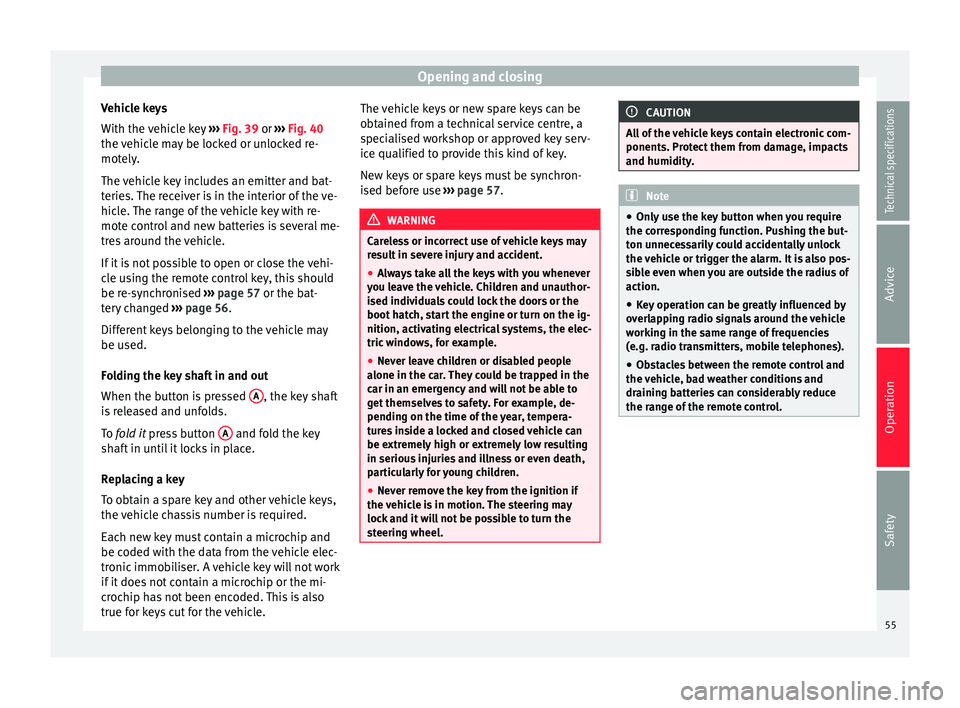
With the vehicle key ››› Fig. 39 or
›
›› Fig. 40
the
vehicle may be locked or unlocked re-
motely.
The vehicle key includes an emitter and bat-
teries. The receiver is in the interior of the ve-
hicle. The range of the vehicle key with re-
mote control and new batteries is several me-
tres around the vehicle.
If it is not possible to open or close the vehi-
cle using the remote control key, this should
be re-synchronised ››› page 57 or the bat-
tery changed ››› page 56.
Differ
ent keys belonging to the vehicle may
be used.
Folding the key shaft in and out
When the button is pressed A , the key shaft
is released and unfolds.
To fold it
press button A and fold the key
shaft in until it locks in place.
Replacing a key
To obtain a spare key and other vehicle keys,
the vehicle chassis number is required.
Each new key must contain a microchip and
be coded with the data from the vehicle elec-
tronic immobiliser. A vehicle key will not work
if it does not contain a microchip or the mi-
crochip has not been encoded. This is also
true for keys cut for the vehicle. The vehicle keys or new spare keys can be
obtained from a technical service centre, a
specialised workshop or approved key serv-
ice qualified to provide this kind of key.
New keys or spare keys must be synchron-
ised before use
››› page 57. WARNING
Careless or incorrect use of vehicle keys may
result in severe injury and accident.
● Always take all the keys with you whenever
you leave the vehicle. Children and unauthor-
ised individuals could lock the doors or the
boot hatch, start the engine or turn on the ig-
nition, activating electrical systems, the elec-
tric windows, for example.
● Never leave children or disabled people
alone in the car. They could be trapped in the
car in an emergency and will not be able to
get themselves to safety. For example, de-
pending on the time of the year, tempera-
tures inside a locked and closed vehicle can
be extremely high or extremely low resulting
in serious injuries and illness or even death,
particularly for young children.
● Never remove the key from the ignition if
the vehicle is in motion. The steering may
lock and it will not be possible to turn the
steering wheel. CAUTION
All of the vehicle keys contain electronic com-
ponents. Protect them from damage, impacts
and humidity. Note
● Only use the key button when you require
the corresponding function. Pushing the but-
ton unnecessarily could accidentally unlock
the vehicle or trigger the alarm. It is also pos-
sible even when you are outside the radius of
action.
● Key operation can be greatly influenced by
overlapping radio signals around the vehicle
working in the same range of frequencies
(e.g. radio transmitters, mobile telephones).
● Obstacles between the remote control and
the vehicle, bad weather conditions and
draining batteries can considerably reduce
the range of the remote control. 55
Technical specifications
Advice
Operation
Safety
Page 58 of 305
Operation
Control lamp on the vehicle key Fig. 41
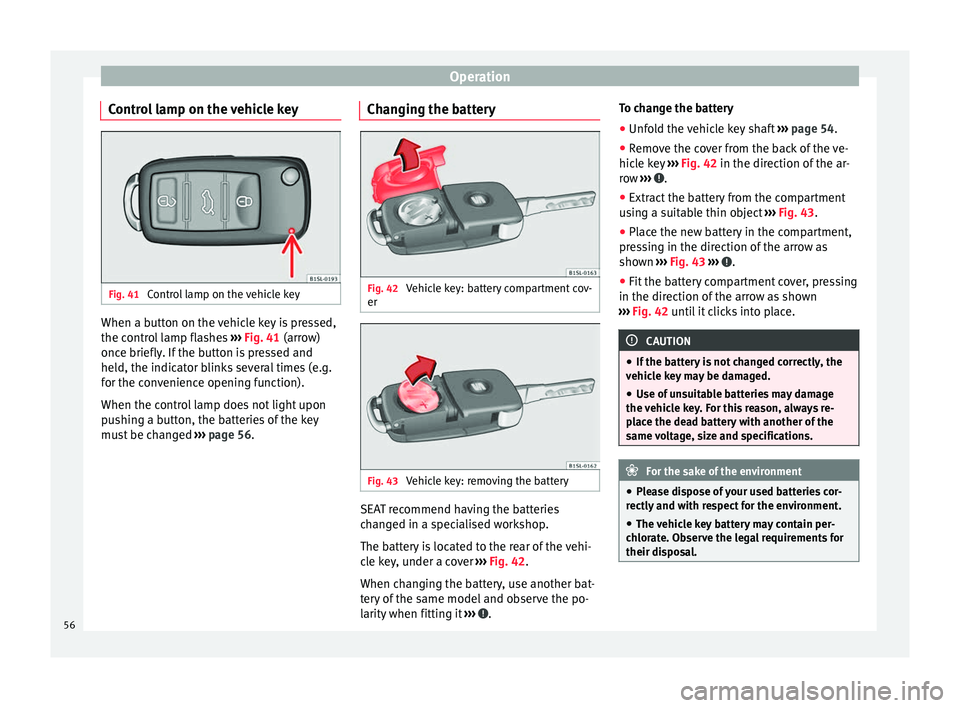
Control lamp on the vehicle key When a button on the vehicle key is pressed,
the control lamp flashes
››› Fig. 41 (arrow)
onc e briefly
. If the button is pressed and
held, the indicator blinks several times (e.g.
for the convenience opening function).
When the control lamp does not light upon
pushing a button, the batteries of the key
must be changed ››› page 56. Changing the battery Fig. 42
Vehicle key: battery compartment cov-
er Fig. 43
Vehicle key: removing the battery SEAT recommend having the batteries
changed in a specialised workshop.
The battery is located to the rear of the vehi-
cle key, under a cover
››› Fig. 42 .
When c h
anging the battery, use another bat-
tery of the same model and observe the po-
larity when fitting it ››› .To change the battery
●
Unfold the vehicle key shaft ››› page 54.
● Remove the cover from the back of the ve-
hicle key ››› Fig. 42 in the direction of the ar-
r o
w ››› .
● Extract the battery from the compartment
using a suitable thin object ››› Fig. 43 .
● Plac
e the new battery in the compartment,
pressing in the direction of the arrow as
shown ››› Fig. 43 ››› .
● Fit the battery compartment cover, pressing
in the direction of the arrow as shown
››› Fig. 42 until it clicks into place. CAUTION
● If the battery is not changed correctly, the
vehicle key may be damaged.
● Use of unsuitable batteries may damage
the vehicle key. For this reason, always re-
place the dead battery with another of the
same voltage, size and specifications. For the sake of the environment
● Please dispose of your used batteries cor-
rectly and with respect for the environment.
● The vehicle key battery may contain per-
chlorate. Observe the legal requirements for
their disposal. 56
Page 65 of 305
Opening and closing
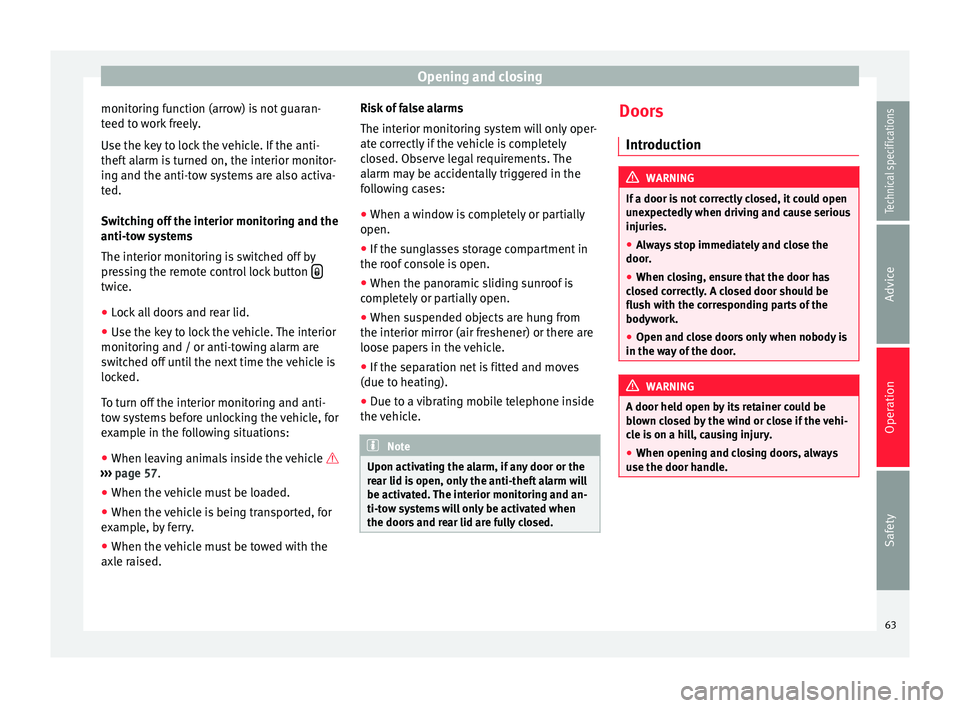
monitoring function (arrow) is not guaran-
teed to work freely.
Use the key to lock the vehicle. If the anti-
theft alarm is turned on, the interior monitor-
ing and the anti-tow systems are also activa-
ted.
Switching off the interior monitoring and the
anti-tow systems
The interior monitoring is switched off by
pressing the remote control lock button twice.
● Lock all doors and rear lid.
● Use the key to lock the vehicle. The interior
monitoring and / or anti-towing alarm are
switched off until the next time the vehicle is
locked.
To turn off the interior monitoring and anti-
tow systems before unlocking the vehicle, for
example in the following situations:
● When leaving animals inside the vehicle
››› page 57 .
● When the v
ehicle must be loaded.
● When the vehicle is being transported, for
example, by ferry.
● When the vehicle must be towed with the
axle raised. Risk of false alarms
The interior monitoring system will only oper-
ate correctly if the vehicle is completely
closed. Observe legal requirements. The
alarm may be accidentally triggered in the
following cases:
●
When a window is completely or partially
open.
● If the sunglasses storage compartment in
the roof console is open.
● When the panoramic sliding sunroof is
completely or partially open.
● When suspended objects are hung from
the interior mirror (air freshener) or there are
loose papers in the vehicle.
● If the separation net is fitted and moves
(due to heating).
● Due to a vibrating mobile telephone inside
the vehicle. Note
Upon activating the alarm, if any door or the
rear lid is open, only the anti-theft alarm will
be activated. The interior monitoring and an-
ti-tow systems will only be activated when
the doors and rear lid are fully closed. Doors
Introduction WARNING
If a door is not correctly closed, it could open
unexpectedly when driving and cause serious
injuries.
● Always stop immediately and close the
door.
● When closing, ensure that the door has
closed correctly. A closed door should be
flush with the corresponding parts of the
bodywork.
● Open and close doors only when nobody is
in the way of the door. WARNING
A door held open by its retainer could be
blown closed by the wind or close if the vehi-
cle is on a hill, causing injury.
● When opening and closing doors, always
use the door handle. 63
Technical specifications
Advice
Operation
Safety
Page 66 of 305
Operation
Warning lampIt
lights upPossible causeSolution
At least one vehicle
door is open or not
correctly shut. Stop driving imme-
diately!
Open the correspond-
ing door and close it
immediately. Several warning and control lamps light up
for a few seconds when the ignition is switch-
ed on, signalling that the function is being
verified. They will switch off after a few sec-
onds.
If a door is open or incorrectly closed, the
warning lamp
or on the instrument pan-
el will light up.
Depending on the vehicle equipment, a sym-
bol may be displayed on the dash panel
screen instead of the warning lamp. The indi-
cation is also visible when the ignition is
switched off. The indication disappears
around 15 seconds after the vehicle has
been locked. Sliding doors
Introduction WARNING
If a sliding door is not correctly closed, it
could open unexpectedly when driving and
cause serious injuries.
● Stop immediately and close it.
● When closing, ensure that the sliding door
has closed correctly. A closed sliding door
should be flush with the corresponding parts
of the bodywork.
● Only open and close sliding doors when no
body is in the way of the door. WARNING
If a sliding door is not fully open, it could
close unexpectedly and cause serious inju-
ries.
● Always open the sliding door fully. WARNING
Opening sliding doors while driving is dan-
gerous. These doors may be pushed open or
closed when the vehicle accelerates or brakes
and cause serious injuries.
● Never open the sliding doors when the ve-
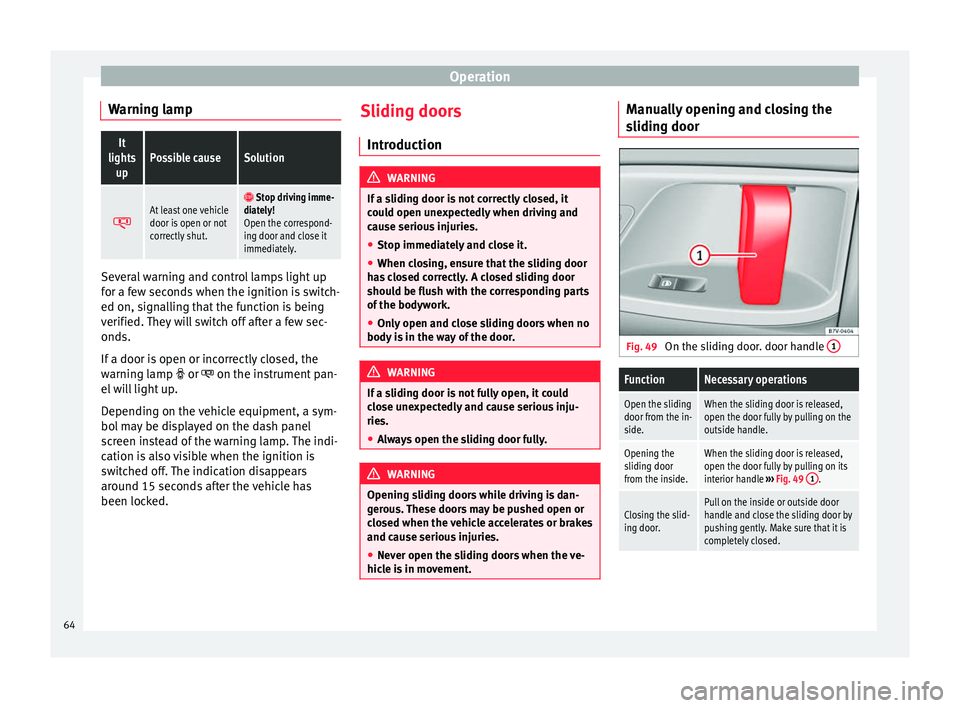
hicle is in movement. Manually opening and closing the
sliding door
Fig. 49
On the sliding door. door handle 1
FunctionNecessary operations
Open the sliding
door from the in-
side.When the sliding door is released,
open the door fully by pulling on the
outside handle.
Opening the
sliding door
from the inside.When the sliding door is released,
open the door fully by pulling on its
interior handle
››› Fig. 49 1
.
Closing the slid-
ing door.Pull on the inside or outside door
handle and close the sliding door by
pushing gently. Make sure that it is
completely closed.64
Page 67 of 305
Opening and closing
Opening and closing the sliding door
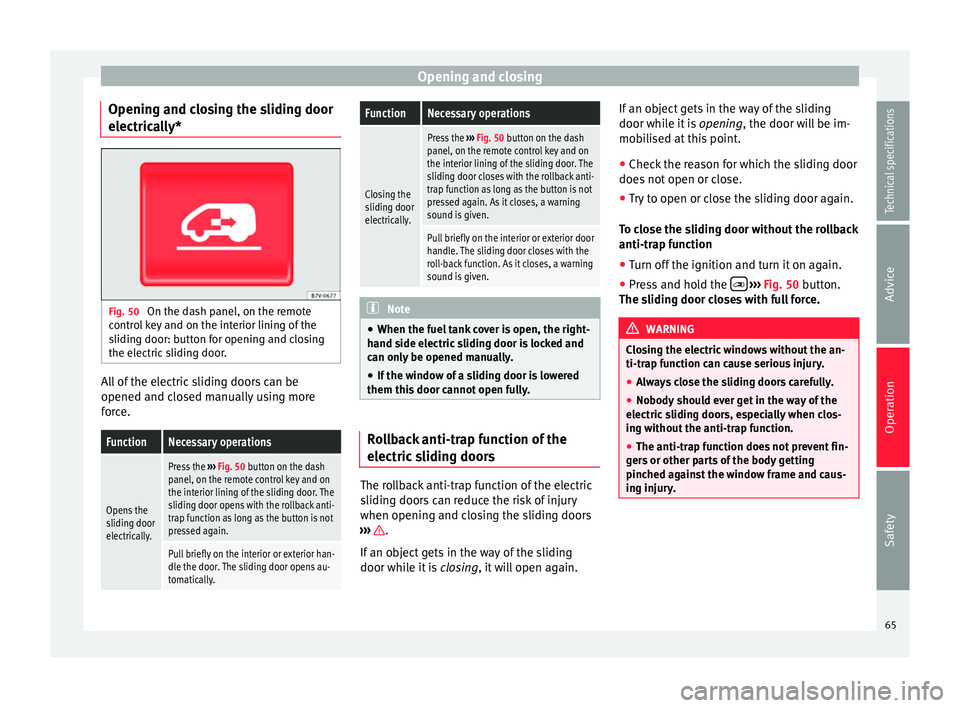
electrically* Fig. 50
On the dash panel, on the remote
control key and on the interior lining of the
sliding door: button for opening and closing
the electric sliding door. All of the electric sliding doors can be
opened and closed manually using more
force.FunctionNecessary operations
Opens the
sliding door
electrically.
Press the
››› Fig. 50 button on the dash
panel, on the remote control key and on
the interior lining of the sliding door. The
sliding door opens with the rollback anti-
trap function as long as the button is not
pressed again.
Pull briefly on the interior or exterior han-
dle the door. The sliding door opens au-
tomatically.
FunctionNecessary operations
Closing the
sliding door
electrically.
Press the ››› Fig. 50 button on the dash
panel, on the remote control key and on
the interior lining of the sliding door. The
sliding door closes with the rollback anti-
trap function as long as the button is not
pressed again. As it closes, a warning
sound is given.
Pull briefly on the interior or exterior door
handle. The sliding door closes with the
roll-back function. As it closes, a warning
sound is given. Note
● When the fuel tank cover is open, the right-
hand side electric sliding door is locked and
can only be opened manually.
● If the window of a sliding door is lowered
them this door cannot open fully. Rollback anti-trap function of the
electric sliding doors
The rollback anti-trap function of the electric
sliding doors can reduce the risk of injury
when opening and closing the sliding doors
››› .
If an object gets in the way of the sliding
door while it is closing, it will open again. If an object gets in the way of the sliding
door while it is
opening, the door will be im-
mo b
ilised at this point.
● Check the reason for which the sliding door
does not open or close.
● Try to open or close the sliding door again.
To close the sliding door without the rollback
anti-trap function
● Turn off the ignition and turn it on again.
● Press and hold the
››› Fig. 50 button.
The s lidin
g door closes with full force. WARNING
Closing the electric windows without the an-
ti-trap function can cause serious injury.
● Always close the sliding doors carefully.
● Nobody should ever get in the way of the
electric sliding doors, especially when clos-
ing without the anti-trap function.
● The anti-trap function does not prevent fin-
gers or other parts of the body getting
pinched against the window frame and caus-
ing injury. 65
Technical specifications
Advice
Operation
Safety
Page 68 of 305
Operation
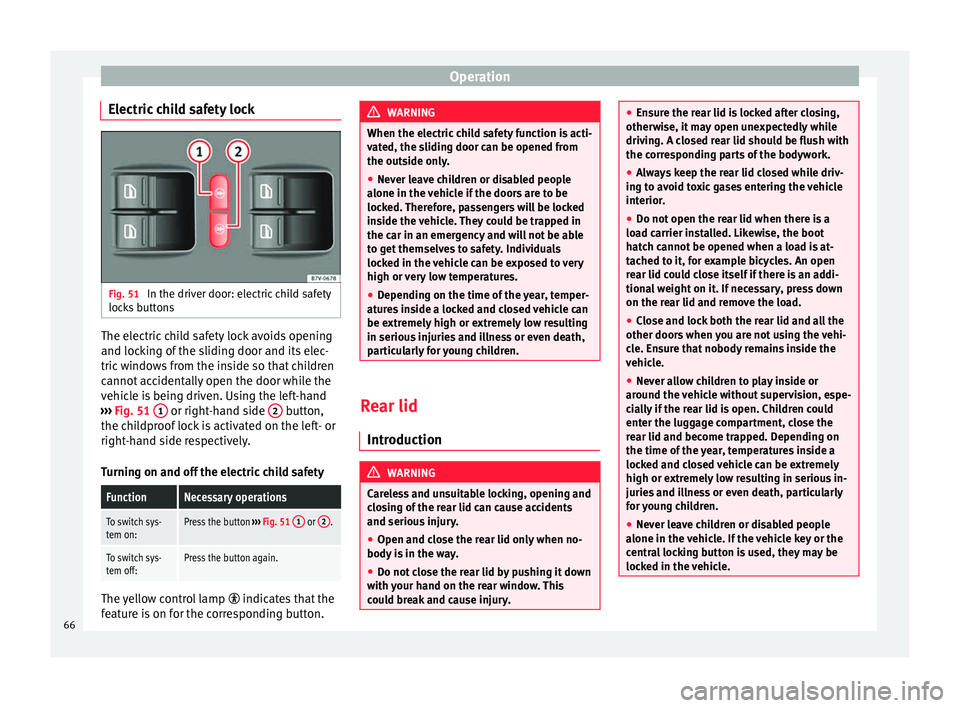
Electric child safety lock Fig. 51
In the driver door: electric child safety
locks buttons The electric child safety lock avoids opening
and locking of the sliding door and its elec-
tric windows from the inside so that children
cannot accidentally open the door while the
vehicle is being driven. Using the left-hand
››› Fig. 51 1 or right-hand side
2 button,
the childproof lock is activated on the left- or
right-hand side respectively.
Turning on and off the electric child safetyFunctionNecessary operations
To switch sys-
tem on:Press the button ››› Fig. 51 1 or 2.
To switch sys-
tem off:Press the button again. The yellow control lamp
indicates that the
feature is on for the corresponding button. WARNING
When the electric child safety function is acti-
vated, the sliding door can be opened from
the outside only.
● Never leave children or disabled people
alone in the vehicle if the doors are to be
locked. Therefore, passengers will be locked
inside the vehicle. They could be trapped in
the car in an emergency and will not be able
to get themselves to safety. Individuals
locked in the vehicle can be exposed to very
high or very low temperatures.
● Depending on the time of the year, temper-
atures inside a locked and closed vehicle can
be extremely high or extremely low resulting
in serious injuries and illness or even death,
particularly for young children. Rear lid
Introduction WARNING
Careless and unsuitable locking, opening and
closing of the rear lid can cause accidents
and serious injury.
● Open and close the rear lid only when no-
body is in the way.
● Do not close the rear lid by pushing it down
with your hand on the rear window. This
could break and cause injury. ●
Ensure the rear lid is locked after closing,
otherwise, it may open unexpectedly while
driving. A closed rear lid should be flush with
the corresponding parts of the bodywork.
● Always keep the rear lid closed while driv-
ing to avoid toxic gases entering the vehicle
interior.
● Do not open the rear lid when there is a
load carrier installed. Likewise, the boot
hatch cannot be opened when a load is at-
tached to it, for example bicycles. An open
rear lid could close itself if there is an addi-
tional weight on it. If necessary, press down
on the rear lid and remove the load.
● Close and lock both the rear lid and all the
other doors when you are not using the vehi-
cle. Ensure that nobody remains inside the
vehicle.
● Never allow children to play inside or
around the vehicle without supervision, espe-
cially if the rear lid is open. Children could
enter the luggage compartment, close the
rear lid and become trapped. Depending on
the time of the year, temperatures inside a
locked and closed vehicle can be extremely
high or extremely low resulting in serious in-
juries and illness or even death, particularly
for young children.
● Never leave children or disabled people
alone in the vehicle. If the vehicle key or the
central locking button is used, they may be
locked in the vehicle. 66
Page 70 of 305
Operation
WARNING
Unsuitable or careless unlocking and opening
of the rear lid could cause serious injuries.
● If there is a loaded luggage carrier on the
rear lid, it could be unlocked or open but not
recognised as such. An unlocked or open rear
lid could open unexpectedly while driving. Note
At outside temperatures of less than 0 °C
(+32 °F), the pressurised gas struts cannot
always automatically lift the rear lid. In this
case, open the rear lid manually. Closing the rear lid
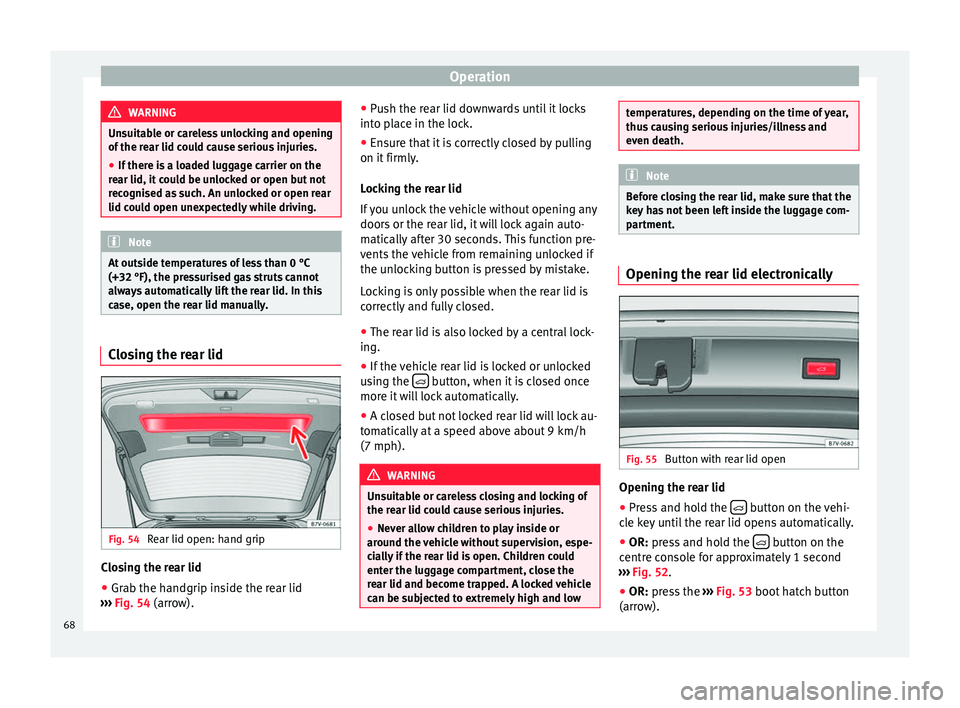
Fig. 54
Rear lid open: hand grip Closing the rear lid
● Grab the handgrip inside the rear lid
››› Fig. 54 (arrow). ●
Pu sh the rear lid downwards until it locks
into place in the lock.
● Ensure that it is correctly closed by pulling
on it firmly.
Locking the rear lid
If you unlock the vehicle without opening any
doors or the rear lid, it will lock again auto-
matically after 30 seconds. This function pre-
vents the vehicle from remaining unlocked if
the unlocking button is pressed by mistake.
Locking is only possible when the rear lid is
correctly and fully closed.
● The rear lid is also locked by a central lock-
ing.
● If the vehicle rear lid is locked or unlocked
using the button, when it is closed once
more it will lock automatically.
● A closed but not locked rear lid will lock au-
tomatically at a speed above about 9 km/h
(7 mph). WARNING
Unsuitable or careless closing and locking of
the rear lid could cause serious injuries.
● Never allow children to play inside or
around the vehicle without supervision, espe-
cially if the rear lid is open. Children could
enter the luggage compartment, close the
rear lid and become trapped. A locked vehicle
can be subjected to extremely high and low temperatures, depending on the time of year,
thus causing serious injuries/illness and
even death.
Note
Before closing the rear lid, make sure that the
key has not been left inside the luggage com-
partment. Opening the rear lid electronically
Fig. 55
Button with rear lid open Opening the rear lid
● Press and hold the button on the vehi-
cle key until the rear lid opens automatically.
● OR: press and hold the button on the
centre console for approximately 1 second
››› Fig. 52.
● OR: press the
›
›› Fig. 53 boot hatch button
(arro
w).
68
Page 71 of 305
Opening and closing
In case of difficulty or obstruction, automatic
opening of the rear lid is interrupted.
Electronically opening the rear lid does not
work when a trailer is electrically connected
and hitched to a factory fitted tow hitch
››› page 179 .
The r e
ar lid can be opened manually by ap-
plying more force.
Closing the rear lid
● Press and hold the button on the vehi-
cle key for approximately 1 second.
● OR: press and hold the button on the
centre console for approximately 1 second
››› Fig. 52 .
● OR: press the ›
›› Fig. 53
boot hatch button
(arro
w).
● Press the button on the open rear lid
››› Fig. 55
›
›› .
● Manually push the rear lid down to close it.
The rear lid will move down to the closed po-
sition to close and lock itself automatically
using the power-close feature ››› .
In case of difficulty or obstruction, automatic
closing of the rear lid is interrupted and it will
open slightly.
Check why the rear lid could not close.
Attempt to close it once more. Interrupting the opening and closing process
Rear lid opening and closing can be stopped
by pressing one of the
buttons. Each time
one of the buttons is pressed, the rear lid
moves to its initial position.
Then, it can be opened or closed by hand. To
do this, apply a little more force.
Memorising the opening angle
The rear lid must be at least half open to
memorise an opening angle.
● Stop automatic opening in the opening po-
sition required ››› page 69 .
● Ho l
d down the button ››› Fig. 55
with the
rear lid open for at least three seconds. The
opening angle is memorised.
Memorisation is confirmed by blinking of the
hazard warning lights and an audible warn-
ing.
To fully open the boot hatch again, the open-
ing angle must be memorised once more.
● Release the rear lid and open it to the
memorised height.
● Push the rear lid all the way up. To do this,
apply a little more force.
● Hold down the button ››› Fig. 55
with the
rear lid open for at least three seconds.
● The opening angle is reset to the original
factory setting. WARNING
Unsuitable or careless closing and locking of
the rear lid could cause serious injuries.
● Never allow children to play inside or
around the vehicle without supervision, espe-
cially if the rear lid is open. Children could
enter the luggage compartment, close the
rear lid and become trapped. A locked vehicle
can be subjected to extremely high and low
temperatures, depending on the time of year,
resulting in serious injuries/illness or even
death. WARNING
It is possible that the rear lid does not open
completely or, if it is open, closes alone if a
large amount of snow has built up on it or if a
luggage rack is fitted. In this case, the rear lid
must be supported. CAUTION
● When using a trailer, ensure that there is
sufficient space to open and close the rear
lid.
● Before opening the rear lid, any kind of
equipment carrier should be removed, for ex-
ample a bicycle carrier. CAUTION
In case of repeated short-term use, the sys-
tem is turned off to avoid overheating. » 69
Technical specifications
Advice
Operation
Safety
Page 72 of 305
Operation
●
When it has cooled, it may be used once
again. During this time, the rear lid may be
manually opened or closed applying a little
more effort.
● If the vehicle battery is disconnected or the
fuse blows when the rear lid is open, the rear
lid system must be re-initialised. To do this,
close the rear lid. Note
Before closing the rear lid, make sure that the
key has not been left inside the luggage com-
partment. Electric windows
Opening and closing the electric
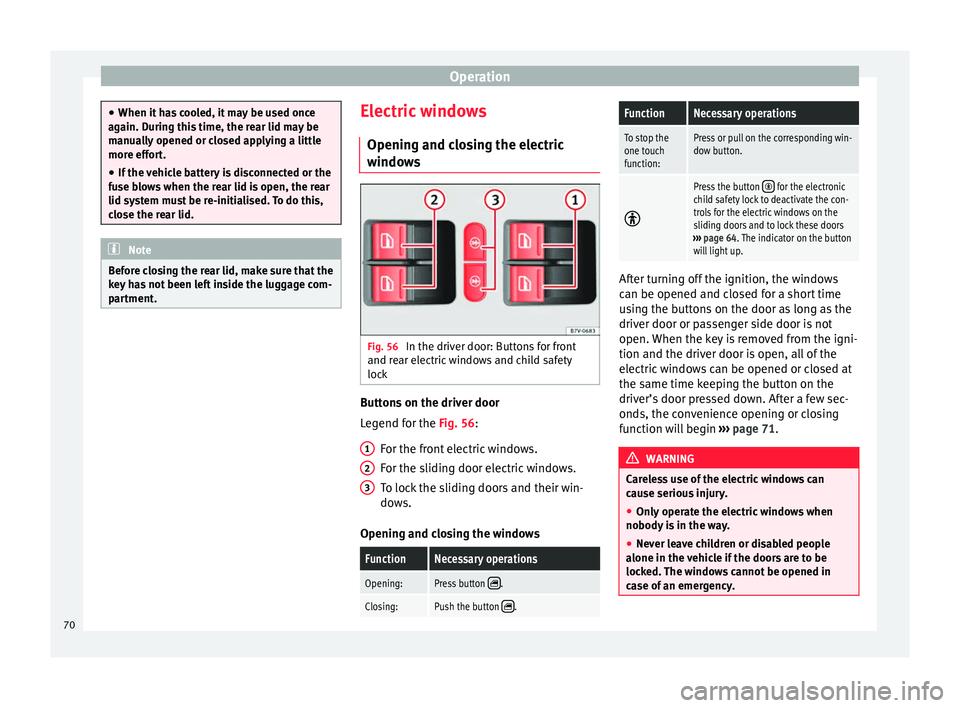
windows Fig. 56
In the driver door: Buttons for front
and rear electric windows and child safety
lock Buttons on the driver door
Legend for the
Fig. 56
:
F
or the front electric windows.
For the sliding door electric windows.
To lock the sliding doors and their win-
dows.
Opening and closing the windows
FunctionNecessary operations
Opening:Press button .
Closing:Push the button . 1
2
3
FunctionNecessary operations
To stop the
one touch
function:Press or pull on the corresponding win-
dow button.
Press the button for the electronic
child safety lock to deactivate the con-
trols for the electric windows on the
sliding doors and to lock these doors
››› page 64. The indicator on the button
will light up. After turning off the ignition, the windows
can be opened and closed for a short time
using the buttons on the door as long as the
driver door or passenger side door is not
open. When the key is removed from the igni-
tion and the driver door is open, all of the
electric windows can be opened or closed at
the same time keeping the button on the
driver’s door pressed down. After a few sec-
onds, the convenience opening or closing
function will begin
›››
page 71. WARNING
Careless use of the electric windows can
cause serious injury.
● Only operate the electric windows when
nobody is in the way.
● Never leave children or disabled people
alone in the vehicle if the doors are to be
locked. The windows cannot be opened in
case of an emergency. 70