led Seat Leon 5D 2013 Repair Manual
[x] Cancel search | Manufacturer: SEAT, Model Year: 2013, Model line: Leon 5D, Model: Seat Leon 5D 2013Pages: 339, PDF Size: 4.8 MB
Page 215 of 339
213
Driver assistance systems
● Your speed and driving style must always be adjusted to visibility,
weather, and traffic conditions.
● The eco mode is not available when towing a trailer.
Tiredness detection (break
recommendation)* Introduction
The Tiredness detection informs the driver when their driving behaviour
shows signs of fatigue.
Additional information and warnings:
● Easy Connect system ⇒ page 79
● Accessories, change a part, repairs and adjustments (information stored
in the control units) ⇒ page 272
WARNING
Do not let the comfort afforded by the Tiredness detection system tempt
you into taking any risks when driving. Take regular breaks, sufficient in
length when making long journeys.
● The driver always assumes the responsibility of driving to their full
capacity.
● Never drive if you are tired.
● The system does not detect the tiredness of the driver in all circum-
stances. Consult the information in the section ⇒ page 214, System limi-
tations.
WARNING (Continued)
● In some situations the system may incorrectly interpret an intended
driving manoeuvre as driver tiredness.
● No warning is given in the event of the effect called microsleep!
● Please observe the indications on the instrument panel and act as is
necessary.
Note
● Tiredness detection has been developed for driving on motorways and
well paved roads only.
● If there is a fault in the system, have it checked by a specialised work-
shop.
Function and operation
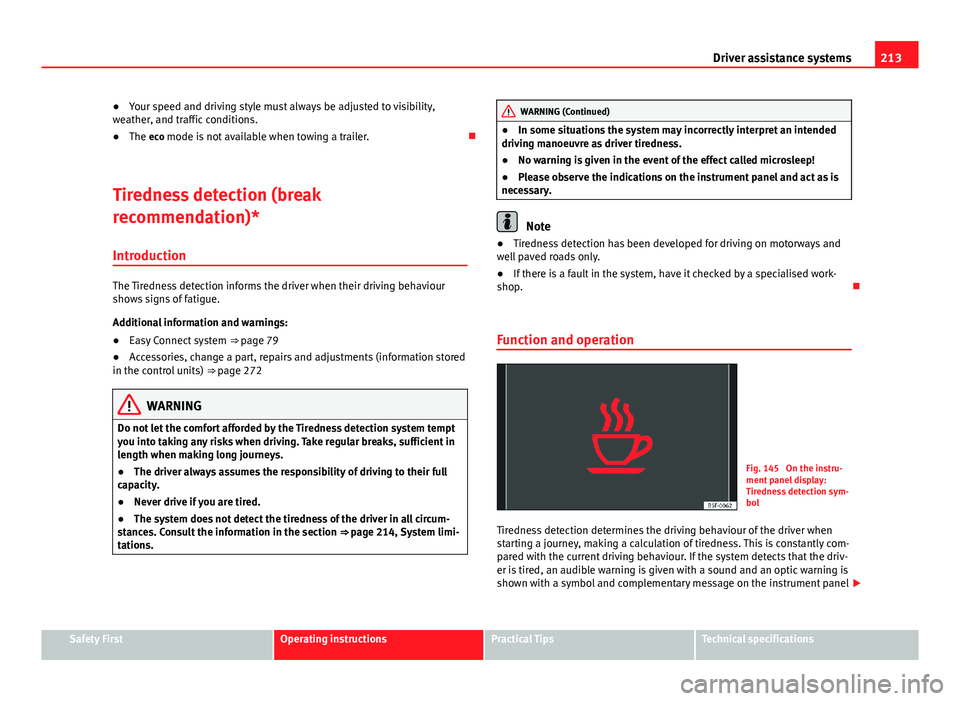
Fig. 145 On the instru-
ment panel display:
Tiredness detection sym-
bol
Tiredness detection determines the driving behaviour of the driver when
starting a journey, making a calculation of tiredness. This is constantly com-
pared with the current driving behaviour. If the system detects that the driv-
er is tired, an audible warning is given with a sound and an optic warning is
shown with a symbol and complementary message on the instrument panel
Safety FirstOperating instructionsPractical TipsTechnical specifications
Page 216 of 339
214Driver assistance systems
display ⇒ Fig. 145. The message on the instrument panel display is shown
for about 5 seconds, and depending on the case, is repeated. The system
stores the last message displayed.
The message on the instrument panel display can be switched off by press-
ing the
button on the windscreen wiper lever or the button on the
multi function steering wheel ⇒ page 73.
The message can be recalled to the instrument panel display using the mul-
tifunction display ⇒ page 73.
Conditions of operation
Driving behaviour is only calculated on speeds above about 65 km/h (40
mph) up to around 200 km/h (125 mph).
Switching on and off
Tiredness detection can be activated or deactivated in the Easy Connect
system with the button
and the function button
⇒ page 79. A mark
indicates that the adjustment has been activated.
System limitations
The Tiredness detection has certain limitations inherent to the system. The
following conditions can limit the Tiredness detection or prevent it from
functioning.
● At speeds below 65 km/h (40 mph)
● At speeds above 200 km/h (125 mph)
● When cornering
● On roads in poor condition
● In unfavourable weather conditions
● When a sporty driving style is employed
● In the event of a serious distraction to the driver
Tiredness detection will be restored when the vehicle is stopped for more
than 15 minutes, when the ignition is switched off or when the driver has
unbuckled their seat belt and opened the door. In the event of slow driving during a long period of time (below 65 km/h (40
mph) the system automatically re-establishes the tiredness calculation.
When driving at a faster speed the driving behaviour will be recalculated.
Tyre monitoring systems Introduction
Additional information and warnings:
● SEAT information system ⇒ page 73
● Caring for and cleaning the vehicle exterior ⇒ page 238
● Wheels and tyres ⇒ page 265
● Accessories, parts replacement, repairs and modifications ⇒ page 272
WARNING
Unsuitable handling of the wheels and tyres may lead to sudden tyre
pressure losses, to tread separation or even to a blow-out.
● Check tyre pressures regularly and ensure they are maintained at the
pressures indicated. Tyre pressure that is too low could cause overheat-
ing, resulting in tread detachment or even burst tyres.
● Tyre pressure should be that indicated on the label when the tyres are
cold at all times ⇒ page 307.
● Regularly check the cold inflation pressure of the tyres. If necessary,
change the tyre pressure of the vehicle tyres while they are cold.
● Regularly check your tyres for damage and wear.
● Never exceed the maximum permitted speed or loads specified for the
type of tyre fitted on your vehicle.
Page 223 of 339
221
Driver assistance systems
Adjusting the display and audible warnings
The settings for the display and audible warnings are con-
trolled via the Easy Connect*.
Requirements: the parking aid must be switched on.
– Select: button CAR
> control button Car* Systems > Driver assis-
tant > Parking aid ⇒ page 81.
Automatic activation 1)
on – activates the Automatic activation option ⇒ page 220
off – deactivates the Automatic activation option ⇒ page 220.
Front volume
Volume in the front and rear area.
Front sound settings
Frequency (tone) of the sound in the front area.
Rear volume
Volume in the rear area
Rear sound settings
Frequency (tone) of the sound in the rear area.
Adjust volume
With the parking aid switched on, the active audio/video source volume will
be reduced to the intensity of the selected setting.
You will hear a short test tone from the corresponding speaker each time
you make a new setting. Error messages
When the parking aid is activated or when switching it on, if a continuous
warning can be heard over several seconds (additionally, in the case of
Parking system plus the LED of the
button flashes), there is a fault in the
system. If the fault does not disappear before switching off the ignition, the
next time the parking aid is switched on by engaging reverse gear the fault
will only be indicated with the flashing LED on the button.
Parking system plus*
If there is a fault in a sensor, the symbol is displayed on the Easy Con-
nect display in front of/behind the vehicle. If a rear sensor is faulty, only the
obstacles in the areas A
and B are displayed ⇒ Fig. 148. If a front sensor
is faulty, only the obstacles in the areas C and D are displayed.
Have the fault corrected by a specialised workshop without delay.
Towing bracket
If the trailer power socket is occupied, the rear parking aid sensors will not
activate when reverse gear is engaged, or when the button is pressed.
This function may not be covered under warranty if the towing bracket is not
factory-fitted. This causes the following limitations:
Parking system plus*
There will be no warning about the presence of obstacles in the rear area.
The monitoring in the front area remains active. The optical display changes
to towing mode.
1)
available only with certain equipment - Radio Standard
Safety FirstOperating instructionsPractical TipsTechnical specifications
Page 224 of 339
222Intelligent technology
Practical Tips
Intelligent technology
Electronic Stability Control (ESC)
Description
The ESC helps to improve safety. It reduces the tendency to skid and im-
proves the stability and roadholding of the vehicle. The ESC detects critical
handling situations, such as vehicle understeer or oversteer, or wheelspin
on the driving wheels. It stabilises the vehicle by braking individual wheels
or by reducing the engine torque. The warning lamp will flash on the instru-
ment panel when the ESC is intervening .
ESC includes the Anti-lock brake system (ABS), the brake assist system, the
traction control system (ASR), electronic differential lock (EDL), electronic
self-locking*, selective torque control* and tractor-trailer sway mitigation*.
ESC also helps stabilise the vehicle by changing the torque.
Anti-lock brake system (ABS)
ABS prevents the wheels from locking up under braking until the vehicle
has reached a virtual standstill. You can continue to steer the vehicle even
when the brakes are on full. Keep your foot on the brake pedal and do not
pump the brakes. You will feel the brake pedal pulsate while the ABS is
working.
Brake assist system
The brake assist system can reduce the required braking distance. The brak-
ing force is automatically boosted if you press the brake pedal quickly in an
emergency. You must keep pressing the brake pedal until the danger has
passed. Traction control system (ASR)
In the event of wheelspin, the traction control system reduces the engine
torque to match the amount of grip available. This helps the car to start
moving, accelerate or climb a gradient.
Electronic differential lock (EDL)
When the EDL detects wheelspin, it brakes the spinning wheel and directs
the power to the other driven wheel. This function is available up to a speed
of around 100 km/h, 62 mph).
To prevent the disc brake of the braked wheel from overheating, the EDL
cuts out automatically if subjected to excessive loads. The vehicle can still
be driven. The EDL will switch on again automatically when the brake has
cooled down.
Tractor-trailer sway mitigation*
If the vehicle is pulling a trailer, it will control the following: Tractor-trailers
tend to sway. When the swaying of the trailer is felt by the vehicle and de-
tected by the ESC, it will automatically brake the towing vehicle within the
limits of the system and mitigate the sway. Tractor-trailer sway mitigation is
not available in all countries.
Electronic self-locking*/Selective torque control*
When driving around bends, an electronic self-locking intervenes. The front
wheel on the inside of the curve, or the two inside wheels, respectively, are
selectively braked as required. This minimises the traction of the front
wheels, allowing you to take bends with greater precision and neutrality. In
certain circumstances, where roads are wet or snow-covered, the respective
system may not intervene.
Page 225 of 339
223
Intelligent technology
Multi-collision brake
In an accident, the multi-collision brake can help the driver by braking to
avoid the risk of skidding during the accident, which could lead to further
collisions.
The multi-collision brake works for front, side or rear accidents, when the
airbag control unit records its activation level and the accident takes place
at a speed of over 10 km/h (6 mph). The ESC automatically brakes the vehi-
cle, as long as the accident has not damaged the ESC, the brake hydraulics
or the on-board network.
The following actions control automatic braking during the accident:
● When the driver presses the accelerator. The automatic braking does not
take place.
● When the braking pressure through pressing the brake pedal is greater
than the system’s braking pressure. The vehicle will brake manually.
● Multi-collision braking will not be available if ESC is malfunctioning.
WARNING
● The ESC, ABS, ASR, EDL, electronic self-locking differential or selec-
tive torque control systems cannot exceed the limits imposed by the laws
of physics. Always bear this in mind, especially on wet or slippery roads.
If you notice the systems cutting in, you should reduce your speed imme-
diately to suit the road and traffic conditions. Do not be encouraged to
take risks by the presence of more safety systems. If you do, an accident
may occur.
● Please remember that the accident risk always increases if you drive
fast, especially in corners or on a slippery road, or if you follow too close
behind the vehicle in front of you. The ESC, ABS, brake assist, EDL, elec-
tronic self-locking and selective torque control systems cannot prevent
accidents: risk of accidents!
● Accelerate with caution on slippery surfaces (for example, icy or
snow-covered). Despite the control systems, the driven wheels could
spin, affecting the stability of the vehicle: risk of accident!
Note
● The ABS and ASR will only operate correctly if the four wheels have iden-
tical tyres. Any differences in the rolling radius of the tyres can cause the
system to reduce engine power when this is not desired.
● The regulating processes of the systems can make noises when they in-
tervene.
● If the warning lamp lights up, or alternatively, there could be a
fault ⇒ page 69.
Switching on/off the ESC and ASR
The ESC is switched on automatically when the engine is
started. The ESC cannot be deactivated. ESC in “Sport Mode”
Sport mode is activated through the Easy Connect system menu ⇒ page 79.
The ability of the ESC to stabilise the vehicle is limited; the traction control
system (ASR) becomes disabled ⇒
.
The control lamp will light up. For vehicles with a driver information sys-
tem*, the driver will be shown the electronic stability control (ESC) option:
sport. Warning! Limited stability .
In the following exceptional circumstances enabling the ESC Sport mode to
improve the traction of the wheels is tenable:
● “Swing” the vehicle to unblock it.
● Driving in deep snow or on loose surfaces.
Disable ESC Sport mode
Through the Easy Connect system ⇒ page 79. The warning lamp will
switch off. For vehicles with a driver information system*, the driver will be
shown the electronic stability control (ESC) option: on .
Safety FirstOperating instructionsPractical TipsTechnical specifications
Page 226 of 339
224Intelligent technology
Disable ASR
ASR mode is deactivated ⇒ page 79 through the Easy Connect system
menu. The traction control system will be disabled.
The control lamp will light up. For vehicles with a driver information sys-
tem* the driver will be informed that ASR is disabled.
In the following exceptional circumstances enabling the ESC Sport mode to
improve the traction of the wheels is tenable:
● “Swing” the vehicle to unblock it.
● Driving in deep snow or on loose surfaces.
Activate ASR
ASR mode is activated ⇒ page 79 through the Easy Connect system menu.
The traction control system will be enabled.
The control lamp switches off. For vehicles with a driver information sys-
tem* the driver will be informed that ASR is enabled.
WARNING
You should switch on the ESC Sport mode only if the traffic conditions
and your driving ability allow you to do so safely: risk of skidding!
● With ESC in Sport mode, the stabilising function will be limited to al-
low for a sportier drive. The driving wheels could spin and the vehicle
could skid.
Note
If the ASR is disconnected or the ESC’s Sport mode is selected, cruise con-
trol* will be switched off. Brakes
New brake pads
For the first 400 km (250 miles), new brake pads have not yet reached their
maximum braking capacity, and need to be “run in” first. However, you can
compensate for the slightly reduced braking effect by applying more pres-
sure on the brake pedal. Avoid overloading the brakes while running them
in.
Wear
The rate of wear on the
brake pads depends a great deal on how you drive
and the conditions in which the vehicle is operated. This is a particular
problem in urban traffic and short stretches, or with very sporty driving.
Depending on the speed, the braking force, and the environmental condi-
tions (for example, the temperature, air humidity, etc.) noises may be pro-
duced on braking.
Wet roads or road salt
In certain situations (for example, on driving through flooded areas, in se-
vere downpours or after washing the vehicle) the braking action could be
delayed if the discs and pads are damp, or frozen in winter. In this case the
brakes should be dried by pressing the brake pedal several times.
At high speed and with the windscreen wipers activated, the brake pads will
briefly touch the brake discs. This takes place, although unnoticeable to the
driver, at regular intervals to improve the response time of the brakes when
they are wet.
The effectiveness of the brakes can also be temporarily reduced if the vehi-
cle is driven for some distance without using the brakes when there is a lot
of salt on the road in winter. The layer of salt that accumulates on the discs
and pads can be removed by gently applying the brakes a few times.
Page 227 of 339
225
Intelligent technology
Corrosion
There may be a tendency for corrosion to form on the discs and dirt to build
up on the brake pads if the vehicle is used infrequently or the brakes are
not used very often.
If the brakes are not used frequently, or if rust has formed on the disks, it is
advisable to clean off the pads and disks by braking firmly a few times at a
moderately high speed ⇒
.
Fault in the brake system
If the brake pedal travel should ever increase suddenly, this may mean that
one of the two brake circuits has failed. Drive immediately to the nearest
specialised workshop and have the fault repaired. Drive there slowly and re-
member that you will have to apply more pressure on the brake pedal and
allow for longer stopping distances.
Low brake fluid level
Malfunctions can occur in the brake system if the brake fluid level is too
low. The brake fluid level is monitored electronically.
Brake servo
The brake servo increases the pressure you apply to the brake pedal. It
works only when the engine is running.
WARNING
● Apply the brakes heavily to clean the brake system only in a suitable
traffic situation. Do not put other road users in danger: risk of causing an
accident.
● Ensure the vehicle does not move while in neutral, when the engine is
stopped. Failure to do so could result in an accident.
CAUTION
● Never let the brakes “drag” by leaving your foot on the pedal when it is
not necessary to brake. This overheats the brakes, resulting in longer stop-
ping distances and greater wear.
● Before driving down a long, steep gradient, it is advisable to reduce
speed and select a lower gear. This makes use of engine braking and re-
lieves the brakes. If you still have to use the brakes, it is better to brake
firmly at intervals than to apply the brakes continuously.
Note
● If the brake servo is out of action due to a malfunction, or if the car has
to be towed, you will have to press the brake pedal considerably harder to
make up for the lack of servo assistance.
● If you wish to equip the vehicle with accessories such as a front spoiler
or wheel covers, it is important that the flow of air to the front wheels is not
obstructed, otherwise the brakes can overheat.
Electro-mechanical steering
Electro-mechanical power steering assists the driver when
steering.
Electro-mechanical power steering adapts electronically to the speed of the
car, torque and turning angle.
If the power steering should fail at any time or the engine is switched off (for
instance when being towed), the car can still be steered. However, more ef-
fort than normal will be required to turn the steering wheel.
Driver warning lamps and messages
(in red) Faulty steering! To park the vehicle
Safety FirstOperating instructionsPractical TipsTechnical specifications
Page 230 of 339

228Intelligent technology
To restore the necessary energy balance, the system will then temporarily
shut off the electrical components that are using a lot of power, or reduce
the current they are consuming. Heating systems in particular use a large
amount of electrical power. If you notice, for instance, that the seat heating*
or the heated rear window is not working, they may have been temporarily
switched off or regulated to a lower heat output. These systems will be
available again as soon as sufficient electrical power is available.
You may also notice that the engine runs at a slightly faster idling speed.
This is quite normal, and no cause for concern. The increased idling speed
allows the alternator to meet the greater power requirement and charge the
battery at the same time.
Information recorded in the control units
Your vehicle is fitted at the factory with a series of electronic control units
responsible for the engine and gearbox management. In addition, the con-
trol units supervise the correct performance of the exhaust gas system and
the airbag systems.
Therefore, while the vehicle is being driven, these electronic control units
are continuously analysing the vehicle data. In the event of faults or devia-
tions from the theoretical values, only this data is stored. Generally, the in-
strument panel warning lamps indicate whether there are any malfunctions.
This data can only be read and analysed using special equipment.
The storing of the data allows specialised workshops to detect and repair
faults. Stored data may include:
● Important data about the engine and gearbox
● Speed
● Direction of travel ●
Braking force
● Seat belt check
The vehicle control units never record conversations held by passengers in
the vehicle.
If the control unit records an accident with airbag activation, the system
may automatically send a signal. This will depend on the network operator.
Normally, transmission is only possible in areas with sufficient coverage.
Event Data Recorder
The vehicle is not fitted with an event data recorder.
An event data recorder temporarily stores the vehicle information. There-
fore, in the event of accident, it is possible to obtain detailed information
about how the accident occurred. For example, in vehicles with airbag sys-
tems, data relating to speed of impact, seat belt status, seat positions and
airbag activation times may be stored. The volume of data depends on the
manufacturer.
Event data recorders can only be mounted with authorisation from the vehi-
cle owner and, in some countries, they are governed by local legislation.
Reprogramming control units
On the whole, all the data required for the component management is stor-
ed in the control units. The programming of certain convenience functions,
such as the turn signal convenience mode, individual door opening and dis-
play indications can be modified using special equipment at the workshop.
If the convenience functions are reprogrammed, the Instruction Manual in-
formation and descriptions will not coincide with the modified functions.
Therefore, SEAT recommends that any changes are recorded in the “Other
workshop notes section” of the Service Plan.
You can find out about possible reprogramming at your SEAT Official Serv-
ice.
Page 234 of 339

232Driving and the environment
Reduce idling time
In vehicles with the Start-Stop system idling is automatically reduced. In ve-
hicles without the Start-Stop system it is worth switching off the engine, for
example, at level crossings and at traffic lights that remain red for long peri-
ods of time. When an engine has reached operating temperature, and de-
pending on the cylinder capacity, keeping it switched off for a minimum of
about 5 seconds already saves more than the amount of fuel necessary for
restarting.
The engine takes a long time to warm up when it is idling. Mechanical wear
and pollutant emissions are also especially high during this initial warm-up
phase. It is therefore best to drive off immediately after starting the engine.
Avoid running the engine at high speed.
Regular maintenance
Regular servicing helps in saving fuel even before the engine is started. A
well-serviced engine gives you the benefit of improved fuel efficiency as
well as maximum reliability and an enhanced resale value. A badly serviced
engine can consume up to 10% more fuel than necessary.
Avoid short journeys
The engine and catalytic converter need to reach their optimal operating
temperature in order to minimise fuel consumption and emissions.
A cold engine consumes a disproportionate amount of fuel. The engine only
reaches its working temperature after about four kilometres (2.5 miles),
when fuel consumption will return to a normal level.
Check tyre pressure
Always make sure the tyres are inflated to the correct pressures
⇒ page 265 to save fuel. If the pressure is below half bar, fuel consumption
may increase by 5%. Due to the greater rolling resistance, under-inflation
also increases tyre wear and impairs handling.
Do not use winter tyres all year round as they increase fuel consumption by
up to 10%. Avoid carrying unnecessary loads
Given that every kilo of
extra weight will increase the fuel consumption, it is
advisable to always check the luggage compartment to make sure that no
unnecessary loads are being transported.
Since the luggage rack increases the aerodynamic drag of the vehicle, you
should remove it when not needed. This will save, at a speed of 100-120
km/h (60-75 mph), approximately 12% of fuel.
Save electrical energy
The engine drives the alternator, thereby generating electricity. This implies
that any increase in power consumption also increases fuel consumption!
For this reason, switch off any unneeded consumption of electricity. Electri-
cal equipment which uses a lot of electricity includes the blower (at a high
setting), the rear window heating and the seat heating*.
Environmental friendliness
Environmental protection is a top priority in the design, choice of materials
and manufacture of your new SEAT.
Constructive measures to encourage recycling
● Joints and connections designed for easy dismantling
● Modular construction to facilitate dismantling
● Increased use of single-grade materials.
● Plastic parts and elastomers are marked in accordance with ISO 1043,
ISO 11469 and ISO 1629.
Choice of materials
● Use of recycled materials.
● Use of compatible plastics in the same part if its components are not
easily separated.
Page 235 of 339
233
Driving and the environment
● Use of recycled materials and/or materials originating from renewable
sources.
● Reduction of volatile components, including odour, in plastic materials.
● Use of CFC-free coolants.
Ban on heavy metals, with the exceptions dictated by law (Annex II of ELV
Directive 2000/53/EC): cadmium, lead, mercury, hexavalent chromium.
Manufacturing methods
● Reduction of the quantity of thinner in the protective wax for cavities.
● Use of plastic film as protection during vehicle transport.
● Use of solvent-free adhesives.
● Use of CFC-free coolants in cooling systems.
● Recycling and energy recovery from residues (RDF).
● Improvement in the quality of waste water.
● Use of systems for the recovery of residual heat (thermal recovery, en-
thalpy wheels, etc.).
● The use of water-soluble paints
Safety FirstOperating instructionsPractical TipsTechnical specifications