engine Seat Toledo 2014 Owner's Guide
[x] Cancel search | Manufacturer: SEAT, Model Year: 2014, Model line: Toledo, Model: Seat Toledo 2014Pages: 200, PDF Size: 4.37 MB
Page 108 of 200
Operation
●
Refuelling just once with leaded petrol dis-
ables the exhaust system! Economical and environmentally
friendly driving
Fuel consumption, environmental pollution
and wear to the engine, brakes and tyres de-
pends in large part on your driving style. By
adopting an economical driving style and an-
ticipating the traffic situation ahead, you can
easily reduce fuel consumption by 10-15%.
Some tips on how to help you reduce pollu-
tion while saving money are listed below.
Drive anticipating the traffic situation
A vehicle uses most fuel when accelerating.
When you anticipate situations, you have to
brake less often and, thus, accelerate less. If
it is possible, let the vehicle roll with a
gear
engaged , for example, if you see a red light
ahe a
d. The braking effect achieved in this
way helps to reduce the wear of brakes and
tyres; emissions and fuel consumption are
reduced to zero (disconnection due to iner-
tia).
Change gear early to save energy
An effective way of saving fuel is to change
up
quickly through the gears. Running the
engine at high rpm in the lower gears uses
an unnecessary amount of fuel. Manual gearbox:
shift up from first to second
gear as soon as possible. We recommend
that, whenever possible, you change to a
higher gear upon reaching 2000 rpm. Follow
the “recommended gear” indication that ap-
pears on the instrument panel ››› page 32,
Recommended gear display.
Avoid driving at high speed
We advise you not to drive at the top speed
permitted by the vehicle. Fuel consumption,
exhaust emissions and noise levels all in-
crease very rapidly at higher speeds. Driving
at moderate speeds will help to save fuel.
Avoid idling
It is worthwhile switching off the engine
when waiting in a traffic jam, at level cross-
ings or at traffic lights with a long red phase.
The fuel saved after only 30 - 40 seconds is
greater than the amount of fuel needed to re-
start the engine.
The engine takes a long time to warm up
when it is idling. Mechanical wear and pollu-
tant emissions are also especially high dur-
ing this initial warm-up phase. It is therefore
best to drive off immediately after starting
the engine. Avoid running the engine at high
speed. Periodic maintenance
Periodic maintenance work guarantees that,
before beginning a journey, you will not con-
sume more than the required amount of fuel.
A well-serviced engine gives you the benefit
of
improved fuel efficiency as well as maxi-
mum reliability and an enhanced resale val-
ue.
A badly serviced engine can consume up to
10% more fuel than necessary.
Avoid short journeys
To reduce the consumption and emission of
polluting exhaust gases, the engine and the
exhaust gas filtration systems should reach
the optimum operating temperature.
With the en
gine cold, fuel consumption is
proportionally higher. The engine does not
warm up and fuel consumption does not nor-
malise until having driven approximately four
kilometres (2.5 miles). This is why we recom-
mend avoiding short trips whenever possi-
ble.
Maintain the correct tyre pressures
Bear in mind that keeping the tyres at an ad-
equate pressure saves fuel. If the tyre pres-
sure is just one bar (14.5 psi/100 kPa) too
low, fuel consumption can increase by as
much as 5%. Due to the greater rolling resist-
ance, under-inflation also increases tyre wear
wear and impairs handling.
106
Page 109 of 200

Driving
The tyre pressures should always be checked
when the tyres are cold.
Do not u
se winter tyres all year round as they
increase fuel consumption by up to 10%.
Avoid unnecessary weight
Given that every kilo of extra weight
will in-
crease the fuel consumption, it is advisable
to always check the luggage compartment to
make sure that no unnecessary loads are be-
ing transported.
A roof rack is often left in place for the sake
of convenience, even when it is no longer
needed. At a speed of 100 km/h (62 mph)
and 120 km/h (75 mph) your vehicle will use
about 12% more fuel as a result of the extra
wind resistance caused by the roof rack even
when it is not in use.
Save electricity
The engine activates the alternator, which
produces electricity. With the need for elec-
tricity, fuel consumption also increases. Be-
cause of this, always turn off electrical devi-
ces when you do not need them. Examples of
devices that use a lot of electricity are: the
fan at high speeds, the rear window heating
and the seat heaters*. Note
● If you vehicle has Start-Stop, it is not rec-
ommended t o sw
itch this function off. ●
It is recommended to close the windows
when driving at more than 60 km/h (40 mph)
● Do not drive with your foot resting on the
clutch pedal, as the pressure can make the
p l
ate spin, more fuel will be used and it can
burn the clutch plate lining, causing a serious
fault.
● Do not hold the vehicle on a hill with the
clutch, use the foot brake or hand brake, us-
ing the latter to start. The fuel consumption
will be lower and you will prevent the clutch
plate from being damaged.
● On descents, use the engine brake, chang-
ing to the gear that is more suitable for the
slope. Fuel consumption will be “zero” and
the brakes will not suffer. Wading and driving off-road
Driving through water Fig. 94
Driving through water. To prevent the vehicle from being damaged
when driving through water (i.e. flooded
roads), please observe the following:
● Determine the depth of the water before
entering. Water can reach a maximum height
of below the door sill ››› Fig. 94 .
● Driv e at
a maximum pace of walking speed.
Driving at a higher speed can cause a wave
in front of the vehicle, which can cause water
to enter the engine air intake system or other
parts of the vehicle.
● Never stop in the water, never reverse and
never stop the engine.
● Before driving through water deactivate the
Start-Stop system ››› page 112. WARNING
● Driving through water, dirt and mud can re-
duce braking capability and prolong the brak-
ing distance – Risk of accident!
● Do not carry out any sudden or strong brak-
ing manoeuvres after driving through water.
● Clean and dry the brakes as soon as possi-
ble after driving through water by breaking
intermittently. Carry out braking in order to
dry the brakes and clean the brake discs only
if traffic so permits. Do not put other drivers
at risk. » 107Technical specifications
Advice
Operation
Safety
Page 110 of 200
Operation
CAUTION
● In the event of driving through water, parts
of the vehicle can be seriously damaged,
such as the engine, gearbox, catalytic con-
verter, suspension or the electrical system.
● Oncoming vehicles that drive through wa-
ter can cause waves that exceed your vehi-
cle's permitted level for driving through wa-
ter.
● There may be pot-holes mud or rocks under
the water that can hinder or prevent driving
through water.
● Do not drive through salt water. The salt
can cause rust. All components that are ex-
posed to salt water must be rinsed immedi-
ately with fresh water. Note
After driving through water we recommend
that you contact a specialised service for an
inspection. Preventing damage to the vehicle
In order to prevent damage to the vehicle,
take special care:
● on roads that are in poor condition,
● when mounting kerbs,
● when approaching very steep ramps, etc., ●
with the parts of the vehicle situated on the
lower part of the vehicle, i.e. the spoiler, the
exhaust pipe.
This applies especially to vehicles with a very
low suspension (sport) and when the vehicle
is fully loaded. Driver assistance systems
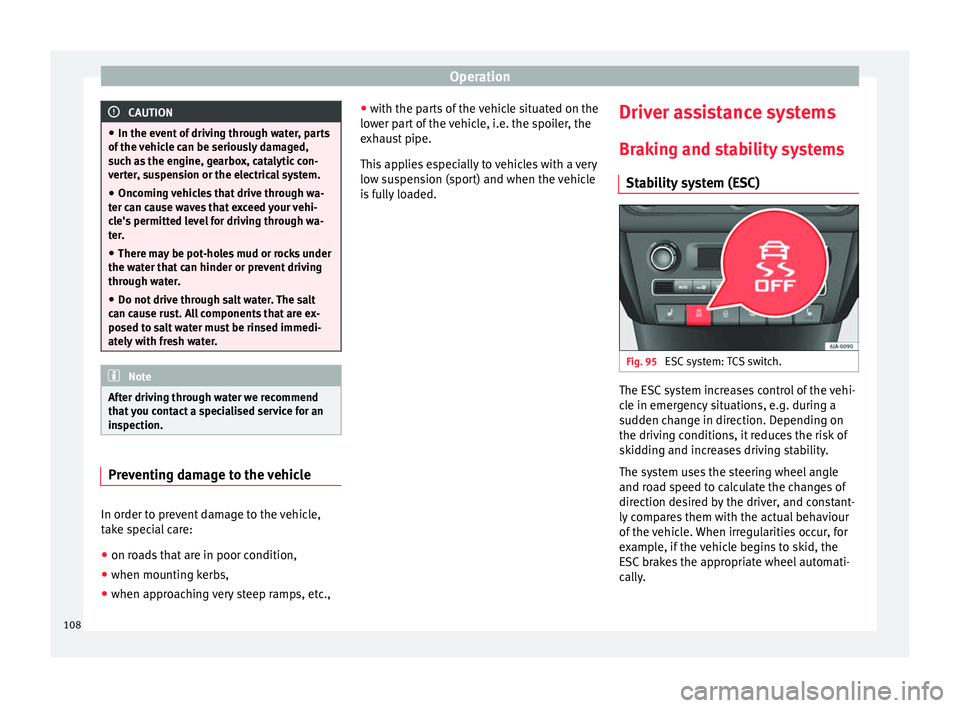
Braking and stability systems Stability system (ESC) Fig. 95
ESC system: TCS switch. The ESC system increases control of the vehi-
cle in emergency situations, e.g. during a
sudden change in direction. Depending on
the driving conditions, it reduces the risk of
skidding and increases driving stability.
The system uses the steering wheel angle
and road speed to calculate the changes of
direction desired by the driver, and constant-
ly compares them with the actual behaviour
of the vehicle. When irregularities occur, for
example, if the vehicle begins to skid, the
ESC brakes the appropriate wheel automati-
cally.
108
Page 111 of 200

Driver assistance systems
The
warning lamp on the general instru-
ment
panel starts flashing when the system
is working.
The
stability (ESC) system includes the fol-
lowing systems:
● Anti-lock brake system (ABS),
● Traction control system (TCS),
● Electronic differential lock (EDL),
● Hydraulic brake assist system (HBA),
● Hill hold control (HHC).
The ESC system cannot be switched on. The
››› Fig. 95 button can only be used to
sw it
ch off the TCS system. The warning
lamp lights up on the general instrument
panel if the TCS system is switched off.
The ASR should be switched on at all times.
Only under certain circumstances should the
system be switched off, e.g.
● driving with chains,
● driving in deep snow or on very soft surfa-
ces,
● During the “swinging movement” required
to remove a stuck vehicle
Switch the ASR back on as soon as possible. Brake assist system (HBA)*
The HBA system is activated when you press
down on the brake pedal suddenly. It increa-
ses braking power, helping to reduce braking
distances. To reduce braking distance as
much as possible, keep the brake pedal
pressed down firmly until the vehicle comes
to a standstill.
With the help of this system, the ABS is acti-
vated more quickly and more efficiently.
The brake assist function is deactivated auto-
matically when the brake pedal is released.
Hill hold control (HHC)*
The HHC system makes it easier to start the
vehicle on hills. The system maintains the
brake pressure created by pressing down on
the brake pedal for 2 seconds after it has
been released. Your foot can be removed
from the brake pedal and you can use the ac-
celerator pedal and move away on a hill with-
out having to use the handbrake. The brake
pressure drops as the accelerator pedal is
pressed. If the vehicle cannot be started, it
will start to move backwards after 2 seconds.
The HHC is activated on gradients of over
5%, if the driver door is closed. It only works
for starting on hills, moving both forward and
in reverse. It is not activated during start-up
down hill.
Anti-lock system (ABS) The ABS system prevents the wheels locking
during braking. This helps the driver keep
control of the vehicle.
The driver is made aware of ABS assistance
by the pulsating of the brake pedal
and a
characteristic noise.
Keep the brake pedal pressed down while the
ABS is working. The ABS will switch off when
the brake pedal is released. Never brake in-
termittently while the ABS is working!
Traction control system (ASR) If the wheels start to slip, the TCS adapts the
engine speed to the driving conditions. Par-
ticularly in unfavourable conditions, the TCS
helps starting, accelerating and hill starts.
The TCS
1)
warning lamp on the general
dash panel flashes when the system is work-
ing. 1)
Valid for vehicles not fitted with the stability con-
trol system (ESC). 109
Technical specifications
Advice
Operation
Safety
Page 113 of 200

Driver assistance systems
●
To ensure that the parking aid system
works properly, the sensors must be kept
clean (e.g. free of ice).
● If the parking aid system is switched on
when the automatic gearbox selector lever is
in position P, the acoustic signal will be inter-
rupted (the car cannot be moved). Cruise control*
Introduction The cruise control system allows you to drive
at a constant speed of 30 km/h (19 mph) or
higher without having to press the accelera-
tor. However, the speed is only maintained
within the margin permitted by the engine
power and the braking effect of the engine.
The
warning lamp lights up on the general
instrument panel if cruise control is switched
on. WARNING
● For safety reasons the cruise control sys-
tem must not be used in dense traffic or
where roads conditions are poor (e.g. due to
ice, aquaplaning, loose grit, snow). – Risk of
accident!
● The programmed speed can only be re-es-
tablished if it is not too high for current traf-
fic conditions. ●
Always switch the cruise control system off
after using it in order to avoid involuntary
use. CAUTION
● The cruise control cannot maintain a con-
stant speed when the vehicle is moving
downhill. The vehicle tends to accelerate un-
der its own weight. Therefore, shift down or
use the brake pedal in good time to slow the
vehicle. Note
● In vehicles with an automatic gearbox, the
cruise control system cannot be switched on
if the selector lever is in position P, N or R.
● In vehicles with a manual gearbox, the
cruise control cannot be switched on if first
gear or reverse gear is engaged. Setting speed
Fig. 97
Turn signal and main beam headlight
lever: cruise control buttons. Setting speed
– Move knob A
››› Fig. 97 to the ON posi-
tion.
– Briefly press rocker switch B in
SET
posi-
tion when
you have reached the speed you
wish to set.
On releasing rocker switch B in
SET
, the cur-
r
ent speed is stored and will remain constant
without having to press the accelerator ped-
al.
111
Technical specifications
Advice
Operation
Safety
Page 114 of 200
Operation
Adjusting set speed Increasing speed by pressing the accelerator
pedal
–
Press the accelerator to increase the speed
of the vehicle.
– Release the accelerator and the previously
programmed speed will be resumed.
If, when pressing the accelerator, the vehicle
exceeds the programmed speed by more
than 10 km/h (6 mph) for more than 3 mi-
nutes, the set speed will be deleted. The
speed will have to be stored again.
Increasing speed by pressing switch B–
Press rocker switch B
›››
Fig. 97
››› page 111 in
RES.
– If the button is held down in the RES posi-
tion, the speed inc
reases continuously. Re-
lease the switch when the required speed
is reached. The speed is stored.
Setting a lower speed
– The set speed can be reduced by pressing
swit
ch B
›››
Fig. 97 ›
› ›
page 111 in SET.
– If the button is held down in the SET posi-
tion, the speed dec
reases continuously. Re-
lease the switch when the required speed
is reached. The speed is stored.
– On releasing the switch at speeds of less
than 30 km/h (19 mph), no speed will be set and the memory will be deleted. The ve-
hicle must be moving at a speed of over
30 km/h (19 mph) and switch
B pressed
again to SET
for it to be set.
The s
peed can be reduced by pressing the
brake pedal, which temporarily switches off
the cruise control.
Switching off cruise control
temporarily Cruise control
is switched off temporarily by
pressing switch A
››› Fig. 97
›
›› p
age 111 in
CANCEL or by pressing the brake or clutch
pedal.
The set speed is stored.
To
recover the set speed, briefly press switch
B in
RES
once you have released the brake
or c
lutch pedal.
Switching off cruise control
completely –
Move knob A
›››
Fig. 97 ›››
page 111 to
OFF . St
ar
t-Stop* System
Functioning Fig. 98
Instrument panel: Start-Stop system
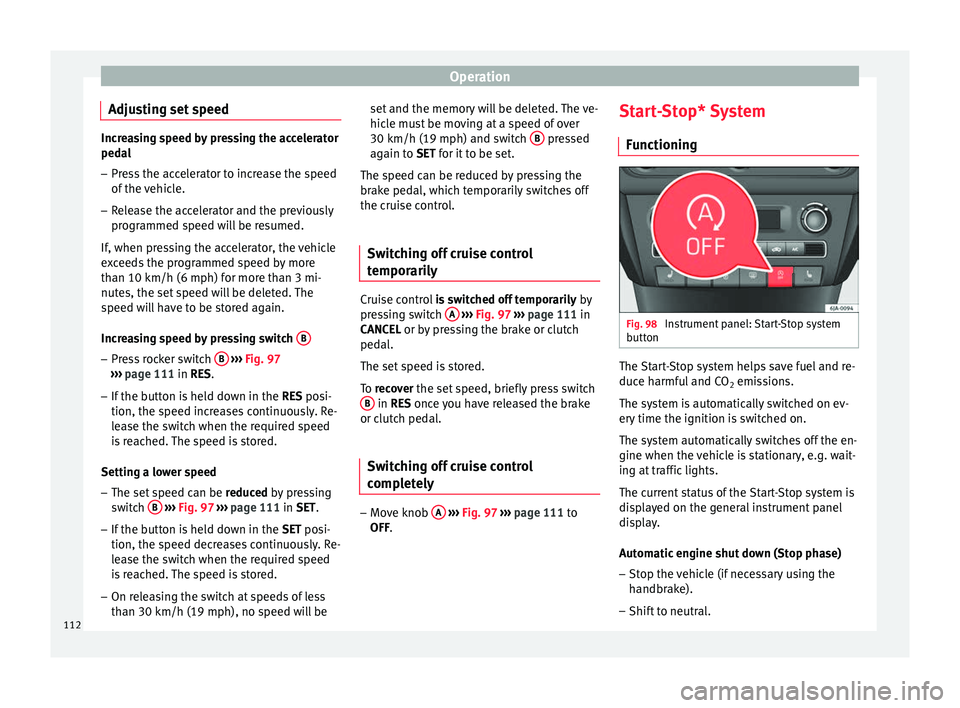
button The Start-Stop system helps save fuel and re-
duce harmful and CO
2 emissions.
The system is automatically switched on ev-
ery time the ignition is switched on.
The system automatically switches off the en-
gine when the vehicle is stationary, e.g. wait-
ing at traffic lights.
The current status of the Start-Stop system is
displayed on the general instrument panel
display.
Automatic engine shut down (Stop phase)
– Stop the vehicle (if necessary using the
handbrake).
– Shift to neutral.
112
Page 115 of 200

Driver assistance systems
– Release the clutch pedal.
Automatic engine start up (Start phase)
– Press the clutch.
Switching the Start-Stop system on and off
The Start-Stop system can be switched on
and off by pressing the
››› Fig. 98 button.
The w arnin
g lamp in the button will light up
when the system is switched off.
If the vehicle is in Stop phase when the but-
ton is pressed, the engine will start immedi-
ately.
The Start-Stop system works under complex
driving conditions that are difficult to detect
without specialist technology. The set of nec-
essary conditions for the correct operating of
the Start-Stop system are indicated below.
Conditions for automatic engine shut down
(Stop phase)
● Selector lever in neutral.
● Clutch pedal not pressed.
● Driver with seat belt fastened.
● Driver door closed.
● The bonnet closed.
● Vehicle stationary.
● The factory-fitted towing bracket is not elec-
trically connected to a trailer. ●
Engine at operating temperature.
● Vehicle's battery sufficiently charged.
● Vehicle not on a very steep slope
● Engine speed below 1,200 rpm.
● Vehicle battery temperature is neither too
high nor too low.
● Sufficient brake system pressure.
● Difference between outside temperature
and set interior temperature not too great
● Vehicle speed since the last time the en-
gine started was above 3 km/h (2 mph).
● Particulate filter not being cleaned
››› page 37.
● Front
wheels not overly turned (steering
wheel turned less than three quarters of a
turn)
Conditions for engine start up (Start phase)
● Clutch pedal pressed.
● Max./min. temperature set.
● Windscreen defrost function switched on.
● High blower speed.
● Start-Stop button pressed.
Conditions for automatic engine start up
without driver involvement
● Vehicle moving at a speed of over 3 km/h
(2 mph). ●
Difference between outside temperature
and interior temperature is too great
● Vehicle's battery insufficiently charged.
● Insufficient brake system pressure.
If the driver seat belt is unfastened for more
than 30 seconds in Stop phase, the engine
must be started using the ignition key.
Please observe the messages on the general
instrument panel display.
Warnings on the instrument panel display
(valid for vehicles not fitted with an
informative display)FAULT: Start-StopFault in the Start-Stop sys-
tem
START-STOP IMPOSSIBLEEngine cannot be auto-
matically shut down
START-STOP ACTIVEAutomatic engine shut
down (Stop phase)
SWITCH OFF IGNITIONSwitch the ignition off
START MANUALLYStart the engine manually WARNING
● If the engine is switched off, neither the
brake servo nor the power steering will work.
● Do not move the vehicle when the engine is
switched off. » 113
Technical specifications
Advice
Operation
Safety
Page 116 of 200

Operation
CAUTION
Switch off the Start-Stop system ››› page 107
before driving through a pool of water on the
road. Note
● The battery temperature may reflect
changes in outside temperature after several
hours. If the vehicle has been stopped out-
side at temperatures below zero or in direct
sunlight, for example, the battery tempera-
ture may take several hours to reach the val-
ues required for the correct operating of the
Start-Stop system.
● If the Climatronic system is operating auto-
matically, this could impair automatic engine
shut down under certain conditions. Towing bracket device
Driving the vehicle with a
trailer Technical requirements If your vehicle has a factory-fitted towing
bracket or is equipped with a selection of
SEAT Original Accessories, it meets all the rel-
evant technical and legal requirements.
In vehicles with a towing bracket it is possi-
ble to remove the ball joint, situated (togeth-
er with the special assembly instructions) in
the housing for the spare wheel in the vehi-
cle luggage compartment
›››
page 150, Vehi-
cle tool kit* .
Y our
vehicle is fitted with a 13-pole power
socket for the electrical connection between
the trailer and the vehicle. If the trailer you
are going to use has a 7-pin connector, the
corresponding adaptor, acquired from the
SEAT Original Accessories Catalogue, can be
used.
If a towing bracket is to be retro-fitted to the
car, it must be done according to the instruc-
tions of the towing bracket manufacturer. Note
Any queries that may arise can be directed to
an authorised SEAT dealer. Trailer weight
Trailer weight
The combined vehicle and trailer must be
balanced. To do so use the maximum permit-
ted towing bracket load. An insufficient
weight exerted by the trailer drawbar on the
ball joint of the towing bracket will have a
negative impact upon the response of the ve-
hicle-trailer assembly on the road.
Weight distribution
Distribute loads in the trailer so that heavy
objects are as near to the axle as possible.
Ensure that the objects do not move.
If the towing vehicle is empty and the trailer
loaded then the load distribution is incorrect.
However, if these conditions cannot be avoi-
ded, drive very slowly.
Tyre pressure values
Correct the tyre pressure in your vehicle to
“total load”
›››
page 144, Life cycle of tyres .
Trailer weight
Never exceed the authorised trailer weight
under any circumstances ›››
page 174, Tech-
nical specifications .
The trailer weights listed are only applicable
for altitudes up to 1000 m above sea level.
D
ue to lower air density, engine power de-
creases depending on the increase in
114
Page 117 of 200

Towing bracket device
altitude, this also reduces climbing ability,
which requires a reduction of the weight of
the vehicle with a trailer by 10% for every
1000 m increase in altitude. The weight of
the assembly is calculated by adding the ve-
hicle weight (loaded) to the trailer weight
(loaded). Always drive with special care when
towing a trailer.
The towed load and support load information
that is displayed on the towing bracket man-
ufacturers label are only values for the verifi-
cation of the device. The correct figures for
your specific vehicle, which are usually lower
than these figures, are given in the documen-
tation of your vehicle. WARNING
● Exceeding the maximum established load
per axle and the maximum towing bracket
load in addition to the maximum permitted
load or the load of the vehicle + trailer as-
sembly can cause accidents and serious inju-
ries.
● A sliding load can considerably affect the
stability and safety of the vehicle + trailer as-
sembly, resulting in accidents and serious in-
juries. Towing a trailer
Exterior mirrors
Check whether you can see enough of the
road behind the trailer with the standard rear
vision mirrors. If this is not the case, you
should have additional exterior mirrors fitted.
Observe the relevant statutory requirements
of the country you are in.
Headlights
Before starting a journey, also check the
headlight beam settings with the trailer
hitched up. Adjust the headlight range set-
tings if necessary
›››
page 62, Range control
of main lights .
Driving speed
For your own safety do not drive faster than
the maximum permitted speed indicated on
the trailer.
At all times, immediately reduce speed if you
detect the slightest swaying movement of the
trailer. Never try to “return the trailer to a
straight position” by accelerating.
Brakes
Brake in due course! If the trailer has an over-
run brake , apply the brakes gently at first and
then, firm ly
. This will prevent the jerking that
can be caused by locking of trailer wheels.
Change to a lower gear in good time before descending a slope in order to take advant-
age of the engine brake.
The trailer is incorporated into the vehicle's
anti-theft alarm system:
● When the vehicle has a factory-fitted anti-
theft alarm and a towing bracket.
● When the trailer is electrically connected to
the vehicle via the towing bracket socket.
● When the vehicle electrical device and the
towing bracket are operational.
● When the vehicle is locked and the vehi-
cle's anti-theft alarm device is activated.
Once the electrical connection is interrupted
with the vehicle trailer locked, the alarm
sounds.
Always switch off the vehicle anti-theft alarm
device before connecting or disconnecting a
trailer. The vehicle anti-theft alarm device
could cause the alarm to sound ››› page 57,
Anti-theft alarm system*.
Engine overheating
In the event that the coolant temperature
gauge needle moves to the right section of
the scale or to the red area, immediately re-
duce speed. If the control lamp flashes on
the general instrument panel, stop the vehi-
cle and switch off the engine. Wait several
minutes and check the coolant level in the
tank ››› page 138
.
»
115
Technical specifications
Advice
Operation
Safety
Page 129 of 200

Care and maintenance
Underbody sealant The underside of the vehicle is coated to per-
manently protect it from chemical and me-
chanical agents.
Given that damage to the
protective coating
during driving cannot be completely ruled
out, we recommend you check the condition
of the protective coating on the underbody
and suspension at regular intervals, prefera-
bly before the start and end of the coldest
season of the year.
Authorised SEAT dealers have suitable spe-
cial products and the necessary facilities and
are aware of the techniques required for their
application. We therefore recommend all
touch-up work or additional anti-corrosion
measures be performed by an authorised
SEAT dealer. WARNING
Do not apply underseal or anti-corrosion
coatings to the exhaust pipes, catalytic con-
verter, particulate filter or heat shields on the
exhaust system. Once the engine has
reached operating temperature, these sub-
stances could catch fire. Risk of fire! Cavity waxing
All cavities on the vehicle exposed to corro-
sion are permanently factory-protected by a
wax solution
.
This wax solution does not need to be
checked or touched up. Should wax run out
of the cavities at high ambient temperatures,
remove it using a plastic scraper and clean
away any stains using lighter fluid. WARNING
Note the regulations concerning safety and
environmental protection if you use lighter
fluid to remove the wax. Risk of fire! Leatherette and upholstery
Leatherette can be cleaned with a damp
cloth. If this is not sufficient, these parts
should only be cleaned with
solvent-free
plastic care and cleaning products .
Textile covers and trim parts on doors, boot
lid, etc. can be cleaned with special deter-
gents, e.g. dry foam. A soft sponge or brush
or a micro-fibre cloth for normal cleaning can
be used. Use special products to clean the
headliner.
The dye used in many garments, for example
dark jeans, is not always sufficiently colour-
fast. Seat upholstery (fabric and leather), es- pecially when light-coloured, may visibly dis-
colour if the dye comes out of clothing, even
in normal conditions. This is not an uphols-
tery defect but indicates that the dye in the
item of clothing is not solid enough.
Heated seat upholstery Do not clean the seat upholstery with
damp
products, as this could damage the seat
he atin
g system.
Clean the upholstery with special products,
e.g. dry foam, etc.
Natural leather Leather should be looked after from time to
time, depending on its use.
Normal cleaning
Moisten a cotton or woollen cloth with water
and wipe over the leather surfaces.
More stubborn dirt
Do not let water soak through the leather or
penetrate the seams.
Dry it with a soft, dry cloth.
»
127
Technical specifications
Advice
Operation
Safety