trailer SKODA OCTAVIA 2013 3.G / (5E) Owner's Manual
[x] Cancel search | Manufacturer: SKODA, Model Year: 2013, Model line: OCTAVIA, Model: SKODA OCTAVIA 2013 3.G / (5E)Pages: 287, PDF Size: 18.55 MB
Page 6 of 287
Table of Contents
Materials defect liability and ŠKODA warranty for
new cars5
Mobility warranty and ŠKODA extended
warranty
6
Abbreviations
Using the system
Cockpit
9
Overview
8
Instruments and warning lights
11
Instrument cluster
11
Warning lights
15
Warning icons in the display
21
Information system
26
Driver information system
26
Driving data (Multifunction display)
29
MAXI DOT display
31
Service interval display
33
Unlocking and opening
35
Unlocking and locking
35
KESSY
41
Anti-theft alarm system
42
Luggage compartment lid
43
Electric luggage compartment lid (Octavia
Estate)
44
Electrical power windows
47
Panoramic sliding/tilting roof (Octavia)
50
Panoramic sliding/tilting roof (Octavia Estate)
51
Lights and visibility
54
Lights
54
Interior lights
61Visibility64Windscreen wipers and washers65
Rear mirror
68
Seats and useful equipment
71
Adjusting the seats
71
Seat features
76
Practical equipment
79
Luggage compartment
91
Variable loading floor in the luggage
compartment (Estate)
99
Net partition (Octavia Estate)
101
Roof rack system
103
Heating and air-conditioning
106
Heating, ventilation, cooling
106
Heating
108
Air conditioning system (manual air conditioning
system)
110
Climatronic (automatic air conditioning system)
112
Auxiliary heating (auxiliary heating and ventilation)
115
Driving
Starting-off and Driving
118
Steering
118
Starting and stopping the engine using the key
119
Starting and stopping the engine - KESSY
121
Brakes
124
Manual shifting of gears and pedals
126
Automatic transmission
126
Running in
130
Economical driving and environmental
sustainability
131
Avoiding damage to your vehicle
135
Driving abroad
136Assist systems137Brake assist systems137
Parking aid
140
Park assist
142
Cruise Control System
146
Adaptive Cruise Control (ACC)
148
Area monitoring system (Front Assist)
154
START-STOP
158
Driving mode
161
ProActive passenger protection
163
Lane Assist
164
Traffic sign recognition
166
Fatigue detection (break recommendation)
168
Towing a trailer
169
Towing device
169
Trailer
172
Safety
Passive Safety
176
General information
176
Correct seated position
177
Seat belts
180
Using seat belts
180
Inertia reel and belt pretensioners
183
Airbag system
185
Description of the airbag system
185
Airbag overview
186
Deactivating airbags
190
Transporting children safely
193
Child seat
193
Fastening elements
1963Table of Contents
Page 10 of 287
AbbreviationsAbbreviationDefinitionrpmEngine revolutions per minuteABSAnti-lock brake systemACCAdaptive cruise controlAHLAdaptive headlightsTCSTraction controlCO2 in g/kmdischarged quantity of carbon dioxide in grams per driven kilo-
metreDPFDiesel particle filterDSGAutomatic double clutch gearboxDSRActive driver-steering recommendationEDLElectronic differential lockECEEconomic Commission for EuropeEPCEPC fault lightESCElectronic Stability ControlEUEuropean UnionHBAHydraulic brake assistHHCUphill start assistkWKilowatt, measuring unit for the engine outputMGManual gearboxN1Panel van intended exclusively or mainly for the transporta-
tion of goodsNmNewton meter, measuring unit for the engine torqueTDI CRDiesel engine with turbocharging and common rail injection systemTSATrailer stabilisationTSIPetrol engine with turbocharging and direct injection
7Abbreviations
Page 18 of 287
Warning lights
Introduction
This chapter contains information on the following subjects:
Automatic Transmission
16
Handbrake
16
Brake system
16
Seat belt warning light
17
Power steering
17
Traction Control System (ASR)
17
Traction control system (TCS) off
18
Electronic Stability Control (ESC)
18
Antilock brake system (ABS)
18
Rear fog light
19
Exhaust inspection system
19
Glow plug system (diesel engine)
19
Engine performance check (petrol engine)
19
Security Systems
19
Tyre inflation pressure
20
Brake linings
20
Lane following system (Lane Assist)
20
Turn signal system
20
Trailer turn signal lights
20
Fog lights
21
Cruise control system
21
Selector lever lock
21
Main beam
21
The warning lights indicate certain functions or faults.
Some warning lights can be accompanied by acoustic signals and messages in the
display of the instrument cluster.
After switching on the ignition, some warning lights illuminate briefly as a func-
tion test.
If the tested systems are OK, the corresponding warning lights go out a few sec-
onds after switching on the ignition.
The condition of some features and systems is shown by the warning icons on
the display » page 21.
The warning lights are at the following locations in the instrument cluster » Fig. 2
on page 11.
› Revolutions counter 1
›Speedometer
3
›Bar with warning lights
5WARNING■
Ignoring illuminated warning lights and related messages or instructions in
the display of the instrument cluster may lead to serious personal injury or
damage to the vehicle.■
If you have to stop for technical reasons, then park the vehicle at a safe dis-
tance from the traffic, switch off the engine and activate the hazard warning
light system » page 61. The warning triangle must be set up at the prescri-
bed distance - observe the national legal provisions when doing so.
■
The engine compartment of your car is a hazardous area. While working in
the engine compartment, be sure to observe the following warn- ings » page 215 , Engine compartment .
15Instruments and warning lights
Page 23 of 287
WARNINGIf there is a fault in the safety system, have it checked immediately by a spe-
cialist garage. Otherwise, there is a risk of the systems not being activated in the event of an accident.
Tyre inflation pressure
First read and observe the introductory information and safety warn-
ings
on page 15.
The warning light
lights up , if there is a substantial drop in inflation pressure in
one of the tyres. Check and adjust the pressure in all tyres » page 228.
An audible signal sounds as a warning signal.
If the warning light
flashes , there is a fault in the system.
Seek assistance from a specialist garage immediately.
Further information » page 231, Tyre control display .
Note
If the vehicle's battery has been disconnected and reconnected, the warning light
comes on after switching on the ignition. If the warning light does not go out
after moving a short distance, this means there is an error in the system. Seek as-
sistance from a specialist garage immediately.
Brake linings
First read and observe the introductory information and safety warn-
ings
on page 15.
If the indicator light
is lit, the brake pads are worn.
The following message is shown in the information cluster display. Check brake wear!
BRAKE PADS PLEASE CHECK
Seek assistance from a specialist garage immediately.
Lane following system (Lane Assist)
First read and observe the introductory information and safety warn-
ings
on page 15.
The warning lights indicates the state of the Lane Assist system.
Further information » page 164, Lane Assist .
Turn signal system
First read and observe the introductory information and safety warn-ings
on page 15.
Either the left
or right
indicator light flashes depending on the position of
the control lever.
If there is a fault in the turn signal system, the warning light flashes at twice its
normal rate. This does not apply when towing a trailer.
Switching off the hazard warning light system is switched on will cause all of theturn signal lights as well as both warning lights to flash.
Further information » page 56, Turn signal and main beam .
Trailer turn signal lights
First read and observe the introductory information and safety warn-ings
on page 15.
if the warning light
flashes, the trailer turn signal lights are turned on.
If a trailer is hitched and the warning light
is not flashing, one of the trailer turn
signal lights has failed.
The following message is shown in the information cluster display, for example. Trailer: check left turn signal!
TRAILER TURN SIG_ CHECK LEFT
The trailer must be unhitched properly » page 169, Towing a trailer .
20Using the system
Page 45 of 287
Activation after 90 hours›Unlock the vehicle using the symbol button on the remote control key.›
Unlocking the driver's door in an emergency » page 248.
Anti-theft alarm system
Introduction
This chapter contains information on the following subjects:
Activating/deactivating
42
Interior monitor and towing protection
43
The anti-theft alarm system increases the level of protection against people
seeking to break into the vehicle. The system triggers audible and visual warning
signals if an attempt is made to break into the vehicle (hereafter referred to only
as alarm).
An alarm is triggered when the following monitored areas of the vehicle have a
fault.
› Bonnet.
› Boot lid.
› Doors.
› Ignition lock.
› Vehicle inclination
» page 43.
› Interior of car
» page 43.
› A drop in voltage of the on-board power supply.
› Socket of the factory-fitted towing device
» page 173, Driving with a trailer .
An alarm is immediately triggered if either of the two battery terminals is discon-
nected while the anti-theft alarm system is activated.
The alarm is switched off by unlocking the vehicle or switching on the ignition.
CAUTION
Before leaving the vehicle, it must be checked that all of the windows, doors and
the sliding/tilting roof are locked in order to ensure the full functionality of the
anti-theft alarm system.
Note
The working life of the alarm siren is 5 years.
Activating/deactivating
First read and observe the introductory information and safety warn-ings
on page 42.
Activating
The anti-theft alarm system is activated automatically approximately 30 seconds
after the vehicle is locked.
If you unlock the vehicle and do not open a door or the boot lid within the next
45 seconds, the vehicle will lock again automatically and the safelock system or
anti-theft alarm system will be switched on. This function is intended to prevent
the car being unlocked unintentionally.
Deactivating
The anti-theft alarm system is deactivated automatically after the vehicle is un-
locked. If the vehicle is not opened within 45 seconds, the anti-theft alarm sys-
tem is automatically activated again.
The alarm system is also deactivated if you unlock the driver door using the key
within 45 seconds of locking the vehicle.
Note
When the Vehicle is unlocked using the key on the driver's door, insert the key
into the ignition and switch on the ignition in order to deactivate the alarm sys-
tem.
42Using the system
Page 48 of 287
If you rapidly enter the vehicle during the opening or closing process of the boot
lid, the whole vehicle may jerk and as a result the movement of the lid can be in-
terrupted.
Manual operation
Manually opening and closing the lid is only possible in exceptional cases. It must
be completed slowly and without sudden movements as close to the centre of
the lid as possible »
.
WARNING■
Ensure that the lock is properly engaged after closing the lid. Otherwise, the
lid might open suddenly while the vehicle is moving, even if the lid was locked
– risk of accident!■
Never drive with the lid open or unlatched, as otherwise exhaust gases may
get into the interior of the vehicle – risk of poisoning!
CAUTION
■ The movement of the lid can be stopped by applying an abrupt and quick force
against the lid.■
Do not try to close the lid manually during the electrical closing process. Dam-
age can occur to the system of the electric boot lid.
■
If the lid is closed manually, it must be ensured that when moving the lid into
the lock, pressure is applied to the centre edge of the lid above the ŠKODA logo. Handling the sides of the lid can damage the electric lid.
CAUTION
■ Before opening or closing the lid, check if there are any objects in the opening
or closing range which could obstruct the movement (e.g. a load on the roof rack
or on the trailer, etc.) – risk of causing damage to the lid!■
Ensure that there is at least 10 cm of clearance above the opened lid (e.g. dis-
tance from the garage ceiling). Otherwise, it may happen that the clearance
above the opened lid is no longer sufficient after relieving the vehicle of a load
(e.g. after unloading) – risk of causing damage to the lid.
■
In certain circumstances, if the lid is loaded (e.g by a thick layer of snow), the
opening process of the lid can be interrupted. Remove the load on the lid to re-
enable the electrical operation.
■
If the lid closes automatically (e.g. under load of snow), you will hear an inter-
mittent beep.
Operating descriptionFig. 21
Lid operation
Fig. 22
Lid operation/operating areas
First read and observe the introductory information and safety warn-
ings
on page 44.
Control elements
The lid can be operated with the following control elements. › With the symbol button
on the remote control key (press for about 1 s).
› With the button in the handle
A
on the outer part of the lid
» Fig. 21.
› With the button
B
on the inner part of the lid
» Fig. 21.
› With the button
C
in the centre console
» Fig. 22.
Operating areas
The system distinguishes 3 operating areas where the function of the individual operating elements changes » Fig. 22. The end positions of the lid - fully closed in
the secured lock and fully opened - differ as well.
45Unlocking and opening
Page 49 of 287
The range of the area 3 changes proportionally, depending on the setting of the
top position of the lid » page 46.
If the lid is set in the uppermost position in the area 2
, the area
3
is not active.
The range of the area
2
changes proportionally, depending on the setting of the
top position of the lid.
Symbol explanation in the operating description Feasible action
Non-feasible action
Movement in the opposite direction to the previous movement
Lid operation with the handle
AActionClosed LidRangeOpenLid123OpeningStopClosing
The operation of the lid using the handle
A
is only possible when the vehicle is
unlocked.
Lid operation with the button
BActionClosed LidRangeOpenLid123OpeningStopClosing
Operating the lid with the button
B
is only possible when the lid is open.
Lid operation with the symbol button
on the remote control key and the
button
CActionClosed LidRangeOpenLid123OpeningStopClosing
When the ignition is switched on, the operation of the lid does not function usingthe remote control key.
Operating the lid with the button C does not work if the vehicle was locked from
the outside.
Operating the lid with the symbol button on the remote control key and the
button C
does not work when a trailer is coupled to the vehicle.
Acoustic signals
First read and observe the introductory information and safety warn-ings
on page 44.
The acoustic signals serve as a safety function and provide information about the
success of a performed action.
SignalsStatus
Interrupted tone
Open (using the button on the remote control key or
the button C
» Fig. 22 on page 45 )
Automatic closing of the lid » page 45,
in section In-
troduction
1 continuous toneForce limiter3 rising tonesConfirmation of the storage of the lid position3 identical tonesfault
Adjusting/deleting the top lid position
First read and observe the introductory information and safety warn-ings
on page 44.
Adjusting
›
Stop the lid in the desired position (electrically or manually).
›
Press and hold the button
B
» Fig. 21 on page 45 for longer than 3 seconds.
Storing the new position is confirmed with an audible signal.
Delete
›
Carefully lift up the lid manually to the maximum opening position.
›
Press and hold the button
B
» Fig. 21 on page 45 for longer than 3 seconds.
An audible signal sounds and the height which was originally set is deleted from
the memory, while the basic position of the top lid position is again set.
46Using the system
Page 63 of 287
The vehicle is stopped or moves at a speed of no more than 40 km/h.
The low beam is switched on or the light switch is in the position and the
low beam is switched on.
The daytime running lights are not switched on. The fog lights are not switched on.
The CORNER light is mainly intended to be used for illuminating the nearby envi-
ronment at a broad angle in front of and beside the vehicle. It lights up and goes out gradually.
Note
The two fog lights are switched on when you shift into the reverse gear.
Rear fog light
First read and observe the introductory information and safety warn-
ings
on page 54.
Switching on/off
›
Turn the light switch into position
or
» Fig. 32 on page 59.
›
Pull the light switch to position
2
.
The rear fog light is switched off in the reverse order.
If the vehicle is not fitted with fog lights, the rear fog light is switched on by pull-
ing out the light switch directly to the position
2
. This switch can only be put in-
to one position.
The warning light
lights up in the instrument cluster when the rear fog light is
switched on » page 15.
Only the rear fog light on the trailer lights up if the vehicle has a factory-fitted towing device or a towing device from ŠKODA original accessories and it is driven
with a trailer.
COMING HOME / LEAVING HOME
First read and observe the introductory information and safety warn-ings
on page 54.
COMING HOME/LEAVING HOME (hereafter referred to only as function) makes it possible to automatically switch on the lights for a short time after leaving the
vehicle or when approaching the vehicle in poor visibility.
The function is switched on automatically if the following conditions are met: The light switch is in position » Fig. 30 on page 57.
The visibility in the vehicle environment is reduced.
The ignition is switched off.
The function and duration of the lighting can be activated or deactivated in the Infotainment » Operating instructions for Infotainment , chapter Vehicle settings
(button CAR) .
The light is regulated based on data gathered by the light sensor attached be-
tween the windscreen and the interior mirror » page 57.
The function switches on the parking and low beam lights, the entry lighting in
the exterior mirrors and the licence plate light.
COMING HOME
The light turns on automatically when you open the driver's door.
The light turns off after the preset time when you close all the doors and the boot
lid.
If a door or the boot lid remains open, the light goes out after 60 seconds.
LEAVING HOME
The light turns on automatically after the vehicle is unlocked with the remote
control.
The light turns off after a preset time or after the vehicle is locked.
CAUTION
Do not affix any stickers or similar objects in front of the light sensor on the wind-
screen, so that its functionality is not impaired or disabled. 60Using the system
Page 133 of 287
The gearbox does not shift up into the highest gear until the engine has reached
its maximum revolutions for this gear range.WARNINGRapid acceleration, particularly on slippery roads, can lead to loss of control of
the vehicle – risk of accident!
Running in
Introduction
This chapter contains information on the following subjects:
New engine
130
New tyres
130
New brake pads
131
New engine
First read and observe the introductory information given on page 130.
The engine has to be run in during the first 1500 kilometres.Up to 1000 kilometres
›
Do not drive faster than 3/4 of the maximum speed of the gear in use, i.e. 3/4 of
the maximum permissible engine speed.
›
No full throttle.
›
Avoid high engine speeds.
›
Do not tow a trailer.
From 1000 up to 1500 kilometres
Gradually increase the power output of the engine up to the full speed of the
gear engaged, i.e. up to the maximum permissible engine speed.
The red scale of the rev counter indicates the range in which the system beginsto limit the engine speed.
During the first operating hours the engine has higher internal friction than later until all of the moving parts have harmonized. The driving style which you adopt
during the first approx.1500 kilometres plays a decisive part in the success of run-
ning in your car.
Never drive at unnecessarily high engine speeds, even after the running-in period is complete.
On vehicles fitted with a manual gearbox, at the very latest shift up into the next
gear when the red area is reached. Observe the recommended gear » page 27.
Very high engine speeds when accelerating (accelerator) are automatically re-
stricted »
.
With vehicles with a manual gearbox, do not drive at unnecessarily low engine
speeds. Shift down a gear when the engine is no longer running smoothly. Ob-
serve the recommended gear » page 27.
CAUTION
■
The engine is not protected from excessive engine revs caused by shifting
down at the wrong time. This can result in the sudden increase in revs beyond
the permissible maximum rpm and thus cause engine damage.■
Never rev up a cold engine when the vehicle is stationary or when driving in in-
dividual gears.
For the sake of the environment
Do not drive at unnecessarily high engine speeds. Shifting up sooner helps save
on fuel, reduces engine noises and protects the environment.
New tyres
First read and observe the introductory information given on page 130.
New tyres have to be “run in” since they do not offer optimal grip at first. Drive
especially carefully for the first 500 km or so.
130Driving
Page 140 of 287
Assist systems
Brake assist systems
Introduction
This chapter contains information on the following subjects:
Electronic Stability Control (ESC)
137
Antilock Braking System (ABS)
138
Traction Control System (TCS)
138
Electronic Differential Lock (EDL and XDS)
139
Driver Steering Recommendation (DSR)
139
Hydraulic Brake Assist (HBA)
139
Hill Hold Control (HHC)
139
Multicollision brake
140WARNING■ A lack of fuel can cause irregular engine running or cause the engine to shut
down. The brake assist systems would then fail to function – risk of accident!■
Adjust the speed and driving style to the current visibility, weather, road and
traffic conditions. The increased safety offered by the brake assist systems must not tempt you to take greater risks than otherwise – risk of accident!
■
In the event of an ABS fault, visit a specialist garage immediately. Adjust
your style of driving according to the damage to the ABS as you will not know
how great the damage is and the limitation it is placing on the braking effi-
ciency.
CAUTION
■ All four wheels must be fitted with the same tyres approved by the manufactur-
er to ensure the brake assist systems operate correctly.■
Changes to the vehicle (e.g. to the engine, brakes, chassis) can influence the
functionality of the brake assist systems » page 200.
■
If a fault occurs in the ABS system, the ESC, ASR and EDL also do not work. An
ABS fault is indicated with the warning light » page 18 .
Electronic Stability Control (ESC)Fig. 127
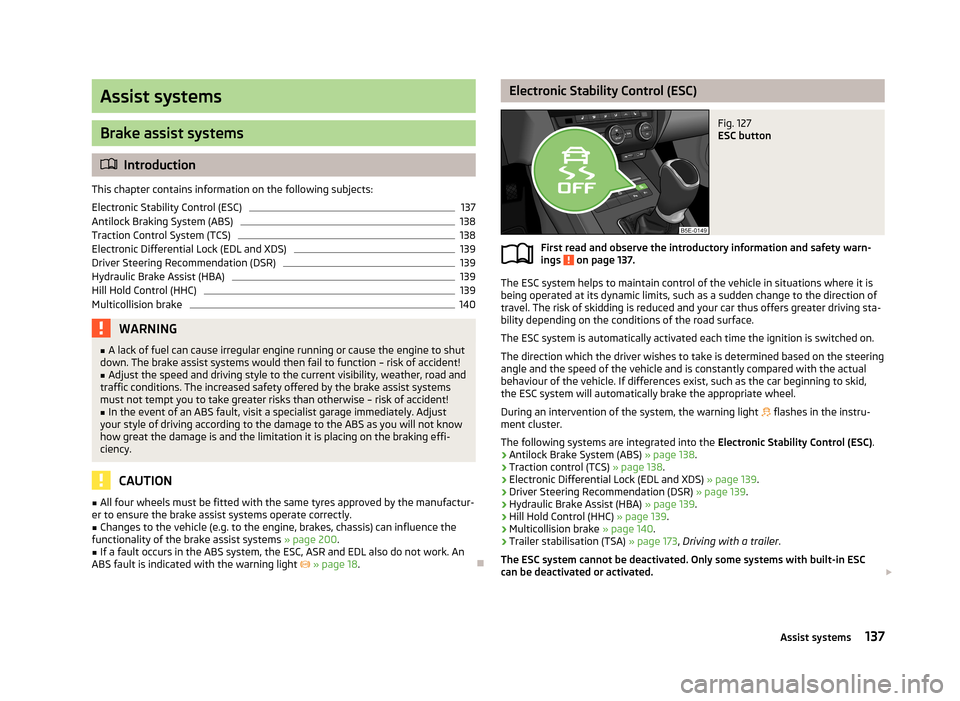
ESC button
First read and observe the introductory information and safety warn-
ings on page 137.
The ESC system helps to maintain control of the vehicle in situations where it is
being operated at its dynamic limits, such as a sudden change to the direction of
travel. The risk of skidding is reduced and your car thus offers greater driving sta-
bility depending on the conditions of the road surface.
The ESC system is automatically activated each time the ignition is switched on.The direction which the driver wishes to take is determined based on the steering angle and the speed of the vehicle and is constantly compared with the actualbehaviour of the vehicle. If differences exist, such as the car beginning to skid,
the ESC system will automatically brake the appropriate wheel.
During an intervention of the system, the warning light
flashes in the instru-
ment cluster.
The following systems are integrated into the Electronic Stability Control (ESC).
› Antilock Brake System (ABS)
» page 138.
› Traction control (TCS)
» page 138.
› Electronic Differential Lock (EDL and XDS)
» page 139.
› Driver Steering Recommendation (DSR)
» page 139.
› Hydraulic Brake Assist (HBA)
» page 139.
› Hill Hold Control (HHC)
» page 139.
› Multicollision brake
» page 140.
› Trailer stabilisation (TSA)
» page 173, Driving with a trailer .
The ESC system cannot be deactivated. Only some systems with built-in ESC
can be deactivated or activated.
137Assist systems