ECO mode SUBARU CROSSTREK 2018 Repair Manual
[x] Cancel search | Manufacturer: SUBARU, Model Year: 2018, Model line: CROSSTREK, Model: SUBARU CROSSTREK 2018Pages: 474, PDF Size: 20.76 MB
Page 179 of 474
(184,1)
北米Model "A1320BE-C" EDITED: 2017/ 10/ 10
time a complete hour has elapsed. If the
display is giving a reading other than the
journey time, the display switches to the
journey time, flashes for 5 seconds, and
returns to its original reading each time a
complete hour has elapsed.NOTEThe journey time is reset when the
ignition switch is turned to the“ACC”
or“LOCK”/“OFF”position.
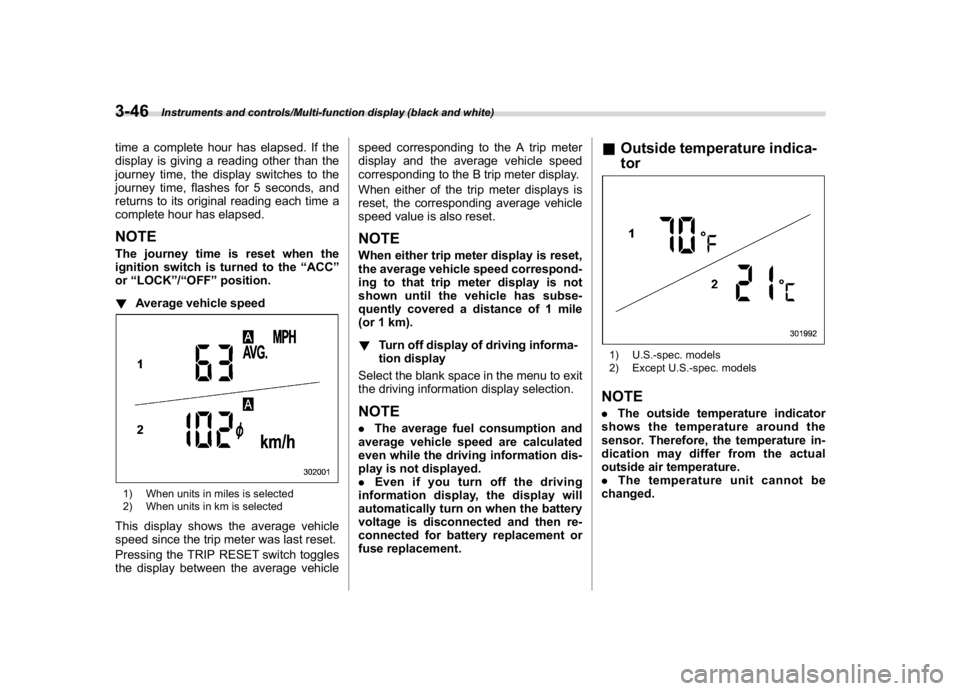
!Average vehicle speed1) When units in miles is selected
2) When units in km is selectedThis display shows the average vehicle
speed since the trip meter was last reset.
Pressing the TRIP RESET switch toggles
the display between the average vehiclespeed corresponding to the A trip meter
display and the average vehicle speed
corresponding to the B trip meter display.
When either of the trip meter displays is
reset, the corresponding average vehicle
speed value is also reset.
NOTEWhen either trip meter display is reset,
the average vehicle speed correspond-
ing to that trip meter display is not
shown until the vehicle has subse-
quently covered a distance of 1 mile
(or 1 km).
!Turn off display of driving informa-
tion display
Select the blank space in the menu to exit
the driving information display selection.NOTE.The average fuel consumption and
average vehicle speed are calculated
even while the driving information dis-
play is not displayed.
.Even if you turn off the driving
information display, the display will
automatically turn on when the battery
voltage is disconnected and then re-
connected for battery replacement or
fuse replacement.
&Outside temperature indica-
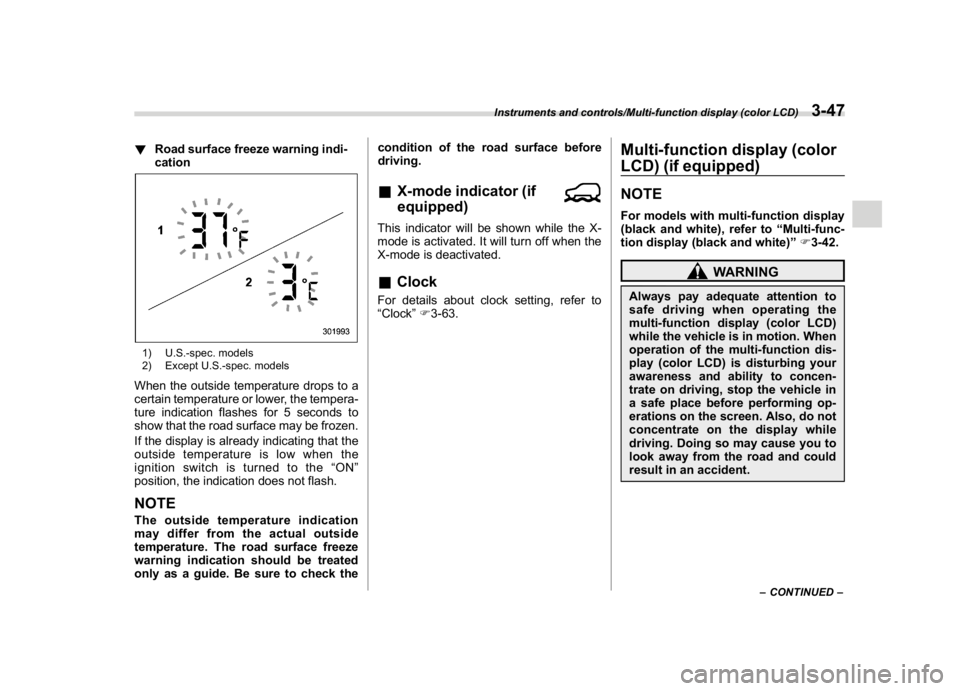
tor1) U.S.-spec. models
2) Except U.S.-spec. modelsNOTE.The outside temperature indicator
shows the temperature around the
sensor. Therefore, the temperature in-
dication may differ from the actual
outside air temperature.
.The temperature unit cannot be
changed.
Instruments and controls/Multi-function display (black and white)
3-46
Page 180 of 474
(185,1)
北米Model "A1320BE-C" EDITED: 2017/ 10/ 10
!Road surface freeze warning indi-
cation1) U.S.-spec. models
2) Except U.S.-spec. modelsWhen the outside temperature drops to a
certain temperature or lower, the tempera-
ture indication flashes for 5 seconds to
show that the road surface may be frozen.
If the display is already indicating that the
outside temperature is low when the
ignition switch is turned to the“ON”
position, the indication does not flash.NOTEThe outside temperature indication
may differ from the actual outside
temperature. The road surface freeze
warning indication should be treated
only as a guide. Be sure to check thecondition of the road surface before
driving.
&X-mode indicator (if
equipped)This indicator will be shown while the X-
mode is activated. It will turn off when the
X-mode is deactivated.&ClockFor details about clock setting, refer to
“Clock”F3-63.
Multi-function display (color
LCD) (if equipped)NOTEFor models with multi-function display
(black and white), refer to“Multi-func-
tion display (black and white)”F3-42.
WARNING
Always pay adequate attention to
safe driving when operating the
multi-function display (color LCD)
while the vehicle is in motion. When
operation of the multi-function dis-
play (color LCD) is disturbing your
awareness and ability to concen-
trate on driving, stop the vehicle in
a safe place before performing op-
erations on the screen. Also, do not
concentrate on the display while
driving. Doing so may cause you to
look away from the road and could
result in an accident.
–CONTINUED–
Instruments and controls/Multi-function display (color LCD)
3-47
3
Page 181 of 474
(186,1)
北米Model "A1320BE-C" EDITED: 2017/ 10/ 10
&FeaturesThe multi-function display (color LCD) has
the following functions.
Description Page
Displays useful messages, such
as notification, etc.3-49
Displays basic screens (e.g. fuel
consumption screen, etc.)3-50
Sets and adjusts maintenance
notification3-61
Also, the multi-function display (color LCD)
can also be used to set and initialize the
multi-function display (color LCD) itself.NOTE.When the vehicle is in motion,
certain functions and selections may
not be available.
.You can set the language and units
for both the multi-function display
(color LCD) and the combination meter
at the same time. For details about
setting the language and units, refer to
“Menu screens”F3-38.
.The images displayed in this Own-
er’s Manual are sample images. The
actual image may vary depending on
the market and vehicle specifications.
&Welcome screenWhen the driver’s door is opened and
closed, the welcome screen will appear for
a short time.NOTE.The welcome screen will disappear
when the ignition switch is turned to the
“ON”position while the welcome
screen is displayed.
.The welcome screen can be set to on
or off. For details, refer to“Screen
Settings”F3-41.
.For a certain period of time after the
welcome screen has once appeared, it
may not appear again even when the
driver’s door is opened and closed
again. This does not indicate a mal-
function.
&Self-check screen
NOTEWhen the setting is“On”, the self check
screen appears. For details about this
setting, refer to“On/Off setting”F3-61.
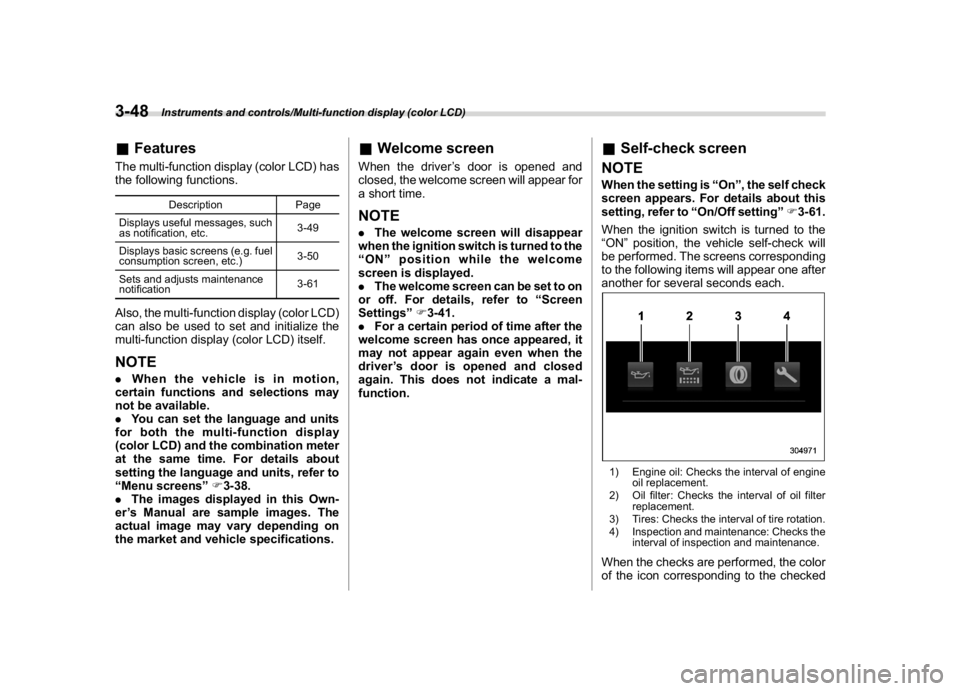
When the ignition switch is turned to the
“ON”position, the vehicle self-check will
be performed. The screens corresponding
to the following items will appear one after
another for several seconds each.1) Engine oil: Checks the interval of engine
oil replacement.
2) Oil filter: Checks the interval of oil filter
replacement.
3) Tires: Checks the interval of tire rotation.
4) Inspection and maintenance: Checks the
interval of inspection and maintenance.When the checks are performed, the color
of the icon corresponding to the checked
Instruments and controls/Multi-function display (color LCD)
3-48
Page 182 of 474
(187,1)
北米Model "A1320BE-C" EDITED: 2017/ 10/ 10
item will change.
If there is a notification, the message will
be displayed. Take the appropriate actions
based on the message indicated.
After the self-check is completed, today’s
date, the stored birthday or the stored
anniversary is displayed.NOTE.After performing the maintenance,
change the setting of the correspond-
ing maintenance item. For details, refer
to“Maintenance settings”F3-61.
.The maintenance notification screen
will be displayed under either of the
following conditions.
–The period of time remaining until
the registered notification date is 15
days or less.
–The total driving distance remain-
ing until the registered notification
distance is approximately 311 miles
(500 km) or less.
.The maintenance notification screen
will be displayed until either of the
following conditions is satisfied.
–The period of time passed after
the registered notification date is 15
days or more.
–The total distance driven after the
registered notification distance is
approximately 311 miles (500 km) ormore.
&Interruption screenExampleUseful messages, such as reminder in-
formation, weather information (if
equipped) and traffic information (if
equipped) may interrupt the current screen
and appear on the display accompanied
by a beep. Take proper action according to
the message.
The interruption screen will return to the
original screen after a few seconds. Also,
you can press the INFO button to skip the
interruption screen.
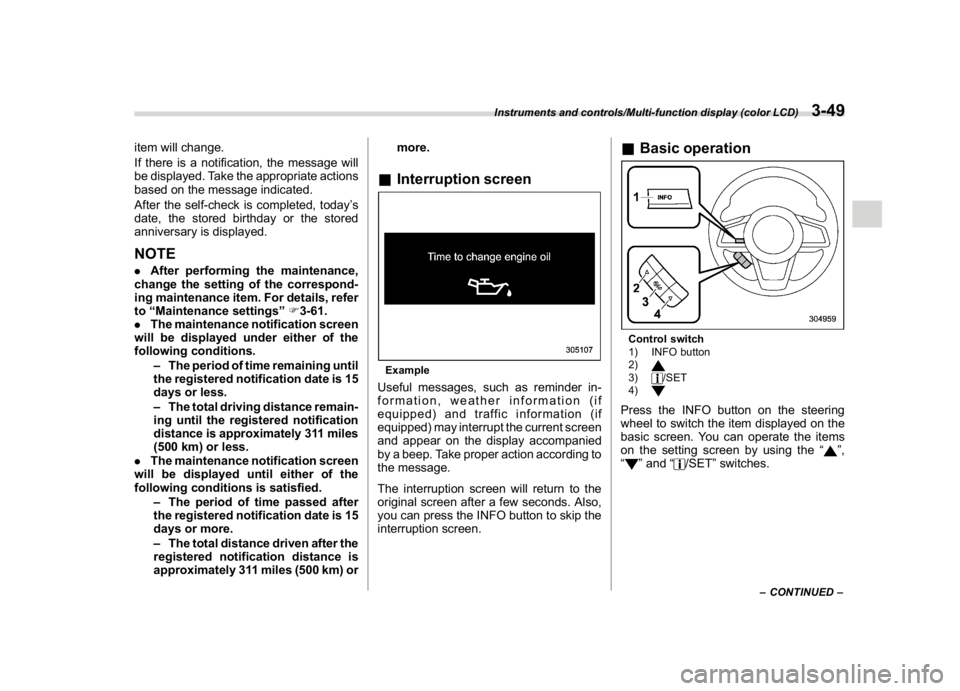
&Basic operationControl switch
1) INFO button
2)3)
/SET
4)
Press the INFO button on the steering
wheel to switch the item displayed on the
basic screen. You can operate the items
on the setting screen by using the“
”,
“
”and“
/SET”switches.
–CONTINUED–
Instruments and controls/Multi-function display (color LCD)
3-49
3
Page 196 of 474
(201,1)
北米Model "A1320BE-C" EDITED: 2017/ 10/ 10
ClockFor models with a SUBARU genuine
navigation and/or audio system, the clock
can be adjusted using either auto mode or
manual mode.
.Auto mode: automatic clock adjustment
.Manual mode: manual clock adjust-
ment&Setting the clock manually!Type A multi-function display (black
and white)
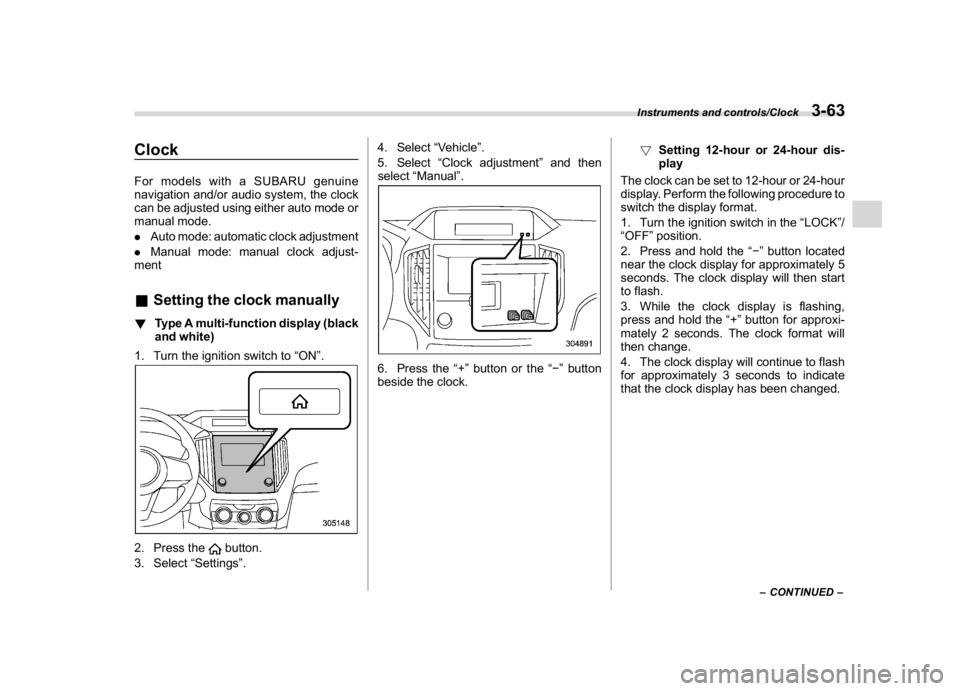
1. Turn the ignition switch to“ON”.2. Press the
button.
3. Select“Settings”.4. Select“Vehicle”.
5. Select“Clock adjustment”and then
select“Manual”.
6. Press the“+”button or the“”button
beside the clock.!Setting 12-hour or 24-hour dis-
play
The clock can be set to 12-hour or 24-hour
display. Perform the following procedure to
switch the display format.
1. Turn the ignition switch in the“LOCK”/
“OFF”position.
2. Press and hold the“”button located
near the clock display for approximately 5
seconds. The clock display will then start
to flash.
3. While the clock display is flashing,
press and hold the“+”button for approxi-
mately 2 seconds. The clock format will
then change.
4. The clock display will continue to flash
for approximately 3 seconds to indicate
that the clock display has been changed.
–CONTINUED–
Instruments and controls/Clock
3-63
3
Page 200 of 474
(205,1)
北米Model "A1320BE-C" EDITED: 2017/ 10/ 10
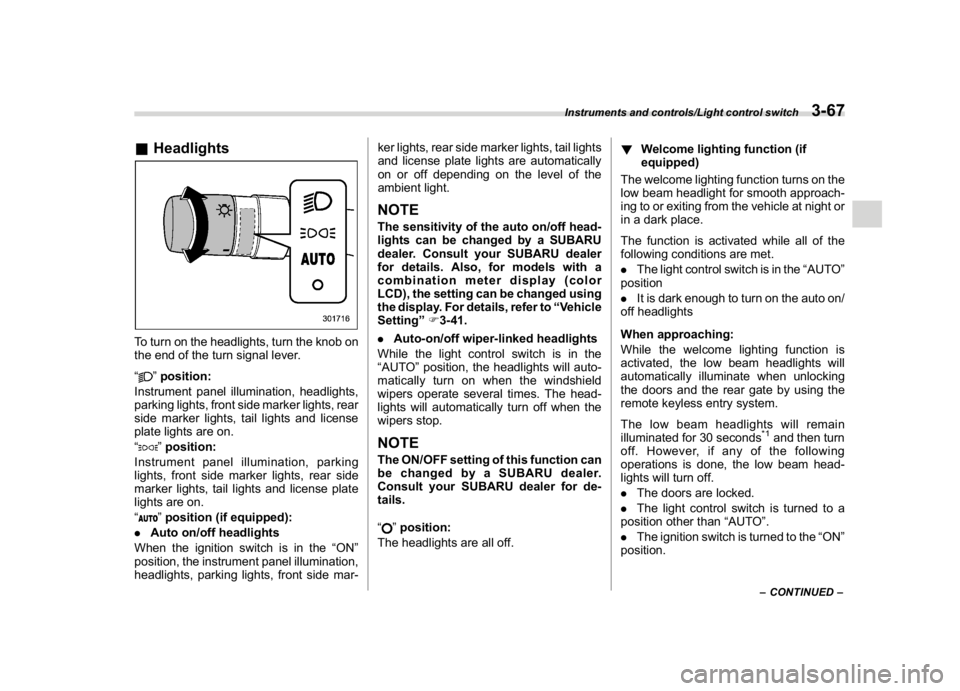
&HeadlightsTo turn on the headlights, turn the knob on
the end of the turn signal lever.
“
”position:
Instrument panel illumination, headlights,
parking lights, front side marker lights, rear
side marker lights, tail lights and license
plate lights are on.
“”position:
Instrument panel illumination, parking
lights, front side marker lights, rear side
marker lights, tail lights and license plate
lights are on.
“”position (if equipped):
.Auto on/off headlights
When the ignition switch is in the“ON”
position, the instrument panel illumination,
headlights, parking lights, front side mar-ker lights, rear side marker lights, tail lights
and license plate lights are automatically
on or off depending on the level of the
ambient light.
NOTEThe sensitivity of the auto on/off head-
lights can be changed by a SUBARU
dealer. Consult your SUBARU dealer
for details. Also, for models with a
combination meter display (color
LCD), the setting can be changed using
the display. For details, refer to“Vehicle
Setting”F3-41.
.Auto-on/off wiper-linked headlights
While the light control switch is in the
“AUTO”position, the headlights will auto-
matically turn on when the windshield
wipers operate several times. The head-
lights will automatically turn off when the
wipers stop.NOTEThe ON/OFF setting of this function can
be changed by a SUBARU dealer.
Consult your SUBARU dealer for de-
tails.
“
”position:
The headlights are all off.!Welcome lighting function (if
equipped)
The welcome lighting function turns on the
low beam headlight for smooth approach-
ing to or exiting from the vehicle at night or
in a dark place.
The function is activated while all of the
following conditions are met.
.The light control switch is in the“AUTO”
position
.It is dark enough to turn on the auto on/
off headlights
When approaching:
While the welcome lighting function is
activated, the low beam headlights will
automatically illuminate when unlocking
the doors and the rear gate by using the
remote keyless entry system.
The low beam headlights will remain
illuminated for 30 seconds
*1and then turn
off. However, if any of the following
operations is done, the low beam head-
lights will turn off.
.The doors are locked.
.The light control switch is turned to a
position other than“AUTO”.
.The ignition switch is turned to the“ON”
position.
–CONTINUED–
Instruments and controls/Light control switch
3-67
3
Page 201 of 474
(206,1)
北米Model "A1320BE-C" EDITED: 2017/ 10/ 10
When exiting:
While the welcome lighting function is
activated, the low beam headlights will
remain illuminated even when either of the
following operation is done.
.The push-button ignition switch is
turned to the“OFF”status (models with
“keyless access with push-button start
system”)
.The key is pulled out from the ignition
switch (models without“keyless access
with push-button start system”)
The low beam headlights will turn off under
any of the following conditions.
.3 minutes have passed since the low
beam headlights were illuminated by the
welcome lighting function.
.30 seconds have passed since the door
is opened and closed.
*1
.The light control switch is turned to a
position other than“AUTO”.
.The locking procedure is performed
twice. When performing the unlocking
procedure after performing the locking
procedure, perform the locking procedure
twice again.*1: The setting for the period of time in which the
low beam headlights remain on by the welcome
lighting function can be changed by a SUBARU
dealer. Contact your SUBARU dealer for de-tails.
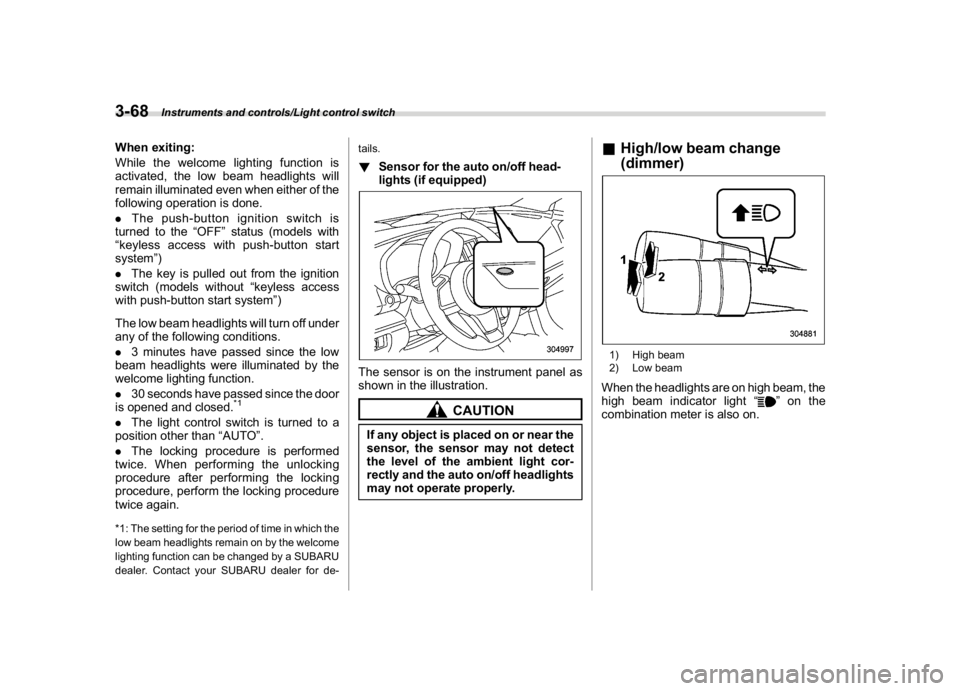
!Sensor for the auto on/off head-
lights (if equipped)The sensor is on the instrument panel as
shown in the illustration.
CAUTION
If any object is placed on or near the
sensor, the sensor may not detect
the level of the ambient light cor-
rectly and the auto on/off headlights
may not operate properly.
&High/low beam change
(dimmer)1) High beam
2) Low beamWhen the headlights are on high beam, the
high beam indicator light“
”on the
combination meter is also on.
Instruments and controls/Light control switch
3-68
Page 202 of 474
(207,1)
北米Model "A1320BE-C" EDITED: 2017/ 10/ 10
&Headlight flasher
CAUTION
Do not hold the lever in the flashing
position for more than just a few
seconds.
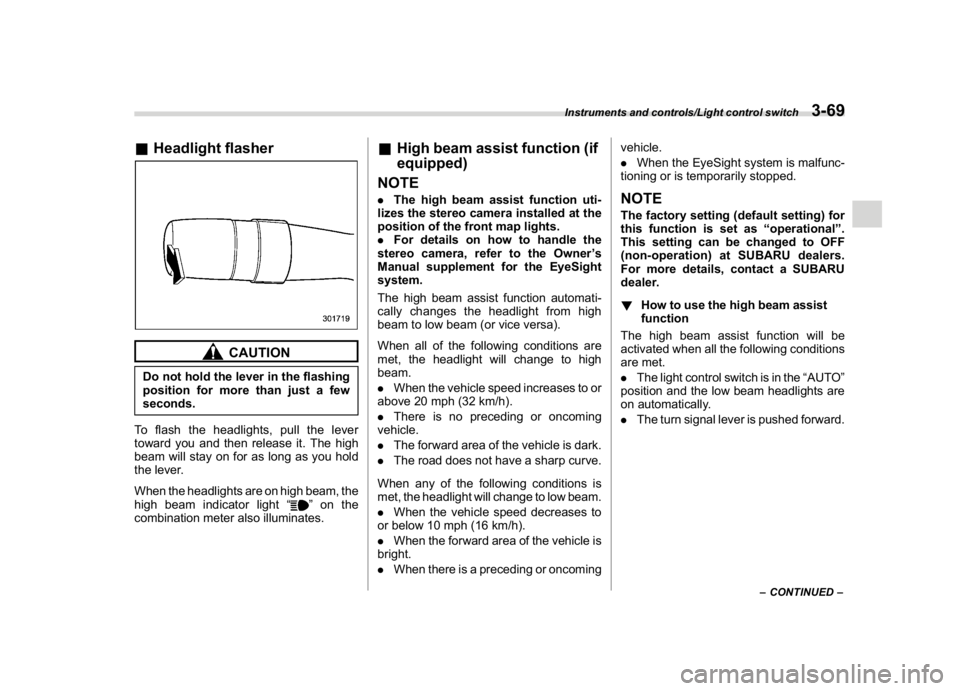
To flash the headlights, pull the lever
toward you and then release it. The high
beam will stay on for as long as you hold
the lever.
When the headlights are on high beam, the
high beam indicator light“
”on the
combination meter also illuminates.
&High beam assist function (if
equipped)
NOTE.The high beam assist function uti-
lizes the stereo camera installed at the
position of the front map lights.
.For details on how to handle the
stereo camera, refer to the Owner’s
Manual supplement for the EyeSight
system.
The high beam assist function automati-
cally changes the headlight from high
beam to low beam (or vice versa).
When all of the following conditions are
met, the headlight will change to high
beam.
.When the vehicle speed increases to or
above 20 mph (32 km/h).
.There is no preceding or oncoming
vehicle.
.The forward area of the vehicle is dark.
.The road does not have a sharp curve.
When any of the following conditions is
met, the headlight will change to low beam.
.When the vehicle speed decreases to
or below 10 mph (16 km/h).
.When the forward area of the vehicle is
bright.
.When there is a preceding or oncomingvehicle.
.When the EyeSight system is malfunc-
tioning or is temporarily stopped.
NOTEThe factory setting (default setting) for
this function is set as“operational”.
This setting can be changed to OFF
(non-operation) at SUBARU dealers.
For more details, contact a SUBARU
dealer.
!How to use the high beam assist
function
The high beam assist function will be
activated when all the following conditions
are met.
.The light control switch is in the“AUTO”
position and the low beam headlights are
on automatically.
.The turn signal lever is pushed forward.
–CONTINUED–
Instruments and controls/Light control switch
3-69
3
Page 204 of 474
(209,1)
北米Model "A1320BE-C" EDITED: 2017/ 10/ 10
and license plate lights will be on.
!Tips for the high beam assist sys-
tem
.The high beam assist function recog-
nizes the conditions surrounding the ve-
hicle based on the brightness of illumina-
tion ahead of your vehicle, etc. Therefore,
the headlight mode may switch in some
situations that do not match to the driver’s
sense.
.A bicycle or cargo cycle may not be
detected.
.Under the following situations, the
brightness of ambient illumination may
not be detected correctly and the high
beam assist function may not work prop-
erly. As a result, the glare of the high beam
maydisturbtheoncomingvehicleor
vehicle ahead. Also, the low beam mode
may continue although there are no
oncoming vehicles and vehicles ahead.
In the such cases, change the headlight
mode manually.
–In bad weather (fog, snow, sand
storm, heavy rain, etc.).
–When the windshield glass is dirty or
fogged.
–When the windshield is cracked or
damaged.
–Whenthestereocameraisde-
formed or the stereo camera lensesare dirty.
–If there are lights similar to the
headlights or the tail lights in the
surrounding area.
–When an oncoming vehicle or ve-
hicle ahead is driven without its head-
lights and tail lights on.
–If the headlights of an oncoming
vehicle or the tail lights of a vehicle
ahead are dirty or discolored, or if the
light beams are not aimed correctly.
–When a rapid change of brightness
continues while driving.
–When driving on a road with many
ups and downs or uneven surfaces.
–When driving on a road with many
curves.
–When there are some objects that
reflect light strongly, such as a road
sign or a mirror in vehicle ahead.
–When the rear part of the vehicle
ahead, such as a container, reflects
light strongly.
–When the headlights of your vehicle
are damaged or dirty.
–When your vehicle is tilted, such as
in case the vehicle has a flat tire or is
being towed.
–Immediately after the engine has
started.
.In the following conditions, the head-
light mode will not be automatically chan-ged from the high beam to the low beam.
–When your vehicle passes an on-
coming vehicle suddenly in a blind
curve.
–When another vehicle passes in
front of your vehicle.
–When an oncoming vehicle or ve-
hicle ahead comes in and out of view
because of continuous curves, median
strips, roadside trees, etc.
.If the stereo camera detects the light of
the front fog lights of an oncoming vehicle,
the headlight mode may change from the
high beam to the low beam automatically.
.The headlight mode may change from
the high beam to the low beam, or the low
beam mode may continue, when affected
by a street light, traffic signal, illumination
of an advertisement board, or a reflective
object such as a road sign and signboard.
.The timing of the change of headlight
mode may differ due to the following
factors.
–Color or brightness of the headlights
of an oncoming vehicle or the tail lights
of a vehicle ahead.
–The headlights of the oncoming
vehicle or the tail lights of the vehicle
ahead are covered with mud, snow,
etc.
–Movement and direction of an on-
coming vehicle or a vehicle ahead.
–CONTINUED–
Instruments and controls/Light control switch
3-71
3
Page 205 of 474
(210,1)
北米Model "A1320BE-C" EDITED: 2017/ 10/ 10
–When the headlights of an oncom-
ing vehicle or the tail lights of a vehicle
ahead illuminate on only one side.
–When the oncoming vehicle or
vehicle ahead is a motorcycle.
–Conditions of a road (slope, curve,
road surface, etc.).
–Number of passengers and weight
of loaded cargo.
–Limitation of the detection ability of
the stereo camera.
&Daytime running light system
WARNING
When the daytime running lights are
illuminated, the tail lights do not
illuminate. When it becomes dark
outside, turn the light switch to the
“
”position to illuminate the head-
lights and tail lights. This will im-
prove visibility and allow other dri-
vers to see your vehicle more easily.
The daytime running lights will automati-
cally illuminate when the following condi-
tions are fulfilled.
.The engine is running.
.The parking brake is fully released.
.The light control switch is in the“AUTO”
(if equipped),“
”or off position..For CVT models, the select lever is in a
position other than the“P”position.
NOTEWhen the light switch is in the“
”
position, the instrument panel illumina-
tion, front side marker lights, tail lights
and license plate lights are also illumi-
nated.
Steering Responsive Head-
light (SRH) (if equipped)1) The target area of illumination when SRH
is activated
2) The target area of illumination when SRH
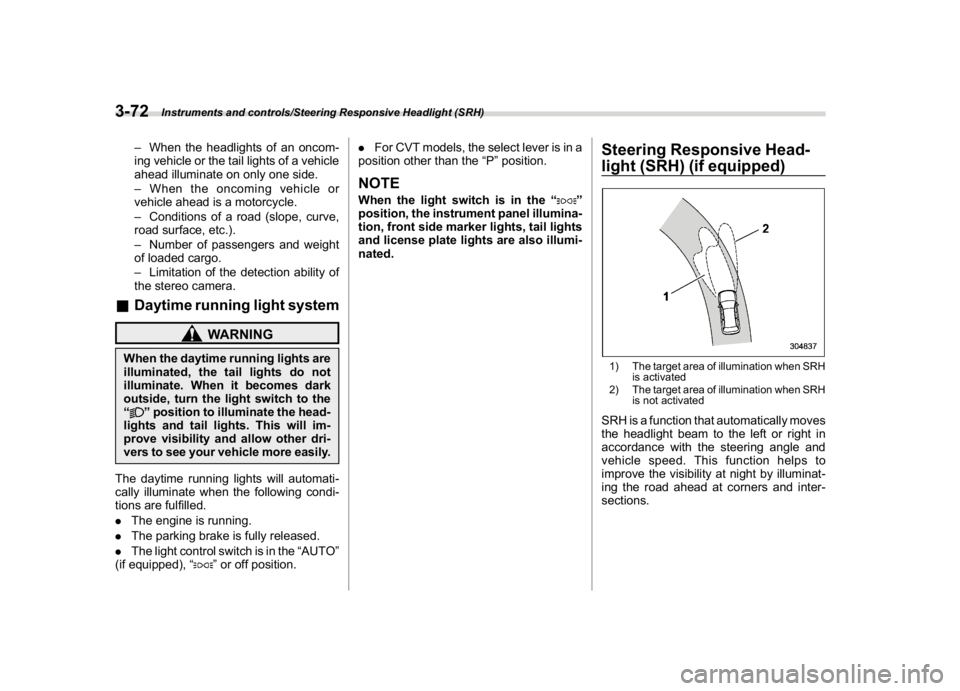
is not activatedSRH is a function that automatically moves
the headlight beam to the left or right in
accordance with the steering angle and
vehicle speed. This function helps to
improve the visibility at night by illuminat-
ing the road ahead at corners and inter-
sections.
Instruments and controls/Steering Responsive Headlight (SRH)
3-72