flat tire TOYOTA BZ4X 2022 (in English) Owner's Manual
[x] Cancel search | Manufacturer: TOYOTA, Model Year: 2022, Model line: BZ4X, Model: TOYOTA BZ4X 2022Pages: 674, PDF Size: 120.02 MB
Page 483 of 674
481
7
Owners Manual_Europe_M42D76_en
7-3. Do-it-yourself maintenance
Maintenance and care
7Press or of the meter
control switches and select
“OK”, and then press “OK”.
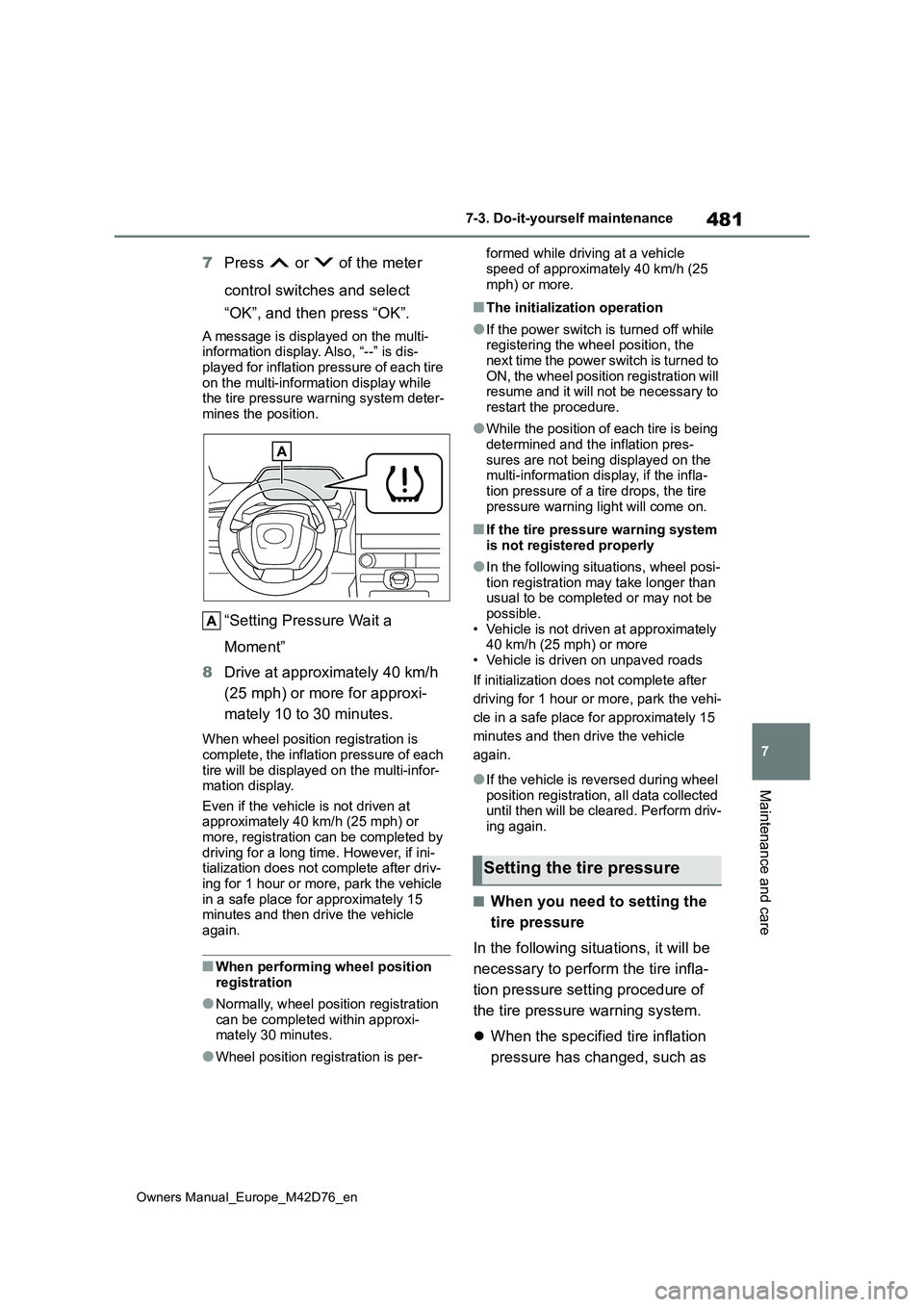
A message is displayed on the multi- information display. Also, “--” is dis-
played for inflation pressure of each tire on the multi-information display while the tire pressure warning system deter-
mines the position.
“Setting Pressure Wait a
Moment”
8 Drive at approximately 40 km/h
(25 mph) or more for approxi-
mately 10 to 30 minutes.
When wheel position registration is
complete, the inflation pressure of each tire will be displayed on the multi-infor-mation display.
Even if the vehicle is not driven at approximately 40 km/h (25 mph) or more, registration can be completed by
driving for a long time. However, if ini- tialization does not complete after driv-ing for 1 hour or more, park the vehicle
in a safe place for approximately 15 minutes and then drive the vehicle again.
■When performing wheel position
registration
●Normally, wheel position registration
can be completed within approxi- mately 30 minutes.
●Wheel position registration is per-
formed while driving at a vehicle
speed of approximately 40 km/h (25 mph) or more.
■The initialization operation
●If the power switch is turned off while registering the wheel position, the next time the power switch is turned to
ON, the wheel position registration will resume and it will not be necessary to restart the procedure.
●While the position of each tire is being determined and the inflation pres-
sures are not being displayed on the multi-information display, if the infla-tion pressure of a tire drops, the tire
pressure warning light will come on.
■If the tire pressure warning system is not registered properly
●In the following situations, wheel posi-tion registration may take longer than usual to be completed or may not be
possible. • Vehicle is not driven at approximately 40 km/h (25 mph) or more
• Vehicle is driven on unpaved roads
If initialization does not complete after
driving for 1 hour or more, park the vehi-
cle in a safe place for approximately 15
minutes and then drive the vehicle
again.
●If the vehicle is reversed during wheel
position registration, all data collected until then will be cleared. Perform driv-ing again.
■When you need to setting the
tire pressure
In the following situations, it will be
necessary to perform the tire infla-
tion pressure setting procedure of
the tire pressure warning system.
When the specified tire inflation
pressure has changed, such as
Setting the tire pressure
Page 484 of 674
482
Owners Manual_Europe_M42D76_en
7-3. Do-it-yourself maintenance
due to carried load, etc.
When the tire inflation pressure
is changed such as when the tire
size is changed.
If the tire inflation pressure has
been adjusted to the specified
level, perform the tire inflation set-
ting procedure by selecting speci-
fied inflation pressure on the multi-
information display.
When the tire inflation pressure is
to be other than specified, such as
when tires other than the specified
size are used, etc., set the tire infla-
tion pressure using the current
pressure. Make sure to adjust the
tire inflation pressure of each tire to
the appropriate level before per-
forming tire pressure setting. The
tire pressure warning system oper-
ates based on this tire inflation
pressure.
■Setting by selecting a speci-
fied tire inflation pressure
1 Start the EV system (P.243)
The tire inflation pressure cannot be set while the vehicle is moving.
2 Press or of the meter
control switches and select .
3 Press or of the meter
control switches and select
“Vehicle Settings”, and then
press and hold the “OK”.
4 Press or of the meter
control switches and select
“TPWS Setting”, and then press
“OK”.
5 Press or of the meter
control switches and select
“Tyre Pressure Setting”, and
then press “OK”.
6 Press or of the meter
control switches and select “Set-
ting by Specified Pressure”, and
then press “OK”.
Select the desired front and rear tire
pressures.
7 Press or of the meter
control switches and select
“OK”, and then press “OK”.
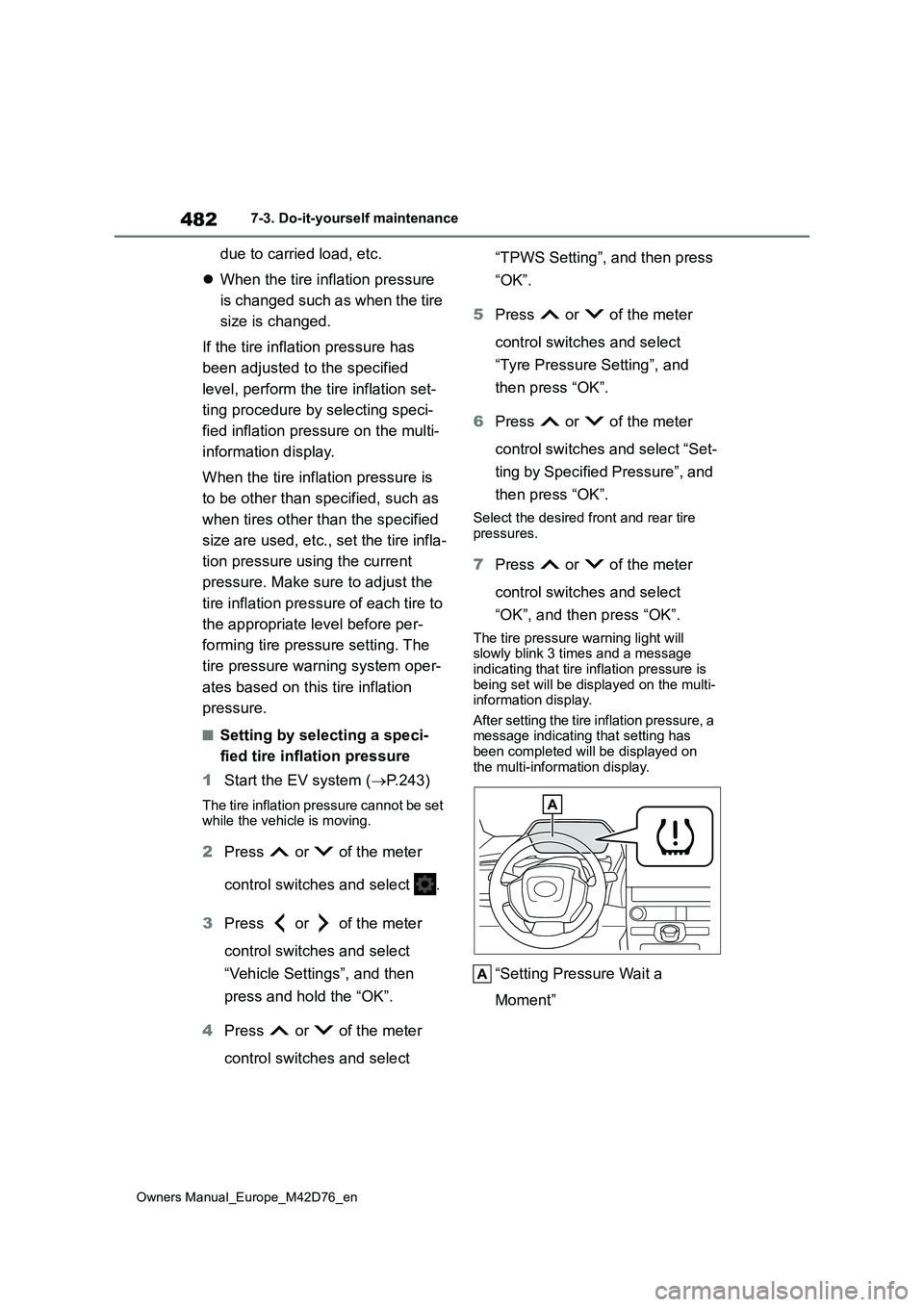
The tire pressure warning light will slowly blink 3 times and a message
indicating that tire inflation pressure is being set will be displayed on the multi-information display.
After setting the tire inflation pressure, a message indicating that setting has been completed will be displayed on
the multi-information display.
“Setting Pressure Wait a
Moment”
Page 485 of 674
483
7
Owners Manual_Europe_M42D76_en
7-3. Do-it-yourself maintenance
Maintenance and care
■Setting using the current tire
inflation pressure
1 Adjust the tire inflation pressure
to the specified cold tire inflation
pressure level.
Make sure to adjust the tire pressure to
the specified cold tire inflation pressure level. The tire pressure warning system will operate based on this pressure
level.
2 Start the EV system (P.243)
The tire inflation pressure cannot be set while the vehicle is moving.
3 Press or of the meter
control switches and select .
4 Press or of the meter
control switches and select
“Vehicle Settings”, and then
press and hold the “OK”.
5 Press or of the meter
control switches and select
“TPWS Setting”, and then press
“OK”.
6 Press or of the meter
control switches and select
“Tyre Pressure Setting”, and
then press “OK”.
7 Press or of the meter
control switches and select “Set-
ting by Current Pressure” and
then press “OK”.
8 Press or of the meter
control switches and select
“OK”, and then press “OK”.
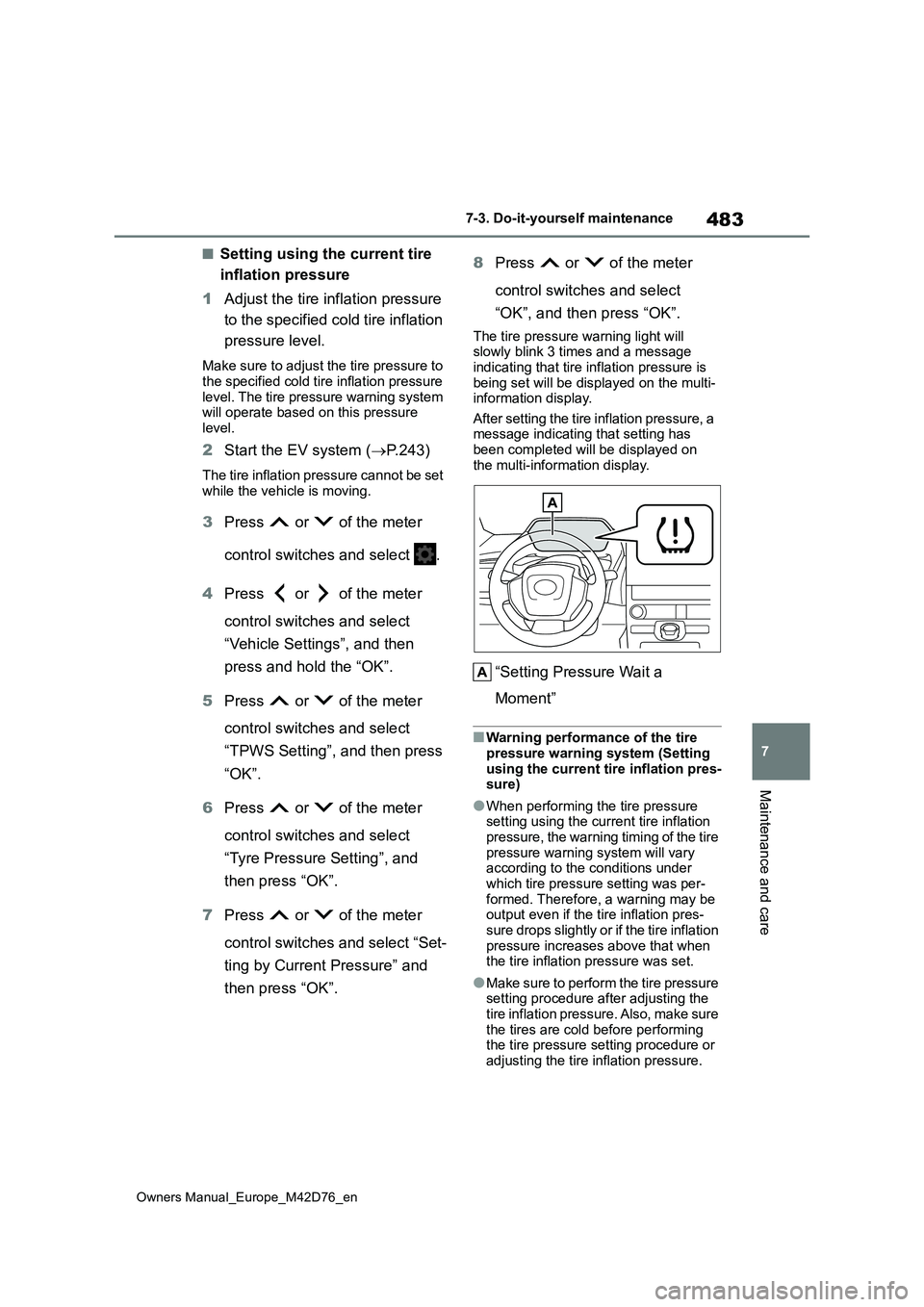
The tire pressure warning light will slowly blink 3 times and a message
indicating that tire inflation pressure is being set will be displayed on the multi-information display.
After setting the tire inflation pressure, a message indicating that setting has been completed will be displayed on
the multi-information display.
“Setting Pressure Wait a
Moment”
■Warning performance of the tire pressure warning system (Setting
using the current tire inflation pres- sure)
●When performing the tire pressure setting using the current tire inflation pressure, the warning timing of the tire
pressure warning system will vary according to the conditions under which tire pressure setting was per-
formed. Therefore, a warning may be output even if the tire inflation pres-
sure drops slightly or if the tire inflation pressure increases above that when the tire inflation pressure was set.
●Make sure to perform the tire pressure setting procedure after adjusting the
tire inflation pressure. Also, make sure the tires are cold before performing the tire pressure setting procedure or
adjusting the tire inflation pressure.
Page 486 of 674
484
Owners Manual_Europe_M42D76_en
7-3. Do-it-yourself maintenance
■Tire inflation pressure setting pro-
cedure (Setting using the current tire inflation pressure)
●If the power switch is turned off while setting the tire inflation pressure, the next time the power switch is turned to
ON, the setting procedure will resume and it will not be necessary to restart the procedure.
●If the tire inflation pressure setting procedure is started unnecessarily,
adjust the tire inflation pressure to the specified level with the tires cold and then perform setting by selecting a
specified tire inflation pressure, or per- form the tire inflation pressure setting procedure with the current tire inflation
pressure.
■If the tire inflation pressure cannot be set properly
●Normally, the tire inflation pressure setting procedure can be completed in 2 or 3 minutes.
●If the tire pressure warning light does not blink 3 times when starting the tire
inflation pressure setting procedure, the procedure may not have started. Perform the procedure again from the
beginning.
●If tire inflation pressure setting proce-
dure cannot be completed after per- forming the above procedure, contact by any authorized Toyota retailer or
Toyota authorized repairer, or any reli- able repairer.
■When the registering ID codes
The tire pressure warning valve
and transmitter is equipped with a
unique ID code.
When new tire pressure warning
valves and transmitters are
installed, new ID codes must be
registered in the tire pressure warn-
ing computer.
■How to registration ID code
1 Park the vehicle in a safe place,
wait for approximately 15 min-
utes.
2 Start the EV system. (P.243)
The ID code registration procedure
cannot be performed while the vehicle is moving.
3 Press or of the meter
control switches and select .
4 Press or of the meter
control switches and select
“Vehicle Settings”, and then
press and hold the “OK”.
5 Press or of the meter
control switches and select
“TPWS Setting”, and then press
“OK”.
6 Press or of the meter
control switches and select
“Tyre Set Switching”, and then
press “OK”.
WARNING
■When setting using the current
tire inflation pressure
Make sure to adjust the tire inflation pressure of each tire to the appropri-
ate level before performing tire pres- sure setting. Otherwise, the tire pressure warning light may not illumi-
nate even if the tire inflation pressure drops or may illuminate even though the tire inflation pressure is normal.
Registering ID codes
Page 487 of 674
485
7
Owners Manual_Europe_M42D76_en
7-3. Do-it-yourself maintenance
Maintenance and care
7Press or of the meter
control switches and select
“Register New Valve/ID” and
then press “OK”.
8 Check if the desired wheel set
(“Tyre Set 1” or “Tyre Set 2”) is
displayed.
ID codes will be registered to the dis- played wheel set.
To change the wheel set to be regis-
tered, press or of the meter
control switches, and then select the
wheel set you wish to register.
If ID codes have already been regis-
tered for that wheel set, the tire pres- sure warning light will slowly blink 3 times, and a message indicating that
change is occurring will be displayed on the multi-information display.
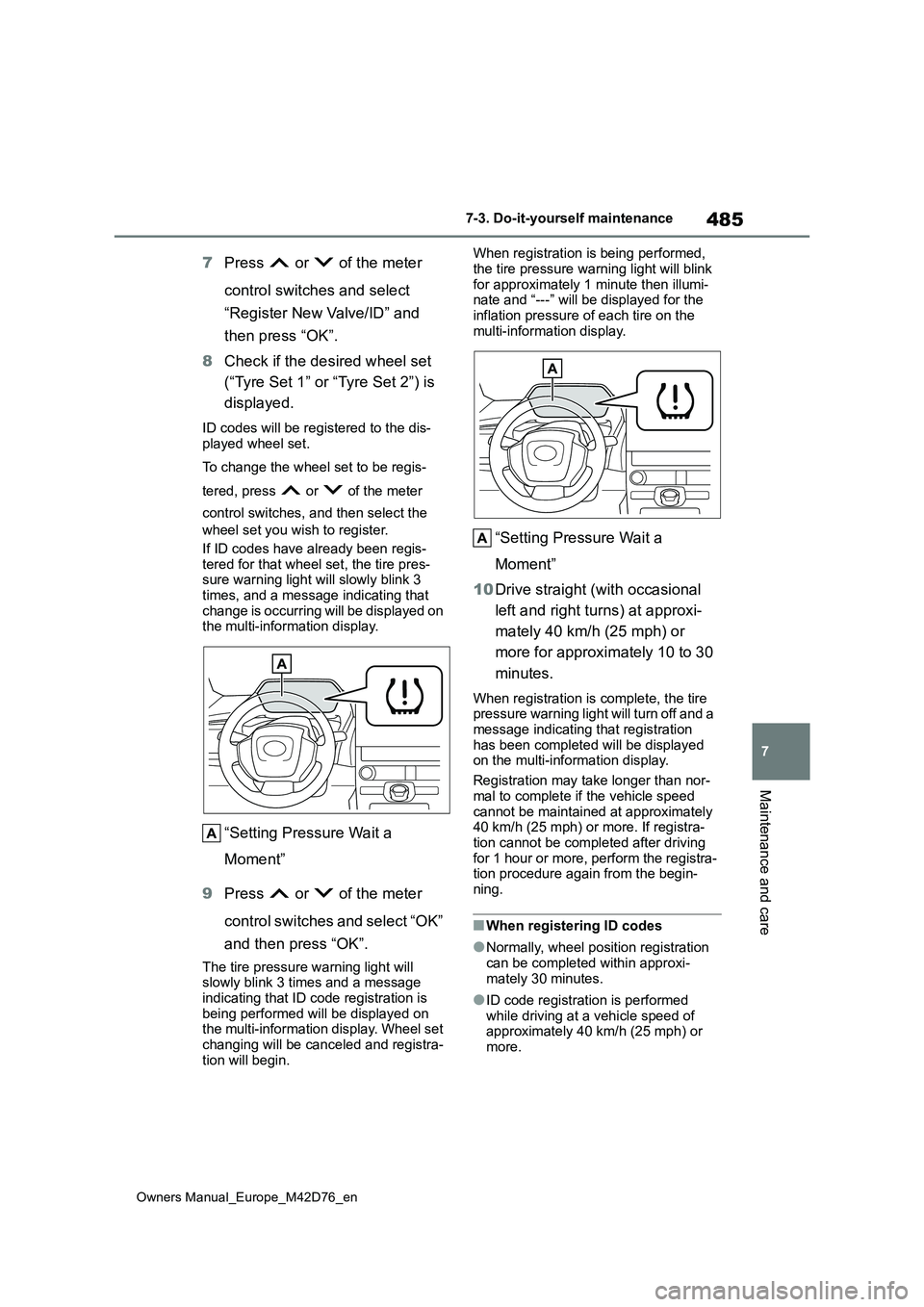
“Setting Pressure Wait a
Moment”
9 Press or of the meter
control switches and select “OK”
and then press “OK”.
The tire pressure warning light will slowly blink 3 times and a message
indicating that ID code registration is being performed will be displayed on the multi-information display. Wheel set
changing will be canceled and registra- tion will begin.
When registration is being performed,
the tire pressure warning light will blink for approximately 1 minute then illumi-nate and “---” will be displayed for the
inflation pressure of each tire on the multi-information display.
“Setting Pressure Wait a
Moment”
10 Drive straight (with occasional
left and right turns) at approxi-
mately 40 km/h (25 mph) or
more for approximately 10 to 30
minutes.
When registration is complete, the tire pressure warning light will turn off and a message indicating that registration
has been completed will be displayed on the multi-information display.
Registration may take longer than nor-
mal to complete if the vehicle speed cannot be maintained at approximately 40 km/h (25 mph) or more. If registra-
tion cannot be completed after driving for 1 hour or more, perform the registra-tion procedure again from the begin-
ning.
■When registering ID codes
●Normally, wheel position registration
can be completed within approxi- mately 30 minutes.
●ID code registration is performed while driving at a vehicle speed of approximately 40 km/h (25 mph) or
more.
Page 489 of 674
487
7
Owners Manual_Europe_M42D76_en
7-3. Do-it-yourself maintenance
Maintenance and care
is not supported.
While registering ID codes, it
may not be possible to change
between wheel sets normally.
Cancel registration before
changing between wheel sets.
■How to change between wheel
sets
1 Install the desired wheel set.
2 Start the EV system. (P.243)
The ID code selecting procedure can- not be performed while the vehicle is moving.
3 Press or of the meter
control switches and select .
4 Press or of the meter
control switches and select
“Vehicle Settings”, and then
press and hold the “OK”.
5 Press or of the meter
control switches and select
“TPWS Setting”, and then press
“OK”.
6 Press or of the meter
control switches and select
“Tyre Set Switching”, and then
press “OK”.
7 Press or of the meter
control switches and select
“Register Valve/ID” and then
press “OK”.
8 Press or of the meter
control switches and wheel set
(“Tyre Set 1” or “Tyre Set 2”) is
selected.
9 Press or of the meter
control switches and select “OK”
and then press “OK”. The tire
pressure warning light will
slowly blink 3 times, a message
indicating that change is occur-
ring will be displayed, and the
wheel set change will begin.
Wheel set change will begin and the tire
pressure warning light will blink for 1 minute and then illuminate. Also, while the change is being performed, “---” will
be displayed for the tire inflation pres- sure of each tire on the multi-informa-tion display.
After approximately 2 minutes, the wheel set change will complete, the tire pressure warning light will turn off, and
a completion message will be displayed on the multi-information display.
If changing does not complete after
approximately 4 minutes, a message indicating that the change could not be completed will be displayed.
Check which wheel set is installed and perform the change procedure again from the beginning.
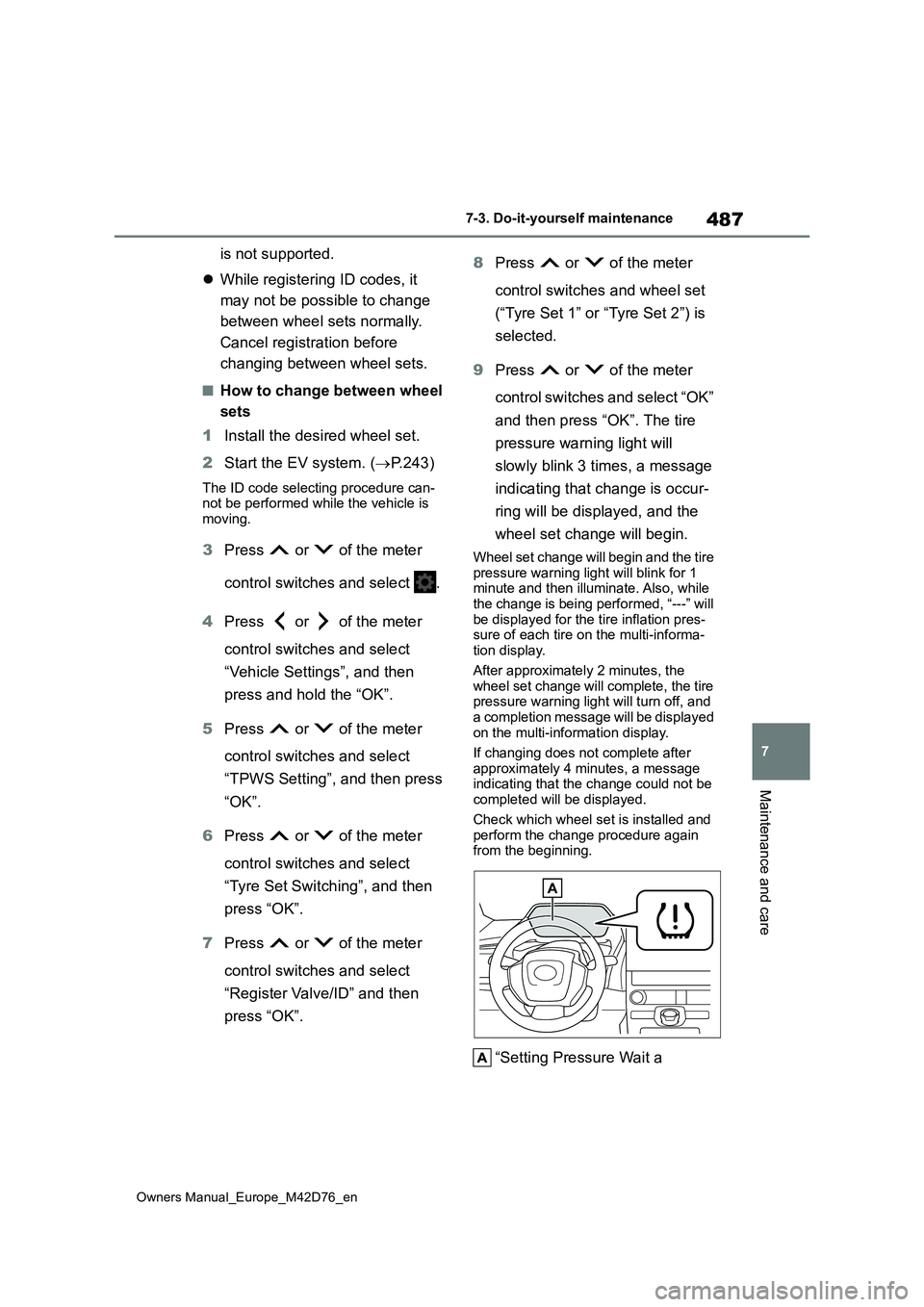
“Setting Pressure Wait a
Page 490 of 674
488
Owners Manual_Europe_M42D76_en
7-3. Do-it-yourself maintenance
Moment”
10 If the specified tire inflation pres-
sure of the wheel set installed
differs from that of the previous
set, it will be necessary to per-
form the tire inflation pressure
setting procedure of the tire
pressure warning system.
If the specified tire inflation pressure is
the same, it will not be necessary to perform the tire inflation pressure set-ting procedure.
11 Register the position of each
wheel.
Stop the vehicle in a safe place
on a hard, flat surface.
Set the parking brake.
Shift the shift position to P.
Turn off the intrusion sensor and
tilt sensor (if equipped) ( P. 7 8 )
Stop the EV system.
Vehicles with power back door:
Turn off the power back door
system. ( P. 2 0 2 )
■Tools
As your vehicle is equipped with an
emergency tire puncture repair kit, the following tools for replacing a tire are not included with your vehicle. They can be
purchased at any authorized Toyota retailer or Toyota authorized repairer, or any reliable repairer.
●Jack
●Jack handle
Replacing the tire
When raising your vehicle with
a jack, position the jack cor-
rectly.
Improper placement may dam-
age your vehicle or cause
injury.
If necessary tire replacement
seems difficult to perform,
contact any authorized Toyota
retailer or Toyota authorized
repairer, or any reliable
repairer.
Before jacking up the vehi-
cle
Page 492 of 674
490
Owners Manual_Europe_M42D76_en
7-3. Do-it-yourself maintenance
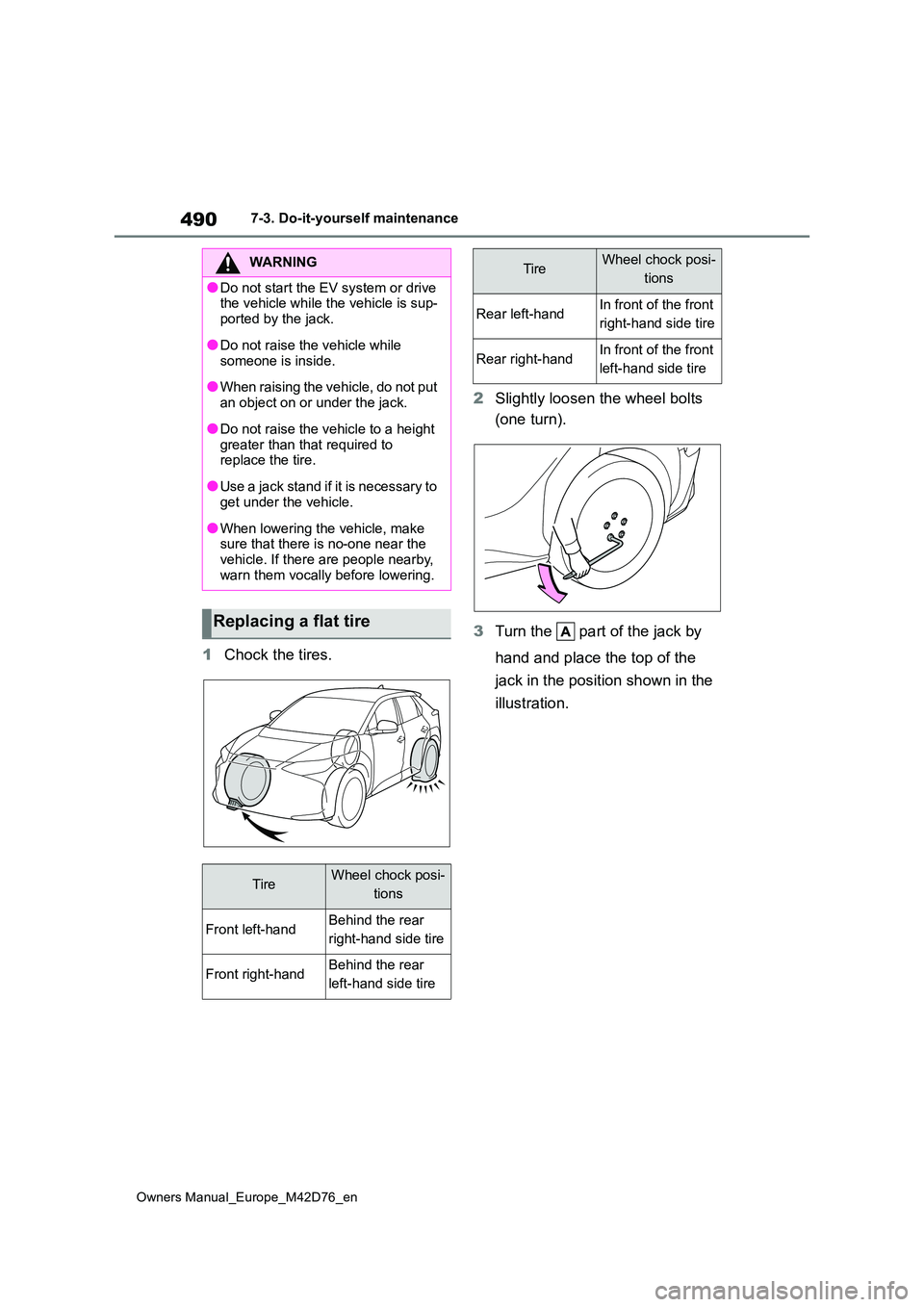
1Chock the tires.
2 Slightly loosen the wheel bolts
(one turn).
3 Turn the part of the jack by
hand and place the top of the
jack in the position shown in the
illustration.
WARNING
●Do not start the EV system or drive the vehicle while the vehicle is sup-
ported by the jack.
●Do not raise the vehicle while
someone is inside.
●When raising the vehicle, do not put
an object on or under the jack.
●Do not raise the vehicle to a height
greater than that required to replace the tire.
●Use a jack stand if it is necessary to get under the vehicle.
●When lowering the vehicle, make sure that there is no-one near the vehicle. If there are people nearby,
warn them vocally before lowering.
Replacing a flat tire
TireWheel chock posi-
tions
Front left-handBehind the rear
right-hand side tire
Front right-handBehind the rear
left-hand side tire
Rear left-handIn front of the front
right-hand side tire
Rear right-handIn front of the front
left-hand side tire
TireWheel chock posi-
tions
Page 494 of 674
492
Owners Manual_Europe_M42D76_en
7-3. Do-it-yourself maintenance
1Remove any dirt or foreign mat-
ter from the wheel contact sur-
face.
If foreign matter is on the wheel contact
surface, the wheel bolts may loosen while the vehicle is in motion, causing
WARNING
■Replacing a flat tire
●Do not touch the disc wheels or the
area around the brakes immedi- ately after the vehicle has been driven.
After the vehicle has been driven the disc wheels and the area around the brakes will be extremely
hot. Touching these areas with hands, feet or other body parts while changing a tire, etc. may
result in burns.
●Failure to follow these precautions
could cause the wheel bolts to loosen and the tire to fall off, result-ing in death or serious injury.
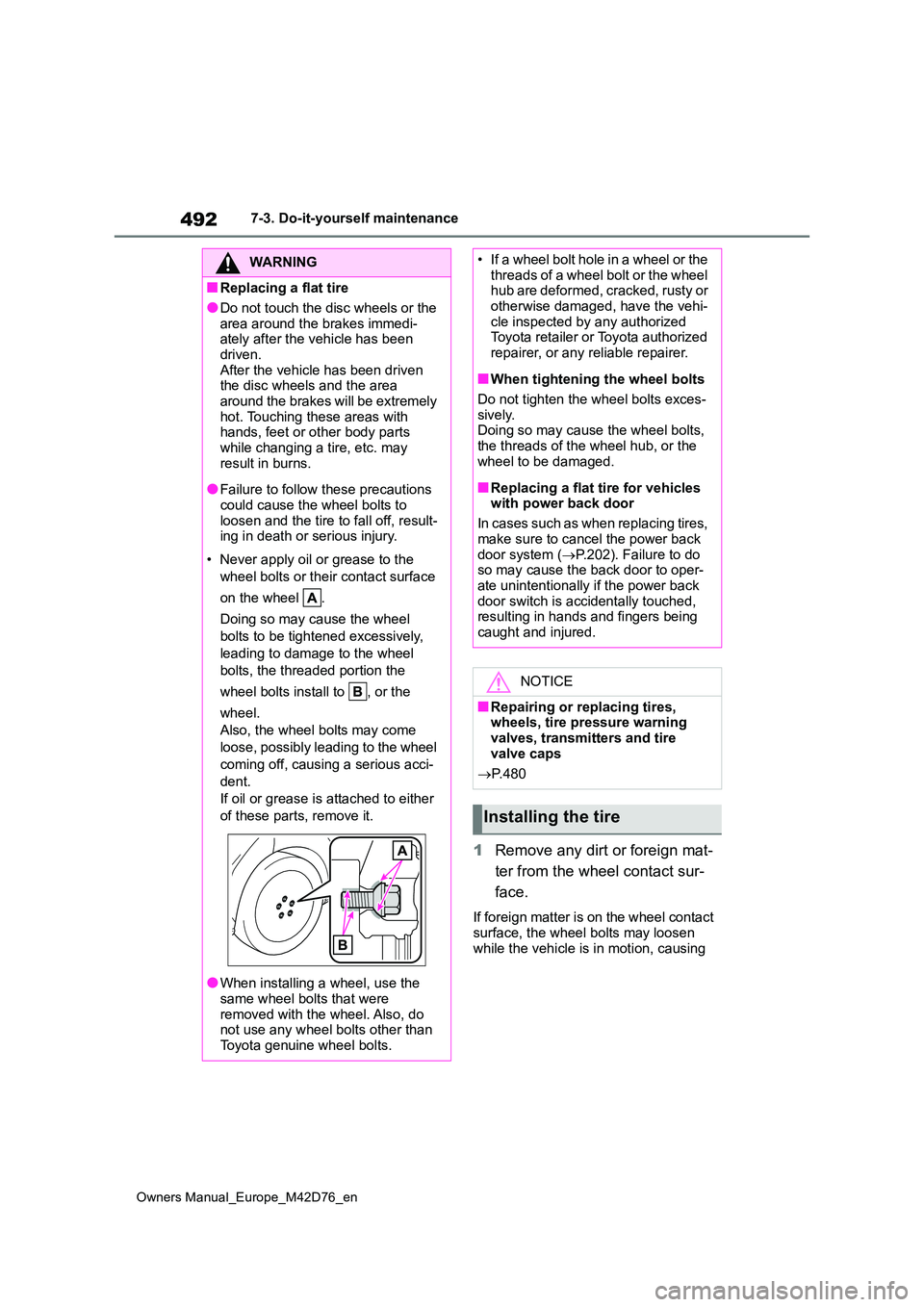
• Never apply oil or grease to the
wheel bolts or their contact surface
on the wheel .
Doing so may cause the wheel
bolts to be tightened excessively,
leading to damage to the wheel
bolts, the threaded portion the
wheel bolts install to , or the
wheel.
Also, the wheel bolts may come
loose, possibly leading to the wheel
coming off, causing a serious acci-
dent.
If oil or grease is attached to either
of these parts, remove it.
●When installing a wheel, use the
same wheel bolts that were removed with the wheel. Also, do not use any wheel bolts other than
Toyota genuine wheel bolts.
• If a wheel bolt hole in a wheel or the threads of a wheel bolt or the wheel hub are deformed, cracked, rusty or
otherwise damaged, have the vehi- cle inspected by any authorized Toyota retailer or Toyota authorized
repairer, or any reliable repairer.
■When tightening the wheel bolts
Do not tighten the wheel bolts exces- sively.Doing so may cause the wheel bolts,
the threads of the wheel hub, or the wheel to be damaged.
■Replacing a flat tire for vehicles with power back door
In cases such as when replacing tires,
make sure to cancel the power back door system ( P.202). Failure to do so may cause the back door to oper-
ate unintentionally if the power back door switch is accidentally touched, resulting in hands and fingers being
caught and injured.
NOTICE
■Repairing or replacing tires, wheels, tire pressure warning
valves, transmitters and tire valve caps
P. 4 8 0
Installing the tire
Page 496 of 674
494
Owners Manual_Europe_M42D76_en
7-3. Do-it-yourself maintenance
■Effects of incorrect tire inflation
pressure
Driving with incorrect tire inflation pres- sure may result in the following:
●Reduced electricity consumption effi-ciency
●Reduced driving comfort and poor handling
●Reduced tire life due to wear
●Reduced safety
●Damage to the drive train
If a tire needs frequent inflating, have it checked by any authorized Toyota retailer or Toyota authorized repairer, or
any reliable repairer.
■Instructions for checking tire infla- tion pressure
When checking tire inflation pressure,
observe the following:
●Check only when the tires are cold.
If your vehicle has been parked for at least 3 hours or has not been driven for more than 1.5 km or 1 mile, you
will get an accurate cold tire inflation pressure reading.
●Always use a tire pressure gauge.It is difficult to judge if a tire is properly inflated based only on its appearance.
●It is normal for the tire inflation pres-sure to be higher after driving as heat
is generated in the tire. Do not reduce tire inflation pressure after driving.
●Passengers and luggage weight
should be placed so that the vehicle is balanced.
Tire inflation pressure
Make sure to maintain proper
tire inflation pressure. Tire
inflation pressure should be
checked at least once per
month. However, Toyota rec-
ommends that tire inflation
pressure be checked once
every two weeks.
WARNING
■Proper inflation is critical to save
tire performance
Keep your tires properly inflated. If the tires are not properly inflated,
the following conditions may occur which could lead to an accident resulting in death or serious injury:
●Excessive wear
●Uneven wear
●Poor handling
●Possibility of blowouts resulting from overheated tires
●Air leaking from between tire and wheel
●Wheel deformation and/or tire dam-age
●Greater possibility of tire damage while driving (due to road hazards, expansion joints, sharp edges in the
road, etc.)
NOTICE
■When inspecting and adjusting tire inflation pressure
Be sure to put the tire valve caps back
on. If a valve cap is not installed, dirt or moisture may get into the valve and
cause an air leak, resulting in decreased tire inflation pressure.