open TOYOTA BZ4X 2023 Owner's Manual
[x] Cancel search | Manufacturer: TOYOTA, Model Year: 2023, Model line: BZ4X, Model: TOYOTA BZ4X 2023Pages: 628, PDF Size: 11.91 MB
Page 106 of 628
1062-2. Charging
Owners Manual_USA_M42C01_en
P.102
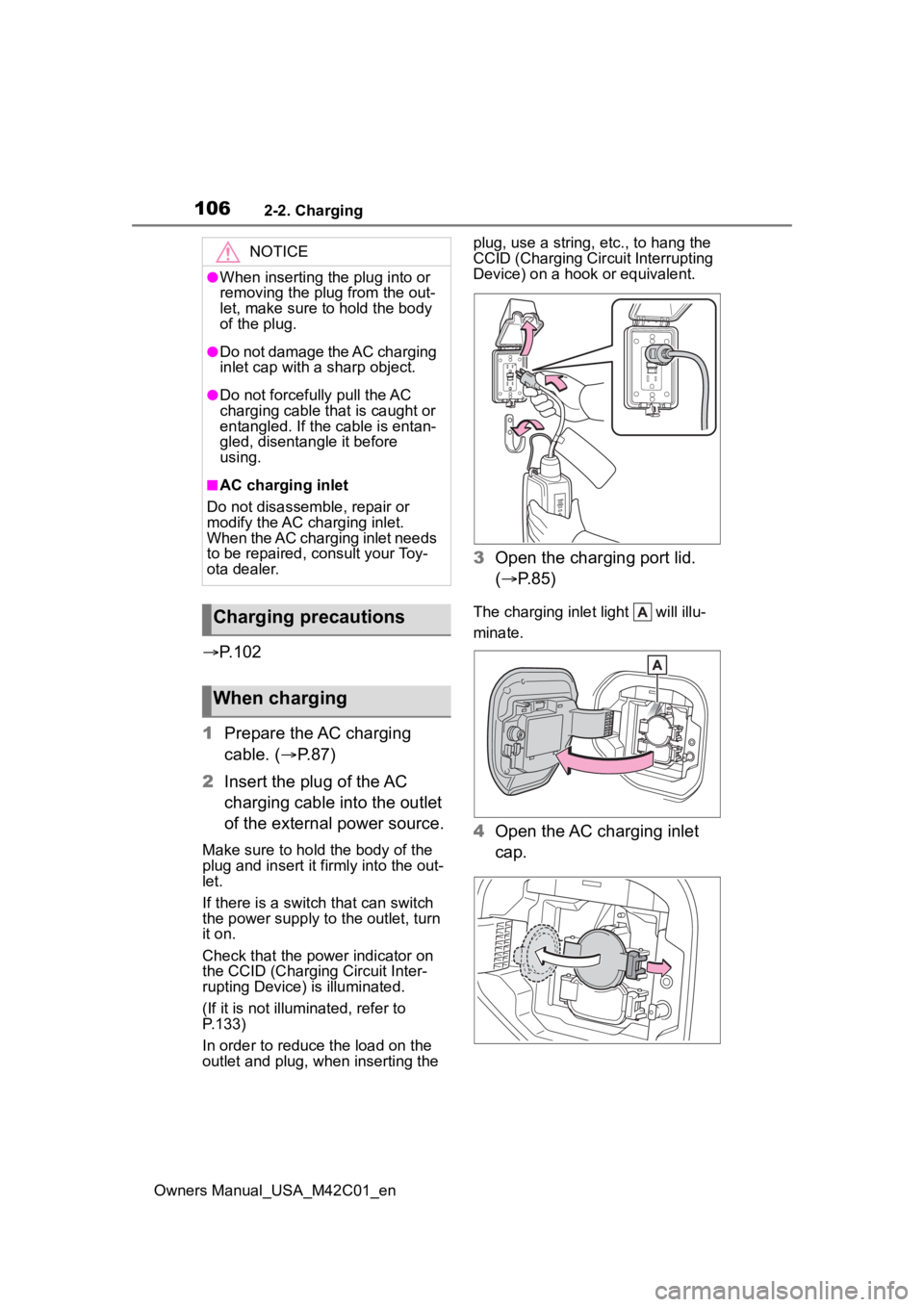
1 Prepare the AC charging
cable. ( P.87)
2 Insert the plug of the AC
charging cable into the outlet
of the external power source.
Make sure to hold the body of the
plug and insert it firmly into the out-
let.
If there is a switch that can switch
the power supply to the outlet, turn
it on.
Check that the power indicator on
the CCID (Charging Circuit Inter-
rupting Device) is illuminated.
(If it is not illuminated, refer to
P.133)
In order to reduce the load on the
outlet and plug, when inserting the plug, use a string, e
tc., to hang the
CCID (Charging Cir cuit Interrupting
Device) on a hook or equivalent.
3 Open the charging port lid.
( P.85)
The charging inlet light will illu-
minate.
4Open the AC charging inlet
cap.
NOTICE
●When inserting the plug into or
removing the plug from the out-
let, make sure to hold the body
of the plug.
●Do not damage the AC charging
inlet cap with a sharp object.
●Do not forcefully pull the AC
charging cable that is caught or
entangled. If the cable is entan-
gled, disentangle it before
using.
■AC charging inlet
Do not disassemble, repair or
modify the AC charging inlet.
When the AC charging inlet needs
to be repaired, consult your Toy-
ota dealer.
Charging precautions
When charging
Page 107 of 628
1072-2. Charging
Owners Manual_USA_M42C01_en
2
Electric Vehicle system
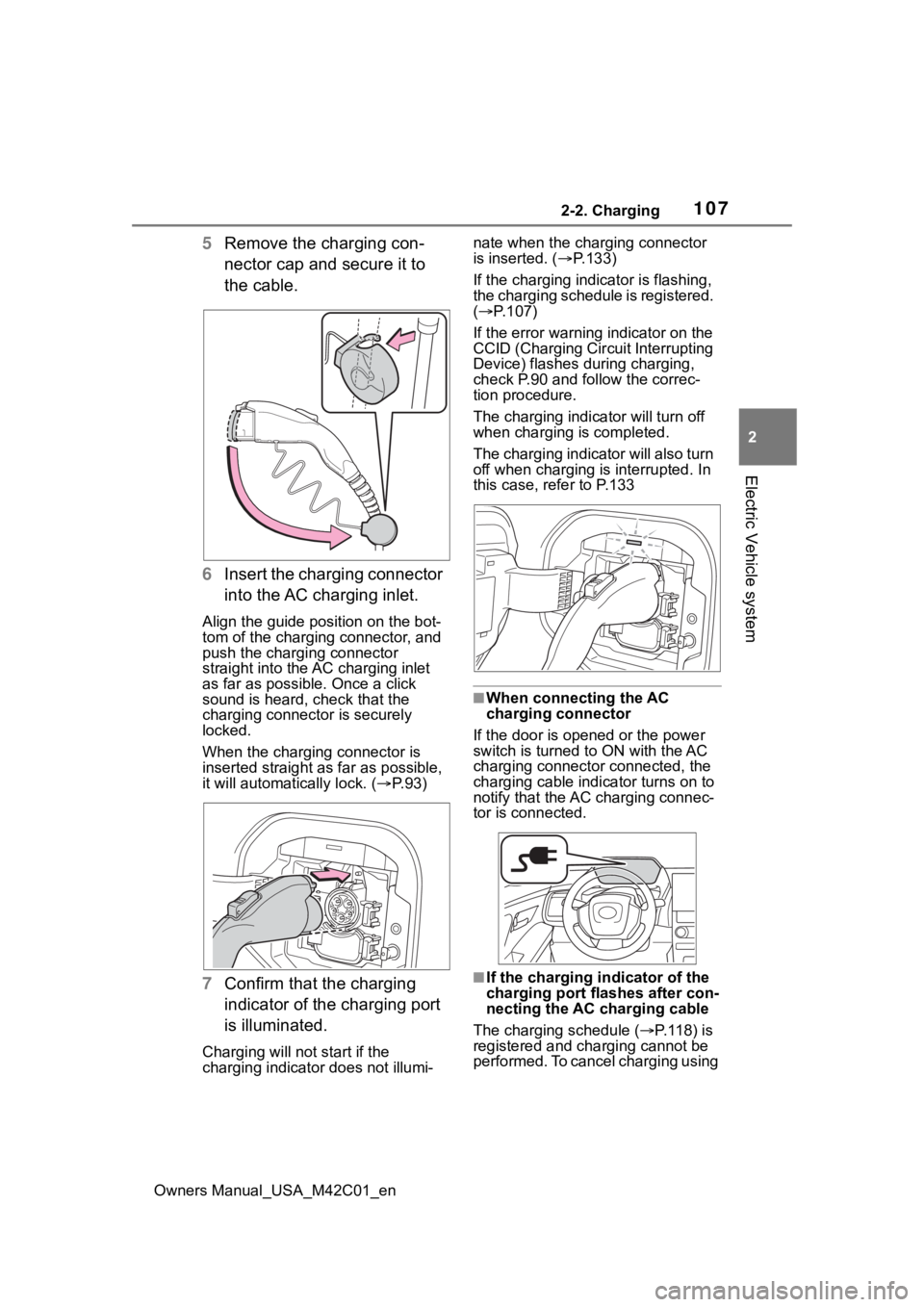
5 Remove the charging con-
nector cap and secure it to
the cable.
6 Insert the charging connector
into the AC charging inlet.
Align the guide position on the bot-
tom of the charging connector, and
push the charging connector
straight into the AC charging inlet
as far as possible. Once a click
sound is heard, check that the
charging connector is securely
locked.
When the charging connector is
inserted straight as far as possible,
it will automatically lock. ( P. 9 3 )
7 Confirm that the charging
indicator of the charging port
is illuminated.
Charging will not start if the
charging indicator does not illumi- nate when the charging connector
is inserted. (
P.133)
If the charging indicator is flashing,
the charging schedule is registered.
( P.107)
If the error warning indicator on the
CCID (Charging Cir cuit Interrupting
Device) flashes during charging,
check P.90 and follow the correc-
tion procedure.
The charging indicator will turn off
when charging is completed.
The charging indicator will also turn
off when charging is interrupted. In
this case, refer to P.133
■When connecting the AC
charging connector
If the door is opene d or the power
switch is turned to ON with the AC
charging connector connected, the
charging cable indicator turns on to
notify that the AC charging connec-
tor is connected.
■If the charging i ndicator of the
charging port flashes after con-
necting the AC charging cable
The charging schedule ( P. 1 1 8 ) i s
registered and charging cannot be
performed. To cancel charging using
Page 113 of 628
1132-2. Charging
Owners Manual_USA_M42C01_en
2
Electric Vehicle system
P.102
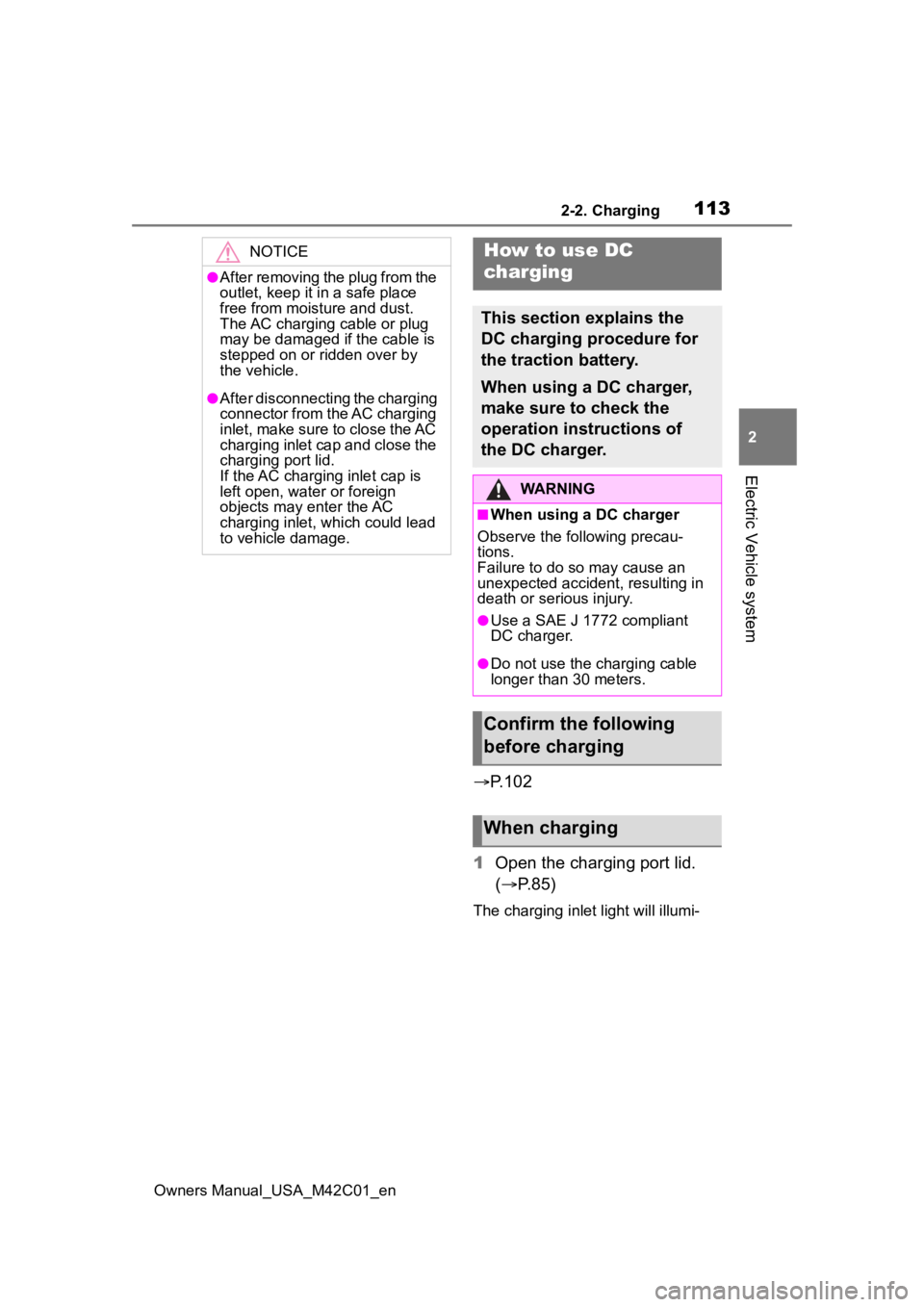
1 Open the charging port lid.
( P.85)
The charging inlet light will illumi-
NOTICE
●After removing the plug from the
outlet, keep it in a safe place
free from moisture and dust.
The AC charging cable or plug
may be damaged if the cable is
stepped on or ridden over by
the vehicle.
●After disconnecting the charging
connector from the AC charging
inlet, make sure to close the AC
charging inlet cap and close the
charging port lid.
If the AC charging inlet cap is
left open, water or foreign
objects may enter the AC
charging inlet, which could lead
to vehicle damage.
How to use DC
charging
This section explains the
DC charging procedure for
the traction battery.
When using a DC charger,
make sure to check the
operation instructions of
the DC charger.
WARNING
■When using a DC charger
Observe the following precau-
tions.
Failure to do so may cause an
unexpected accident, resulting in
death or serious injury.
●Use a SAE J 1772 compliant
DC charger.
●Do not use the charging cable
longer than 30 meters.
Confirm the following
before charging
When charging
Page 114 of 628
1142-2. Charging
Owners Manual_USA_M42C01_ennate.
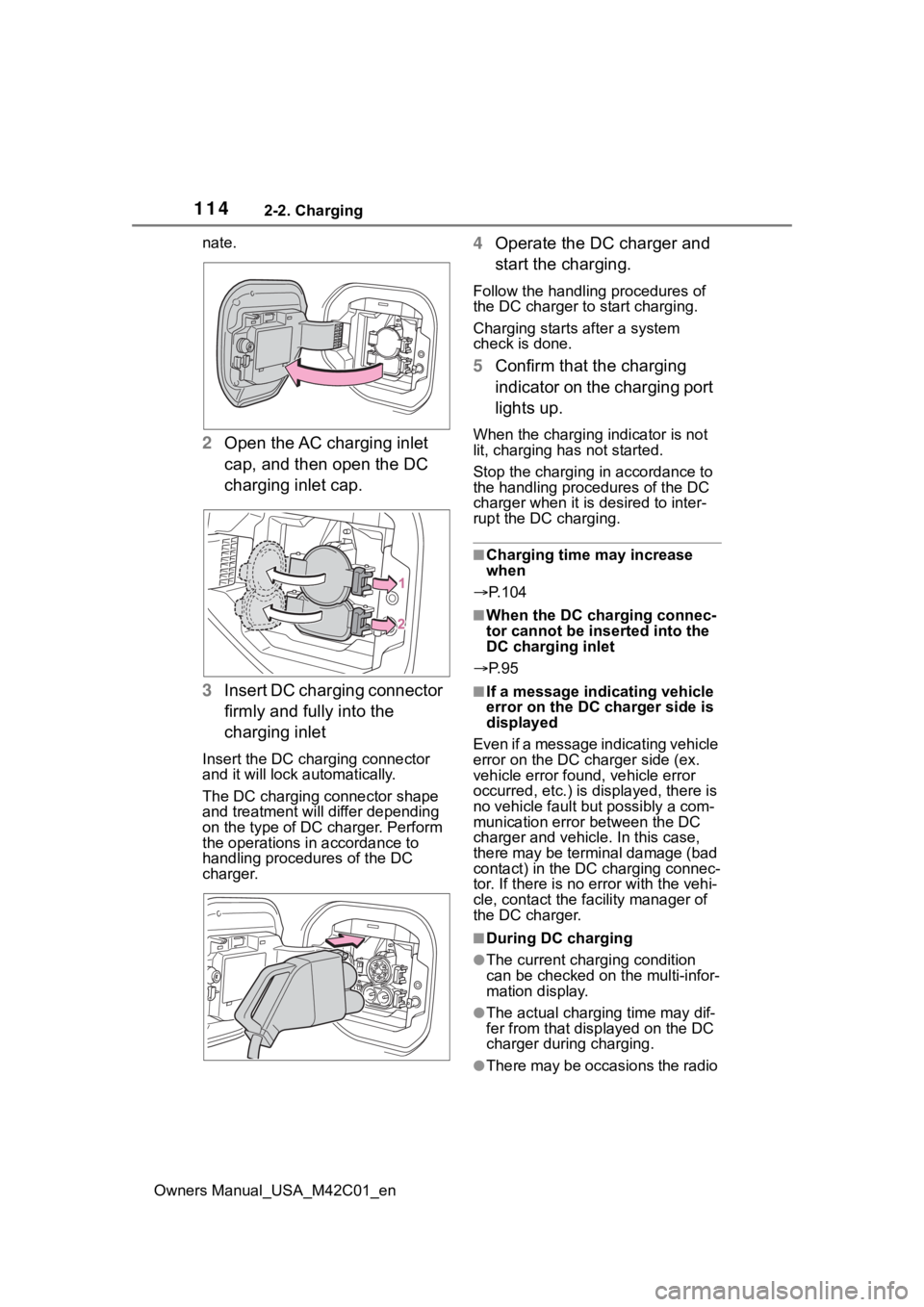
2
Open the AC charging inlet
cap, and then open the DC
charging inlet cap.
3 Insert DC charging connector
firmly and fully into the
charging inlet
Insert the DC charging connector
and it will lock automatically.
The DC charging connector shape
and treatment will differ depending
on the type of DC charger. Perform
the operations in accordance to
handling procedures of the DC
charger.
4Operate the DC charger and
start the charging.
Follow the handling procedures of
the DC charger to start charging.
Charging starts after a system
check is done.
5 Confirm that the charging
indicator on the charging port
lights up.
When the charging indicator is not
lit, charging has not started.
Stop the charging in accordance to
the handling procedures of the DC
charger when it is desired to inter-
rupt the DC charging.
■Charging time may increase
when
P.104
■When the DC charging connec-
tor cannot be inserted into the
DC charging inlet
P. 9 5
■If a message indicating vehicle
error on the DC charger side is
displayed
Even if a message indicating vehicle
error on the DC charger side (ex.
vehicle error found, vehicle error
occurred, etc.) is displayed, there is
no vehicle fault but possibly a com-
munication error between the DC
charger and vehicle. In this case,
there may be terminal damage (bad
contact) in the DC charging connec-
tor. If there is no er ror with the vehi-
cle, contact the fa cility manager of
the DC charger.
■During DC charging
●The current charging condition
can be checked on the multi-infor-
mation display.
●The actual charging time may dif-
fer from that dis played on the DC
charger during charging.
●There may be occasions the radio
Page 116 of 628
1162-2. Charging
Owners Manual_USA_M42C01_en1
Be sure to engage the parking
brake and then turn the power
switch off.
2 Close the charging inlet cap,
close the charging port lid.
3 Check if “Checking Charging
System” is displayed on the
multi-information display when
the power switch is turned to ON.
Do not open the c harging port lid
while the charging system is check-
ing.
When the system check is com-
pleted, the power switch automati-
cally turns off.
4 Press the power switch while
depressing the brake pedal. The
“READY” indicator turns on.
Contact your Toyot a dealer if the
charging system check is done and
the message on the multi-informa-
tion display does not go off.
WARNING
■Warnings for DC charging
Be sure to observe the following
when using DC charging.
Failure to do so may cause an
accident that could lead to death
or serious injury.
●Check that the DC charger and
DC charging inlet are not dam-
aged. If there is any damage to
the DC charging inlet, do not
perform a DC charge and have
it inspected immediately at your
Toyota dealer.
●Do not touch the terminals of
the DC charging connector or
inlet with metallic sharp tips
(wires and needles), or allow a
short circuit to occur with foreign
objects.
●Do not insert anything other
than the DC charging connector
into the DC charging inlet.
●Check that the DC charging
cable is not coiled up or pinned
underneath heavy objects.
●Be sure the DC charging inlet
makes direct contact with the
DC charging connector.
Do not connect conversion
adapters, extension cords, etc.,
between the DC charging con-
nector and DC ch arging inlet.
●When DC charging is inter-
rupted, follow the handling pro-
cedures of the DC charger.
Immediately stop the DC
charging when the re is an out-
break of heat, smoke, strange
noises or smells, etc., during
charging.
●Check that the DC charging
connector and DC charging inlet
do not have foreign objects or
snow or ice attached to it. If any-
thing is attached t o the inlet, be
sure to complete ly remove the
material before connecting the
DC charging connector.
●Do not charge the vehicle when
there is a possibility of lightning.
If you notice lightning while
charging the vehicle, do not
touch the vehicle and the DC
charging cable.
●Do not get the DC charging inlet
terminals wet.
●Close the hood when using DC
charging. The cooling fan may
suddenly start to run. Keep
hands and clothing (especially a
tie, a scarf or a muffler) away
from the fan. Fa ilure to do so
may cause the hands or cloth-
ing to be caught, resulting in
serious injury.
Page 124 of 628
1242-2. Charging
Owners Manual_USA_M42C01_enthen press .
Press to return
to the previous
screen.
■Setting “Charge Now” to on
The “Charge Now” setting can
be changed by performing one
of the two following procedures.
Operation on “Charging
Schedule” screen
1 Perform step 1 to 4 of the
“Registering the charging
schedule” procedure
( P.121) and display
“Charging Schedule” screen.
2 Press or of the meter
control switches to select
“Charge Now”, and then
press .
Each time is pressed,
“Charge Now” switches between
on and off.
Operation on “Closing Dis-
play” screen
*
*: If “Closing Display” is not set to “Charging Schedule” on the
screen of the mu lti-information
display, the “Closing Display” is
not displayed. In this case, check
the settings on the multi-informa-
tion display.
1 Turn the power switch off.
The “Closing Display” screen
is displayed on the multi- information display.
(If the door is opened while
waiting for charging sched-
ule, the same screen will be
displayed.)
2 Press to set “Charge
Now” to on.
After setting operations are
complete, charging starts when
the AC charging connector is
connected.
■Displaying “Next Event”
1 Perform step 1 to 4 of the
“Registering the charging
schedule” procedure
( P.121) and display
“Charging Schedule” screen.
2 Press or of the meter
control switches to select
“Next Event”, and then press
.
The “Next Event” screen will be dis-
played.
■When charging schedule set-
ting operations are canceled
When the vehicle i s in the following
conditions, charging schedule set-
ting operations are canceled.
●The power switch is operated
before the settings are confirmed
●The vehicle starts off
●A display with a higher priority
than that of the charging schedule
setting is shown
Page 130 of 628
1302-2. Charging
Owners Manual_USA_M42C01_en
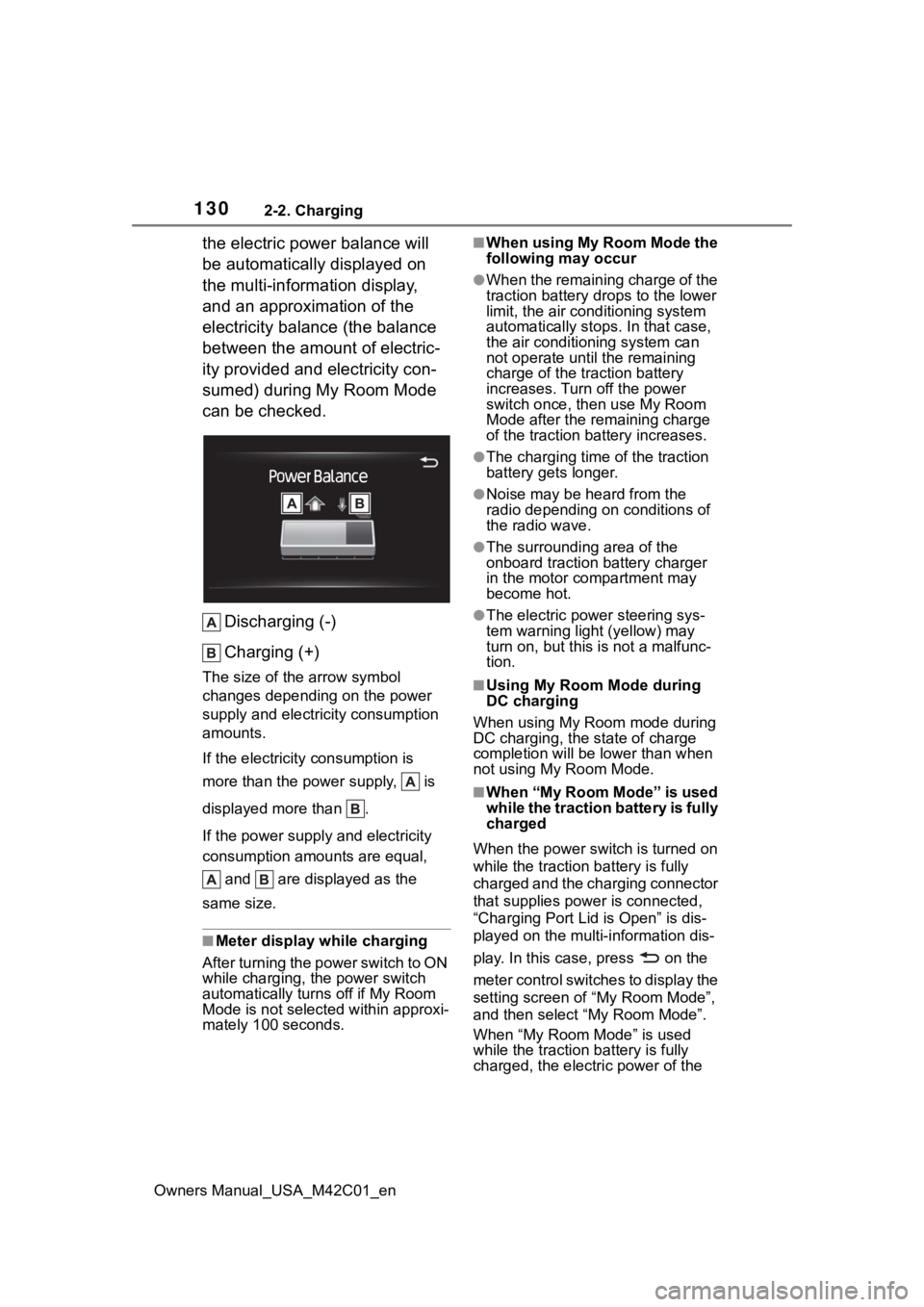
the electric power balance will
be automatically displayed on
the multi-information display,
and an approximation of the
electricity balance (the balance
between the amount of electric-
ity provided and electricity con-
sumed) during My Room Mode
can be checked.Discharging (-)
Charging (+)
The size of the arrow symbol
changes depending on the power
supply and electric ity consumption
amounts.
If the electricity consumption is
more than the power supply, is
displayed more than .
If the power supply and electricity
consumption amounts are equal,
and are displayed as the
same size.
■Meter display while charging
After turning the power switch to ON
while charging, the power switch
automatically turns off if My Room
Mode is not selected within approxi-
mately 100 seconds.
■When using My Room Mode the
following may occur
●When the remaining charge of the
traction battery d rops to the lower
limit, the air conditioning system
automatically stops. In that case,
the air conditioning system can
not operate until the remaining
charge of the traction battery
increases. Turn off the power
switch once, then use My Room
Mode after the remaining charge
of the traction battery increases.
●The charging time of the traction
battery gets longer.
●Noise may be heard from the
radio depending on conditions of
the radio wave.
●The surrounding area of the
onboard traction battery charger
in the motor compartment may
become hot.
●The electric power steering sys-
tem warning light (yellow) may
turn on, but this is not a malfunc-
tion.
■Using My Room Mode during
DC charging
When using My Room mode during
DC charging, the state of charge
completion will be lo wer than when
not using My Room Mode.
■When “My Room Mode” is used
while the traction battery is fully
charged
When the power switch is turned on
while the traction b attery is fully
charged and the charging connector
that supplies power is connected,
“Charging Port Lid is Open” is dis-
played on the multi-information dis-
play. In this cas e, press on the
meter control switches to display the
setting screen of “My Room Mode”,
and then select “My Room Mode”.
When “My Room Mode” is used
while the traction b attery is fully
charged, the electric power of the
Page 140 of 628
1402-2. Charging
Owners Manual_USA_M42C01_en
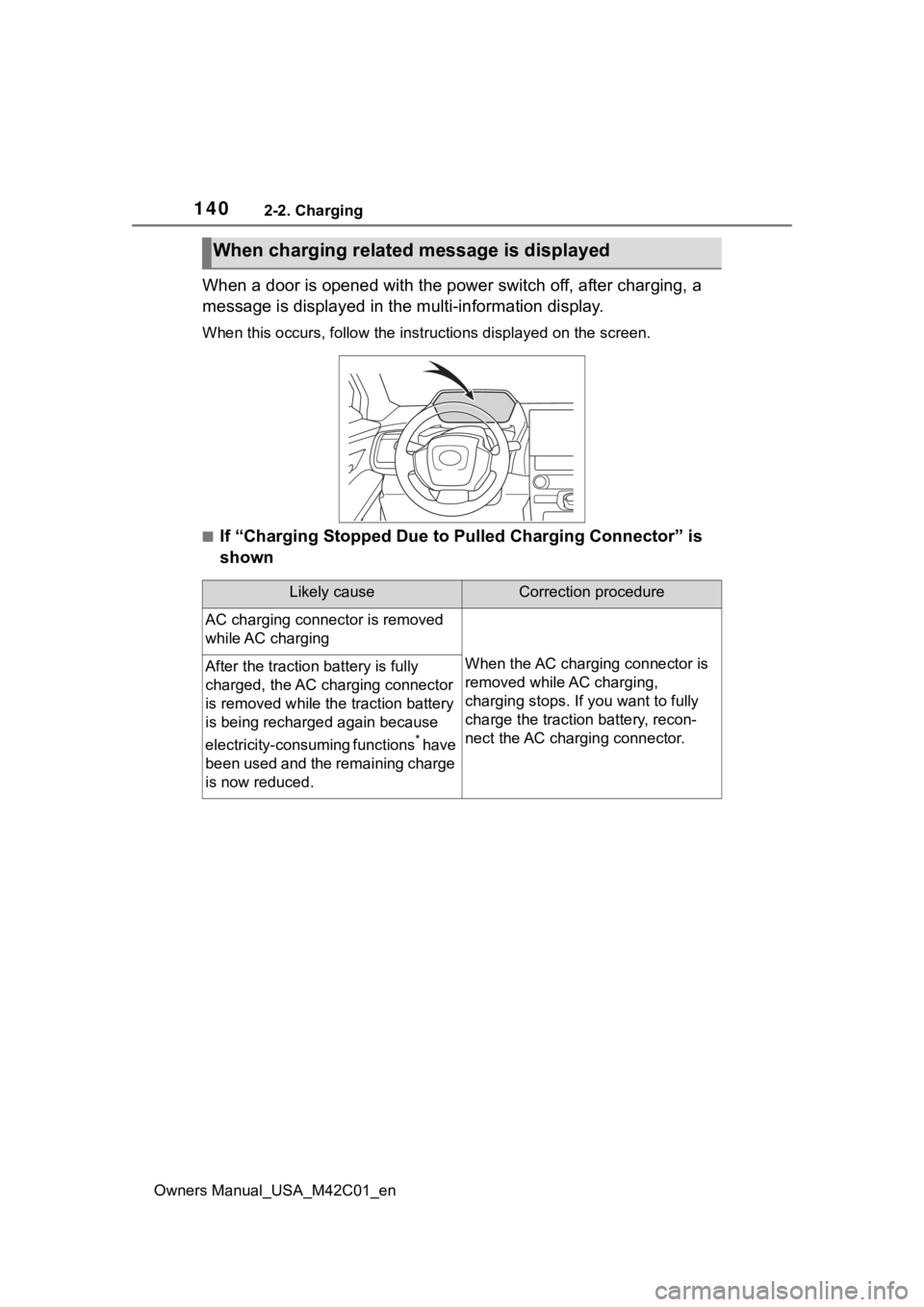
When a door is opened with the power switch off, after charging, a
message is displayed in the multi-information display.
When this occurs, follo w the instructions displayed on the scre en.
■If “Charging Stopped Due to Pulled Charging Connector” is
shown
When charging related message is displayed
Likely causeCorrection procedure
AC charging connector is removed
while AC charging
When the AC charging connector is
removed while AC charging,
charging stops. If you want to fully
charge the traction battery, recon-
nect the AC charging connector.After the traction battery is fully
charged, the AC charging connector
is removed while the traction battery
is being recharged again because
electricity-consuming functions
* have
been used and the remaining charge
is now reduced.
Page 160 of 628

1603-1. Instrument cluster
Owners Manual_USA_M42C01_en
■Suggestion to turn off the
headlights
If the headlights are left on for a
certain amount of time after the
power switch has been turned
off, a suggestion message will
be displayed.
When the headlight switch is in
the AUTO position: The mes-
sage asking if you wish to turn
the headlights off is displayed.
To turn the headlights off, select
“Yes”.
If the driver’s door is opened after
the power switch is turned off, this
suggestion message will not be dis-
played.
■Customization
The suggestion function can be
turned on/off. (Customizable fea-
tures: P.566)
Page 161 of 628
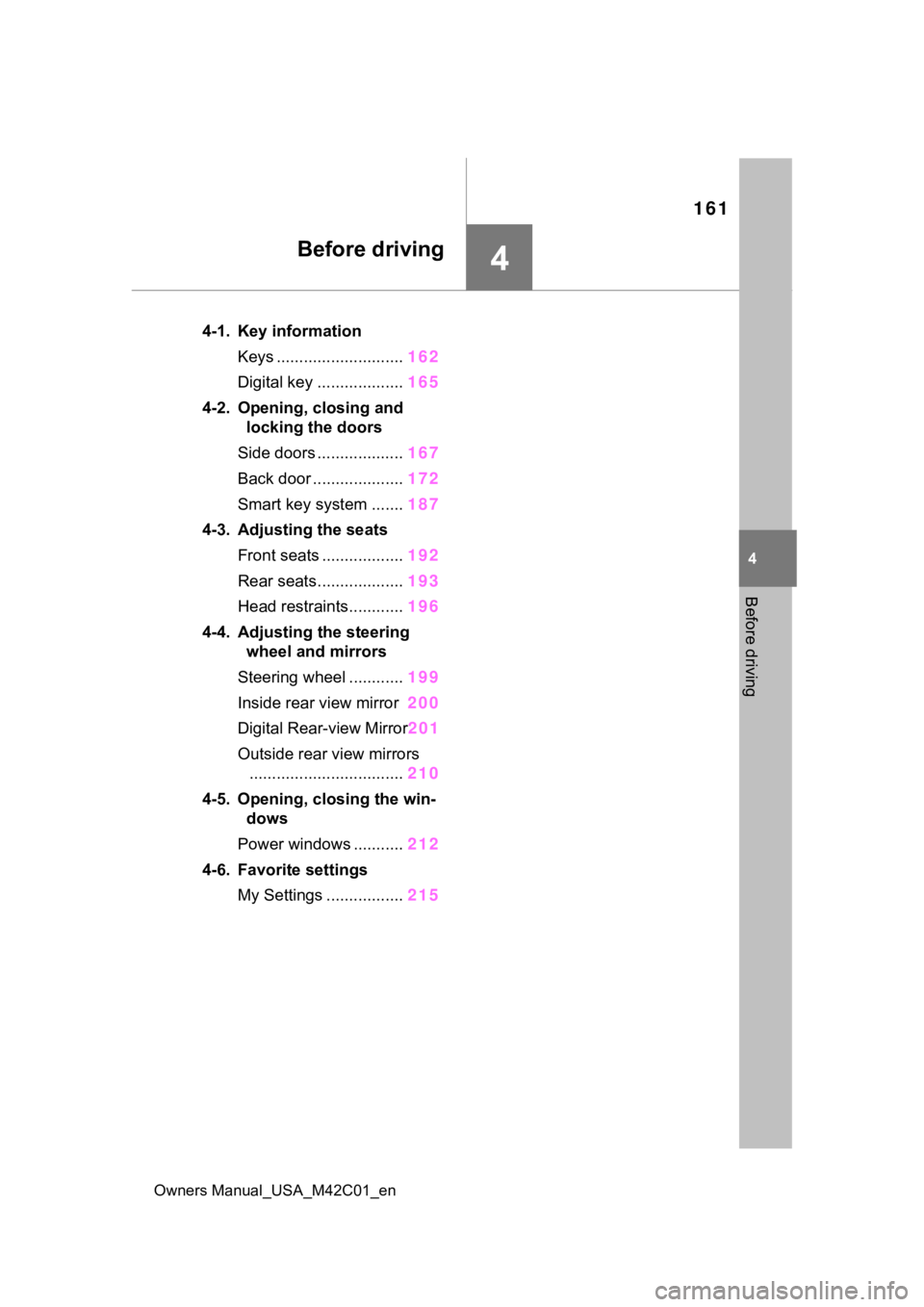
161
Owners Manual_USA_M42C01_en
4
4
Before driving
Before driving
4-1. Key informationKeys ............................ 162
Digital key ................... 165
4-2. Opening, closing and locking the doors
Side doors ................... 167
Back door .................... 172
Smart key system ....... 187
4-3. Adjusting the seats Front seats .................. 192
Rear seats................... 193
Head restraints............ 196
4-4. Adjusting the steering wheel and mirrors
Steering wheel ............ 199
Inside rear view mirror 200
Digital Rear-view Mirror 201
Outside rear view mirrors .................................. 210
4-5. Opening, closing the win- dows
Power windows ........... 212
4-6. Favorite settings My Settings ................. 215