brake TOYOTA HILUX 2017 (in English) Service Manual
[x] Cancel search | Manufacturer: TOYOTA, Model Year: 2017, Model line: HILUX, Model: TOYOTA HILUX 2017Pages: 720, PDF Size: 112.19 MB
Page 326 of 720
3264-5. Using the driving support systems
HILUX_OM_OM0K322E_(EE)
■Operational conditions
The pre-collision system is enabled and the system determines that the pos-
sibility of a frontal collision wi th a vehicle or pedestrian is high.
Each function is operational at the following speeds:
● Pre-collision warning:
• Vehicle speed is between approximately 10 and 180 km/h (7 and
110 mph). (For detecting a pedestrian, vehicle speed is between approxi-
mately 10 and 80 km/h [7 and 50 mph].)
• The relative speed between your vehicle and the vehicle or pedestrian
ahead is approximately 10 km/h (7 mph) or more.
● Pre-collision brake assist:
• Vehicle speed is between approximately 30 and 180 km/h (20 and
110 mph). (For detecting a pedestrian, vehicle speed is between approxi-
mately 30 and 80 km/h [20 and 50 mph].)
• The relative speed between your vehicle and the vehicle or pedestrian
ahead is approximately 30 km/h (20 mph) or more.
● Pre-collision braking:
• Vehicle speed is between approximately 10 and 180 km/h (7 and
110 mph). (For detecting a pedestrian, vehicle speed is between approxi-
mately 10 and 80 km/h [7 and 50 mph].)
• The relative speed between your vehicle and the vehicle or pedestrian
ahead is approximately 10 km/h (7 mph) or more.
The system may not operate in the following situations:
● If a battery terminal has been disconnected and reconnected and then the
vehicle has not been driven for a certain amount of time
● If the shift lever is in R
● If VSC is disabled (only the pre-collision warning function will be opera-
tional)
● If the low speed four-wheel drive indicator light is illuminated (only the pre-
collision warning function will be operational)
Page 331 of 720
3314-5. Using the driving support systems
4
Driving
HILUX_OM_OM0K322E_(EE)
• When driving in inclement weather such as heavy rain, fog, snow or a
sandstorm
• When the vehicle is hit by water, snow, dust, etc. from a vehicle ahead
• When driving through steam or smoke
• When driving in a place where the surrounding brightness changes sud-
denly, such as at the entrance or exit of a tunnel
• When a very bright light, such as the sun or the headlights of oncoming
traffic, shines directly into the camera sensor
• When the surrounding area is dim, such as at dawn or dusk, or while at
night or in a tunnel
• After the engine has started the vehicle has not been driven for a certain
amount of time
• While making a left/right turn and for a few seconds after making a left/
right turn
• While driving on a curve and for a few seconds after driving on a curve
• If your vehicle is skidding
• If the wheels are misaligned
• If a wiper blade is blocking the camera sensor
• The vehicle is wobbling.
• The vehicle is being driven at extremely high speeds.
• When driving on a hill
• If the radar sensor or camera sensor is misaligned
● In some situations such as the following, sufficient braking force may not be
obtained, preventing the system from performing properly:
• If the braking functions cannot operate to their full extent, such as when
the brake parts are extremely cold, extremely hot, or wet
• If the vehicle is not properly maintained (brakes or tires are excessively
worn, improper tire inflation pressure, etc.)
• When the vehicle is being driven on a gravel road or other slippery sur-
face
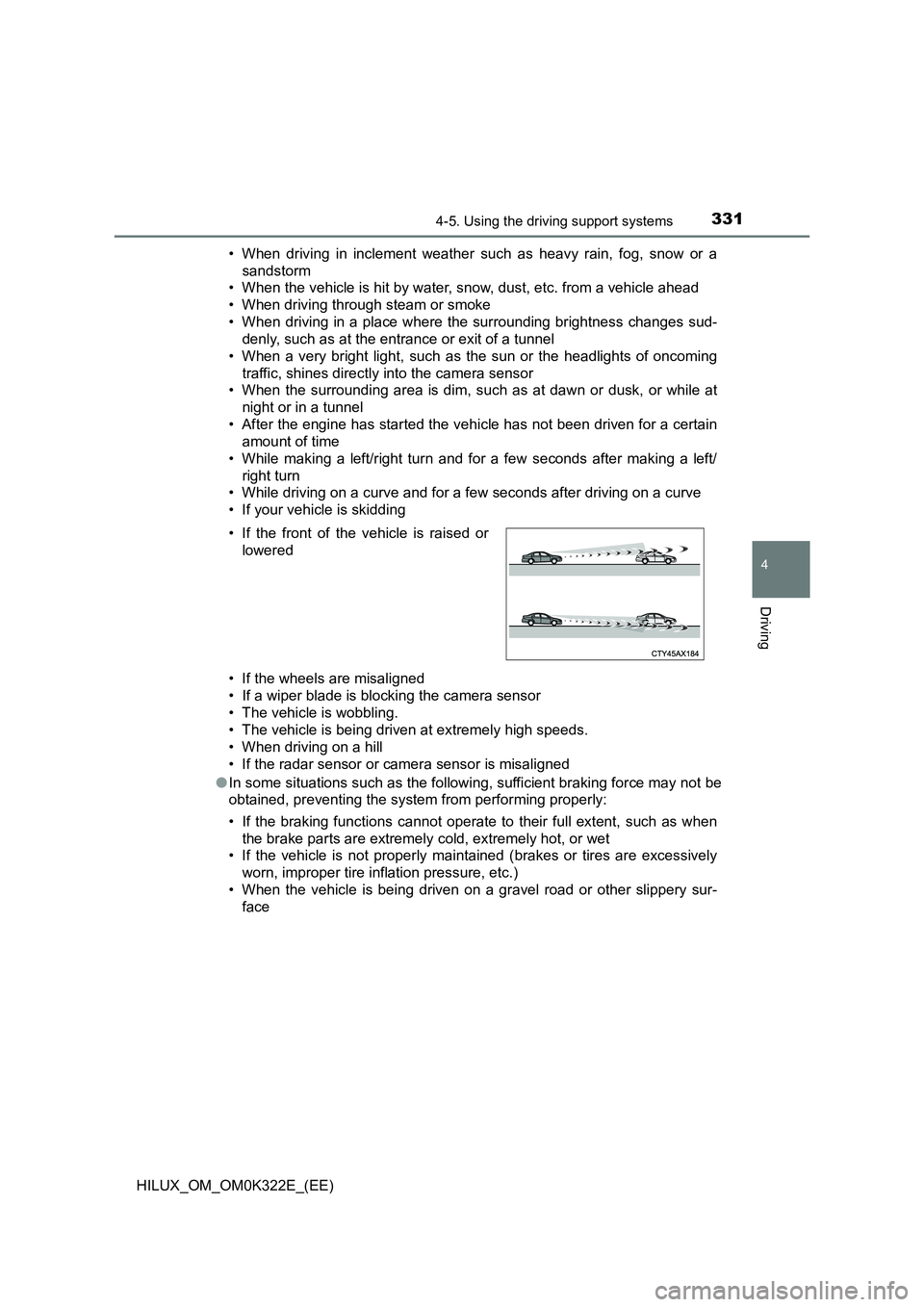
• If the front of the vehicle is raised or
lowered
Page 333 of 720
3334-5. Using the driving support systems
4
Driving
HILUX_OM_OM0K322E_(EE)
■ If the PCS warning light flashes or illuminates and a warning message is
displayed on the multi-information display
The pre-collision system may be tem porarily unavailable or there may be a
malfunction in the system.
● In the following situations, the warning light will turn off, the message will
disappear and the system will beco me operational when normal operating
conditions return:
• When the radar sensor or camera s ensor or the area around either sen-
sor is hot, such as in the sun
• When the radar sensor or camera s ensor or the area around either sen-
sor is cold, such as in an extremely cold environment
• When a front sensor is dirty or covered with snow, etc.
• When the part of the windshield in front of the camera sensor is fogged
up or covered with condensation or ice.
(Defogging the windshield: P. 493, 502)
• If the camera sensor is obstructed, such as when the hood is open or a
sticker is attached to the windshield near the camera sensor
● If the PCS warning light continues to flash or remains illuminated or the
warning message does not disappear even though the vehicle has returned
to normal, the system may be malfunctioning. Have the vehicle inspected by
any authorized Toyota retailer or Toyota authorized repairer, or any reliable
repairer immediately.
■ If VSC is disabled
● If VSC is disabled (P. 389), the pre-collision brake assist and pre-collision
braking functions are also disabled.
● The PCS warning light will turn on and “VSC TURNED OFF PRE-COLLI-
SION BRAKE SYSTEM UNAVAILABLE”/“VSC Turned Off Pre-Collision
Brake System Unavailable” will be di splayed on the multi-information dis-
play.
Page 349 of 720
3494-5. Using the driving support systems
4
Driving
HILUX_OM_OM0K322E_(EE)
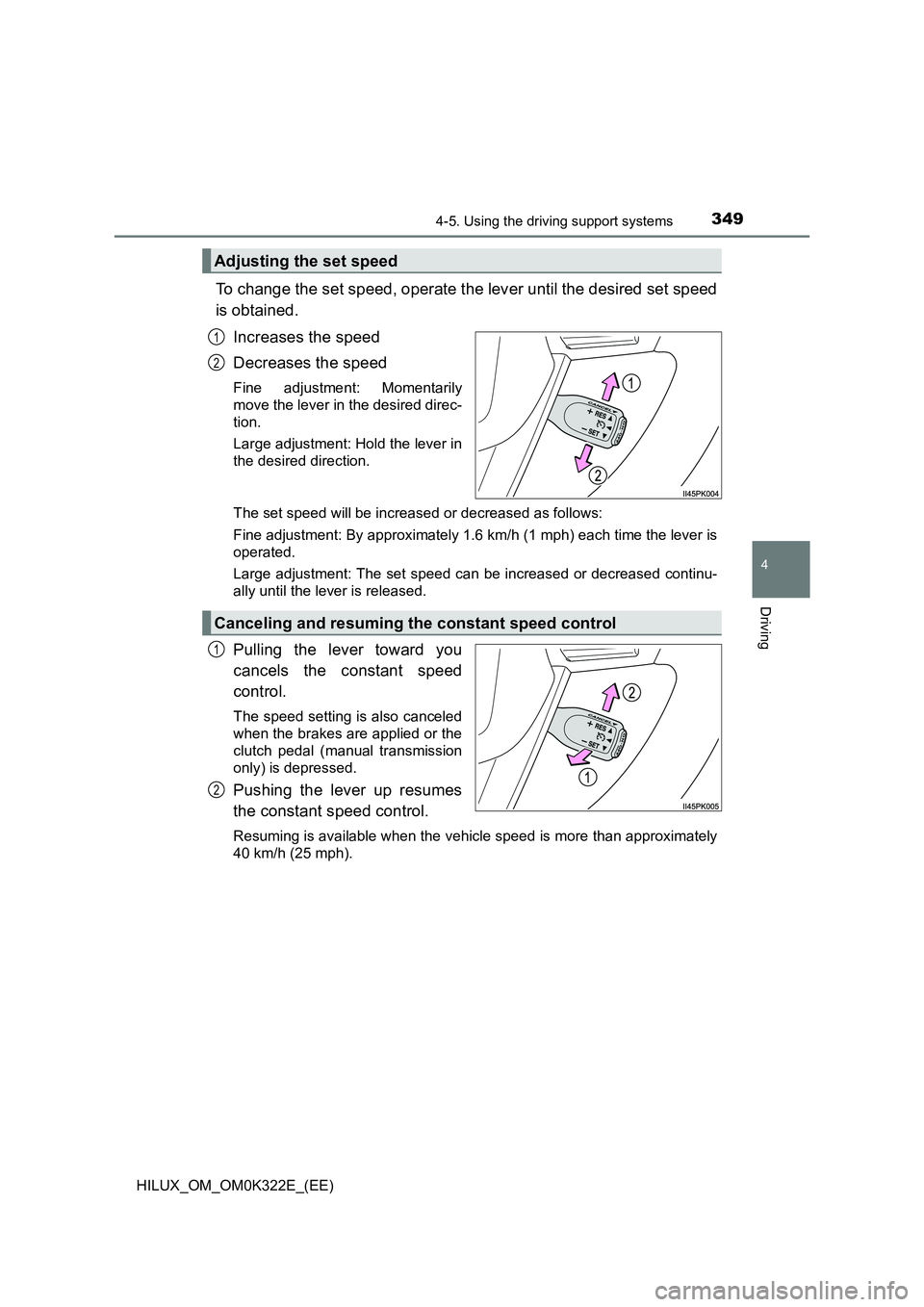
To change the set speed, operate the lever until the desired set speed
is obtained.
Increases the speed
Decreases the speed
Fine adjustment: Momentarily
move the lever in the desired direc-
tion.
Large adjustment: Hold the lever in
the desired direction.
The set speed will be increased or decreased as follows:
Fine adjustment: By approximately 1.6 km/h (1 mph) each time the lever is
operated.
Large adjustment: The set speed can be increased or decreased continu-
ally until the lever is released.
Pulling the lever toward you
cancels the constant speed
control.
The speed setting is also canceled
when the brakes are applied or the
clutch pedal (manual transmission
only) is depressed.
Pushing the lever up resumes
the constant speed control.
Resuming is available when the vehicle speed is more than approximately
40 km/h (25 mph).
Adjusting the set speed
1
2
Canceling and resuming the constant speed control
1
2
Page 361 of 720
3614-5. Using the driving support systems
4
Driving
HILUX_OM_OM0K322E_(EE)
WARNING
■When using the rear view monitor system
The rear view monitor system is a supplemental device intended to assist
the driver when backing up. When backing up, be sure to visually check all
around the vehicle both directly and using the mirrors before proceeding.
Observe the following precautions to avoid an accident that could result in
death or serious injuries.
● Never depend on the rear view monitor system entirely when backing up.
The image and the position of the guide lines displayed on the screen may
differ from the actual state.
Use caution, just as you would when backing up any vehicle.
● Be sure to back up slowly, depressing the brake pedal to control vehicle
speed.
● The instructions given are only guide lines.
When and how much to turn the steering wheel will vary according to traf-
fic conditions, road surface conditions , vehicle condition, etc. when park-
ing. It is necessary to be fully aware of this before using the rear view
monitor system.
● When parking, be sure to check that the parking space will accommodate
your vehicle before maneuvering into it.
● Do not use the rear view monitor system in the following cases:
• On icy or slick road surfaces, or in snow
• When using tire chains
• When the tailgate is not closed completely
• On roads that are not flat or straight, such as curves or slopes.
● In low temperatures, the screen may darken or the image may become
faint. The image could distort when the vehicle is moving, or you may
become unable to see the image on the screen. Be sure to visually check
all around the vehicle both directly and using the mirrors before proceed-
ing.
● If the tire sizes are changed, the position of the fixed guide lines displayed
on the screen may change.
● The camera uses a special lens. The distances between objects and
pedestrians that appear in the image displayed on the screen will differ
from the actual distances.
Page 376 of 720
3764-5. Using the driving support systems
HILUX_OM_OM0K322E_(EE)
■Locking the rear differential
The following systems do not operate w hen the rear differential is locked.
It is normal operation for the ABS warning light, VSC OFF indicator (if
equipped) and “TRC OFF” indicator (if equipped) to be on or for “TRC
TURNED OFF”/“TRC turned off” to be displayed on the multi-information dis-
play (if equipped) at this time.
•ABS
• Brake assist (if equipped)
• VSC (if equipped)
• TRC/A-TRC (if equipped)
• Trailer Sway Control (if equipped)
• Hill-start assist control (if equipped)
• Downhill assist control (if equipped)
■ For easy unlocking
Slightly turn the steering wheel in either direction while the vehicle is in
motion.
■ Automatic system cancelation of the rear differential lock system
The rear differential lock is also unlocked in any of the following situations:
● The front-wheel drive control switch is turned to H2 or H4 (4WD models)
● The engine switch is turned to the “ACC” or “LOCK” position (vehicles with-
out smart entry & start system) or A CCESSORY or off (vehicles with smart
entry & start system)
■ After unlocking the rear differential
Check that the indicator goes off.
WARNING
■ To avoid an accident
Failure to observe the following precautions may result in an accident.
● Do not use the rear differential lock system except when wheel spinning
occurs in a ditch or on a slippery or rugged surface. Large steering effort
and careful cornering control will be required.
● Do not lock the rear differential until the wheels have stopped spinning.
Otherwise, the vehicle may move in an unexpected direction when the dif-
ferential lock is engaged, resulting in an accident. This may also lead to
possible damage to rear differential lock component parts.
● Do not drive over 8 km/h (5 mph) when the differential is locked.
● Do not keep driving with the rear differential lock switch on.
Page 377 of 720
377
4
4-5. Using the driving support systems
Driving
HILUX_OM_OM0K322E_(EE)
Stop & Start system (Smart Stop)
■Stopping the engine
Vehicles with automatic
transmission
While driving with the shift lever
in D or S, depress the brake
pedal, and stop the vehicle.
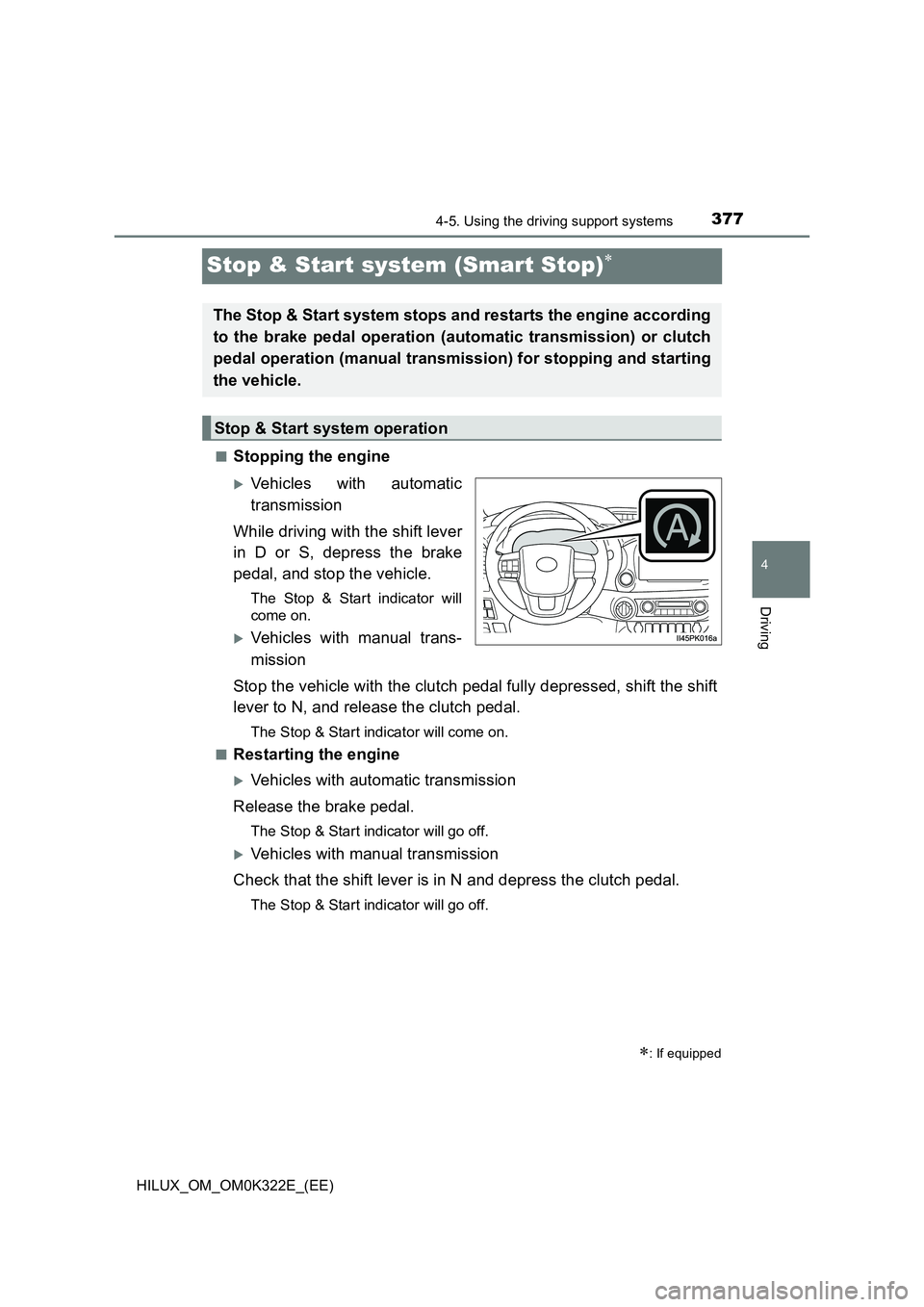
The Stop & Start indicator will
come on.
Vehicles with manual trans-
mission
Stop the vehicle with the clutch pedal fully depressed, shift the shift
lever to N, and release the clutch pedal.
The Stop & Start indicator will come on.
■Restarting the engine
Vehicles with automatic transmission
Release the brake pedal.
The Stop & Start indicator will go off.
Vehicles with manual transmission
Check that the shift lever is in N and depress the clutch pedal.
The Stop & Start indicator will go off.
: If equipped
The Stop & Start system stops and restarts the engine according
to the brake pedal operation (automatic transmission) or clutch
pedal operation (manual transmission) for stopping and starting
the vehicle.
Stop & Start system operation
Page 378 of 720
3784-5. Using the driving support systems
HILUX_OM_OM0K322E_(EE)
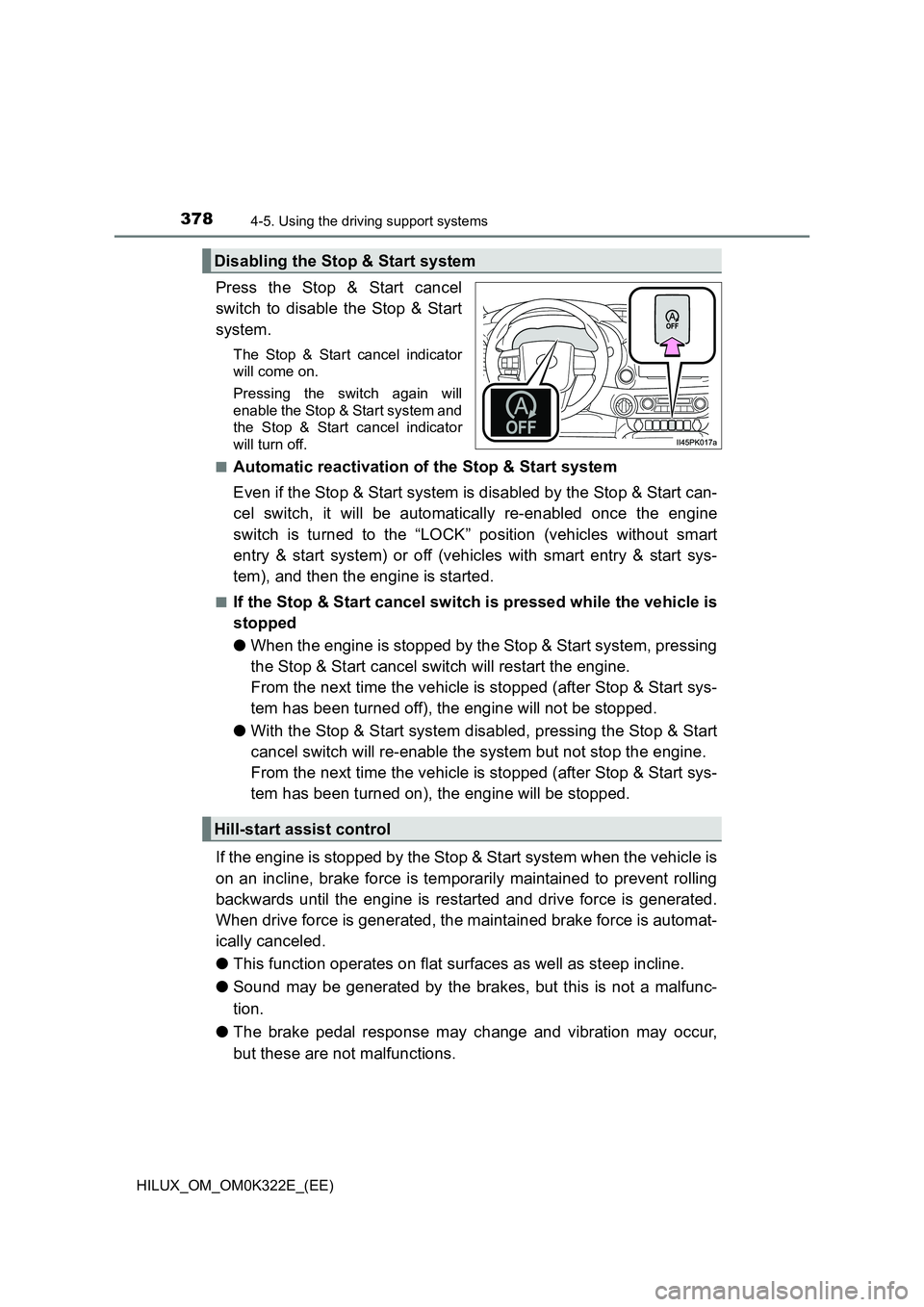
Press the Stop & Start cancel
switch to disable the Stop & Start
system.
The Stop & Start cancel indicator
will come on.
Pressing the switch again will
enable the Stop & Start system and
the Stop & Start cancel indicator
will turn off.
■Automatic reactivation of the Stop & Start system
Even if the Stop & Start system is disabled by the Stop & Start can-
cel switch, it will be automatically re-enabled once the engine
switch is turned to the “LOCK” position (vehicles without smart
entry & start system) or off (vehicles with smart entry & start sys-
tem), and then the engine is started.
■If the Stop & Start cancel switch is pressed while the vehicle is
stopped
● When the engine is stopped by the Stop & Start system, pressing
the Stop & Start cancel switch will restart the engine.
From the next time the vehicle is stopped (after Stop & Start sys-
tem has been turned off), the engine will not be stopped.
● With the Stop & Start system disabled, pressing the Stop & Start
cancel switch will re-enable the system but not stop the engine.
From the next time the vehicle is stopped (after Stop & Start sys-
tem has been turned on), the engine will be stopped.
If the engine is stopped by the Stop & Start system when the vehicle is
on an incline, brake force is temporarily maintained to prevent rolling
backwards until the engine is restarted and drive force is generated.
When drive force is generated, the maintained brake force is automat-
ically canceled.
● This function operates on flat surfaces as well as steep incline.
● Sound may be generated by the brakes, but this is not a malfunc-
tion.
● The brake pedal response may change and vibration may occur,
but these are not malfunctions.
Disabling the Stop & Start system
Hill-start assist control
Page 379 of 720
3794-5. Using the driving support systems
4
Driving
HILUX_OM_OM0K322E_(EE)
■Operating conditions
● The Stop & Start system is operational when all of the following conditions
are met:
• Vehicles with automatic transmission: The brake pedal is being
depressed firmly
• Vehicles with manual transmission: The clutch pedal is not being
depressed.
• The engine is adequately warmed up.
• The outside temperature is -5 C (23 F) or higher
• Vehicles with automatic transmission: The shift lever is in D or S, or P
after driving in D or S.
• Vehicles with manual transmission: The shift lever is in N.
• Vehicles with automatic air conditioning system: is off.
• The hood is closed. ( P. 380)
• The driver’s seat belt is fastened.
• The driver’s door is closed.
• The accelerator pedal is not being depressed.
● In the following situations, the engine may not be stopped by the Stop &
Start system. This is not a malfunction of the Stop & Start system.
• The air conditioning system is being used when the ambient temperature
is high or low.
• The battery is undergoing a periodic recharge.
• The battery is not sufficiently charged, such as if the vehicle has been
parked for a long time and the battery charge has decreased, the electric
load is large, the battery temperature is excessively low or the battery has
deteriorated.
• The brake booster vacuum is low.
• The vehicle is stopped on a steep incline.
• The steering wheel is being operated
• Due to traffic or other circumstances the vehicle is being stopped repeat-
edly.
• The vehicle is being driven in a high altitude area.
• Engine coolant temperature or tr ansmission fluid temperature is
extremely low or high.
• The battery fluid temperature is extremely low or high.
• For a while after the battery terminals have been disconnected and
reconnected.
• For a while after the battery has been replaced.
• The front-wheel drive control switch is in the L4 position or the rear differ-
ential is locked.
Page 380 of 720
3804-5. Using the driving support systems
HILUX_OM_OM0K322E_(EE)
● In the following situations, the engine will automatically restart if the engine
is stopped by the Stop & Start system. (To enable stopping the engine by
Stop & Start system, drive the vehicle.)
• The air conditioning system is turned on.
• Vehicles with automatic air conditioning system: is turned on.
• The steering wheel is being operated.
• Vehicles with automatic transmission: The shift lever is shifted to a posi-
tion other than D, S or P.
• Vehicles with manual transmission: The shift lever is shifted to a position
other than N
• The driver’s seat belt is unfastened.
• The driver’s door is opened.
• The accelerator pedal is depressed.
• The Stop & Start cancel switch is pressed.
• The vehicle starts to roll on an incline.
Vehicles with automatic transmission: The engine may be stopped by Stop &
Start system automatically without driving the vehicle if the idling stop time is
set to “Long”. ( P. 382)
● In the following situations, the engine may automatically restart if the engine
is stopped by the Stop & Start system. (To enable stopping the engine by
Stop & Start system, drive the vehicle.)
• The brake pedal is pumped or strongly depressed.
• The air conditioning system is being used.
• The battery is not sufficiently charged.
Vehicles with automatic transmission: The engine may be stopped by Stop &
Start system automatically without driving the vehicle if the idling stop time is
set to “Long”. ( P. 382)
■ Hood
● If the hood is opened while the engine is stopped by the Stop & Start sys-
tem, the engine will stall and will not be able to be restarted by the automatic
engine start function. In this case, restart the engine using the normal
engine starting procedure. ( P. 266, 269)
● Even if the hood is closed after the engine is started with the hood open, the
Stop & Start system will not operate. Close the hood, turn the engine switch to
the “LOCK” position (vehicles without smart entry & start system) or off (vehi-
cles with smart entry & start system), wait 30 seconds or more, and then start
the engine.