light TOYOTA HILUX 2023 Owners Manual
[x] Cancel search | Manufacturer: TOYOTA, Model Year: 2023, Model line: HILUX, Model: TOYOTA HILUX 2023Pages: 810, PDF Size: 131.54 MB
Page 278 of 810
2764-5. Using the driving support systems
HILUX_OM_OM0K789E_(EE)
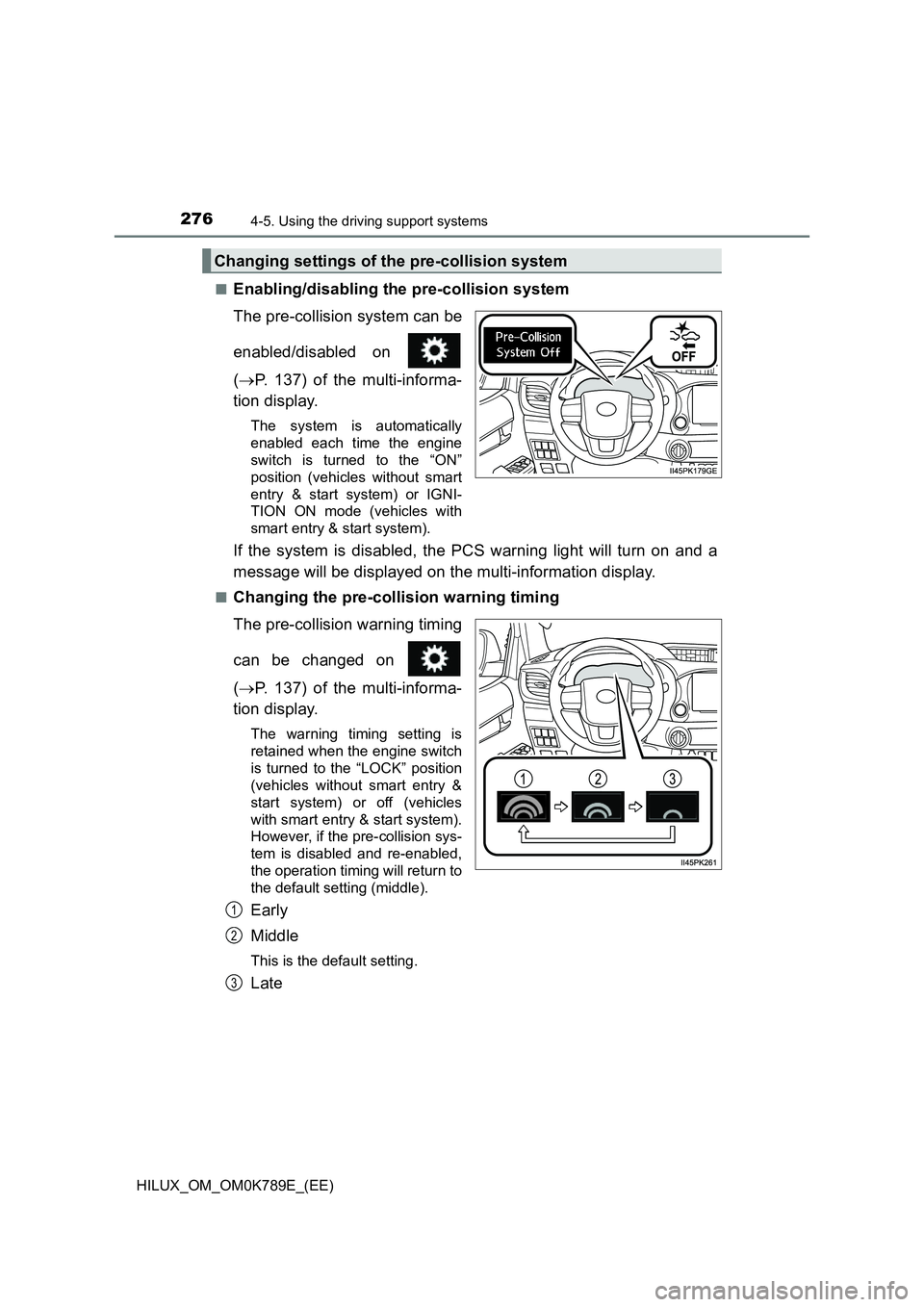
■Enabling/disabling the pre-collision system
The pre-collision system can be
enabled/disabled on
( P. 137) of the multi-informa-
tion display.
The system is automatically
enabled each time the engine
switch is turned to the “ON”
position (vehicles without smart
entry & start system) or IGNI-
TION ON mode (vehicles with
smart entry & start system).
If the system is disabled, the PCS warning light will turn on and a
message will be displayed on the multi-information display.
■Changing the pre-collision warning timing
The pre-collision warning timing
can be changed on
( P. 137) of the multi-informa-
tion display.
The warning timing setting is
retained when the engine switch
is turned to the “LOCK” position
(vehicles without smart entry &
start system) or off (vehicles
with smart entry & start system).
However, if the pre-collision sys-
tem is disabled and re-enabled,
the operation timing will return to
the default setting (middle).
Early
Middle
This is the default setting.
Late
Changing settings of the pre-collision system
1
2
3
Page 282 of 810
2804-5. Using the driving support systems
HILUX_OM_OM0K789E_(EE)
• When driving through steam or smoke
• When driving near an object that reflects radio waves, such as a large
truck or guardrail
• When driving near a TV tower, broadcasting station, electric power plant,
or other location where strong radio waves or electrical noise may be
present
■ Situations in which the system may not operate properly
● In some situations such as the following, an object may not be detected by
the radar sensor and front camera, pr eventing the system from operating
properly:
• When a detectable object is approaching your vehicle
• When your vehicle or a detectable object is wobbling
• If a detectable object makes an abrupt maneuver (such as sudden swerv-
ing, acceleration or deceleration)
• When your vehicle approaches a detectable object rapidly
• When a detectable object is near a wall, fence, guardrail, manhole cover,
vehicle, steel plate on the road, etc.
• When a detectable object is under a structure
• When part of a detectable object is hidden by an object, such as large
baggage, an umbrella, or guardrail
• When multiple detectable objects are close together
• If the sun or other light is shining directly on a detectable object
• When a detectable object is a shade of white and looks extremely bright
• When a detectable object appears to be nearly the same color or bright-
ness as its surroundings
• If a detectable object cuts or suddenly emerges in front of your vehicle
• When the front of your vehicle is hit by water, snow, dust, etc.
• When a very bright light ahead, such as the sun or the headlights of
oncoming traffic, shines dire ctly into the front camera
• When approaching the side or front of a vehicle ahead
• When driving through or under
objects that may contact your vehicle,
such as thick grass, tree branches, or
a banner
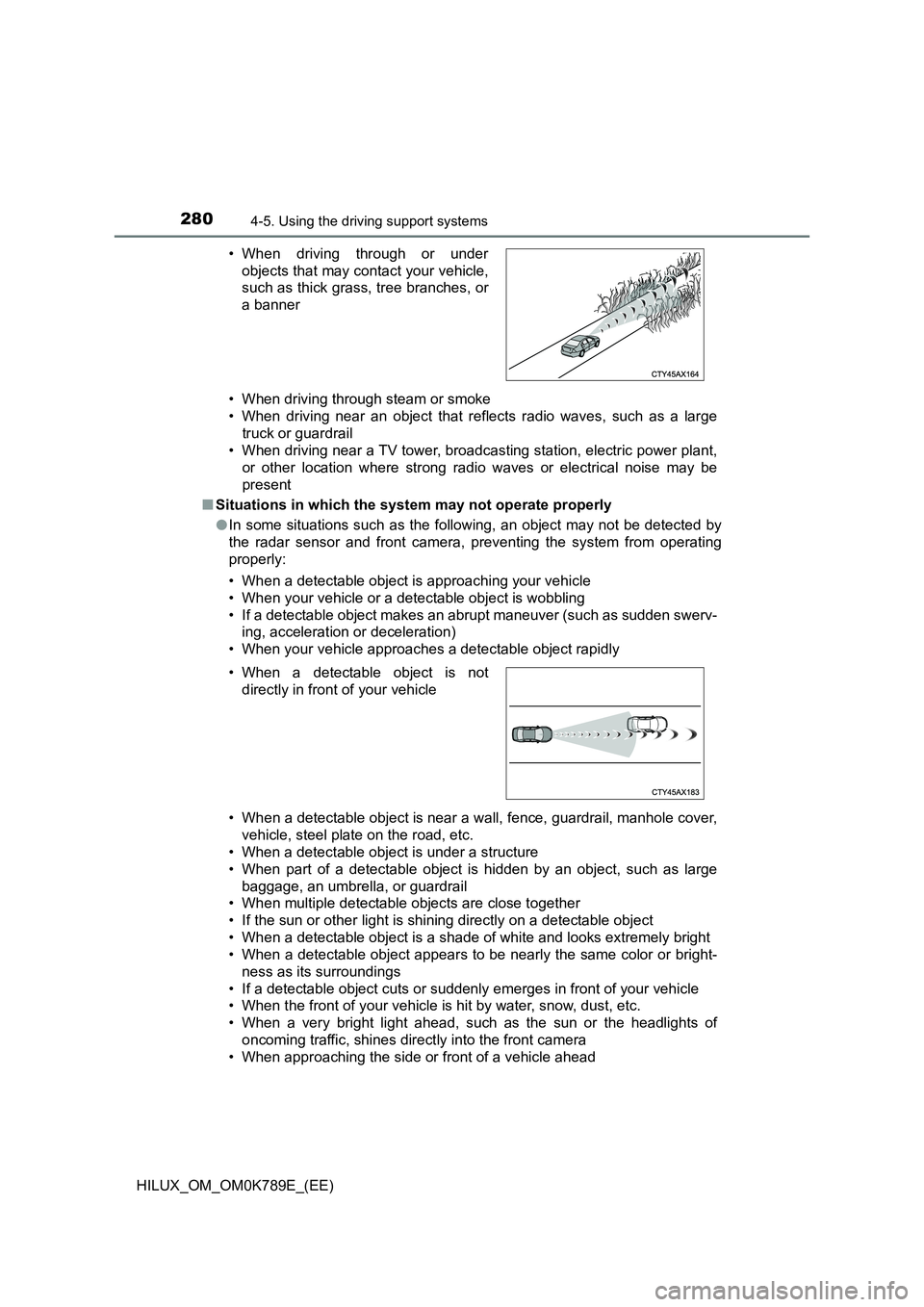
• When a detectable object is not
directly in front of your vehicle
Page 284 of 810
2824-5. Using the driving support systems
HILUX_OM_OM0K789E_(EE)
• If the wheels are misaligned
• If a wiper blade is blocking the front camera
• The vehicle is being driven at extremely high speeds
• When driving on a hill
• If the radar sensor or front camera is misaligned
● In some situations such as the following, sufficient braking force may not be
obtained, preventing the system from performing properly:
• If the braking functions cannot operate to their full extent, such as when
the brake parts are extremely cold, extremely hot, or wet
• If the vehicle is not properly maintained (brakes or tires are excessively
worn, improper tire inflation pressure, etc.)
• When the vehicle is being driven on a gravel road or other slippery sur-
face
■ If VSC is disabled
● If VSC is disabled (P. 358), the pre-collision brake assist and pre-collision
braking functions are also disabled.
● The PCS warning light will turn on and “VSC Turned Off Pre-Collision Brake
System Unavailable” will be displayed on the multi-information display.
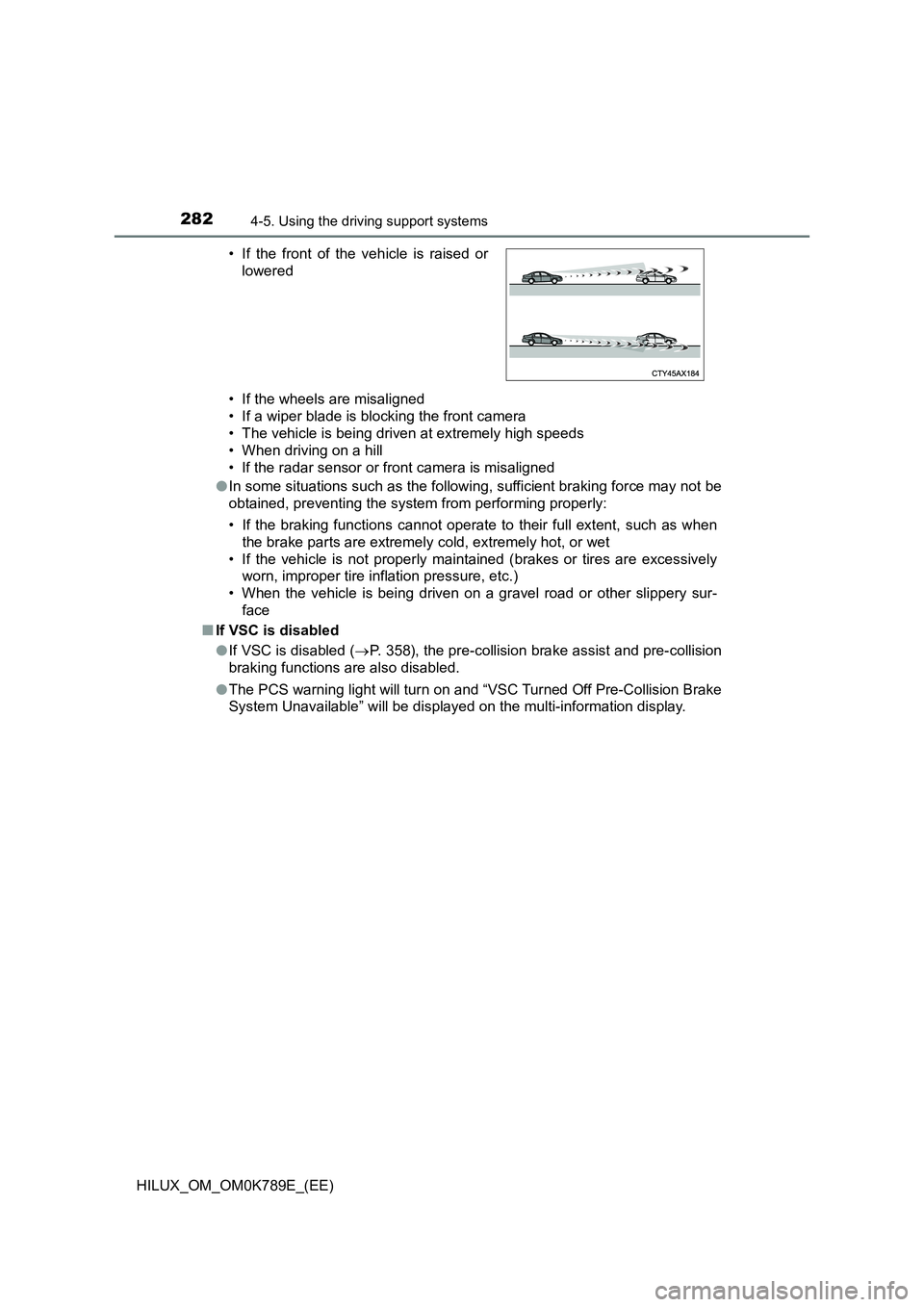
• If the front of the vehicle is raised or
lowered
Page 286 of 810
2844-5. Using the driving support systems
HILUX_OM_OM0K789E_(EE)
WARNING
■Situations unsuitable for LDA system
In the following situations, use the LDA switch to turn the system off. Failure
to do so may lead to an accident, resulting in death or serious injury.
● Vehicle is driven on a road surface which is slippery due to rainy weather,
fallen snow, freezing, etc.
● Vehicle is driven on a snow-covered road.
● White (yellow) lines are difficult to see due to rain, snow, fog, dust, etc.
● A spare tire, tire chains, etc. are equipped.
● When the tires have been excessively worn, or when the tire inflation pres-
sure is low.
● When your vehicle is towing a trailer (with towing hitch) or during emer-
gency towing.
■ Preventing LDA system malfunctions and operations performed by
mistake
● Do not modify the headlights or place stickers, etc. on the surface of the
lights.
● Do not modify the suspension etc. If the suspension etc. needs to be
replaced, contact any authorized Toyota retailer or Toyota authorized
repairer, or any reliable repairer.
● Do not install or place anything on the hood or grille. Also, do not install a
grille guard (bull bars, kangaroo bar, etc.).
● If your windshield needs repairs, contact any authorized Toyota retailer or
Toyota authorized repairer, or any reliable repairer.
Page 288 of 810
2864-5. Using the driving support systems
HILUX_OM_OM0K789E_(EE)
WARNING
●The white (yellow) lines are cracked, “Raised pavement marker” or stones
are present.
● The white (yellow) lines cannot be seen or are difficult to see due to sand,
etc.
● The vehicle is driven on a road surface that is wet due to rain, puddles,
etc.
● The traffic lines are yellow (which may be more difficult to recognize than
lines that are white).
● The white (yellow) lines cross over a curb, etc.
● The vehicle is driven on a bright surface, such as concrete.
● If the edge of the road is not clear or straight.
● The vehicle is driven on a surface that is bright due to reflected light, etc.
● The vehicle is driven in an area where the brightness changes suddenly,
such as at the entrances and exits of tunnels, etc.
● Light from the headlights of an oncoming vehicle, the sun, etc. enters the
camera.
● The vehicle is driven on a slope.
● The vehicle is driven on a road which tilts left or right, or a winding road.
● The vehicle is driven on an unpaved or rough road.
● The traffic lane is excessively narrow or wide.
● The vehicle is extremely tilted due to carrying heavy luggage or having
improper tire pressure.
● The distance to the preceding vehicle is extremely short.
● The vehicle is moving up and down a large amount due to road conditions
during driving (poor roads or road seams).
● When driving in a tunnel or at night with the headlights off or when a head-
light is dim due to its lens being dirty or it being misaligned.
● The vehicle is struck by a crosswind.
● The vehicle has just changed lanes or crossed an intersection.
● Tires which differ by structure, manufacturer, brand or tread pattern are
used.
● When tires of a size other than specified are installed.
● Snow tires, etc. are equipped.
Page 300 of 810
2984-5. Using the driving support systems
HILUX_OM_OM0K789E_(EE)
In the following situations, the RSA system will notify the driver.
● When the vehicle speed exceeds the speed notification threshold of
the speed limit sign displayed, the sign display will be emphasized
and a buzzer will sound.
● When the RSA system recognizes a no-entry sign and detects that
the vehicle has entered a no-entry area based on the map informa-
tion of the navigation system, the no-entry sign flashes and a
buzzer will sound. (For vehicles with navigation system)
● If it is detected that your vehicle is overtaking when a no overtaking
sign is displayed on the multi-information display, the displayed sign
will flash and a buzzer will sound.
Depending on the situation, traffic environment (traffic direction,
speed unit) may be detected incorrectly and a notification function
may not operate properly.
■ Setting procedure
Setting for “RSA” in of the multi-information display is set to “On”
( P. 137)
■ Automatic turn-off of RSA sign display
One or more signs automatically turn off in the following situations.
● No sign has been recognized for a certain distance.
● The road changes due to a left or right turn, etc.
■ Conditions in which the function may not operate or detect correctly
In the following situations, RSA does not operate normally and may not rec-
ognize signs, display the incorrect sign, etc. However, this does not indicate a
malfunction.
● The front camera is misaligned due to a strong impact being applied to the
sensor, etc.
● Dirt, snow, stickers, etc. are on the windshield near the front camera.
● In inclement weather such as heavy rain, fog, snow or sand storms.
● Light from an oncoming vehicle, the sun, etc. enters the front camera.
● The sign is dirty, faded, tilted or bent.
● The contrast of electronic sign is low.
● All or part of the sign is hidden by the leaves of a tree, a pole, etc.
● The sign is only visible to the front camera for a short amount of time.
● The driving scene (turning, lane change, etc.) is judged incorrectly.
Notification function
Page 307 of 810
3054-5. Using the driving support systems
4
Driving
HILUX_OM_OM0K789E_(EE)
Example of constant speed cruising
When there are no vehicles ahead
The vehicle travels at the speed set by the driver.
Example of deceleration cruising and follow-up cruising
When a preceding vehicle driving slower than the set speed
appears
When a vehicle is detected running ahead of you, the system automatically
decelerates your vehicle. When a greater reduction in vehicle speed is
necessary, the system applies the brakes (the stop lights will come on at
this time). The system will respond to changes in the speed of the vehicle
ahead in order to maintain the vehicle-to-vehicle distance set by the driver.
Approach warning warns you when the system cannot decelerate suffi-
ciently to prevent your vehicle from closing in on the vehicle ahead.
When the turn signal lever is operated and your vehicle moves to an over-
taking lane while driving at 80 km/h (50 mph) or more, the vehicle will
accelerate to help to overtake a passing vehicle.
The system’s identification of what is an overtaking lane may be deter-
mined solely based on the location of the steering wheel in the vehicle (left
side driver position versus right side driver position.) If the vehicle is driven
to a region where the overtaking lane is on a different side from where the
vehicle is normally driven, the vehicle may accelerate when the turn signal
lever is operated in the opposite direction to the overtaking lane (e.g., if the
driver normally operates the vehicle in a region where the overtaking lane
is to the right but then drives to a region where the overtaking lane is to the
left, the vehicle may accelerate when the right turn signal is activated).
Example of acceleration
When there are no longer any preceding vehicles driving slower
than the set speed
The system accelerates until the set speed is reached. The system then
returns to constant speed cruising.
1
2
3
Page 313 of 810
3114-5. Using the driving support systems
4
Driving
HILUX_OM_OM0K789E_(EE)
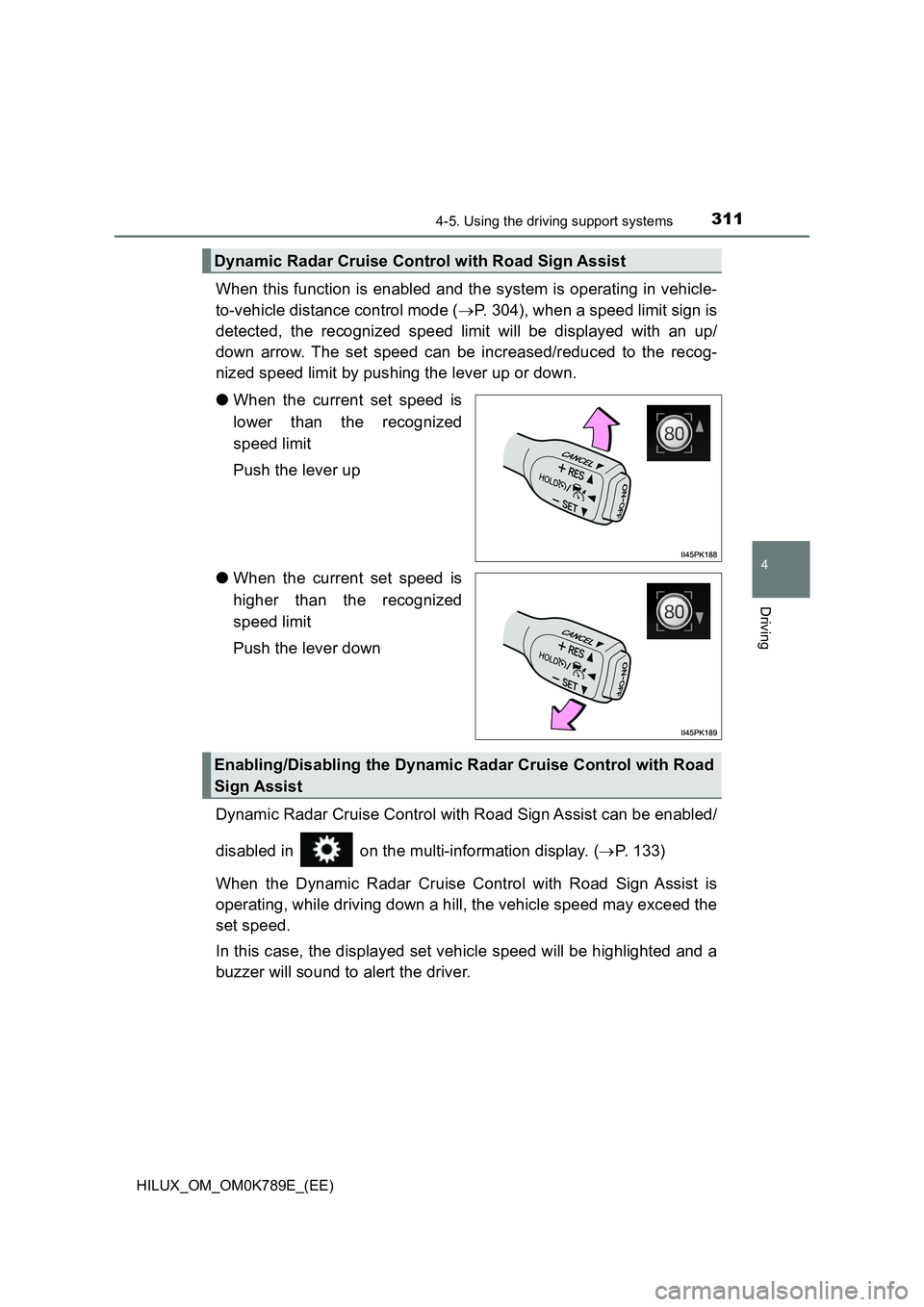
When this function is enabled and the system is operating in vehicle-
to-vehicle distance control mode ( P. 304), when a speed limit sign is
detected, the recognized speed limit will be displayed with an up/
down arrow. The set speed can be increased/reduced to the recog-
nized speed limit by pushing the lever up or down.
● When the current set speed is
lower than the recognized
speed limit
Push the lever up
● When the current set speed is
higher than the recognized
speed limit
Push the lever down
Dynamic Radar Cruise Control with Road Sign Assist can be enabled/
disabled in on the multi-information display. ( P. 133)
When the Dynamic Radar Cruise Control with Road Sign Assist is
operating, while driving down a hill, the vehicle speed may exceed the
set speed.
In this case, the displayed set vehicle speed will be highlighted and a
buzzer will sound to alert the driver.
Dynamic Radar Cruise Control with Road Sign Assist
Enabling/Disabling the Dynamic Radar Cruise Control with Road
Sign Assist
Page 323 of 810
3214-5. Using the driving support systems
4
Driving
HILUX_OM_OM0K789E_(EE)
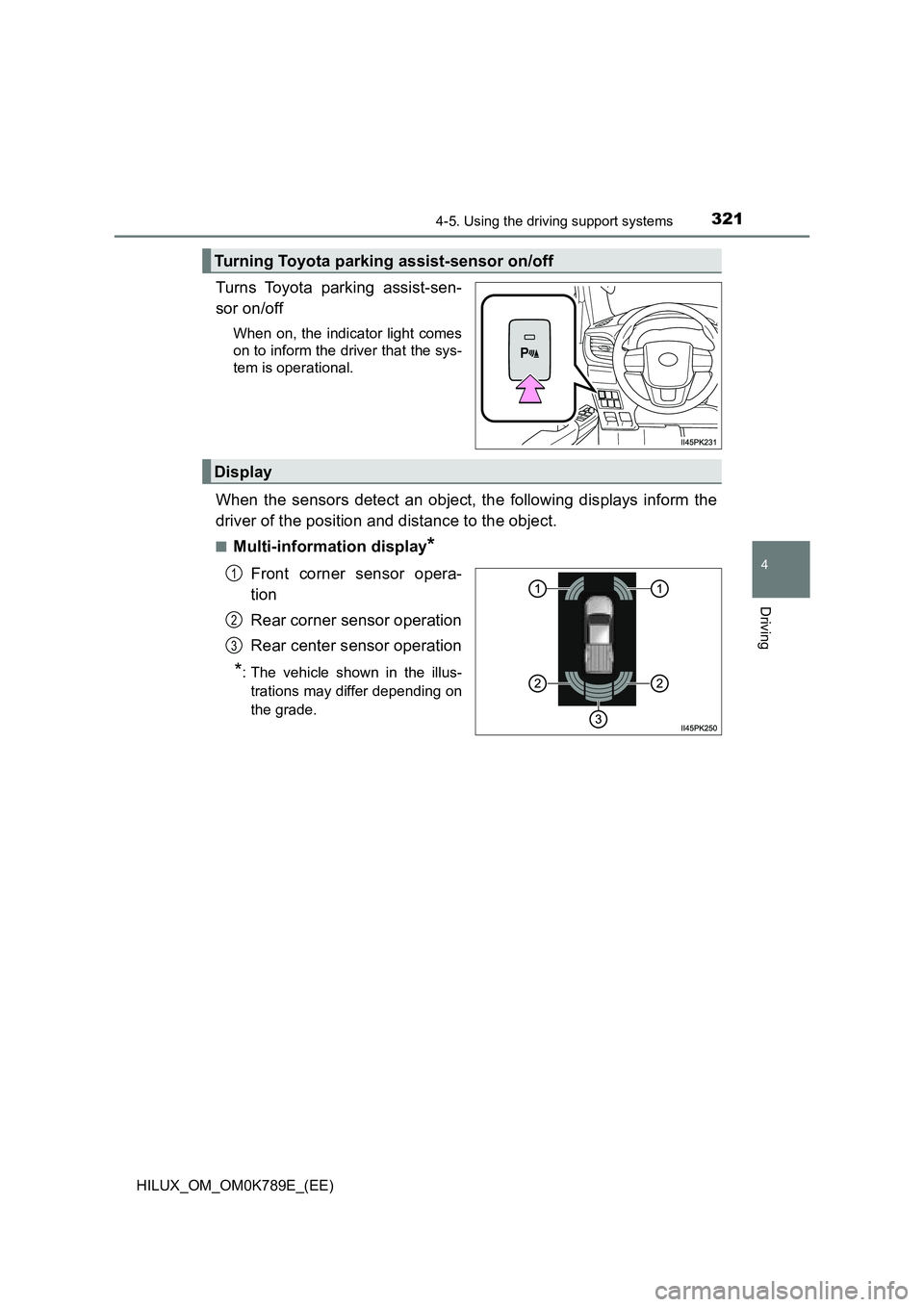
Turns Toyota parking assist-sen-
sor on/off
When on, the indicator light comes
on to inform the driver that the sys-
tem is operational.
When the sensors detect an object, the following displays inform the
driver of the position and distance to the object.
■Multi-information display*
Front corner sensor opera-
tion
Rear corner sensor operation
Rear center sensor operation
*: The vehicle shown in the illus-
trations may differ depending on
the grade.
Turning Toyota parking assist-sensor on/off
Display
1
2
3
Page 330 of 810
3284-5. Using the driving support systems
HILUX_OM_OM0K789E_(EE)
WARNING
■Cautions regarding the use of the system
There is a limit to the degree of recognition accuracy and control perfor-
mance that this system can provide, do not overly rely on this system. The
driver is always responsible for paying attention to the vehicle’s surround-
ings and driving safely.
■ To ensure the system can operate properly
Observe the following precautions.
Failure to do so may result in the vehicle being unable to be driven safely
and possibly cause an accident.
● Do not damage the sensors, and always keep them clean.
● Do not attach a sticker or install an electronic component, such as a backlit
license plate (especially fluorescent type), fog lights, fender pole or wire-
less antenna near a radar sensor.
● Do not subject the surrounding area of the sensor to a strong impact. If
subjected to an impact, have the vehicle inspected by any authorized
Toyota retailer or Toyota authorized repai rer, or any reliable repairer. If the
front or rear bumper needs to be removed/installed or replaced, contact
any authorized Toyota retailer or Toyota authorized repairer, or any reliable
repairer.
● Do not modify, disassemble or paint the sensors.
● Do not attach a license plate cover.
● Keep your tires properly inflated.
■ When to disable the function
In the following situations, disable the function as it may operate even
though there is no possibility of a collision.
● Failing to observe the warnings above.
● A non-genuine Toyota suspension (lowered suspension, etc.) is installed.
■ Notes when washing the vehicle
Do not apply intensive bursts of water or steam to the sensor area.
Doing so may result in the sensor malfunctioning.
● When using a high pressure washer to wash the vehicle, do not spray the
sensors directly, as doing so may cause a sensor to malfunction.
● When using steam to clean the vehicle, do not direct steam too close to
the sensors as doing so may cause a sensor to malfunction.