display TOYOTA LAND CRUISER 2012 Owner's Guide
[x] Cancel search | Manufacturer: TOYOTA, Model Year: 2012, Model line: LAND CRUISER, Model: TOYOTA LAND CRUISER 2012Pages: 692, PDF Size: 29.3 MB
Page 217 of 692
217 2-2. Instrument cluster
2
When driving
L/C200_EE (OM60G38E)
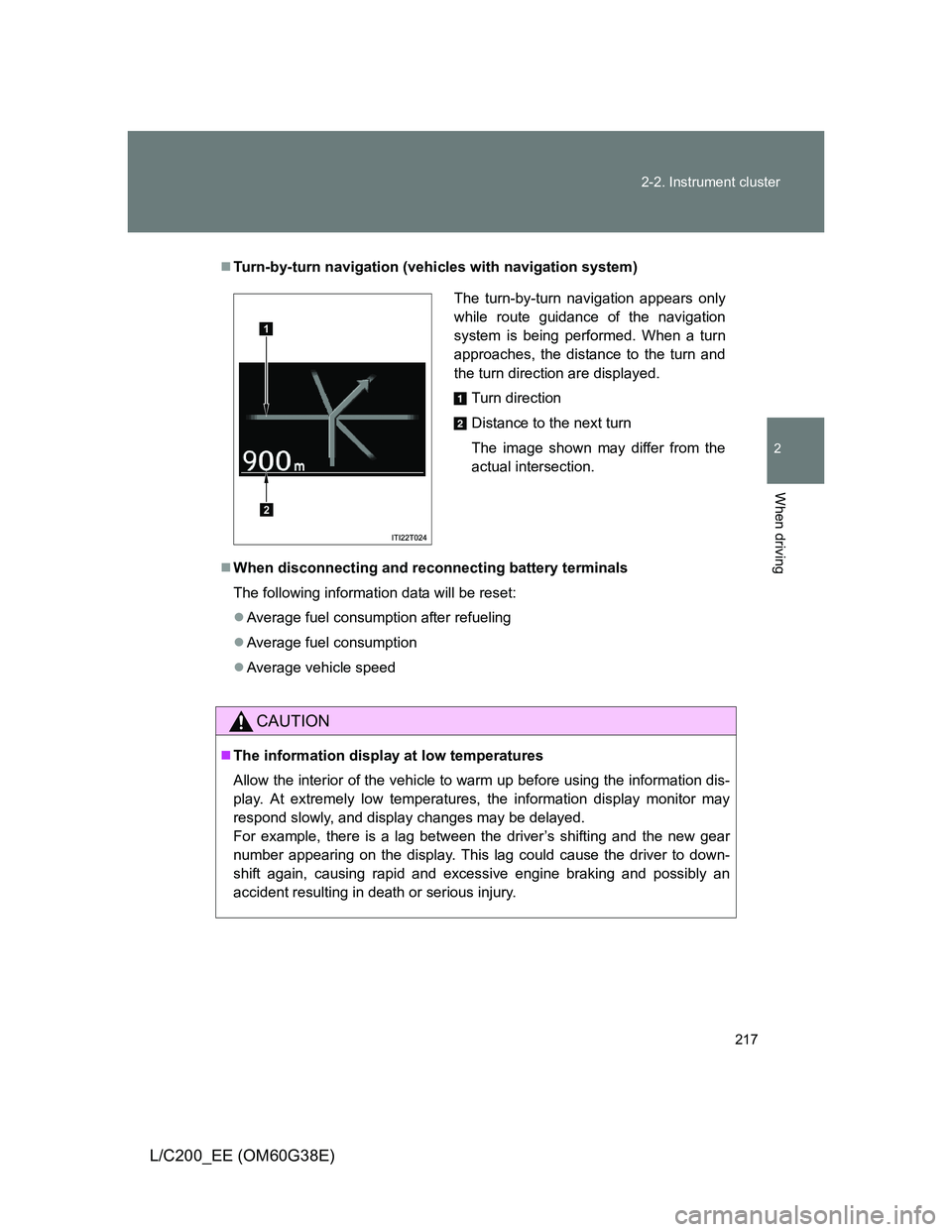
Turn-by-turn navigation (vehicles with navigation system)
When disconnecting and reconnecting battery terminals
The following information data will be reset:
Average fuel consumption after refueling
Average fuel consumption
Average vehicle speed
CAUTION
The information display at low temperatures
Allow the interior of the vehicle to warm up before using the information dis-
play. At extremely low temperatures, the information display monitor may
respond slowly, and display changes may be delayed.
For example, there is a lag between the driver’s shifting and the new gear
number appearing on the display. This lag could cause the driver to down-
shift again, causing rapid and excessive engine braking and possibly an
accident resulting in death or serious injury.
The turn-by-turn navigation appears only
while route guidance of the navigation
system is being performed. When a turn
approaches, the distance to the turn and
the turn direction are displayed.
Turn direction
Distance to the next turn
The image shown may differ from the
actual intersection.
1
2
Page 235 of 692
235 2-4. Using other driving systems
2
When driving
L/C200_EE (OM60G38E)
Cruise control can be set when
Vehicles with an automatic transmission: The shift lever is in the “D” or
more than range “4” of “S” has been selected.
Vehicle speed is above approximately 40 km/h (25 mph).
Accelerating after setting the vehicle speed
The vehicle can be accelerated normally. After acceleration, the set
speed resumes.
Even without canceling the cruise control, the set speed can be
increased by first accelerating the vehicle to the desired speed and then
pushing the lever down to set the new speed.
Automatic cruise control cancelation
Cruise control will stop maintaining the vehicle speed in any of the following
situations.
Actual vehicle speed falls more than approximately 16 km/h (10 mph)
below the preset vehicle speed.
At this time, the memorized set speed is not retained.
Actual vehicle speed is below approximately 40 km/h (25 mph).
VSC is activated (if equipped).
The switching operation continues for 5 seconds or more after the center
differential lock switch has been operated.
If the warning message for the cruise control is shown on the multi-
information display
Press the “ON-OFF” button once to deactivate the system, and then press
the button again to reactivate the system.
If the cruise control speed cannot be set or if the cruise control cancels
immediately after being activated, there may be a malfunction in the cruise
control system. Have the vehicle inspected by any authorized Toyota dealer
or repairer, or another duly qualified and equipped professional.
Page 237 of 692
237
2-4. Using other driving systems
2
When driving
L/C200_EE (OM60G38E)
Toyota parking assist-sensor
: If equipped
The distance from your vehicle to nearby obstacles when parallel
parking or maneuvering into a garage is measured by the sensors
and communicated via the multi-information display, touch screen
and a buzzer. Always check the surrounding area when using this
system.
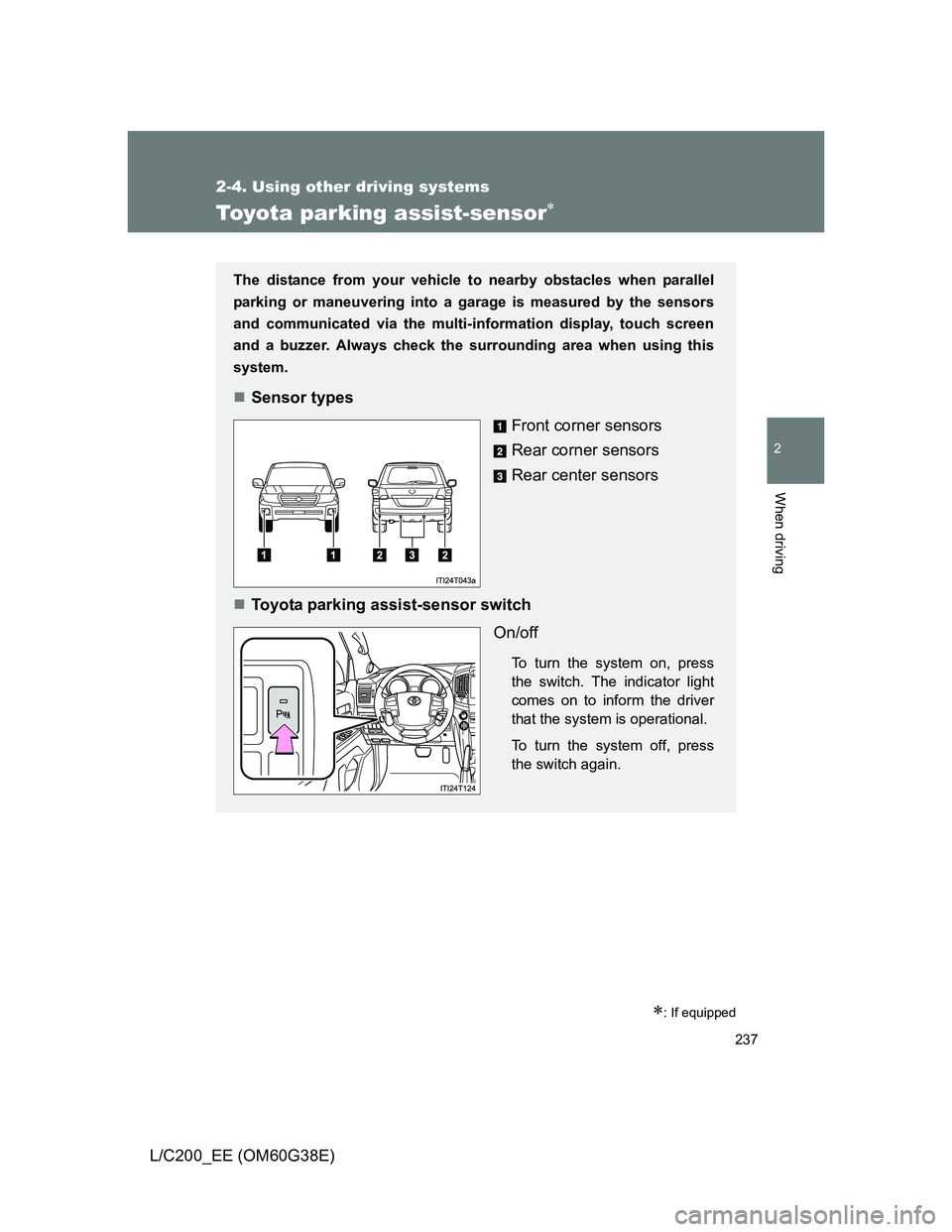
Sensor types
Front corner sensors
Rear corner sensors
Rear center sensors
Toyota parking assist-sensor switch
On/off
To turn the system on, press
the switch. The indicator light
comes on to inform the driver
that the system is operational.
To turn the system off, press
the switch again.
Page 238 of 692
238 2-4. Using other driving systems
L/C200_EE (OM60G38E)
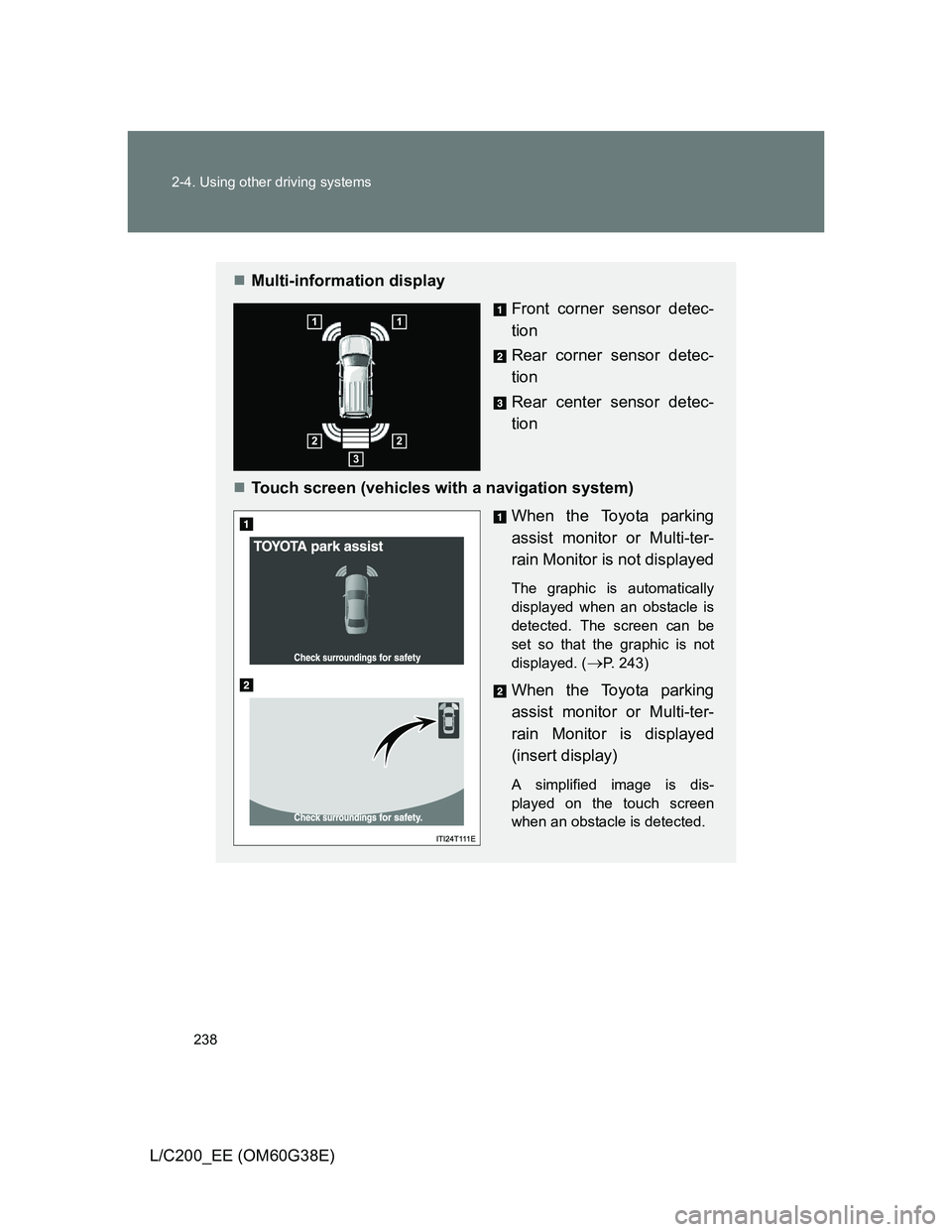
Multi-information display
Front corner sensor detec-
tion
Rear corner sensor detec-
tion
Rear center sensor detec-
tion
Touch screen (vehicles with a navigation system)
When the Toyota parking
assist monitor or Multi-ter-
rain Monitor is not displayed
The graphic is automatically
displayed when an obstacle is
detected. The screen can be
set so that the graphic is not
displayed. (
P. 243)
When the Toyota parking
assist monitor or Multi-ter-
rain Monitor is displayed
(insert display)
A simplified image is dis-
played on the touch screen
when an obstacle is detected.
Page 239 of 692
239 2-4. Using other driving systems
2
When driving
L/C200_EE (OM60G38E)
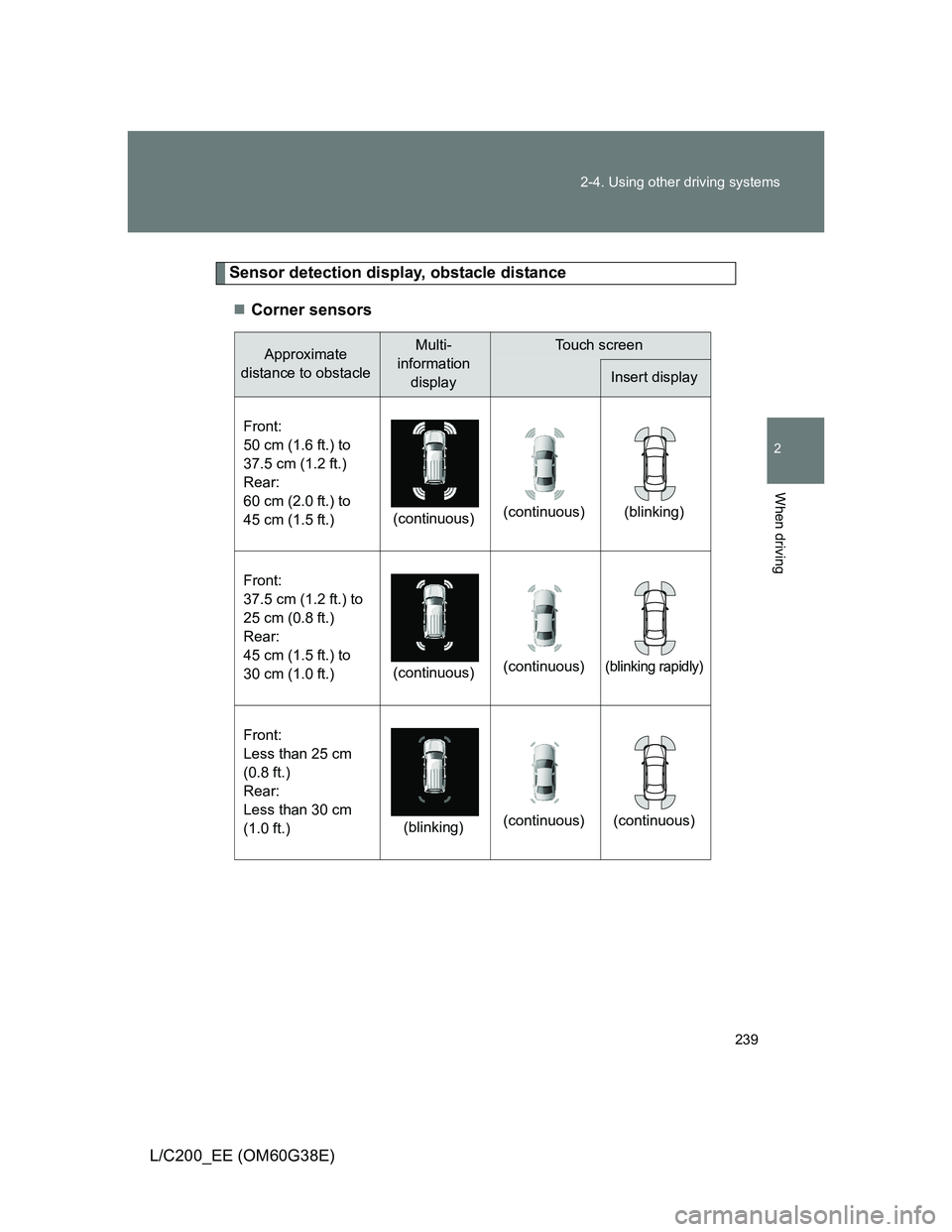
Sensor detection display, obstacle distance
Corner sensors
Approximate
distance to obstacleMulti-
information
displayTouch screen
Insert display
Front:
50 cm (1.6 ft.) to
37.5 cm (1.2 ft.)
Rear:
60 cm (2.0 ft.) to
45 cm (1.5 ft.)(continuous)(continuous) (blinking)
Front:
37.5 cm (1.2 ft.) to
25 cm (0.8 ft.)
Rear:
45 cm (1.5 ft.) to
30 cm (1.0 ft.)(continuous)(continuous)
(blinking rapidly)
Front:
Less than 25 cm
(0.8 ft.)
Rear:
Less than 30 cm
(1.0 ft.)(blinking)(continuous) (continuous)
Page 240 of 692
240 2-4. Using other driving systems
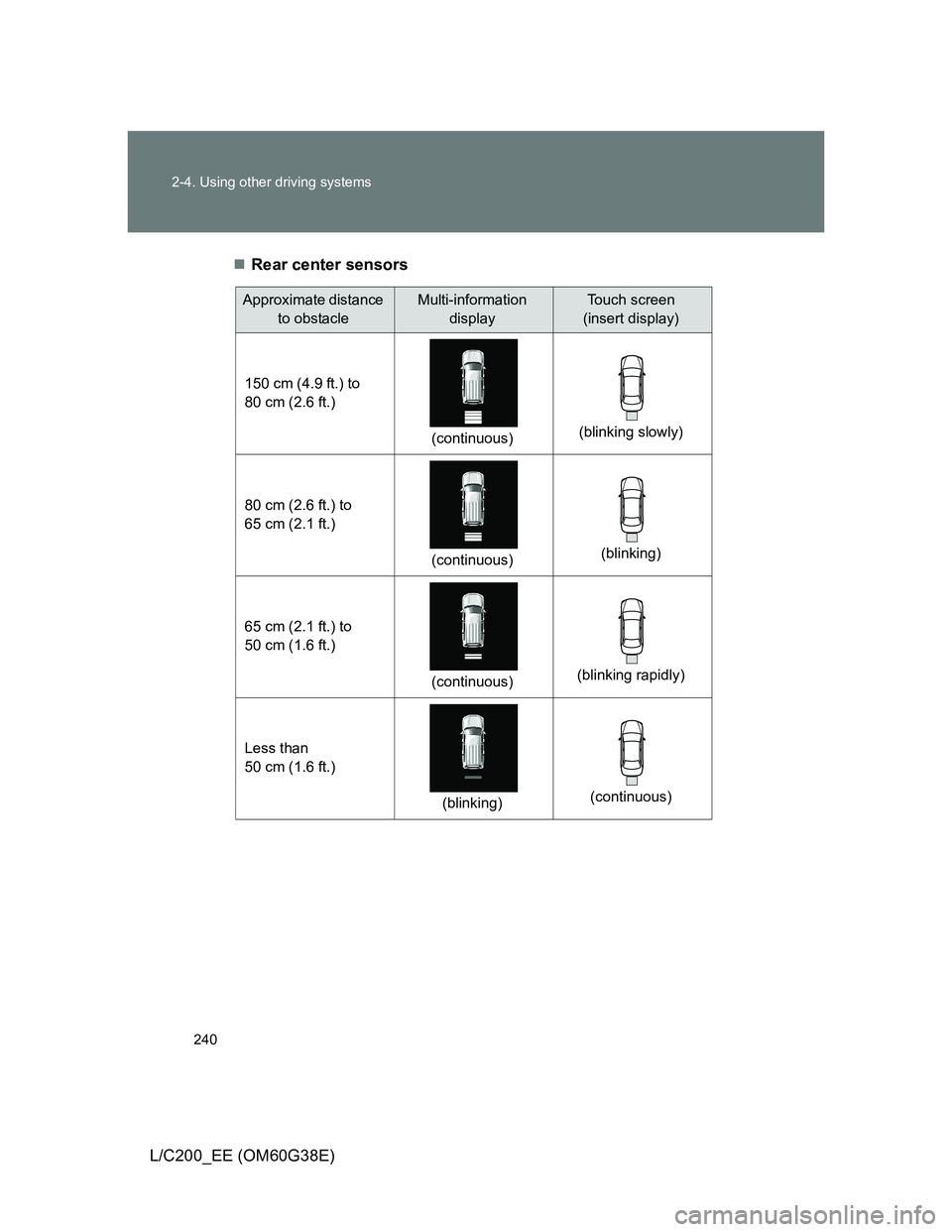
L/C200_EE (OM60G38E)Rear center sensors
Approximate distance
to obstacleMulti-information
displayTouch screen
(insert display)
150 cm (4.9 ft.) to
80 cm (2.6 ft.)
(continuous)(blinking slowly)
80 cm (2.6 ft.) to
65 cm (2.1 ft.)
(continuous)(blinking)
65 cm (2.1 ft.) to
50 cm (1.6 ft.)
(continuous)(blinking rapidly)
Less than
50 cm (1.6 ft.)
(blinking)(continuous)
Page 243 of 692
243 2-4. Using other driving systems
2
When driving
L/C200_EE (OM60G38E)
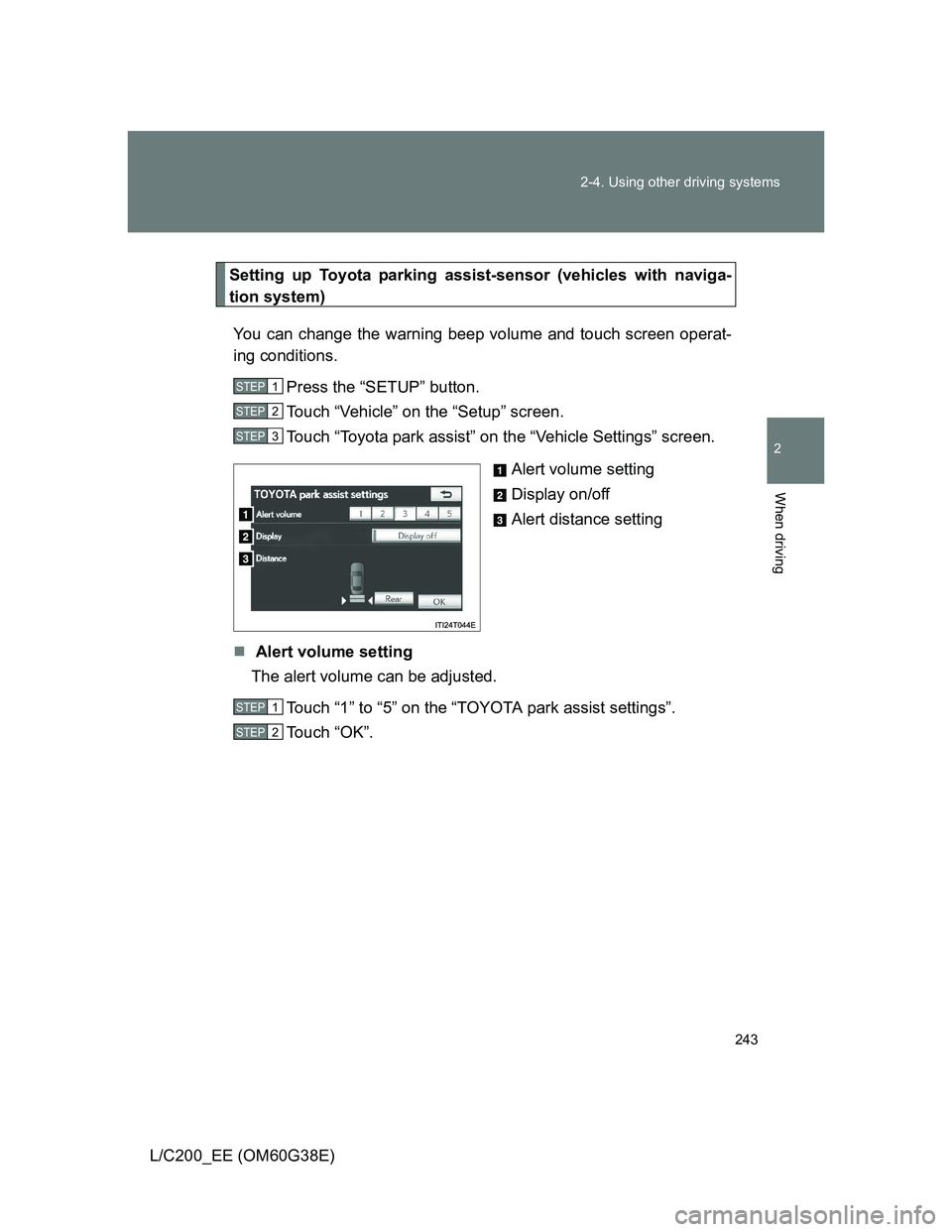
Setting up Toyota parking assist-sensor (vehicles with naviga-
tion system)
You can change the warning beep volume and touch screen operat-
ing conditions.
Press the “SETUP” button.
Touch “Vehicle” on the “Setup” screen.
Touch “Toyota park assist” on the “Vehicle Settings” screen.
Alert volume setting
Display on/off
Alert distance setting
Alert volume setting
The alert volume can be adjusted.
Touch “1” to “5” on the “TOYOTA park assist settings”.
Touch “OK”.
STEP1
STEP2
STEP3
STEP1
STEP2
Page 244 of 692
244 2-4. Using other driving systems
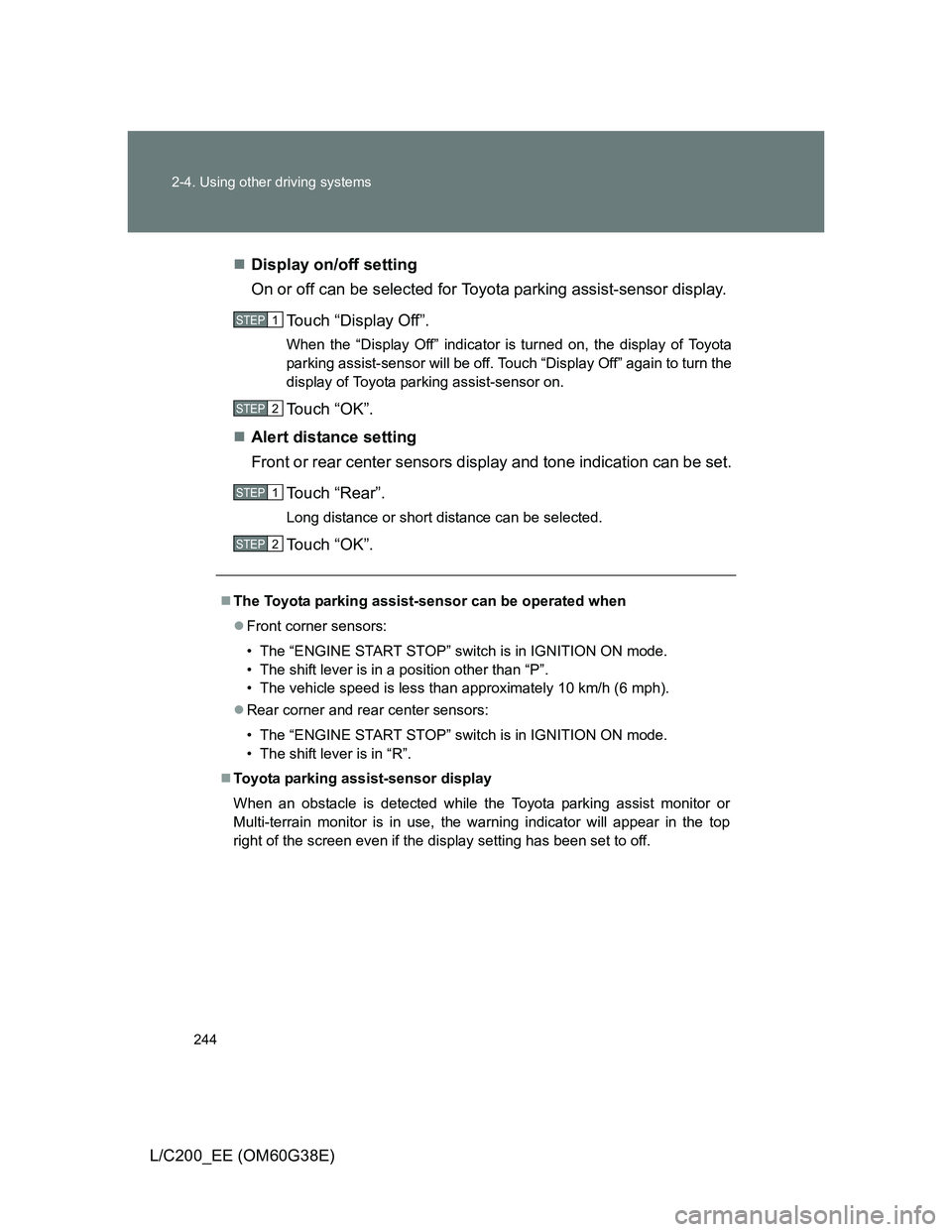
L/C200_EE (OM60G38E)Display on/off setting
On or off can be selected for Toyota parking assist-sensor display.
Touch “Display Off”.
When the “Display Off” indicator is turned on, the display of Toyota
parking assist-sensor will be off. Touch “Display Off” again to turn the
display of Toyota parking assist-sensor on.
Touch “OK”.
Alert distance setting
Front or rear center sensors display and tone indication can be set.
Touch “Rear”.
Long distance or short distance can be selected.
Touch “OK”.
The Toyota parking assist-sensor can be operated when
Front corner sensors:
• The “ENGINE START STOP” switch is in IGNITION ON mode.
• The shift lever is in a position other than “P”.
• The vehicle speed is less than approximately 10 km/h (6 mph).
Rear corner and rear center sensors:
• The “ENGINE START STOP” switch is in IGNITION ON mode.
• The shift lever is in “R”.
Toyota parking assist-sensor display
When an obstacle is detected while the Toyota parking assist monitor or
Multi-terrain monitor is in use, the warning indicator will appear in the top
right of the screen even if the display setting has been set to off.
STEP1
STEP2
STEP1
STEP2
Page 245 of 692
245 2-4. Using other driving systems
2
When driving
L/C200_EE (OM60G38E)
Sensor detection information
The sensor’s detection areas are limited to the areas around the vehi-
cle’s front corner and rear bumpers.
Certain vehicle conditions and the surrounding environment may affect
the ability of the sensor to correctly detect obstacles. Particular instances
where this may occur are listed below.
• There is dirt, snow or ice on the sensor. (Wiping the sensors will
resolve this problem.)
• The sensor is frozen. (Thawing the area will resolve this problem.)
In especially cold weather, if a sensor is frozen the screen may show
an abnormal display, or obstacles may not be detected.
• The sensor is covered in any way.
• The vehicle is leaning considerably to one side.
• On an extremely bumpy road, on an incline, on gravel, or on grass
• The vicinity of the vehicle is noisy due to vehicle horns, motorcycle
engines, air brakes of large vehicles, or other loud noises producing
ultrasonic waves.
• There is another vehicle equipped with parking assist sensors in the
vicinity.
• The sensor is coated with a sheet of spray or heavy rain.
• The vehicle is equipped with a fender pole or wireless antenna.
• Towing eyelets are installed.
• The bumper or sensor receives a strong impact.
• The vehicle is approaching a tall or curved curb.
• In harsh sunlight or intense cold weather
• The area directly under the bumpers is not detected.
• If obstacles draw too close to the sensor.
• A non-genuine Toyota suspension (lowered suspension etc.) is
installed.
• People may not be detected if they are wearing certain types of cloth-
ing.
In addition to the examples above, there are instances in which, because
of their shape, signs and other objects may be judged by the sensor to be
closer than they are.
Page 246 of 692
246 2-4. Using other driving systems
L/C200_EE (OM60G38E)
The shape of the obstacle may prevent the sensor from detecting it. Pay
particular attention to the following obstacles:
• Wires, fences, ropes, etc.
• Cotton, snow and other materials that absorb sound waves
• Sharply-angled objects
• Low obstacles
• Tall obstacles with upper sections projecting outwards in the direction
of your vehicle
The following situations may occur during use.
• Depending on the shape of the obstacle and other factors, the detec-
tion distance may shorten, or detection may be impossible.
• Obstacles may not be detected if they are too close to the sensor
• There will be a short delay between obstacle detection and display.
Even at slow speeds, there is a possibility that the obstacle will come
within the sensor’s detection areas before the display is shown and the
warning beep sounds.
• Thin posts or objects lower than the sensor may not be detected for
collision when approached, even if they have been detected once.
• It might be difficult to hear beeps due to the volume of audio system or
air flow noise of air conditioning system.
If a message is displayed on the multi-information display
P. 579