display TOYOTA LAND CRUISER 2012 Workshop Manual
[x] Cancel search | Manufacturer: TOYOTA, Model Year: 2012, Model line: LAND CRUISER, Model: TOYOTA LAND CRUISER 2012Pages: 692, PDF Size: 29.3 MB
Page 272 of 692
272 2-4. Using other driving systems
L/C200_EE (OM60G38E)
Multi-terrain Select control starting conditions
When all of the following conditions are satisfied, the Multi-ter-
rain Select indicator will come on, the mode select screen will be
displayed on the multi-information display, and Multi-terrain
Select control will begin.
The four-wheel drive control switch is in “L4”.
Both Active TRC and VSC are not off.
Crawl Control is off.
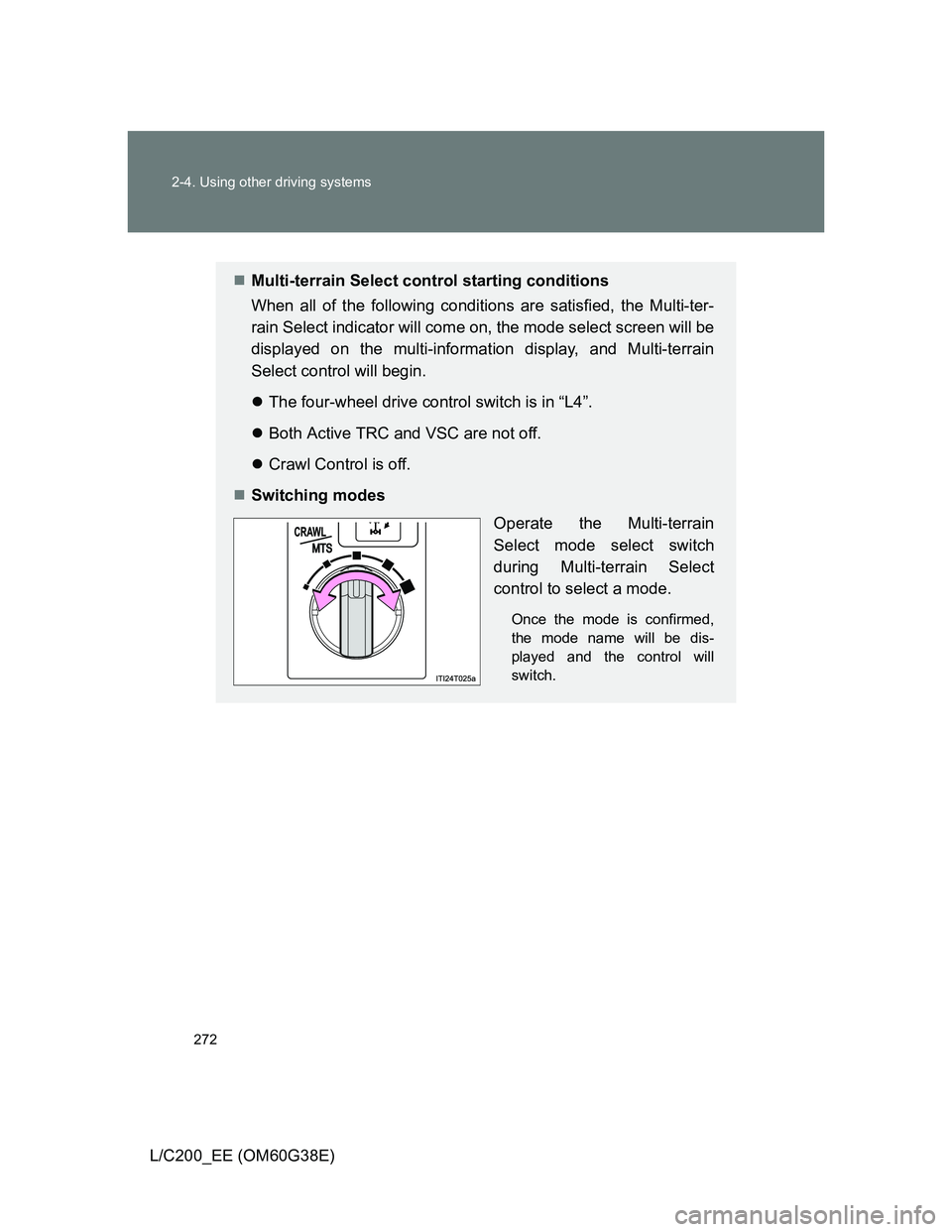
Switching modes
Operate the Multi-terrain
Select mode select switch
during Multi-terrain Select
control to select a mode.
Once the mode is confirmed,
the mode name will be dis-
played and the control will
switch.
Page 273 of 692
273 2-4. Using other driving systems
2
When driving
L/C200_EE (OM60G38E)
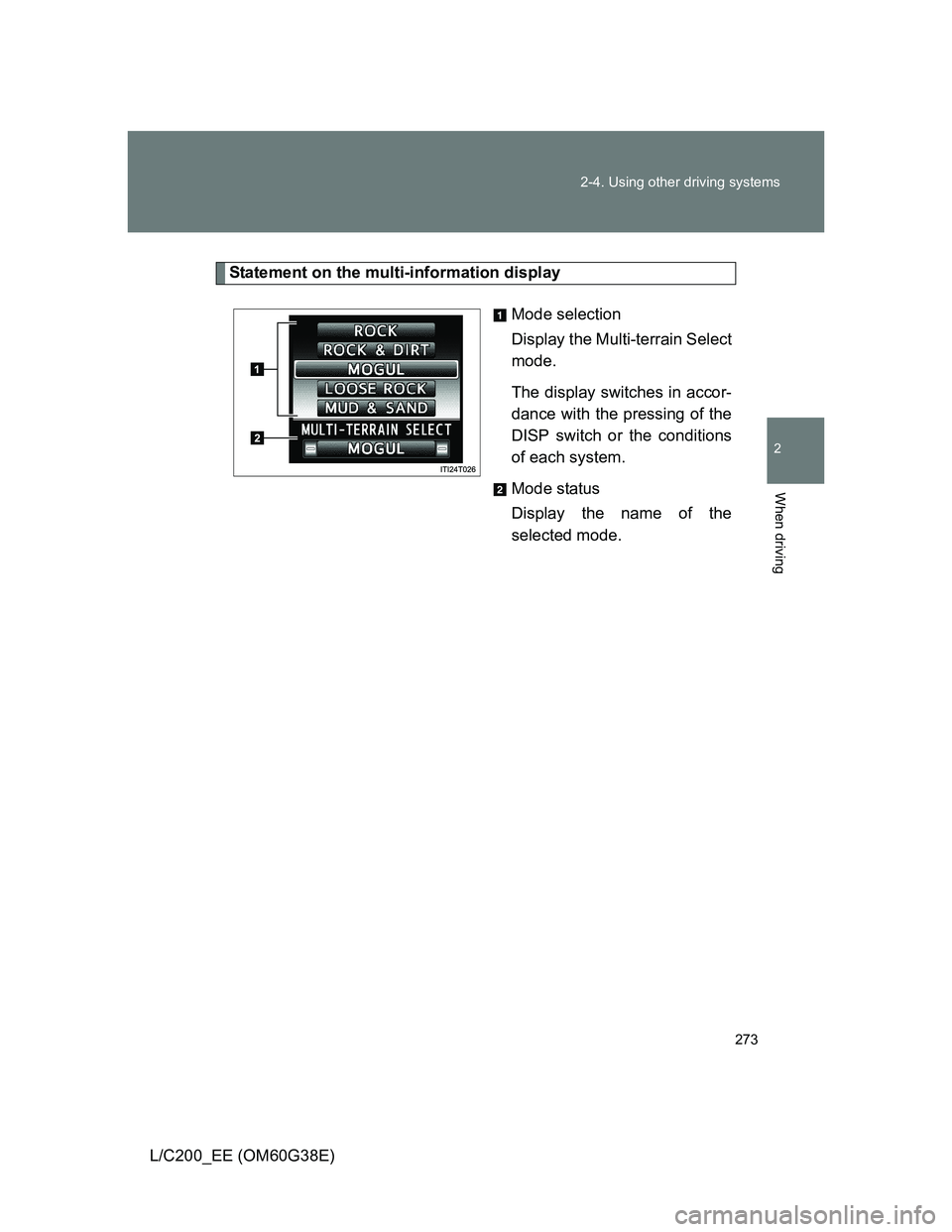
Statement on the multi-information display
Mode selection
Display the Multi-terrain Select
mode.
The display switches in accor-
dance with the pressing of the
DISP switch or the conditions
of each system.
Mode status
Display the name of the
selected mode.
Page 274 of 692
274 2-4. Using other driving systems
L/C200_EE (OM60G38E)
Automatic system cancelation
In the following situations, the Multi-terrain Select indicator will go off, and
Multi-terrain Select will be canceled automatically.
When the four-wheel drive control switch is in “H4”.
When Active TRC and VSC are off.
When Crawl Control is on.
When it is difficult to generate traction
MUD & SAND mode provides the largest amount of tire slippage, followed
by LOOSE ROCK, MOGUL, ROCK & DIRT and ROCK mode.
Drivability can be improved by selecting a mode which provides a smaller
amount of tire slippage than the current mode when the amount of tire slip-
page is large, or conversely selecting a mode which provides a larger
amount of tire slippage than the current mode when the amount of tire slip-
page is small.
When the vehicle is stuck
Switching the transfer and differential
For the operation of the following functions, refer to the following pages.
Four-wheel drive system (P. 259)
Center differential lock (P. 259)
When the brake system operates continuously
The brake system may overheat. In this case, a buzzer will sound, either the
“TRC OFF” will be displayed on the multi-information display, and Multi-ter-
rain Select will be temporarily inoperable. In this event, stop the vehicle
immediately in a safe place, and allow the brake system to cool down suffi-
ciently. (There is no problem with continuing normal driving.)
After a short time, the message on the multi-information display will go off,
and you will be able to use Multi-terrain Select.
When there is a malfunction in the system
The slip indicator light will come on. Have the vehicle inspected by any
authorized Toyota dealer or repairer, or another duly qualified and equipped
professional, immediately.
Page 276 of 692
276
2-4. Using other driving systems
L/C200_EE (OM60G38E)
Multi-terrain Monitor
: If equipped
The Multi-terrain Monitor displays the vehicle surroundings when
driving at low speeds, thus assisting off-road driving and helping the
driver to check the vehicle surroundings.
The screen display, or the image of the front screen, wide view
front & side monitor screen, side-front simultaneous display
monitor screen, side-rear simultaneous display monitor screen
or rear screen can be switched by pressing the VIEW switch.
(The camera that can be switched differs in accordance with the
status of the shift lever and the transfer.)
By referring to the guidelines shown on the front monitor screen,
you can decide a driving line while assessing the distance to
obstacles ahead of the vehicle and confirm the projected path,
and by using the wide view front & side monitors, the side-front
simultaneous display monitor and the side-rear simultaneous
display monitor to identify objects in the vicinity or course of the
tires, you can drive while preventing the vehicle from becoming
stuck unexpectedly.
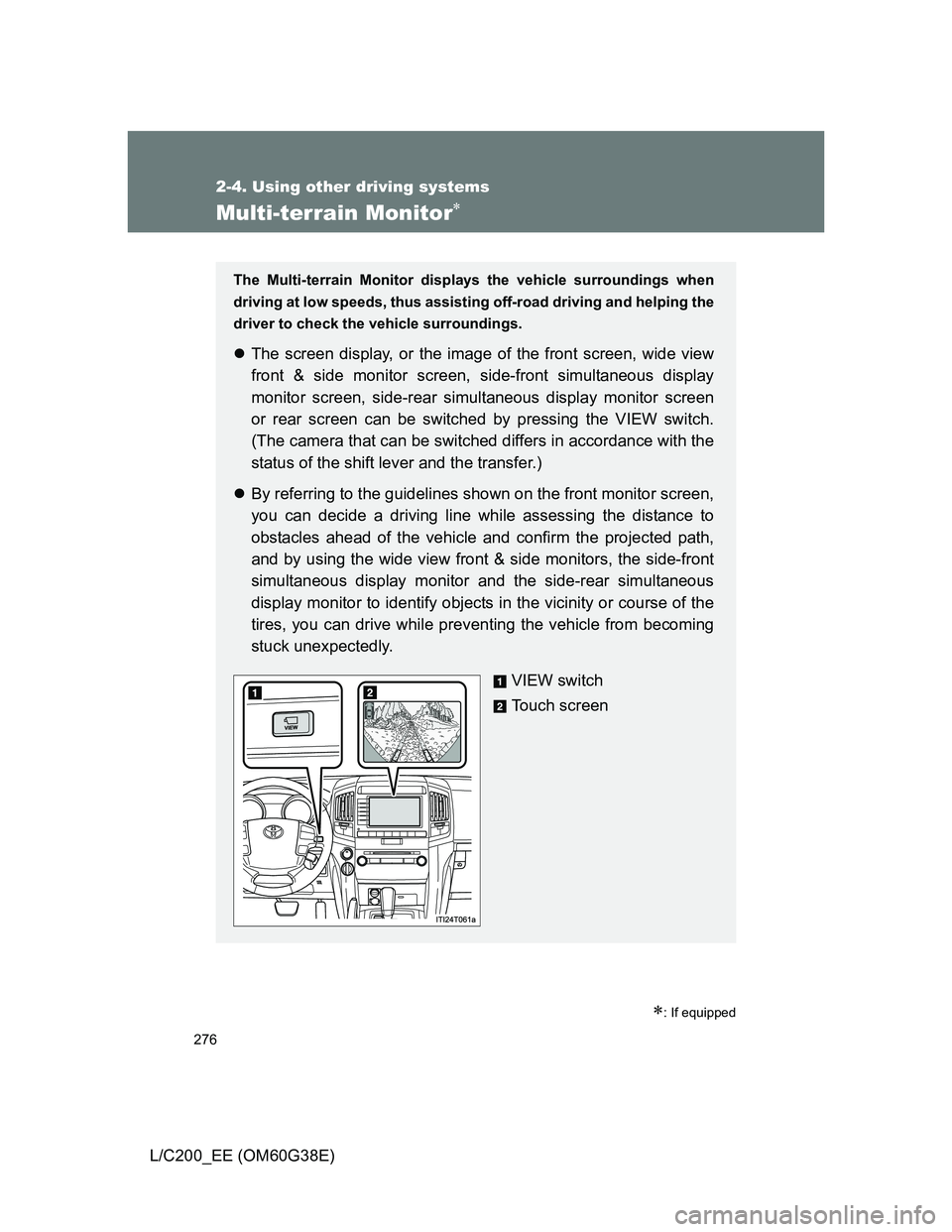
VIEW switch
Touch screen
Page 277 of 692
277 2-4. Using other driving systems
2
When driving
L/C200_EE (OM60G38E)
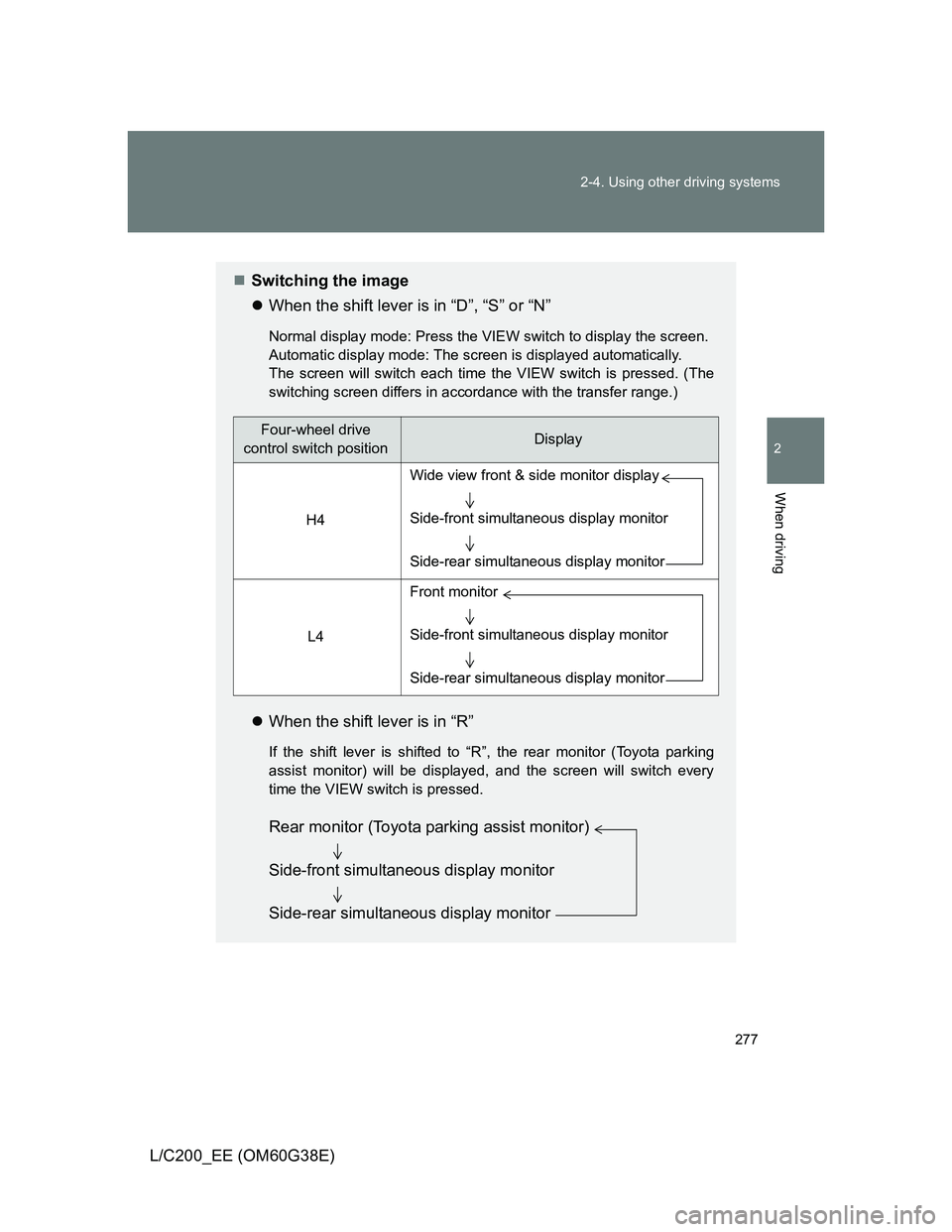
Switching the image
When the shift lever is in “D”, “S” or “N”
Normal display mode: Press the VIEW switch to display the screen.
Automatic display mode: The screen is displayed automatically.
The screen will switch each time the VIEW switch is pressed. (The
switching screen differs in accordance with the transfer range.)
When the shift lever is in “R”
If the shift lever is shifted to “R”, the rear monitor (Toyota parking
assist monitor) will be displayed, and the screen will switch every
time the VIEW switch is pressed.
Four-wheel drive
control switch positionDisplay
H4
L4
Wide view front & side monitor display
Side-front simultaneous display monitor
Side-rear simultaneous display monitor
Front monitor
Side-front simultaneous display monitor
Side-rear simultaneous display monitor
Rear monitor (Toyota parking assist monitor)
Side-front simultaneous display monitor
Side-rear simultaneous display monitor
Page 278 of 692
278 2-4. Using other driving systems
L/C200_EE (OM60G38E)
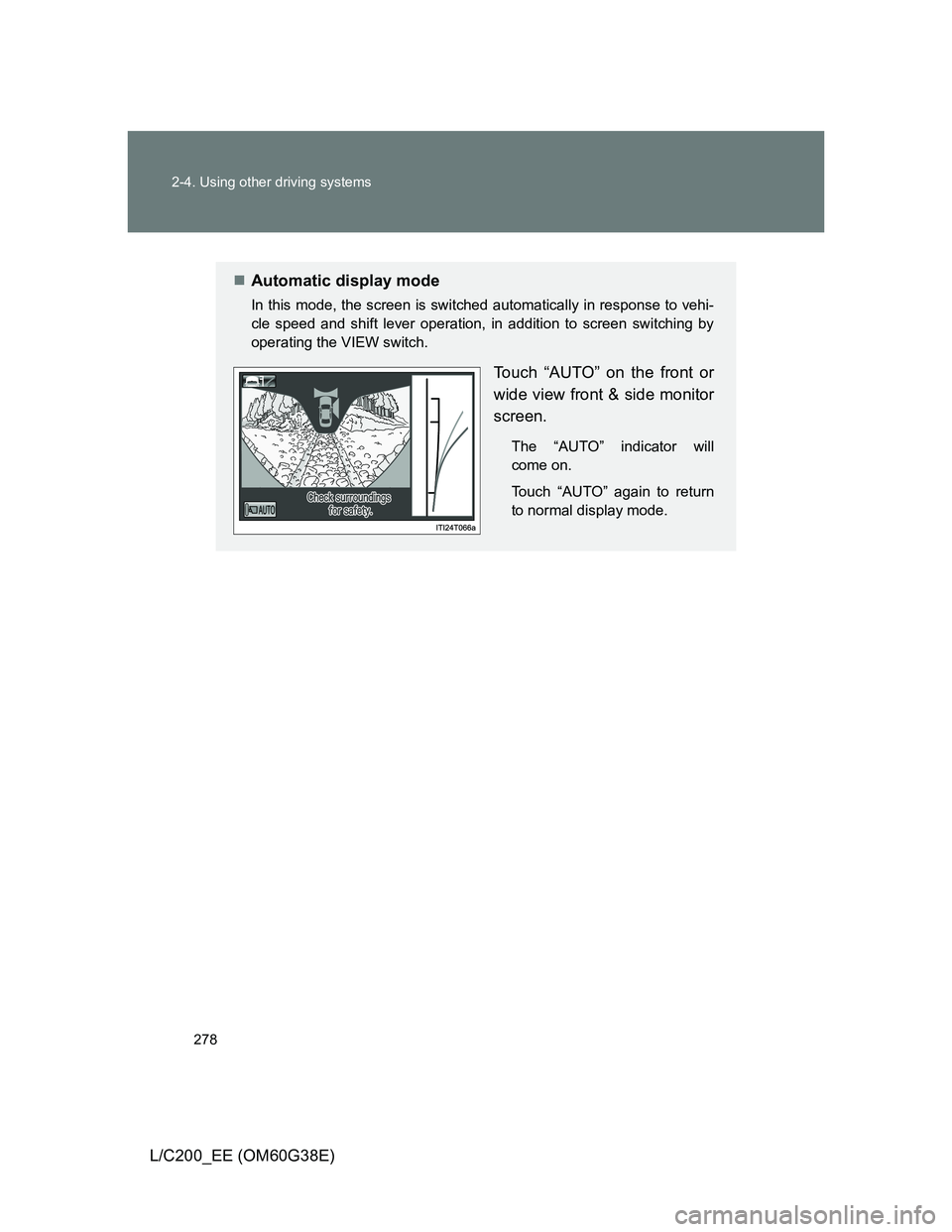
Automatic display mode
In this mode, the screen is switched automatically in response to vehi-
cle speed and shift lever operation, in addition to screen switching by
operating the VIEW switch.
Touch “AUTO” on the front or
wide view front & side monitor
screen.
The “AUTO” indicator will
come on.
Touch “AUTO” again to return
to normal display mode.
Page 279 of 692
279 2-4. Using other driving systems
2
When driving
L/C200_EE (OM60G38E)
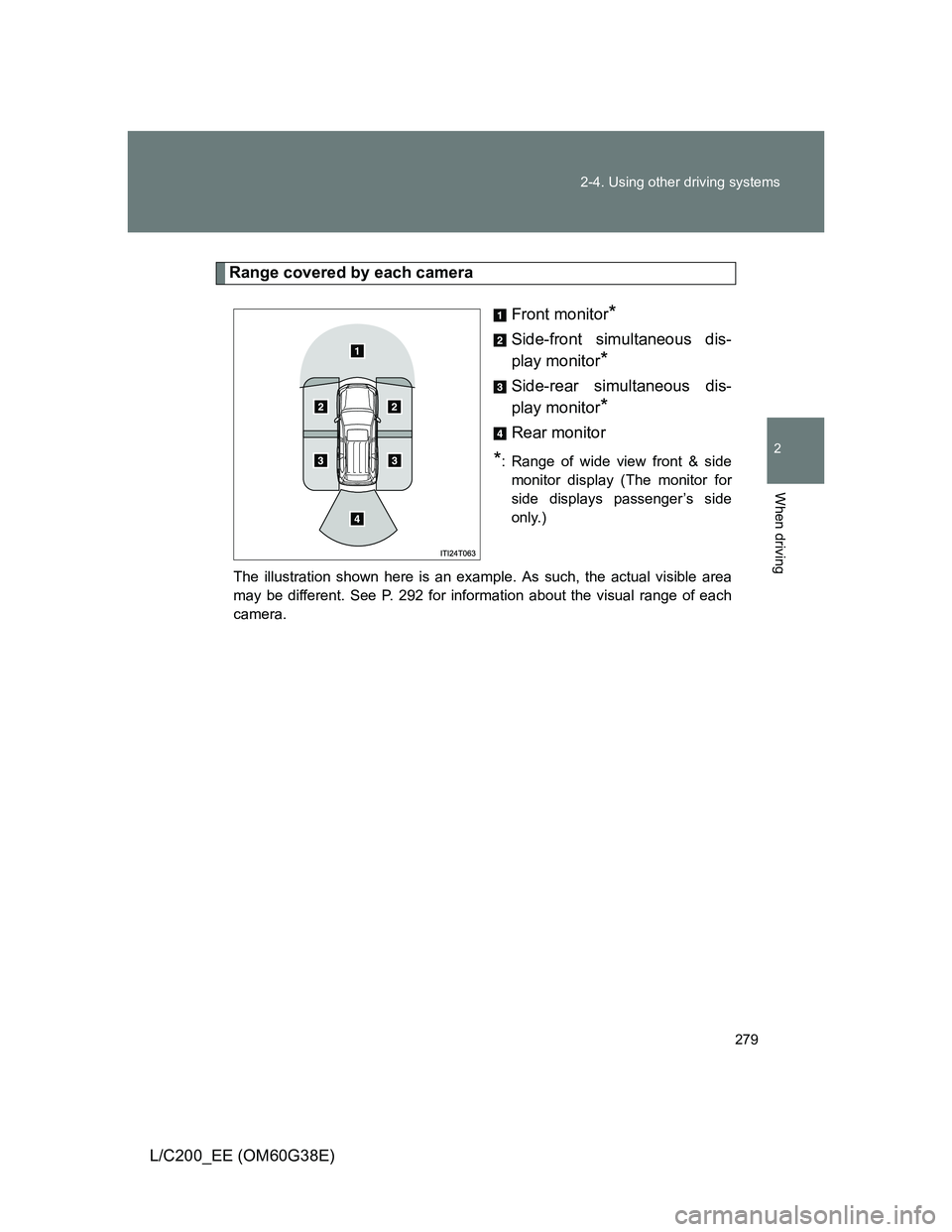
Range covered by each camera
Front monitor
*
Side-front simultaneous dis-
play monitor
*
Side-rear simultaneous dis-
play monitor
*
Rear monitor
*: Range of wide view front & side
monitor display (The monitor for
side displays passenger’s side
only.)
The illustration shown here is an example. As such, the actual visible area
may be different. See P. 292 for information about the visual range of each
camera.
Page 280 of 692
280 2-4. Using other driving systems
L/C200_EE (OM60G38E)
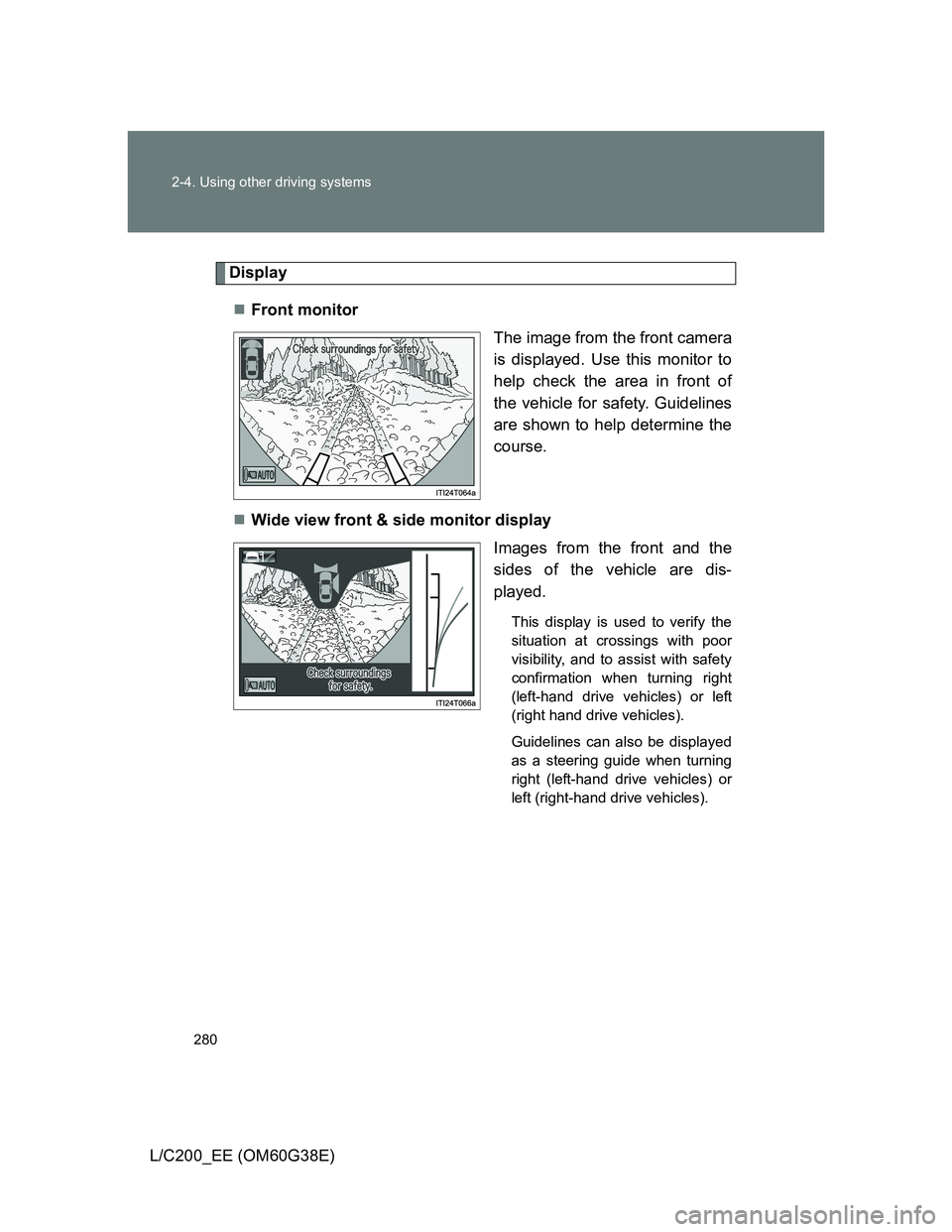
Display
Front monitor
The image from the front camera
is displayed. Use this monitor to
help check the area in front of
the vehicle for safety. Guidelines
are shown to help determine the
course.
Wide view front & side monitor display
Images from the front and the
sides of the vehicle are dis-
played.
This display is used to verify the
situation at crossings with poor
visibility, and to assist with safety
confirmation when turning right
(left-hand drive vehicles) or left
(right hand drive vehicles).
Guidelines can also be displayed
as a steering guide when turning
right (left-hand drive vehicles) or
left (right-hand drive vehicles).
Page 281 of 692
281 2-4. Using other driving systems
2
When driving
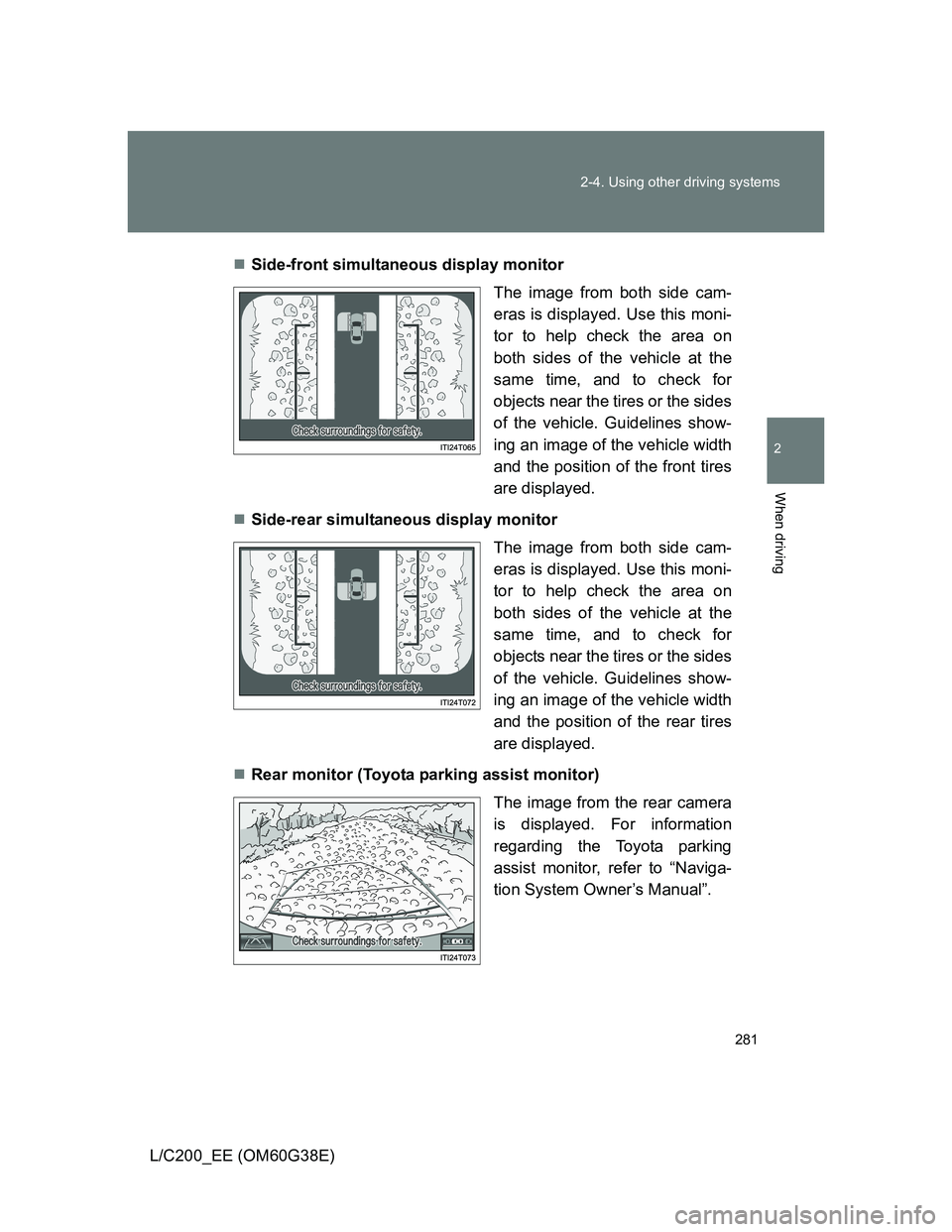
L/C200_EE (OM60G38E)Side-front simultaneous display monitor
The image from both side cam-
eras is displayed. Use this moni-
tor to help check the area on
both sides of the vehicle at the
same time, and to check for
objects near the tires or the sides
of the vehicle. Guidelines show-
ing an image of the vehicle width
and the position of the front tires
are displayed.
Side-rear simultaneous display monitor
The image from both side cam-
eras is displayed. Use this moni-
tor to help check the area on
both sides of the vehicle at the
same time, and to check for
objects near the tires or the sides
of the vehicle. Guidelines show-
ing an image of the vehicle width
and the position of the rear tires
are displayed.
Rear monitor (Toyota parking assist monitor)
The image from the rear camera
is displayed. For information
regarding the Toyota parking
assist monitor, refer to “Naviga-
tion System Owner’s Manual”.
Page 282 of 692
282 2-4. Using other driving systems
L/C200_EE (OM60G38E)
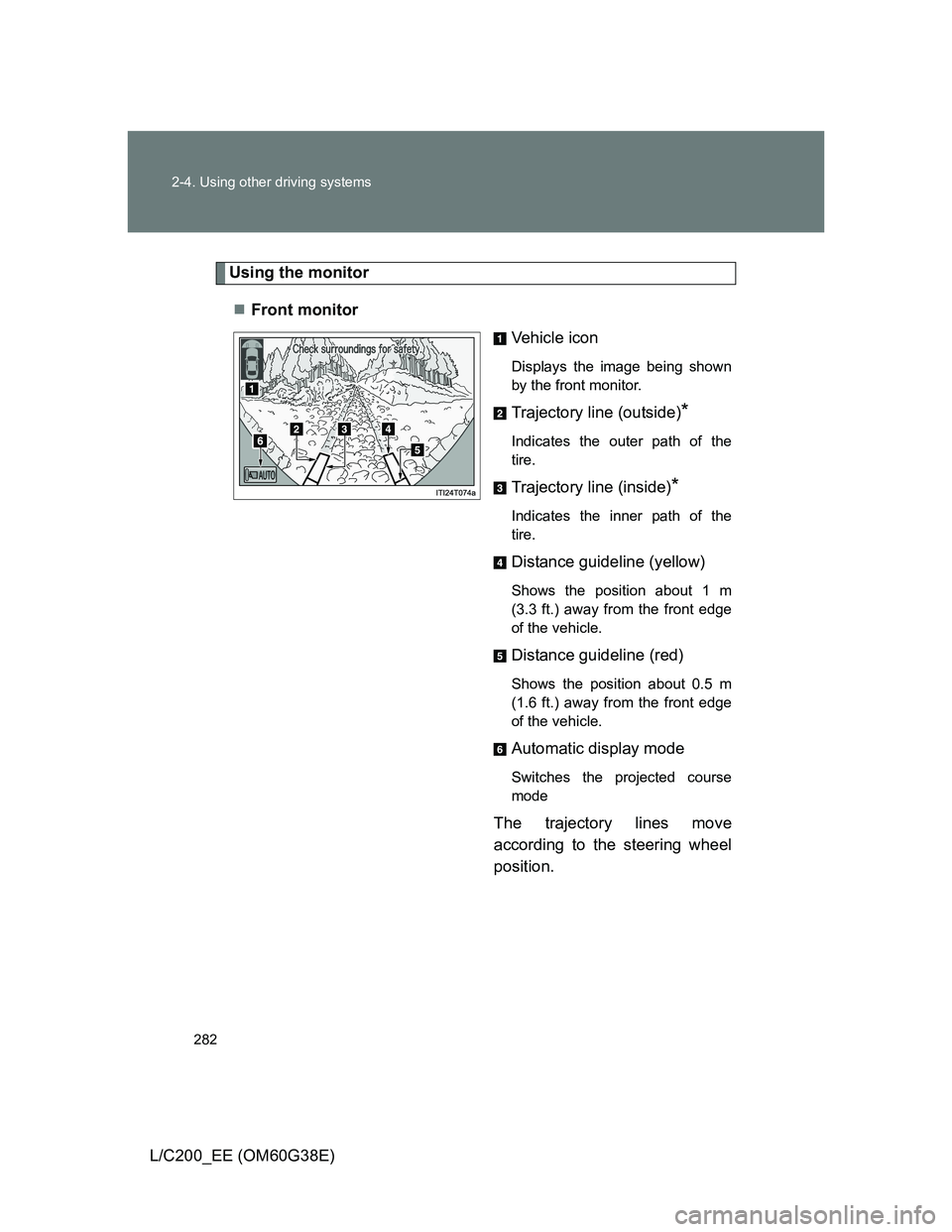
Using the monitor
Front monitor
Vehicle icon
Displays the image being shown
by the front monitor.
Trajectory line (outside)*
Indicates the outer path of the
tire.
Trajectory line (inside)*
Indicates the inner path of the
tire.
Distance guideline (yellow)
Shows the position about 1 m
(3.3 ft.) away from the front edge
of the vehicle.
Distance guideline (red)
Shows the position about 0.5 m
(1.6 ft.) away from the front edge
of the vehicle.
Automatic display mode
Switches the projected course
mode
The trajectory lines move
according to the steering wheel
position.