parking brake TOYOTA MIRAI 2020 (in English) Owner's Manual
[x] Cancel search | Manufacturer: TOYOTA, Model Year: 2020, Model line: MIRAI, Model: TOYOTA MIRAI 2020Pages: 528, PDF Size: 11.98 MB
Page 273 of 528
2735-5. Using the driving support systems
5
Driving
MIRAI_OM_USA_OM62073U
WARNING
■When using the intuitive parking assist
Observe the following precautions.
Failing to do so may result in the vehicle being unable to be d riven safely
and possibly cause an accident.
● Do not use the sensor at speeds in excess of 6 mph (10 km/h).
● The sensors’ detection areas and reaction times are limited. When moving
forward or reversing, check the areas surrounding the vehicle ( especially
the sides of the vehicle) for safety, and drive slowly, using t he brake to
control the vehicle’s speed.
● Do not install accessories within the sensors’ detection areas.
NOTICE
■When using intuitive parking assist
In the following situations, the system may not function correctly due to a
sensor malfunction, etc. Have the vehicle checked by your Toyot a dealer.
● The intuitive parking assist operation display flashes, and a buzzer sounds
when no obstacles are detected.
● If the area around a sensor collides with something, or is subjected to
strong impact.
● If the bumper collides with something.
● If the display shows continuously without beeping, except when the buzzer
mute switch has been turned on.
● If a display error occurs, first check the sensor.
If the error occurs even if there is no ice, snow or mud on the sensor, it is
likely that the sensor is malfunctioning.
■ Notes when washing the vehicle
Do not apply intensive bursts of water or steam to the sensor a rea.
Doing so may result in the sensor malfunctioning.
Page 274 of 528
2745-5. Using the driving support systems
MIRAI_OM_USA_OM62073U
Parking Suppor t Brake fu nction (for static
objects)
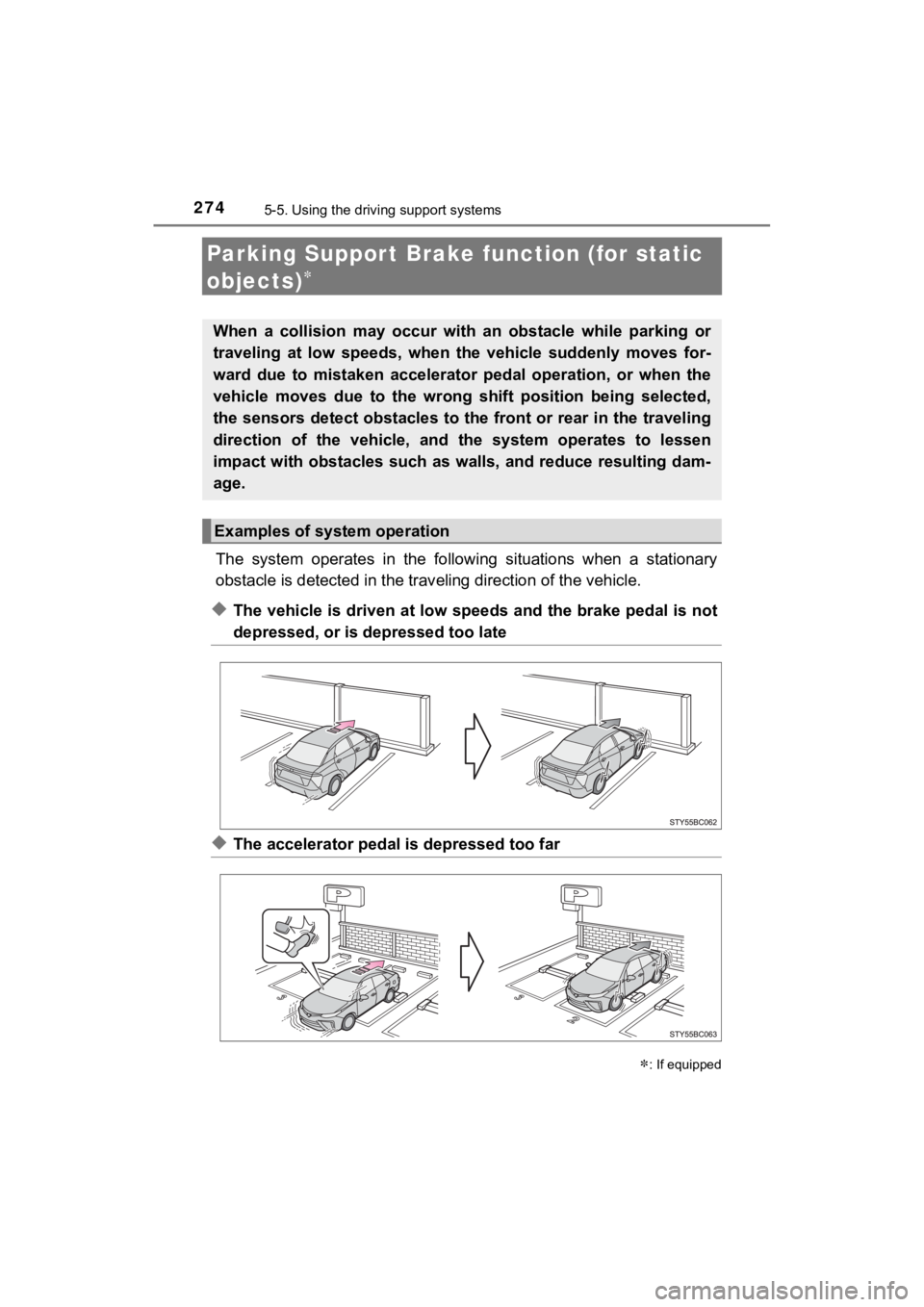
The system operates in the following situations when a stationa ry
obstacle is detected in the trav eling direction of the vehicle.
◆The vehicle is driven at low speeds and the brake pedal is not
depressed, or is depressed too late
◆The accelerator pedal is depressed too far
: If equipped
When a collision may occur with an obstacle while parking or
traveling at low speeds, when the vehicle suddenly moves for-
ward due to mistaken accelerator pedal operation, or when the
vehicle moves due to the wrong shift position being selected,
the sensors detect obstacles to the front or rear in the travel ing
direction of the vehicle, and the system operates to lessen
impact with obstacles such as walls, and reduce resulting dam-
age.
Examples of system operation
Page 276 of 528
2765-5. Using the driving support systems
MIRAI_OM_USA_OM62073U
The Parking Support Brake funct ion (for static objects) can be
changed on the multi-in formation display (P. 117).
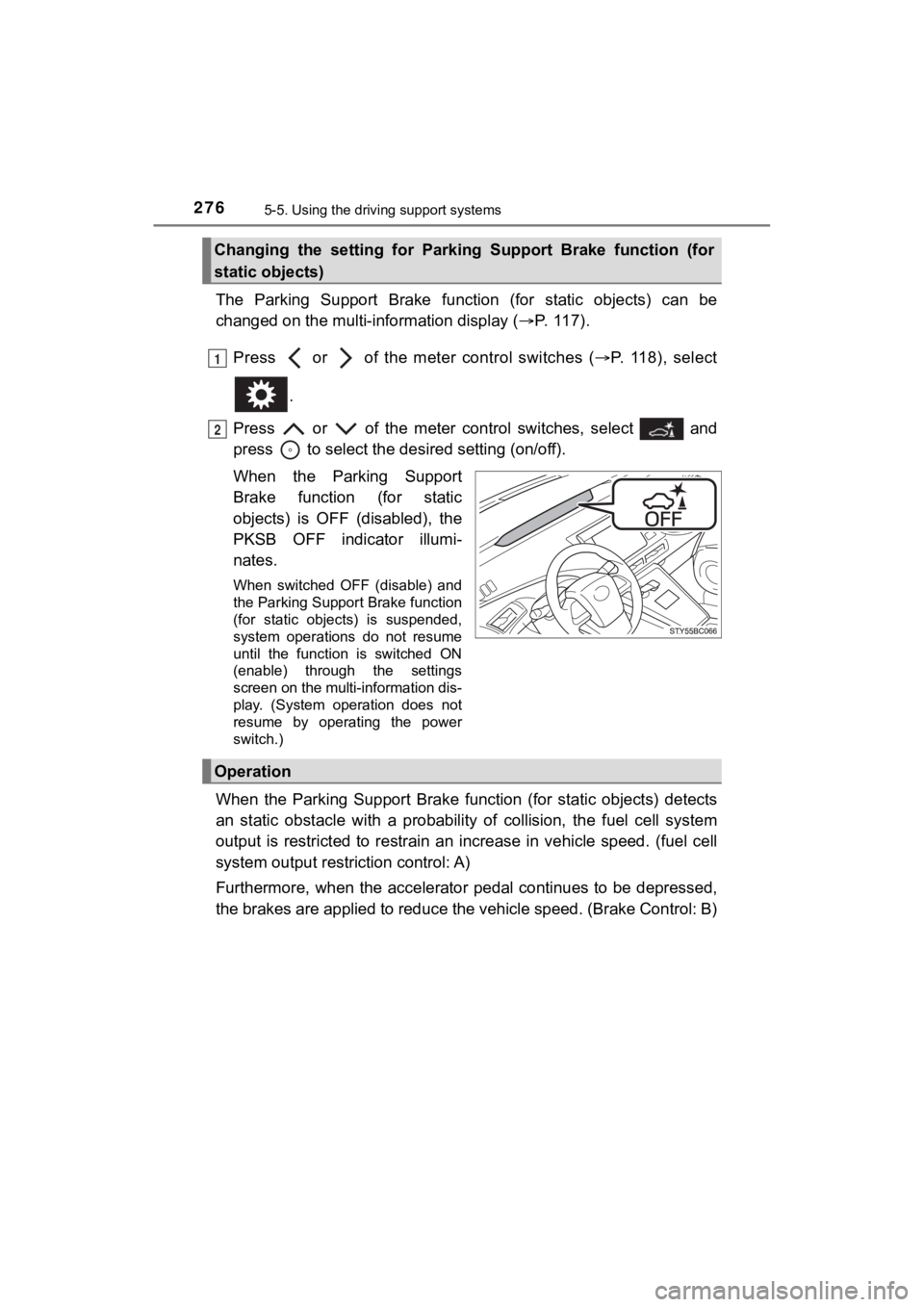
Press or of the meter control switches ( P. 118), select
.
Press or of the meter control switches, select and
press to select the desi red setting (on/off).
When the Parking Support
Brake function (for static
objects) is OFF (disabled), the
PKSB OFF indicator illumi-
nates.
When switched OFF (disable) and
the Parking Support Brake function
(for static objects) is suspended,
system operations do not resume
until the function is switched ON
(enable) through the settings
screen on the multi-information dis-
play. (System operation does not
resume by operating the power
switch.)
When the Parking Support Brake function (for static objects) de tects
an static obstacle with a probab ility of collision, the fuel cell system
output is restricted to restrain an increase in vehicle speed. (fuel cell
system output restri ction control: A)
Furthermore, when the accelerator pedal continues to be depress ed,
the brakes are applied to reduce the vehicle speed. (Brake Control: B)
Changing the setting for Parking Support Brake function (for
static objects)
1
2
Operation
Page 278 of 528

2785-5. Using the driving support systems
MIRAI_OM_USA_OM62073U■
Operation starting conditions
When the PKSB OFF indicator is not illuminated or flashing
(
P. 283, 419) and all of the fo llowing conditions are met, the
system operates.
Fuel cell system output restriction control
● The Parking Support Brake functi on (for static objects) is ON
(enabled).
● The vehicle speed is 10 mph (15 km/h) or less.
● There is a static obstacle in th e traveling direction of the vehicle
(6 to 13 ft. [2 to 4 m] ahead).
● The system determined that a stronger-than-normal brake opera-
tion was necessary to avoid a collision.
Brake control
● Fuel cell system output restrict ion control is being performed.
● The system determined that a n emergency brake operation was
necessary to av oid a collision.
■Operation ending conditions
In any of the following conditi ons, the system stops operating.
Fuel cell system output restriction control
● The Parking Support Brake function (for static objects) has been
turned OFF (disabled).
● The collision became a voidable with normal brake operation.
● The static object is no longer in the traveling direction of th e vehi-
cle (6 to 13 ft. [2 to 4 m] ahead).
Brake control
● The Parking Support Brake function (for static objects) has been
turned OFF (disabled).
● Approximately 2 seconds elapsed after the vehicle was stopped
by brake control.
● The brake control was depress ed after the vehicle was stopped
by brake control.
● The static obstacle is no longer in the traveling direction of the
vehicle (6 to 13 ft. [2 to 4 m] ahead).
Operation conditions
Page 280 of 528

2805-5. Using the driving support systems
MIRAI_OM_USA_OM62073U
■Sensor detection range
The detection range of the Parking Support Brake function (for static objects)
differs from the detection range of the intuitive parking assist (P. 269).
Therefore, even if the intuitive parking assist detects and provides a warning
for an approaching obstacle, the P arking Support Brake function (for static
objects) may not start operating.
■ System operation
When the vehicle is stopped by system operation, the Parking Support Brake
function (for static objects) stops and the PKSB OFF indicator illuminates.
Even if operated, the brake control is released after 2 seconds , so the vehicle
can start moving in that state. Also, depressing the brake peda l releases the
brake control, so if the accelerator pedal is depressed again, the vehicle can
start moving.
■ System recovery
When the Parking Support Brake function (for static objects) is stopped by the
system operation and you would like to resume operation, turn the Parking
Support Brake function (for static objects) ON again and resume operation
( P. 276), or after briefly turning the power switch OFF turn it ON again.
Furthermore, when the vehicle moves with an obstacle no longer in the trav-
eling direction of the vehicle, or when the traveling direction of the vehicle
changes (such as when switching from moving forward to reverse, and vice
versa), the system operation automatically resumes.
■ Obstacles not detected by the sensors
The following obstacles may not be detected by the sensors.
●Objects such as people, cloth and snow, that are difficult for sonic waves to
reflect off of. (In particular, people may also not be detected depending on
the type of clothing they are wearing.)
● Objects not perpendicular with the ground, objects not at a rig ht angle to the
traveling direction of the vehicle, uneven objects or waving objects
● Low objects
● Thin objects such as wires, fences, ropes and signposts
● Objects that are extremely close to the bumper
● Non-static obstacles
■ Intuitive parking assist buzzer
Regardless of whether the intuitive parking assist is on or off ( P. 266), if the
Parking Support Brake function (for static objects) is not stop ped (P. 276),
when the front or rear sensors detect an obstacle and brake control is per-
formed, the intuitive parking assist buzzer sounds and a notifi cation of the
approximate distance to the object is provided.
Page 281 of 528
2815-5. Using the driving support systems
5
Driving
MIRAI_OM_USA_OM62073U■
Situations when the system may operate even though there is no possi-
bility of a collision
In the following situations, the system may operate even though there is no
possibility of a collision.
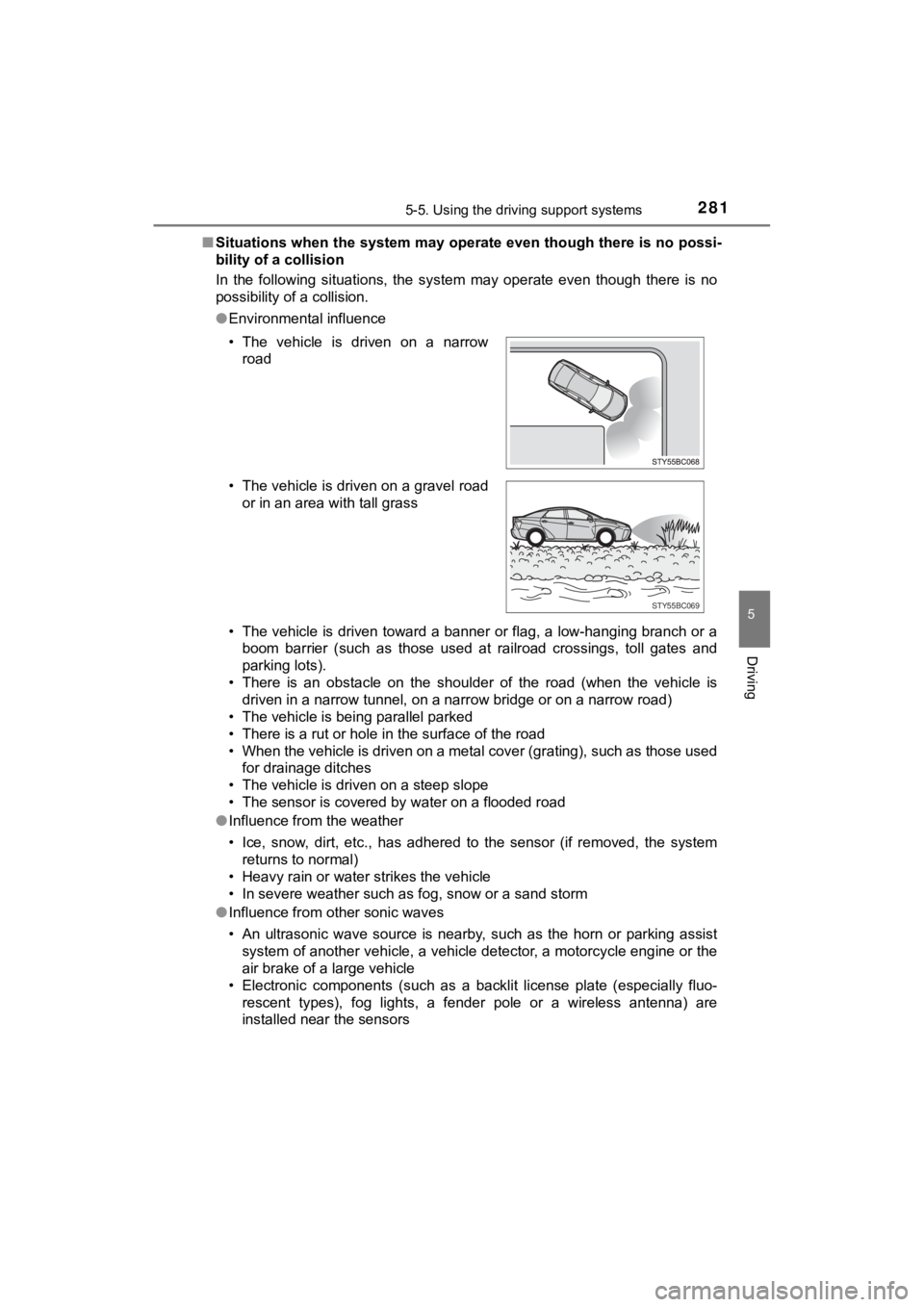
● Environmental influence
• The vehicle is driven toward a banner or flag, a low-hanging branch or a
boom barrier (such as those used at railroad crossings, toll gates and
parking lots).
• There is an obstacle on the shoulder of the road (when the veh icle is
driven in a narrow tunnel, on a narrow bridge or on a narrow road)
• The vehicle is being parallel parked
• There is a rut or hole in the surface of the road
• When the vehicle is driven on a metal cover (grating), such as those used
for drainage ditches
• The vehicle is driven on a steep slope
• The sensor is covered by water on a flooded road
● Influence from the weather
• Ice, snow, dirt, etc., has adhered to the sensor (if removed, the system
returns to normal)
• Heavy rain or water strikes the vehicle
• In severe weather such as fog, snow or a sand storm
● Influence from other sonic waves
• An ultrasonic wave source is nearby, such as the horn or parki ng assist
system of another vehicle, a vehicle detector, a motorcycle eng ine or the
air brake of a large vehicle
• Electronic components (such as a backlit license plate (especially fluo-
rescent types), fog lights, a fender pole or a wireless antenna ) are
installed near the sensors
• The vehicle is driven on a narrow
road
• The vehicle is driven on a gravel road or in an area with tall grass
STY55BC069
Page 282 of 528
2825-5. Using the driving support systems
MIRAI_OM_USA_OM62073U●
Changes in the vehicle
• The vehicle is tilted a large amount
• The height of the vehicle has drastically changed due to the c arried load
(the nose tilts up or down)
• The direction of the sensor has deviated due to a collision or other impact
■ In the unlikely event that the Parking Support Br ake function (for static
objects) mistakenly operates at a crossing or elsewhere
Even in the unlikely event that the Parking Support Brake funct ion (for static
objects) mistakenly operates at a crossing or elsewhere, brake control is can-
celed after approximately 2 seconds, allowing you to proceed fo rward and
leave the area. Furthermore, brake control is also canceled whe n the brake
pedal is depressed. Depressing the accelerator pedal again allows you to
proceed forward and leave the area.
■ Situations in which the syst em may not operate normally
In the following situations, the system may not operate normall y.
● Environmental influence
• There is an obstacle that cannot be detected between the vehic le and
another obstacle that can be detected
• An obstacle such as another vehicle, a motorcycle, a bicycle o r a pedes-
trian cuts in front of the vehicle or jumps out from the side.
● Influence from the weather
• Ice, snow, dirt, etc., has adhered to the sensor (if removed, the system
returns to normal)
• Heavy rain or water strikes the vehicle
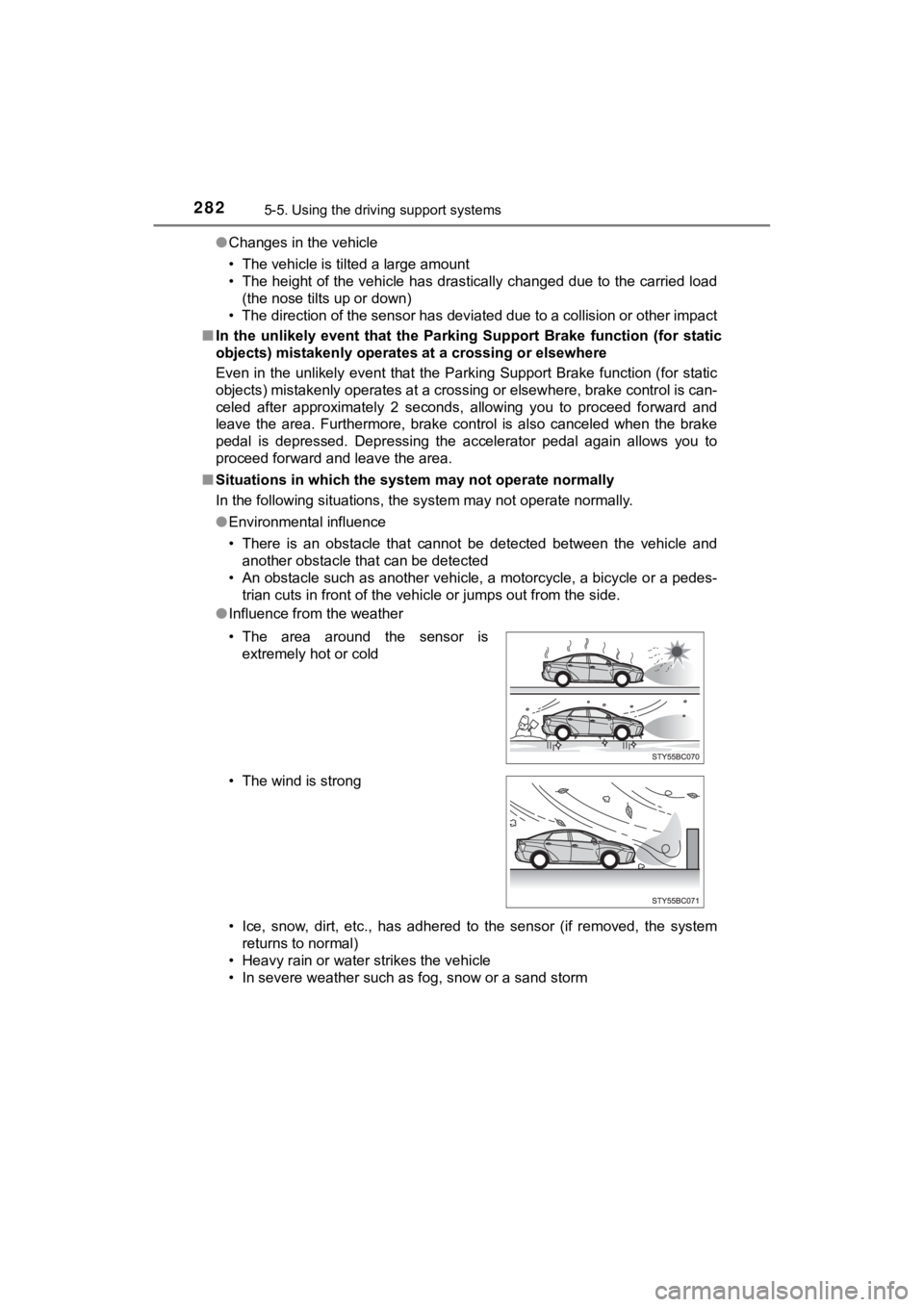
• In severe weather such as fog, snow or a sand storm • The area around the sensor is extremely hot or cold
• The wind is strong
Page 284 of 528

2845-5. Using the driving support systems
MIRAI_OM_USA_OM62073U
WARNING
■For safe use
Do not rely solely upon the system. Relying solely upon the sys tem may
lead to an unexpected accident.
● Driving safely is the sole responsibility of the driver. Pay ca reful attention
to the surrounding conditions in order to ensure safe driving. The Parking
Support Brake function (for static objects) can provide support to lessen
the severity of collisions. However, it may not operate dependi ng on the
situation.
● The Parking Support Brake function (for static objects) is not a system
designed to completely stop the vehicle. Furthermore, even if t he brake
control is able to stop the vehicle, brake control is canceled after approxi-
mately 2 seconds, so depress the brake pedal immediately.
■ In order for the system to operate properly
Make sure to observe the following precautions regarding the se nsors
( P. 265). Failure to observe these precautions may cause the sen sors
not to operate properly, and may result in an unexpected accide nt.
● Do not perform work such as modification, disassembly or painti ng
● Only perform replacements using genuine parts
● Do not subject the area around the sensors to any impacts
● Do not damage the sensors, and always keep them clean
■ Handling the suspension
Do not modify the suspension, as changes to the height or incli ne of the
vehicle may prevent the sensors from correctly detecting obstac les, may
cause the system not operate, or may cause the system to operate unnec-
essarily.
Page 285 of 528
2855-5. Using the driving support systems
5
Driving
MIRAI_OM_USA_OM62073U
NOTICE
■Preventing sensor malfunctions
● If the area around a sensor is subjected to an impact, equipment may not
operate properly due to a sensor malfunction. Have the vehicle inspected
at your Toyota dealer.
● When using a high-pressure washer to wash the vehicle, do not s pray
water directly on the sensors. The sensors may not function pro perly if
subjected to an impact from strong water pressure.
● When using steam to wash the vehicle, do not direct steam too c lose to
the sensors. The sensors may not function properly if subjected to steam.
■ Preventing unnecessary operation
In the following situations, turn the Parking Support Brake fun ction (for static
objects) off. The system may operate even though there is no po ssibility of
a collision.
● A chassis roller, chassis dynamo, free roller or similar equipm ent is being
used for an inspection, etc.
● The vehicle is being loaded onto a ship, truck or other transpo rt vessel
● The suspension has been lowered or tires that have a different size than
the genuine tires are equipped
● The height of the vehicle has drastically changed due to the ca rried load
(the nose tilts up or down).
● A towing eyelet is installed
● When using an automatic car wash
Page 298 of 528

2985-5. Using the driving support systems
MIRAI_OM_USA_OM62073U■
Reduced effectiveness of the EPS system
The effectiveness of the EPS system is reduced to prevent the s ystem from
overheating when there is frequent steering input over an exten ded period of
time. The steering wheel may feel heavy as a result. Should thi s occur, refrain
from excessive steering input or stop the vehicle and turn the fuel cell system
off. The EPS system should return to normal within 10 minutes.
■ Automatic reactivation of TRAC and VSC systems
After turning the TRAC and VSC systems off, the systems will be automati-
cally re-enabled in the following situations:
● When the power switch is turned off
● If only the TRAC system is turned off, the TRAC will turn on wh en vehicle
speed increases
If both the TRAC and VSC systems are turned off, automatic re-e nabling will
not occur when vehicle speed increases
■ Operating conditions of hill-start assist control
When the following four conditions are met, the hill-start assi st control will
operate:
● The shift position is in a position other than P or N (when sta rting off forward/
backward on an upward incline).
● The vehicle is stopped.
● The accelerator pedal is not depressed.
● The parking brake is not engaged.
■ Automatic system cancelation of hill-start assist control
The hill-start assist control will turn off in any of the following situations:
● Shift the shift position to P or N.
● The accelerator pedal is depressed.
● The parking brake is engaged.
● Approximately 2 seconds elapse after the brake pedal is release d.