change time TOYOTA MIRAI 2022 User Guide
[x] Cancel search | Manufacturer: TOYOTA, Model Year: 2022, Model line: MIRAI, Model: TOYOTA MIRAI 2022Pages: 556, PDF Size: 17.34 MB
Page 122 of 556
1224-2. Opening, closing and locking the doors and trunk
Owners Manual_USA_M62084_enTo prevent unintended triggering of
the alarm, unlock
the doors using
the wireless remote control and
open and close a door once after
the settings have been changed. (If
a door is not opened within 60 sec-
onds after is pressed, the doors
will be locked again and the alarm
will automatically be set.)
In a case that the alarm is triggered,
immediately stop the alarm. ( P. 7 0 )
■Impact detection door lock
release system
In the event that t he vehicle is sub-
ject to a strong impact, all the doors
are unlocked. Depending on the
force of the impact or the type of
accident, however, the system may
not operate.
■Operation signals
A buzzer sounds and the emer-
gency flashers flash to indicate that
the doors have been locked/unlocked. (Locked: once;
Unlocked: twice)
A buzzer sounds to indicate that the
windows are operating.
■Security feature
If a door is not opened within
approximately 60 s econds after the
vehicle is unlocked, the security fea-
ture automatically locks the vehicle
again.
■When the doors cannot be
locked by the lock sensor on
the surface of the door handle
When the doors cannot be locked
even if the lock se nsor on the sur-
face of the door handle is touched
by a finger, touch the lock sensor
with the palm.
If you are wearing gloves, remove
them.
■Open door warning buzzer
If an attempt to lock the doors is
made when a door is not fully
closed, a buzzer sounds continu-
ously for 5 seconds. Fully close the
door to stop the buzzer, and lock the
vehicle once more.
■Setting the alarm
Locking the doors will set the alarm
system. ( P. 7 0 )
■Conditions affecting the opera-
tion of the smart key system or
wireless remote control
P.132
■If the smart key system or the
wireless remote control does
not operate properly
Use the mechanical key to lock and
unlock the doors. ( P.469)
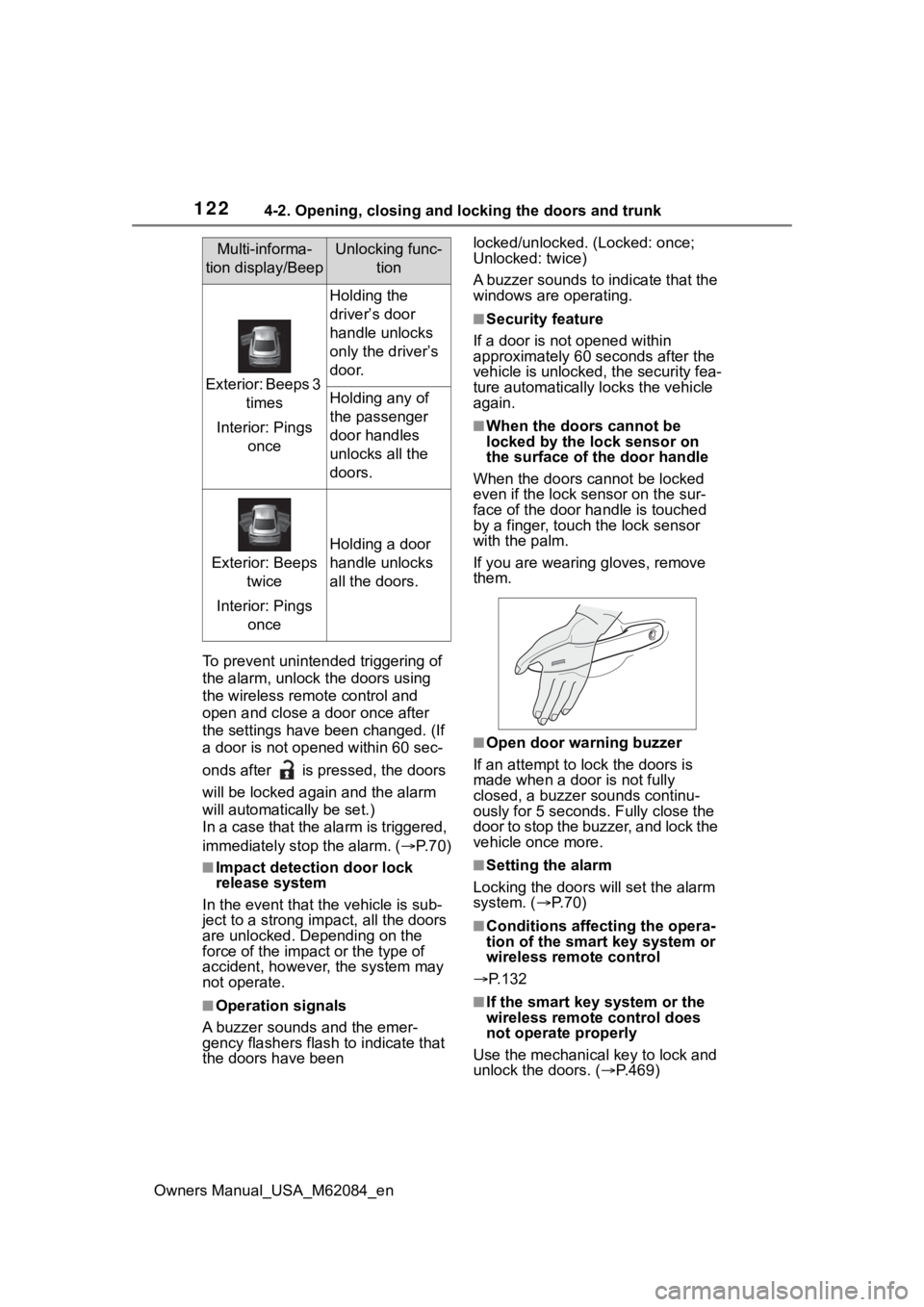
Multi-informa-
tion display/BeepUnlocking func- tion
Exterior: Beeps 3 times
Interior: Pings once
Holding the
driver’s door
handle unlocks
only the driver’s
door.
Holding any of
the passenger
door handles
unlocks all the
doors.
Exterior: Beeps twice
Interior: Pings once
Holding a door
handle unlocks
all the doors.
Page 132 of 556
1324-2. Opening, closing and locking the doors and trunk
Owners Manual_USA_M62084_en
●Electronic keys that will not be
used for long periods of time can
be set to the battery-saving mode
in advance.
■Conditions affecting operation
The smart key system uses weak
radio waves. In the following situa-
tions, the communication between
the electronic key and the vehicle
may be affected, preventing the
smart key system, wireless remote
control and immobilizer system from
operating properly. (Ways of coping:
P.468)
●When the electronic key battery is
depleted
●Near a TV tower, electric power
plant, gas station , radio station,
large display, airpo rt or other facil-
ity that generates strong radio
waves or electrical noise
●When carrying a portable radio,
cellular phone, cordless phone or
other wireless communication
device
●When the electronic key is in con-
tact with, or is covered by the fol-
lowing metallic objects
• Cards to which al uminum foil is
attached
• Cigarette boxes that have alumi- num foil inside
• Metallic wallets or bags
• Coins
• Hand warmers made of metal
• Media such as CDs and DVDs
●When other wireless keys (that
emit radio waves) are being used
nearby
●When carrying the electronic key
together with the following devices that emit radio waves
• Another electronic key or a wire- less key that emits radio waves
• Personal computers or personal digital assistants (PDAs)
• Digital audio players
• Portable game systems
●If window tint wit h a metallic con-
tent or metallic objects are
attached to the rear window
●When the electronic key is placed
near a battery charger or elec-
tronic devices
●When the vehicle is parked in a
pay parking spot where radio
waves are emitted.
■Note for the entry function
●Even when the electronic key is
within the effective range (detec-
tion areas), the system may not
operate properly in the following
cases:
• The electronic key is too close to the window or outside door han-
dle, near the ground, or in a high
place when the doors are locked
or unlocked.
• The electronic key is near the ground or in a high place, or too
close to the center of the rear
bumper when the trunk is opened.
• The electronic key is on the instru- ment panel, rear package tray or
floor, or in the door pockets or
glove box when the fuel cell sys-
tem is started or power switch
modes are changed.
●Do not leave the electronic key on
top of the instrument panel or near
the door pockets when exiting the
vehicle. Depending on the radio
wave reception conditions, it may
be detected by the antenna out-
side the cabin and the doors will
become lockable from the outside,
possibly trapping the electronic
key inside the vehicle.
●As long as the electronic key is
within the effective range, the
doors may be locked or unlocked
by anyone. However, only the
Page 147 of 556
1474-4. Adjusting the steering wheel and mirrors
Owners Manual_USA_M62084_en
4
Before driving
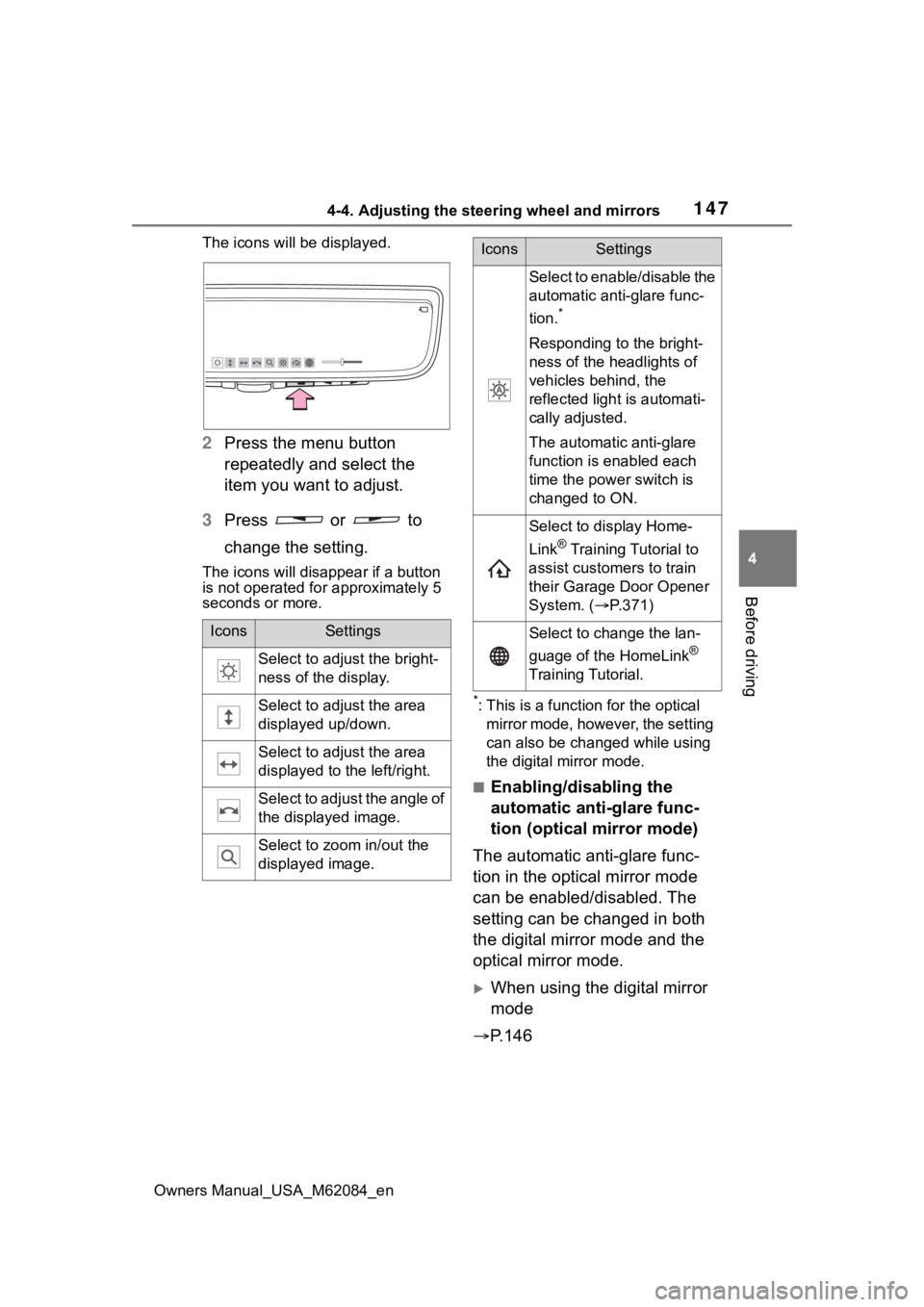
The icons will be displayed.
2 Press the menu button
repeatedly and select the
item you want to adjust.
3 Press or to
change the setting.
The icons will disapp ear if a button
is not operated fo r approximately 5
seconds or more.
*: This is a functi on for the optical
mirror mode, however, the setting
can also be changed while using
the digital mirror mode.
■Enabling/disabling the
automatic anti-glare func-
tion (optical mirror mode)
The automatic anti-glare func-
tion in the optical mirror mode
can be enabled/disabled. The
setting can be changed in both
the digital mirror mode and the
optical mirror mode.
When using the digital mirror
mode
P.146
IconsSettings
Select to adjust the bright-
ness of the display.
Select to adjust the area
displayed up/down.
Select to adjust the area
displayed to the left/right.
Select to adjust the angle of
the displayed image.
Select to zoom in/out the
displayed image.
Select to enable/disable the
automatic anti-glare func-
tion.
*
Responding to the bright-
ness of the headlights of
vehicles behind, the
reflected light is automati-
cally adjusted.
The automatic anti-glare
function is enabled each
time the power switch is
changed to ON.
Select to display Home-
Link
® Training Tutorial to
assist customers to train
their Garage Door Opener
System. ( P.371)
Select to change the lan-
guage of the HomeLink
®
Training Tutorial.
IconsSettings
Page 155 of 556
1554-4. Adjusting the steering wheel and mirrors
Owners Manual_USA_M62084_en
4
Before driving
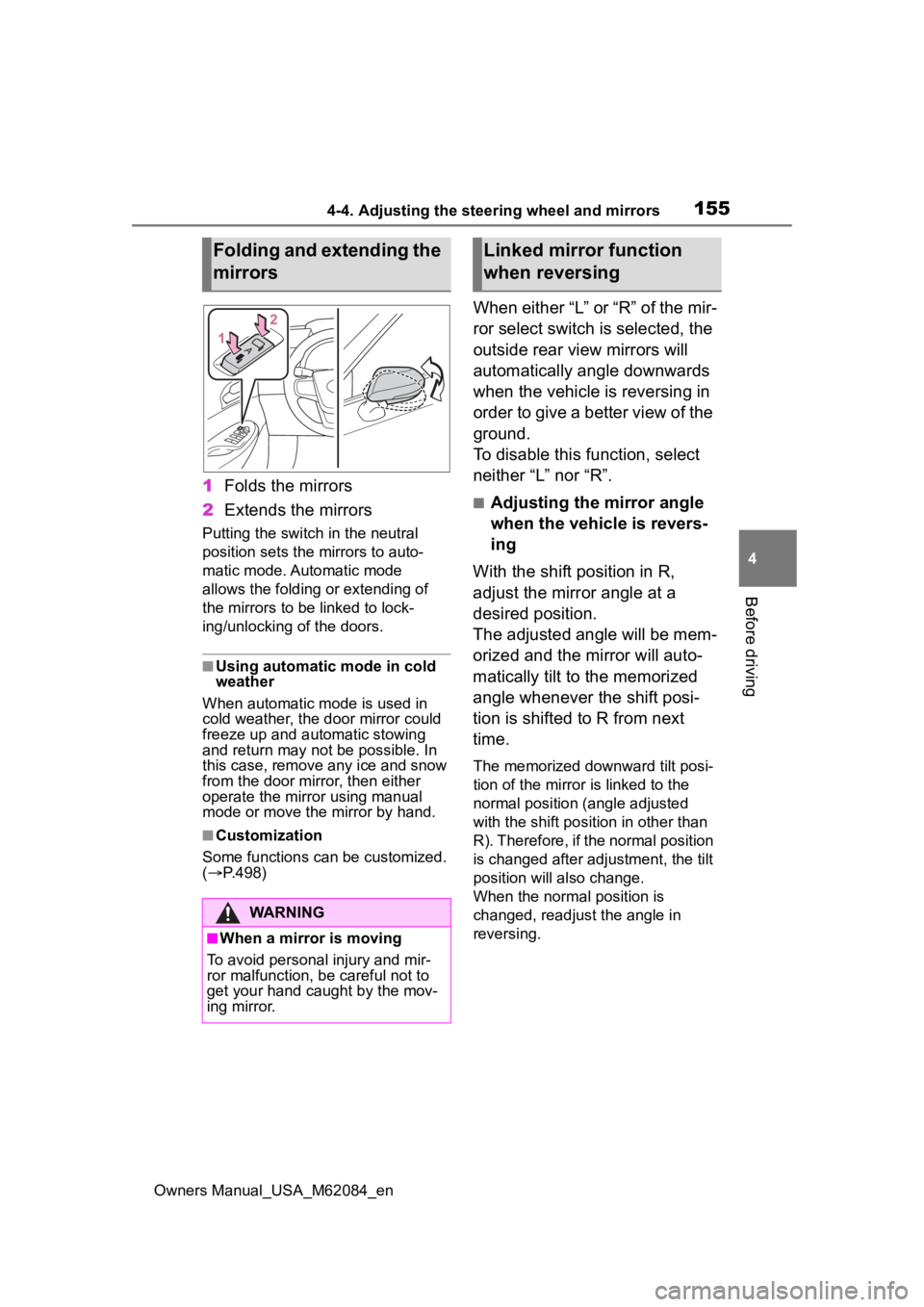
1 Folds the mirrors
2 Extends the mirrors
Putting the switch in the neutral
position sets the mirrors to auto-
matic mode. Automatic mode
allows the folding or extending of
the mirrors to be linked to lock-
ing/unlocking of the doors.
■Using automatic mode in cold
weather
When automatic mode is used in
cold weather, the door mirror could
freeze up and aut omatic stowing
and return may not be possible. In
this case, remove any ice and snow
from the door mirror, then either
operate the mirror using manual
mode or move the mirror by hand.
■Customization
Some functions can be customized.
( P.498)
When either “L” or “R” of the mir-
ror select switch is selected, the
outside rear view mirrors will
automatically angle downwards
when the vehicle is reversing in
order to give a better view of the
ground.
To disable this function, select
neither “L” nor “R”.
■Adjusting the mirror angle
when the vehicle is revers-
ing
With the shift position in R,
adjust the mirror angle at a
desired position.
The adjusted angle will be mem-
orized and the mirror will auto-
matically tilt to the memorized
angle whenever the shift posi-
tion is shifted to R from next
time.
The memorized downward tilt posi-
tion of the mirror is linked to the
normal position (angle adjusted
with the shift posit ion in other than
R). Therefore, if the normal position
is changed after adjustment, the tilt
position will also change.
When the normal position is
changed, readjust the angle in
reversing.
Folding and extending the
mirrors
WARNING
■When a mirror is moving
To avoid personal injury and mir-
ror malfunction, be careful not to
get your hand caught by the mov-
ing mirror.
Linked mirror function
when reversing
Page 166 of 556
1665-1. Before driving
Owners Manual_USA_M62084_en
WARNING
●The brake system consists of 2
or more individual hydraulic sys-
tems; if one of the systems fails,
the other(s) will still operate. In
this case, the brake pedal
should be depressed more
firmly than usual and the brak-
ing distance will increase. Have
your brakes fixed immediately.
NOTICE
■When driving the vehicle
●Do not depress t he accelerator
and brake pedals at the same
time during drivin g, as this may
restrain the fuel cell system out-
put.
●Do not use the accelerator
pedal or depress the accelera-
tor and brake pedals at the
same time to hold the vehicle on
a hill.
■When parking the vehicle
Always set the parking brake, and
shift the shift position to P. Failure
to do so may cause the vehicle to
move or the vehi cle may acceler-
ate suddenly if the accelerator
pedal is accidentally depressed.
■Avoiding damage to vehicle
parts
●Do not turn the steering wheel
fully in either direction and hold
it there for an extended period
of time.
Doing so may damage the
power steering motor.
●When driving over bumps in the
road, drive as slowly as possible
to avoid damagi ng the wheels,
underside of the vehicle, etc.
■If you get a flat tire while driv-
ing
A flat or damaged tire may cause
the following situations. Hold the
steering wheel firmly and gradu-
ally depress the brake pedal to
slow down the vehicle.
●It may be difficult to control your
vehicle.
●The vehicle will make abnormal
sounds or vibrations.
●The vehicle will lean abnor-
mally.
Information on what to do in case
of a flat tire ( P.455)
■When encountering flooded
roads
Do not drive on a road that has
flooded after heavy rain, etc.
Doing so may cause the following
serious damage to the vehicle:
●Fuel cell system stalling
●Short in electrical components
●Fuel cell system damage
caused by water immersion
In the event that you drive on a
flooded road and the vehicle is
flooded, be sure to have your Toy-
ota dealer check the following:
●Fuel cell system
●Brake function
●Changes in quantity and quality
of transmission fluid, etc.
●Lubricant condition for the bear-
ings and suspension joints
(where possible), and the func-
tion of all joints, bearings, etc.
Page 172 of 556
1725-2. Driving procedures
Owners Manual_USA_M62084_en
5-2.Driving procedures
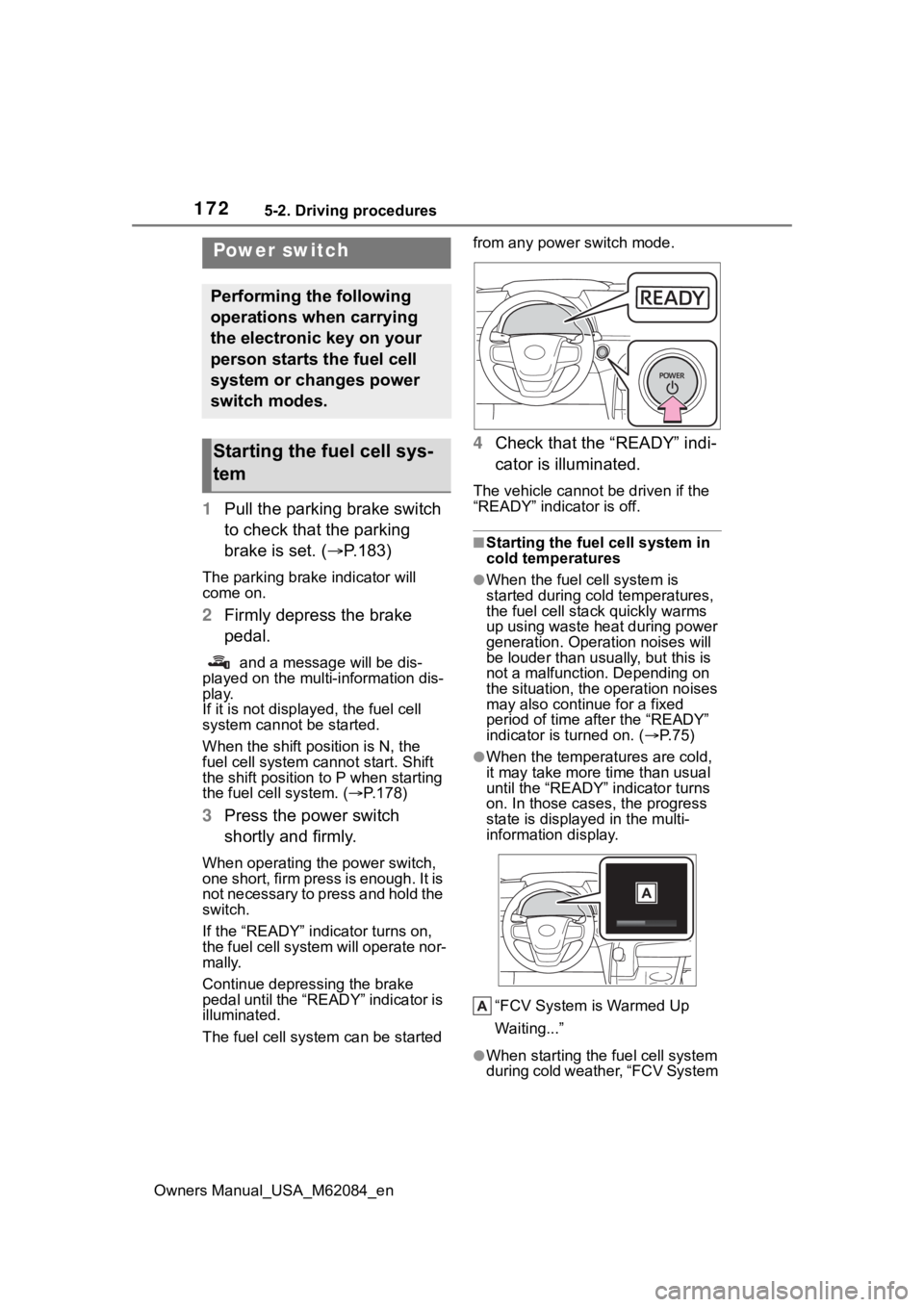
1Pull the parking brake switch
to check that the parking
brake is set. ( P.183)
The parking brake indicator will
come on.
2Firmly depress the brake
pedal.
and a message will be dis-
played on the multi-information dis-
play.
If it is not displayed, the fuel cell
system cannot be started.
When the shift position is N, the
fuel cell system cannot start. Shift
the shift position to P when starting
the fuel cell system. ( P.178)
3 Press the power switch
shortly and firmly.
When operating the power switch,
one short, firm press is enough. It is
not necessary to press and hold the
switch.
If the “READY” indicator turns on,
the fuel cell system will operate nor-
mally.
Continue depressing the brake
pedal until the “READY” indicator is
illuminated.
The fuel cell system can be started from any power switch mode.
4
Check that the “READY” indi-
cator is illuminated.
The vehicle cannot be driven if the
“READY” indicator is off.
■Starting the fuel cell system in
cold temperatures
●When the fuel cell system is
started during cold temperatures,
the fuel cell stack quickly warms
up using waste heat during power
generation. Operation noises will
be louder than usually, but this is
not a malfunction. Depending on
the situation, the operation noises
may also continue for a fixed
period of time after the “READY”
indicator is turned on. ( P.75)
●When the temperatures are cold,
it may take more time than usual
until the “READY” indicator turns
on. In those case s, the progress
state is displayed in the multi-
information display.
“FCV System is Warmed Up
Waiting...”
●When starting the fuel cell system
during cold weather, “FCV System
Power switch
Performing the following
operations when carrying
the electronic key on your
person starts the fuel cell
system or changes power
switch modes.
Starting the fuel cell sys-
tem
Page 175 of 556

1755-2. Driving procedures
Owners Manual_USA_M62084_en
5
Driving
during cold temperatures, the time
for water purge from the tailpipe
may be longer than usual to pre-
vent liquid in the fuel cell stack
from freezing.
●If the “FCV System Purge in Prog-
ress Purge will Stop Automati-
cally” is displayed in the multi-
information displa y, however it is
no problem to exit the vehicle.
●The water purge time may also be
long if the system is stopped
before fuel cell system warm-up is
completed.
●It is normal to hear hissing and
other sounds during purge.
( P. 7 5 )
●It is not a problem to do refueling
operations while the system is
purging.
The purging process is carried out
automatically after several min-
utes and a white mist may be
emitted, however this is not a mal-
function.
■Parking the vehicle during cold
weather
●Water may automa tically purge
from the tailpipe, even when the
fuel cell system is off, in order to
prevent liquid in the fuel cell stack,
hydrogen pipelines, etc., from
freezing. Also, water vapor may
be purged, but this is not malfunc-
tion.
●It is normal to hear hissing and
other sounds during purge.
( P. 7 5 )
■Automatic fuel cell system shut
off feature
●The vehicle is equipped with a
feature that automatically shuts off
the fuel cell system when the shift
position is in P with the fuel cell
system operating for an extended
period.
●The fuel cell syst em will automati-
cally shut off after approximately 1
hour if it has been left running
while the shift position is in P.
●The timer for the automatic fuel
cell system shut off feature will
reset if the brake pedal is
depressed or if the shift position is
in a position other than P.
●After the vehicle is parked, if the
door is locked with the door lock
switch ( P.124) from the inside or
the mechanical k ey from the out-
side, the automatic fuel cell sys-
tem shut off f eature will be
disabled. The timer for the auto-
matic fuel cell system shut off fea-
ture will be re-e nabled if the
driver’s door is opened.
■When the shift control system
malfunctions
When attempting to turn the power
switch off while t here is a malfunc-
tion in the shift control system, the
power switch mo de may change to
ACC. In this case, ACC may be
turned off by applying the parking
brake and pressing the power
switch again.
If there is a malfunction in the sys-
tem, have the vehicle inspected by
your Toyota dealer immediately.
■Automatic P position selection
function
P.180
■Water release (H2O switch)
P.189
Page 176 of 556
1765-2. Driving procedures
Owners Manual_USA_M62084_en
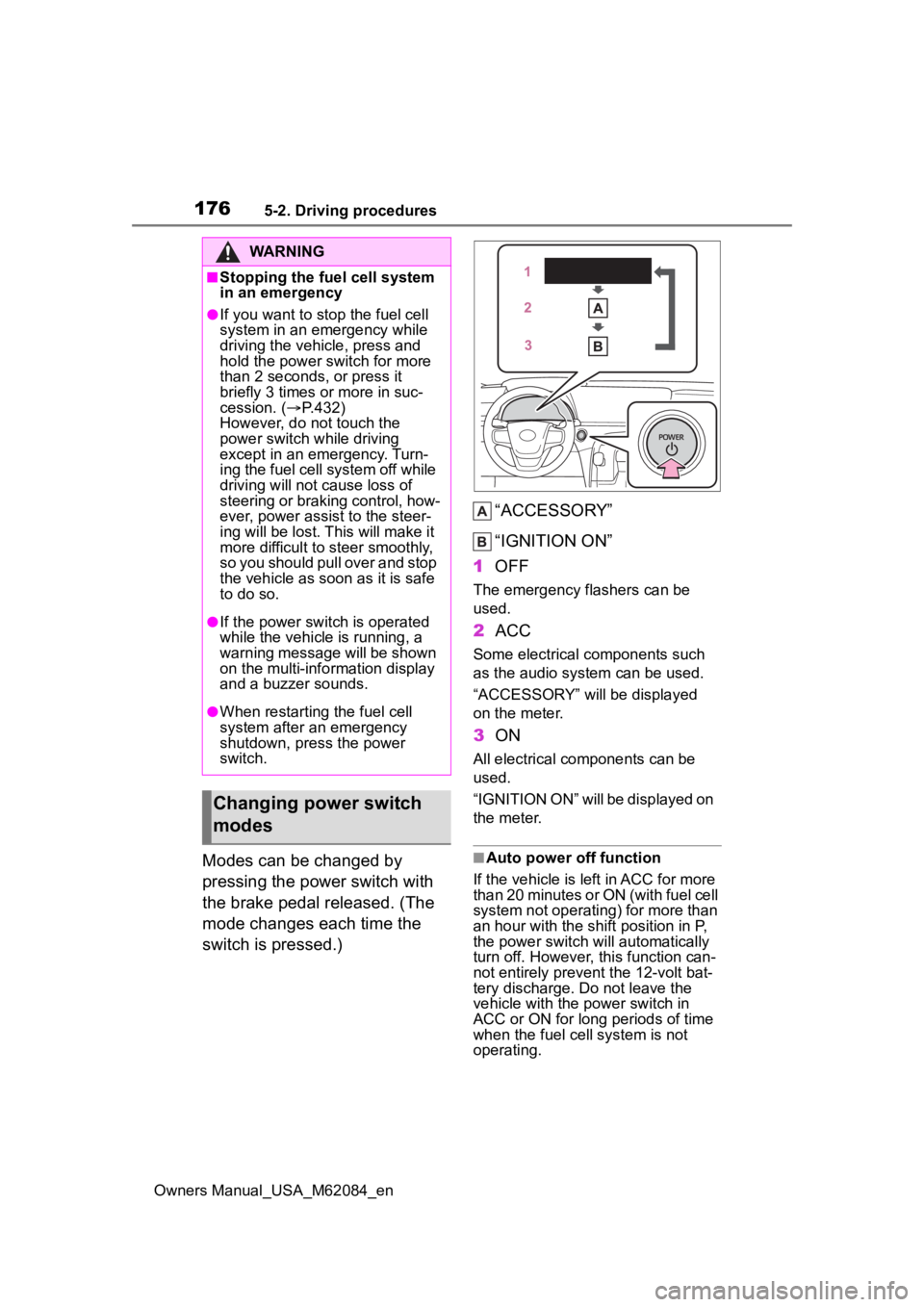
Modes can be changed by
pressing the power switch with
the brake pedal released. (The
mode changes each time the
switch is pressed.)“ACCESSORY”
“IGNITION ON”
1 OFF
The emergency flashers can be
used.
2ACC
Some electrical components such
as the audio sys tem can be used.
“ACCESSORY” will be displayed
on the meter.
3 ON
All electrical components can be
used.
“IGNITION ON” will be displayed on
the meter.
■Auto power off function
If the vehicle is left in ACC for more
than 20 minutes or ON (with fuel cell
system not operating) for more than
an hour with the s hift position in P,
the power switch will automatically
turn off. However, this function can-
not entirely prevent the 12-volt bat-
tery discharge. Do not leave the
vehicle with the power switch in
ACC or ON for long periods of time
when the fuel cell system is not
operating.
WARNING
■Stopping the fuel cell system
in an emergency
●If you want to stop the fuel cell
system in an emergency while
driving the vehicle, press and
hold the power switch for more
than 2 seconds, or press it
briefly 3 times or more in suc-
cession. ( P.432)
However, do not touch the
power switch while driving
except in an emergency. Turn-
ing the fuel cell system off while
driving will not cause loss of
steering or braking control, how-
ever, power assist to the steer-
ing will be lost. This will make it
more difficult to steer smoothly,
so you should pull over and stop
the vehicle as soon as it is safe
to do so.
●If the power switch is operated
while the vehicle is running, a
warning message will be shown
on the multi-info rmation display
and a buzzer sounds.
●When restarting the fuel cell
system after an emergency
shutdown, press the power
switch.
Changing power switch
modes
Page 177 of 556
1775-2. Driving procedures
Owners Manual_USA_M62084_en
5
DrivingBr mode is not a shift position.
( P.182)
■If a message about a shift oper-
ation is shown
To prevent the shif t position from
being selected incorrectly or the
vehicle from moving unexpectedly,
the shift position may be changed
automatically or operating the shift
lever may be required. In this case,
change the shift position following
the messages on the multi-informa-
tion display.
NOTICE
■To prevent 12-volt battery dis-
charge
●Do not leave the power switch
in ACC or ON for long periods of
time without the fuel cell system
on.
●If “ACCESSORY” or “IGNITION
ON” is displayed on the meter,
the power switch is not off. Exit
the vehicle after turning the
power switch off.
Shift position
Select the shift position
depending on your pur-
pose and situation.
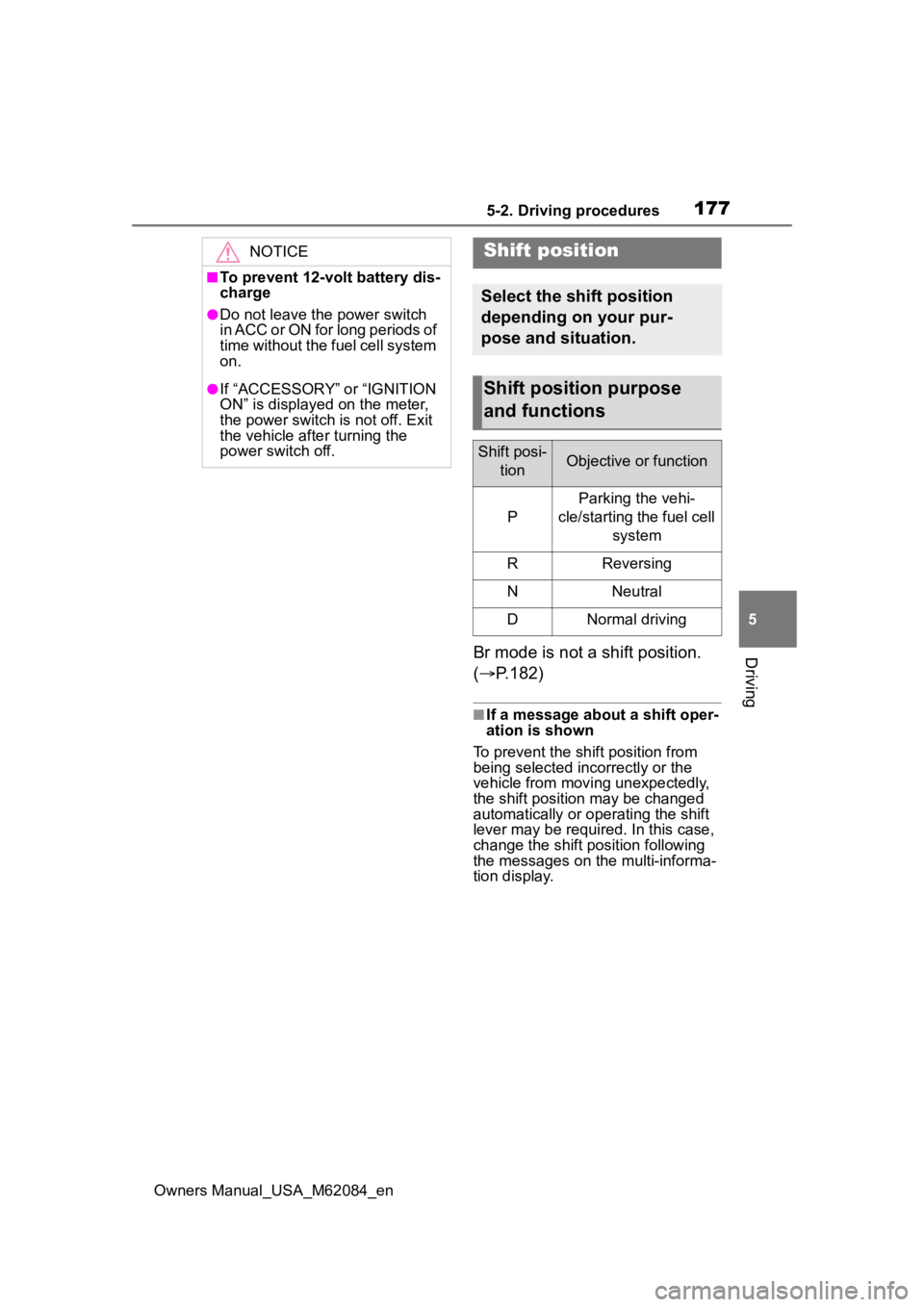
Shift position purpose
and functions
Shift posi-
tionObjective or function
P
Parking the vehi-
cle/starting the fuel cell system
RReversing
NNeutral
DNormal driving
Page 182 of 556
1825-2. Driving procedures
Owners Manual_USA_M62084_en
■Br mode
Depending on the condition of the
traction battery, Br mode may not be
available. In that case, a message is
displayed on the multi-information
display.
■Sounds when in Br mode
P. 7 5
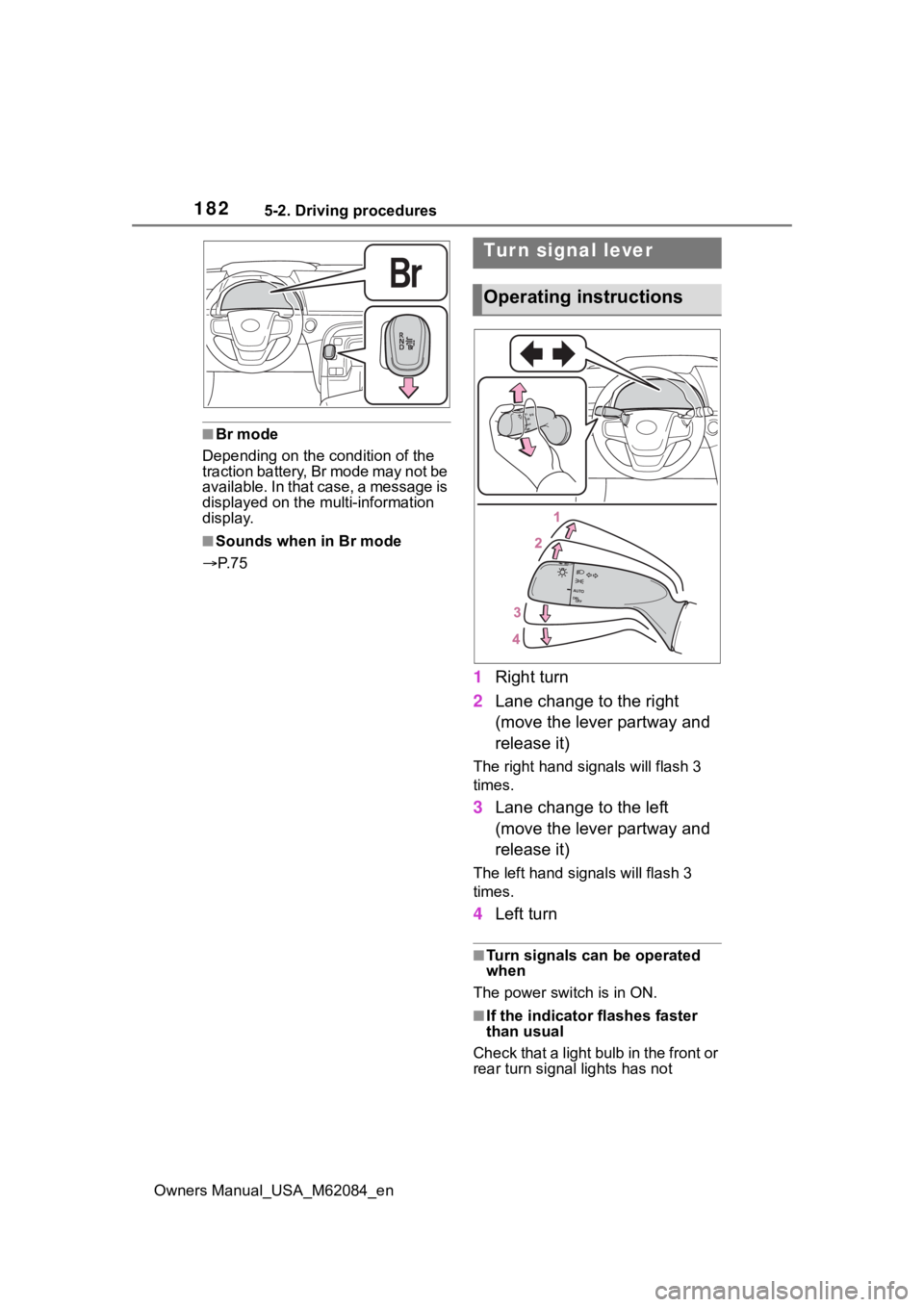
1 Right turn
2 Lane change to the right
(move the lever partway and
release it)
The right hand s ignals will flash 3
times.
3 Lane change to the left
(move the lever partway and
release it)
The left hand signals will flash 3
times.
4Left turn
■Turn signals can be operated
when
The power switch is in ON.
■If the indicator flashes faster
than usual
Check that a light bulb in the front or
rear turn signal lights has not
Tur n signal lever
Operating instructions