ignition TOYOTA PROACE VERSO 2020 Repair Manual
[x] Cancel search | Manufacturer: TOYOTA, Model Year: 2020, Model line: PROACE VERSO, Model: TOYOTA PROACE VERSO 2020Pages: 418, PDF Size: 39.32 MB
Page 201 of 418
201
Parking brake
F With your foot on the brake pedal, pull the parking brake lever up to immobilise your vehicle.
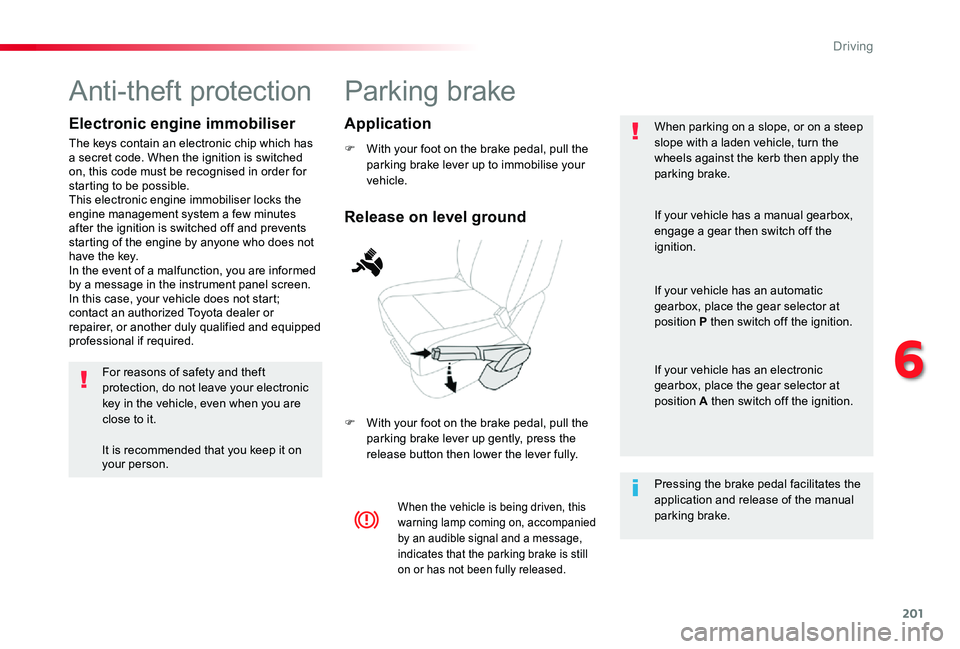
F With your foot on the brake pedal, pull the parking brake lever up gently, press the release button then lower the lever fully.
When parking on a slope, or on a steep slope with a laden vehicle, turn the wheels against the kerb then apply the parking brake.
When the vehicle is being driven, this warning lamp coming on, accompanied by an audible signal and a message, indicates that the parking brake is still on or has not been fully released.
Pressing the brake pedal facilitates the application and release of the manual parking brake.
If your vehicle has a manual gearbox, engage a gear then switch off the ignition.
If your vehicle has an automatic gearbox, place the gear selector at position P then switch off the ignition.
If your vehicle has an electronic gearbox, place the gear selector at position A then switch off the ignition.
Release on level ground
Application
Anti-theft protection
Electronic engine immobiliser
The keys contain an electronic chip which has a secret code. When the ignition is switched on, this code must be recognised in order for starting to be possible.This electronic engine immobiliser locks the engine management system a few minutes after the ignition is switched off and prevents starting of the engine by anyone who does not have the key.In the event of a malfunction, you are informed by a message in the instrument panel screen.In this case, your vehicle does not start; contact an authorized Toyota dealer or repairer, or another duly qualified and equipped professional if required.
For reasons of safety and theft protection, do not leave your electronic key in the vehicle, even when you are close to it.
It is recommended that you keep it on your person.
6
Driving
Page 209 of 418
209
When the ignition is on, a message appears in the instrument panel screen to indicate a gearbox fault.
Operating fault
In this case, the gearbox switches to back-up mode and is locked in 3rd gear. You may feel a substantial knock when changing from P to R and from N to R. This will not cause any damage to the gearbox.Do not exceed 60 mph (100 km/h), local speed restrictions permitting.Have it checked by an authorized Toyota dealer or repairer, or another duly qualified and equipped professional.
You risk damaging the gearbox:- if you press the accelerator and brake pedals at the same time (braking or acceleration must be done only with the right foot),- if you force the selector from position P to another position when the battery is flat.
To reduce fuel consumption when stationary for long periods with the engine running (traffic jam...), position the selector at N and apply the parking brake.
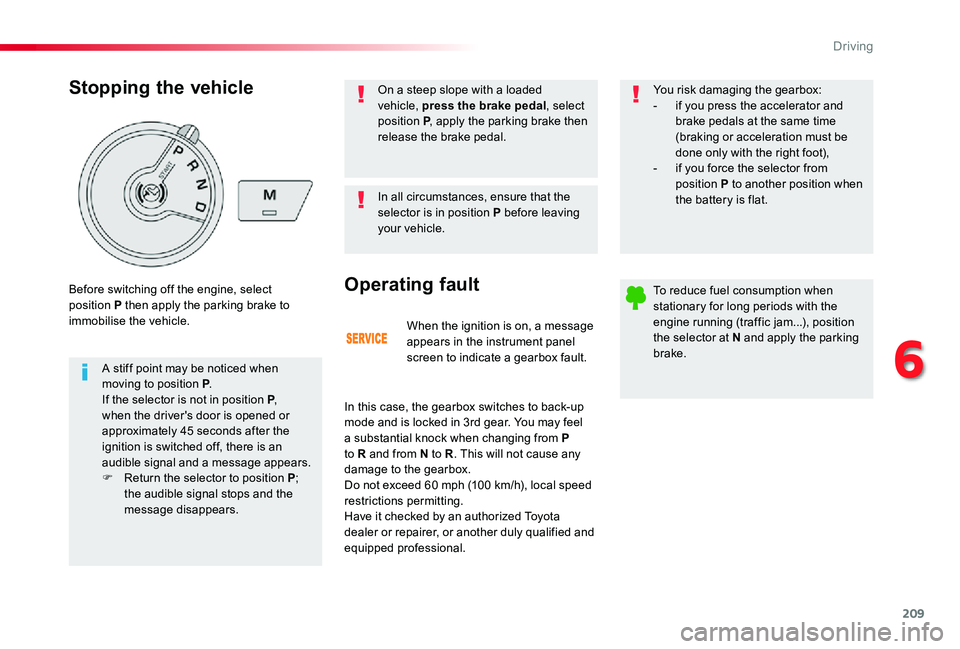
Stopping the vehicle
A stiff point may be noticed when moving to position P.If the selector is not in position P, when the driver's door is opened or approximately 45 seconds after the ignition is switched off, there is an audible signal and a message appears.F Return the selector to position P; the audible signal stops and the message disappears.
Before switching off the engine, select position P then apply the parking brake to immobilise the vehicle.
In all circumstances, ensure that the selector is in position P before leaving your vehicle.
On a steep slope with a loaded vehicle, press the brake pedal, select position P, apply the parking brake then release the brake pedal.
6
Driving
Page 213 of 418
213
With the ignition on, the flashing of A or AUTO, accompanied by an audible signal and a message, indicates a malfunction of the gearbox.
Operating fault
Have it checked by an authorized Toyota dealer or repairer, or another duly qualified and equipped professional.
Stopping the vehicle
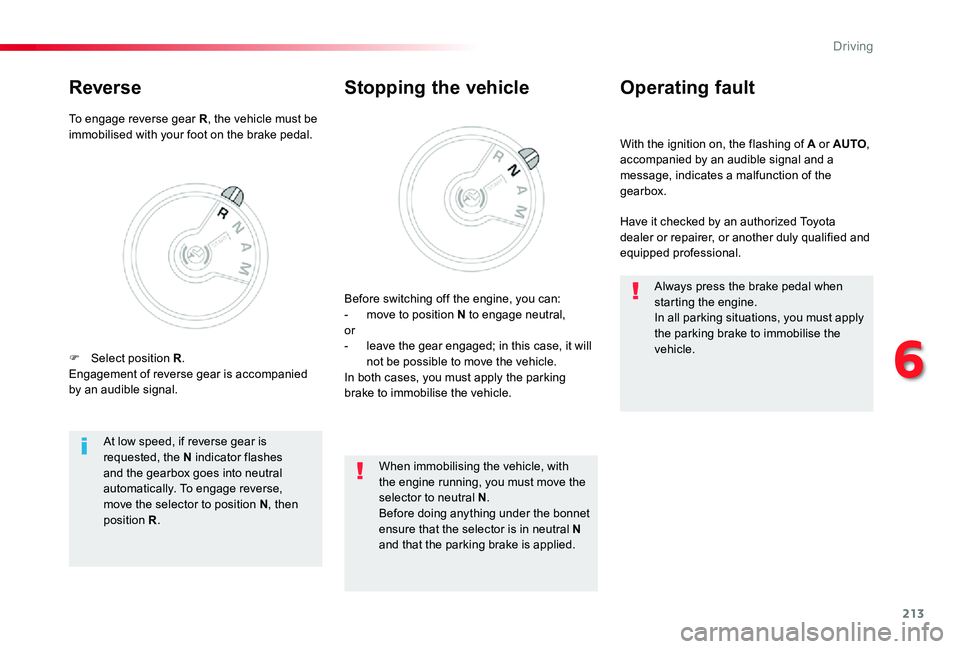
Before switching off the engine, you can:- move to position N to engage neutral,or- leave the gear engaged; in this case, it will not be possible to move the vehicle.In both cases, you must apply the parking brake to immobilise the vehicle.
At low speed, if reverse gear is requested, the N indicator flashes and the gearbox goes into neutral automatically. To engage reverse, move the selector to position N, then position R.
When immobilising the vehicle, with the engine running, you must move the selector to neutral N.Before doing anything under the bonnet ensure that the selector is in neutral N and that the parking brake is applied.
Always press the brake pedal when starting the engine.In all parking situations, you must apply the parking brake to immobilise the vehicle.
To engage reverse gear R, the vehicle must be immobilised with your foot on the brake pedal.
Reverse
F Select position R.Engagement of reverse gear is accompanied by an audible signal.
6
Driving
Page 214 of 418
214
Stop & StartGoing into engine
STOP mode
If your vehicle has a manual gearbox, its speed must be below 12 mph (20 km/h) or stationary (depending on engine); the "ECO" indicator lamp comes on in the instrument panel and the engine goes into standby automatically when you place the gear lever in neutral and you release the clutch pedal.
For your comfort, during parking manoeuvres, STOP mode is not available for a few seconds after coming out of reverse gear.Stop & Start does not affect the functionality of the vehicle, such as for example, braking, power steering...A slight delay between the vehicle stopping and the engine cutting out may be noticed.
If your vehicle is fitted with Stop & Start, a time counter calculates the time spent in
STOP mode during a journey.It resets to zero every time the ignition is switched on.
Stop & Start time counter
The Stop & Start system puts the engine temporarily into standby - STOP mode - during stops in the traffic (red lights, traffic jams, or other...). The engine restarts automatically - START mode - as soon as you want to move off. The restart takes place instantly, quickly and silently.Per fect for urban use, the Stop & Start system reduces fuel consumption and exhaust emissions as well as the noise level when stationary.
If your vehicle has an automatic gearbox and the vehicle is stationary, the "ECO" indicator lamp comes on and the engine goes into standby automatically when you press the brake pedal or place the gear selector in position N.
If your vehicle has an electronic gearbox and the vehicle's speed is below 5 mph (8 km/h), the "ECO" indicator lamp comes on and the engine goes into standby automatically when you press the brake pedal or place the gear selector in position N.
(minutes / seconds or hours / minutes)
Never refuel with the engine in STOP mode; you must switch off the ignition with the button.
Driving
Page 217 of 418
217
Operating fault
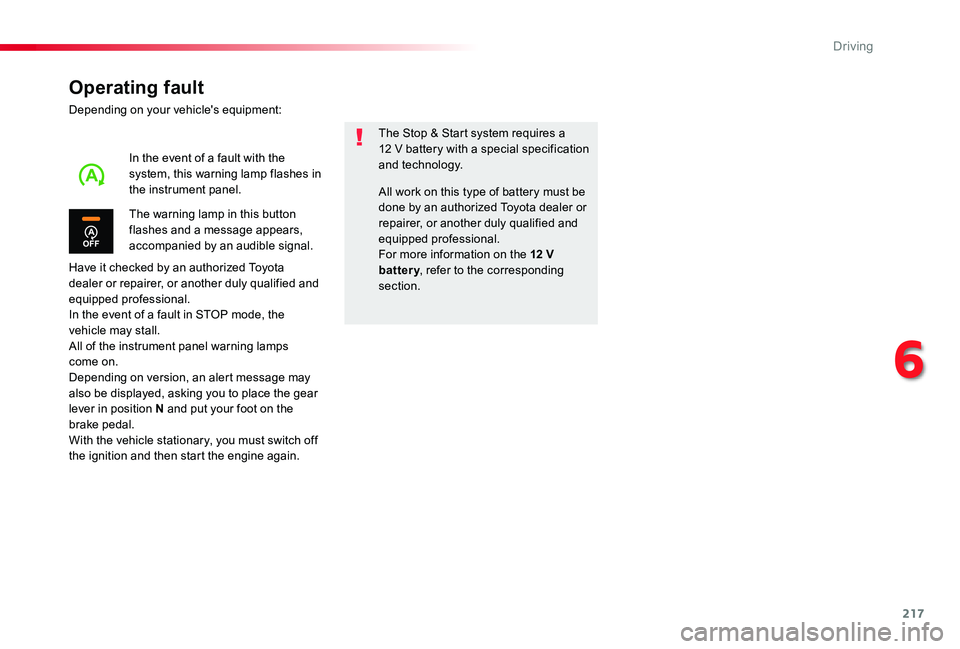
Depending on your vehicle's equipment:
Have it checked by an authorized Toyota dealer or repairer, or another duly qualified and equipped professional.In the event of a fault in STOP mode, the vehicle may stall.All of the instrument panel warning lamps come on.Depending on version, an alert message may also be displayed, asking you to place the gear lever in position N and put your foot on the brake pedal.With the vehicle stationary, you must switch off the ignition and then start the engine again.
The Stop & Start system requires a 12 V battery with a special specification and technology.
The warning lamp in this button flashes and a message appears, accompanied by an audible signal.
In the event of a fault with the system, this warning lamp flashes in the instrument panel.All work on this type of battery must be done by an authorized Toyota dealer or repairer, or another duly qualified and equipped professional.
For more information on the 12 V battery, refer to the corresponding section.
6
Driving
Page 219 of 418
219
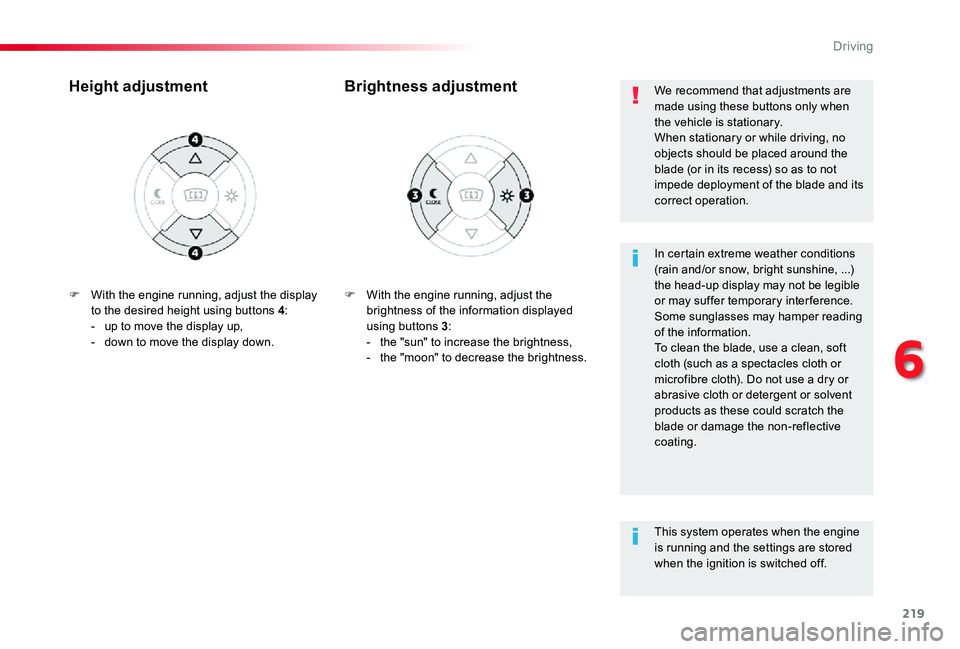
F With the engine running, adjust the brightness of the information displayed using buttons 3:- the "sun" to increase the brightness,- the "moon" to decrease the brightness.
Brightness adjustmentHeight adjustment
In certain extreme weather conditions (rain and/or snow, bright sunshine, ...) the head-up display may not be legible or may suffer temporary inter ference.Some sunglasses may hamper reading of the information.To clean the blade, use a clean, soft cloth (such as a spectacles cloth or microfibre cloth). Do not use a dry or abrasive cloth or detergent or solvent products as these could scratch the blade or damage the non-reflective coating.
We recommend that adjustments are made using these buttons only when the vehicle is stationary.When stationary or while driving, no objects should be placed around the blade (or in its recess) so as to not impede deployment of the blade and its correct operation.
This system operates when the engine
is running and the settings are stored when the ignition is switched off.
F With the engine running, adjust the display to the desired height using buttons 4:- up to move the display up,- down to move the display down.
6
Driving
Page 225 of 418
225
GAP
MEM
Steering mounted controls
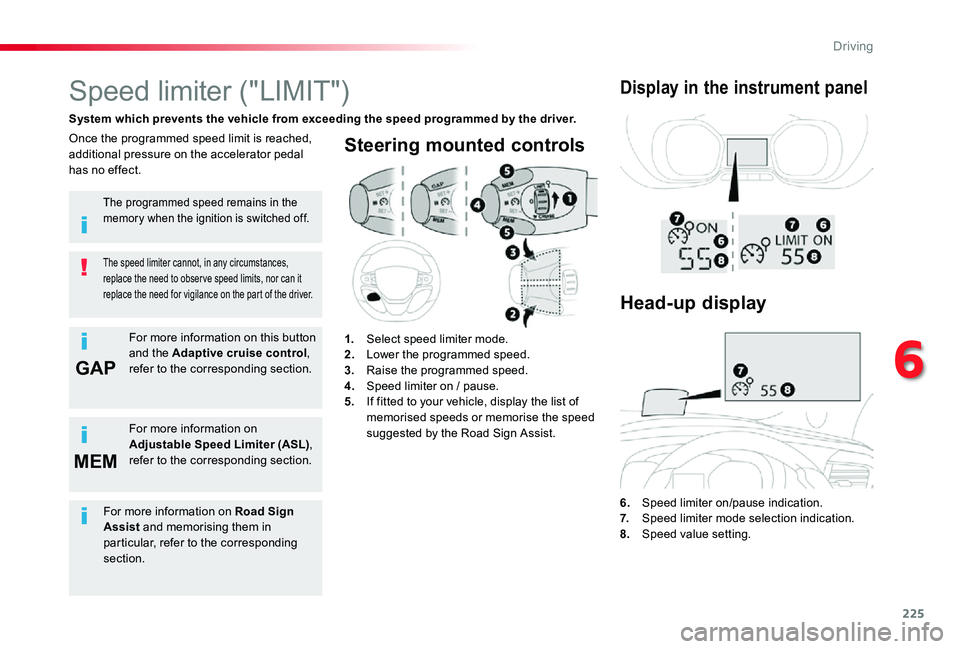
6. Speed limiter on/pause indication.7. Speed limiter mode selection indication.8. Speed value setting.
Speed limiter ("LIMIT")
System which prevents the vehicle from exceeding the speed programmed by the driver.
The speed limiter cannot, in any circumstances, replace the need to obser ve speed limits, nor can it replace the need for vigilance on the part of the driver.
Once the programmed speed limit is reached, additional pressure on the accelerator pedal has no effect.
1. Select speed limiter mode.2. Lower the programmed speed.3. Raise the programmed speed.4. Speed limiter on / pause.5. If fitted to your vehicle, display the list of memorised speeds or memorise the speed suggested by the Road Sign Assist.
Display in the instrument panel
The programmed speed remains in the memory when the ignition is switched off.
For more information on this button and the Adaptive cruise control, refer to the corresponding section.
For more information on
Adjustable Speed Limiter (ASL), refer to the corresponding section.
Head-up display
For more information on Road Sign Assist and memorising them in particular, refer to the corresponding section.
6
Driving
Page 228 of 418
228
MEM
MEM
Cruise control ("CRUISE")
System which automatically maintains the speed of the vehicle at the value programmed by the driver, without any action on the accelerator pedal.
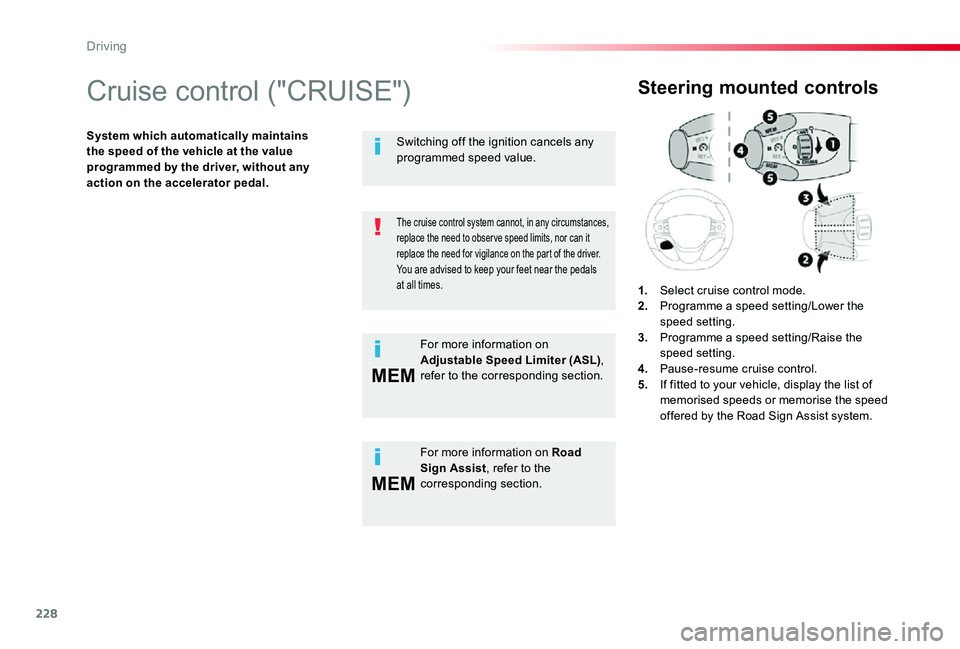
Steering mounted controls
1. Select cruise control mode.2. Programme a speed setting/Lower the speed setting.3. Programme a speed setting/Raise the speed setting.4. Pause-resume cruise control.5. If fitted to your vehicle, display the list of memorised speeds or memorise the speed offered by the Road Sign Assist system.
The cruise control system cannot, in any circumstances, replace the need to obser ve speed limits, nor can it replace the need for vigilance on the part of the driver.You are advised to keep your feet near the pedals at all times.
For more information on Road Sign Assist, refer to the corresponding section.
Switching off the ignition cancels any programmed speed value.
For more information on Adjustable Speed Limiter (ASL), refer to the corresponding section.
Driving
Page 232 of 418
232
Adaptive cruise control ("CRUISE")
This systems allows the vehicle's speed to be maintained at a value set by the driver.In addition it allows (when circumstances permit) an inter-vehicle distance that you have selected to be maintained between your vehicle and the vehicle in front.
The state of the system is memorised on switching off the ignition.
Activation / Deactivation
The cruise control selection thumbwheel must be at the "CRUISE" position, other wise the selection is not taken into account.Activation or deactivation of the system is via the vehicle configuration menu.
With the touch screen
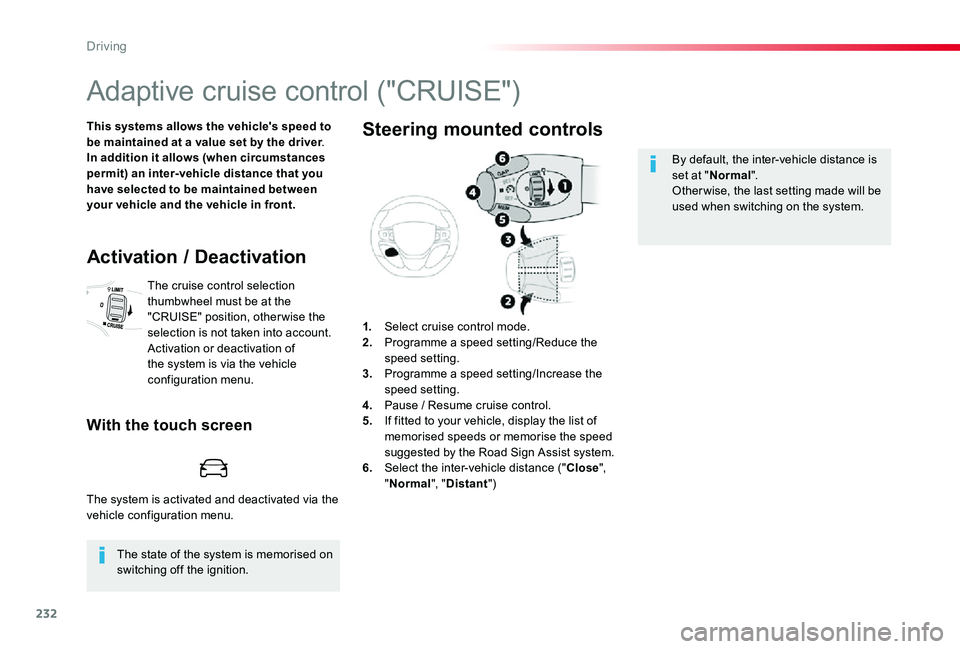
1. Select cruise control mode.2. Programme a speed setting/Reduce the speed setting.3. Programme a speed setting/Increase the speed setting.4. Pause / Resume cruise control.5. If fitted to your vehicle, display the list of memorised speeds or memorise the speed suggested by the Road Sign Assist system.6. Select the inter-vehicle distance ("Close", "Normal", "Distant")
Steering mounted controls
By default, the inter-vehicle distance is set at "Normal".Other wise, the last setting made will be used when switching on the system.
The system is activated and deactivated via the vehicle configuration menu.
Driving
Page 235 of 418
235
This value remains in memory, regardless of the state of the system.
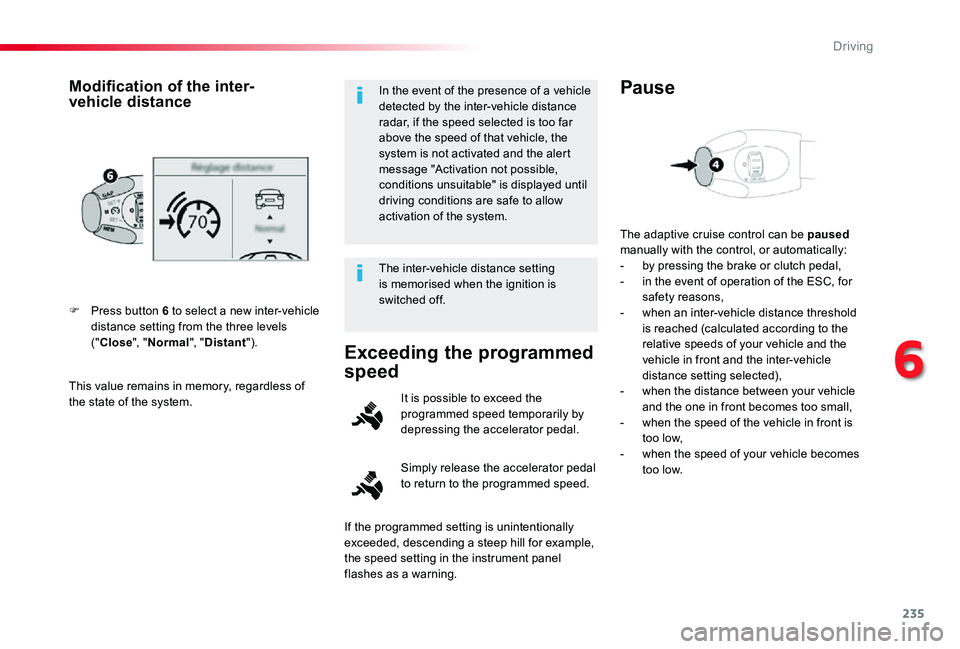
F Press button 6 to select a new inter-vehicle distance setting from the three levels ("Close", "Normal", "Distant").
Modification of the inter-vehicle distanceIn the event of the presence of a vehicle detected by the inter-vehicle distance radar, if the speed selected is too far above the speed of that vehicle, the system is not activated and the alert message "Activation not possible, conditions unsuitable" is displayed until driving conditions are safe to allow activation of the system.
The inter-vehicle distance setting is memorised when the ignition is switched off.
Exceeding the programmed
speed
Simply release the accelerator pedal to return to the programmed speed.
It is possible to exceed the programmed speed temporarily by depressing the accelerator pedal.
The adaptive cruise control can be paused manually with the control, or automatically:- by pressing the brake or clutch pedal,- in the event of operation of the ESC, for safety reasons,- when an inter-vehicle distance threshold is reached (calculated according to the relative speeds of your vehicle and the vehicle in front and the inter-vehicle distance setting selected),- when the distance between your vehicle and the one in front becomes too small,- when the speed of the vehicle in front is too low,- when the speed of your vehicle becomes too low.
Pause
If the programmed setting is unintentionally exceeded, descending a steep hill for example,
the speed setting in the instrument panel flashes as a warning.
6
Driving