turn signal TOYOTA RAV4 2020 Owners Manual (in English)
[x] Cancel search | Manufacturer: TOYOTA, Model Year: 2020, Model line: RAV4, Model: TOYOTA RAV4 2020Pages: 736, PDF Size: 30.79 MB
Page 3 of 736
3TABLE OF CONTENTS
1
2
3
4
5
6
7
8
9
10
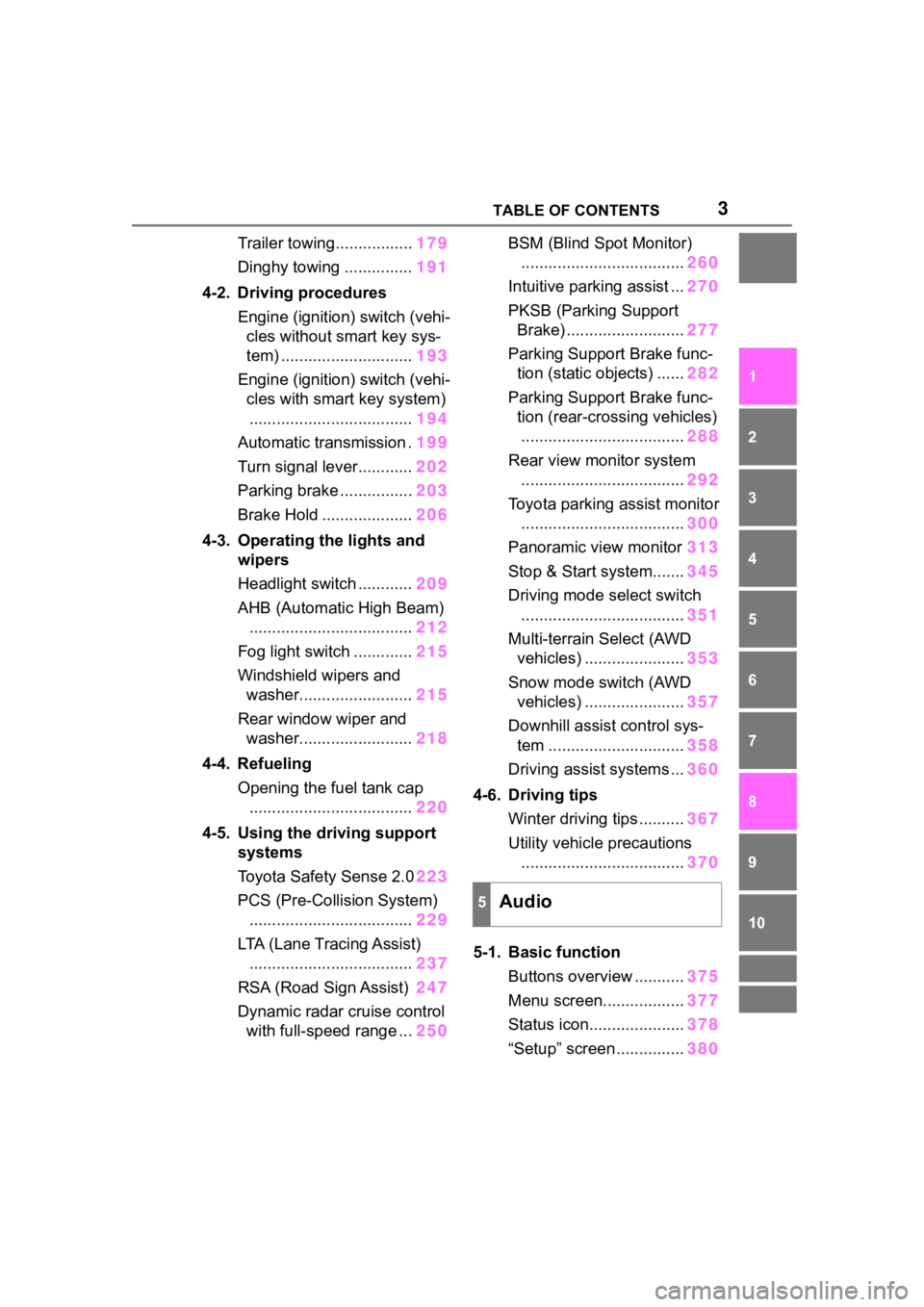
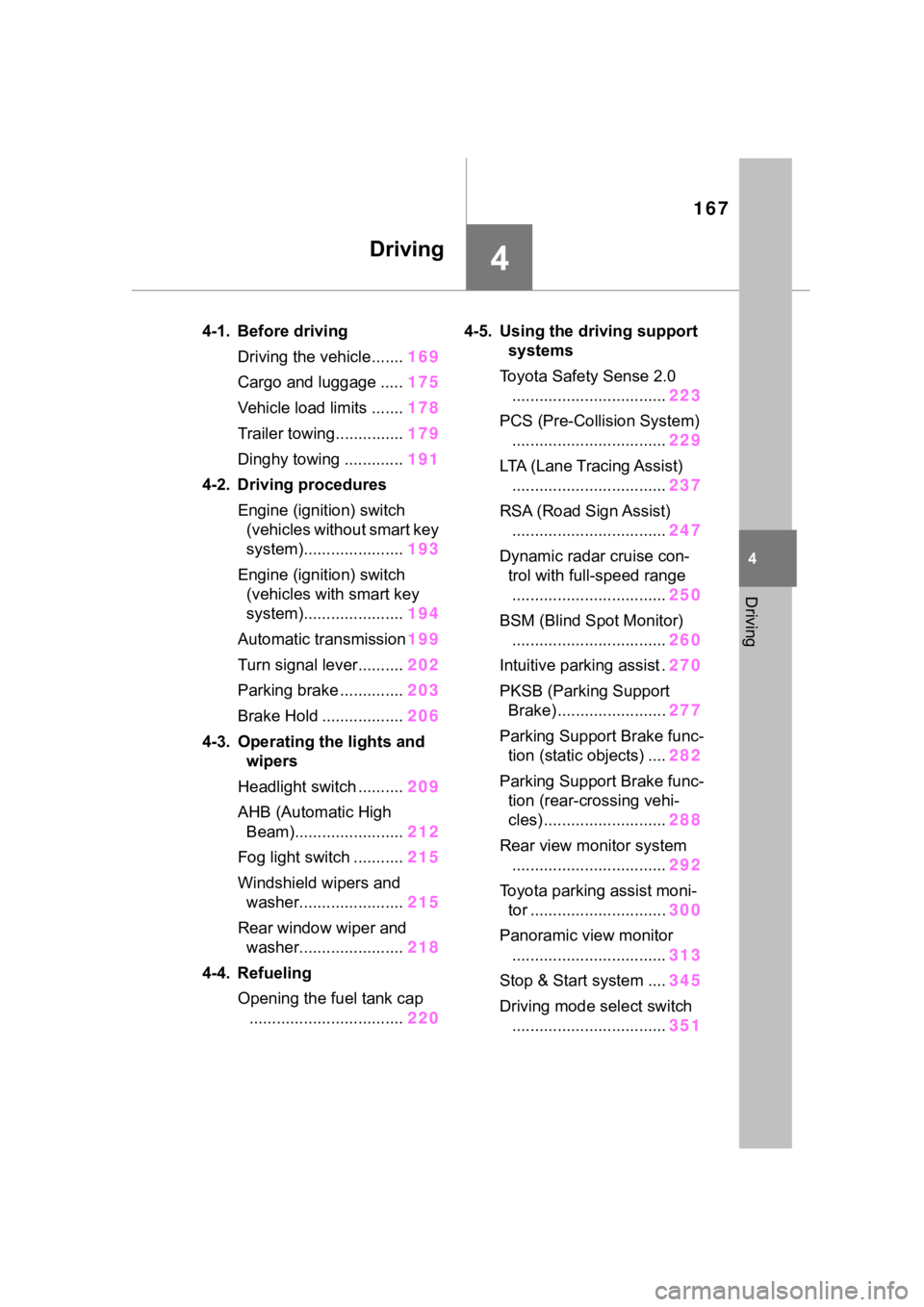
Trailer towing.................179
Dinghy towing ............... 191
4-2. Driving procedures Engine (ignition) switch (vehi-cles without smart key sys-
tem) ............................. 193
Engine (ignition) switch (vehi- cles with smart key system)
.................................... 194
Automatic transmission . 199
Turn signal lever............ 202
Parking brake ................ 203
Brake Hold .................... 206
4-3. Operating the lights and wipers
Headlight switch ............ 209
AHB (Automatic High Beam) .................................... 212
Fog light switch ............. 215
Windshield wipers and washer......................... 215
Rear window wiper and washer......................... 218
4-4. Refueling Opening the fuel tank cap.................................... 220
4-5. Using the driving support
systems
Toyota Safety Sense 2.0 223
PCS (Pre-Collision System) .................................... 229
LTA (Lane Tracing Assist) .................................... 237
RSA (Road Sign Assist) 247
Dynamic radar cruise control with full-speed range ... 250BSM (Blind Spot Monitor)
.................................... 260
Intuitive parking assist ... 270
PKSB (Parking Support Brake) .......................... 277
Parking Support Brake func- tion (static objects) ...... 282
Parking Support Brake func- tion (rear-crossing vehicles)
.................................... 288
Rear view monitor system .................................... 292
Toyota parking assist monitor .................................... 300
Panoramic view monitor 313
Stop & Start system....... 345
Driving mode s elect switch
.................................... 351
Multi-terrain Select (AWD vehicles) ...................... 353
Snow mode switch (AWD vehicles) ...................... 357
Downhill assist control sys- tem .............................. 358
Driving assist systems ... 360
4-6. Driving tips Winter driving tips .......... 367
Utility vehicle precautions ....
................................ 370
5-1. Basic function Buttons overview ........... 375
Menu screen.................. 377
Status icon..................... 378
“Setup” screen ............... 380
5Audio
Page 15 of 736
15Pictorial index
Precautions against winter season ...................................... P.367
To prevent freezing (windshield wiper de-icer)
*.................... P.520
Precautions against car wash
(Rain-sensing windshield wipers)
*....................................... P.559
Replacing the wiper insert ..................................... ............... P.601
Fuel filler door ............................................... ..................... P.220
Refueling method ............................................... .................. P.220
Fuel type/fuel tan k capacity ................................... .............. P.666
Tires.......................................................... ........................... P.581
Tire size/inflation pressure ................................... ................ P.671
Winter tires/tire chain ........................................ ................... P.367
Checking/rotation/tire pressure warning system
*................. P.581
Coping with flat tires......................................... .................... P.642
Hood ........................................................... ......................... P.571
Opening ............................................................................... P.571
Engine oil ..................................................... ........................ P.666
Coping with overheat ........................................... ................ P.659
Warning messages ............................................... ............... P.639
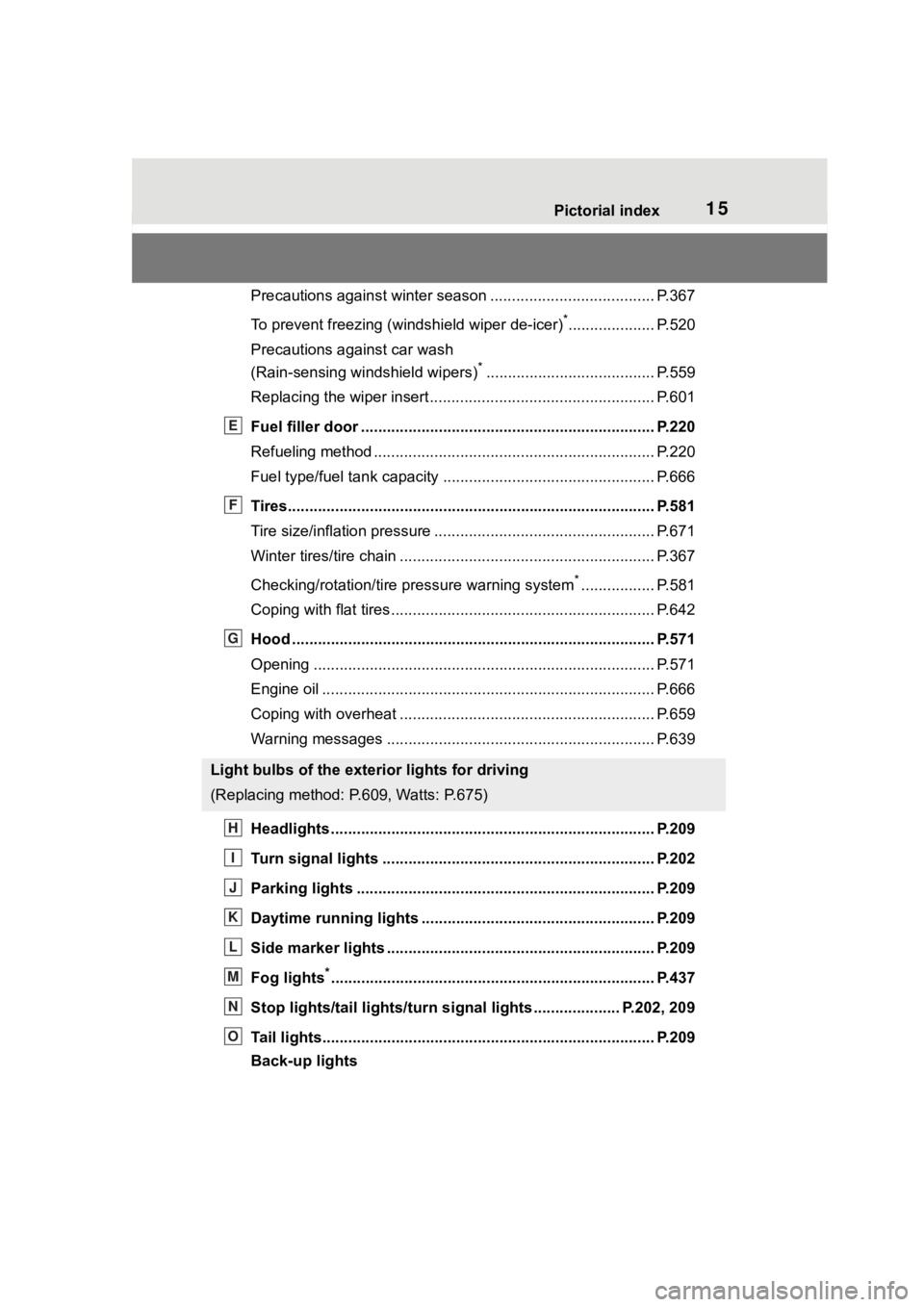
Headlights..................................................... ...................... P.209
Turn signal lights ............................................. .................. P.202
Parking lights ................................................. .................... P.209
Daytime running lights .. .................................................... P.209
Side marker lights ............................................. ................. P.209
Fog lights
*............................................................... ............ P.437
Stop lights/tail lights/turn s ignal lights .................... P.202, 209
Tail lights.................................................... ......................... P.209
Back-up lights
Light bulbs of the exterior lights for driving
(Replacing method: P.609, Watts: P.675)
E
F
G
H
I
J
K
L
M
N
O
Page 16 of 736

16Pictorial index
Shifting the shift lever to R ................................................... P.199
License plate lights........................................... ................. P.209
Side turn signal lights
*...................................................... P.202
*: If equipped
P
Q
Page 18 of 736
18Pictorial index
When the warning messages are displayed ........................P. 6 3 9
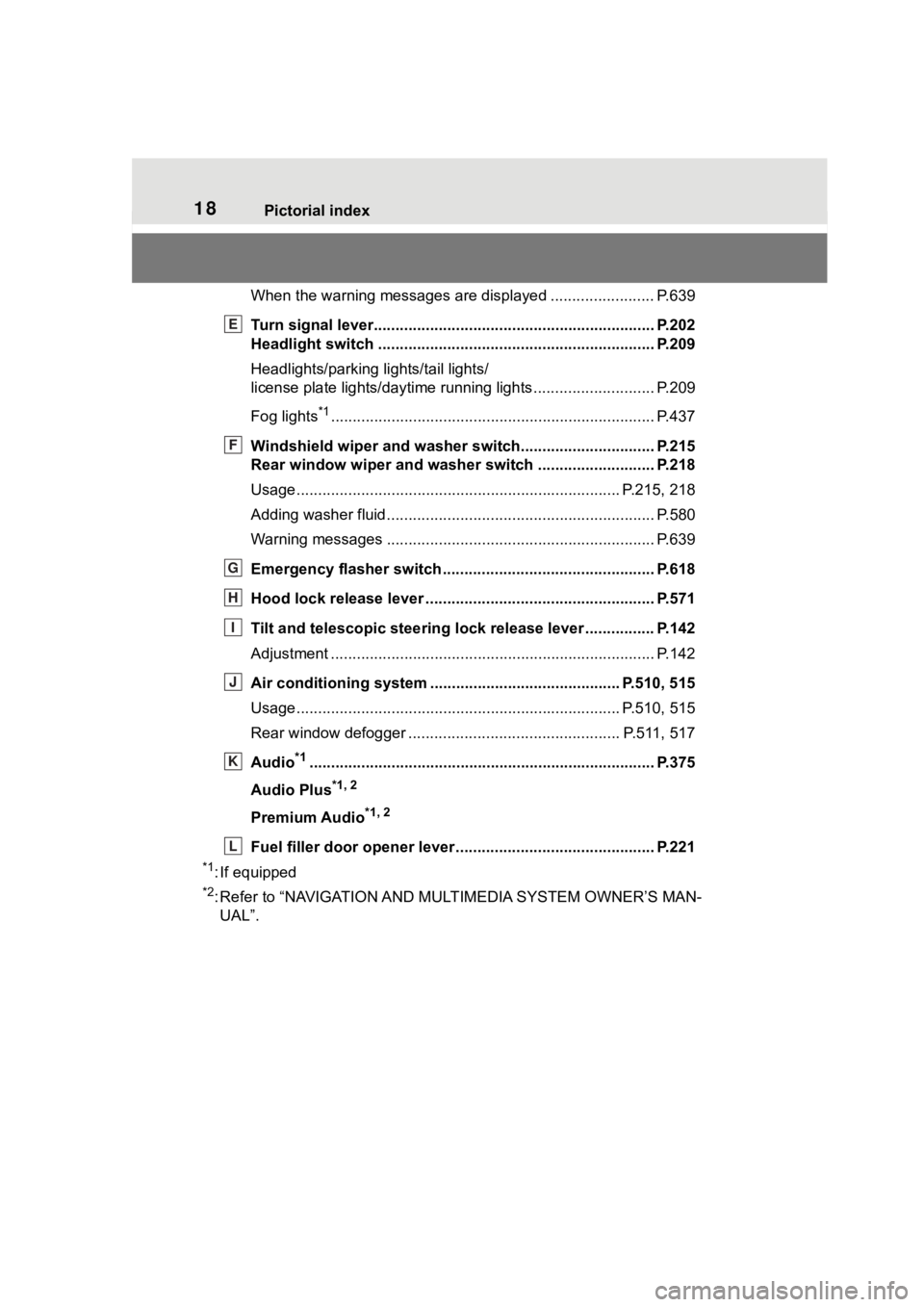
Turn signal lever.............................................. ................... P.202
Headlight switch ............................................... ................. P.209
Headlights/parking lights/tail lights/
license plate lights/daytime running lights .................... ........ P.209
Fog lights
*1............................................................... ............ P.437
Windshield wiper and washer switch............................... P.215
Rear window wiper and washer switch ........................... P.218
Usage.......................................................... ................. P.215, 218
Adding washer fluid .............................................................. P.580
Warning messages ............................................... ............... P.639
Emergency flasher switch ....................................... .......... P.618
Hood lock release lever ........................................ ............. P.571
Tilt and telescopic steering lock release lever ................P. 1 4 2
Adjustment ..................................................... ...................... P.142
Air conditioning system ............................. ............... P.510, 515
Usage.......................................................... ................. P.510, 515
Rear window defogger ........................................... ...... P.511, 517
Audio
*1............................................................... ................. P.375
Audio Plus
*1, 2
Premium Audio*1, 2
Fuel filler door opener lever .................................. ............ P.221
*1: If equipped
*2: Refer to “NAVIGATION AND MULTIMEDIA SYSTEM OWNER’S MAN-
UAL”.
E
F
G
H
I
J
K
L
Page 79 of 736
792-1. Instrument cluster
2
Vehicle status information and indicators
indicate that a system check is
being performed. They will turn
off after the engine is started, or
after a few seconds. There may
be a malfunction in a system if
the light does not come on, or
turn off. Have the vehicle
inspected by your Toyota dealer.
*2: This light illuminates on the multi-informatio n display with a
message.
*3: Intuitive parking assist OFF indi- cator turns on when the engine
switch is turned to ON while the
Intuitive parking assist function is
on. It will turn off a fter a few sec-
onds.
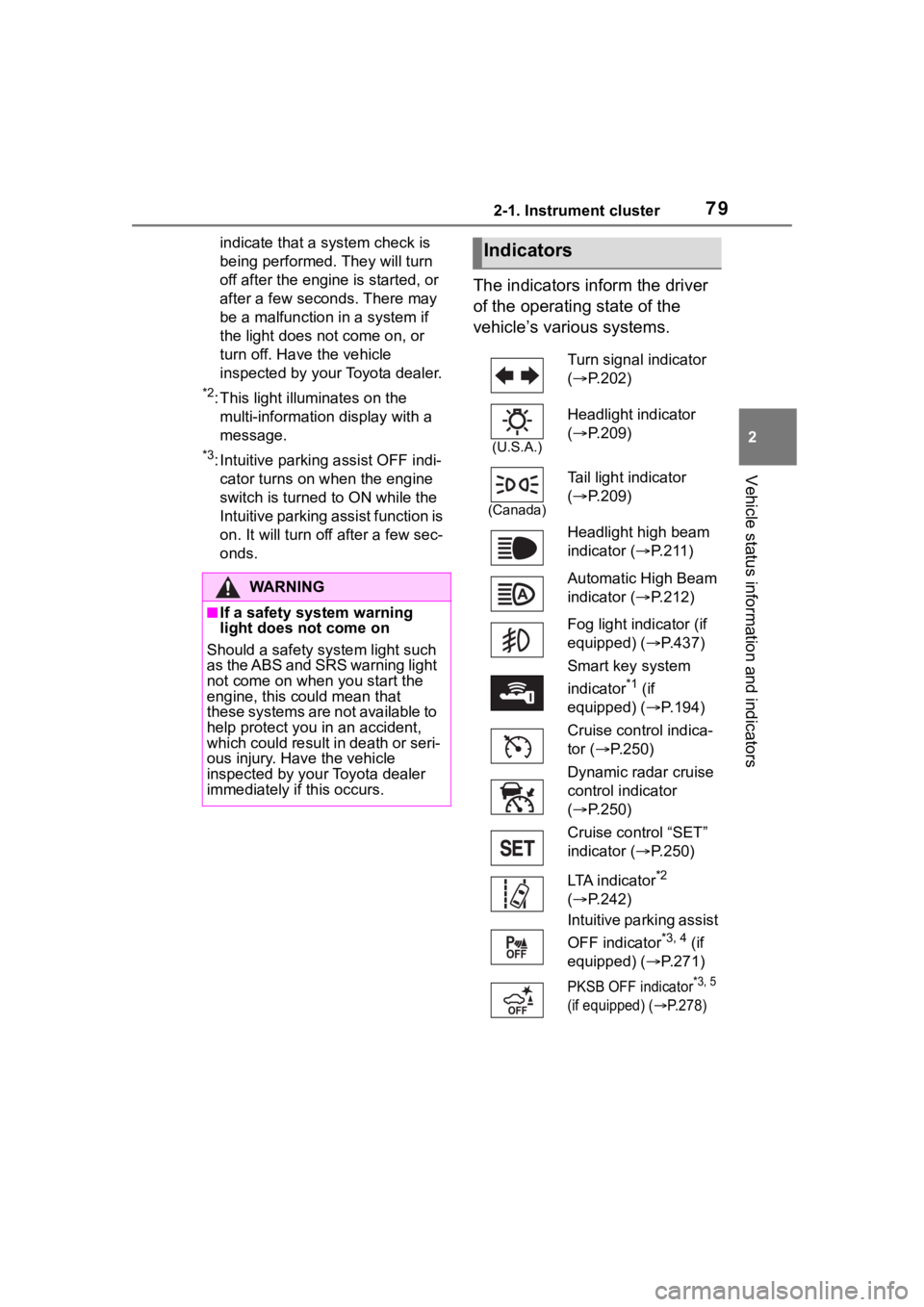
The indicators inform the driver
of the operating state of the
vehicle’s various systems.
WA R N I N G
■If a safety system warning
light does not come on
Should a safety system light such
as the ABS and SRS warning light
not come on when you start the
engine, this could mean that
these systems are not available to
help protect you in an accident,
which could result in death or seri-
ous injury. Have the vehicle
inspected by your Toyota dealer
immediately if this occurs.
Indicators
Turn signal indicator
( P.202)
(U.S.A.)
Headlight indicator
( P.209)
(Canada)
Tail light indicator
( P.209)
Headlight high beam
indicator ( P. 2 1 1 )
Automatic High Beam
indicator ( P.212)
Fog light indicator (if
equipped) ( P.437)
Smart key system
indicator
*1 (if
equipped) ( P.194)
Cruise control indica-
tor ( P.250)
Dynamic radar cruise
control indicator
( P.250)
Cruise control “SET”
indicator ( P.250)
LTA indicator
*2
( P.242)
Intuitive parking assist
OFF indicator
*3, 4 (if
equipped) ( P.271)
PKSB OFF indicator*3, 5
(if equipped) (
P.278)
Page 167 of 736
167
4
4
Driving
Driving
4-1. Before drivingDriving the vehicle....... 169
Cargo and luggage ..... 175
Vehicle load limits ....... 178
Trailer towing............... 179
Dinghy towing ............. 191
4-2. Driving procedures Engine (ignition) switch (vehicles without smart key
system)...................... 193
Engine (ignition) switch (vehicles with smart key
system)...................... 194
Automatic transmission 199
Turn signal lever.......... 202
Parking brake .............. 203
Brake Hold .................. 206
4-3. Operating the lights and wipers
Headlight switch .......... 209
AHB (Automatic High Beam)........................ 212
Fog light switch ........... 215
Windshield wipers and washer....................... 215
Rear window wiper and washer....................... 218
4-4. Refueling Opening the fuel tank cap.................................. 2204-5. Using the dr
iving support
systems
Toyota Safety Sense 2.0 .................................. 223
PCS (Pre-Collision System) .................................. 229
LTA (Lane Tracing Assist) .................................. 237
RSA (Road Sign Assist) .................................. 247
Dynamic radar cruise con- trol with full-speed range
.................................. 250
BSM (Blind Spot Monitor) .................................. 260
Intuitive parking assist . 270
PKSB (Parking Support Brake) ........................ 277
Parking Support Brake func- tion (static objects) .... 282
Parking Support Brake func- tion (rear-crossing vehi-
cles) ........................... 288
Rear view monitor system .................................. 292
Toyota parking assist moni- tor .............................. 300
Panoramic view monitor .................................. 313
Stop & Start system .... 345
Driving mode select switch .................................. 351
Page 202 of 736
2024-2. Driving procedures
■Downshifting restriction warn-
ing buzzer
To help ensure safety and driving
performance, downshifting opera-
tion may sometimes b e restricted. In
some circumstances, downshifting
may not be possible even when the
shift lever is opera ted. (A buzzer will
sound twice.)
■If the “S” indicator does not
come on or the “D” indicator is
displayed even after shifting the
shift lever to S
This may indicate a malfunction in
the automatic tra nsmission system.
Have the vehicle inspected by your
Toyota dealer immediately. (In this
situation, the transmission will oper-
ate in the same manner as when the
shift lever is in D.)
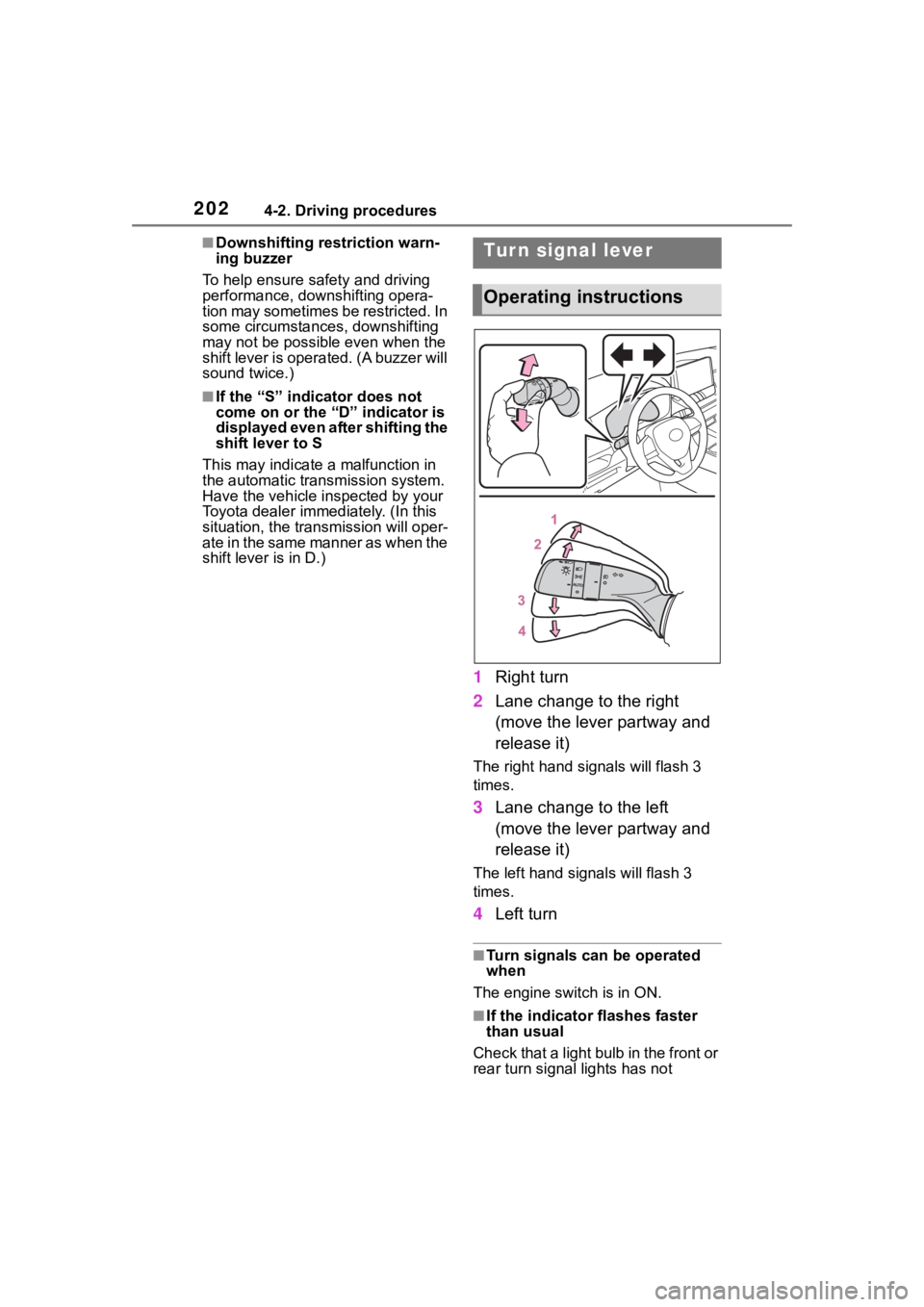
1 Right turn
2 Lane change to the right
(move the lever partway and
release it)
The right hand s ignals will flash 3
times.
3 Lane change to the left
(move the lever partway and
release it)
The left hand signals will flash 3
times.
4Left turn
■Turn signals can be operated
when
The engine switch is in ON.
■If the indicator flashes faster
than usual
Check that a light bulb in the front or
rear turn signal lights has not
Tur n signal lever
Operating instructions
Page 203 of 736
2034-2. Driving procedures
4
Driving
burned out.
■If the turn signals stop flashing
before a lane change has been
performed
Operate the lever again.
■To discontinue flashing of the
turn signals during a lane
change
Operate the lever in the opposite
direction.
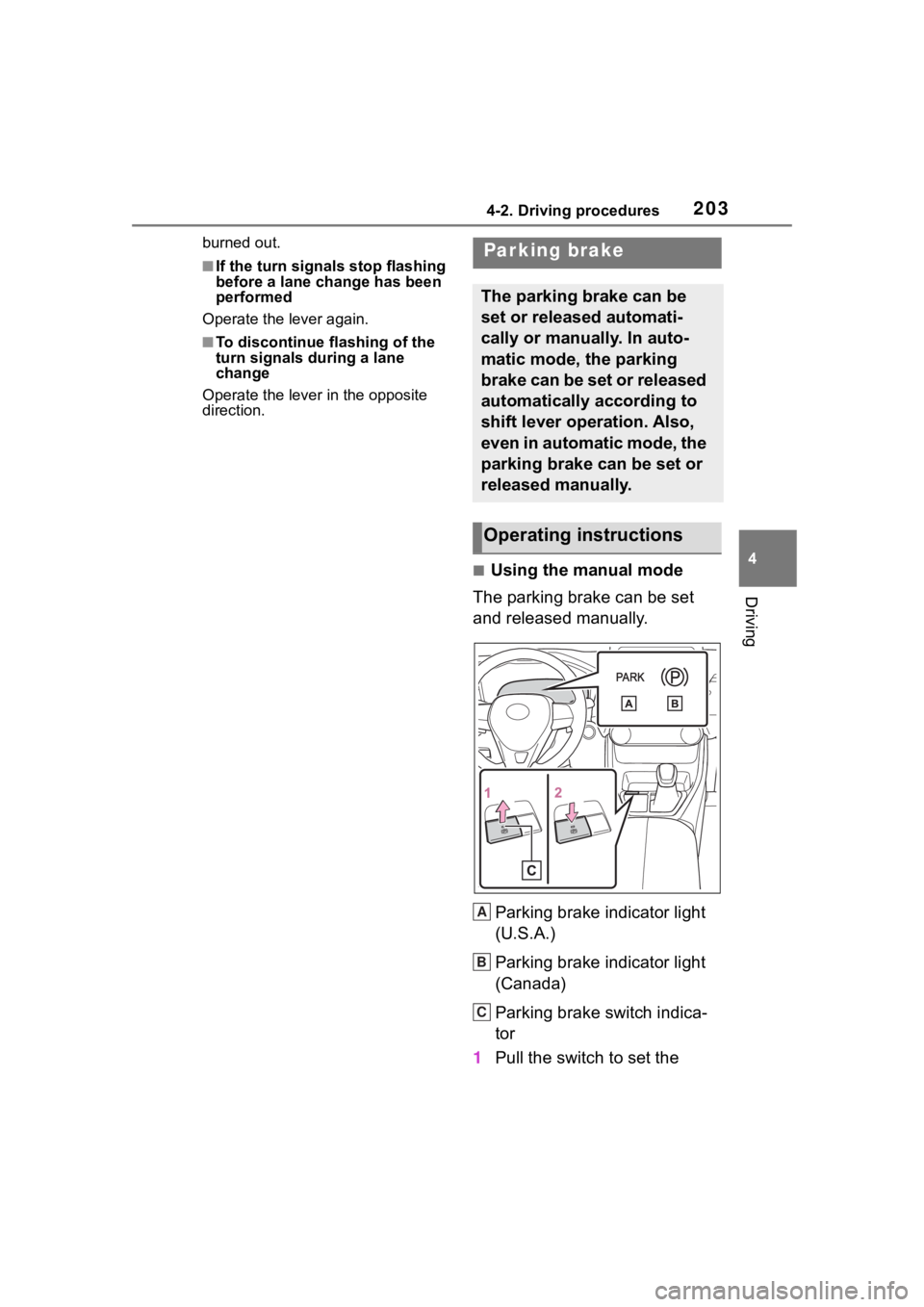
■Using the manual mode
The parking brake can be set
and released manually.
Parking brake indicator light
(U.S.A.)
Parking brake indicator light
(Canada)
Parking brake switch indica-
tor
1 Pull the switch to set the
Parking brake
The parking brake can be
set or released automati-
cally or manually. In auto-
matic mode, the parking
brake can be set or released
automatically according to
shift lever operation. Also,
even in automatic mode, the
parking brake can be set or
released manually.
Operating instructions
A
B
C
Page 213 of 736
2134-3. Operating the lights and wipers
4
Driving
• When the vehicle is cut in front of
by another vehicle
• When vehicles ahead are hidden
from sight due to repeated curves,
road dividers or roadside trees
• When vehicles ahead appear from
the faraway lane on a wide road
• When vehicles ahead have no lights
●The high beam may be turned off
if a vehicle ahead that is using fog
lights without using the headlights
is detected.
●House lights, street lights, traffic
signals, and illumi nated billboards
or signs may cause the high beam
to switch to the low beams, or the
low beams to remain on.
●The following factors may affect
the amount of time taken to turn
the high beam on or off:
• The brightness of headlights, fog lights, and tail lig hts of vehicles
ahead
• The movement and direction of vehicles ahead
• When a vehicle ahead only has
operational lights on one side
• When a vehicle ahead is a two- wheeled vehicle
• The condition of the road (gradi-
ent, curve, condi tion of the road
surface etc.)
• The number of passengers and amount of luggage
●The high beam may be turned on
or off when the driver does not
expect it.
●Bicycles or similar objects may not
be detected.
●In the situations shown below, the
system may not be able to accu-
rately detect surrounding bright-
ness levels. This may cause the
low beams to remain on or the
high beams to cause problems for
pedestrians, vehicles ahead or
other parties. In these cases,
manually switch between the high
and low beams.
• In bad weather ( rain, snow, fog,
sandstorms, etc.) • The windshield is obscured by
fog, mist, i ce, dirt, etc.
• The windshield is cracked or dam-
aged
• The camera sensor is deformed or dirty
• When the temperature of the cam- era sensor is extremely high
• Surrounding brightness levels are
equal to those of headlights, tail
lights or fog lights
• When headlights or tail lights of
vehicles ahead are turned off,
dirty, changing color, or not aimed
properly
• When the vehicle is hit by water,
snow, dust, etc. from a preceding
vehicle
• When driving through an area of intermittently changing brightness
and darkness
• When frequently and repeatedly driving ascending/descending
roads, or roads with rough, bumpy
or uneven surfaces (such as
stone-paved roads, gravel roads,
etc.)
• When frequently and repeatedly taking curves or driving on a wind-
ing road
• There is a highly reflective object ahead of the vehicle, such as a
sign or mirror
• The back of a vehicle ahead is highly reflective, such as a con-
tainer on a truck
• The vehicle’s headlights are dam- aged or dirty, or are not aimed
properly
• The vehicle is listing or titling due to a flat tire, a trailer being towed,
etc.
• The high beam and low beam are repeatedly being switched
between in an abnormal manner
• The driver believes that the high beam may be causing problems
or distress to other drivers or
pedestrians nearby
Page 240 of 736
2404-5. Using the driving support systems
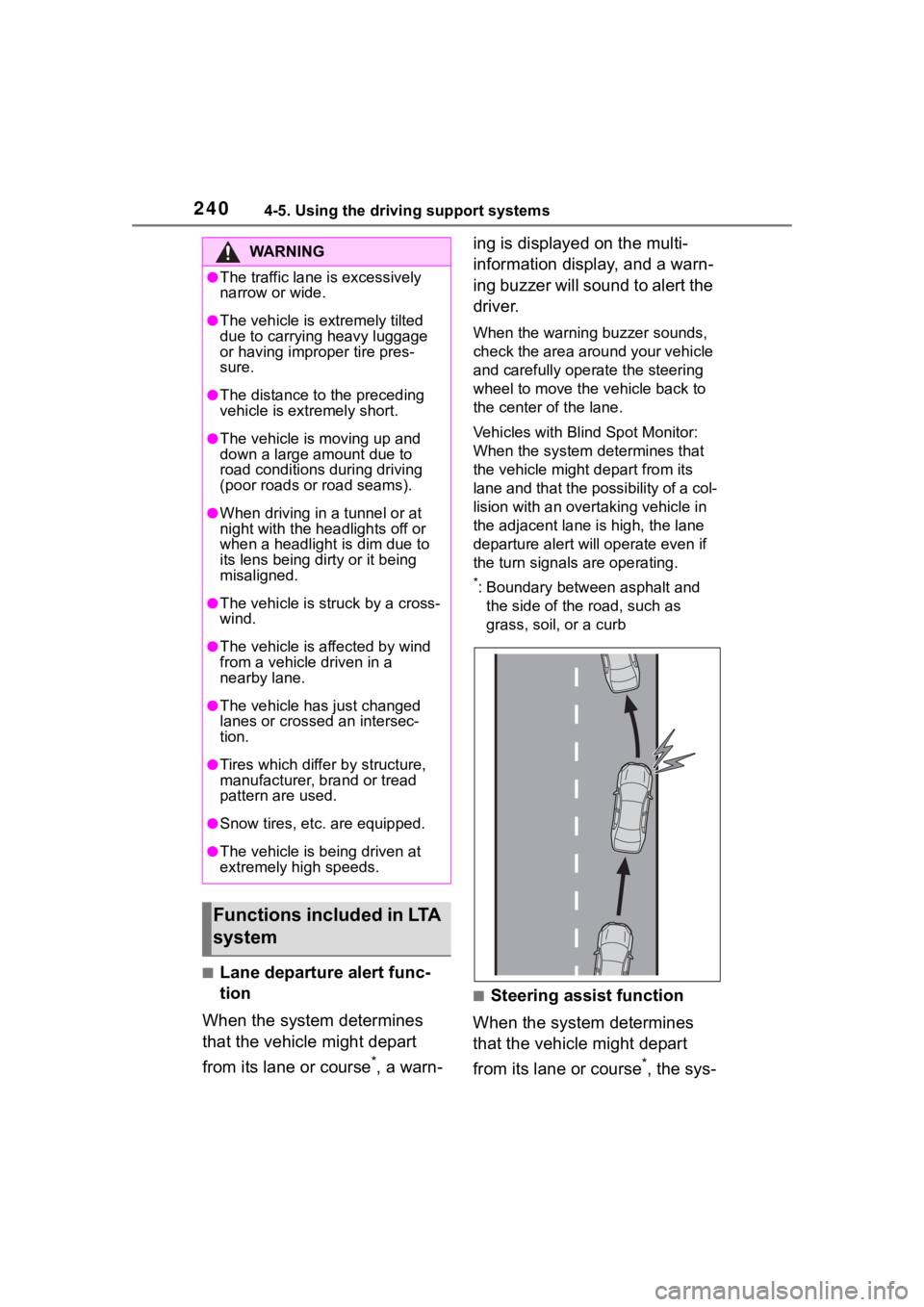
■Lane departure alert func-
tion
When the system determines
that the vehicle might depart
from its lane or course
*, a warn- ing is displayed on the multi-
information display, and a warn-
ing buzzer will sound to alert the
driver.
When the warning buzzer sounds,
check the area around your vehicle
and carefully operate the steering
wheel to move the vehicle back to
the center of the lane.
Vehicles with Blind Spot Monitor:
When the system determines that
the vehicle might depart from its
lane and that the possibility of a col-
lision with an overta
king vehicle in
the adjacent lane is high, the lane
departure alert will operate even if
the turn signals are operating.
*: Boundary between asphalt and
the side of the road, such as
grass, soil, or a curb
■Steering assist function
When the system determines
that the vehicle might depart
from its lane or course
*, the sys-
WA R N I N G
●The traffic lane is excessively
narrow or wide.
●The vehicle is extremely tilted
due to carrying heavy luggage
or having improper tire pres-
sure.
●The distance to the preceding
vehicle is extremely short.
●The vehicle is moving up and
down a large amount due to
road conditions during driving
(poor roads or road seams).
●When driving in a tunnel or at
night with the headlights off or
when a headlight is dim due to
its lens being dirty or it being
misaligned.
●The vehicle is struck by a cross-
wind.
●The vehicle is affected by wind
from a vehicle driven in a
nearby lane.
●The vehicle has just changed
lanes or crossed an intersec-
tion.
●Tires which differ by structure,
manufacturer, b rand or tread
pattern are used.
●Snow tires, etc. are equipped.
●The vehicle is being driven at
extremely high speeds.
Functions included in LTA
system