buttons TOYOTA SUPRA 2019 User Guide
[x] Cancel search | Manufacturer: TOYOTA, Model Year: 2019, Model line: SUPRA, Model: TOYOTA SUPRA 2019Pages: 456, PDF Size: 88.65 MB
Page 65 of 456
65
3
Supra Owner's Manual3-1. CONTROLS
CONTROLS
1"My Vehicle"
2"System settings"
3"Notifications"
4Select the desired setting.
The vehicle offers various functions
which require data to be transferred
to Toyota or a service provider. The
transfer of data can be deactivated
for some functions.
If data transfer has been deacti-
vated for a function, then that func-
tion cannot be used.
Only perform settings with the vehi-
cle at a standstill.
Follow the instructions on the Con-
trol Display.
Via Toyota Supra Command:
1"My Vehicle"
2"System settings"
3"Data privacy"
4Select the desired setting.Depending on use, the vehicle
stores personal data such as saved
radio stations. This personal data
can be permanently deleted using
Toyota Supra Command.
Depending on the equipment in
your vehicle, the following data can
be deleted:
• Driver profile settings.
• Saved radio stations.
• Saved Favourites buttons.
• Trip and on-board computer val-
ues.
• Music hard disc.
• Navigation, for example saved
destinations.
• Phone book.
• Online data, for example Favour-
ites, cookies.
• Office data, for example voice
memos.
• Login accounts.
It can take up to 15 minutes in total
to delete data.
Data can only be deleted with the
vehicle at a standstill.
Data protection
Data transfer
Principle
General
Activating/deactivating
Deleting personal data in the
vehicle
Principle
General
Operating requirements
Page 76 of 456
76
Supra Owner's Manual3-1. CONTROLS
The light functions might be
dependent on the ambient bright-
ness.
The windows are opened for as
long as the button on the remote
control is pressed.
Exterior mirrors which were folded
in via the comfort closing feature
are folded out.
The behaviour of the vehicle in the
case of remote control locking
depends on the following settings,
see page 89:
• Whether locking of the vehicle is
acknowledged with a light signal.
• Whether the exterior mirrors are
automatically folded in and out
when the vehicle is unlocked and
locked.
• Whether the headlight courtesy
delay feature, see page 173, is
activated when the vehicle is
locked.
1Close the driver's door.2 Press the button on the
remote control.
Following functions are carried out:
• All the doors, the boot lid and
fuel filler flap are locked.
• With anti-theft system: The
anti-theft system is switched on.
This prevents the doors from
being unlocked using the locking
buttons or the door openers.
• With alarm system: The alarm
system, see page 91, is switched
on.
If the drive-ready state is still
switched on when locking, the vehi-
cle horn sounds twice. In this case,
switch off the drive-ready state
using start/ stop button.
The windows are closed for as long
as the button on the remote control
is pressed. Comfort opening
Opening
Press and hold the button on
the remote control.
Locking
General
Locking the vehicle
Comfort closing
Safety notes
WARNING
Parts of the body can become
trapped when the comfort closing fea-
ture is operated. There is a danger of
injury. During comfort closing, make
sure that the area of movement is
kept clear.
Closing
Keep the button on the
remote control pressed after
locking.
Page 81 of 456
81
3
Supra Owner's Manual3-1. CONTROLS
CONTROLS
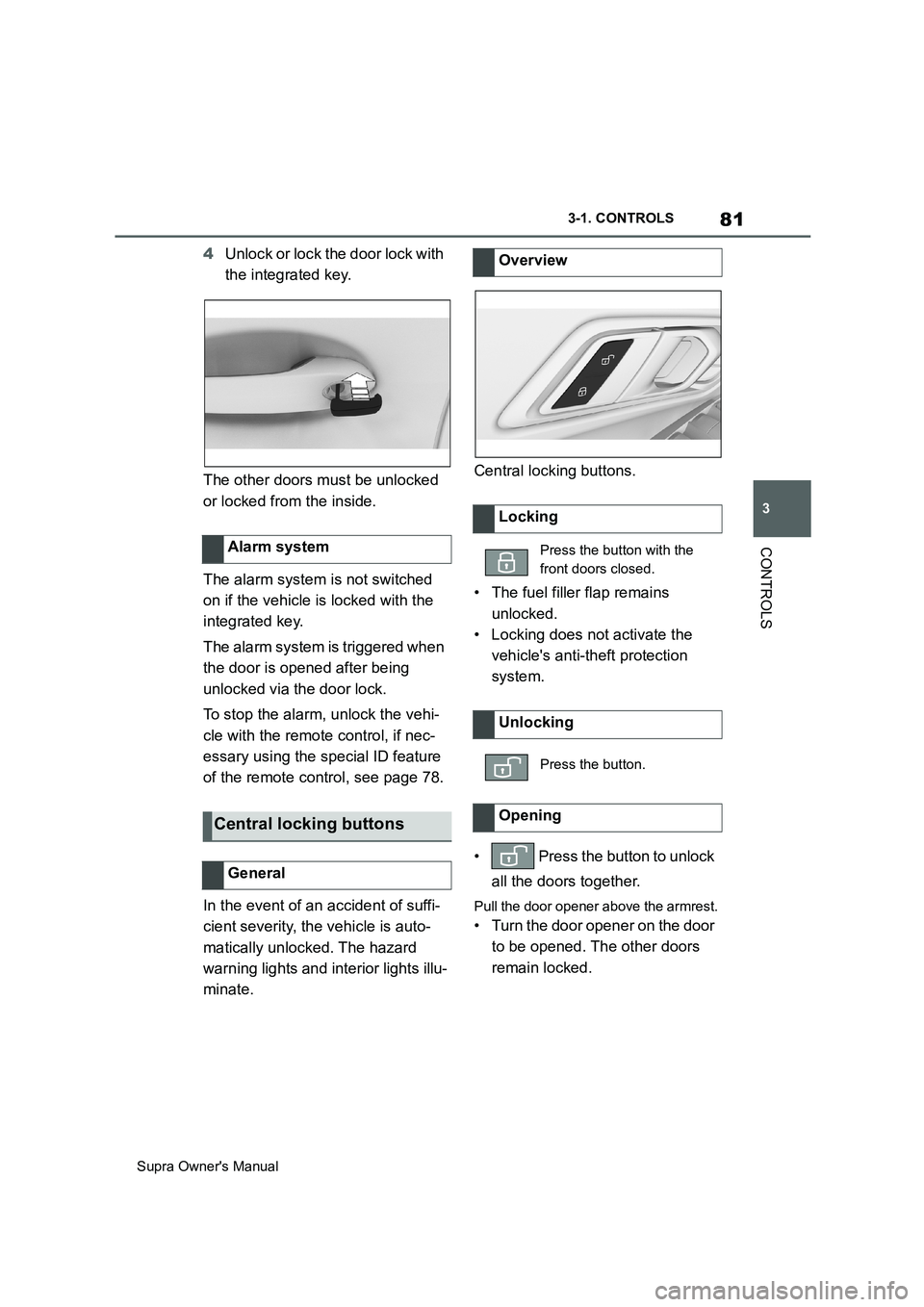
4Unlock or lock the door lock with
the integrated key.
The other doors must be unlocked
or locked from the inside.
The alarm system is not switched
on if the vehicle is locked with the
integrated key.
The alarm system is triggered when
the door is opened after being
unlocked via the door lock.
To stop the alarm, unlock the vehi-
cle with the remote control, if nec-
essary using the special ID feature
of the remote control, see page 78.
In the event of an accident of suffi-
cient severity, the vehicle is auto-
matically unlocked. The hazard
warning lights and interior lights illu-
minate.Central locking buttons.
• The fuel filler flap remains
unlocked.
• Locking does not activate the
vehicle's anti-theft protection
system.
• Press the button to unlock
all the doors together.
Pull the door opener above the armrest.
• Turn the door opener on the door
to be opened. The other doors
remain locked. Alarm system
Central locking buttons
General
Overview
Locking
Press the button with the
front doors closed.
Unlocking
Press the button.
Opening
Page 87 of 456
87
3
Supra Owner's Manual3-1. CONTROLS
CONTROLS
are also restored if the vehicle is
used in the intervening period by
someone with a different remote
control.
Changes to settings are saved
automatically in the currently used
driver profile.
If a different driver profile is
selected via Toyota Supra Com-
mand, the settings saved there are
automatically applied. The new
driver profile is allocated to the
remote control currently used.
A guest profile is also available
which is not allocated to any remote
control. It can be used to perform
settings on the vehicle without
changing the personal driver pro-
files.
To ensure that the correct driver
profile can be set, the system must
be able to allocate the detected
remote control uniquely to the
driver.
This is ensured if the following con-
ditions are met:
• The driver is only carrying their
own remote control.
• The driver unlocks the vehicle.
• The driver enters the vehicle
through the driver's door.
The name of the currently used
driver profile is displayed when the Control Display is switched on.
Select a driver profile, see page 88.
As soon as the engine is started or
any button pressed, the display
selected last is shown on the Con-
trol Display.
To cancel the welcome screen via
Toyota Supra Command: "OK"
Settings for the following systems
and functions are saved in the cur-
rently used driver profile. Which
settings can be saved depends on
the country and equipment.
• Unlocking and locking.
•Lights.
• Air conditioning.
• Radio.
• Instrument cluster.
• Favourites buttons.
• Volumes, sound.
• Control Display.
• Navigation.
• Parking Sensors.
• Rear-view camera.
• Head-Up Display.
•Sport mode switch.
• Seat position, exterior mirror
position
The positions set via the seat memory
and the last position set are saved.
• Cruise Control.
• Toyota Supra Safety. Operating requirements
Currently used driver profile
Settings
Page 107 of 456
107
3
Supra Owner's Manual3-1. CONTROLS
CONTROLS
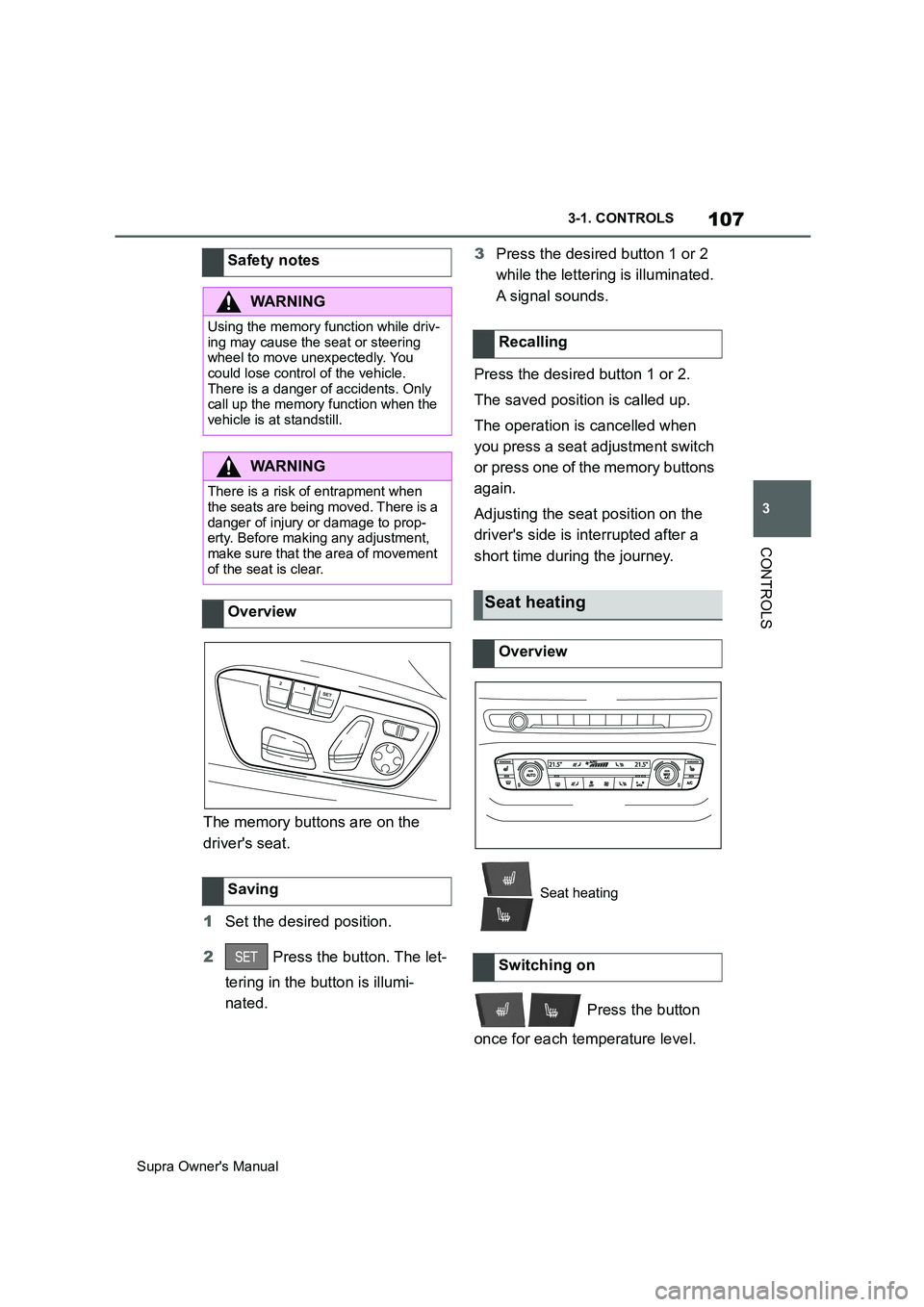
The memory buttons are on the
driver's seat.
1Set the desired position.
2 Press the button. The let-
tering in the button is illumi-
nated.3Press the desired button 1 or 2
while the lettering is illuminated.
A signal sounds.
Press the desired button 1 or 2.
The saved position is called up.
The operation is cancelled when
you press a seat adjustment switch
or press one of the memory buttons
again.
Adjusting the seat position on the
driver's side is interrupted after a
short time during the journey.
Press the button
once for each temperature level. Safety notes
WARNING
Using the memory function while driv-
ing may cause the seat or steering
wheel to move unexpectedly. You
could lose control of the vehicle.
There is a danger of accidents. Only
call up the memory function when the
vehicle is at standstill.
WARNING
There is a risk of entrapment when
the seats are being moved. There is a
danger of injury or damage to prop-
erty. Before making any adjustment,
make sure that the area of movement
of the seat is clear.
Overview
Saving
Recalling
Seat heating
Overview
Seat heating
Switching on
Page 177 of 456
177
3
Supra Owner's Manual3-1. CONTROLS
CONTROLS
vehicles drive on the opposite side
of the road to your vehicle's country
of registration, you will need to pre-
vent your headlights from dazzling
oncoming vehicles.
Via Toyota Supra Command:
1"My Vehicle"
2"Vehicle settings"
3"Exterior lighting"
4"Right-hand/left-hand traffic"
5Select the desired setting.
The automatic high-beam may only
function to a limited extent.
The availability of the adaptive light
functions might be restricted.
The brightness can only be
adjusted when the side lights or the
low-beam headlights are switched
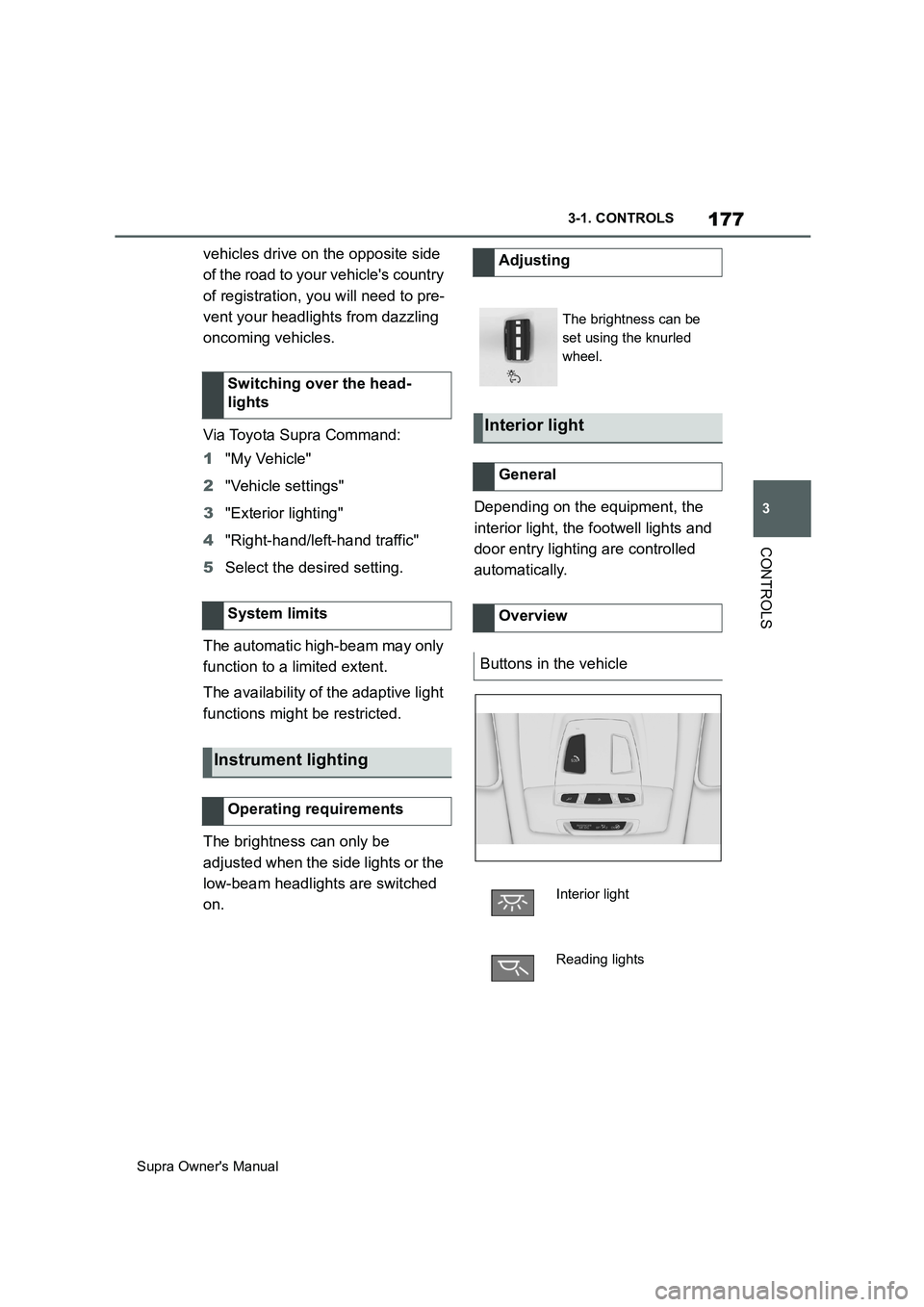
on.Depending on the equipment, the
interior light, the footwell lights and
door entry lighting are controlled
automatically. Switching over the head-
lights
System limits
Instrument lighting
Operating requirements
Adjusting
The brightness can be
set using the knurled
wheel.
Interior light
General
Overview
Buttons in the vehicle
Interior light
Reading lights
Page 192 of 456
192
Supra Owner's Manual3-1. CONTROLS
Person warning with City light
braking function, see page 198.
Lane Departure Warning, see
page 203.
Blind spot monitor, see page
207.
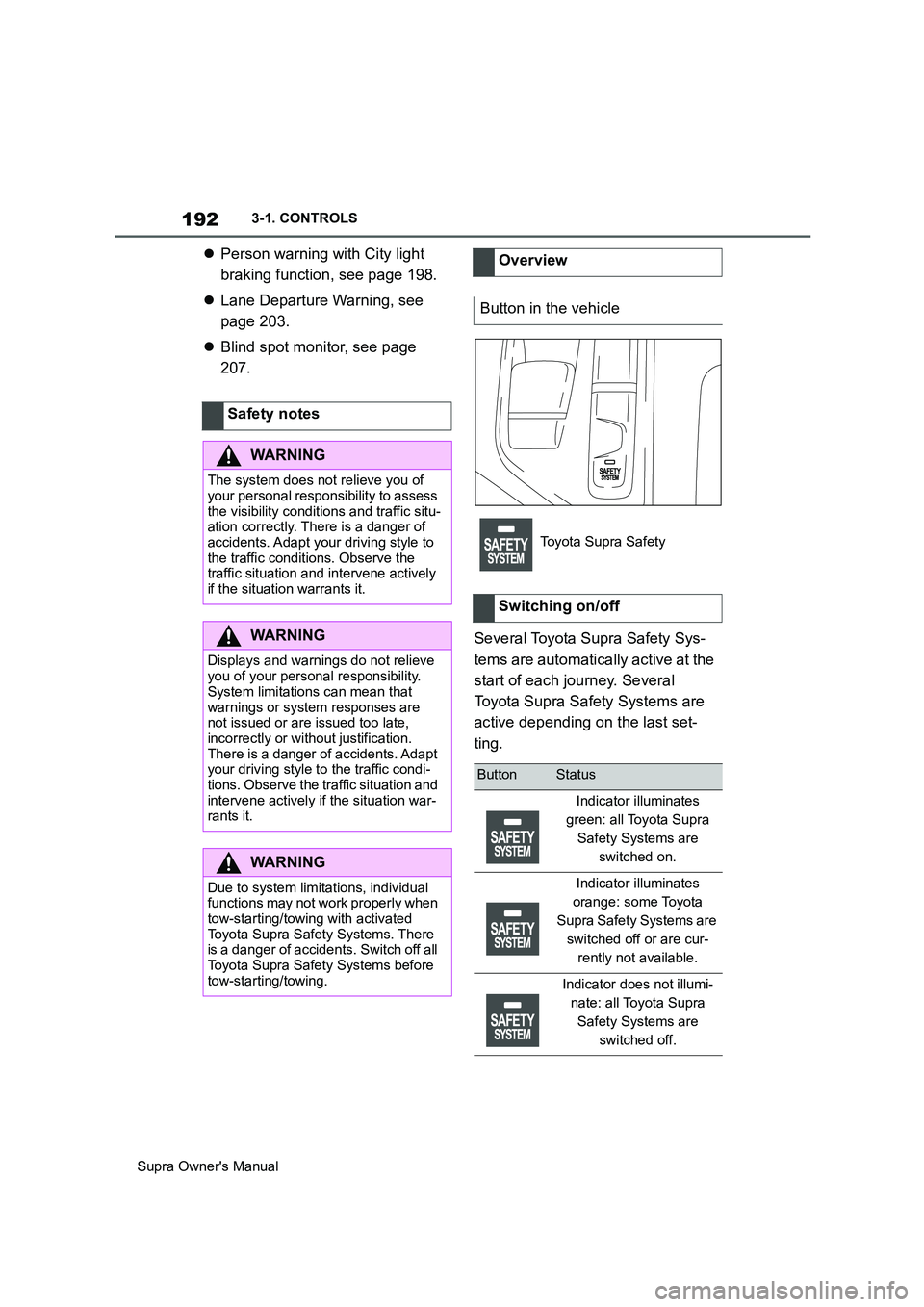
Several Toyota Supra Safety Sys-
tems are automatically active at the
start of each journey. Several
Toyota Supra Safety Systems are
active depending on the last set-
ting. Safety notes
WARNING
The system does not relieve you of
your personal responsibility to assess
the visibility conditions and traffic situ-
ation correctly. There is a danger of
accidents. Adapt your driving style to
the traffic conditions. Observe the
traffic situation and intervene actively
if the situation warrants it.
WARNING
Displays and warnings do not relieve
you of your personal responsibility.
System limitations can mean that
warnings or system responses are
not issued or are issued too late,
incorrectly or without justification.
There is a danger of accidents. Adapt
your driving style to the traffic condi-
tions. Observe the traffic situation and
intervene actively if the situation war-
rants it.
WARNING
Due to system limitations, individual
functions may not work properly when
tow-starting/towing with activated
Toyota Supra Safety Systems. There
is a danger of accidents. Switch off all
Toyota Supra Safety Systems before
tow-starting/towing.
Overview
Button in the vehicle
Toyota Supra Safety
Switching on/off
ButtonStatus
Indicator illuminates
green: all Toyota Supra
Safety Systems are
switched on.
Indicator illuminates
orange: some Toyota
Supra Safety Systems are
switched off or are cur-
rently not available.
Indicator does not illumi-
nate: all Toyota Supra
Safety Systems are
switched off.
Page 195 of 456
195
3
Supra Owner's Manual3-1. CONTROLS
CONTROLS
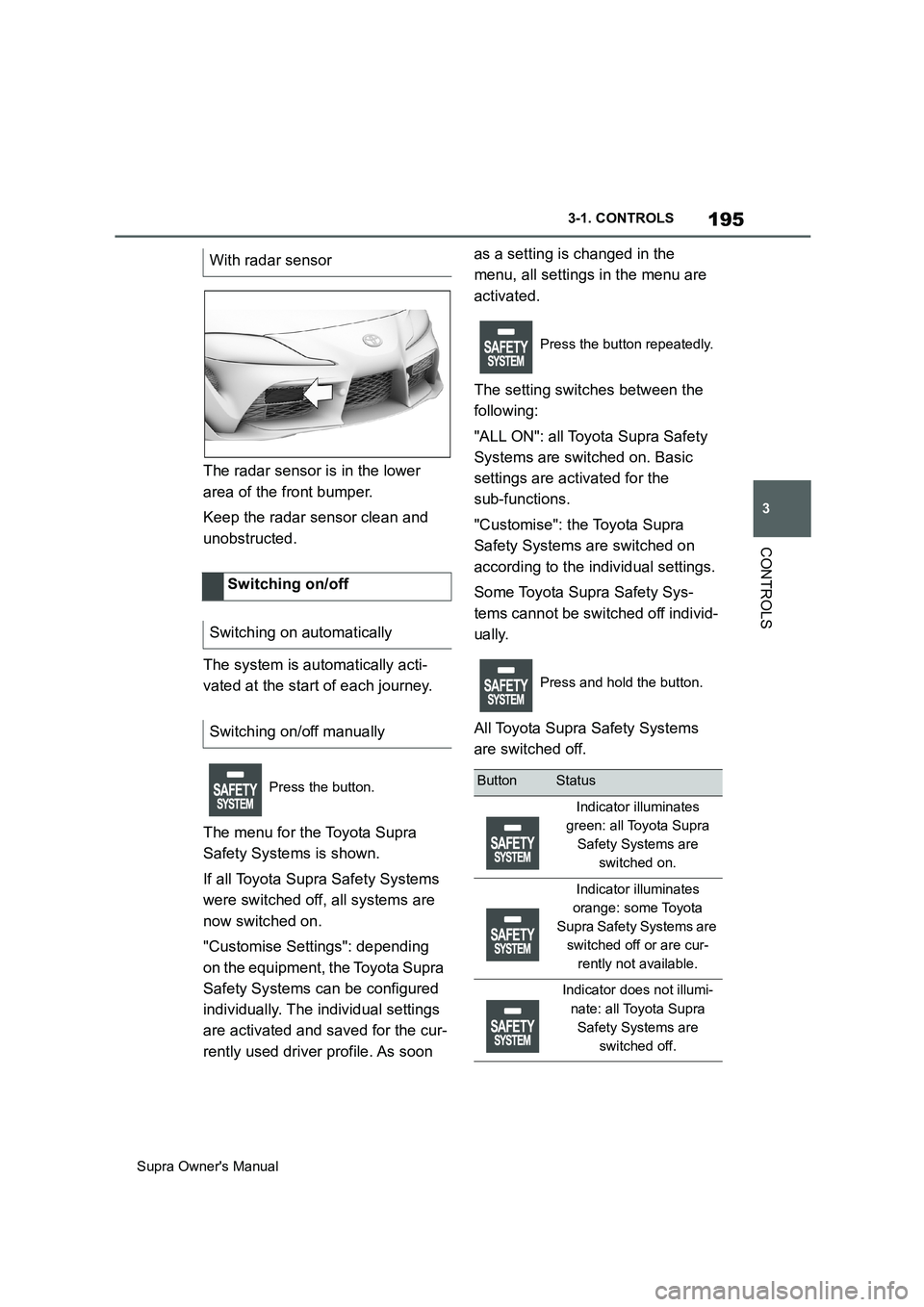
The radar sensor is in the lower
area of the front bumper.
Keep the radar sensor clean and
unobstructed.
The system is automatically acti-
vated at the start of each journey.
The menu for the Toyota Supra
Safety Systems is shown.
If all Toyota Supra Safety Systems
were switched off, all systems are
now switched on.
"Customise Settings": depending
on the equipment, the Toyota Supra
Safety Systems can be configured
individually. The individual settings
are activated and saved for the cur-
rently used driver profile. As soon as a setting is changed in the
menu, all settings in the menu are
activated.
The setting switches between the
following:
"ALL ON": all Toyota Supra Safety
Systems are switched on. Basic
settings are activated for the
sub-functions.
"Customise": the Toyota Supra
Safety Systems are switched on
according to the individual settings.
Some Toyota Supra Safety Sys-
tems cannot be switched off individ-
ually.
All Toyota Supra Safety Systems
are switched off. With radar sensor
Switching on/off
Switching on automatically
Switching on/off manually
Press the button.
Press the button repeatedly.
Press and hold the button.
ButtonStatus
Indicator illuminates
green: all Toyota Supra
Safety Systems are
switched on.
Indicator illuminates
orange: some Toyota
Supra Safety Systems are
switched off or are cur-
rently not available.
Indicator does not illumi-
nate: all Toyota Supra
Safety Systems are
switched off.
Page 201 of 456
201
3
Supra Owner's Manual3-1. CONTROLS
CONTROLS
as a setting is changed in the
menu, all settings in the menu are
activated.
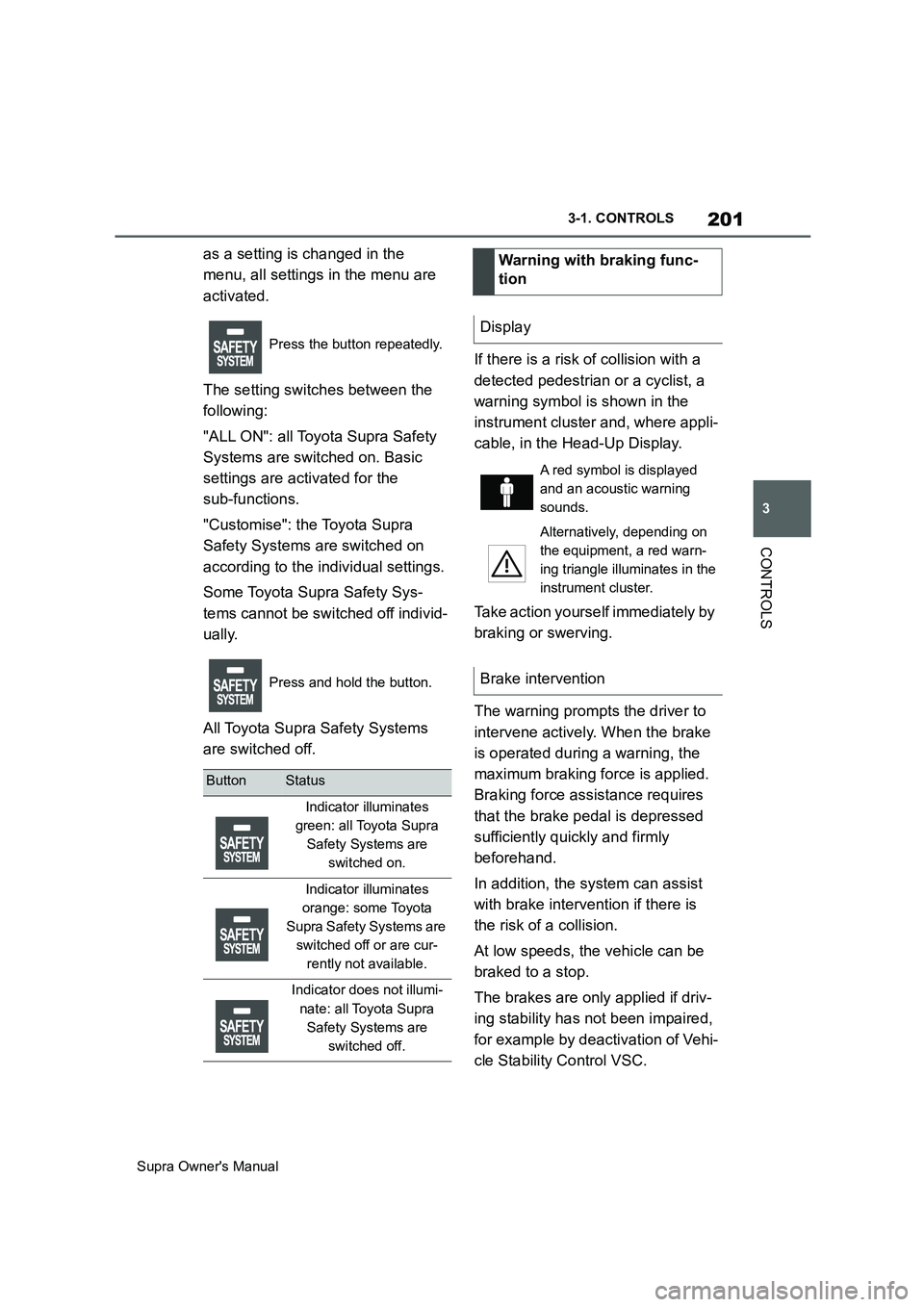
The setting switches between the
following:
"ALL ON": all Toyota Supra Safety
Systems are switched on. Basic
settings are activated for the
sub-functions.
"Customise": the Toyota Supra
Safety Systems are switched on
according to the individual settings.
Some Toyota Supra Safety Sys-
tems cannot be switched off individ-
ually.
All Toyota Supra Safety Systems
are switched off.If there is a risk of collision with a
detected pedestrian or a cyclist, a
warning symbol is shown in the
instrument cluster and, where appli-
cable, in the Head-Up Display.
Take action yourself immediately by
braking or swerving.
The warning prompts the driver to
intervene actively. When the brake
is operated during a warning, the
maximum braking force is applied.
Braking force assistance requires
that the brake pedal is depressed
sufficiently quickly and firmly
beforehand.
In addition, the system can assist
with brake intervention if there is
the risk of a collision.
At low speeds, the vehicle can be
braked to a stop.
The brakes are only applied if driv-
ing stability has not been impaired,
for example by deactivation of Vehi-
cle Stability Control VSC.
Press the button repeatedly.
Press and hold the button.
ButtonStatus
Indicator illuminates
green: all Toyota Supra
Safety Systems are
switched on.
Indicator illuminates
orange: some Toyota
Supra Safety Systems are
switched off or are cur-
rently not available.
Indicator does not illumi-
nate: all Toyota Supra
Safety Systems are
switched off.
Warning with braking func-
tion
Display
A red symbol is displayed
and an acoustic warning
sounds.
Alternatively, depending on
the equipment, a red warn-
ing triangle illuminates in the
instrument cluster.
Brake intervention
Page 205 of 456
205
3
Supra Owner's Manual3-1. CONTROLS
CONTROLS
ually.
All Toyota Supra Safety Systems
are switched off.
Via Toyota Supra Command:
1"My Vehicle"
2"Vehicle settings"
3"Toyota Supra Safety"
4"Lane departure warning"
5Select the desired setting:
"Early": the system issues an
early warning whenever a haz-
ardous situation is detected.
"Medium": the system meets
standardised safety require-
ments.
"Reduced": depending on the sit-
uation, some warnings are sup-pressed, for example during
overtaking manoeuvres without
using turn indicators or when
deliberately crossing driving path
lines on bends.
"Off": no warnings are given.
The selected setting is saved for
the currently used driver profile.
Via Toyota Supra Command:
1"My Vehicle"
2"Vehicle settings"
3"Steering wheel vibration"
4Select the desired setting.
The setting is accepted for all
Toyota Supra Safety Systems and
saved for the currently used driver
profile.
Steering intervention can be sepa-
rately switched on and off for Blind
spot monitor or Lane Departure
Wa rn in g.
Via Toyota Supra Command:
1"My Vehicle"
2"Vehicle settings"
3"Toyota Supra Safety"
4"Steering intervention"
The selected setting is saved for
the currently used driver profile.
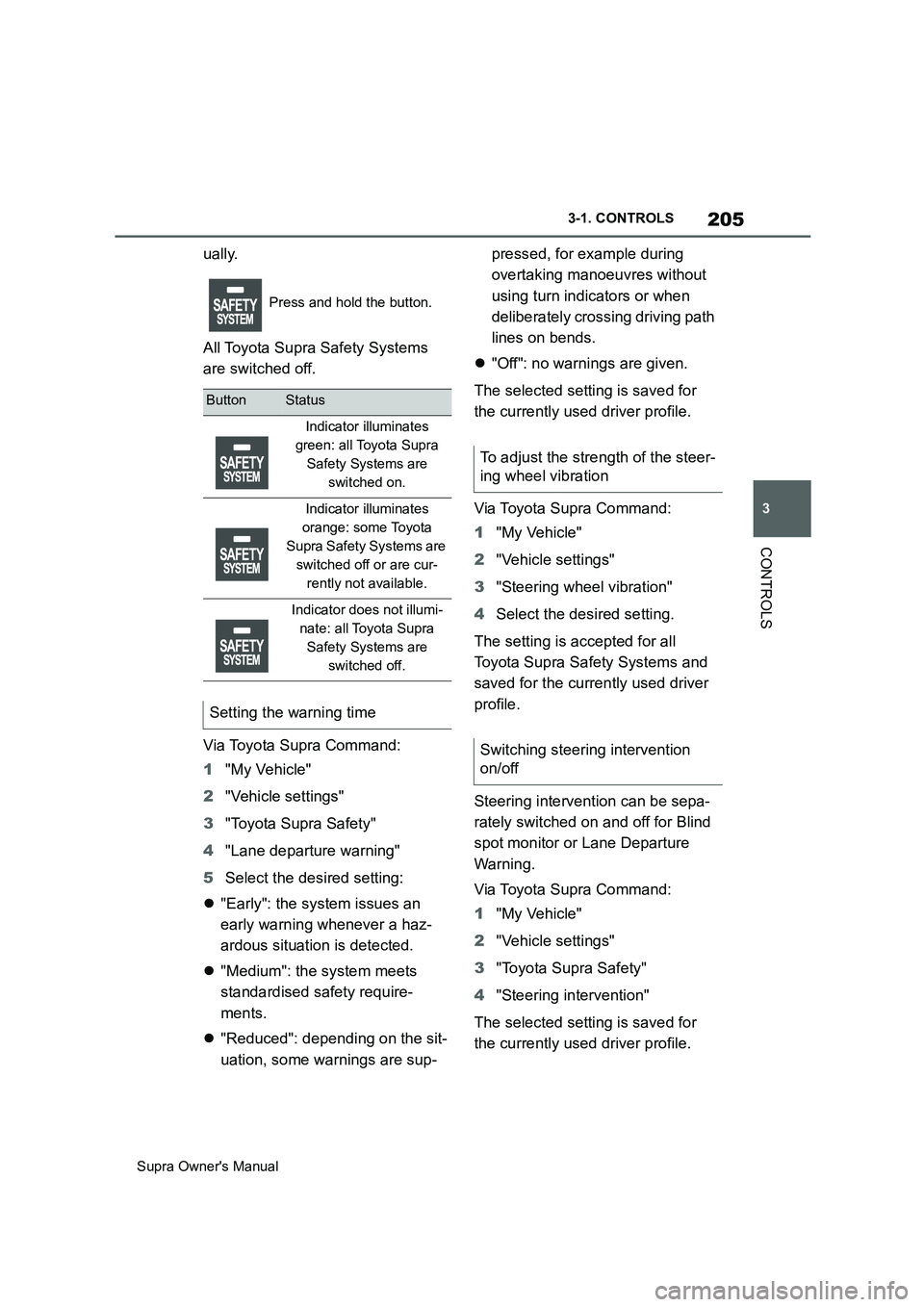
Press and hold the button.
ButtonStatus
Indicator illuminates
green: all Toyota Supra
Safety Systems are
switched on.
Indicator illuminates
orange: some Toyota
Supra Safety Systems are
switched off or are cur-
rently not available.
Indicator does not illumi-
nate: all Toyota Supra
Safety Systems are
switched off.
Setting the warning time
To adjust the strength of the steer-
ing wheel vibration
Switching steering intervention
on/off