lights TOYOTA SUPRA 2019 User Guide
[x] Cancel search | Manufacturer: TOYOTA, Model Year: 2019, Model line: SUPRA, Model: TOYOTA SUPRA 2019Pages: 456, PDF Size: 88.65 MB
Page 43 of 456
43
3
Supra Owner's Manual3-1. CONTROLS
CONTROLS
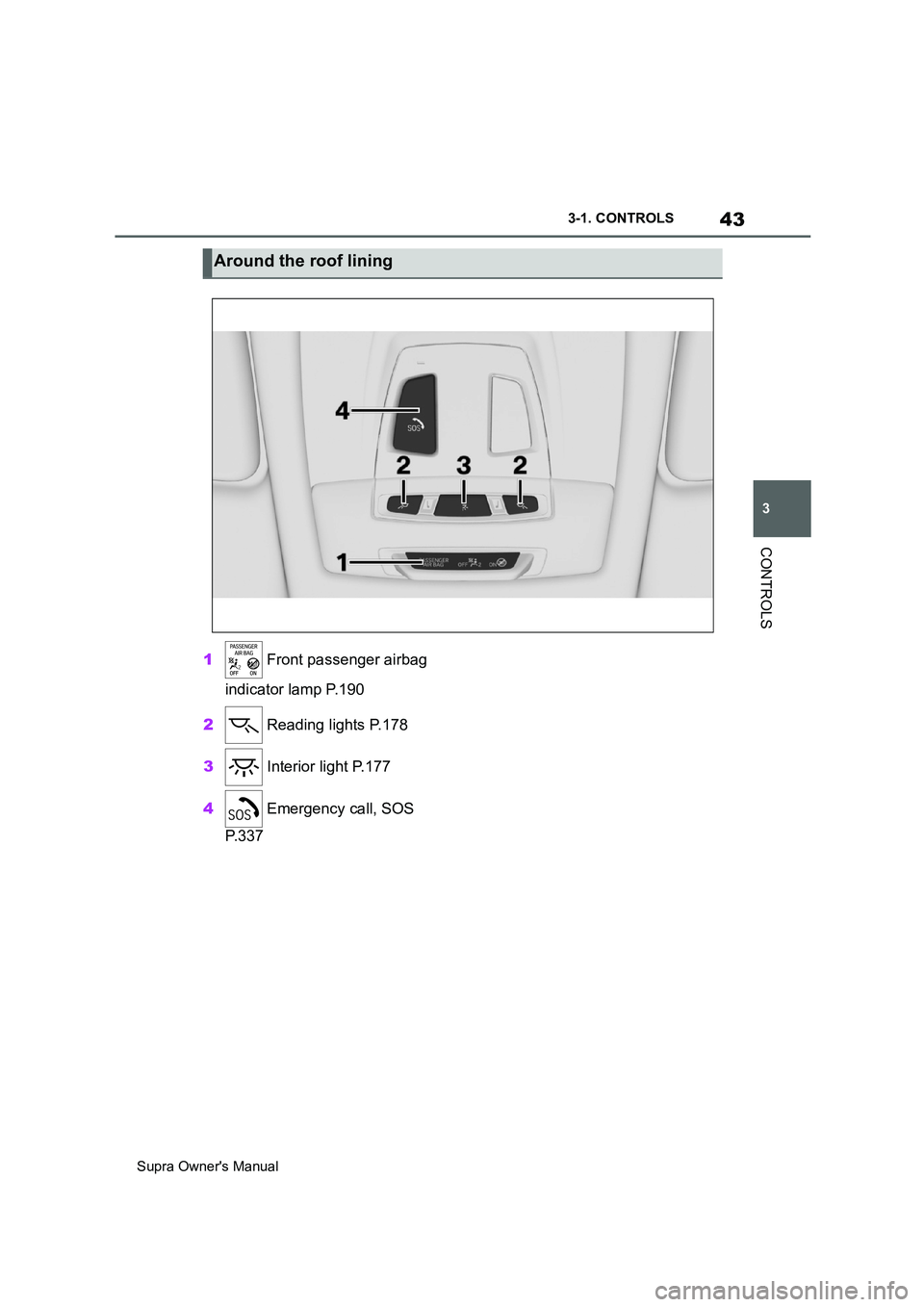
1 Front passenger airbag
indicator lamp P.190
2 Reading lights P.178
3 Interior light P.177
4 Emergency call, SOS
P. 3 3 7
Around the roof lining
Page 77 of 456
77
3
Supra Owner's Manual3-1. CONTROLS
CONTROLS
The exterior mirrors are folded in.
If the hazard warning lights are
switched on, the exterior mirrors
are not folded in.
The function is not available for the
first 10 seconds after locking.
• The interior light is switched on
unless it was switched off manu-
ally. Switching the interior light
on/off manually, see page 178.
• Depending on the settings, the
exterior lights, see page 173, are
switched on.
The light functions might be
dependent on the ambient bright-
ness.
To prevent the remote control from
being locked in, do not place the
remote control in the boot.
It is possible to set whether the
doors are unlocked when the boot
lid is opened with the remote con-
trol. For settings, see page 89.On some equipment versions, the
doors are also unlocked each time.
Setting the duration, see page 173.
1Remove the integrated key from
the remote control, see page 80.
2Place integrated key under the
battery compartment cover,
arrow 1, and pry off the cover Switching on the interior
light and exterior lights
With the vehicle locked,
press the button on the
remote control.
Boot lid
General
Safety notes
WARNING
Parts of the body can become
trapped when the boot lid is operated.
There is a danger of injury. When
opening and closing, make sure that
the area of movement of the boot lid
is kept clear.
NOTICE
The boot lid swings rearwards and
upwards when opened. There is a
danger of damage to property. When
opening and closing, make sure that
the area of movement of the boot lid
is kept clear.
Unlocking
Press and hold the button on
the remote control for approx-
imately 1 second.
Switching on the headlight
courtesy delay feature
Press and hold the button on
the remote control for approx-
imately 1 second.
Replacing the battery
Page 81 of 456
81
3
Supra Owner's Manual3-1. CONTROLS
CONTROLS
4Unlock or lock the door lock with
the integrated key.
The other doors must be unlocked
or locked from the inside.
The alarm system is not switched
on if the vehicle is locked with the
integrated key.
The alarm system is triggered when
the door is opened after being
unlocked via the door lock.
To stop the alarm, unlock the vehi-
cle with the remote control, if nec-
essary using the special ID feature
of the remote control, see page 78.
In the event of an accident of suffi-
cient severity, the vehicle is auto-
matically unlocked. The hazard
warning lights and interior lights illu-
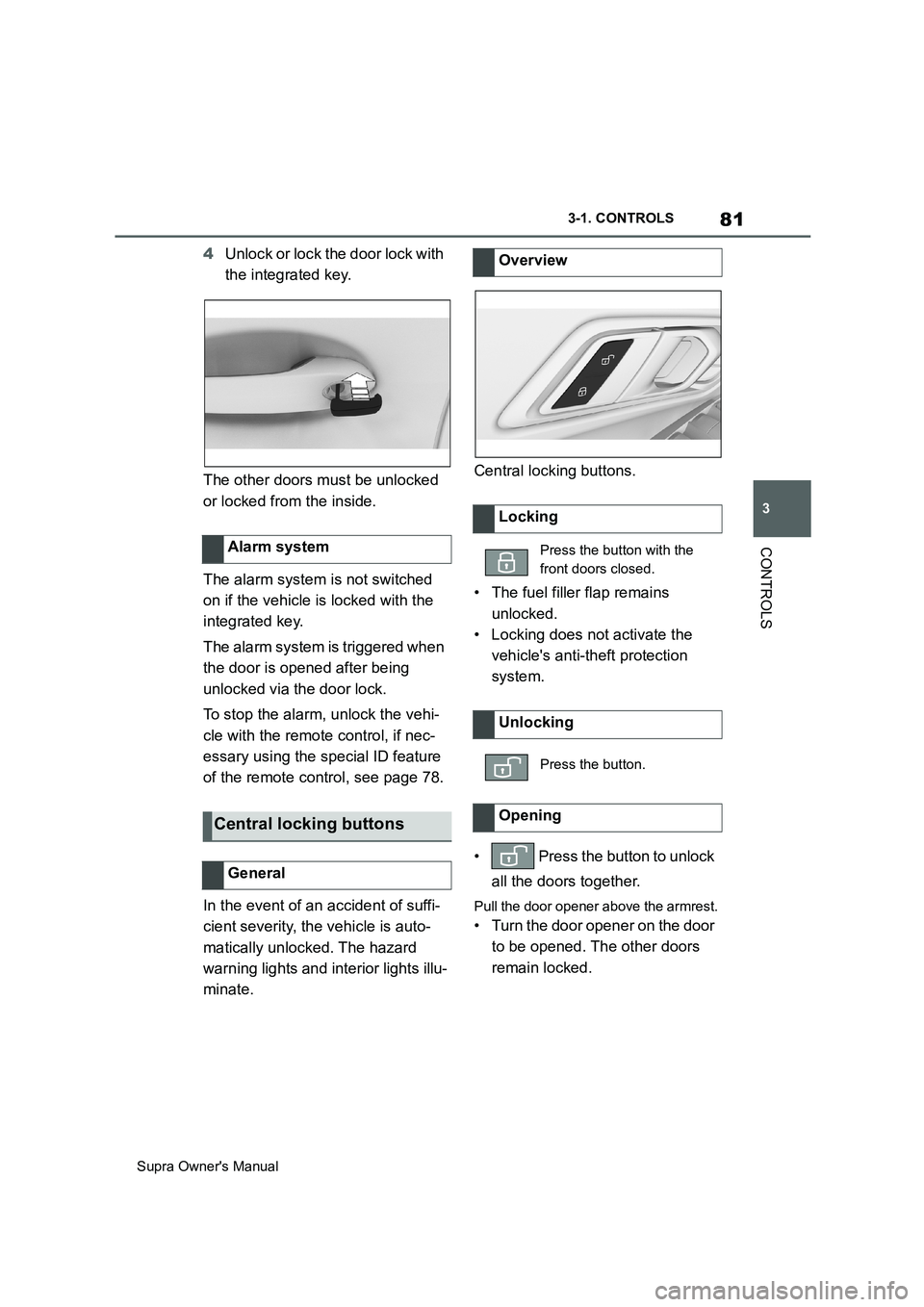
minate.Central locking buttons.
• The fuel filler flap remains
unlocked.
• Locking does not activate the
vehicle's anti-theft protection
system.
• Press the button to unlock
all the doors together.
Pull the door opener above the armrest.
• Turn the door opener on the door
to be opened. The other doors
remain locked. Alarm system
Central locking buttons
General
Overview
Locking
Press the button with the
front doors closed.
Unlocking
Press the button.
Opening
Page 87 of 456
87
3
Supra Owner's Manual3-1. CONTROLS
CONTROLS
are also restored if the vehicle is
used in the intervening period by
someone with a different remote
control.
Changes to settings are saved
automatically in the currently used
driver profile.
If a different driver profile is
selected via Toyota Supra Com-
mand, the settings saved there are
automatically applied. The new
driver profile is allocated to the
remote control currently used.
A guest profile is also available
which is not allocated to any remote
control. It can be used to perform
settings on the vehicle without
changing the personal driver pro-
files.
To ensure that the correct driver
profile can be set, the system must
be able to allocate the detected
remote control uniquely to the
driver.
This is ensured if the following con-
ditions are met:
• The driver is only carrying their
own remote control.
• The driver unlocks the vehicle.
• The driver enters the vehicle
through the driver's door.
The name of the currently used
driver profile is displayed when the Control Display is switched on.
Select a driver profile, see page 88.
As soon as the engine is started or
any button pressed, the display
selected last is shown on the Con-
trol Display.
To cancel the welcome screen via
Toyota Supra Command: "OK"
Settings for the following systems
and functions are saved in the cur-
rently used driver profile. Which
settings can be saved depends on
the country and equipment.
• Unlocking and locking.
•Lights.
• Air conditioning.
• Radio.
• Instrument cluster.
• Favourites buttons.
• Volumes, sound.
• Control Display.
• Navigation.
• Parking Sensors.
• Rear-view camera.
• Head-Up Display.
•Sport mode switch.
• Seat position, exterior mirror
position
The positions set via the seat memory
and the last position set are saved.
• Cruise Control.
• Toyota Supra Safety. Operating requirements
Currently used driver profile
Settings
Page 91 of 456
91
3
Supra Owner's Manual3-1. CONTROLS
CONTROLS
The vehicle is automatically locked
again after a short while if no door is
opened after unlocking.
• "Lock after pulling away"
On driving off, the vehicle is locked
automatically.
Via Toyota Supra Command:
1"My Vehicle"
2"Vehicle settings"
3"Doors/Key"
4"Unlock at end of journey"
After the drive-ready state has been
switched off by pressing the start/stop
button, the locked vehicle is automati-
cally unlocked.
Via Toyota Supra Command:
1"My Vehicle"
2"Vehicle settings"
3"Doors/Key"
4"Fold mirrors in when locked"
When locking, the exterior mirrors are
automatically folded in, and when
unlocking they are automatically folded
out.
Via Toyota Supra Command:
1"My Vehicle"
2"Vehicle settings"
3"Doors/Key"4"Switch off after door opening"
Idle state, see page 44, is established
when the front doors are opened.
The alarm system responds to the
following changes when the vehicle
is locked:
• A door, the bonnet or the boot lid
is opened.
• Movements in the interior.
• The vehicle's incline changes, for
instance if an attempt is made to
jack it up and steal the wheels or
to raise it prior to towing away.
• There is an interruption in the
power supply from the battery.
• Improper use of the socket for
on-board diagnosis OBD.
The alarm system indicates the fol-
lowing changes visually and audi-
bly:
• Audible alarm: Depending on
local regulations, the acoustic
alarm may be suppressed.
• Visual alarm: By flashing the
exterior lights.
The alarm system is switched on
and off at the same time as the
vehicle is unlocked and locked via
the remote control or Smart Key
System. Automatic unlocking
Folding the mirrors automati-
cally
Establishing idle state after
opening the front doors
Alarm system
General
Switching on/off
Page 92 of 456
92
Supra Owner's Manual3-1. CONTROLS
The alarm system is triggered on
opening a door if the door has been
unlocked using the integrated key
in the door lock.
Stopping the alarm, see page 93.
The boot lid can be opened even
with the alarm system switched on.
On closing the boot lid, it is locked
again and monitored, as long as the
doors are locked. The hazard warn-
ing lights flash once.
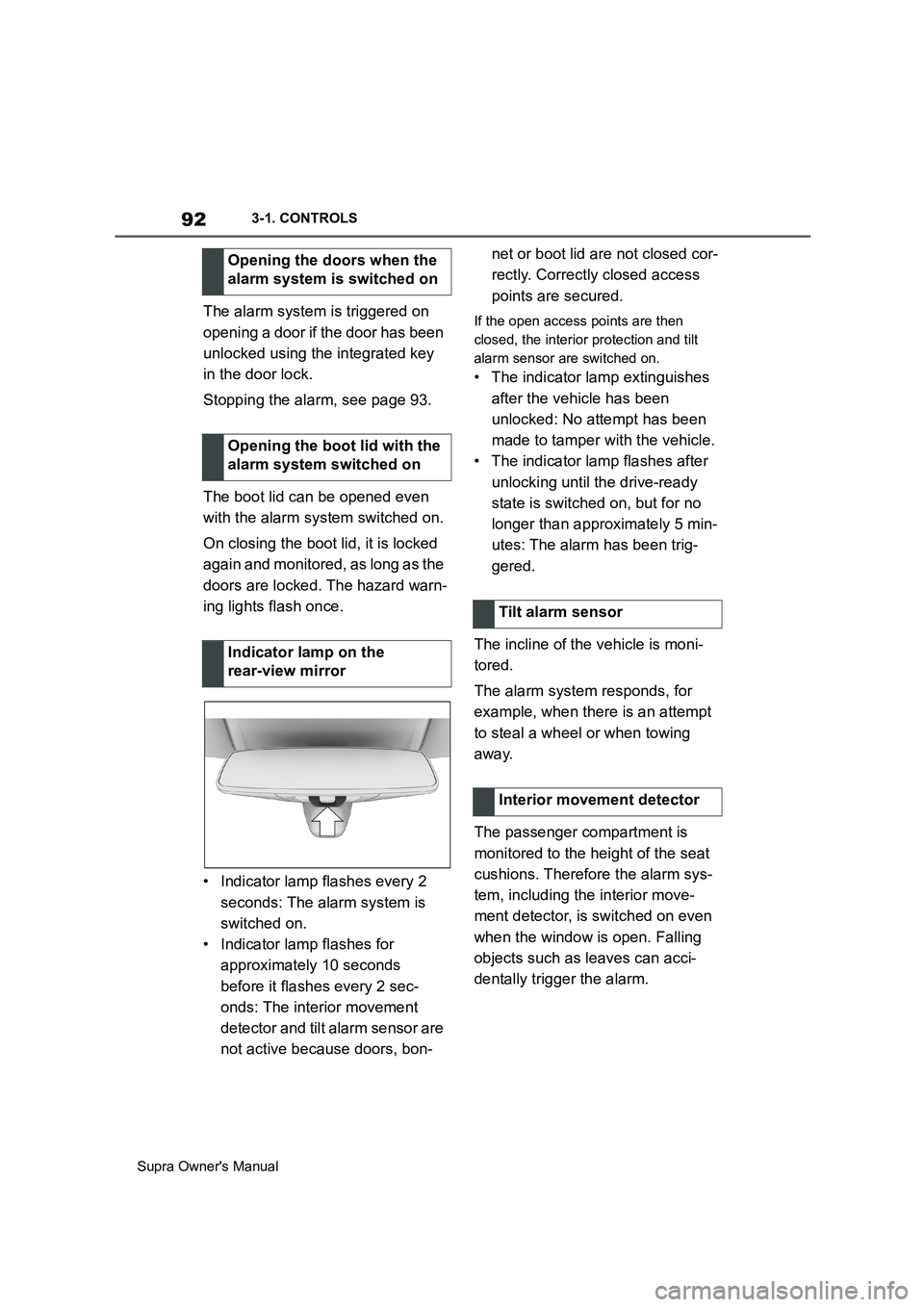
• Indicator lamp flashes every 2
seconds: The alarm system is
switched on.
• Indicator lamp flashes for
approximately 10 seconds
before it flashes every 2 sec-
onds: The interior movement
detector and tilt alarm sensor are
not active because doors, bon-net or boot lid are not closed cor-
rectly. Correctly closed access
points are secured.If the open access points are then
closed, the interior protection and tilt
alarm sensor are switched on.
• The indicator lamp extinguishes
after the vehicle has been
unlocked: No attempt has been
made to tamper with the vehicle.
• The indicator lamp flashes after
unlocking until the drive-ready
state is switched on, but for no
longer than approximately 5 min-
utes: The alarm has been trig-
gered.
The incline of the vehicle is moni-
tored.
The alarm system responds, for
example, when there is an attempt
to steal a wheel or when towing
away.
The passenger compartment is
monitored to the height of the seat
cushions. Therefore the alarm sys-
tem, including the interior move-
ment detector, is switched on even
when the window is open. Falling
objects such as leaves can acci-
dentally trigger the alarm. Opening the doors when the
alarm system is switched on
Opening the boot lid with the
alarm system switched on
Indicator lamp on the
rear-view mirror
Tilt alarm sensor
Interior movement detector
Page 134 of 456
134
Supra Owner's Manual3-1. CONTROLS
This chapter describes all standard,
country-specific and special equip-
ment available for the model series.
It may therefore describe equip-
ment and functions which are not
installed in your vehicle, for exam-
ple on account of the optional
equipment selected or the country
specification. This also applies to
safety-relevant functions and sys-
tems. Please comply with the rele-
vant laws and regulations when
using the corresponding functions
and systems.
Automatic transmission:
Drive-ready state is switched on by
pressing the start/stop button while
the brake pedal is depressed.
Pressing the start/stop button again
switches drive-ready state back off
and standby state, see page 44, is
switched on.The Auto Start/Stop helps you to
save fuel. The system stops the
engine when stationary, for exam-
ple in a traffic jam or at traffic lights.
The drive-ready state remains
switched on. For driving off, the
engine starts automatically.
Each time the engine is started via
the start/stop button, the Auto
Start/Stop is switched to standby.
The function is activated from a
speed of around 5 km/h, approxi-
mately 3 mph.
Depending on selected drive mode,
see page 149, the system is acti-
vated or deactivated automatically.
■Automatic transmission
The engine is automatically shut
down when stationary under the fol-
lowing conditions:
Selector lever in selector lever
position D.
Brake pedal remains pressed
while the vehicle is at a standstill.
Driver's seat belt buckled or
driver's door closed.
Driving
Vehicle equipment
Start/stop button
Principle
Drive-ready state, see
page 44, is switched on
and off by pressing the
start/stop button.
Auto Start/Stop
Principle
General
Stopping the engine
Operating requirements
Page 138 of 456
138
Supra Owner's Manual3-1. CONTROLS
■General
Use during the journey serves as
an emergency brake.
Pull and hold the switch. Vehicle brakes strongly for as long as the
switch is pulled.
A vehicle message is shown.
Apply the parking brake when the
vehicle is stationary.
1Switch on drive-ready state.
2 Automatic transmission:
press the switch with the brake
pedal depressed or selector
lever position P engaged.
LED and indicator lamp turn off.
The parking brake is released.
The parking brake is automatically
released on driving off.
LED and indicator lamp turn off.
If the parking brake fails or malfunc-
tions:
After getting out, secure the vehicle
to prevent it from rolling away, for
example with a chock.
WARNING
●Engaging selector lever position N.
●Operating vehicle equipment.
There is a risk of accidents or injury.
Do not leave children or pets unsu-
pervised in the vehicle. When leaving
the vehicle, take the remote control
with you and lock the vehicle.
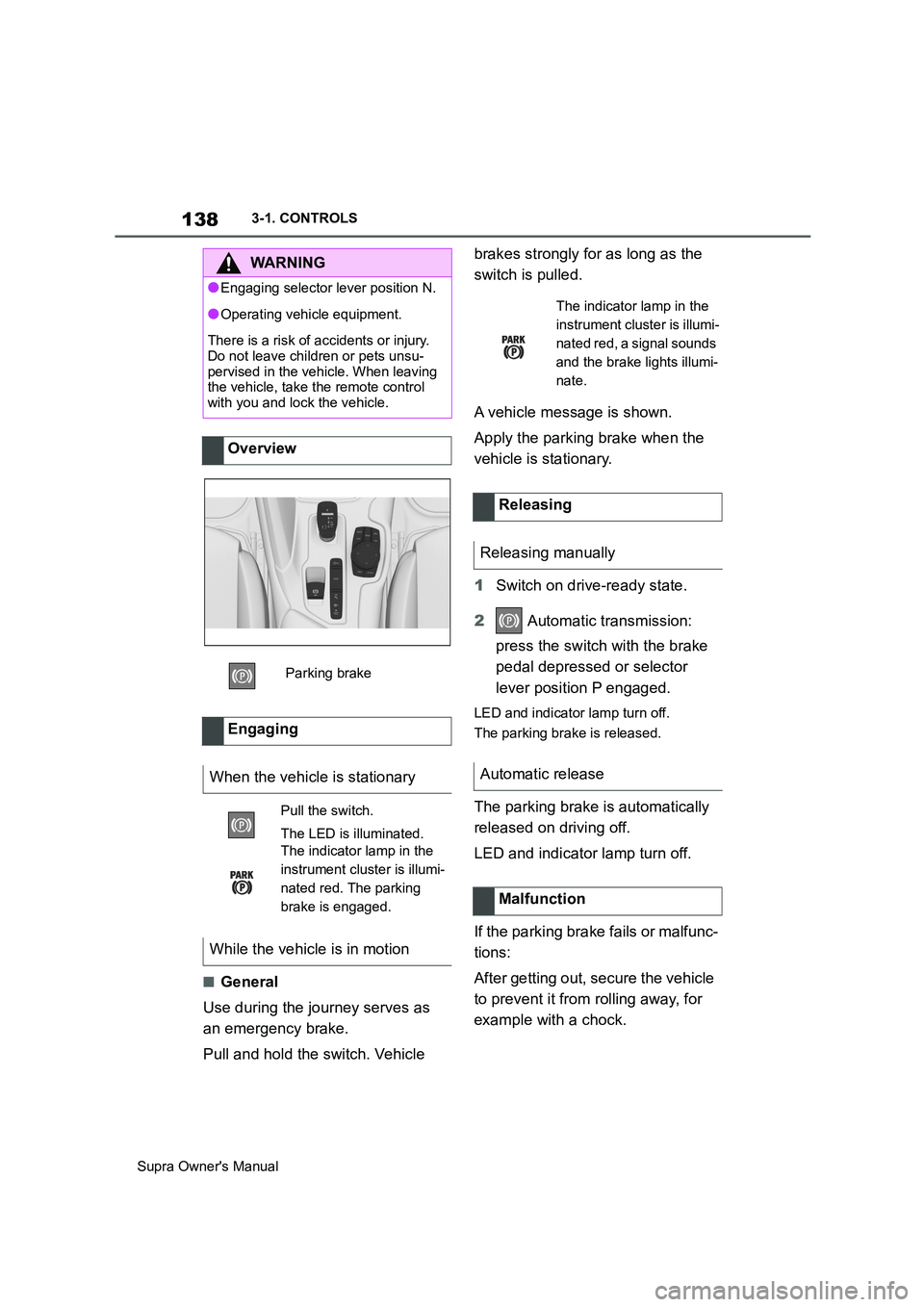
Overview
Parking brake
Engaging
When the vehicle is stationary
Pull the switch.
The LED is illuminated.
The indicator lamp in the
instrument cluster is illumi-
nated red. The parking
brake is engaged.
While the vehicle is in motion
The indicator lamp in the
instrument cluster is illumi-
nated red, a signal sounds
and the brake lights illumi-
nate.
Releasing
Releasing manually
Automatic release
Malfunction
Page 139 of 456
139
3
Supra Owner's Manual3-1. CONTROLS
CONTROLS
To restore parking brake functional-
ity after a power failure:
1Switch on standby state.
2 Pull the switch with the
brake pedal depressed or selec-
tor lever position P engaged and
then press it.
The procedure can take a few sec-
onds. Any sounds that occur are
normal.
Do not fold in the exterior mirrors
while driving or while operating the
turn indicators or hazard warning
lights to ensure that the turn indica-
tors in the exterior mirrors are well
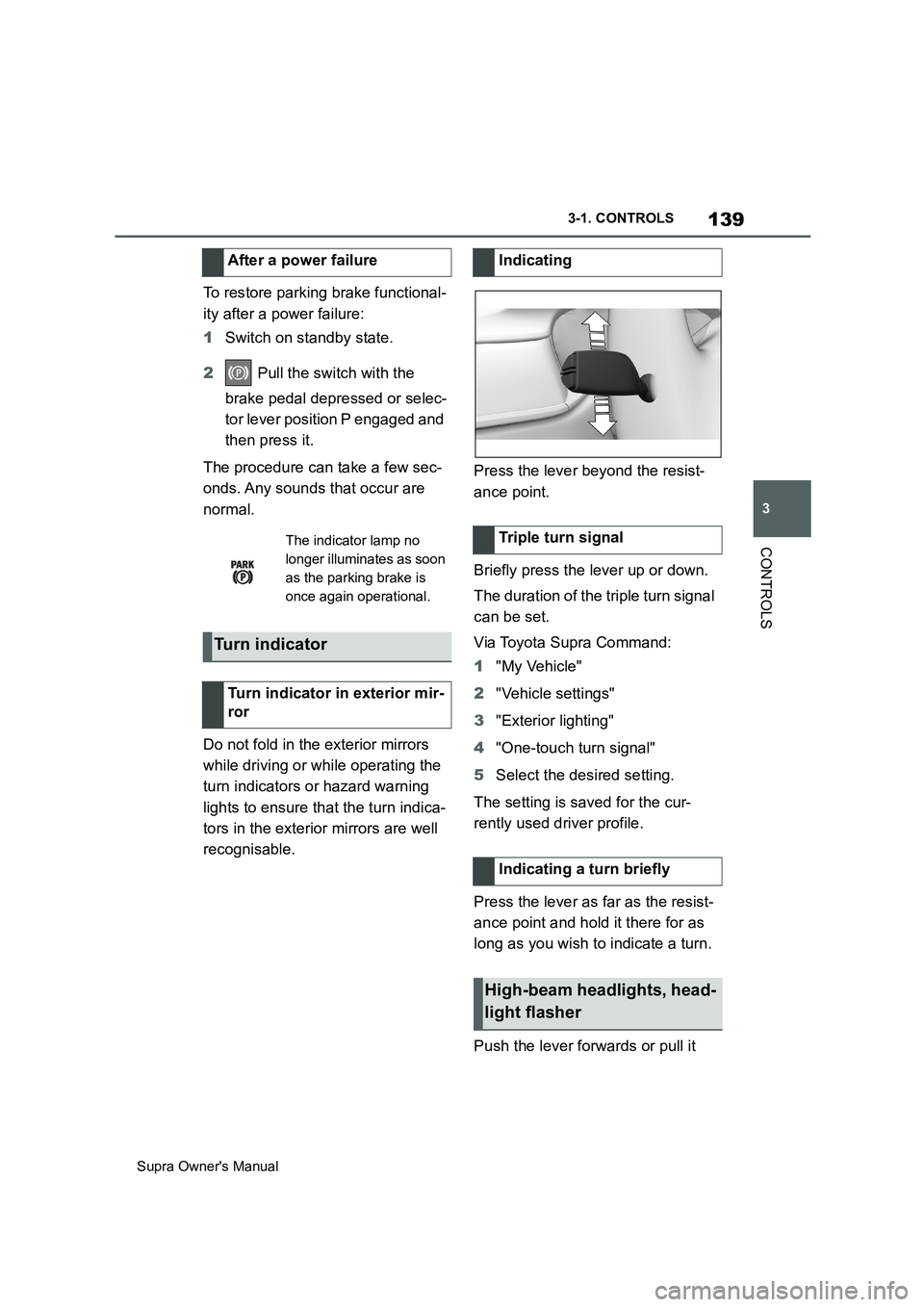
recognisable.Press the lever beyond the resist-
ance point.
Briefly press the lever up or down.
The duration of the triple turn signal
can be set.
Via Toyota Supra Command:
1"My Vehicle"
2"Vehicle settings"
3"Exterior lighting"
4"One-touch turn signal"
5Select the desired setting.
The setting is saved for the cur-
rently used driver profile.
Press the lever as far as the resist-
ance point and hold it there for as
long as you wish to indicate a turn.
Push the lever forwards or pull it After a power failure
The indicator lamp no
longer illuminates as soon
as the parking brake is
once again operational.
Turn indicator
Turn indicator in exterior mir-
ror
Indicating
Triple turn signal
Indicating a turn briefly
High-beam headlights, head-
light flasher
Page 140 of 456
140
Supra Owner's Manual3-1. CONTROLS
back.
1High-beam headlights on, arrow
1.
The high-beam headlights are illumi-
nated when the low-beam headlights
are switched on.
2High-beam headlights off/head-
light flasher, arrow 2.
Do not use the wipers on a dry
windscreen, otherwise the wiper
blades will wear or become dam-
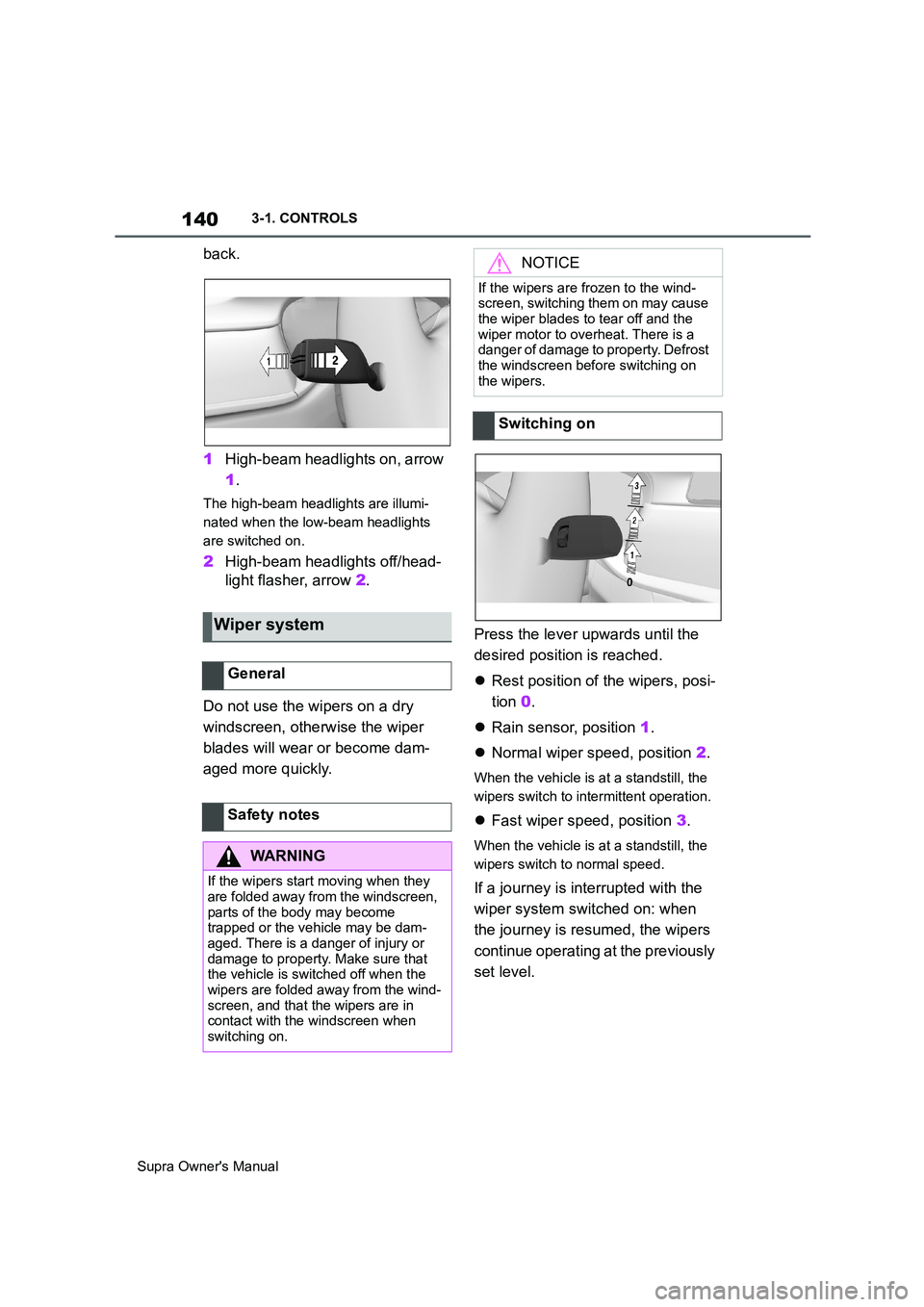
aged more quickly.Press the lever upwards until the
desired position is reached.
Rest position of the wipers, posi-
tion 0.
Rain sensor, position 1.
Normal wiper speed, position 2.
When the vehicle is at a standstill, the
wipers switch to intermittent operation.
Fast wiper speed, position 3.
When the vehicle is at a standstill, the
wipers switch to normal speed.
If a journey is interrupted with the
wiper system switched on: when
the journey is resumed, the wipers
continue operating at the previously
set level.
Wiper system
General
Safety notes
WARNING
If the wipers start moving when they
are folded away from the windscreen,
parts of the body may become
trapped or the vehicle may be dam-
aged. There is a danger of injury or
damage to property. Make sure that
the vehicle is switched off when the
wipers are folded away from the wind-
screen, and that the wipers are in
contact with the windscreen when
switching on.
NOTICE
If the wipers are frozen to the wind-
screen, switching them on may cause
the wiper blades to tear off and the
wiper motor to overheat. There is a
danger of damage to property. Defrost
the windscreen before switching on
the wipers.
Switching on