lights TOYOTA SUPRA 2019 Owner's Manual
[x] Cancel search | Manufacturer: TOYOTA, Model Year: 2019, Model line: SUPRA, Model: TOYOTA SUPRA 2019Pages: 456, PDF Size: 88.65 MB
Page 153 of 456
153
3
Supra Owner's Manual3-1. CONTROLS
CONTROLS
3"Vehicle messages"
4Select a text message.
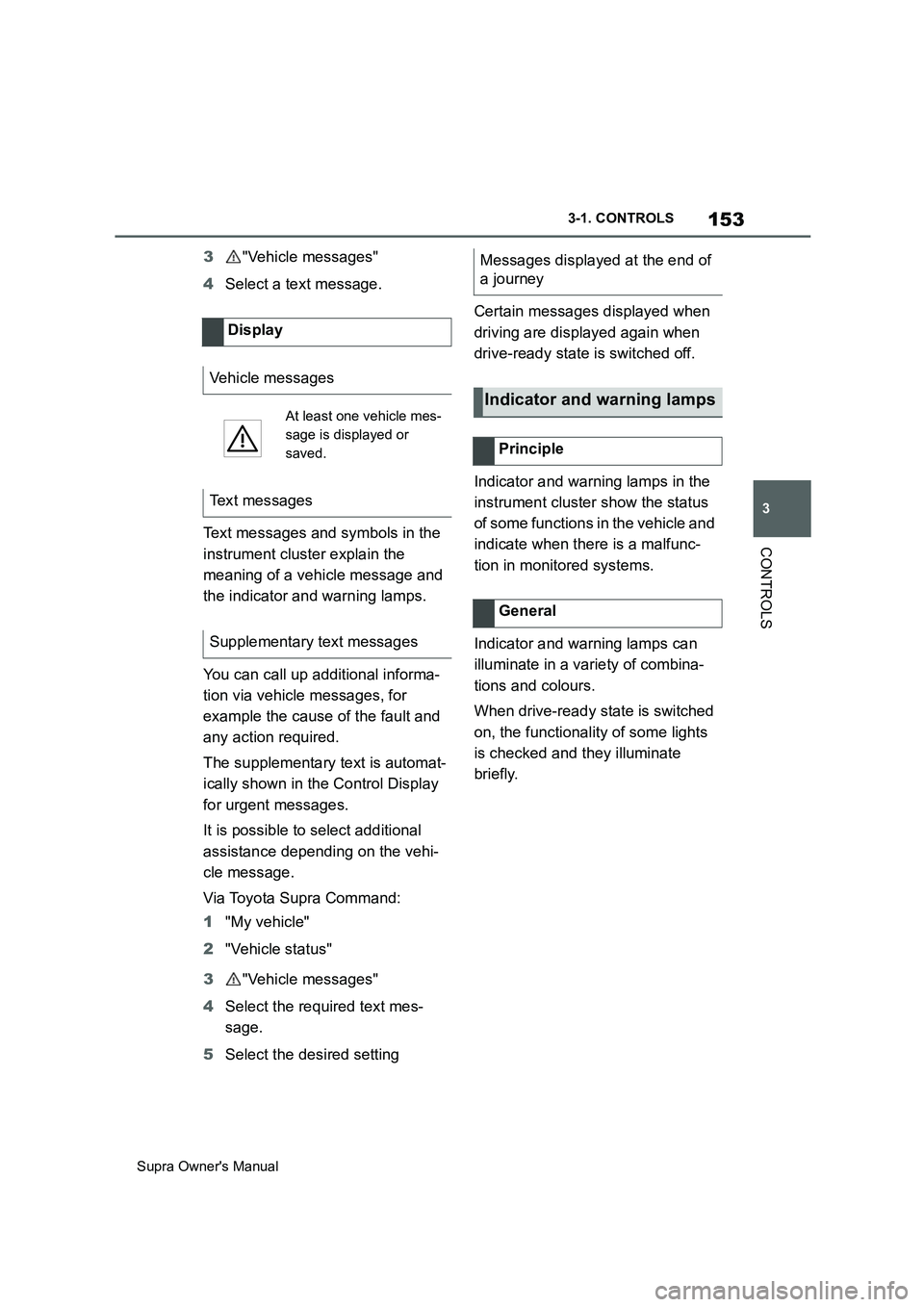
Text messages and symbols in the
instrument cluster explain the
meaning of a vehicle message and
the indicator and warning lamps.
You can call up additional informa-
tion via vehicle messages, for
example the cause of the fault and
any action required.
The supplementary text is automat-
ically shown in the Control Display
for urgent messages.
It is possible to select additional
assistance depending on the vehi-
cle message.
Via Toyota Supra Command:
1"My vehicle"
2"Vehicle status"
3"Vehicle messages"
4Select the required text mes-
sage.
5Select the desired settingCertain messages displayed when
driving are displayed again when
drive-ready state is switched off.
Indicator and warning lamps in the
instrument cluster show the status
of some functions in the vehicle and
indicate when there is a malfunc-
tion in monitored systems.
Indicator and warning lamps can
illuminate in a variety of combina-
tions and colours.
When drive-ready state is switched
on, the functionality of some lights
is checked and they illuminate
briefly. Display
Vehicle messages
At least one vehicle mes-
sage is displayed or
saved.
Text messages
Supplementary text messages
Messages displayed at the end of
a journey
Indicator and warning lamps
Principle
General
Page 154 of 456
154
Supra Owner's Manual3-1. CONTROLS
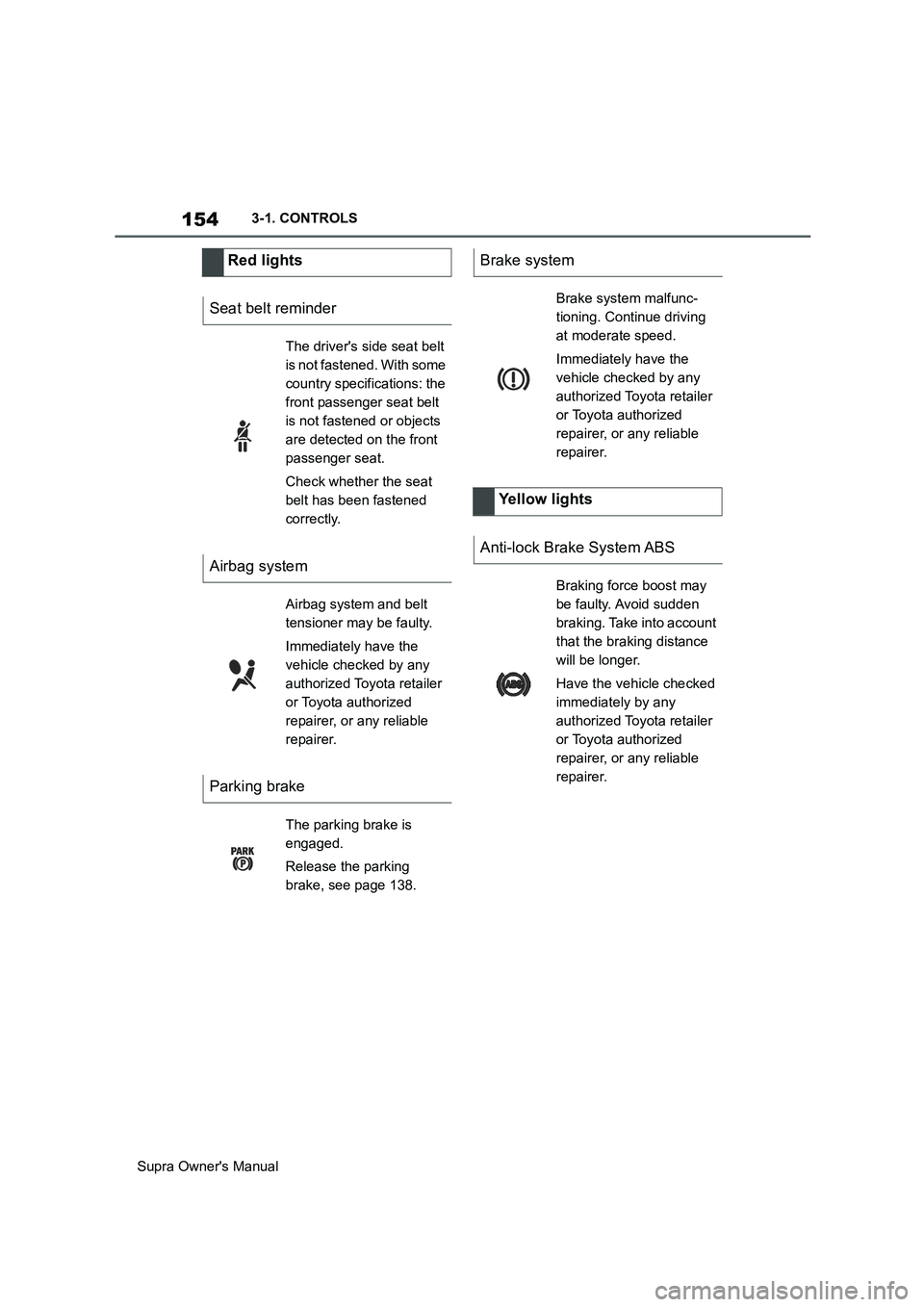
Red lights
Seat belt reminder
The driver's side seat belt
is not fastened. With some
country specifications: the
front passenger seat belt
is not fastened or objects
are detected on the front
passenger seat.
Check whether the seat
belt has been fastened
correctly.
Airbag system
Airbag system and belt
tensioner may be faulty.
Immediately have the
vehicle checked by any
authorized Toyota retailer
or Toyota authorized
repairer, or any reliable
repairer.
Parking brake
The parking brake is
engaged.
Release the parking
brake, see page 138.
Brake system
Brake system malfunc-
tioning. Continue driving
at moderate speed.
Immediately have the
vehicle checked by any
authorized Toyota retailer
or Toyota authorized
repairer, or any reliable
repairer.
Yellow lights
Anti-lock Brake System ABS
Braking force boost may
be faulty. Avoid sudden
braking. Take into account
that the braking distance
will be longer.
Have the vehicle checked
immediately by any
authorized Toyota retailer
or Toyota authorized
repairer, or any reliable
repairer.
Page 156 of 456
156
Supra Owner's Manual3-1. CONTROLS
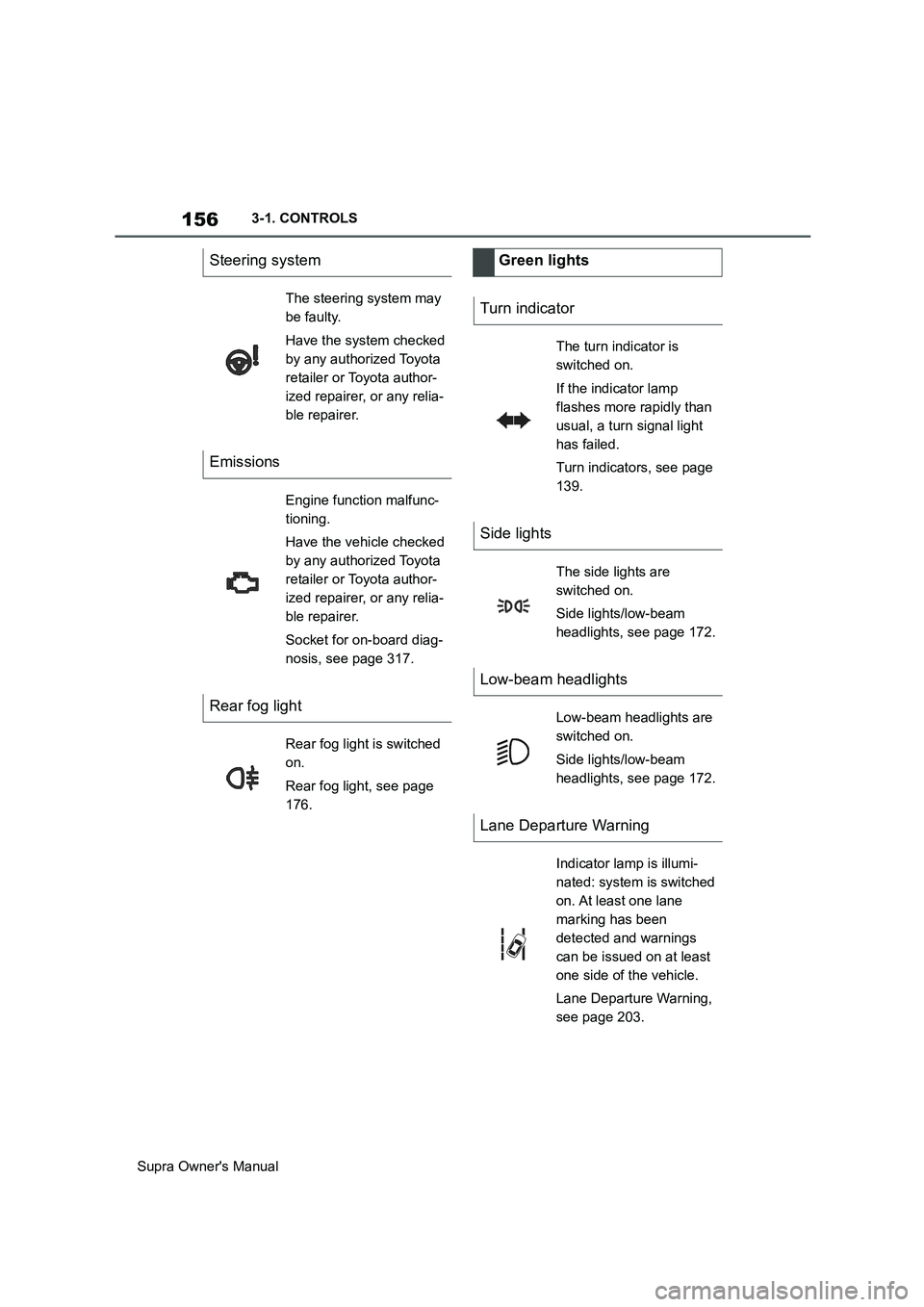
Steering system
The steering system may
be faulty.
Have the system checked
by any authorized Toyota
retailer or Toyota author-
ized repairer, or any relia-
ble repairer.
Emissions
Engine function malfunc-
tioning.
Have the vehicle checked
by any authorized Toyota
retailer or Toyota author-
ized repairer, or any relia-
ble repairer.
Socket for on-board diag-
nosis, see page 317.
Rear fog light
Rear fog light is switched
on.
Rear fog light, see page
176.
Green lights
Turn indicator
The turn indicator is
switched on.
If the indicator lamp
flashes more rapidly than
usual, a turn signal light
has failed.
Turn indicators, see page
139.
Side lights
The side lights are
switched on.
Side lights/low-beam
headlights, see page 172.
Low-beam headlights
Low-beam headlights are
switched on.
Side lights/low-beam
headlights, see page 172.
Lane Departure Warning
Indicator lamp is illumi-
nated: system is switched
on. At least one lane
marking has been
detected and warnings
can be issued on at least
one side of the vehicle.
Lane Departure Warning,
see page 203.
Page 157 of 456
157
3
Supra Owner's Manual3-1. CONTROLS
CONTROLS
The current fill level of the fuel tank
is displayed.
The angle of the vehicle may cause
the display to fluctuate.
Notes on refuelling, see page 276.It is vital to avoid engine speeds in
the red warning zone. In this zone,
the fuel supply is interrupted to pro-
tect the engine.
Depending on the equipment, the
shift lights on the revolution counter
indicate the maximum shift point at
which the best possible accelera-
tion can be achieved.
When the selected driving mode is
sport mode, a shift light will be dis-
played.
1Select SPORT using the sport
mode switch.
2Activate manual mode of the
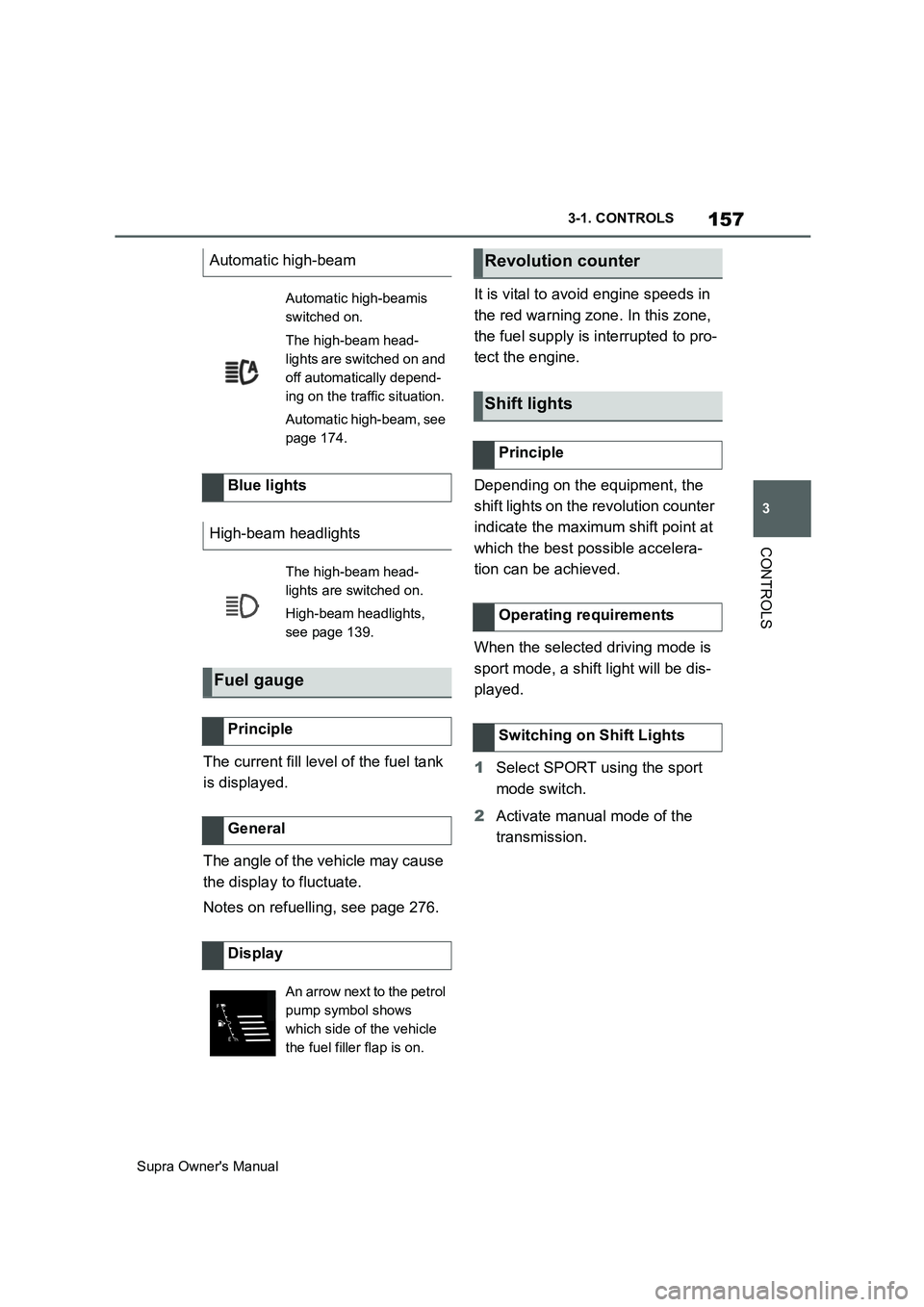
transmission. Automatic high-beam
Automatic high-beamis
switched on.
The high-beam head-
lights are switched on and
off automatically depend-
ing on the traffic situation.
Automatic high-beam, see
page 174.
Blue lights
High-beam headlights
The high-beam head-
lights are switched on.
High-beam headlights,
see page 139.
Fuel gauge
Principle
General
Display
An arrow next to the petrol
pump symbol shows
which side of the vehicle
the fuel filler flap is on.
Revolution counter
Shift lights
Principle
Operating requirements
Switching on Shift Lights
Page 170 of 456
170
Supra Owner's Manual3-1. CONTROLS
headlights are switched on.
Via Toyota Supra Command:
1"My vehicle"
2"Toyota Supra Commnad set-
tings"
3"Displays"
4"Head-up display"
5"Height"
6Turn the Controller until the
desired height is obtained.
7Press the Controller.
The setting is saved for the cur-
rently used driver profile.
The height of the Head-Up Display
can also be saved with the memory
function, see page 106.
The Head-Up Display view can be
rotated.
Via Toyota Supra Command:
1"My vehicle"
2"System settings"
3"Displays"
4"Head-up display"
5"Rotation"
6Turn the Controller until the
desired setting is reached.
7Press the Controller.The visibility of the display on the
Head-Up Display can be affected
by the following:
Seat position.
Objects placed on the Head-Up
Display cover.
Sunglasses with certain polarisa-
tion filters.
Wet road.
Unfavourable lighting conditions.
If the picture is distorted, have the
basic settings checked by any
authorized Toyota retailer or Toyota
authorized repairer, or any reliable
repairer.
The windscreen constitutes part of
the system.
The shape of the windscreen ena-
bles a sharp image to be projected.
A film in the windscreen prevents
double images occurring.
For this reason, it is highly recom-
mended for the special windscreen
to be renewed by any authorized
Toyota retailer or Toyota authorized
repairer, or any reliable repairer if
required. Adjusting the height
Adjusting the rotationVisibility of the display
Special windscreen
Page 171 of 456
171
3
Supra Owner's Manual3-1. CONTROLS
CONTROLS
This chapter describes all standard,
country-specific and special equip-
ment available for the model series.
It may therefore describe equip-
ment and functions which are not
installed in your vehicle, for exam-
ple on account of the optional
equipment selected or the country
specification. This also applies to
safety-relevant functions and sys-
tems. Please comply with the rele-
vant laws and regulations when
using the corresponding functions
and systems.
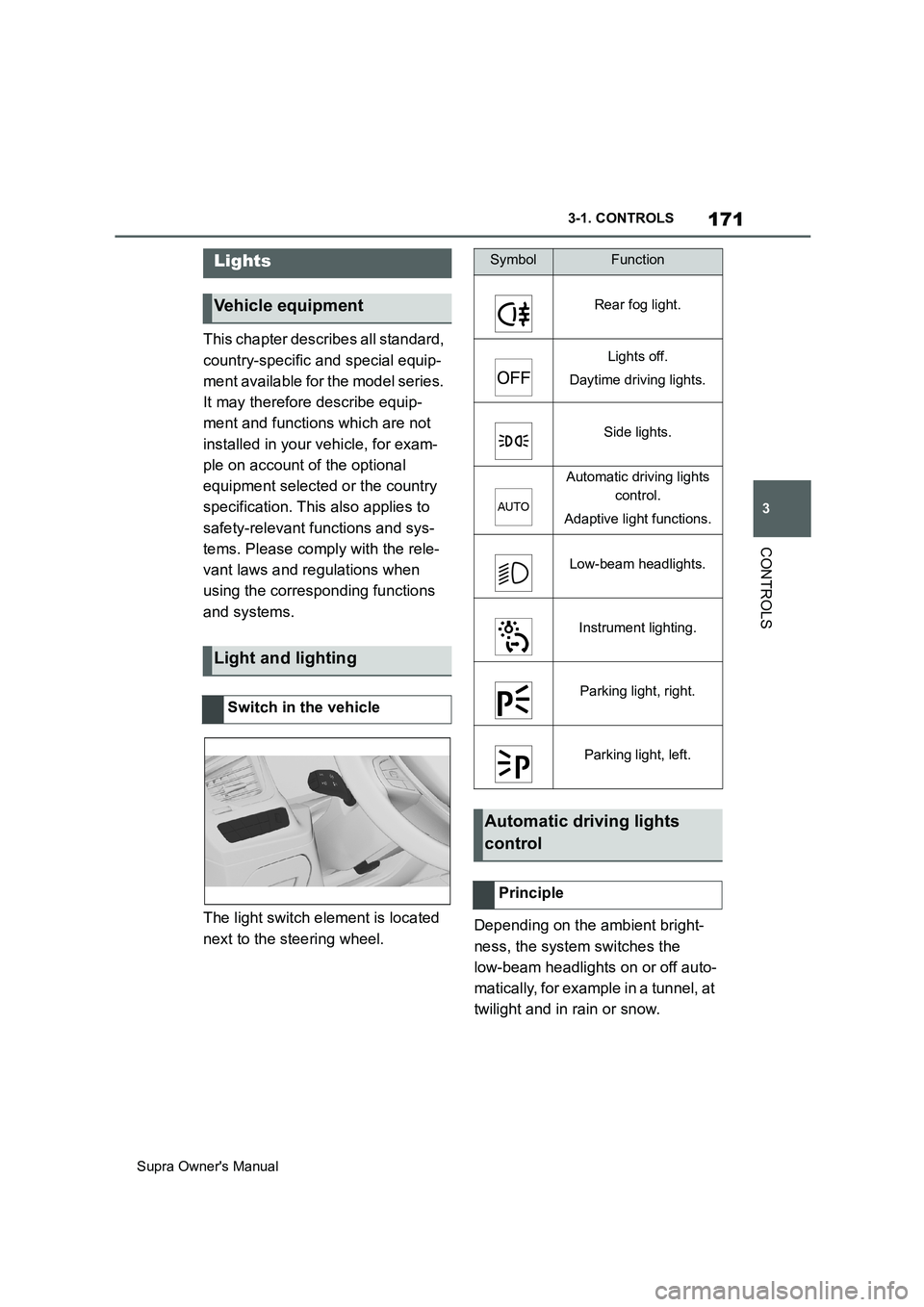
The light switch element is located
next to the steering wheel.Depending on the ambient bright-
ness, the system switches the
low-beam headlights on or off auto-
matically, for example in a tunnel, at
twilight and in rain or snow.
Lights
Vehicle equipment
Light and lighting
Switch in the vehicle
SymbolFunction
Rear fog light.
Lights off.
Daytime driving lights.
Side lights.
Automatic driving lights
control.
Adaptive light functions.
Low-beam headlights.
Instrument lighting.
Parking light, right.
Parking light, left.
Automatic driving lights
control
Principle
Page 172 of 456
172
Supra Owner's Manual3-1. CONTROLS
The headlights may also come on
when the sun is low against a blue
sky.
If the low-beam headlights are
switched on manually, the auto-
matic driving lights control is deacti-
vated.
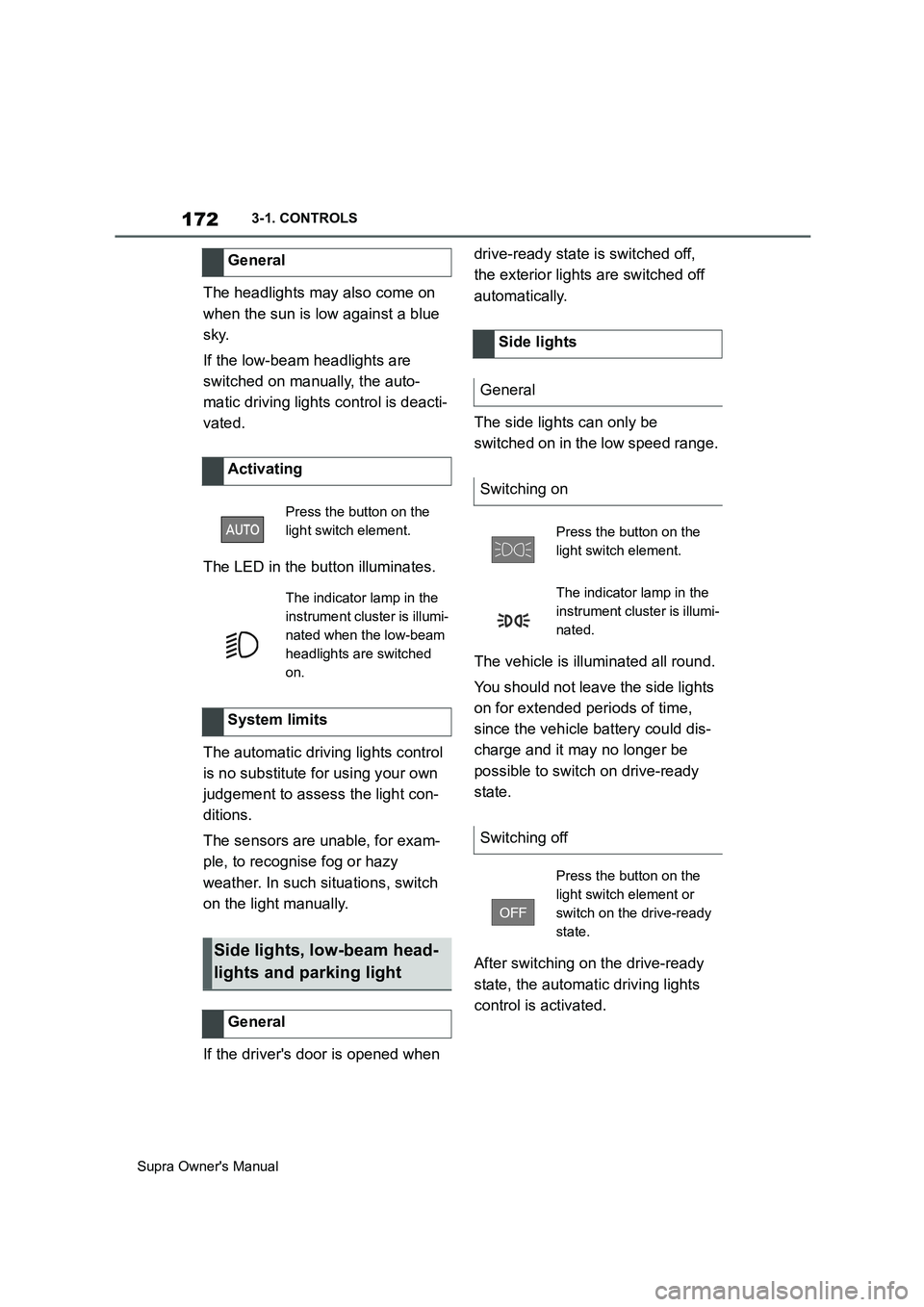
The LED in the button illuminates.
The automatic driving lights control
is no substitute for using your own
judgement to assess the light con-
ditions.
The sensors are unable, for exam-
ple, to recognise fog or hazy
weather. In such situations, switch
on the light manually.
If the driver's door is opened when drive-ready state is switched off,
the exterior lights are switched off
automatically.
The side lights can only be
switched on in the low speed range.
The vehicle is illuminated all round.
You should not leave the side lights
on for extended periods of time,
since the vehicle battery could dis-
charge and it may no longer be
possible to switch on drive-ready
state.
After switching on the drive-ready
state, the automatic driving lights
control is activated. General
Activating
Press the button on the
light switch element.
The indicator lamp in the
instrument cluster is illumi-
nated when the low-beam
headlights are switched
on.
System limits
Side lights, low-beam head-
lights and parking light
General
Side lights
General
Switching on
Press the button on the
light switch element.
The indicator lamp in the
instrument cluster is illumi-
nated.
Switching off
Press the button on the
light switch element or
switch on the drive-ready
state.
Page 173 of 456
173
3
Supra Owner's Manual3-1. CONTROLS
CONTROLS
The low-beam headlights illuminate
if drive-ready state is switched on.
To switch on the low-beam head-
lights as soon as the standby state
is switched on, press the button
again.
Depending on the country specifi-
cations, the low-beam headlights
may be switched off in the low
speed range.
When parking the vehicle, it is pos-
sible to switch on a parking light on
one side.Depending on the equipment ver-
sion, the exterior lights of the vehi-
cle can be individually adjusted.
Via Toyota Supra Command:
1"My Vehicle"
2"Vehicle settings"
3"Exterior lighting"
4Select the desired setting:
"Welcome lights"
When the vehicle is unlocked, individ-
ual light functions are switched on for a
limited time.
If the high-beam headlights are
activated with standby state
switched on, the low-beam head-
lights remain on for a certain
amount of time.
Via Toyota Supra Command:
1"My Vehicle"
2"Vehicle settings"
3"Exterior lighting" Low-beam headlights
Switching on
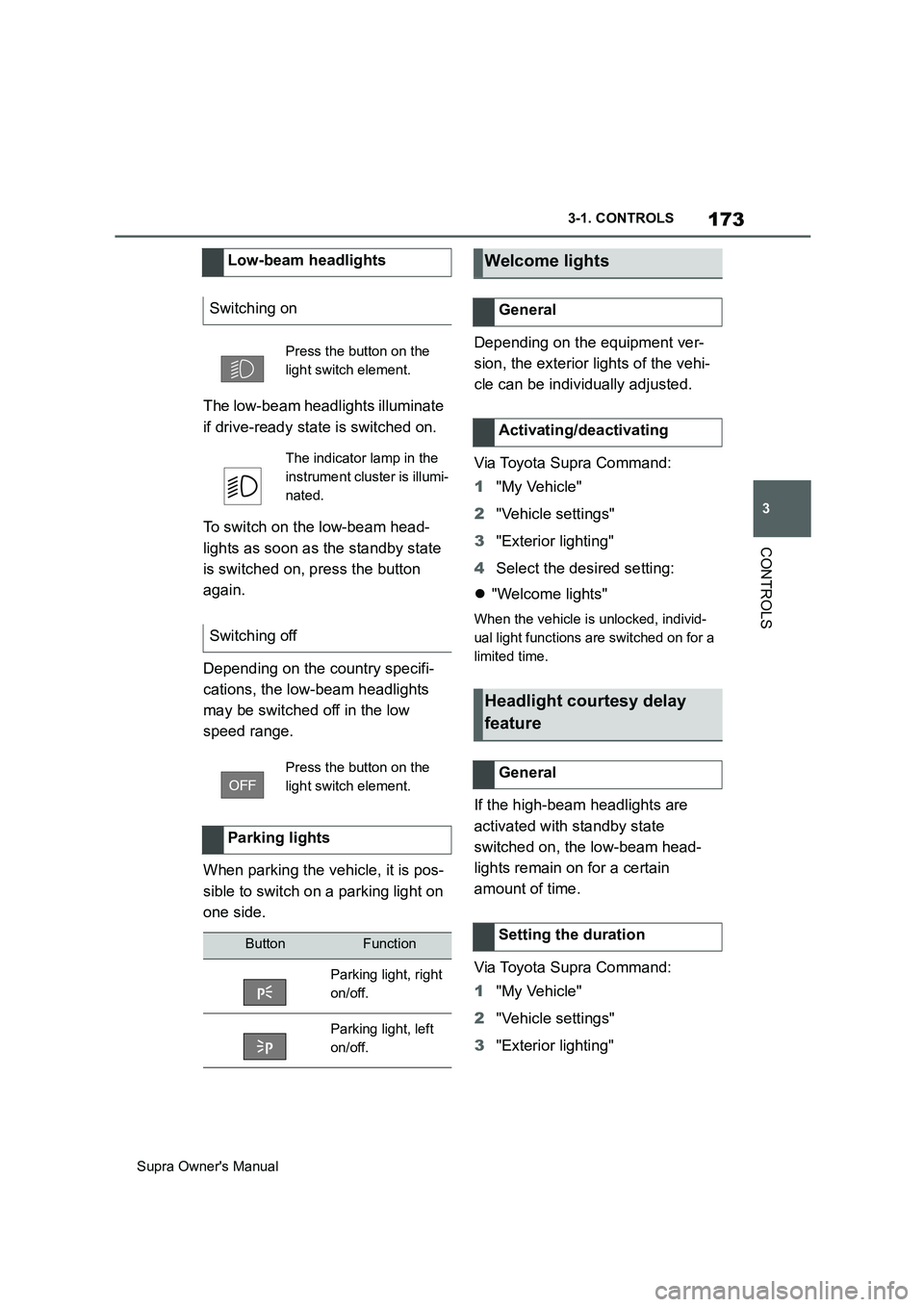
Press the button on the
light switch element.
The indicator lamp in the
instrument cluster is illumi-
nated.
Switching off
Press the button on the
light switch element.
Parking lights
ButtonFunction
Parking light, right
on/off.
Parking light, left
on/off.
Welcome lights
General
Activating/deactivating
Headlight courtesy delay
feature
General
Setting the duration
Page 174 of 456
174
Supra Owner's Manual3-1. CONTROLS
4"Home lights"
5Select the desired setting.
The daytime driving lights illuminate
if drive-ready state is switched on.
In some countries daytime driving
lights are compulsory, in which
case the daytime driving lights can-
not be deactivated.
Via Toyota Supra Command:
1"My Vehicle"
2"Vehicle Settings"
3"Exterior lighting"
4"Daytime driving lights"
The setting is saved for the cur-
rently used driver profile.
Variable light distribution enables
even better illumination of the car-
riageway.
The light distribution is automati-
cally adapted to the speed.
If equipment includes a navigation system, the light distribution is
automatically adapted depending
on the navigation data and speed.
The illuminated area of the
low-beam headlights is extended at
the sides.
The illumination width of the
low-beam headlights is expanded.
In sharp turns up to a specified
speed, for example in hairpin bends
or when turning off, a cornering
light is added to illuminate the
inside area of the bend.
The cornering light is activated
automatically depending on the
steering angle or use of the turn
indicators.
The cornering light may be acti-
vated automatically when driving in
reverse, irrespective of the steer-
ing angle.
Automatic high-beam detects other
road users in good time and acti-
vates or deactivates the high beam
depending on the traffic situation.
Daytime driving lights
General
Activating/deactivating
Variable light distribution
Principle
General
City light
Motorway beam pattern
Cornering light
Automatic high-beam
Principle
Page 175 of 456
175
3
Supra Owner's Manual3-1. CONTROLS
CONTROLS
Automatic high-beam ensures that
the high-beam headlights are
switched on when the traffic situa-
tion allows. The high-beam head-
lights are not switched on by the
system in the low speed range.
The system responds to the lights
from oncoming traffic and traffic
driving ahead of you, and to ambi-
ent lighting, for example in built-up
areas.
The high-beam headlights can be
switched on and off manually at any
time.
If the vehicle is equipped with daz-
zle-free Automatic high-beam, the
high-beam headlights are not
switched off for oncoming vehicles
or vehicles driving ahead of you;
instead, the areas of the beam that
would otherwise dazzle the oncom-
ing traffic or traffic driving ahead
are masked off. In this case, the
blue indicator lamp continues to
illuminate.
If the headlights are converted, see
page 176, automatic high-beam
may only function to a limited
extent.
1Press the button on the
light switch element.
The LED in the button illuminates.
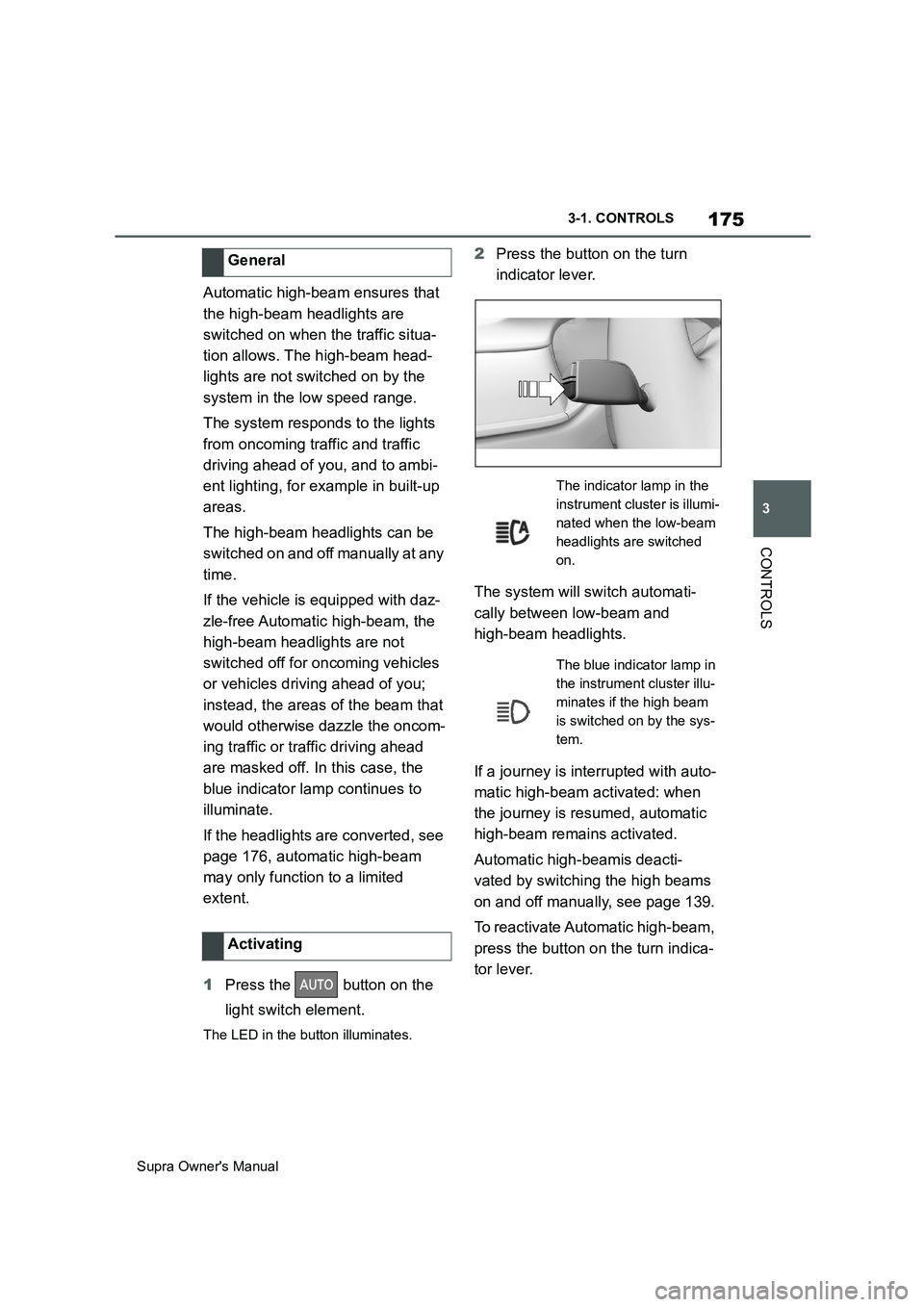
2Press the button on the turn
indicator lever.
The system will switch automati-
cally between low-beam and
high-beam headlights.
If a journey is interrupted with auto-
matic high-beam activated: when
the journey is resumed, automatic
high-beam remains activated.
Automatic high-beamis deacti-
vated by switching the high beams
on and off manually, see page 139.
To reactivate Automatic high-beam,
press the button on the turn indica-
tor lever. General
Activating
The indicator lamp in the
instrument cluster is illumi-
nated when the low-beam
headlights are switched
on.
The blue indicator lamp in
the instrument cluster illu-
minates if the high beam
is switched on by the sys-
tem.