mirror TOYOTA SUPRA 2019 Owner's Guide
[x] Cancel search | Manufacturer: TOYOTA, Model Year: 2019, Model line: SUPRA, Model: TOYOTA SUPRA 2019Pages: 456, PDF Size: 88.65 MB
Page 163 of 456
163
3
Supra Owner's Manual3-1. CONTROLS
CONTROLS
the Speed Limit Info display in
the instrument cluster and the
Head-Up Display when the cur-
rently applicable speed limit is
exceeded.
"Show speeding": the speed limit
detected by the Speed Limit Info
is indicated by a mark in the
speedometer in the instrument
cluster.
The function may be restricted and
may display incorrect information in
the following situations, for exam-
ple:
In thick fog, wet conditions or
snow.
If signs are fully or partially
obscured by objects, stickers or
paint.
If the vehicle is too close to the
vehicle ahead.
In the case of bright oncoming
light or strong reflections.
When the windscreen in front of
the rear-view mirror is covered
with condensation, dirt, stickers,
etc.
If the camera has overheated
due to excessively high tempera-
tures and has been temporarily
deactivated.
As a result of incorrect detection
by the camera.
If the speed limits stored in the navigation system or road data
are incorrect.
In the case of speed limits that
depend or the time of day or day
of the week.
In areas not covered by the navi-
gation system.
If there are deviations in relation
to navigation, for example due to
changes in road routing.
In the case of electronic road
signs.
When overtaking buses or trucks
with road sign stickers.
If traffic signs do not correspond
to the standard.
If signs are detected that apply to
a parallel road.
In the case of country-specific
signs or road layouts.
During the camera calibration
process immediately after vehi-
cle delivery.
The display can be operated when
necessary.
Entertainment source.
Current audio source.
Last calls list.
If applicable, the relevant menu is
opened on the Control Display. System limits
Selection lists
Principle
Page 176 of 456
176
Supra Owner's Manual3-1. CONTROLS
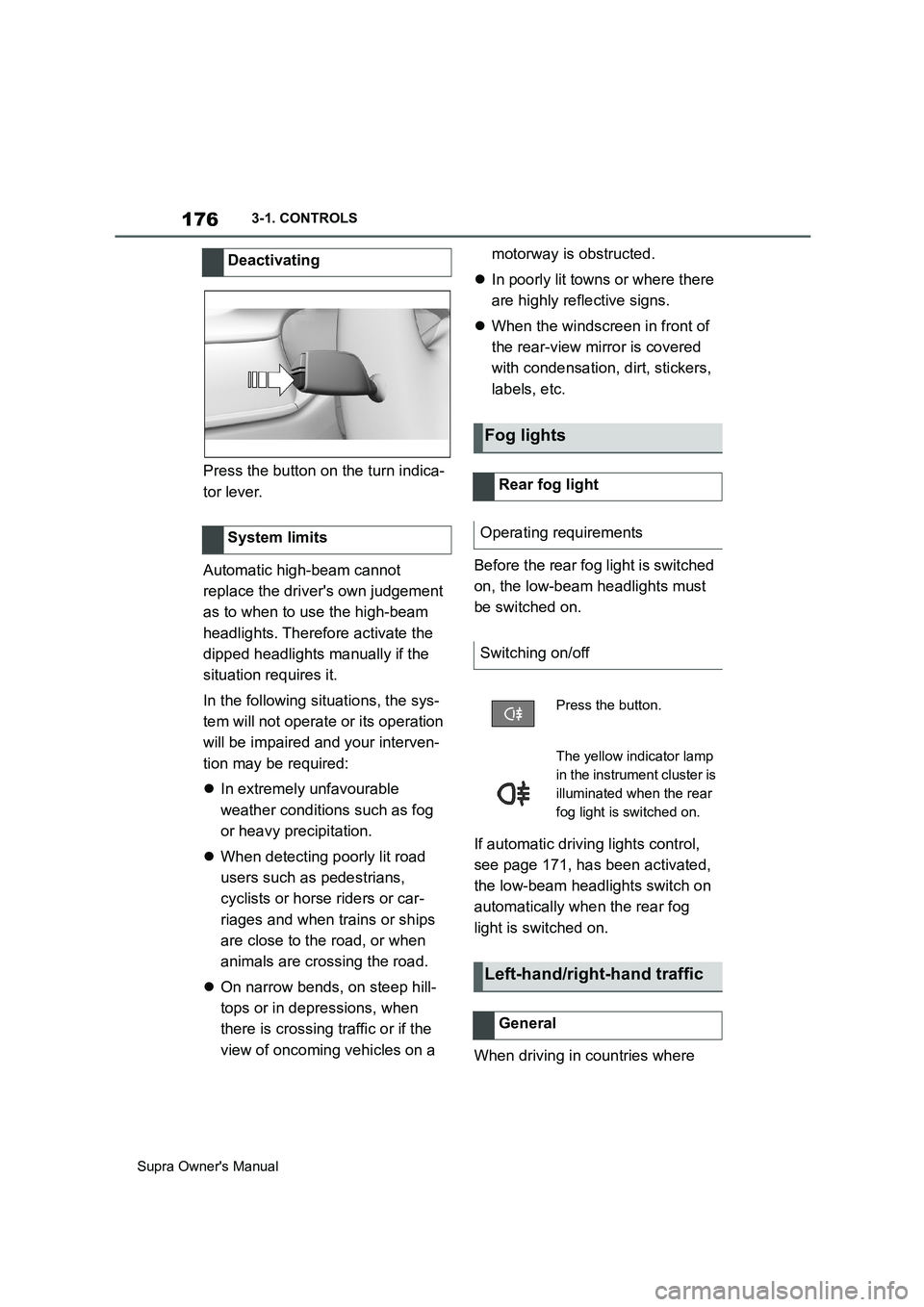
Press the button on the turn indica-
tor lever.
Automatic high-beam cannot
replace the driver's own judgement
as to when to use the high-beam
headlights. Therefore activate the
dipped headlights manually if the
situation requires it.
In the following situations, the sys-
tem will not operate or its operation
will be impaired and your interven-
tion may be required:
In extremely unfavourable
weather conditions such as fog
or heavy precipitation.
When detecting poorly lit road
users such as pedestrians,
cyclists or horse riders or car-
riages and when trains or ships
are close to the road, or when
animals are crossing the road.
On narrow bends, on steep hill-
tops or in depressions, when
there is crossing traffic or if the
view of oncoming vehicles on a motorway is obstructed.
In poorly lit towns or where there
are highly reflective signs.
When the windscreen in front of
the rear-view mirror is covered
with condensation, dirt, stickers,
labels, etc.
Before the rear fog light is switched
on, the low-beam headlights must
be switched on.
If automatic driving lights control,
see page 171, has been activated,
the low-beam headlights switch on
automatically when the rear fog
light is switched on.
When driving in countries where Deactivating
System limits
Fog lights
Rear fog light
Operating requirements
Switching on/off
Press the button.
The yellow indicator lamp
in the instrument cluster is
illuminated when the rear
fog light is switched on.
Left-hand/right-hand traffic
General
Page 193 of 456
193
3
Supra Owner's Manual3-1. CONTROLS
CONTROLS
The menu for the Toyota Supra
Safety Systems is shown.
If all Toyota Supra Safety Systems
were switched off, all systems are
now switched on.
"Customise Settings": depending
on the equipment, the Toyota Supra
Safety Systems can be configured
individually. The individual settings
are activated and saved for the cur-
rently used driver profile. As soon
as a setting is changed in the
menu, all settings in the menu are
activated.
"ALL ON": all Toyota Supra Safety
Systems are switched on. Basic
settings are activated for the
sub-functions, for example the set-
ting for warning time.
"Customise": the Toyota Supra
Safety Systems are switched on
according to the individual settings.
Some Toyota Supra Safety Sys-
tems cannot be switched off individ-
ually.
All Toyota Supra Safety Systems
are switched off.The system can help avoid acci-
dents. If an accident cannot be
avoided, the system helps to
reduce the collision speed.
The system warns of the possible
risk of collision and brakes auto-
matically, as necessary.
The system is controlled using the
following sensors, depending on
the equipment:
Camera in the area of the
rear-view mirror.
Radar sensor in front bumper.
From speeds of approximately 5
km/h, 3 mph, the system provides a
two-stage warning of any possible
risk of collision with vehicles. The
timing of these warnings may vary
depending on the current driving
situation.
When deliberately moving closer to
a vehicle, the front-end collision
warning and braking intervention
are activated later to avoid unjusti-
fied system responses.
Press the button:
Press the button repeatedly.
The setting switches between
the following:
Press and hold the button:Front-end collision warning
with light braking function
Principle
General
Page 194 of 456
194
Supra Owner's Manual3-1. CONTROLS
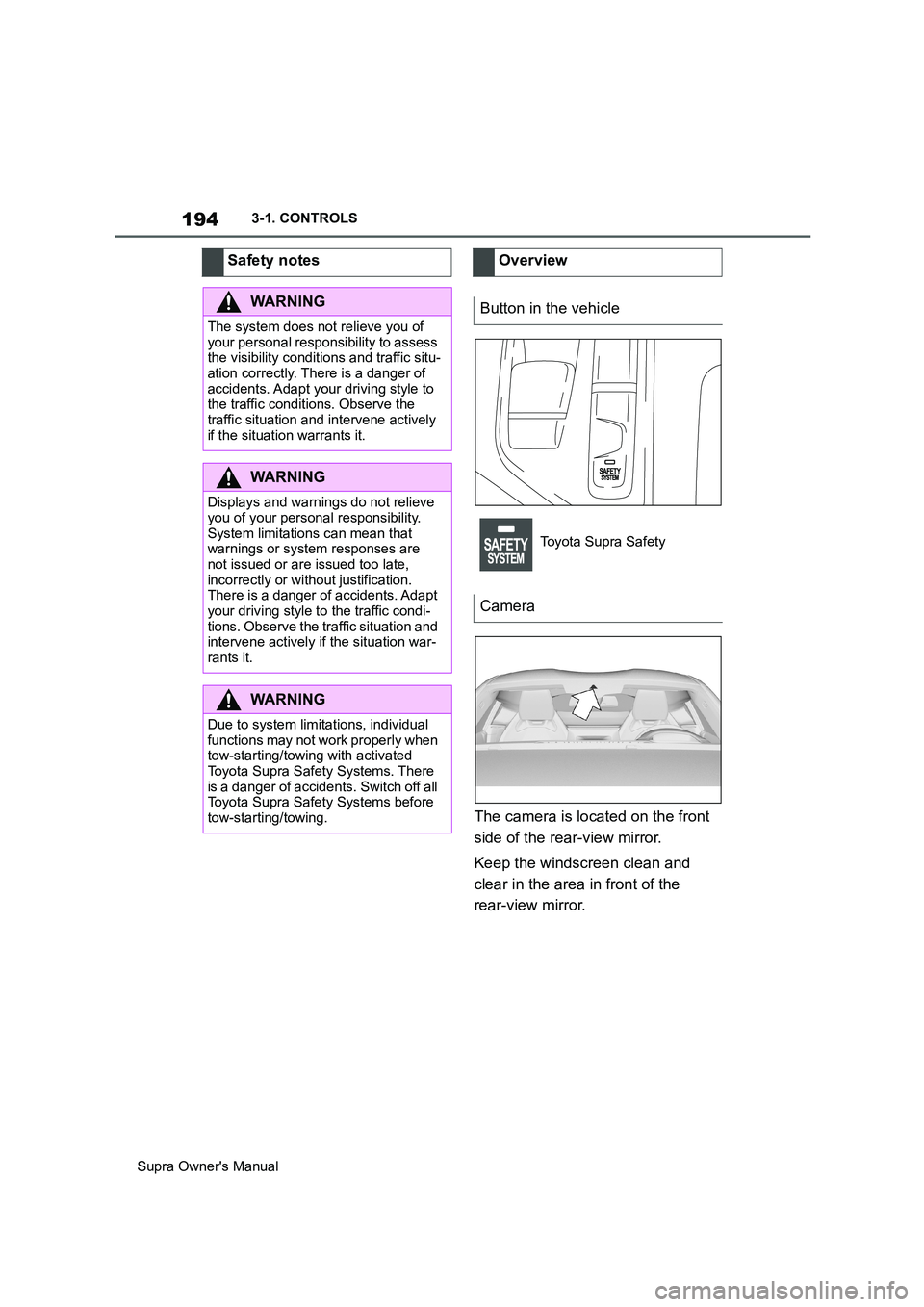
The camera is located on the front
side of the rear-view mirror.
Keep the windscreen clean and
clear in the area in front of the
rear-view mirror. Safety notes
WARNING
The system does not relieve you of
your personal responsibility to assess
the visibility conditions and traffic situ-
ation correctly. There is a danger of
accidents. Adapt your driving style to
the traffic conditions. Observe the
traffic situation and intervene actively
if the situation warrants it.
WARNING
Displays and warnings do not relieve
you of your personal responsibility.
System limitations can mean that
warnings or system responses are
not issued or are issued too late,
incorrectly or without justification.
There is a danger of accidents. Adapt
your driving style to the traffic condi-
tions. Observe the traffic situation and
intervene actively if the situation war-
rants it.
WARNING
Due to system limitations, individual
functions may not work properly when
tow-starting/towing with activated
Toyota Supra Safety Systems. There
is a danger of accidents. Switch off all
Toyota Supra Safety Systems before
tow-starting/towing.
Overview
Button in the vehicle
Toyota Supra Safety
Camera
Page 198 of 456
198
Supra Owner's Manual3-1. CONTROLS
appearance.
Two-wheeled vehicles ahead.
At speeds over approx. 250 km/h,
155 mph, the system is temporarily
disabled. As soon as the speed
drops back below this value, the
system responds once again
according to its settings.
The system may have limited func-
tionality in the following situations,
for example:
In thick fog, wet conditions or
snow.
On sharp bends.
When Driving Stability Control
Systems are limited or deacti-
vated, for example VSC OFF.
If the field of view of the camera
or the windscreen in front of the
rear-view mirror is soiled or cov-
ered.
If the camera has overheated
due to excessively high tempera-
tures and has been temporarily
deactivated.
Depending on the equipment
version: if the radar sensors are
soiled or covered.
Up to 10 seconds after starting
the engine using the start/stop
button.
During the camera calibration process immediately after vehi-
cle delivery.
When there is sustained glare
due to oncoming light, for exam-
ple the sun is low in the sky.
The greater the sensitivity of the
warning settings, for example warn-
ing time, the more warnings will be
displayed. As a result, there may be
an increased number of premature
or unjustified warnings and reac-
tions.
The system can help to avoid acci-
dents with pedestrians and cyclists.
If an accident cannot be avoided,
the system helps to reduce the col-
lision speed.
The system warns of the possible
risk of collision in the urban speed
range and brakes automatically, as
necessary.
At speeds above approx. 5 km/h, 3
mph, the system warns of the pos-
sible risk of collision with pedestri-
ans and cyclists.
Pedestrians and cyclists are taken
into account if they are located Upper speed limit
Functional limitations
Sensitivity of the warnings
Person warning with City
light braking function
Principle
General
Page 199 of 456
199
3
Supra Owner's Manual3-1. CONTROLS
CONTROLS
within the detection range of the
system.
The system is controlled using the
following sensors, depending on
the equipment:
Camera in the area of the
rear-view mirror.
Radar sensor in front bumper.
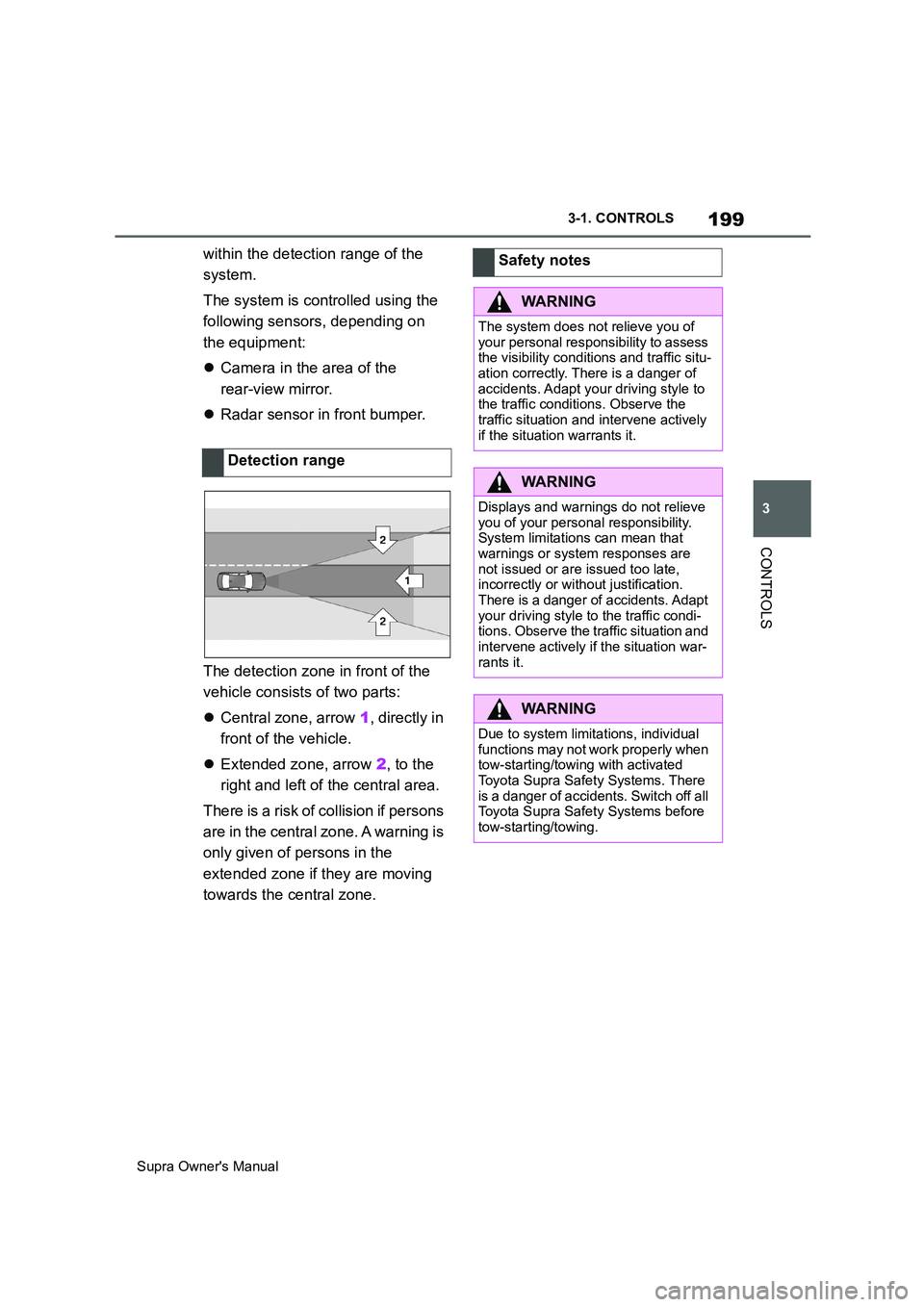
The detection zone in front of the
vehicle consists of two parts:
Central zone, arrow 1, directly in
front of the vehicle.
Extended zone, arrow 2, to the
right and left of the central area.
There is a risk of collision if persons
are in the central zone. A warning is
only given of persons in the
extended zone if they are moving
towards the central zone.Detection rangeSafety notes
WARNING
The system does not relieve you of
your personal responsibility to assess
the visibility conditions and traffic situ-
ation correctly. There is a danger of
accidents. Adapt your driving style to
the traffic conditions. Observe the
traffic situation and intervene actively
if the situation warrants it.
WARNING
Displays and warnings do not relieve
you of your personal responsibility.
System limitations can mean that
warnings or system responses are
not issued or are issued too late,
incorrectly or without justification.
There is a danger of accidents. Adapt
your driving style to the traffic condi-
tions. Observe the traffic situation and
intervene actively if the situation war-
rants it.
WARNING
Due to system limitations, individual
functions may not work properly when
tow-starting/towing with activated
Toyota Supra Safety Systems. There
is a danger of accidents. Switch off all
Toyota Supra Safety Systems before
tow-starting/towing.
Page 200 of 456
200
Supra Owner's Manual3-1. CONTROLS
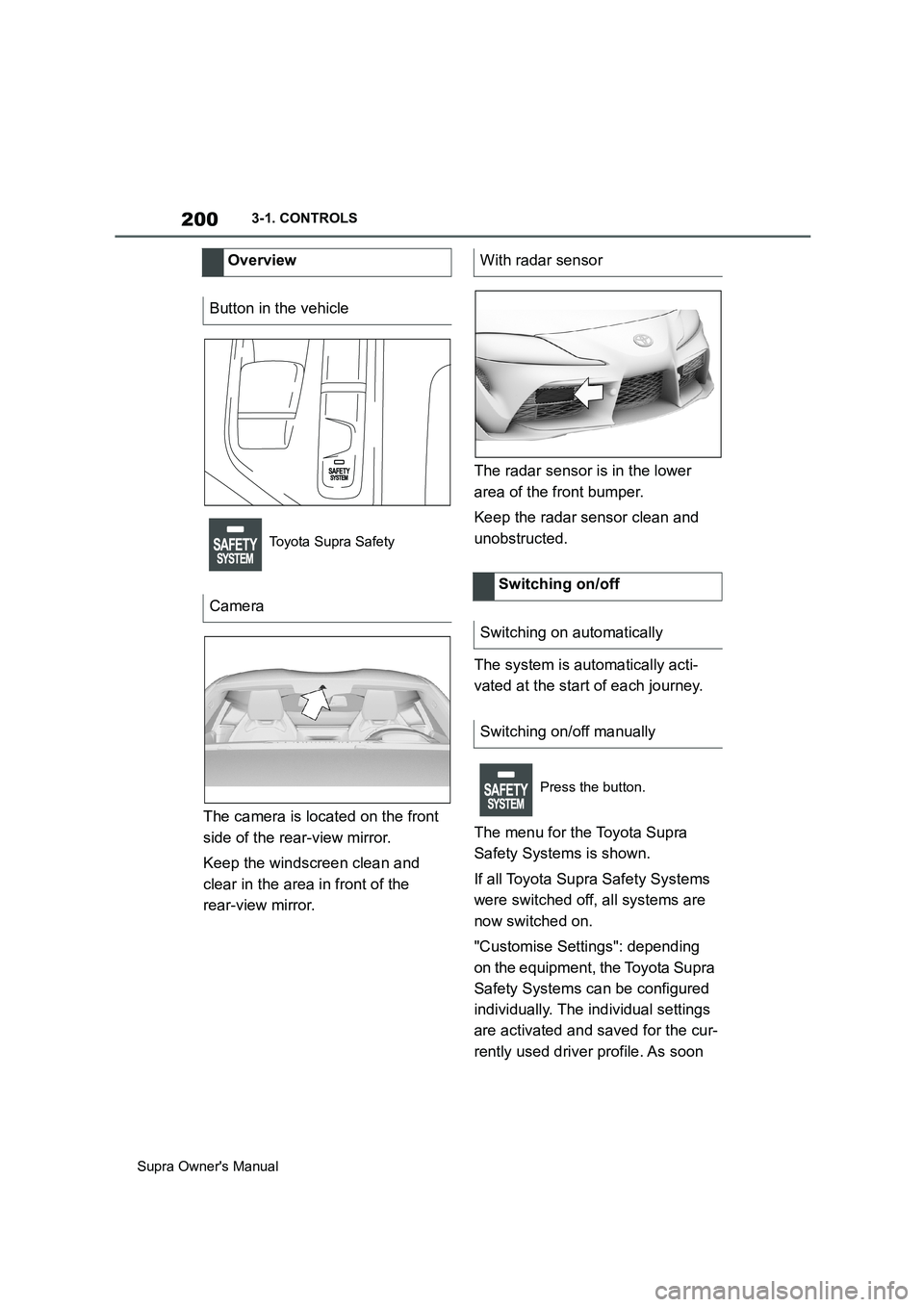
The camera is located on the front
side of the rear-view mirror.
Keep the windscreen clean and
clear in the area in front of the
rear-view mirror.The radar sensor is in the lower
area of the front bumper.
Keep the radar sensor clean and
unobstructed.
The system is automatically acti-
vated at the start of each journey.
The menu for the Toyota Supra
Safety Systems is shown.
If all Toyota Supra Safety Systems
were switched off, all systems are
now switched on.
"Customise Settings": depending
on the equipment, the Toyota Supra
Safety Systems can be configured
individually. The individual settings
are activated and saved for the cur-
rently used driver profile. As soon Overview
Button in the vehicle
Toyota Supra Safety
Camera
With radar sensor
Switching on/off
Switching on automatically
Switching on/off manually
Press the button.
Page 202 of 456
202
Supra Owner's Manual3-1. CONTROLS
Braking can be discontinued either
by depressing the accelerator pedal
or by actively moving the steering
wheel.
The detection of objects may be
limited. Take into account the
detection range limits and the func-
tional limitations.
The system reacts to pedestrians
and cyclists if your own speed is
below approx. 85 km/h, 53 mph.
The detection ability of the system
is limited.
As a result, the system may fail to
give warnings or may give warnings
late.
It is possible that the following are
not detected, for example:
Partially concealed pedestrians.
Pedestrians who are not detected as such, because of the
viewing angle or outline.
Pedestrians outside the detec-
tion range.
Pedestrians less than approxi-
mately 80 cm, 32 in tall.
The system may have limited func-
tionality in some situations, for
example:
In thick fog, wet conditions or
snow.
On sharp bends.
If vehicle stability control sys-
tems are deactivated, for exam-
ple VSC OFF.
If the field of view of the camera
or the windscreen in front of the
rear-view mirror is soiled or cov-
ered.
If the camera has overheated
due to excessively high tempera-
tures and has been temporarily
deactivated.
Depending on the equipment
version: if the radar sensors are
soiled or covered.
Up to 10 seconds after starting
the engine using the start/stop
button.
During the camera calibration
process immediately after vehi-
cle delivery.
When there is sustained glare
due to oncoming light, for exam- System limits
Safety note
WARNING
The system may not respond at all, or
may respond too late, incorrectly or
without justification due to limits of the
system. There is a danger of acci-
dents or damage to property.
Observe the information on the sys-
tem limits and intervene actively if
necessary.
Upper speed limit
Detection range
Functional limitations
Page 204 of 456
204
Supra Owner's Manual3-1. CONTROLS
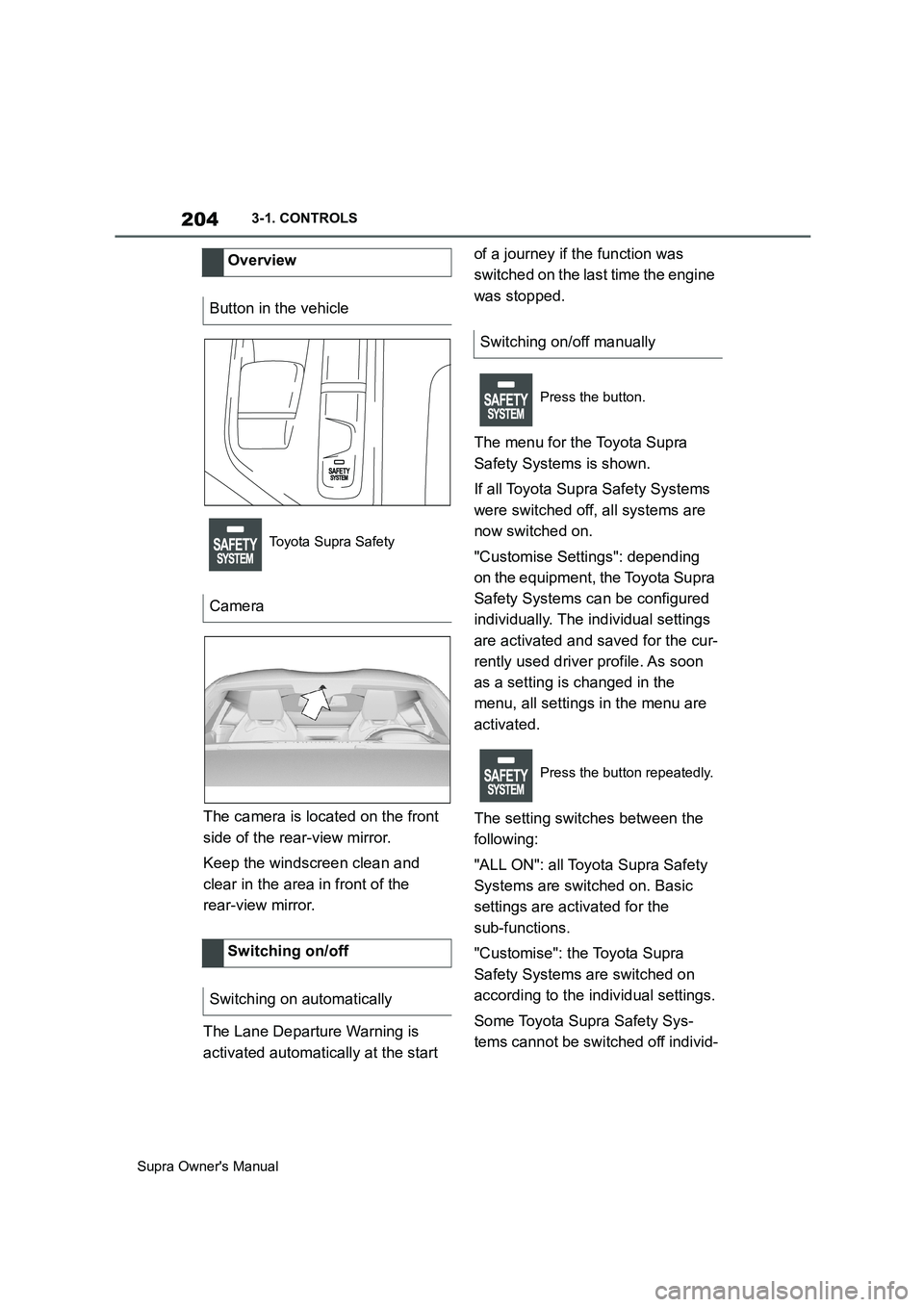
The camera is located on the front
side of the rear-view mirror.
Keep the windscreen clean and
clear in the area in front of the
rear-view mirror.
The Lane Departure Warning is
activated automatically at the start of a journey if the function was
switched on the last time the engine
was stopped.
The menu for the Toyota Supra
Safety Systems is shown.
If all Toyota Supra Safety Systems
were switched off, all systems are
now switched on.
"Customise Settings": depending
on the equipment, the Toyota Supra
Safety Systems can be configured
individually. The individual settings
are activated and saved for the cur-
rently used driver profile. As soon
as a setting is changed in the
menu, all settings in the menu are
activated.
The setting switches between the
following:
"ALL ON": all Toyota Supra Safety
Systems are switched on. Basic
settings are activated for the
sub-functions.
"Customise": the Toyota Supra
Safety Systems are switched on
according to the individual settings.
Some Toyota Supra Safety Sys-
tems cannot be switched off individ- Overview
Button in the vehicle
Toyota Supra Safety
Camera
Switching on/off
Switching on automatically
Switching on/off manually
Press the button.
Press the button repeatedly.
Page 207 of 456
207
3
Supra Owner's Manual3-1. CONTROLS
CONTROLS
The system may have limited func-
tionality in the following situations,
for example:
In thick fog, wet conditions or
snow.
When there are missing, worn,
poorly visible, merging/separat-
ing or ambiguous lane markings;
for example, in areas where
there are roadworks.
If lane markings are covered by
snow, ice, dirt or water.
On sharp bends or narrow roads.
If lane markings are not white.
If lane markings are obscured by
objects.
If the vehicle is too close to the
vehicle ahead.
When there is sustained glare
due to oncoming light, for exam-
ple the sun is low in the sky.
If the field of view of the camera or the windscreen in front of the
rear-view mirror is soiled or cov-
ered.
If the camera has overheated
due to excessively high tempera-
tures and has been temporarily
deactivated.
Up to 10 seconds after starting
the engine using the start/stop
button.
During the camera calibration
process immediately after vehi-
cle delivery.
A vehicle message may be dis-
played in the event of limited func-
tionality.
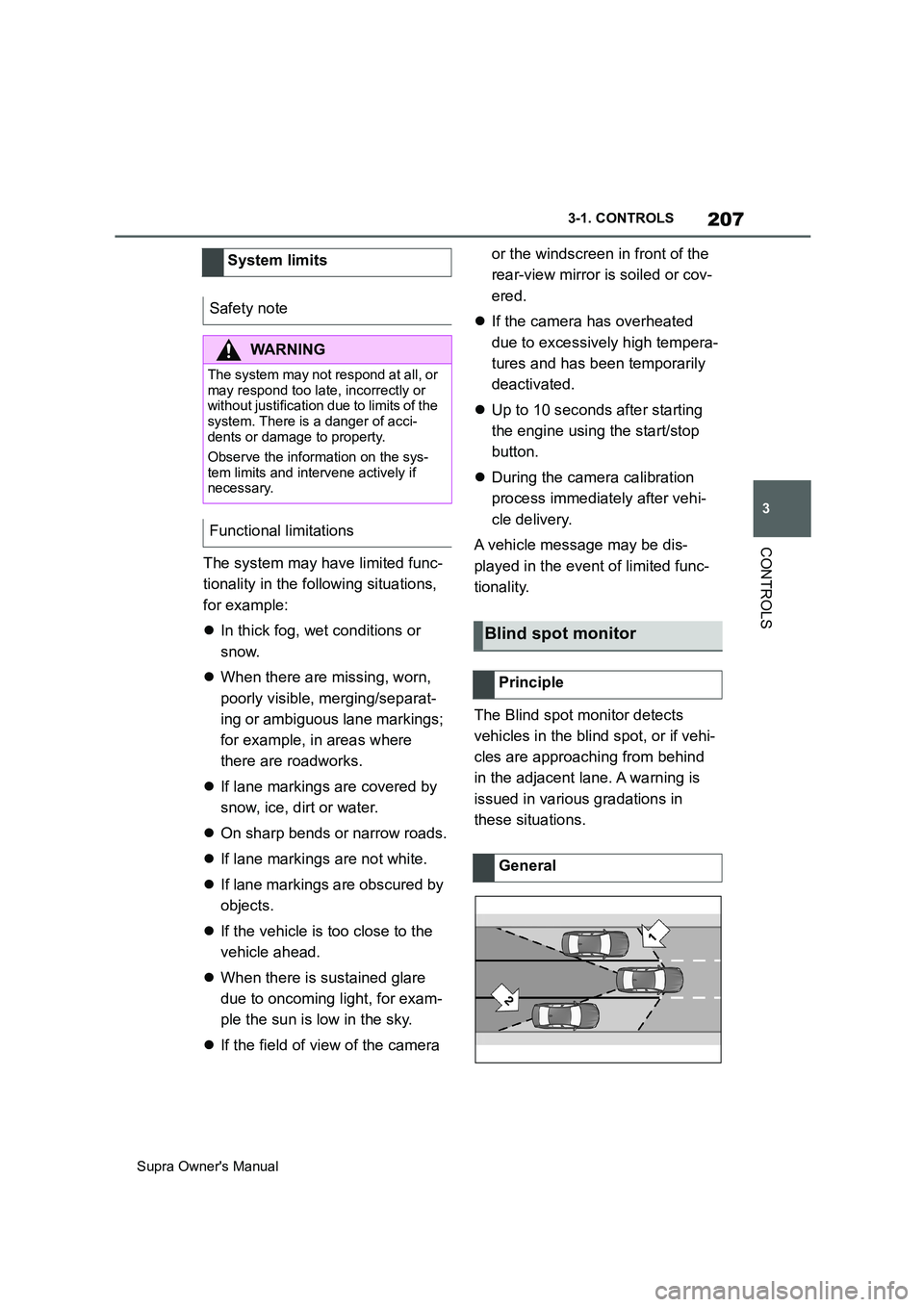
The Blind spot monitor detects
vehicles in the blind spot, or if vehi-
cles are approaching from behind
in the adjacent lane. A warning is
issued in various gradations in
these situations. System limits
Safety note
WARNING
The system may not respond at all, or
may respond too late, incorrectly or
without justification due to limits of the
system. There is a danger of acci-
dents or damage to property.
Observe the information on the sys-
tem limits and intervene actively if
necessary.
Functional limitations
Blind spot monitor
Principle
General