glove box TOYOTA SUPRA 2019 Owners Manual
[x] Cancel search | Manufacturer: TOYOTA, Model Year: 2019, Model line: SUPRA, Model: TOYOTA SUPRA 2019Pages: 456, PDF Size: 88.65 MB
Page 42 of 456
42
Supra Owner's Manual3-1. CONTROLS
14 To release the bonnet
P. 3 0 615 Unlocking the boot lid P.77
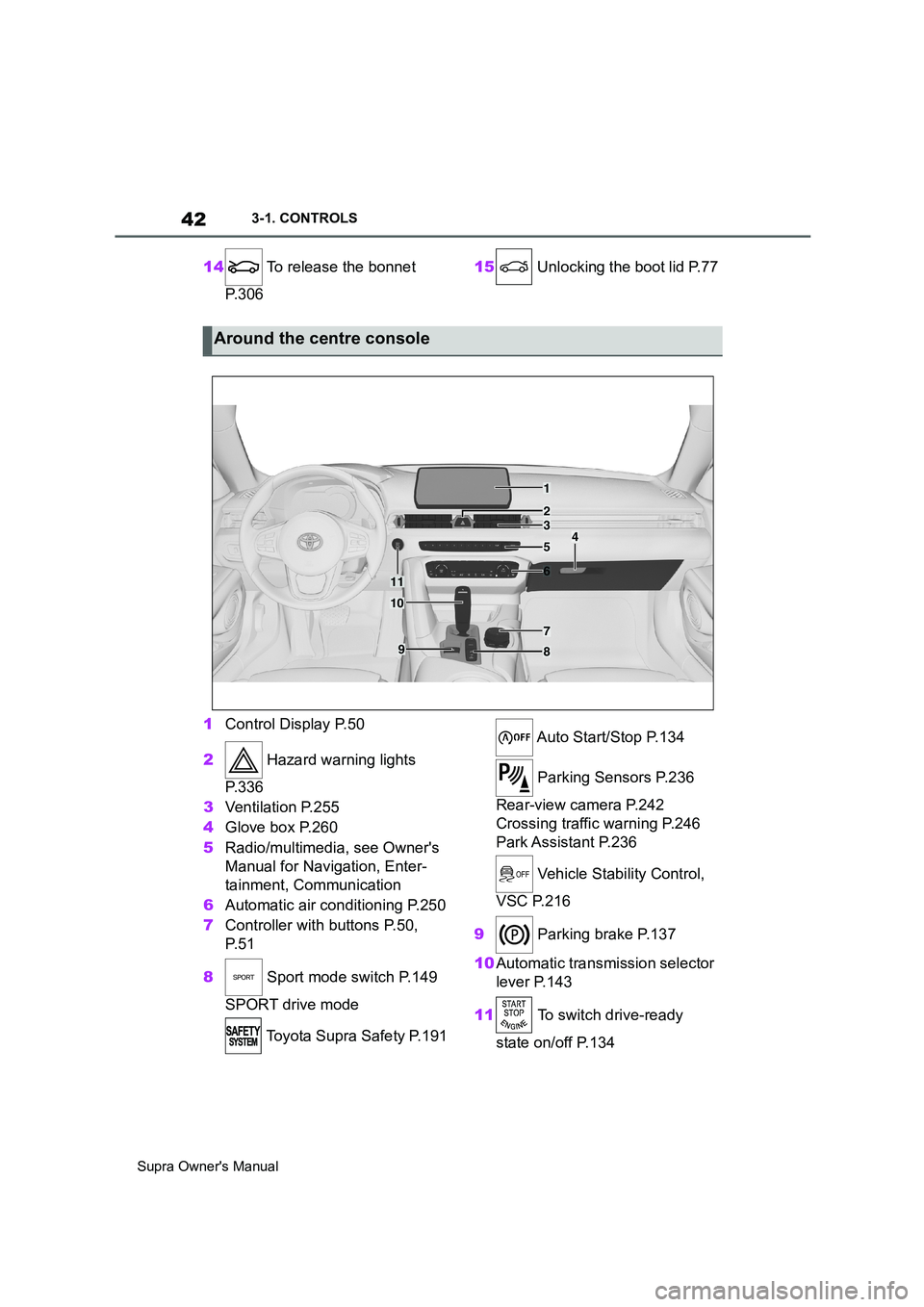
1Control Display P.50
2 Hazard warning lights
P. 3 3 6
3Ventilation P.255
4Glove box P.260
5Radio/multimedia, see Owner's
Manual for Navigation, Enter-
tainment, Communication
6Automatic air conditioning P.250
7Controller with buttons P.50,
P. 5 1
8 Sport mode switch P.149
SPORT drive mode
Toyota Supra Safety P.191 Auto Start/Stop P.134
Parking Sensors P.236
Rear-view camera P.242
Crossing traffic warning P.246
Park Assistant P.236
Vehicle Stability Control,
VSC P.216
9 Parking brake P.137
10Automatic transmission selector
lever P.143
11 To switch drive-ready
state on/off P.134
Around the centre console
1
4
23
5
6
7
89
10
11
Page 79 of 456
79
3
Supra Owner's Manual3-1. CONTROLS
CONTROLS
vicinity of the remote control.
Do not transport the remote control
together with electronic devices.
• Interference with radio transmis-
sion caused by the charging of
mobile devices, for example a
mobile phone.
• The remote control is located in
the immediate vicinity of the
wireless charging dock. Place
the remote control somewhere
else.
If there is a malfunction, the vehicle
can be unlocked and locked from
the outside with the integrated key,
see page 79.
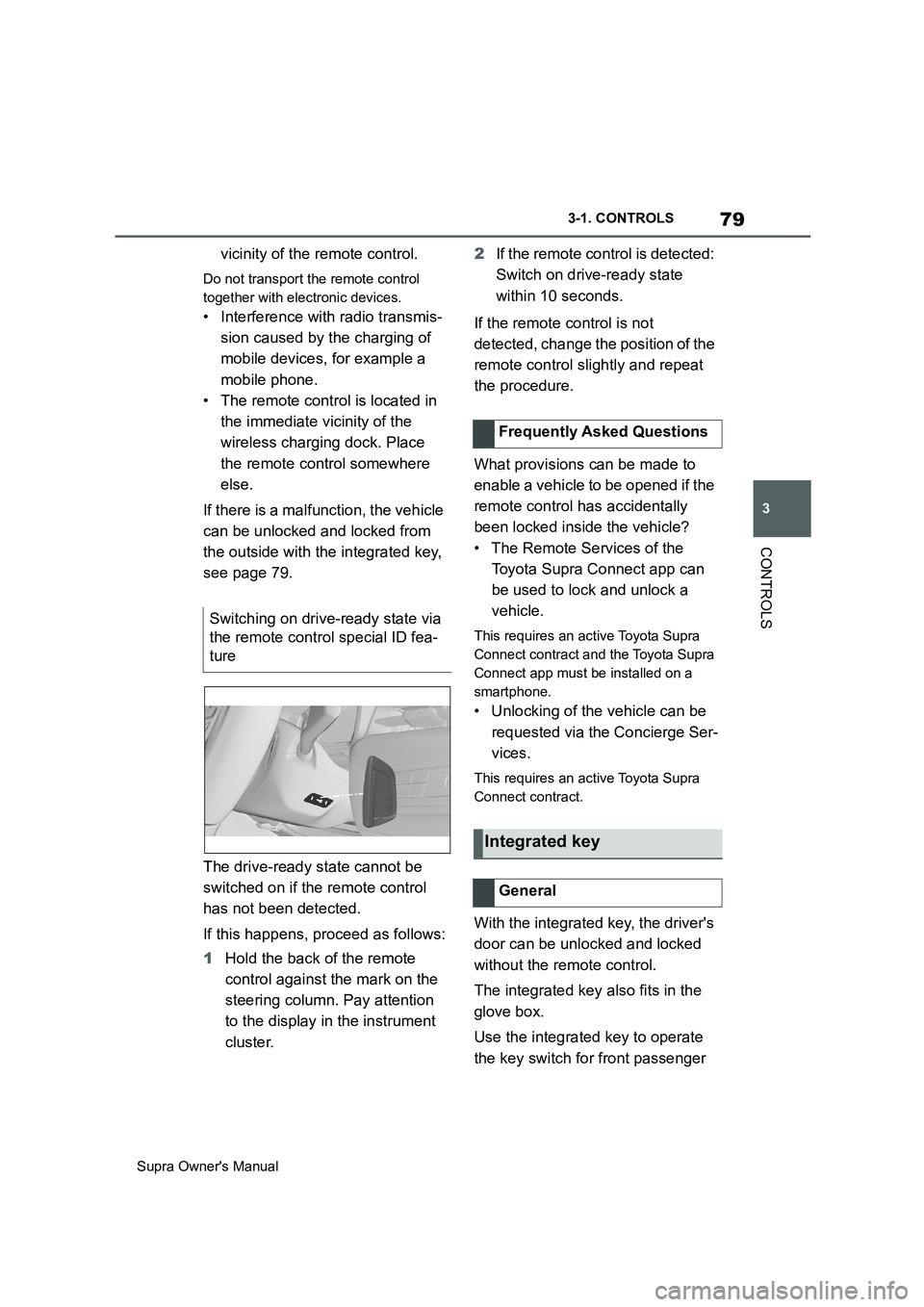
The drive-ready state cannot be
switched on if the remote control
has not been detected.
If this happens, proceed as follows:
1Hold the back of the remote
control against the mark on the
steering column. Pay attention
to the display in the instrument
cluster.2If the remote control is detected:
Switch on drive-ready state
within 10 seconds.
If the remote control is not
detected, change the position of the
remote control slightly and repeat
the procedure.
What provisions can be made to
enable a vehicle to be opened if the
remote control has accidentally
been locked inside the vehicle?
• The Remote Services of the
Toyota Supra Connect app can
be used to lock and unlock a
vehicle.
This requires an active Toyota Supra
Connect contract and the Toyota Supra
Connect app must be installed on a
smartphone.
• Unlocking of the vehicle can be
requested via the Concierge Ser-
vices.
This requires an active Toyota Supra
Connect contract.
With the integrated key, the driver's
door can be unlocked and locked
without the remote control.
The integrated key also fits in the
glove box.
Use the integrated key to operate
the key switch for front passenger Switching on drive-ready state via
the remote control special ID fea-
ture
Frequently Asked Questions
Integrated key
General
Page 259 of 456
259
3
Supra Owner's Manual3-1. CONTROLS
CONTROLS
Please comply with the notes on
connecting mobile devices to the
USB interface in the chapter on
USB connections, see page 69.
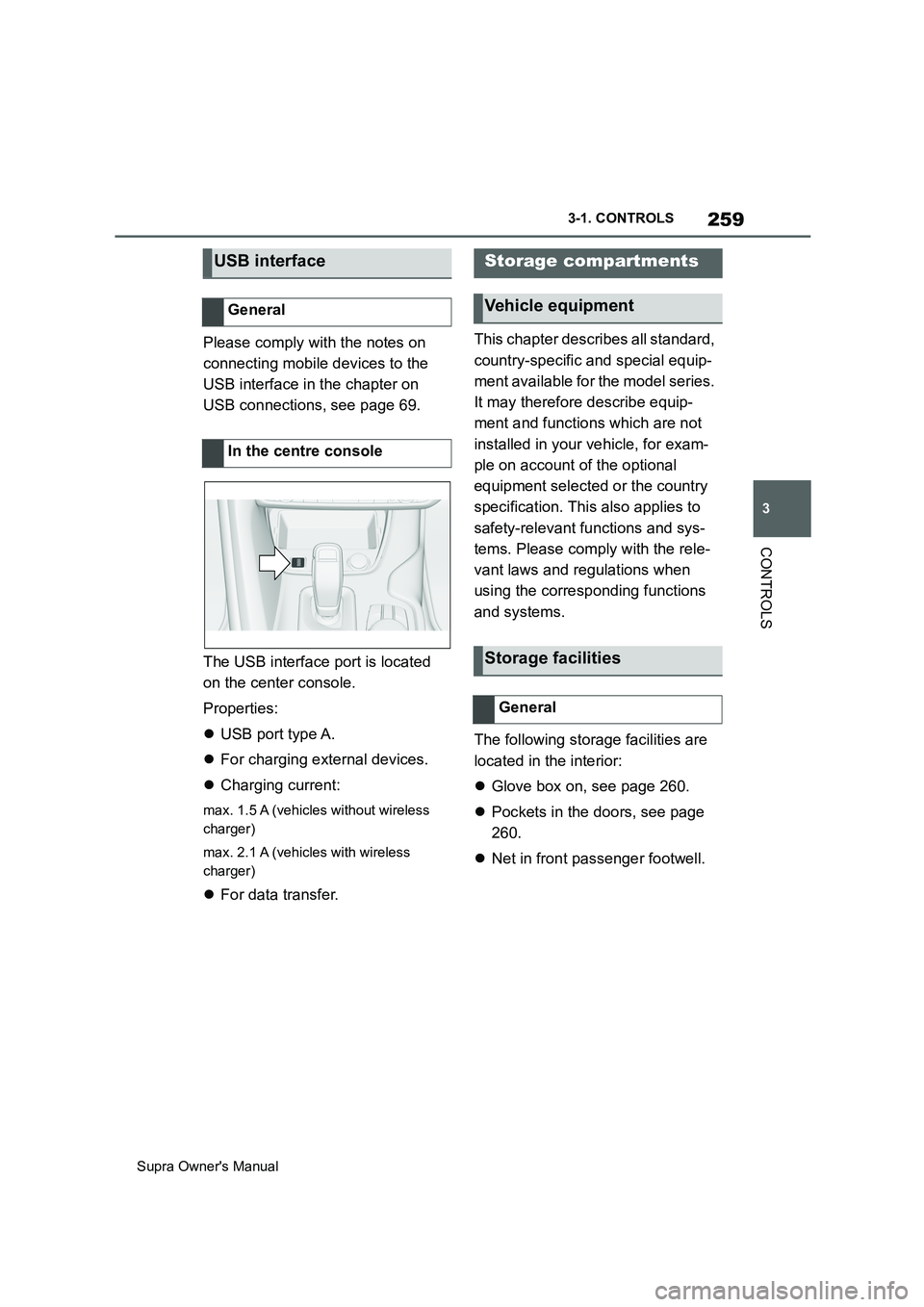
The USB interface port is located
on the center console.
Properties:
USB port type A.
For charging external devices.
Charging current:
max. 1.5 A (vehicles without wireless
charger)
max. 2.1 A (vehicles with wireless
charger)
For data transfer.This chapter describes all standard,
country-specific and special equip-
ment available for the model series.
It may therefore describe equip-
ment and functions which are not
installed in your vehicle, for exam-
ple on account of the optional
equipment selected or the country
specification. This also applies to
safety-relevant functions and sys-
tems. Please comply with the rele-
vant laws and regulations when
using the corresponding functions
and systems.
The following storage facilities are
located in the interior:
Glove box on, see page 260.
Pockets in the doors, see page
260.
Net in front passenger footwell.
USB interface
General
In the centre console
Storage compartments
Vehicle equipment
Storage facilities
General
Page 260 of 456
260
Supra Owner's Manual3-1. CONTROLS
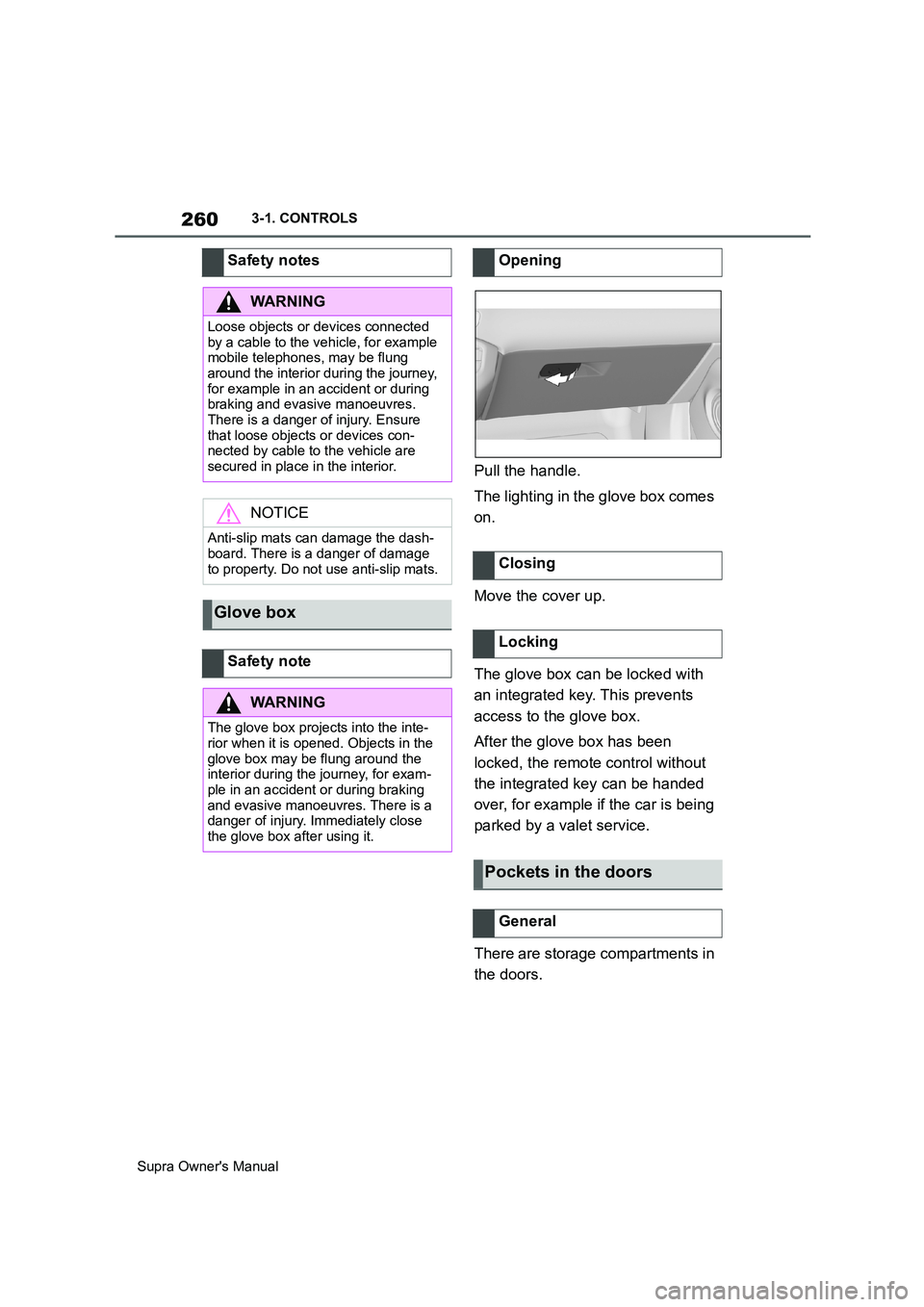
Pull the handle.
The lighting in the glove box comes
on.
Move the cover up.
The glove box can be locked with
an integrated key. This prevents
access to the glove box.
After the glove box has been
locked, the remote control without
the integrated key can be handed
over, for example if the car is being
parked by a valet service.
There are storage compartments in
the doors. Safety notes
WARNING
Loose objects or devices connected
by a cable to the vehicle, for example
mobile telephones, may be flung
around the interior during the journey,
for example in an accident or during
braking and evasive manoeuvres.
There is a danger of injury. Ensure
that loose objects or devices con-
nected by cable to the vehicle are
secured in place in the interior.
NOTICE
Anti-slip mats can damage the dash-
board. There is a danger of damage
to property. Do not use anti-slip mats.
Glove box
Safety note
WARNING
The glove box projects into the inte-
rior when it is opened. Objects in the
glove box may be flung around the
interior during the journey, for exam-
ple in an accident or during braking
and evasive manoeuvres. There is a
danger of injury. Immediately close
the glove box after using it.
Opening
Closing
Locking
Pockets in the doors
General
Page 333 of 456
333
5
Supra Owner's Manual5-1. MOBILITY
MOBILITY
This chapter describes all standard,
country-specific and special equip-
ment available for the model series.
It may therefore describe equip-
ment and functions which are not
installed in your vehicle, for exam-
ple on account of the optional
equipment selected or the country
specification. This also applies to
safety-relevant functions and sys-
tems. Please comply with the rele-
vant laws and regulations when
using the corresponding functions
and systems.
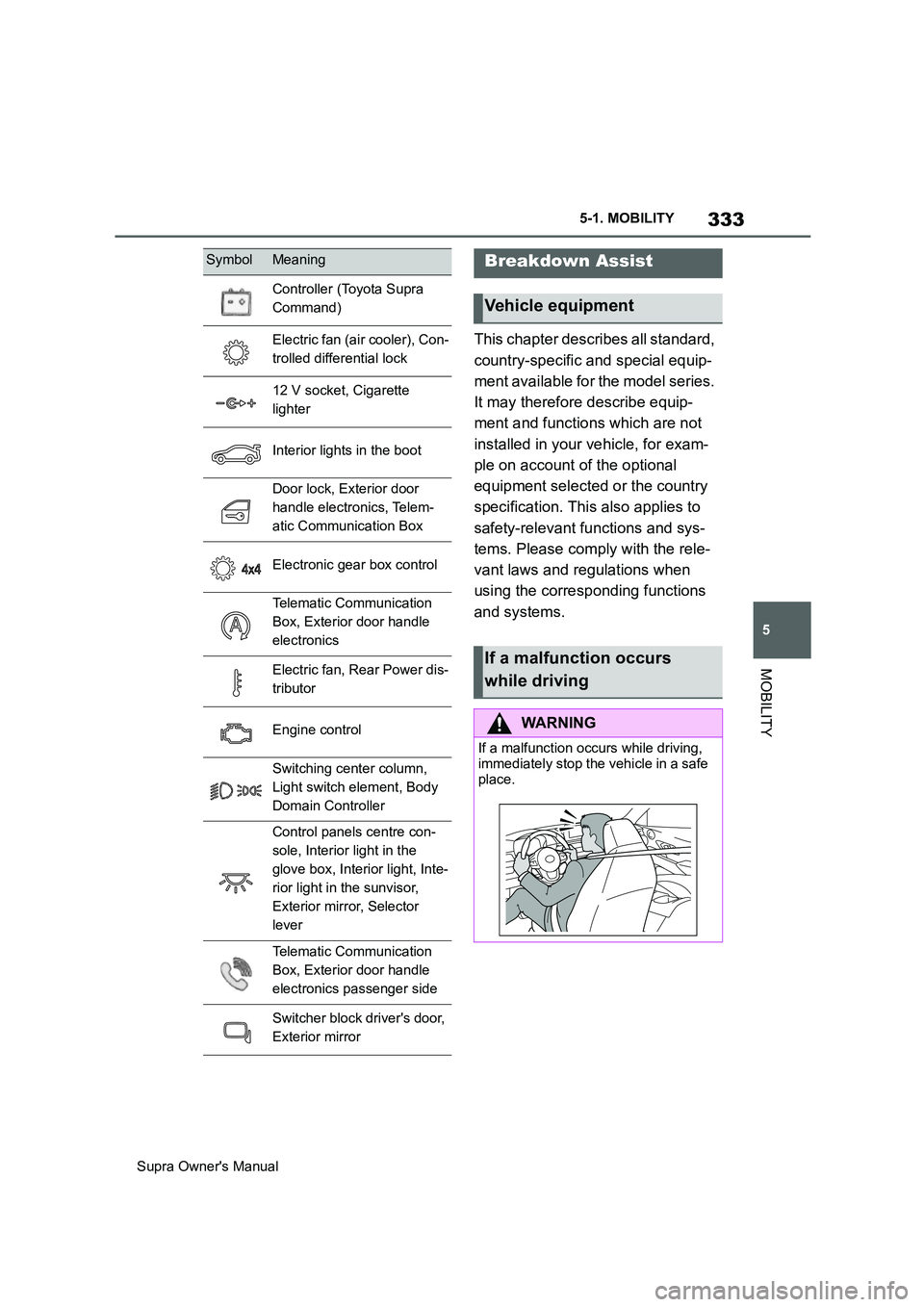
Controller (Toyota Supra
Command)
Electric fan (air cooler), Con-
trolled differential lock
12 V socket, Cigarette
lighter
Interior lights in the boot
Door lock, Exterior door
handle electronics, Telem-
atic Communication Box
Electronic gear box control
Telematic Communication
Box, Exterior door handle
electronics
Electric fan, Rear Power dis-
tributor
Engine control
Switching center column,
Light switch element, Body
Domain Controller
Control panels centre con-
sole, Interior light in the
glove box, Interior light, Inte-
rior light in the sunvisor,
Exterior mirror, Selector
lever
Telematic Communication
Box, Exterior door handle
electronics passenger side
Switcher block driver's door,
Exterior mirror
SymbolMeaningBreakdown Assist
Vehicle equipment
If a malfunction occurs
while driving
WARNING
If a malfunction occurs while driving,
immediately stop the vehicle in a safe
place.
Page 448 of 456
448
Supra Owner's ManualAlphabetical Index
Flat tyre, see Tyre Pressure Monitor
..................................................... 290
Flat tyre, wheel change ................ 298
Flooding ........................................ 270
Floor carpet, care ......................... 353
Fog lights, see Bulbs and lights . 327
Fold-out position of windscreen wip-
ers ................................................ 142
Foot brake ..................................... 270
Foot mats, care ............................. 353
Front airbags ................................ 179
Front head restraints.................... 103
Front lights, see Bulbs and lights327
Front neck supports, see Head
restraints ..................................... 103
Front passenger airbags, deactivat-
ing/activating .............................. 188
Front passenger airbags, indicator
lamp ............................................. 190
Front passenger's mirror, tilting
down, see Automatic parking func-
tion............................................... 105
Front seats ...................................... 95
Front-end collision warning with City
braking function ......................... 193
Front-end collision warning with
light braking function ................ 193
Fuel ................................................ 307
Fuel filler flap ................................ 276
Fuel gauge .................................... 157
Fuel quality ................................... 307
Fuel recommendation .................. 307
Fuel tank cap ................................ 276
Fuel, tank capacity ....................... 358
Fuses ............................................. 329
G
Gearbox, see Automatic transmis-
sion .............................................. 143
General driving information ........ 267
General settings ............................. 61
Glare protection, see Sun visor .. 257
Glove box ...................................... 260
Go function ................................... 225Go function ACC ........................... 225
GPS positioning, vehicle position. 63
H
Handbrake, see Parking brake .... 137
Hazard warning lights .................. 336
Headlight cleaning system, see
Wiper system .............................. 140
Headlight courtesy delay feature 173
Headlight flasher........................... 139
Headlight glass ............................. 327
Headlights, care ............................ 349
Headlights, see Bulbs and lights 327
Head-Up Display ........................... 168
Head-Up Display, care .................. 354
Head-Up Display, see Memory func-
tion ............................................... 106
Head-Up Display, standard view . 169
Height, vehicle .............................. 356
Help in driving off, see Drive-off
assistant ...................................... 216
High-beam headlights .................. 139
Hill Start Assist, see Drive-off assis-
tant ............................................... 216
Holder for beverages .................... 261
Horn ................................................. 40
Hot exhaust system ...................... 267
I
Ice warning, see Outside tempera-
ture warning ................................ 158
Identification number, see Vehicle
identification number ................... 17
Idle state, standby state and
drive-ready state........................... 44
Important considerations............. 109
Indicator and warning lamps, see
Vehicle messages....................... 152
Indicator lamp, front passenger
airbags......................................... 190
Individual settings, see Driver pro-
files ................................................ 86