mirror TOYOTA SUPRA 2019 Owner's Manual
[x] Cancel search | Manufacturer: TOYOTA, Model Year: 2019, Model line: SUPRA, Model: TOYOTA SUPRA 2019Pages: 456, PDF Size: 88.65 MB
Page 91 of 456
91
3
Supra Owner's Manual3-1. CONTROLS
CONTROLS
The vehicle is automatically locked
again after a short while if no door is
opened after unlocking.
• "Lock after pulling away"
On driving off, the vehicle is locked
automatically.
Via Toyota Supra Command:
1"My Vehicle"
2"Vehicle settings"
3"Doors/Key"
4"Unlock at end of journey"
After the drive-ready state has been
switched off by pressing the start/stop
button, the locked vehicle is automati-
cally unlocked.
Via Toyota Supra Command:
1"My Vehicle"
2"Vehicle settings"
3"Doors/Key"
4"Fold mirrors in when locked"
When locking, the exterior mirrors are
automatically folded in, and when
unlocking they are automatically folded
out.
Via Toyota Supra Command:
1"My Vehicle"
2"Vehicle settings"
3"Doors/Key"4"Switch off after door opening"
Idle state, see page 44, is established
when the front doors are opened.
The alarm system responds to the
following changes when the vehicle
is locked:
• A door, the bonnet or the boot lid
is opened.
• Movements in the interior.
• The vehicle's incline changes, for
instance if an attempt is made to
jack it up and steal the wheels or
to raise it prior to towing away.
• There is an interruption in the
power supply from the battery.
• Improper use of the socket for
on-board diagnosis OBD.
The alarm system indicates the fol-
lowing changes visually and audi-
bly:
• Audible alarm: Depending on
local regulations, the acoustic
alarm may be suppressed.
• Visual alarm: By flashing the
exterior lights.
The alarm system is switched on
and off at the same time as the
vehicle is unlocked and locked via
the remote control or Smart Key
System. Automatic unlocking
Folding the mirrors automati-
cally
Establishing idle state after
opening the front doors
Alarm system
General
Switching on/off
Page 92 of 456
92
Supra Owner's Manual3-1. CONTROLS
The alarm system is triggered on
opening a door if the door has been
unlocked using the integrated key
in the door lock.
Stopping the alarm, see page 93.
The boot lid can be opened even
with the alarm system switched on.
On closing the boot lid, it is locked
again and monitored, as long as the
doors are locked. The hazard warn-
ing lights flash once.
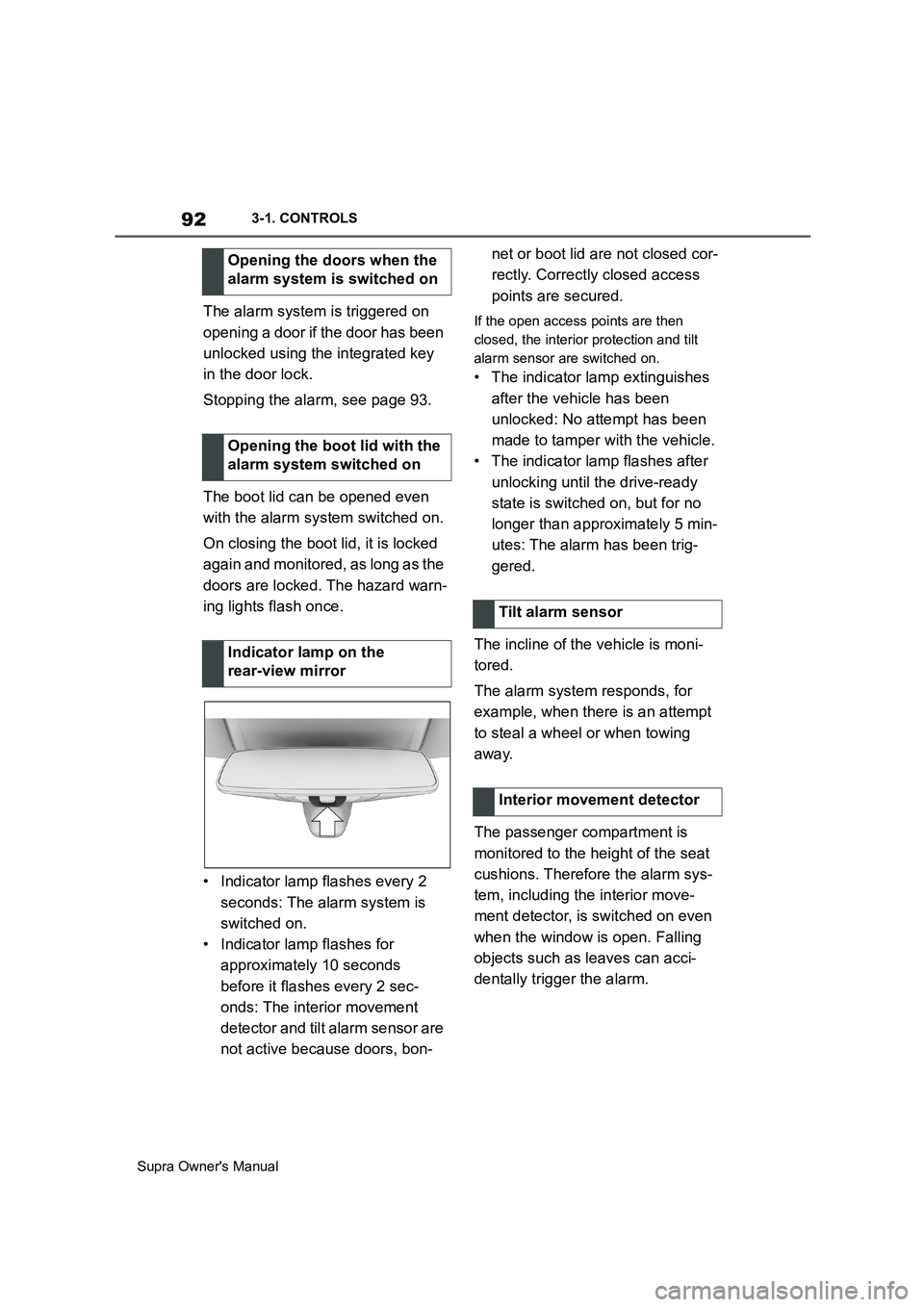
• Indicator lamp flashes every 2
seconds: The alarm system is
switched on.
• Indicator lamp flashes for
approximately 10 seconds
before it flashes every 2 sec-
onds: The interior movement
detector and tilt alarm sensor are
not active because doors, bon-net or boot lid are not closed cor-
rectly. Correctly closed access
points are secured.If the open access points are then
closed, the interior protection and tilt
alarm sensor are switched on.
• The indicator lamp extinguishes
after the vehicle has been
unlocked: No attempt has been
made to tamper with the vehicle.
• The indicator lamp flashes after
unlocking until the drive-ready
state is switched on, but for no
longer than approximately 5 min-
utes: The alarm has been trig-
gered.
The incline of the vehicle is moni-
tored.
The alarm system responds, for
example, when there is an attempt
to steal a wheel or when towing
away.
The passenger compartment is
monitored to the height of the seat
cushions. Therefore the alarm sys-
tem, including the interior move-
ment detector, is switched on even
when the window is open. Falling
objects such as leaves can acci-
dentally trigger the alarm. Opening the doors when the
alarm system is switched on
Opening the boot lid with the
alarm system switched on
Indicator lamp on the
rear-view mirror
Tilt alarm sensor
Interior movement detector
Page 95 of 456
95
3
Supra Owner's Manual3-1. CONTROLS
CONTROLS
This chapter describes all standard,
country-specific and special equip-
ment available for the model series.
It may therefore describe equip-
ment and functions which are not
installed in your vehicle, for exam-
ple on account of the optional
equipment selected or the country
specification. This also applies to
safety-relevant functions and sys-
tems. Please comply with the rele-
vant laws and regulations when
using the corresponding functions
and systems.
A seating position that suitably
reflects the requirements of the
occupants is essential for relaxed
driving with minimum fatigue.
In an accident, the correct seating
position plays an important role.
Comply with the notes in the follow-
ing chapters:
• Seats, see page 95.
• Seat belts, see page 98.
• Head restraints, see page 103.
• Airbags, see page 179.
Seats, mirrors and steer-
ing wheel
Vehicle equipment
Safe seating position
Seats
Safety notes
WARNING
Adjusting the seat during a journey
could cause the seat to move unex-
pectedly. You could lose control of the
vehicle. There is a danger of acci-
dents. Only adjust the seat on the
driver's side when at a standstill.
WARNING
If the backrest is angled back too far,
the protective effect of the seat belt
will no longer be guaranteed. There is
a danger of sliding under the seat belt
in the event of an accident. There is a
danger of injury or even death. Adjust
the seat before starting the journey.
Adjust the backrest to the most
upright position possible, and do not
change it during the journey.
WARNING
There is a risk of entrapment when
the seats are being moved. There is a
danger of injury or damage to prop-
erty. Before making any adjustment,
make sure that the area of movement
of the seat is clear.
Page 104 of 456
104
Supra Owner's Manual3-1. CONTROLS
The head restraints are integrated
into the seatback and cannot be
adjusted.
The distance from the back of the
head is set via the backrest angle.
Adjust the distance so that the head
restraint is as close as possible to
the back of the head.
The head restraints cannot be
removed.
The mirror setting is saved for the
currently used driver profile, see
page 90. If a driver profile is
selected, the saved position is
called up automatically.
The current exterior mirror position can be saved with the memory
function, see page 106.
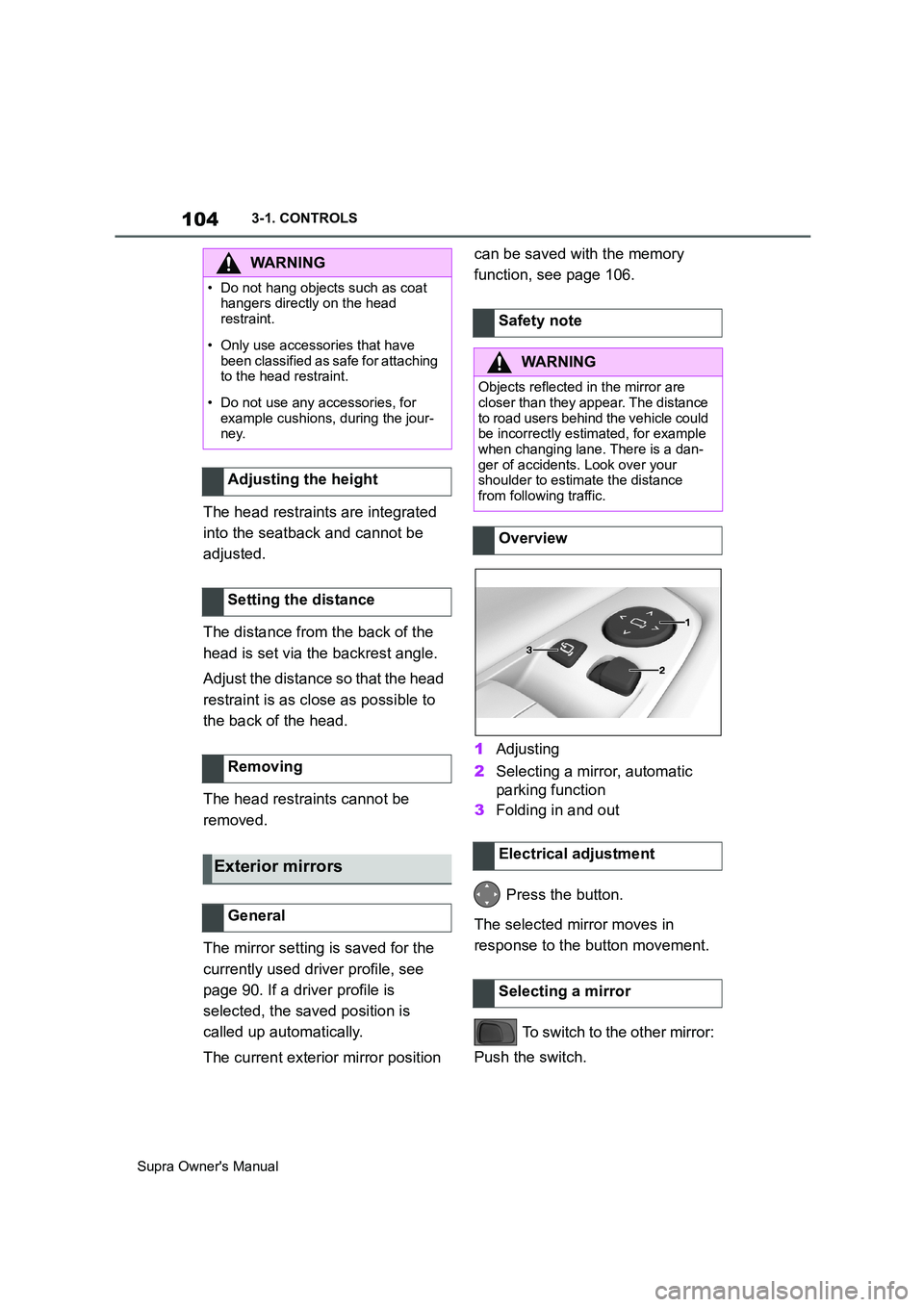
1Adjusting
2Selecting a mirror, automatic
parking function
3Folding in and out
Press the button.
The selected mirror moves in
response to the button movement.
To switch to the other mirror:
Push the switch.
WARNING
• Do not hang objects such as coat
hangers directly on the head
restraint.
• Only use accessories that have
been classified as safe for attaching
to the head restraint.
• Do not use any accessories, for
example cushions, during the jour-
ney.
Adjusting the height
Setting the distance
Removing
Exterior mirrors
General
Safety note
WARNING
Objects reflected in the mirror are
closer than they appear. The distance
to road users behind the vehicle could
be incorrectly estimated, for example
when changing lane. There is a dan-
ger of accidents. Look over your
shoulder to estimate the distance
from following traffic.
Overview
Electrical adjustment
Selecting a mirror
Page 105 of 456
105
3
Supra Owner's Manual3-1. CONTROLS
CONTROLS
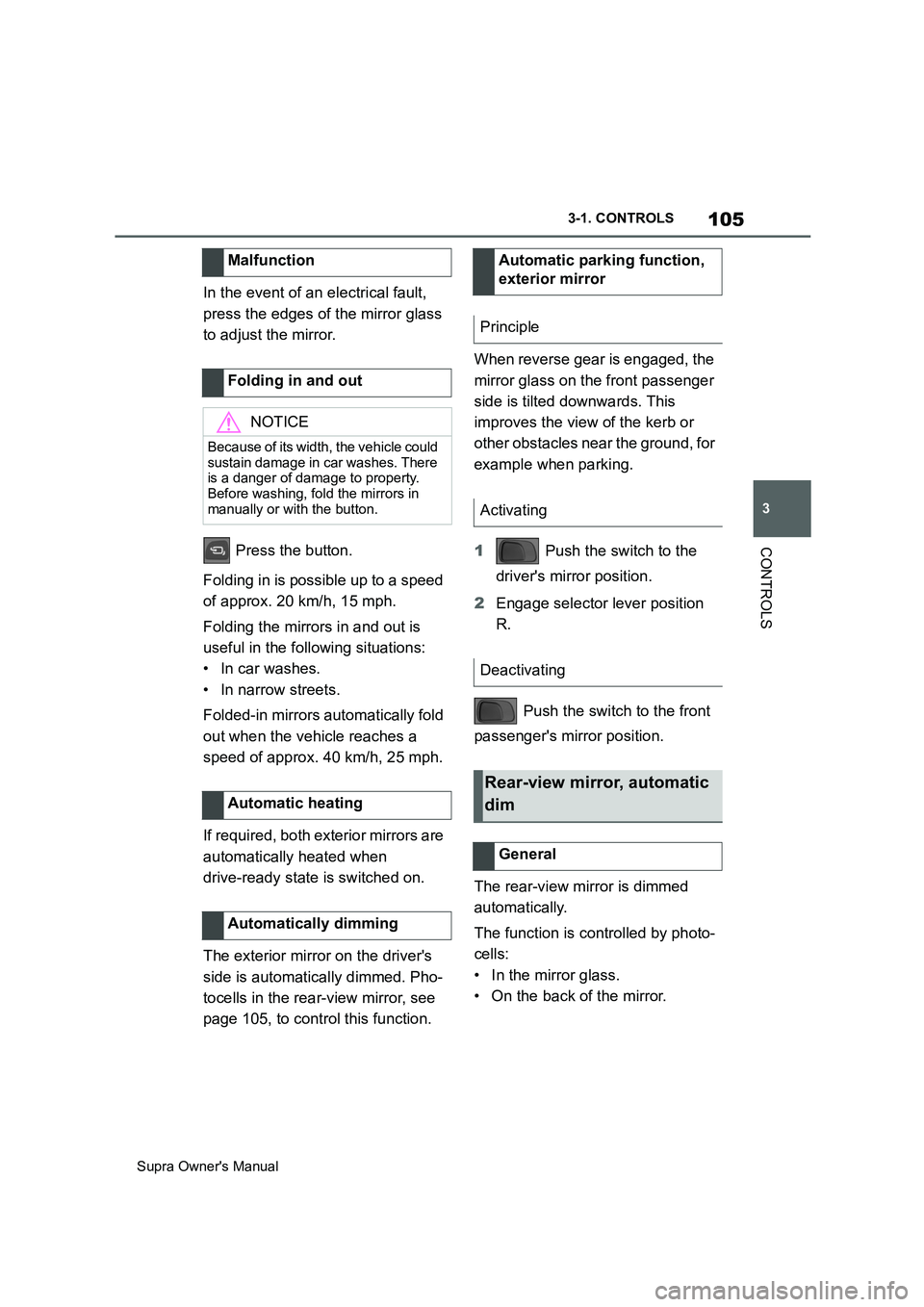
In the event of an electrical fault,
press the edges of the mirror glass
to adjust the mirror.
Press the button.
Folding in is possible up to a speed
of approx. 20 km/h, 15 mph.
Folding the mirrors in and out is
useful in the following situations:
• In car washes.
• In narrow streets.
Folded-in mirrors automatically fold
out when the vehicle reaches a
speed of approx. 40 km/h, 25 mph.
If required, both exterior mirrors are
automatically heated when
drive-ready state is switched on.
The exterior mirror on the driver's
side is automatically dimmed. Pho-
tocells in the rear-view mirror, see
page 105, to control this function.When reverse gear is engaged, the
mirror glass on the front passenger
side is tilted downwards. This
improves the view of the kerb or
other obstacles near the ground, for
example when parking.
1 Push the switch to the
driver's mirror position.
2Engage selector lever position
R.
Push the switch to the front
passenger's mirror position.
The rear-view mirror is dimmed
automatically.
The function is controlled by photo-
cells:
• In the mirror glass.
• On the back of the mirror. Malfunction
Folding in and out
NOTICE
Because of its width, the vehicle could
sustain damage in car washes. There
is a danger of damage to property.
Before washing, fold the mirrors in
manually or with the button.
Automatic heating
Automatically dimming
Automatic parking function,
exterior mirror
Principle
Activating
Deactivating
Rear-view mirror, automatic
dim
General
Page 106 of 456
106
Supra Owner's Manual3-1. CONTROLS
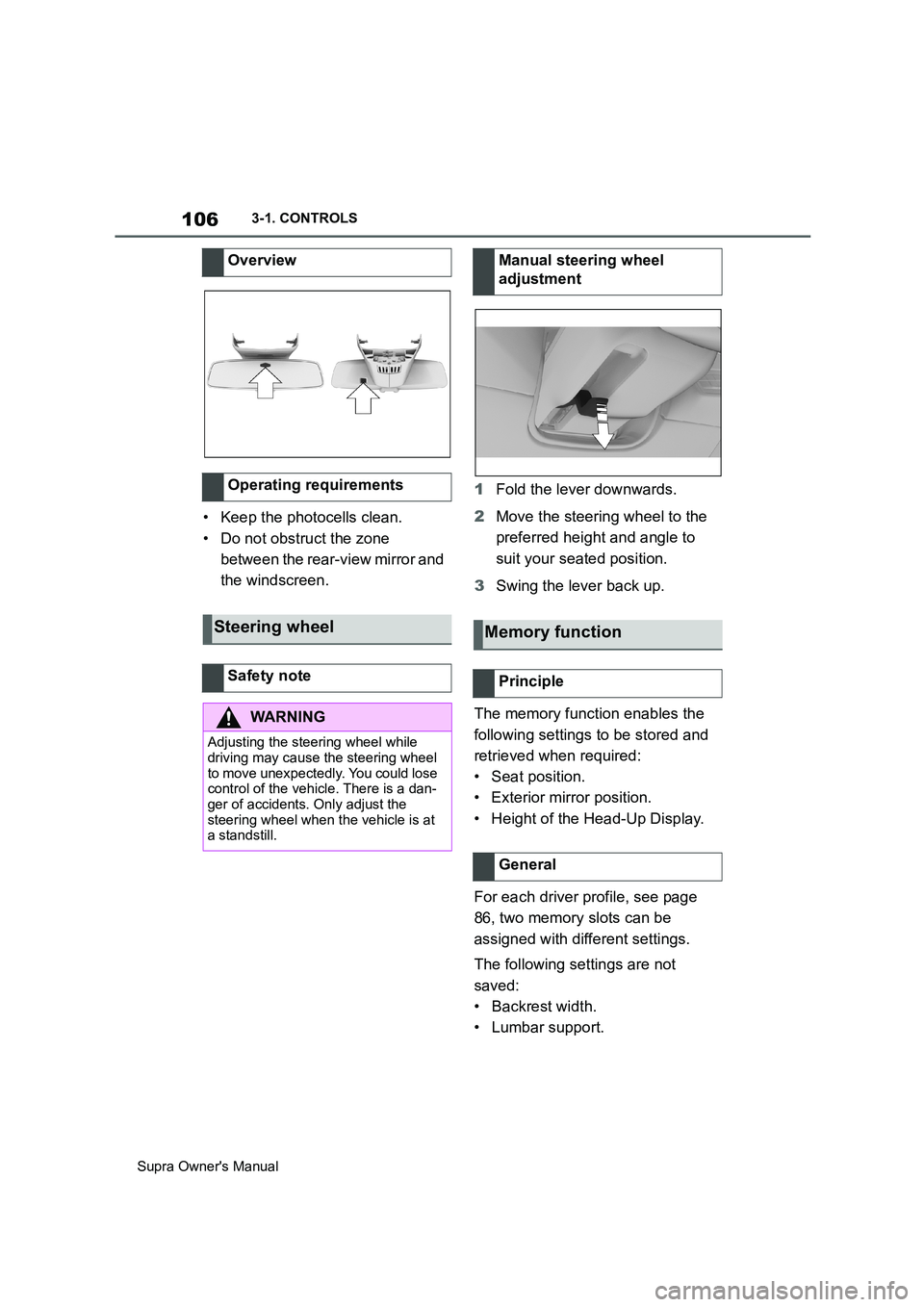
• Keep the photocells clean.
• Do not obstruct the zone
between the rear-view mirror and
the windscreen.1Fold the lever downwards.
2Move the steering wheel to the
preferred height and angle to
suit your seated position.
3Swing the lever back up.
The memory function enables the
following settings to be stored and
retrieved when required:
• Seat position.
• Exterior mirror position.
• Height of the Head-Up Display.
For each driver profile, see page
86, two memory slots can be
assigned with different settings.
The following settings are not
saved:
• Backrest width.
• Lumbar support. Overview
Operating requirements
Steering wheel
Safety note
WARNING
Adjusting the steering wheel while
driving may cause the steering wheel
to move unexpectedly. You could lose
control of the vehicle. There is a dan-
ger of accidents. Only adjust the
steering wheel when the vehicle is at
a standstill.
Manual steering wheel
adjustment
Memory function
Principle
General
Page 139 of 456
139
3
Supra Owner's Manual3-1. CONTROLS
CONTROLS
To restore parking brake functional-
ity after a power failure:
1Switch on standby state.
2 Pull the switch with the
brake pedal depressed or selec-
tor lever position P engaged and
then press it.
The procedure can take a few sec-
onds. Any sounds that occur are
normal.
Do not fold in the exterior mirrors
while driving or while operating the
turn indicators or hazard warning
lights to ensure that the turn indica-
tors in the exterior mirrors are well
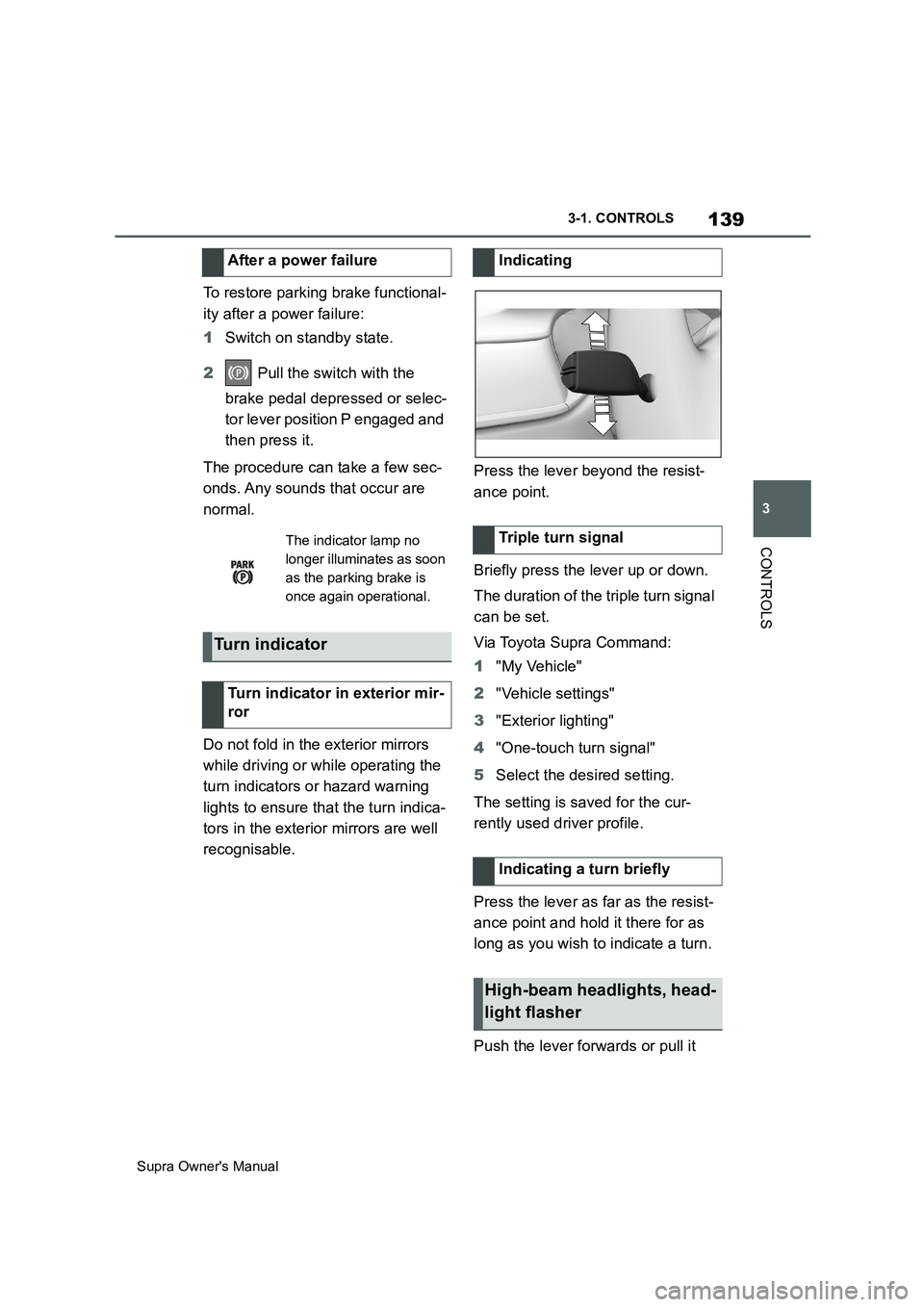
recognisable.Press the lever beyond the resist-
ance point.
Briefly press the lever up or down.
The duration of the triple turn signal
can be set.
Via Toyota Supra Command:
1"My Vehicle"
2"Vehicle settings"
3"Exterior lighting"
4"One-touch turn signal"
5Select the desired setting.
The setting is saved for the cur-
rently used driver profile.
Press the lever as far as the resist-
ance point and hold it there for as
long as you wish to indicate a turn.
Push the lever forwards or pull it After a power failure
The indicator lamp no
longer illuminates as soon
as the parking brake is
once again operational.
Turn indicator
Turn indicator in exterior mir-
ror
Indicating
Triple turn signal
Indicating a turn briefly
High-beam headlights, head-
light flasher
Page 141 of 456
141
3
Supra Owner's Manual3-1. CONTROLS
CONTROLS
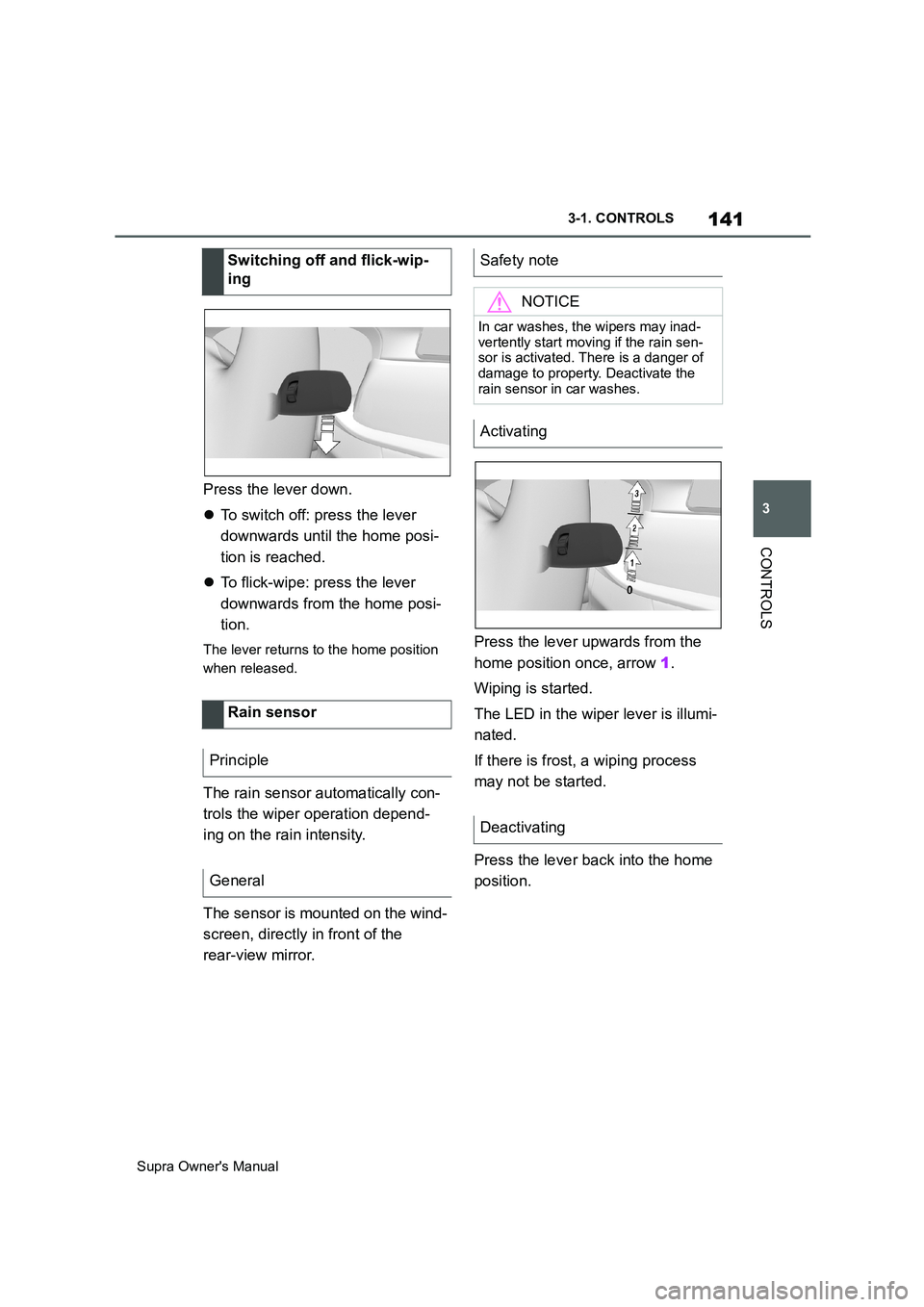
Press the lever down.
To switch off: press the lever
downwards until the home posi-
tion is reached.
To flick-wipe: press the lever
downwards from the home posi-
tion.
The lever returns to the home position
when released.
The rain sensor automatically con-
trols the wiper operation depend-
ing on the rain intensity.
The sensor is mounted on the wind-
screen, directly in front of the
rear-view mirror.Press the lever upwards from the
home position once, arrow 1.
Wiping is started.
The LED in the wiper lever is illumi-
nated.
If there is frost, a wiping process
may not be started.
Press the lever back into the home
position. Switching off and flick-wip-
ing
Rain sensor
Principle
General
Safety note
NOTICE
In car washes, the wipers may inad-
vertently start moving if the rain sen-
sor is activated. There is a danger of
damage to property. Deactivate the
rain sensor in car washes.
Activating
Deactivating
Page 160 of 456
160
Supra Owner's Manual3-1. CONTROLS
The system recommends the most
efficient gear for the current driving
situation.
Depending on the design and the
country specifications, the shift
point indicator is active in manual
mode of the automatic transmis-
sion.
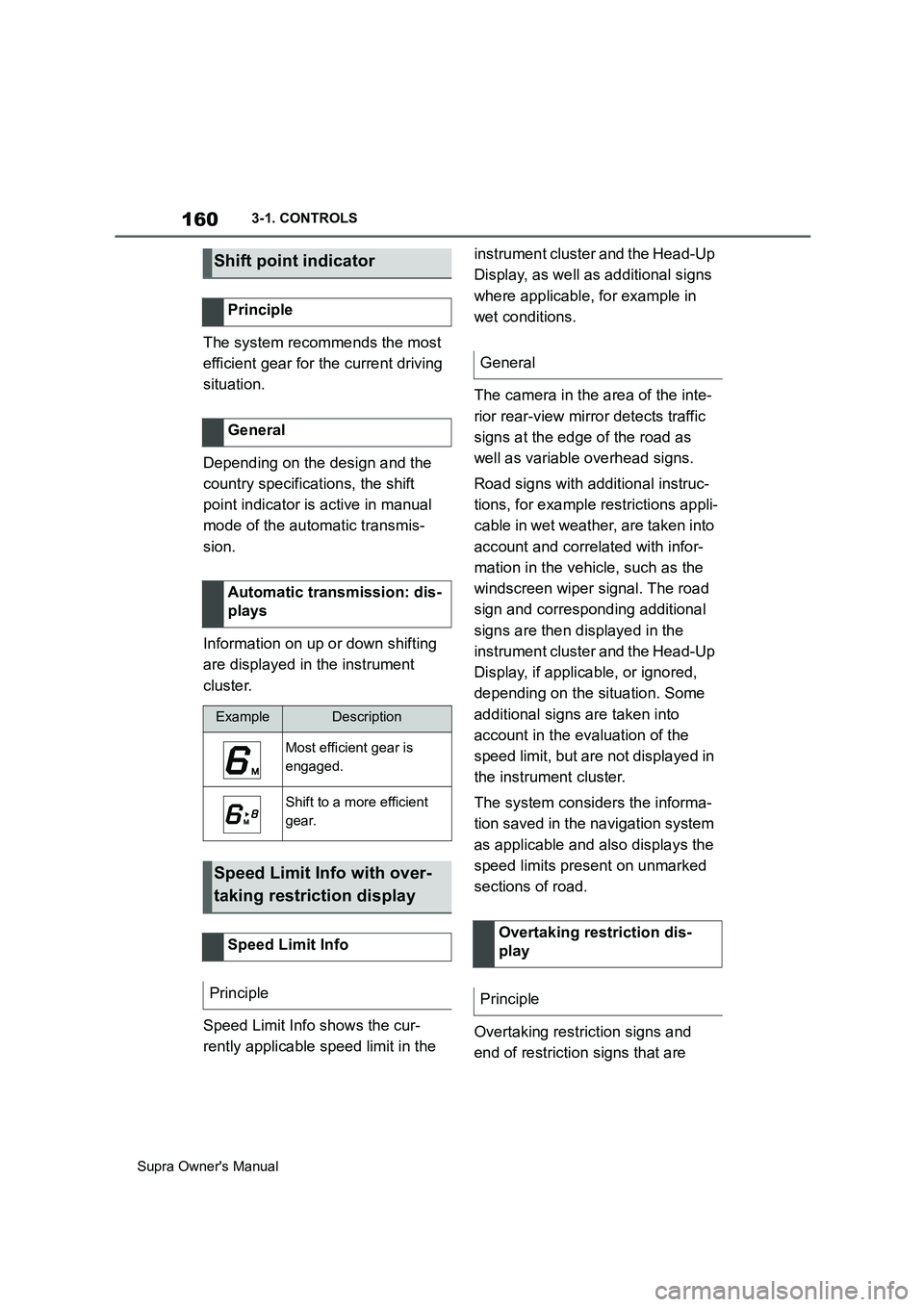
Information on up or down shifting
are displayed in the instrument
cluster.
Speed Limit Info shows the cur-
rently applicable speed limit in the instrument cluster and the Head-Up
Display, as well as additional signs
where applicable, for example in
wet conditions.
The camera in the area of the inte-
rior rear-view mirror detects traffic
signs at the edge of the road as
well as variable overhead signs.
Road signs with additional instruc-
tions, for example restrictions appli-
cable in wet weather, are taken into
account and correlated with infor-
mation in the vehicle, such as the
windscreen wiper signal. The road
sign and corresponding additional
signs are then displayed in the
instrument cluster and the Head-Up
Display, if applicable, or ignored,
depending on the situation. Some
additional signs are taken into
account in the evaluation of the
speed limit, but are not displayed in
the instrument cluster.
The system considers the informa-
tion saved in the navigation system
as applicable and also displays the
speed limits present on unmarked
sections of road.
Overtaking restriction signs and
end of restriction signs that are
Shift point indicator
Principle
General
Automatic transmission: dis-
plays
ExampleDescription
Most efficient gear is
engaged.
Shift to a more efficient
gear.
Speed Limit Info with over-
taking restriction display
Speed Limit Info
Principle
General
Overtaking restriction dis-
play
Principle
Page 161 of 456
161
3
Supra Owner's Manual3-1. CONTROLS
CONTROLS
detected by the camera are indi-
cated by corresponding symbols in
the instrument cluster and, if appli-
cable, the Head-Up Display.
The system considers overtaking
restrictions and ends of restrictions
that are indicated by means of
signs.
Nothing will be displayed in the fol-
lowing situations:
In countries in which no overtak-
ing is primarily shown by road
markings.
On routes without signs.
In the case of railway crossings,
lane markings and other situa-
tions which indicate an overtak-
ing restriction but which are not
signposted to this effect.
Depending on the equipment ver-
sion, an additional symbol with dis-
tance information may also be
displayed to indicate the end of the
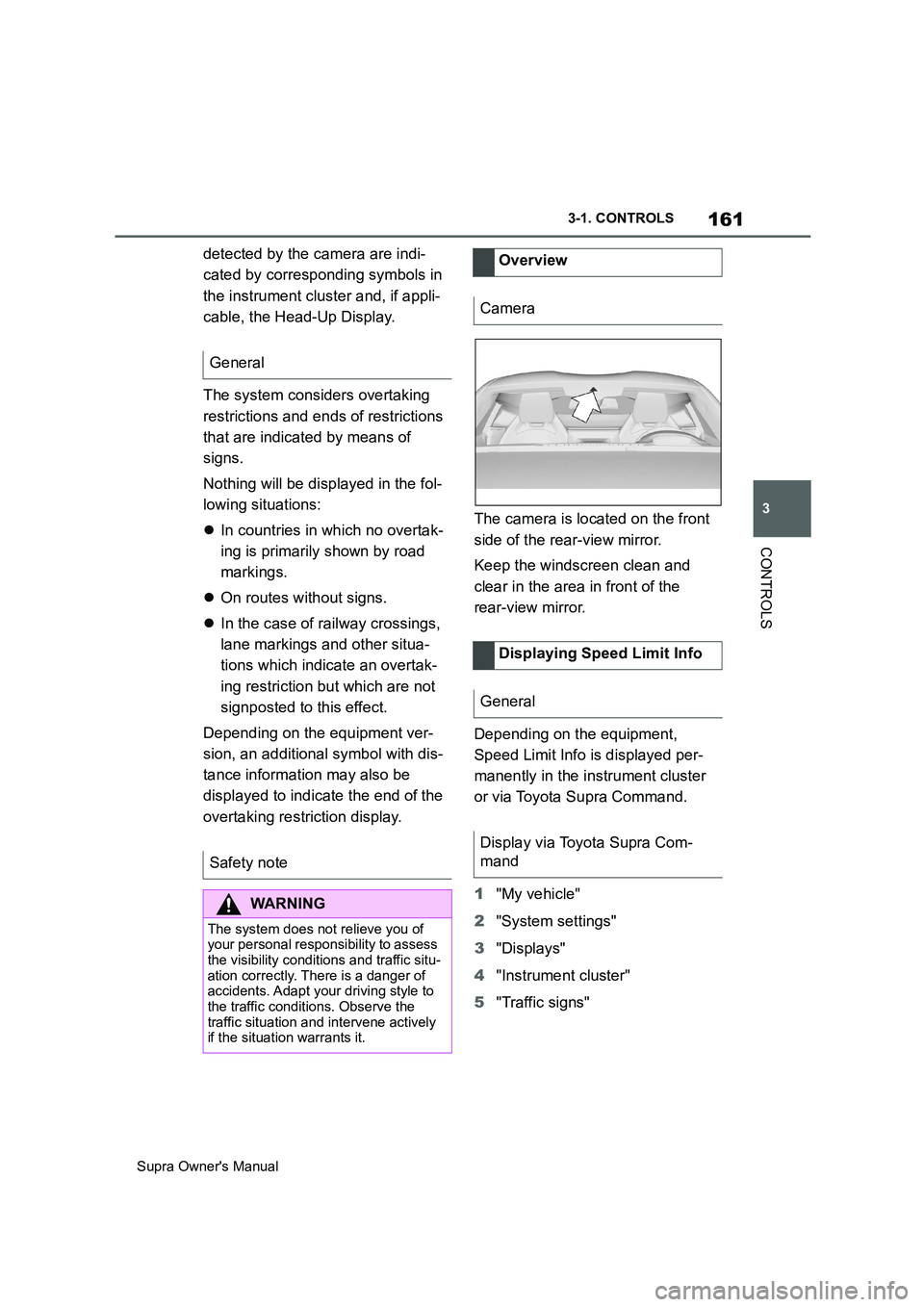
overtaking restriction display.The camera is located on the front
side of the rear-view mirror.
Keep the windscreen clean and
clear in the area in front of the
rear-view mirror.
Depending on the equipment,
Speed Limit Info is displayed per-
manently in the instrument cluster
or via Toyota Supra Command.
1"My vehicle"
2"System settings"
3"Displays"
4"Instrument cluster"
5"Traffic signs" General
Safety note
WARNING
The system does not relieve you of
your personal responsibility to assess
the visibility conditions and traffic situ-
ation correctly. There is a danger of
accidents. Adapt your driving style to
the traffic conditions. Observe the
traffic situation and intervene actively
if the situation warrants it.
Overview
Camera
Displaying Speed Limit Info
General
Display via Toyota Supra Com-
mand