technical data TOYOTA SUPRA 2020 Owners Manual (in English)
[x] Cancel search | Manufacturer: TOYOTA, Model Year: 2020, Model line: SUPRA, Model: TOYOTA SUPRA 2020Pages: 352, PDF Size: 6.49 MB
Page 2 of 352
2
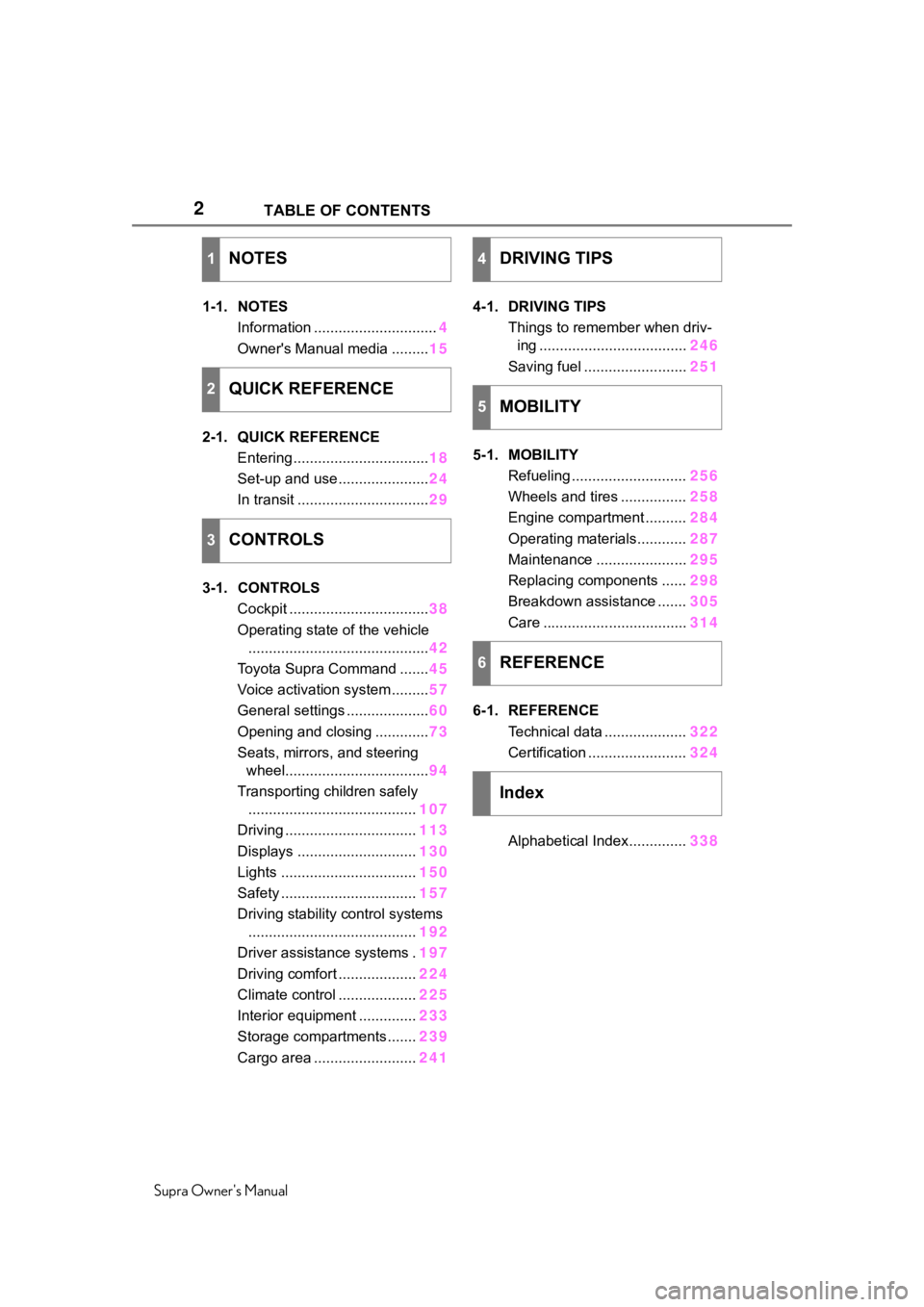
Supra Owner's ManualTABLE OF CONTENTS
1-1. NOTES
Information .............................. 4
Owner's Manual media ......... 15
2-1. QUICK REFERENCE Entering ................................. 18
Set-up and use ...................... 24
In transit ................................ 29
3-1. CONTROLS Cockpit .................................. 38
Operating state of the vehicle ............................................ 42
Toyota Supra Command ....... 45
Voice activation system ......... 57
General settings .................... 60
Opening and closing ............. 73
Seats, mirrors, and steering wheel................................... 94
Transporting children safely ......................................... 107
Driving ................................ 113
Displays ............................. 130
Lights ................................. 150
Safety ................................. 157
Driving stability control systems ......................................... 192
Driver assistance systems . 197
Driving comfort ................... 224
Climate control ................... 225
Interior equipment .............. 233
Storage compartments ....... 239
Cargo area ......................... 2414-1. DRIVING TIPS
Things to remember when driv-ing .................................... 246
Saving fuel ......................... 251
5-1. MOBILITY Refueling ............................ 256
Wheels and tires ................ 258
Engine compartment .......... 284
Operating materials............ 287
Maintenance ...................... 295
Replacing components ...... 298
Breakdown assistance ....... 305
Care ................................... 314
6-1. REFERENCE Technical data .................... 322
Certification ........................ 324
Alphabetical Index.............. 338
1NOTES
2QUICK REFERENCE
3CONTROLS
4DRIVING TIPS
5MOBILITY
6REFERENCE
Index
Page 5 of 352
51-1. NOTES
Supra Owner's Manual
1
NOTES
This Owner's Manual describes
all models and all standard,
country-specific and optional
equipment that is offered in the
model series. Therefore, this
Owner's Manual also describes
and illustrates features and
functions that are not available
in a vehicle, for example
because of the selected optional
features or the country-specific
version.
This also applies to
safety-related functions and sys-
tems.
When using these functions and
systems, the applicable laws
and regulations must be
observed.
For any options and equipment
not described in this Owner's
Manual, refer to the Supplemen-
tary Owner's Manuals.
Toyota is happy to answer any
questions that you may have
about the features and options
applicable to your vehicle.
The manufacturer of your vehi-
cle pursues a policy of constant development that is conceived
to ensure that our vehicles con-
tinue to embody the highest
quality and safety standards. In
rare cases, therefore, the fea-
tures described in this Owner's
Manual may differ from those in
your vehicle.
Follow the following when using
the vehicle:
• Owner's Manual.
• Information on the vehicle. Do
not remove stickers.
• Technical vehicle data.
• The traffic, speed, and safety laws where the vehicle is
driven.
• Vehicle documents and statu- tory documents.
Your vehicle is technically con-
figured for the operating condi-
tions and registration
requirements applying in the
country of first delivery, also
known as homologation. If your
vehicle is to be operated in a dif-
ferent country it might be neces-
sary to adapt your vehicle to
potentially differing operating
conditions and registration
requirements. If your vehicle
does not comply with the
Vehicle features and
options
Status of the Owner's
Manual
Basic information
For Your Own Safety
Intended use
Warranty
Page 8 of 352
81-1. NOTES
Supra Owner's Manual
Maintenance system.
"Owner's Warranty Informa-
tion Booklet" or "Owner's
Manual Supplement".
If the vehicle is not maintained
according to these specifica-
tions, this could result in serious
damage to the vehicle. Such
damage is not covered by the
warranty.
Electronic control devices are
installed in the vehicle. Elec-
tronic control units process data
they receive from vehicle sen-
sors, self-generate or exchange
with each other. Some control
units are necessary for the vehi-
cle to function safely or provide
assistance during driving, for
instance driver assistance sys-
tems. Furthermore, control
devices facilitate comfort or info-
tainment functions.
Information about stored or
exchanged data can be
requested from the manufac-
turer of the vehicle, in a sepa-
rate booklet, for example.
Each vehicle is marked with a
unique vehicle identification
number. Depending on the country, the vehicle owner can
be identified with the vehicle
identification number, license
plate and corresponding authori-
ties. In addition, there are other
options to track data collected in
the vehicle to the driver or vehi-
cle owner, e.g. via the Toyota
Supra Connect account that is
used.
Control units process data to
operate the vehicle.
For example, this includes:
• Status messages for the vehi-
cle and its Customize compo-
nents, e.g., wheel rotational
speed, wheel speed, deceler-
ation, transverse acceleration,
engaged safety belt indicator.
• Ambient conditions, e.g., tem- perature, rain sensor signals.
The processed data is only pro-
cessed in the vehicle itself and
generally volatile. The data is
not stored beyond the operating
period.
Electronic components, e.g.
control units and ignition keys,
contain components for storing
technical information. Informa-
tion about the vehicle condition,
component usage, mainte-
nance requirements or faults
can be stored temporarily or
permanently.
Data memory
General information
Personal reference
Operating data in the vehi-
cle
Page 9 of 352

91-1. NOTES
Supra Owner's Manual
1
NOTES
This information generally
records the state of a compo-
nent, a module, a system, or the
environment, for instance:
• Operating states of system components, e.g., fill levels,
tire inflation pressure, battery
status.
• Malfunctions and faults in important system compo-
nents, for instance lights and
brakes.
• Responses by the vehicle to special situations such as air-
bag deployment or engage-
ment of the driving stability
control systems.
• Information on vehicle-dam- aging events.
The data is required to perform
the control device functions.
Furthermore, it also serves to
recognize and correct malfunc-
tions, and helps the vehicle
manufacturer to optimize vehicle
functions.
The majority of this data is tran-
sient and is only processed
within the vehicle itself. Only a
small share of the data is stored
event-related in event or fault
memories.
When servicing, for instance
during repairs, service pro-
cesses, warranty cases, and
quality assurance measures,
this technical information can be
read out from the vehicle
together with the vehicle identifi- cation number.
Your Toyota dealer can read out
the information. The socket for
OBD Onboard Diagnosis
required by law in the vehicle is
used to read out the data.
The data is collected, pro-
cessed, and used by the rele-
vant organizations in the service
network. The data documents
technical conditions of the vehi-
cle, helps with the identification
of the fault, compliance with
warranty obligations and quality
improvement.
Furthermore, the manufacturer
has product monitoring duties to
meet in line with product liability
law. To fulfill these duties, the
vehicle manufacturer needs
technical data from the vehicle.
The data from the vehicle can
also be used to check customer
claims for warranty and guar-
anty.
Fault and event memories in the
vehicle can be reset when your
Toyota dealer performs repair or
servicing work.
Depending on the vehicle equip-
ment, comfort and Customize
settings can be stored in the
vehicle and modified or reset at
Data entry and data trans-
fer into the vehicle
General information
Page 309 of 352
3095-1. MOBILITY
Supra Owner's Manual
5
MOBILITY
the Toyota Emergency Call Cen-
ter.
For technical reasons, the emer-
gency call cannot be guaran-
teed under unfavorable
conditions.
Active Toyota Supra Connect
contract.
Standby state is switched on.
The automatic emergency call
is functional.
The SIM card integrated in
the vehicle has been acti-
vated.
Under certain conditions, for
instance if the airbags trigger, an
emergency call is automatically
initiated immediately after an
accident of corresponding severity. Automatic emergency
call is not affected by pressing
the SOS button.
1
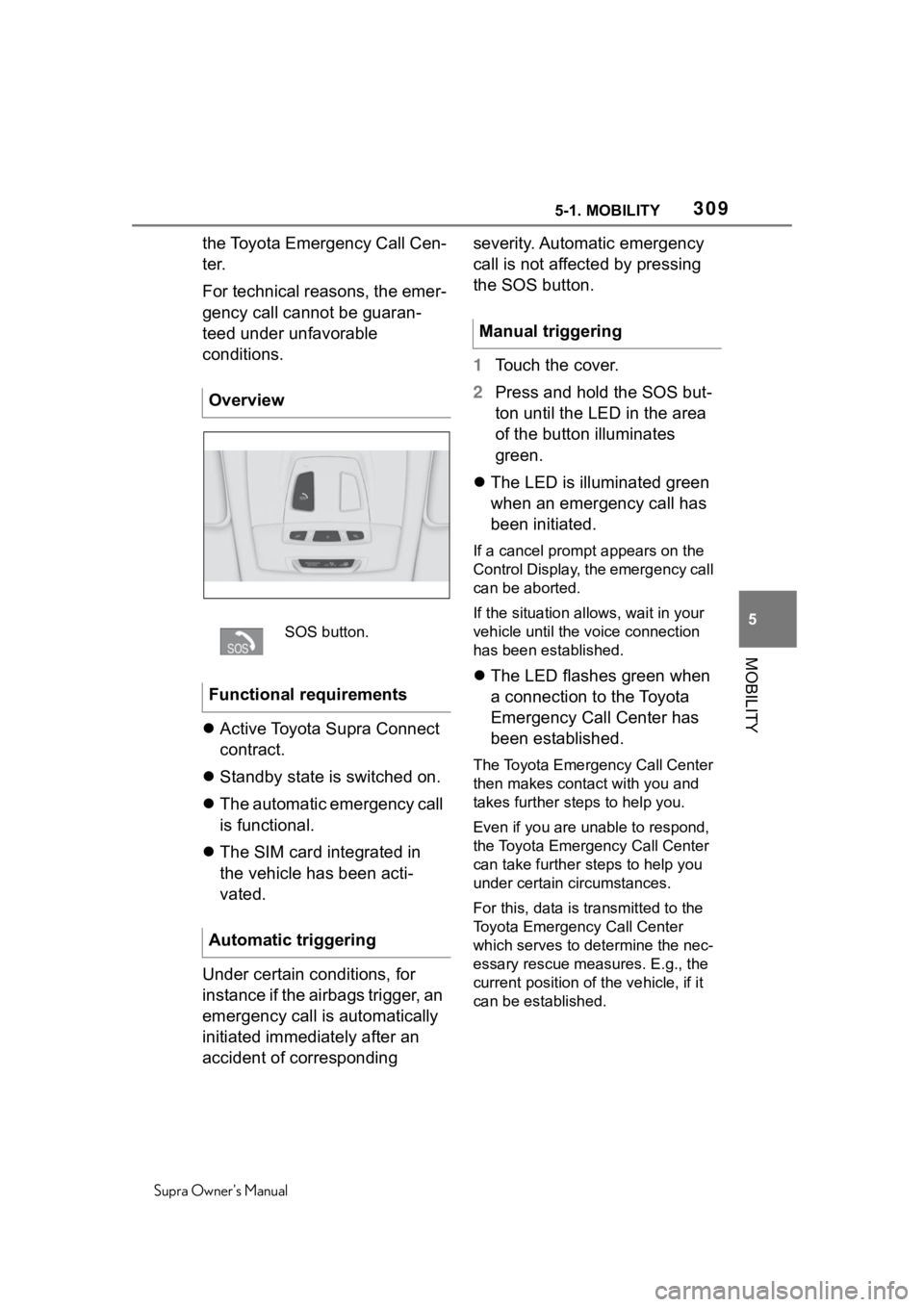
Touch the cover.
2 Press and hold the SOS but-
ton until the LED in the area
of the button illuminates
green.
The LED is illuminated green
when an emergency call has
been initiated.
If a cancel prompt appears on the
Control Display, the emergency call
can be aborted.
If the situation allo ws, wait in your
vehicle until the voice connection
has been established.
The LED flashes green when
a connection to the Toyota
Emergency Call Center has
been established.
The Toyota Emergency Call Center
then makes contact with you and
takes further steps to help you.
Even if you are unable to respond,
the Toyota Emerg ency Call Center
can take further steps to help you
under certain circumstances.
For this, data is transmitted to the
Toyota Emergency Call Center
which serves to determine the nec-
essary rescue measures. E.g., the
current position of the vehicle, if it
can be established.
Overview
SOS button.
Functional requirements
Automatic triggering
Manual triggering
Page 321 of 352
321
Supra Owner's Manual
6
6
REFERENCE
REFERENCE
.6-1. REFERENCETechnical data ............. 322
Certification ................. 324
Page 322 of 352
3226-1. REFERENCE
Supra Owner's Manual
6-1.REFERENCE
This chapter describes all stan-
dard, country-specific and
optional features offered with
the series. It also describes fea-
tures and functions that are not
necessarily available in your
vehicle, e.g., due to the selected
options or country versions. This
also applies to safety-related
functions and systems. When
using these functions and sys-
tems, the applicable laws and regulations must be observed.
The technical data and specifi-
cations in this Owner's Manual
are used as guidance values.
The vehicle-specific data can
deviate from this, for instance
due to the selected special
equipment, country version or
country-specific measurement
method. Detailed values can be
found in the approval docu-
ments, on labels on the vehicle
or can be obtained from your
Toyota dealer.
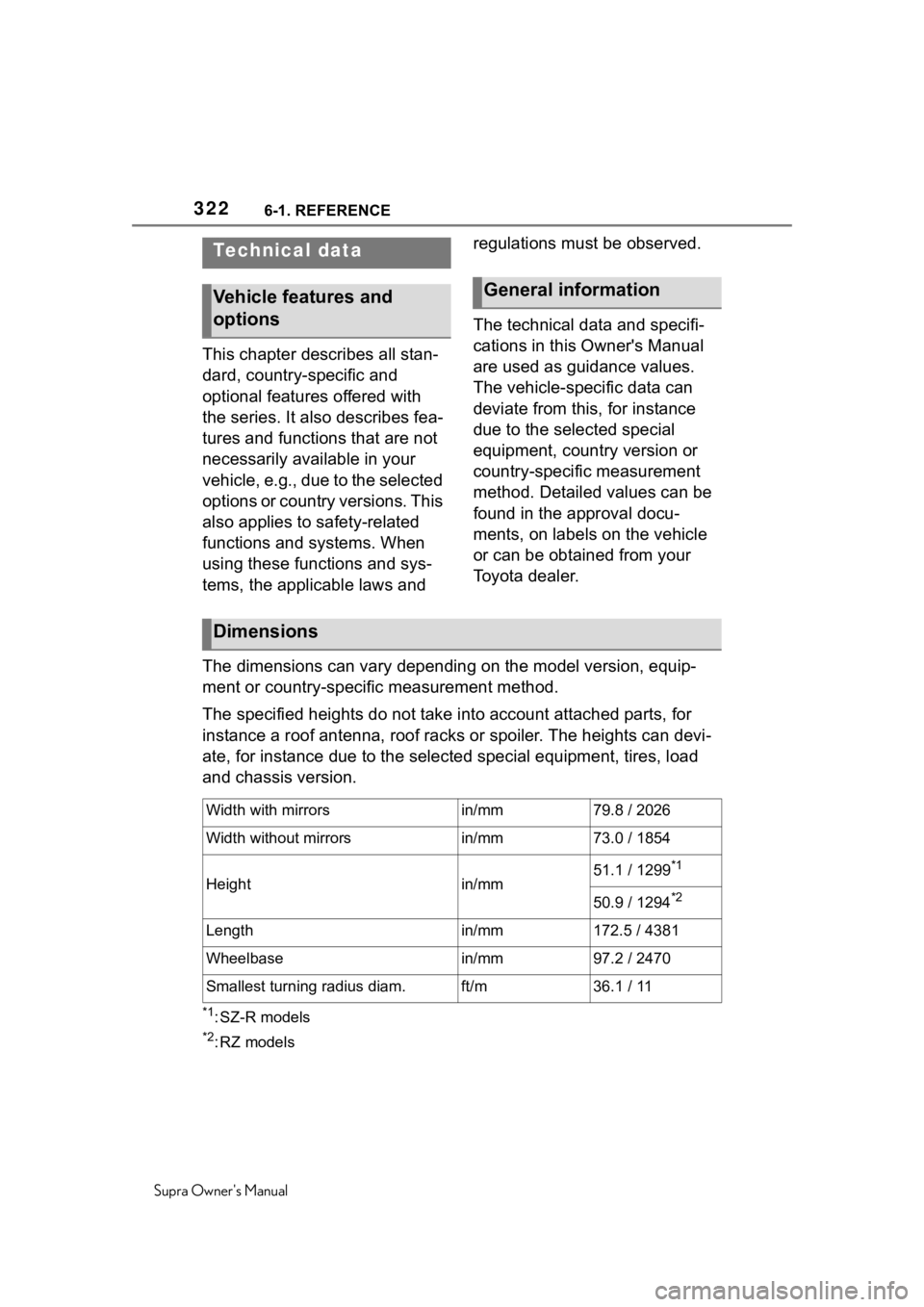
The dimensions can vary depending on the model version, equip-
ment or country-specific measurement method.
The specified heights do not take into account attached parts, for
instance a roof antenna, roof racks or spoiler. The heights can devi-
ate, for instance due to the selected special equipment, tires, load
and chassis version.
*1: SZ-R models
*2:RZ models
Technical data
Vehicle features and
optionsGeneral information
Dimensions
Width with mirrorsin/mm79.8 / 2026
Width without mirrorsin/mm73.0 / 1854
Heightin/mm51.1 / 1299*1
50.9 / 1294*2
Lengthin/mm172.5 / 4381
Wheelbasein/mm97.2 / 2470
Smallest turning radius diam.ft/m36.1 / 11
Page 340 of 352
340Alphabetical Index
Supra Owner's Manual
Changing wheels/tires ........... 266
Chassis number, see Vehicle identification number............. 12
Checking the engine oil level electronically ........................ 289
Checking the oil level electroni- cally ....................................... 289
Child restraint systems, mount- ing .......................................... 109
Child restraint systems, see Transporting ch ildren safely108
Child seat, mountin g .............. 109
Child seats, see Transporting children safely ...................... 108
Children, seating position ..... 108
Children, transporting safely 108
Chrome surfaces, care .......... 318
Chrome-plated surfaces, care318
Cleaning displays, screens ... 320
Cleaning, Head-up Display .... 320
Climate control ....................... 225
Combination switch, see Turn signals ................................... 118
Combination switch, see Washer/wiper system........... 119
Comfort entry ........................... 81
Comparison of entries, see Entry comparison ............................. 46
Compartments in the doors .. 240
Compressor ............................ 270
Condensation water under the parked vehicle ...................... 251
Condensation, removing from the windows.......................... 229
Condition Based Service CBS ............................................... 296
Confirmation signal from the vehicle ..................................... 89
Connecting electr ical devices,
see Sockets .......................... 237
Connections, Screen Mirroring71
Control Display ......................... 48 Control Display, settings .........60
Control systems, driving stability
...............................................192
Controller ..................................49
Convenient closing with the remote control ........................76
Convenient opening with the remote control ........................75
Coolant ....................................292
Coolant level ...........................293
Coolant temperature ..............138
Cooling system .......................292
Cooling, maximum .................227
Corrosion on brake discs ......250
Cosmetic mirror .... ..................237
Crossing traffic warning ........221
Cruise control .........................197
Cruise control with distance con- trol, see Adaptive Cruise Con-
trol with Stop & Go ...............201
Cruise control without distance control, see Cruise control ..197
Cruise control, active with Stop & Go .......................................201
Cruising range ........................138
Cup holder...............................241
Curtain shield air bag ..............158
Customize Settings, see Driver profiles.....................................85
Customize Settings, see Sport mode switch ..........................128
D
Damage, tires ..... .....................265
Data memory ...............................8
Data protection, settings .........64
Data, see Deleting personal data in the vehicle ...........................64
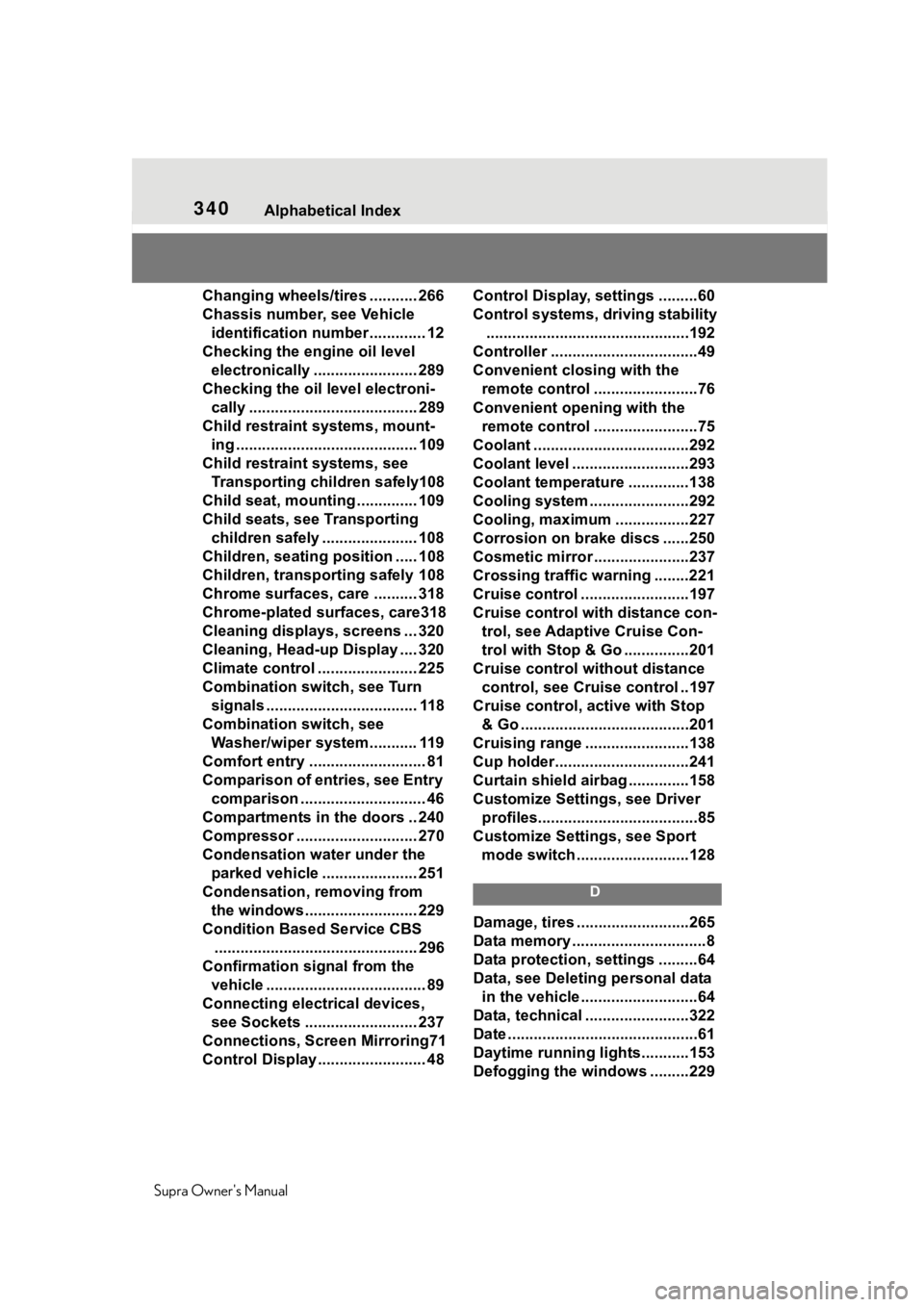
Data, technical ........................322
Date ............................................61
Daytime running lights...........153
Defogging the windows .........229
Page 348 of 352
348Alphabetical Index
Supra Owner's Manual
Steptronic Sport transmission, see Automatic transmission 123
Storage compartments, locations ............................................... 239
Storage, tires .......................... 268
Storing the vehicle ................. 320
Stowing and securing cargo . 243
Straps for cargo, see Lashing eyes in the cargo area ......... 243
Summer tires, tread ............... 265
Sun visor ................................. 237
Supplementary SMS text mes- sage ....................................... 132
Suspension settings, see Sport mode switch ......................... 128
Switch for driving dynamics, see Sport mode switch ............... 128
Switches, see Cockpit ............. 38
Symbols and displays ............... 4
T
Tail lights, see Lights and bulbs ............................................... 299
Technical changes, see For Your Own Safety................................ 5
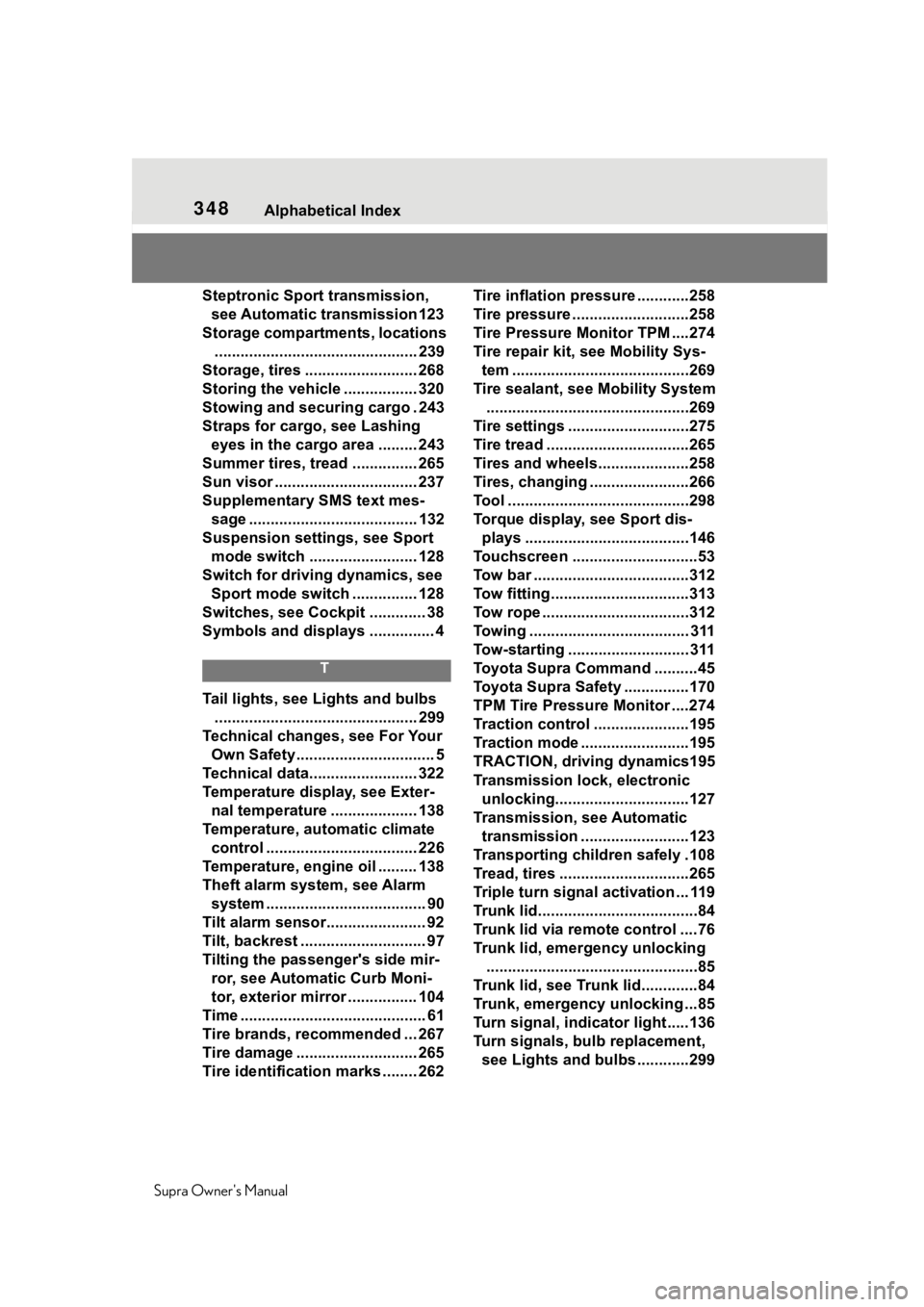
Technical data......................... 322
Temperature display, see Exter- nal temperature .................... 138
Temperature, automatic climate control ................................... 226
Temperature, engine oil ......... 138
Theft alarm system, see Alarm system ..................................... 90
Tilt alarm sensor....................... 92
Tilt, backrest ............................. 97
Tilting the passenger's side mir- ror, see Automatic Curb Moni-
tor, exterior mirror ................ 104
Time ........................................... 61
Tire brands, recommended ... 267
Tire damage ............................ 265
Tire identification marks ........ 262 Tire inflation pres
sure ............258
Tire pressure ...........................258
Tire Pressure Monitor TPM ....274
Tire repair kit, s ee Mobility Sys-
tem .........................................269
Tire sealant, se e Mobility System
...............................................269
Tire settings ............................275
Tire tread .................................265
Tires and wheels.....................258
Tires, changing .......................266
Tool ..........................................298
Torque display, see Sport dis- plays ......................................146
Touchscreen .............................53
Tow bar ....................................312
Tow fitting................................313
Tow rope ..................................312
Towing ..................................... 311
Tow-starting ............................ 311
Toyota Supra Command ..........45
Toyota Supra Safety ...............170
TPM Tire Pressure Monitor ....274
Traction control ......................195
Traction mode .........................195
TRACTION, driving dynamics195
Transmission lock, electronic unlocking...............................127
Transmission, see Automatic transmission .........................123
Transporting children safely .108
Tread, tires ..............................265
Triple turn signal activation ... 119
Trunk lid.....................................84
Trunk lid via remote control ....76
Trunk lid, emergency unlocking .................................................85
Trunk lid, see Trunk lid.............84
Trunk, emergency unlocking ...85
Turn signal, indicator light.....136
Turn signals, bulb replacement, see Lights and bulbs ............299