turn signal TOYOTA SUPRA 2020 Owners Manual (in English)
[x] Cancel search | Manufacturer: TOYOTA, Model Year: 2020, Model line: SUPRA, Model: TOYOTA SUPRA 2020Pages: 356, PDF Size: 6.04 MB
Page 20 of 356
202-1. QUICK REFERENCE
Supra Owner's Manual
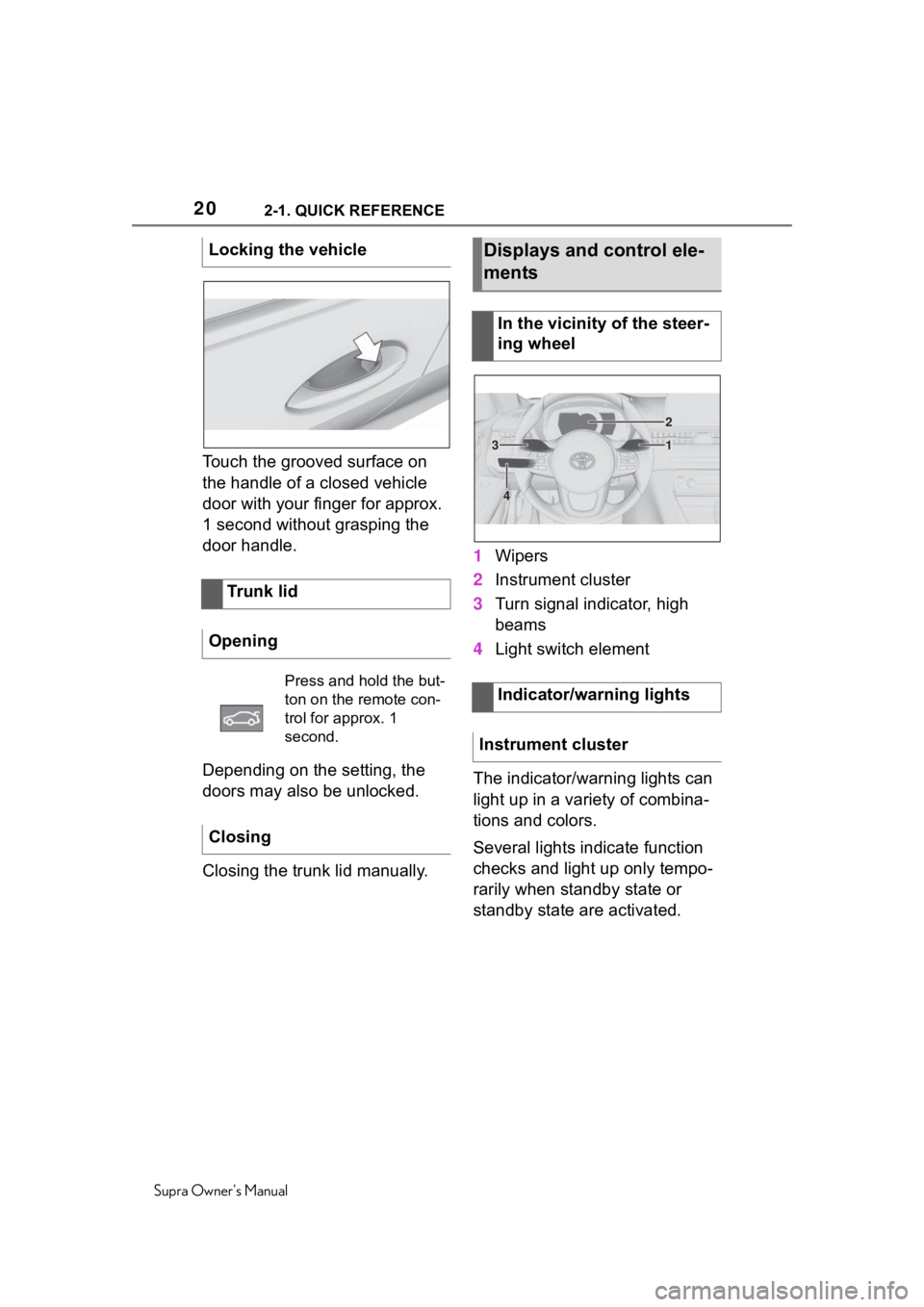
Touch the grooved surface on
the handle of a closed vehicle
door with your finger for approx.
1 second without grasping the
door handle.
Depending on the setting, the
doors may also be unlocked.
Closing the trunk lid manually.1
Wipers
2 Instrument cluster
3 Turn signal indicator, high
beams
4 Light switch element
The indicator/warning lights can
light up in a variety of combina-
tions and colors.
Several lights indicate function
checks and light up only tempo-
rarily when standby state or
standby state are activated.
Locking the vehicle
Trunk lid
Opening
Press and hold the but-
ton on the remote con-
trol for approx. 1
second.
Closing
Displays and control ele-
ments
In the vicinity of the steer-
ing wheel
Indicator/warning lights
Instrument cluster
1
2
3
4
Page 29 of 356
292-1. QUICK REFERENCE
Supra Owner's Manual
2
QUICK REFERENCE
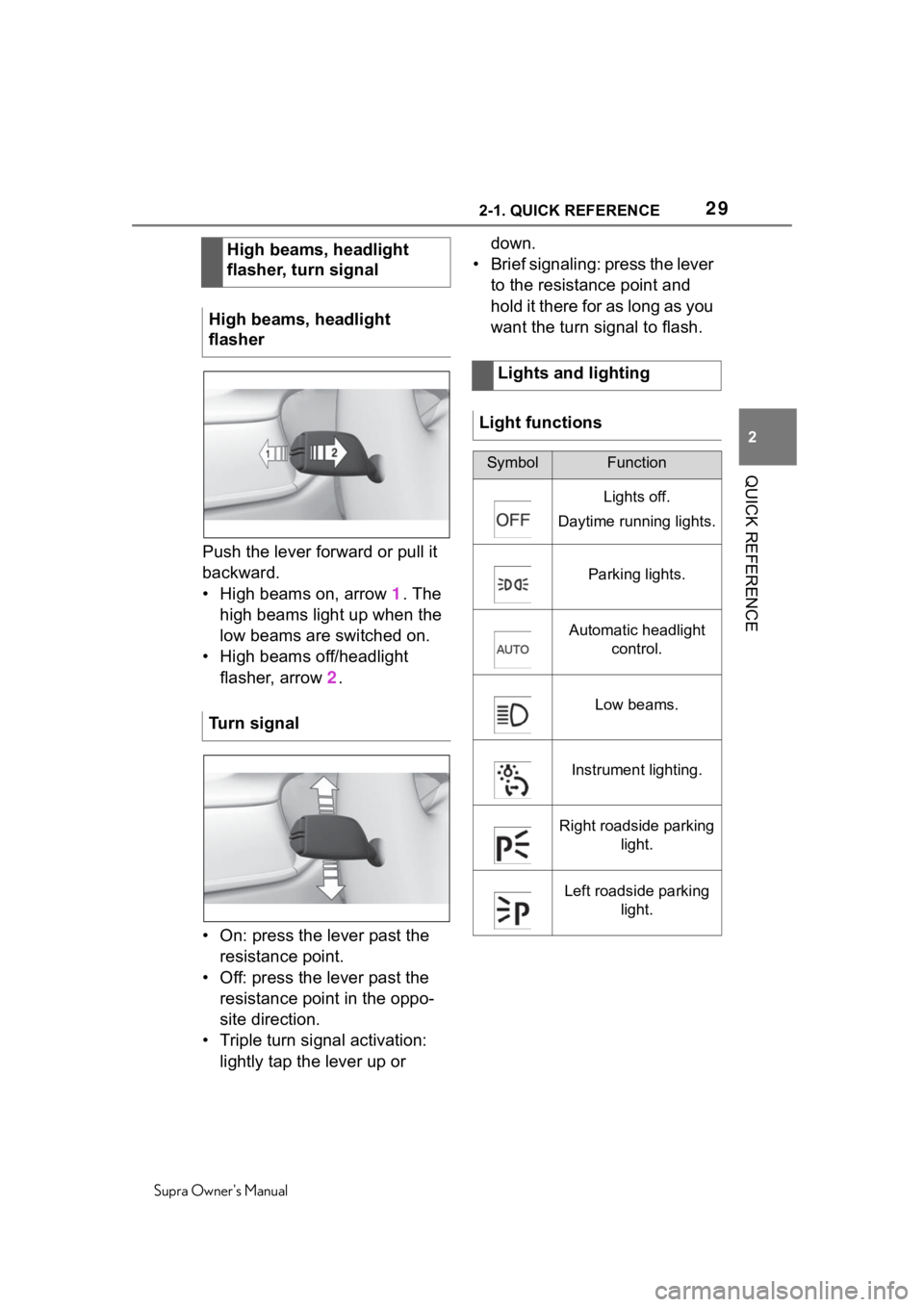
Push the lever forward or pull it
backward.
• High beams on, arrow 1. The
high beams light up when the
low beams are switched on.
• High beams off/headlight flasher, arrow 2 .
• On: press the lever past the resistance point.
• Off: press the lever past the resistance point in the oppo-
site direction.
• Triple turn signal activation: lightly tap the lever up or down.
• Brief signaling: press the lever to the resistance point and
hold it there for as long as you
want the turn signal to flash.
High beams, headlight
flasher, turn signal
High beams, headlight
flasher
Turn signal
Lights and lighting
Light functions
SymbolFunction
Lights off.
Daytime running lights.
Parking lights.
Automatic headlight control.
Low beams.
Instrument lighting.
Right roadside parking light.
Left roadside parking light.
Page 37 of 356
373-1. AT A GLANCE
Supra Owner's Manual
3
AT A GLANCE
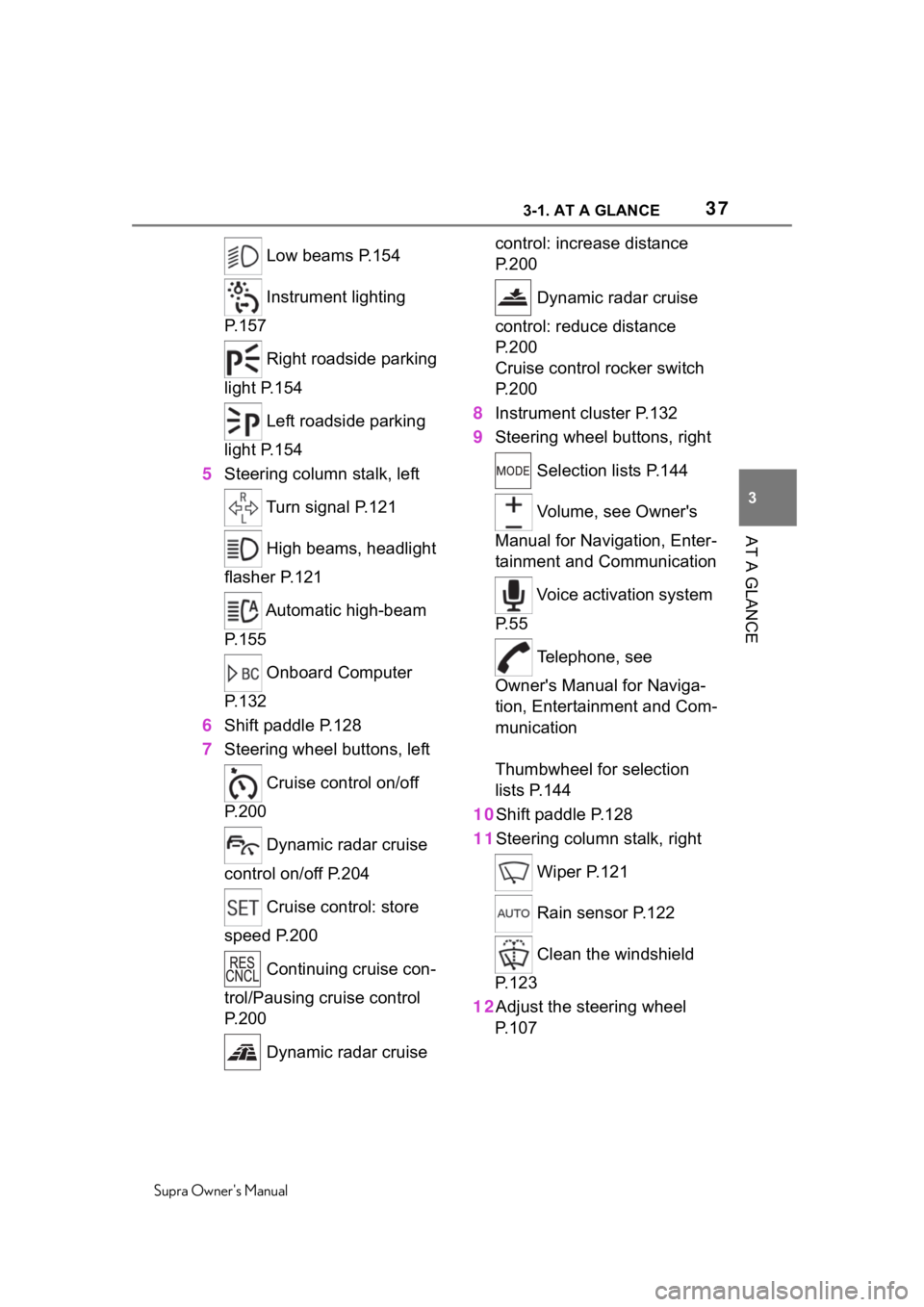
Low beams P.154
Instrument lighting
P.157
Right roadside parking
light P.154
Left roadside parking
light P.154
5 Steering column stalk, left
Turn signal P.121
High beams, headlight
flasher P.121
Automatic high-beam
P.155
Onboard Computer
P.132
6 Shift paddle P.128
7 Steering wheel buttons, left
Cruise control on/off
P.200
Dynamic radar cruise
control on/off P.204
Cruise control: store
speed P.200
Continuing cruise con-
trol/Pausing cruise control
P.200
Dynamic radar cruise control: increase distance
P. 2 0 0
Dynamic radar cruise
control: reduce distance
P. 2 0 0
Cruise control rocker switch
P. 2 0 0
8 Instrument cluster P.132
9 Steering wheel buttons, right
Selection lists P.144
Volume, see Owner's
Manual for Navigation, Enter-
tainment and Communication
Voice activation system
P. 5 5
Telephone, see
Owner's Manual for Naviga-
tion, Entertainment and Com-
munication
Thumbwheel for selection
lists P.144
10Shift paddle P.128
11Steering column stalk, right
Wiper P.121
Rain sensor P.122
Clean the windshield
P. 1 2 3
12Adjust the steering wheel P. 1 0 7
Page 92 of 356
924-1. CONTROLS
Supra Owner's Manual
3"Doors/Key"
4 "Unlock at end of trip"
After drive-ready state is switched
off by pressing t he Start/Stop but-
ton, the locked ve hicle is automati-
cally unlocked.
Via Toyota Supra Command:
1 "My Vehicle"
2 "Vehicle settings"
3 "Doors/Key"
4 "Fold mirrors in when locked"
The exterior mirro rs are automati-
cally folded in during locking.
Via Toyota Supra Command:
1 "My Vehicle"
2 "Vehicle settings"
3 "Doors/Key"
4 "Turn off after door opening"
Opening the front doors establishes
the idle state, refer to page 40.
When the vehicle is locked, the
vehicle alarm system reacts to
the following changes:
• Opening a door, the hood or
the trunk lid. • Movements in the car's inte-
rior.
• Changes in the vehicle tilt, e. g., during attempts at stealing
a wheel or when towing the
vehicle.
• Disconnected battery voltage.
• Improper use of the socket for OBD Onboard Diagnosis.
• Locking the vehicle while a device is connected to the
socket for the OBD Onboard-
Diagnosis. For socket for the
OBD Onboard Diagnosis,
refer to page 300
The alarm system signals the
following changes visually and
acoustically:
• Acoustic alarm: Depending on local regulations, the acoustic
alarm may be suppressed.
• Visual alarm: By flashing the exterior lighting.
When you unlock and lock the
vehicle, either with the remote
control or with Comfort entry, the
alarm system is switched off and
on at the same time.
The alarm system is triggered
when a door is opened if the
door was unlocked using the
integrated key in the door lock.
Folding mirrors automati-
cally
Establishing idle state
after opening the front
doors
Alarm system
General information
Switching on/off
Opening the doors with
the alarm system switched
on
Page 121 of 356
1214-1. CONTROLS
Supra Owner's Manual
4
CONTROLS
When driving and during opera-
tion of the turn signals or hazard
warning system, do not fold in
the exterior mirrors, so that the
signal lights on the exterior mir-
ror are easy to see.
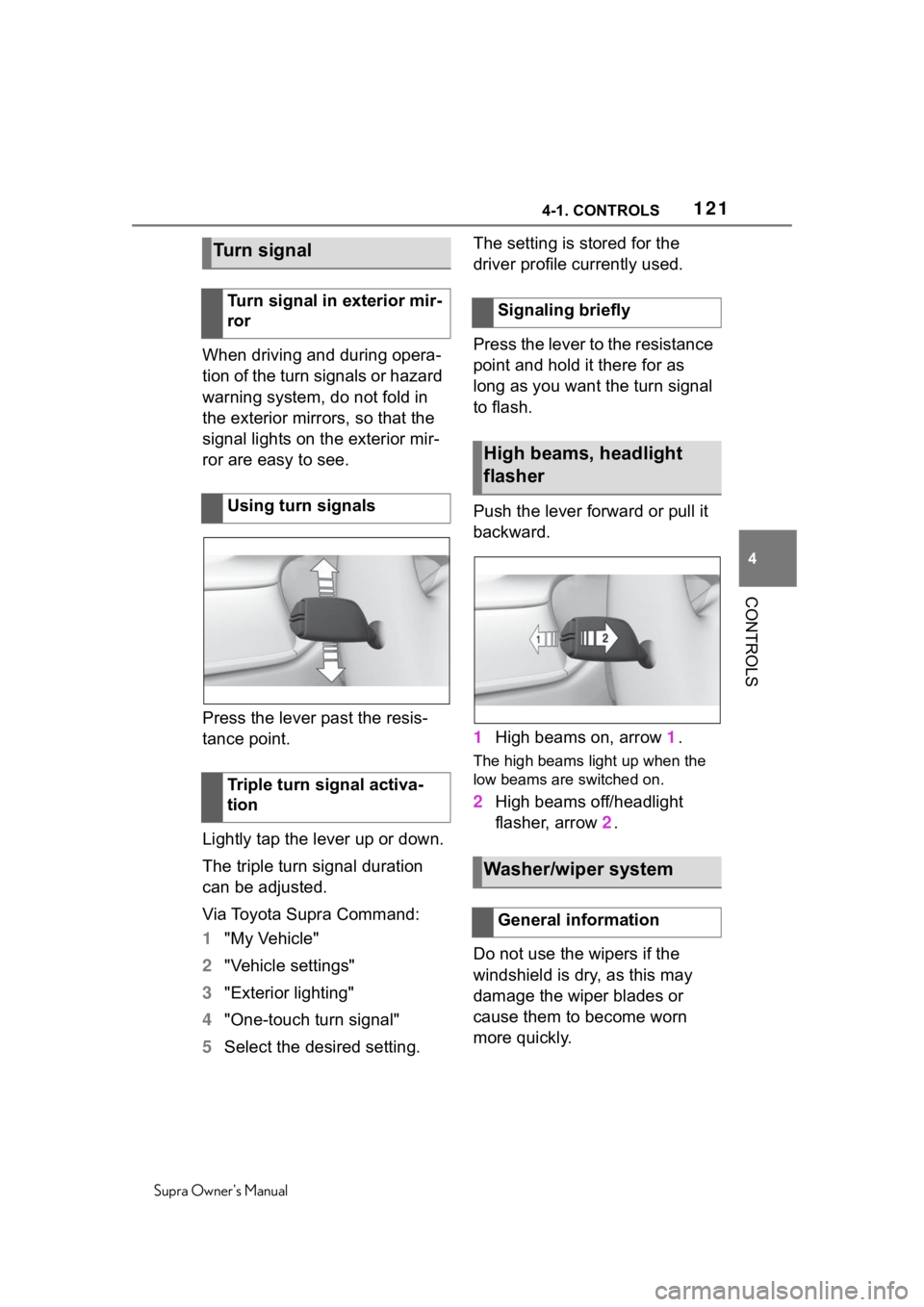
Press the lever past the resis-
tance point.
Lightly tap the lever up or down.
The triple turn signal duration
can be adjusted.
Via Toyota Supra Command:
1 "My Vehicle"
2 "Vehicle settings"
3 "Exterior lighting"
4 "One-touch turn signal"
5 Select the desired setting. The setting is stored for the
driver profile currently used.
Press the lever to the resistance
point and hold it there for as
long as you want the turn signal
to flash.
Push the lever forward or pull it
backward.
1
High beams on, arrow 1.
The high beams light up when the
low beams are switched on.
2 High beams off/headlight
flasher, arrow 2.
Do not use the wipers if the
windshield is dry, as this may
damage the wiper blades or
cause them to become worn
more quickly.
Turn signal
Turn signal in exterior mir-
ror
Using turn signals
Triple turn signal activa-
tionSignaling briefly
High beams, headlight
flasher
Washer/wiper system
General information
Page 134 of 356
1344-1. CONTROLS
Supra Owner's Manual
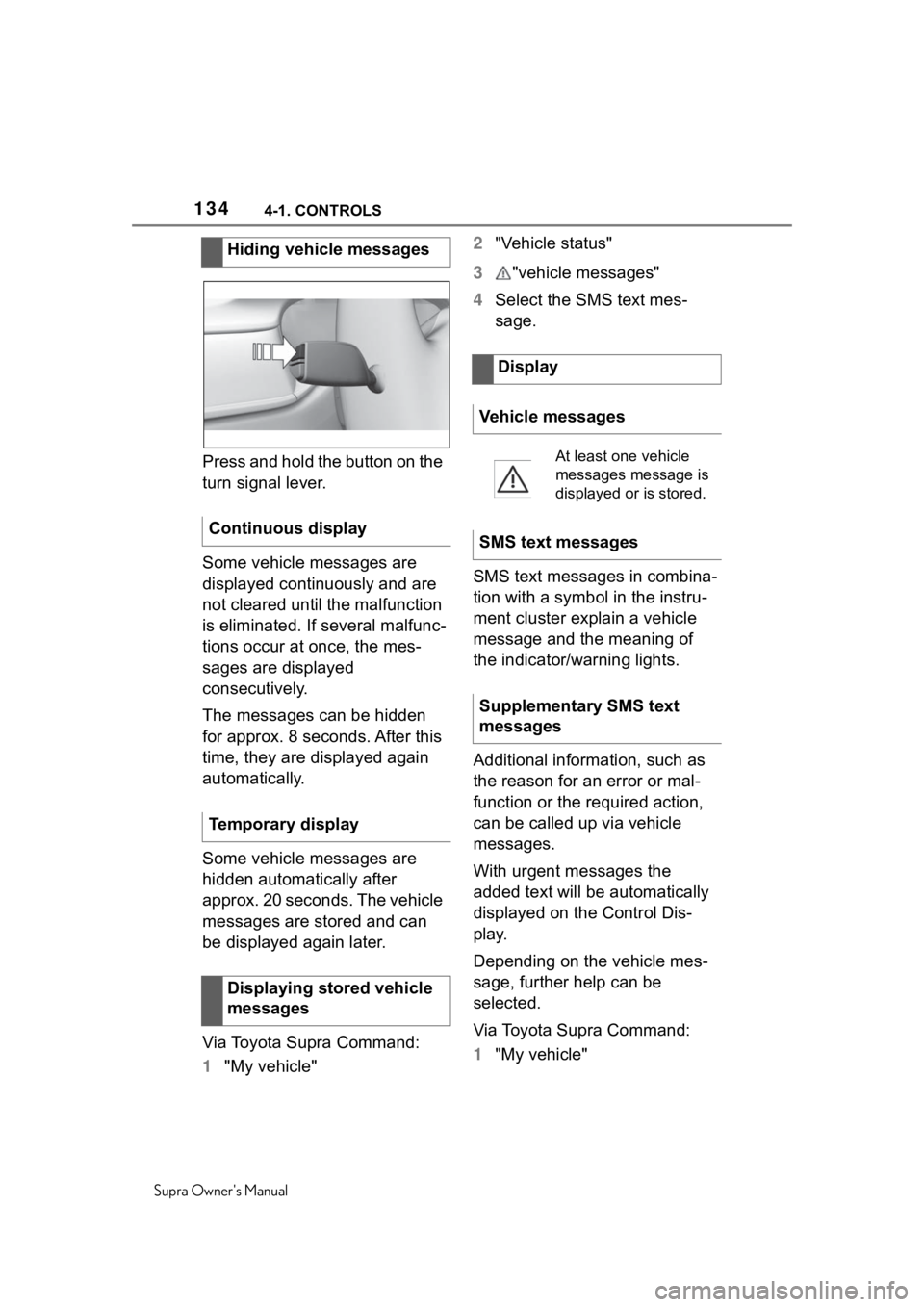
Press and hold the button on the
turn signal lever.
Some vehicle messages are
displayed continuously and are
not cleared until the malfunction
is eliminated. If several malfunc-
tions occur at once, the mes-
sages are displayed
consecutively.
The messages can be hidden
for approx. 8 seconds. After this
time, they are displayed again
automatically.
Some vehicle messages are
hidden automatically after
approx. 20 seconds. The vehicle
messages are stored and can
be displayed again later.
Via Toyota Supra Command:
1"My vehicle" 2
"Vehicle status"
3 "vehicle messages"
4 Select the SMS text mes-
sage.
SMS text messages in combina-
tion with a symbol in the instru-
ment cluster explain a vehicle
message and the meaning of
the indicator/warning lights.
Additional information, such as
the reason for an error or mal-
function or the required action,
can be called up via vehicle
messages.
With urgent messages the
added text will be automatically
displayed on the Control Dis-
play.
Depending on the vehicle mes-
sage, further help can be
selected.
Via Toyota Supra Command:
1 "My vehicle"
Hiding vehicle messages
Continuous display
Temporary display Displaying stored vehicle
messages
Display
Vehicle messages
At least one vehicle
messages message is
displayed or is stored.
SMS text messages
Supplementary SMS text
messages
Page 138 of 356
1384-1. CONTROLS
Supra Owner's Manual
The current fill level of the fuel
tank is displayed.
Vehicle tilt position may cause
the display to vary.
Information on refueling, refer to
page 260.
Green lights
Turn signal
Turn signal switched
on.
Unusually rapid flash-
ing of the indicator light
indicates that a turn sig-
nal bulb has failed.
Turn signal, refer to
page 121.
Parking lights
Parking lights are
switched on.
Parking lights/low
beams, refer to page
153.
Low beams
Low beams are
switched on.
Parking lights/low
beams, refer to page
153.
Lane departure warning
The indicator light lights
up: the system is acti-
vated. A lane marking
was detected on at
least one side of the
vehicle and warnings
can be issued.
Lane departure warn-
ing, refer to page 184.
Automatic high-beam
Automatic high-beam is
switched on.
High beams are
switched on and off
automatically depend-
ing on the traffic situa-
tion.
Automatic high-beam,
refer to page 155.
Blue lights
High beams
High beams are
switched on.
High beams, refer to
page 121.
Fuel gauge
Concept
General information
Page 145 of 356
1454-1. CONTROLS
Supra Owner's Manual
4
CONTROLS
If necessary, the corresponding
menu will open on the Control
Display.
Items displayed may differ
depending on the specifications
of the vehicle.
The Onboard Computer dis-
plays different vehicle data in the instrument cluster, such as
average values.
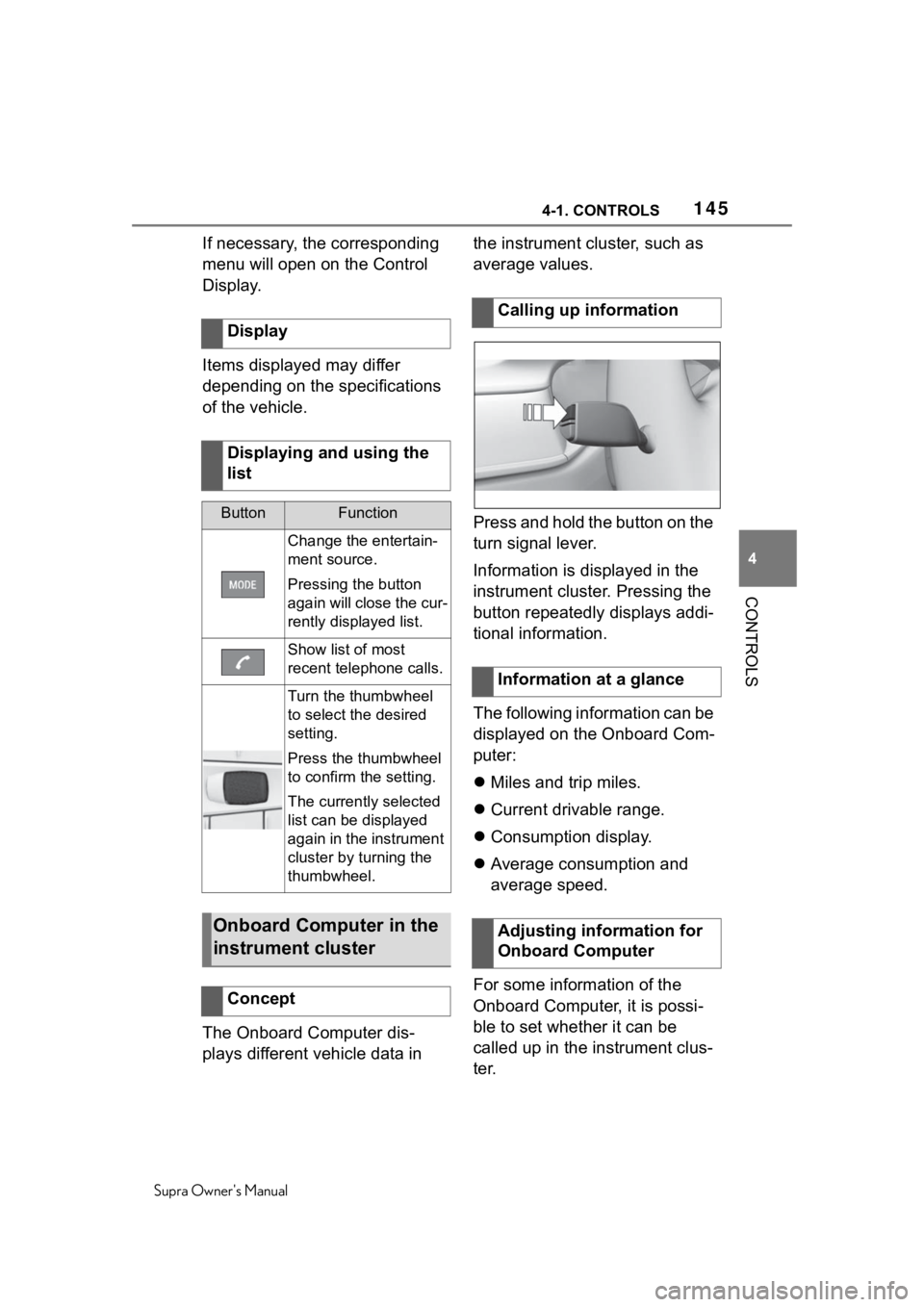
Press and hold the button on the
turn signal lever.
Information is displayed in the
instrument cluster. Pressing the
button repeatedly displays addi-
tional information.
The following information can be
displayed on the Onboard Com-
puter:
Miles and trip miles.
Current drivable range.
Consumption display.
Average consumption and
average speed.
For some information of the
Onboard Computer, it is possi-
ble to set whether it can be
called up in the instrument clus-
ter.
Display
Displaying and using the
list
ButtonFunction
Change the entertain-
ment source.
Pressing the button
again will close the cur-
rently displayed list.
Show list of most
recent telephone calls.
Turn the thumbwheel
to select the desired
setting.
Press the thumbwheel
to confirm the setting.
The currently selected
list can be displayed
again in the instrument
cluster by turning the
thumbwheel.
Onboard Computer in the
instrument cluster
Concept
Calling up information
Information at a glance
Adjusting information for
Onboard Computer
Page 147 of 356
1474-1. CONTROLS
Supra Owner's Manual
4
CONTROLS
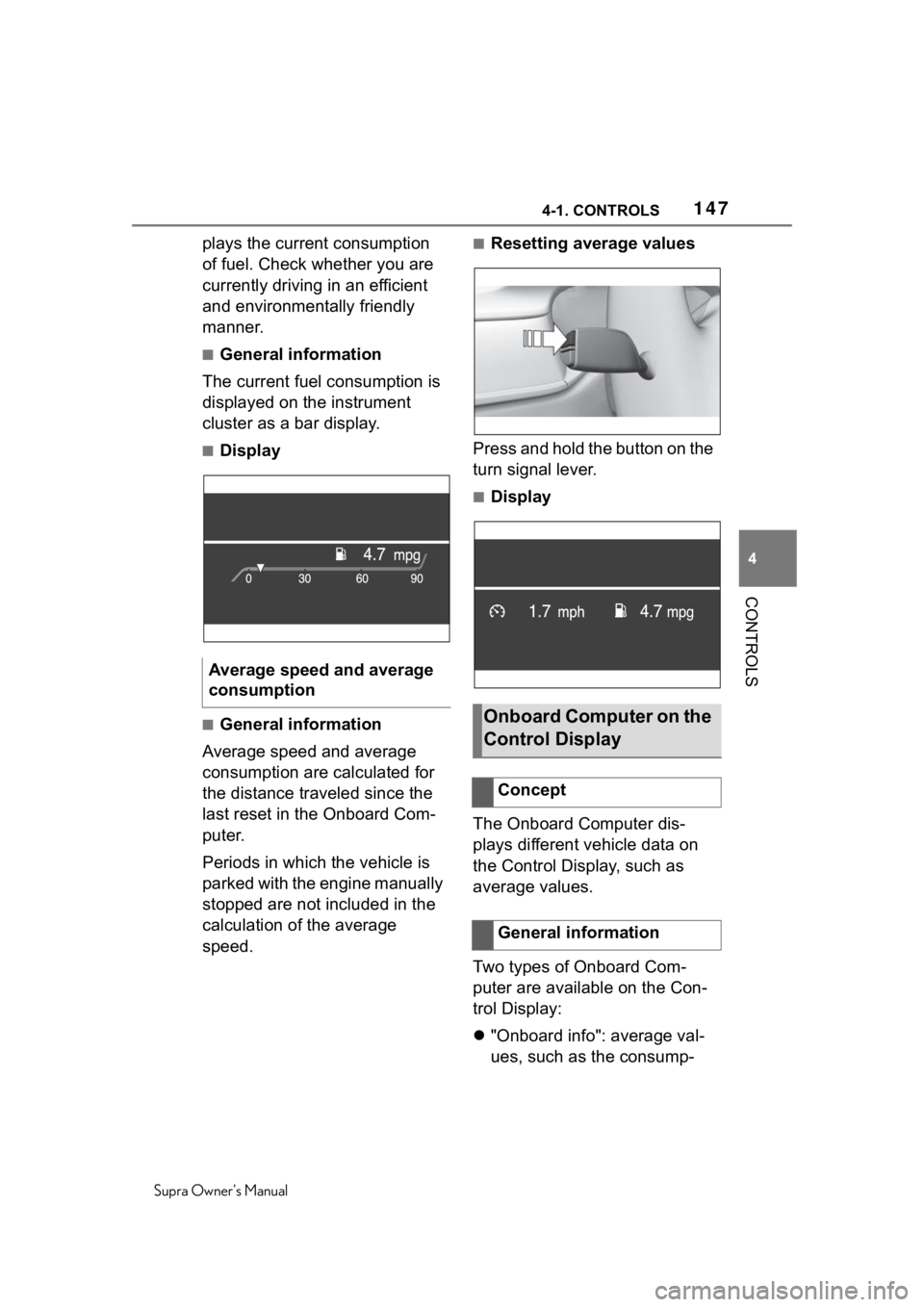
plays the current consumption
of fuel. Check whether you are
currently driving in an efficient
and environmentally friendly
manner.
■General information
The current fuel consumption is
displayed on the instrument
cluster as a bar display.
■Display
■General information
Average speed and average
consumption are calculated for
the distance traveled since the
last reset in the Onboard Com-
puter.
Periods in which the vehicle is
parked with the engine manually
stopped are not included in the
calculation of the average
speed.
■Resetting average values
Press and hold the button on the
turn signal lever.
■Display
The Onboard Computer dis-
plays different vehicle data on
the Control Display, such as
average values.
Two types of Onboard Com-
puter are available on the Con-
trol Display:
"Onboard info": average val-
ues, such as the consump-
Average speed and average
consumption
Onboard Computer on the
Control Display
Concept
General information
Page 156 of 356
1564-1. CONTROLS
Supra Owner's Manual
ensures that the high beams are
switched on, whenever the traf-
fic situation allows. In the low
speed range, the high beams
are not switched on by the sys-
tem.
The system responds to light
from oncoming traffic and traffic
driving ahead of you, and to
ambient lighting, for instance in
towns and cities.
The high beams can be
switched on and off manually at
any time.
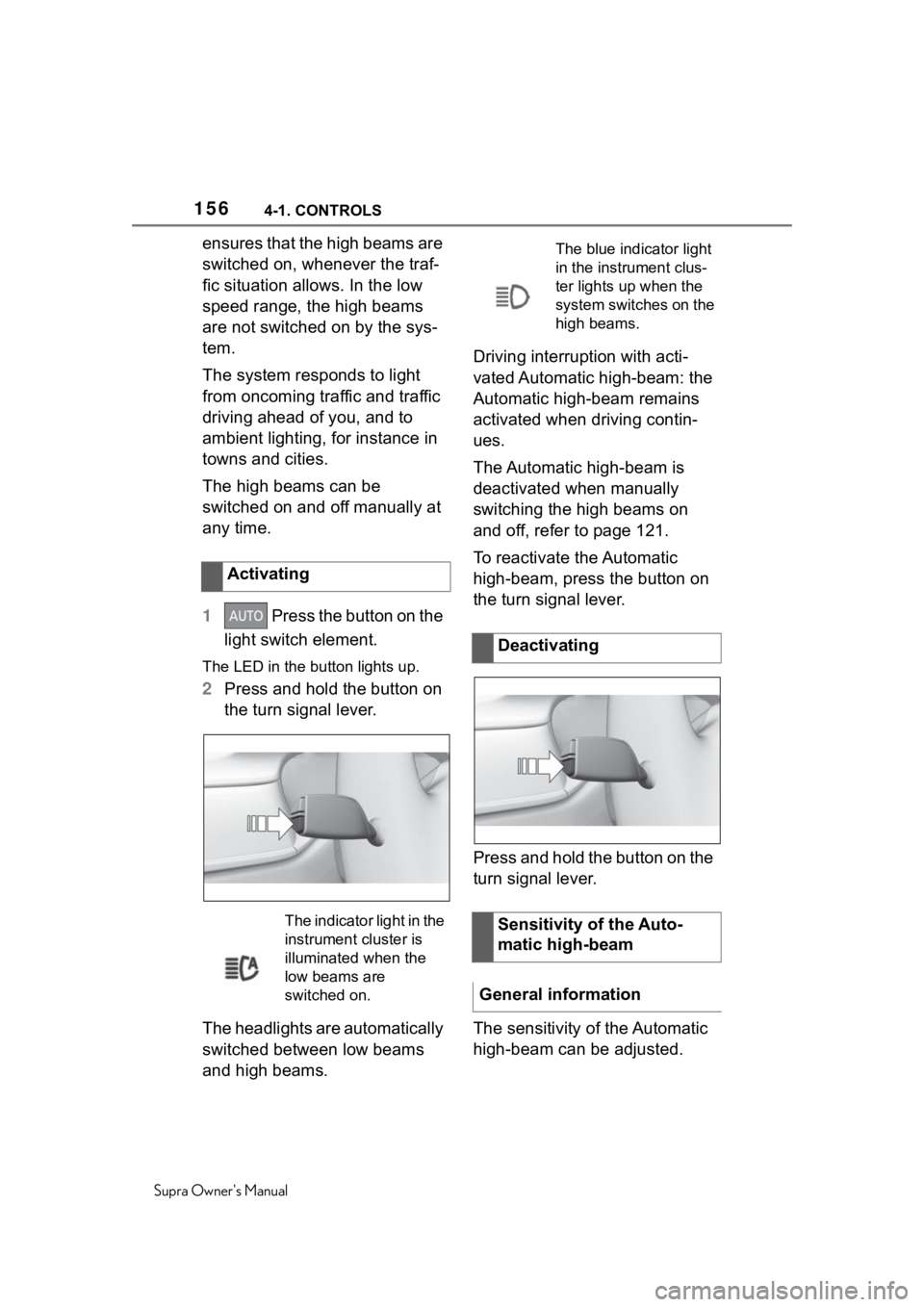
1 Press the button on the
light switch element.
The LED in the button lights up.
2 Press and hold the button on
the turn signal lever.
The headlights are automatically
switched between low beams
and high beams. Driving interruption with acti-
vated Automatic high-beam: the
Automatic high-beam remains
activated when driving contin-
ues.
The Automatic high-beam is
deactivated when manually
switching the high beams on
and off, refer to page 121.
To reactivate the Automatic
high-beam, press the button on
the turn signal lever.
Press and hold the button on the
turn signal lever.
The sensitivity of the Automatic
high-beam can be adjusted.
Activating
The indicator light in the
instrument cluster is
illuminated when the
low beams are
switched on.
The blue indicator light
in the instrument clus-
ter lights up when the
system switches on the
high beams.
Deactivating
Sensitivity of the Auto-
matic high-beam
General information