wipers TOYOTA SUPRA 2020 Owners Manual (in English)
[x] Cancel search | Manufacturer: TOYOTA, Model Year: 2020, Model line: SUPRA, Model: TOYOTA SUPRA 2020Pages: 360, PDF Size: 5.97 MB
Page 20 of 360
202-1. QUICK REFERENCE
Supra Owner's Manual
Touch the grooved surface on
the handle of a closed vehicle
door with your finger for approx.
1 second without grasping the
door handle.
Depending on the setting, the
doors may also be unlocked.
Closing the trunk lid manually.1
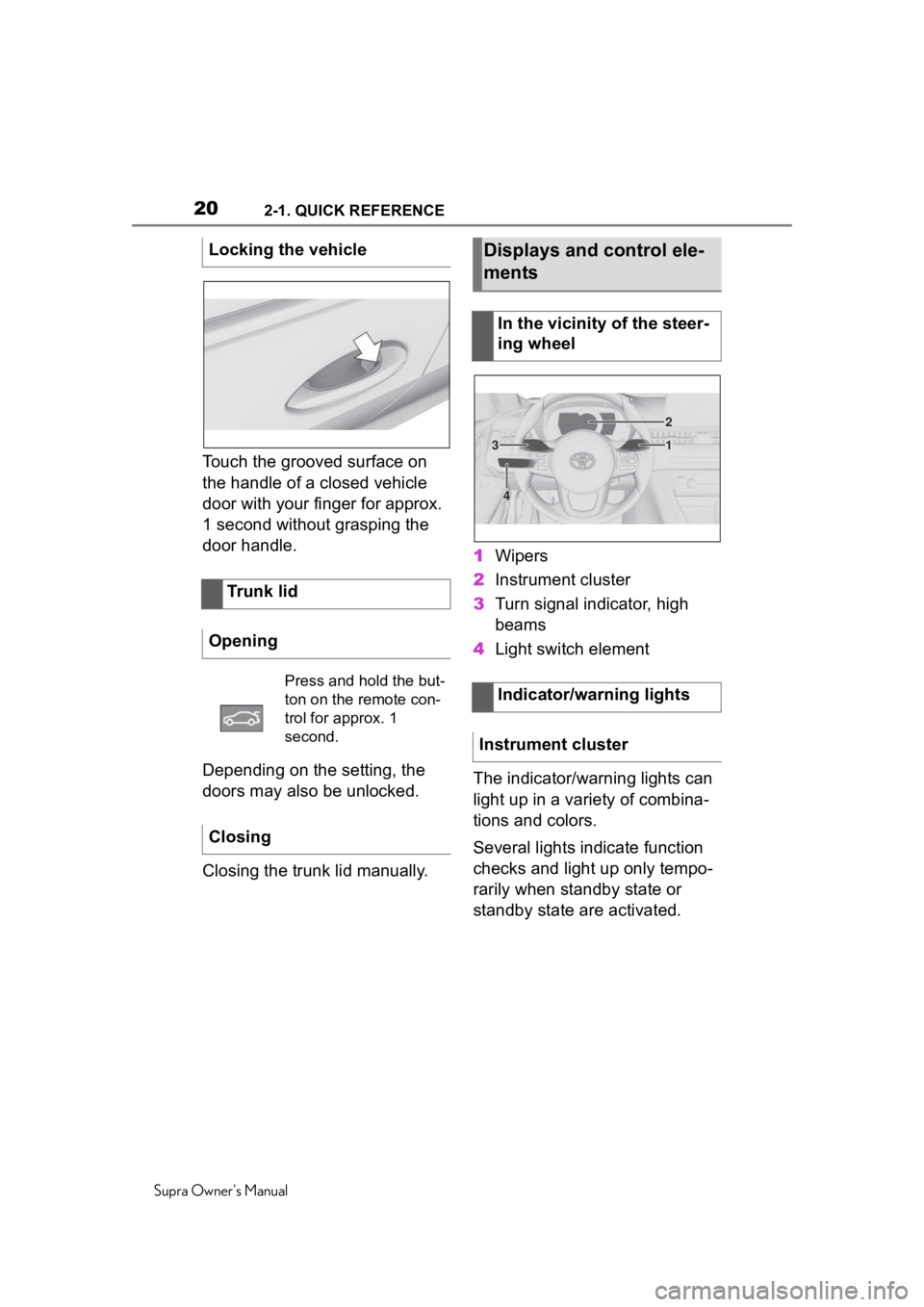
Wipers
2 Instrument cluster
3 Turn signal indicator, high
beams
4 Light switch element
The indicator/warning lights can
light up in a variety of combina-
tions and colors.
Several lights indicate function
checks and light up only tempo-
rarily when standby state or
standby state are activated.
Locking the vehicle
Trunk lid
Opening
Press and hold the but-
ton on the remote con-
trol for approx. 1
second.
Closing
Displays and control ele-
ments
In the vicinity of the steer-
ing wheel
Indicator/warning lights
Instrument cluster
1
2
3
4
Page 30 of 360
302-1. QUICK REFERENCE
Supra Owner's Manual
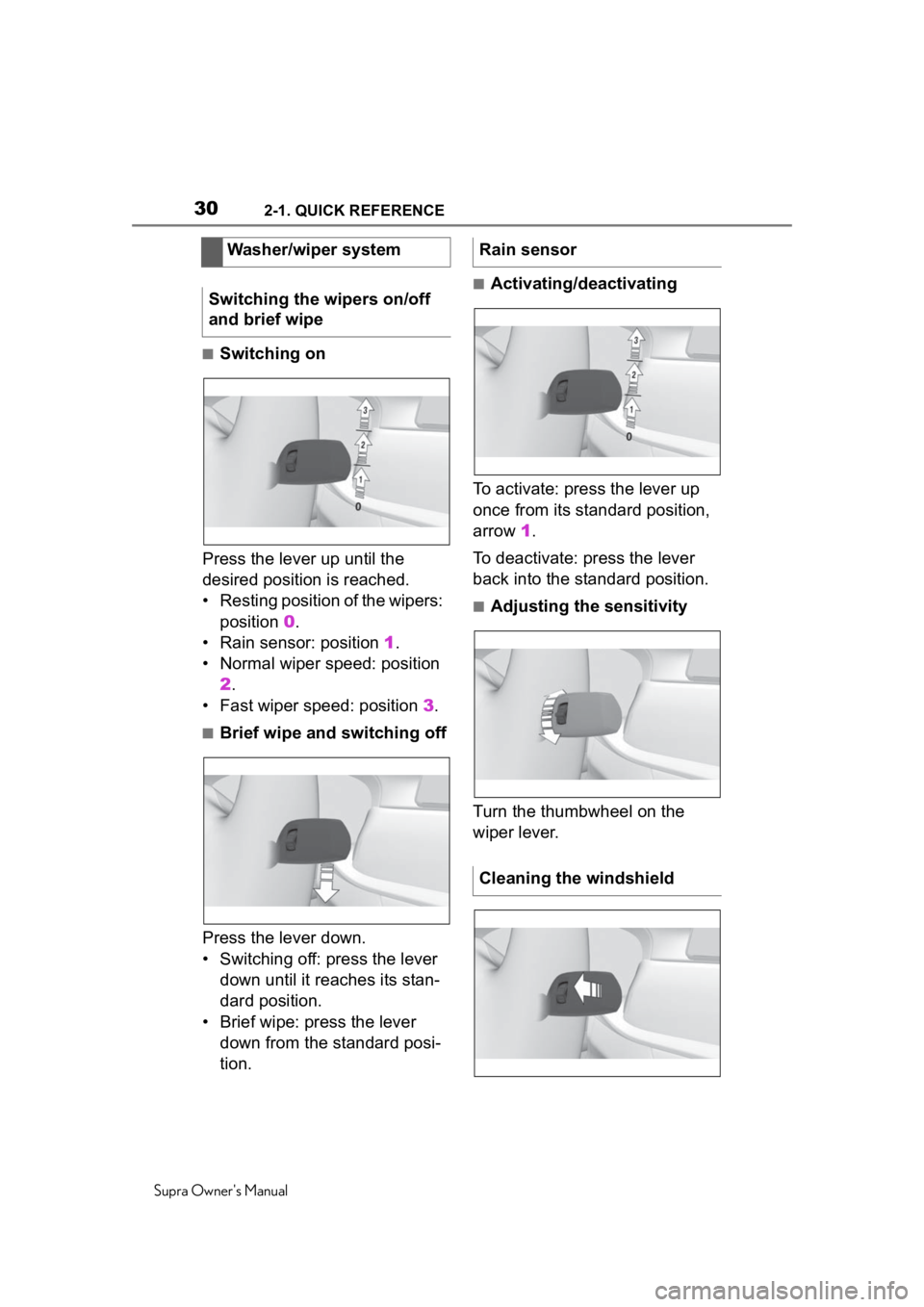
■Switching on
Press the lever up until the
desired position is reached.
• Resting position of the wipers: position 0.
• Rain sensor: position 1.
• Normal wiper speed: position 2.
• Fast wiper speed: position 3.
■Brief wipe and switching off
Press the lever down.
• Switching off: press the lever down until it reaches its stan-
dard position.
• Brief wipe: press the lever down from the standard posi-
tion.
■Activating/deactivating
To activate: press the lever up
once from its standard position,
arrow 1.
To deactivate: press the lever
back into the standard position.
■Adjusting the sensitivity
Turn the thumbwheel on the
wiper lever.
Washer/wiper system
Switching the wipers on/off
and brief wipe
Rain sensor
Cleaning the windshield
Page 122 of 360
1224-1. CONTROLS
Supra Owner's Manual
The setting is stored for the
driver profile currently used.
Press the lever to the resistance
point and hold it there for as
long as you want the turn signal
to flash.
Push the lever forward or pull it
backward.
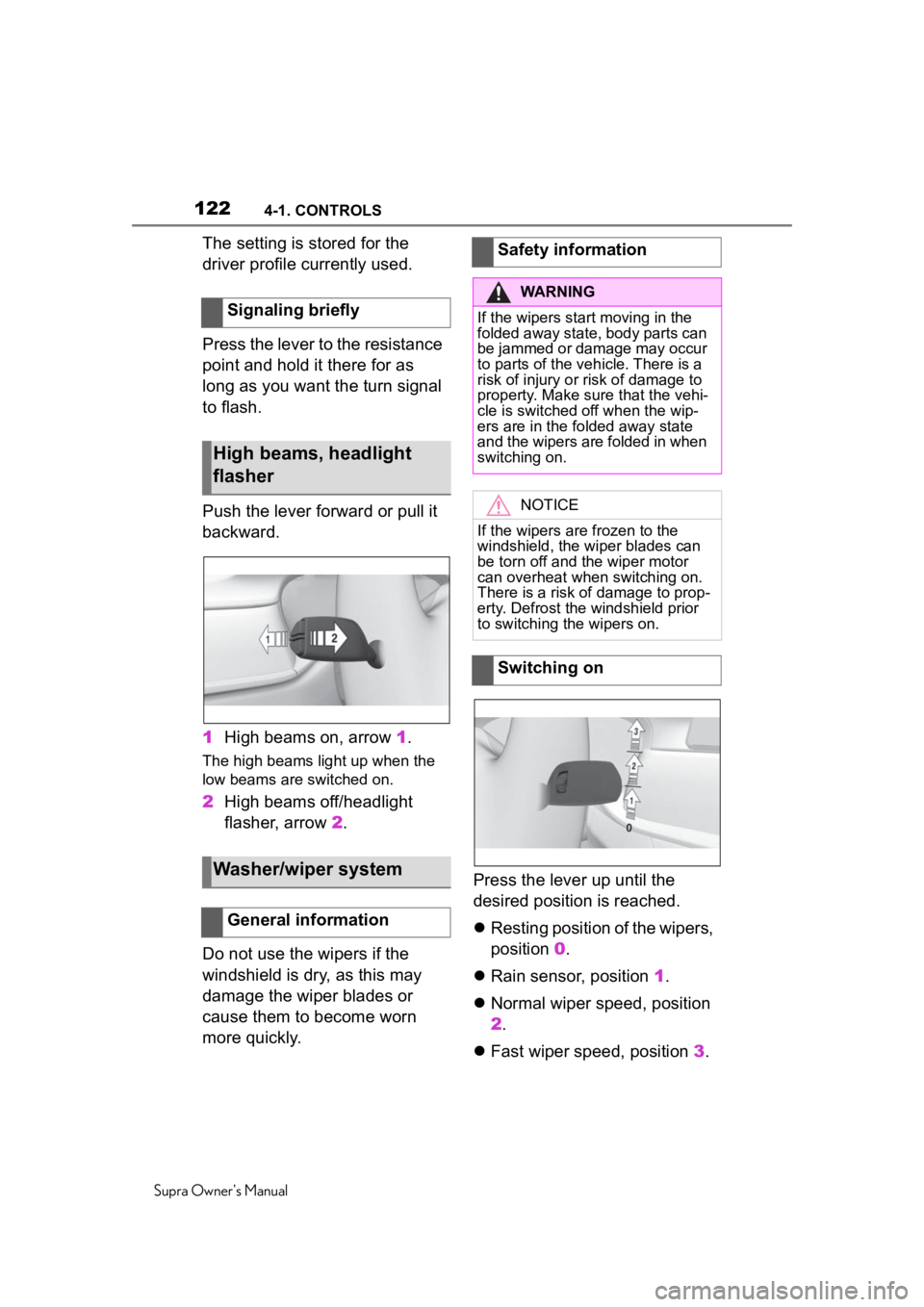
1High beams on, arrow 1.
The high beams light up when the
low beams are switched on.
2High beams off/headlight
flasher, arrow 2.
Do not use the wipers if the
windshield is dry, as this may
damage the wiper blades or
cause them to become worn
more quickly. Press the lever up until the
desired position is reached.
Resting position of the wipers,
position 0.
Rain sensor, position 1.
Normal wiper speed, position
2.
Fast wiper speed, position 3.
Signaling briefly
High beams, headlight
flasher
Washer/wiper system
General information
Safety information
WARNING
If the wipers start moving in the
folded away state, body parts can
be jammed or damage may occur
to parts of the veh
icle. There is a
risk of injury or risk of damage to
property. Make sure that the vehi-
cle is switched off when the wip-
ers are in the folded away state
and the wipers are folded in when
switching on.
NOTICE
If the wipers are frozen to the
windshield, the wiper blades can
be torn off and th e wiper motor
can overheat whe n switching on.
There is a risk of damage to prop-
erty. Defrost the windshield prior
to switching the wipers on.
Switching on
Page 123 of 360
1234-1. CONTROLS
Supra Owner's Manual
4
CONTROLS
When travel is interrupted with
the wiper system switched on:
when travel continues, the wip-
ers resume at their previous
speed.
Press the lever down.
Switching off: press the lever
down until it reaches its stan-
dard position.
Brief wipe: press the lever
down from the standard posi-
tion.
The lever automatically returns to
its initial positi on when released.
The rain sensor automatically
controls the time between wipes
depending on the intensity of the
rainfall.
The sensor is located on the windshield, directly in front of
the interior mirror.
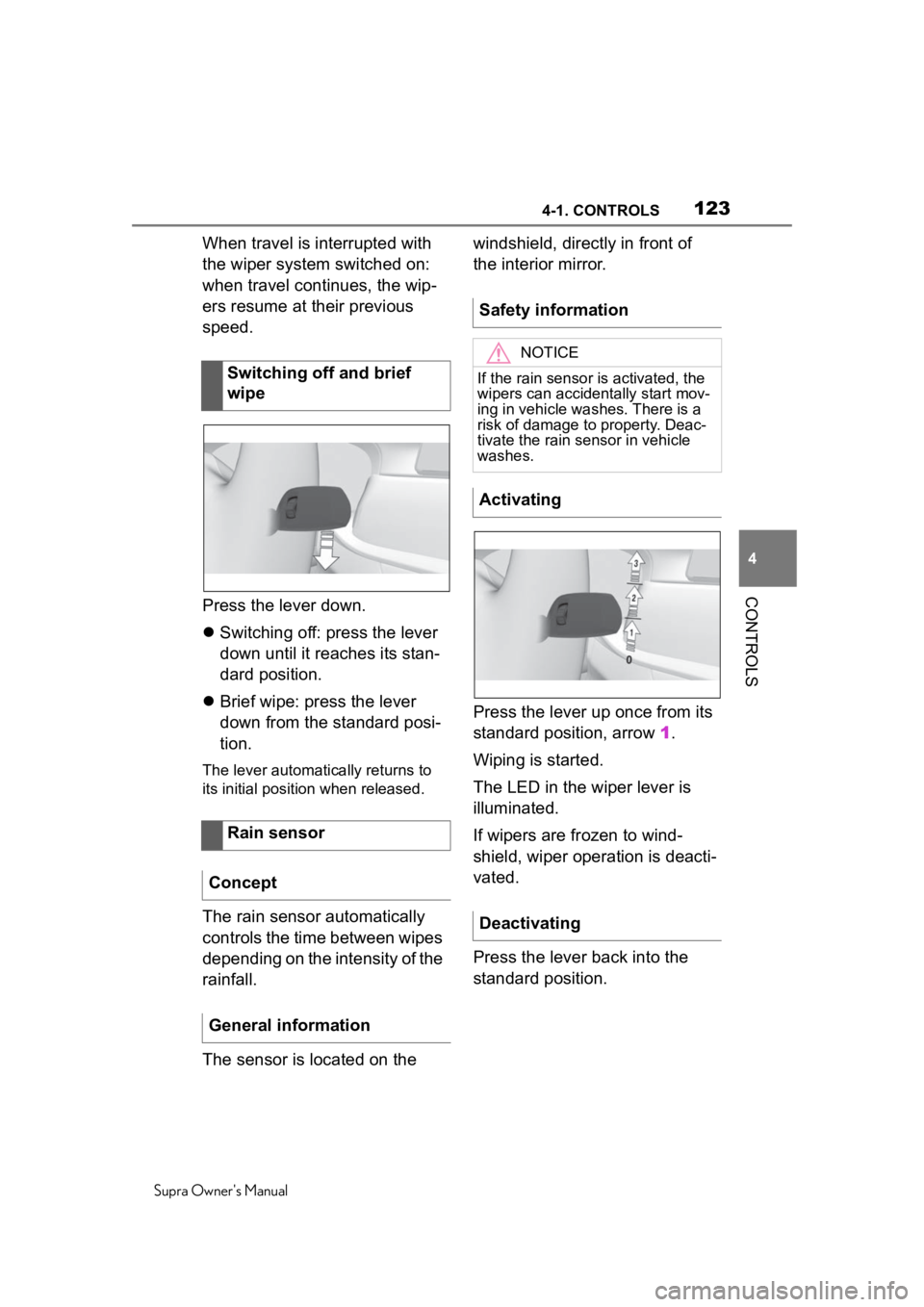
Press the lever up once from its
standard position, arrow
1.
Wiping is started.
The LED in the wiper lever is
illuminated.
If wipers are frozen to wind-
shield, wiper operation is deacti-
vated.
Press the lever back into the
standard position.
Switching off and brief
wipe
Rain sensor
Concept
General information
Safety information
NOTICE
If the rain sensor is activated, the
wipers can accidentally start mov-
ing in vehicle washes. There is a
risk of damage to property. Deac-
tivate the rain sensor in vehicle
washes.
Activating
Deactivating
Page 124 of 360
1244-1. CONTROLS
Supra Owner's Manual
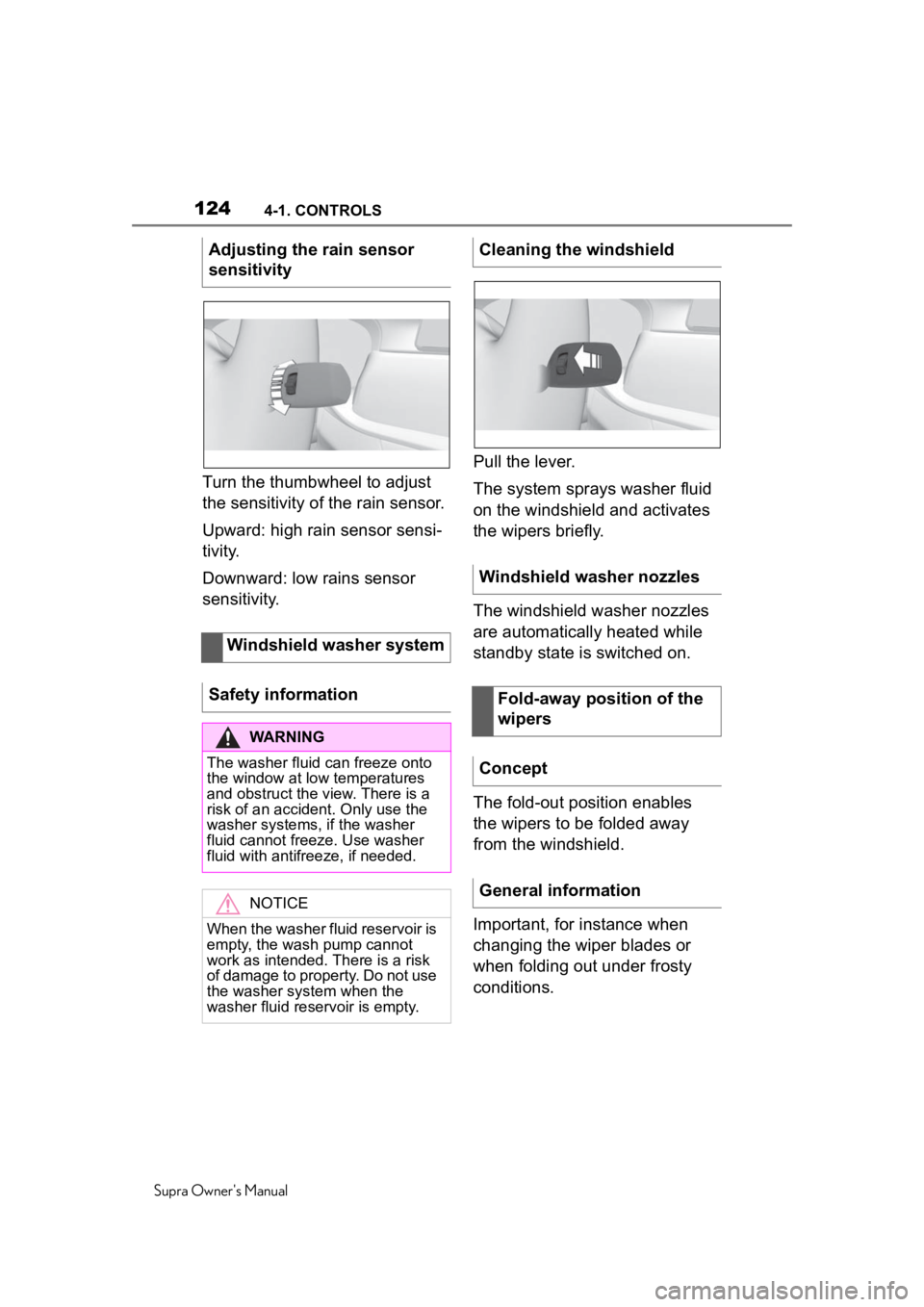
Turn the thumbwheel to adjust
the sensitivity of the rain sensor.
Upward: high rain sensor sensi-
tivity.
Downward: low rains sensor
sensitivity.Pull the lever.
The system sprays washer fluid
on the windshield and activates
the wipers briefly.
The windshield washer nozzles
are automatically heated while
standby state is switched on.
The fold-out position enables
the wipers to be folded away
from the windshield.
Important, for instance when
changing the wiper blades or
when folding out under frosty
conditions.
Adjusting the rain sensor
sensitivity
Windshield washer system
Safety information
WARNING
The washer fluid can freeze onto
the window at low temperatures
and obstruct the view. There is a
risk of an accident. Only use the
washer systems, i f the washer
fluid cannot freeze. Use washer
fluid with antifreeze, if needed.
NOTICE
When the washer fluid reservoir is
empty, the wash pump cannot
work as intended. There is a risk
of damage to property. Do not use
the washer system when the
washer fluid reservoir is empty.
Cleaning the windshield
Windshield washer nozzles
Fold-away position of the
wipers
Concept
General information
Page 125 of 360
1254-1. CONTROLS
Supra Owner's Manual
4
CONTROLS
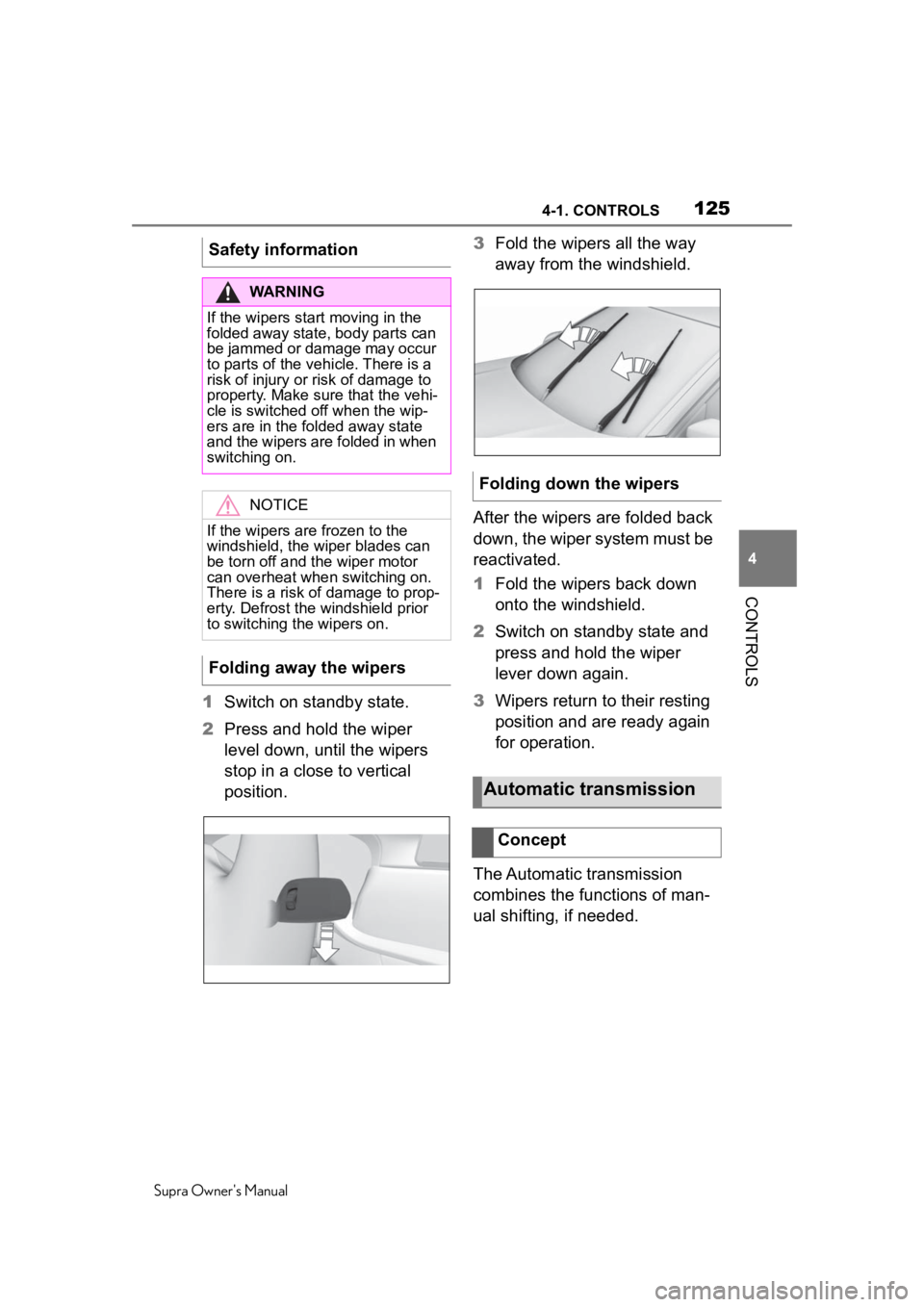
1 Switch on standby state.
2 Press and hold the wiper
level down, until the wipers
stop in a close to vertical
position. 3
Fold the wipers all the way
away from the windshield.
After the wipers are folded back
down, the wiper system must be
reactivated.
1 Fold the wipers back down
onto the windshield.
2 Switch on standby state and
press and hold the wiper
lever down again.
3 Wipers return to their resting
position and are ready again
for operation.
The Automatic transmission
combines the functions of man-
ual shifting, if needed.
Safety information
WARNING
If the wipers start moving in the
folded away state, body parts can
be jammed or damage may occur
to parts of the vehicle. There is a
risk of injury or risk of damage to
property. Make sure that the vehi-
cle is switched off when the wip-
ers are in the folded away state
and the wipers are folded in when
switching on.
NOTICE
If the wipers are frozen to the
windshield, the wiper blades can
be torn off and the wiper motor
can overheat when switching on.
There is a risk of damage to prop-
erty. Defrost the windshield prior
to switching the wipers on.
Folding away the wipers
Folding down the wipers
Automatic transmission
Concept
Page 294 of 360
2946-1. MOBILITY
Supra Owner's Manual
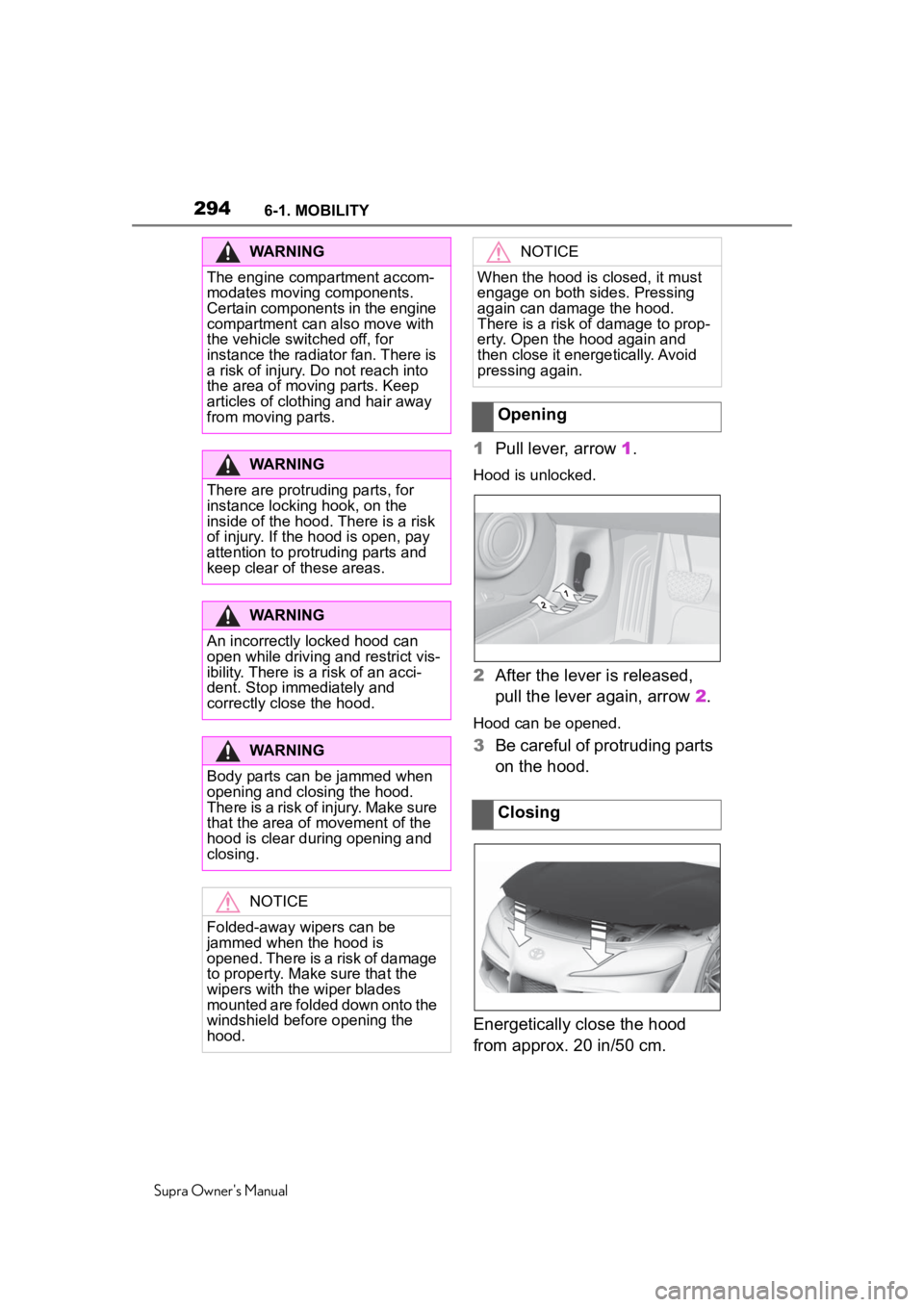
1Pull lever, arrow 1.
Hood is unlocked.
2After the lever is released,
pull the lever again, arrow 2.
Hood can be opened.
3Be careful of protruding parts
on the hood.
Energetically close the hood
from approx. 20 in/50 cm.
WARNING
The engine compartment accom-
modates moving components.
Certain components in the engine
compartment can also move with
the vehicle switched off, for
instance the radiator fan. There is
a risk of injury. Do not reach into
the area of moving parts. Keep
articles of clothing and hair away
from moving parts.
WARNING
There are protruding parts, for
instance locking hook, on the
inside of the hood. There is a risk
of injury. If the hood is open, pay
attention to protruding parts and
keep clear of these areas.
WARNING
An incorrectly locked hood can
open while driving and restrict vis-
ibility. There is a risk of an acci-
dent. Stop immediately and
correctly close the hood.
WARNING
Body parts can be jammed when
opening and closing the hood.
There is a risk of injury. Make sure
that the area of movement of the
hood is clear during opening and
closing.
NOTICE
Folded-away wipers can be
jammed when the hood is
opened. There is a risk of damage
to property. Make sure that the
wipers with the wiper blades
mounted are folded down onto the
windshield before opening the
hood.
NOTICE
When the hood is closed, it must
engage on both sides. Pressing
again can damage the hood.
There is a risk of damage to prop-
erty. Open the hood again and
then close it energetically. Avoid
pressing again.
Opening
Closing
Page 306 of 360
3066-1. MOBILITY
Supra Owner's Manual
This chapter describes all stan-
dard, country-specific and
optional features offered with
the series. It also describes fea-
tures and functions that are not
necessarily available in your
vehicle, e.g., due to the selected
options or country versions. This
also applies to safety-related
functions and systems. When
using these functions and sys-
tems, the applicable laws and
regulations must be observed.
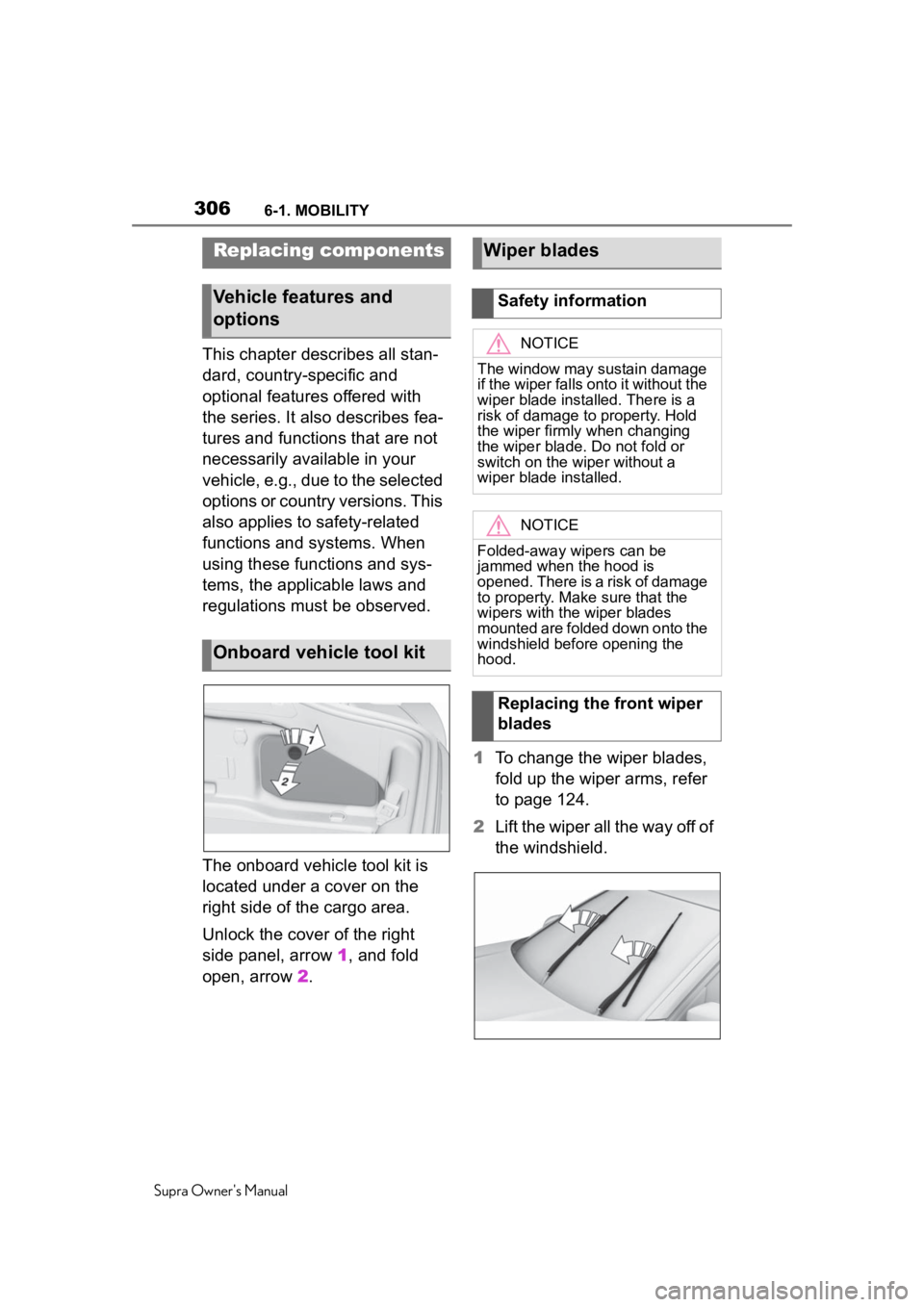
The onboard vehicle tool kit is
located under a cover on the
right side of the cargo area.
Unlock the cover of the right
side panel, arrow 1, and fold
open, arrow 2. 1
To change the wiper blades,
fold up the wiper arms, refer
to page 124.
2 Lift the wiper all the way off of
the windshield.
Replacing components
Vehicle features and
options
Onboard vehicle tool kit
Wiper blades
Safety information
NOTICE
The window may sustain damage
if the wiper falls onto it without the
wiper blade installed. There is a
risk of damage to property. Hold
the wiper firmly when changing
the wiper blade. Do not fold or
switch on the wiper without a
wiper blade installed.
NOTICE
Folded-away wipers can be
jammed when the hood is
opened. There is a risk of damage
to property. Make sure that the
wipers with the wiper blades
mounted are folded down onto the
windshield before opening the
hood.
Replacing the front wiper
blades
Page 307 of 360
3076-1. MOBILITY
Supra Owner's Manual
6
MOBILITY
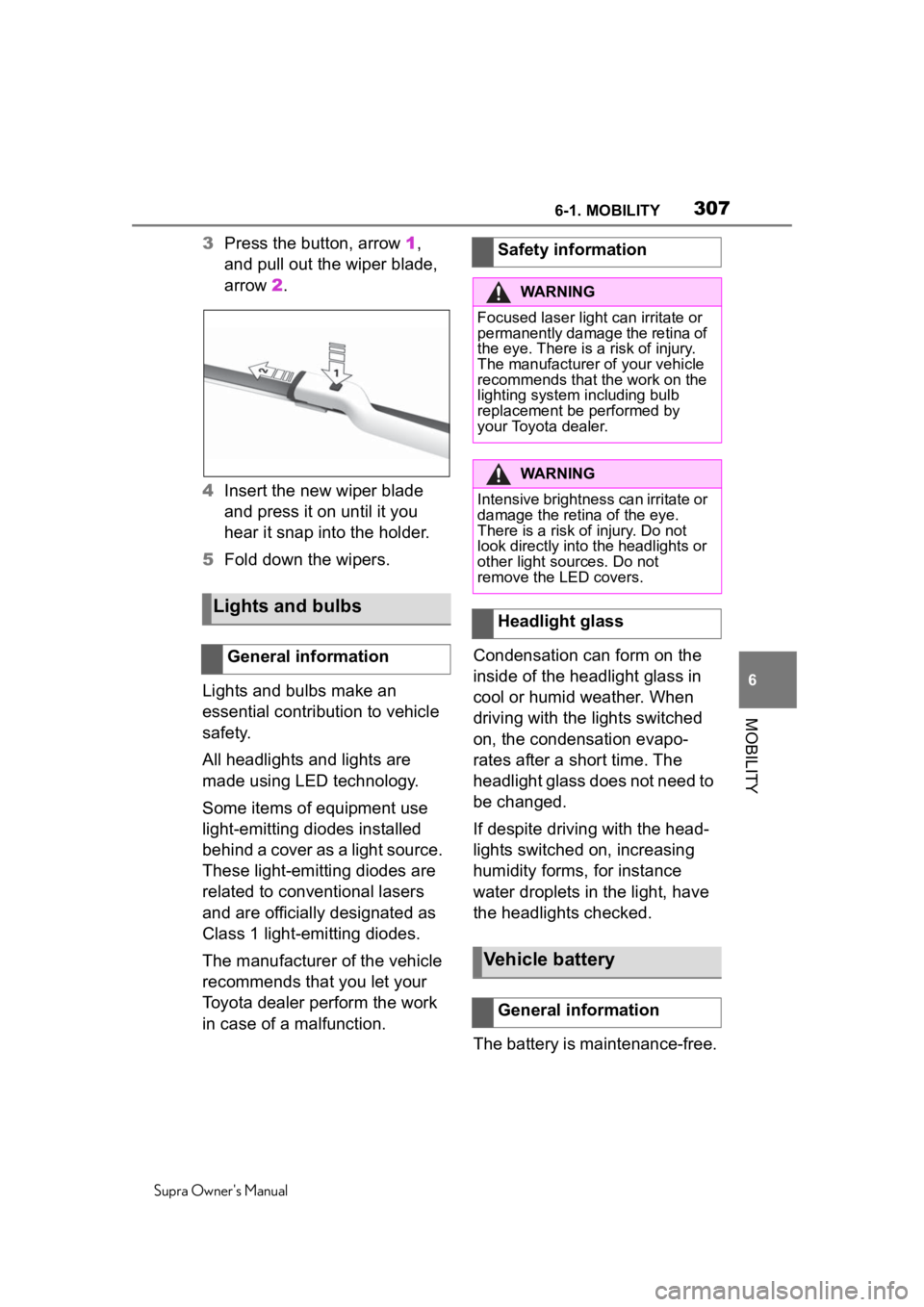
3 Press the button, arrow 1,
and pull out the wiper blade,
arrow 2.
4 Insert the new wiper blade
and press it on until it you
hear it snap into the holder.
5 Fold down the wipers.
Lights and bulbs make an
essential contribution to vehicle
safety.
All headlights and lights are
made using LED technology.
Some items of equipment use
light-emitting diodes installed
behind a cover as a light source.
These light-emitting diodes are
related to conventional lasers
and are officially designated as
Class 1 light-emitting diodes.
The manufacturer of the vehicle
recommends that you let your
Toyota dealer perform the work
in case of a malfunction. Condensation can form on the
inside of the headlight glass in
cool or humid weather. When
driving with the lights switched
on, the condensation evapo-
rates after a short time. The
headlight glass does not need to
be changed.
If despite driving with the head-
lights switched on, increasing
humidity forms, for instance
water droplets in the light, have
the headlights checked.
The battery is maintenance-free.
Lights and bulbs
General information
Safety information
WARNING
Focused laser light can irritate or
permanently damage the retina of
the eye. There is a risk of injury.
The manufacturer of your vehicle
recommends that the work on the
lighting system including bulb
replacement be performed by
your Toyota dealer.
WARNING
Intensive brightness can irritate or
damage the retina of the eye.
There is a risk of injury. Do not
look directly into the headlights or
other light sources. Do not
remove the LED covers.
Headlight glass
Vehicle battery
General information
Page 350 of 360
350Alphabetical Index
Supra Owner's Manual
Exhaust, see Exhaust gas sys- tem ......................................... 255
Exterior lighting during unlock- ing ............................................ 79
Exterior lighting with the vehicle locked ...................................... 81
Exterior mirror, Automatic Curb Monitor .................................. 106
Exterior mirror, automatic dim- ming feature.......................... 106
Exterior mirrors ...................... 105
Exterior mirrors, malfunction 106
External start .......................... 319
External temperature ............. 141
Eyelet for towing .................... 322
Eyes, see Lashing eyes in the cargo area ............................. 250
F
Failure message, see Vehicle messages .............................. 134
False alarm, see Avoiding unin- tentional alarms...................... 94
Fan, see Air flow ..................... 232
Fastening safety belts, see Safety belts ........................... 100
Filler neck for engine oil ........ 298
Flat tire message, TPM .......... 286
Flat tire warning light, TPM ... 286
Flat tire, changing wheels ..... 291
Flat tire, repairing ................... 276
Flat tire, see Tire Pressure Moni- tor TPM .................................. 282
Flooding .................................. 257
Floor carpet, care ................... 328
Floor mats, care ..................... 328
Fog, removing from the windows ............................................... 232
Fold-away position of the wipers ............................................... 124
Foot brake ............ ................... 257
For Your Own Safety .................. 5 Front airbags...........................160
Front collision mitigation.......174
Front fog lights, see Lights and
bulbs ......................................307
Front lights, see Lights and bulbs ......................................307
Front seats ................................97
Front-seat passenger airbags, automatic deactivation.........170
Front-seat passenger airbags, indicator light ........................171
Fuel ..........................................295
Fuel cap ...................................264
Fuel filler flap ..........................264
Fuel filler flap, unlocking manu- ally .........................................265
Fuel gauge...............................139
Fuel quality..............................295
Fuel recommendation ............295
Fuel, tank capacity .................333
Fuses .......................................309
G
Garage door opener, see Inte- grated Universal Remote Con-
trol ..........................................236
Gasoline ..................................295
Gear change, Automatic trans- mission ..................................125
Gear shift indicator.................142
General driving notes.............255
General settings .......................58
Glare shield, see Sun visor....240
Go function .............................204
Go function, ACC ....................204
GPS geolocation, vehicle posi- tion ...........................................60
H
Handbrake, see Parking brake ............................................... 119