tow TOYOTA SUPRA 2022 User Guide
[x] Cancel search | Manufacturer: TOYOTA, Model Year: 2022, Model line: SUPRA, Model: TOYOTA SUPRA 2022Pages: 498, PDF Size: 104.06 MB
Page 208 of 498
2063-1. CONTROLS
trians and bicycles), see page
212.
Lane Departure Warning, see
page 216.
Blind spot monitor, see page
220.
Some Toyota Supra Safety Sys-
tems are automatically active at the
start of each journey. Some Toyota
Supra Safety Systems are acti-
vated according to the last setting.
Safety notes
WA R N I N G
The system does not relieve you of
your personal responsibility to assess
the visibility conditions and traffic situ- ation correctly. There is a danger of
accidents. Adapt your driving style to
the traffic conditions. Observe the traffic situation and intervene actively
if the situation warrants it.
WA R N I N G
Displays and warnings do not relieve
you of your personal responsibility.
System limitations can mean that
warnings or system responses are not issued or are issued too late,
incorrectly or wit hout justification.
There is a danger of accidents. Adapt your driving style to the traffic condi-
tions. Observe the traffic situation and
intervene actively if the situation war- rants it.
WA R N I N G
Due to system limitations, individual functions may not work properly when
tow-starting/towing with activated
Toyota Supra Safety Systems. There
is a danger of accidents. Switch off all Toyota Supra Safety Systems before
tow-starting/towing.
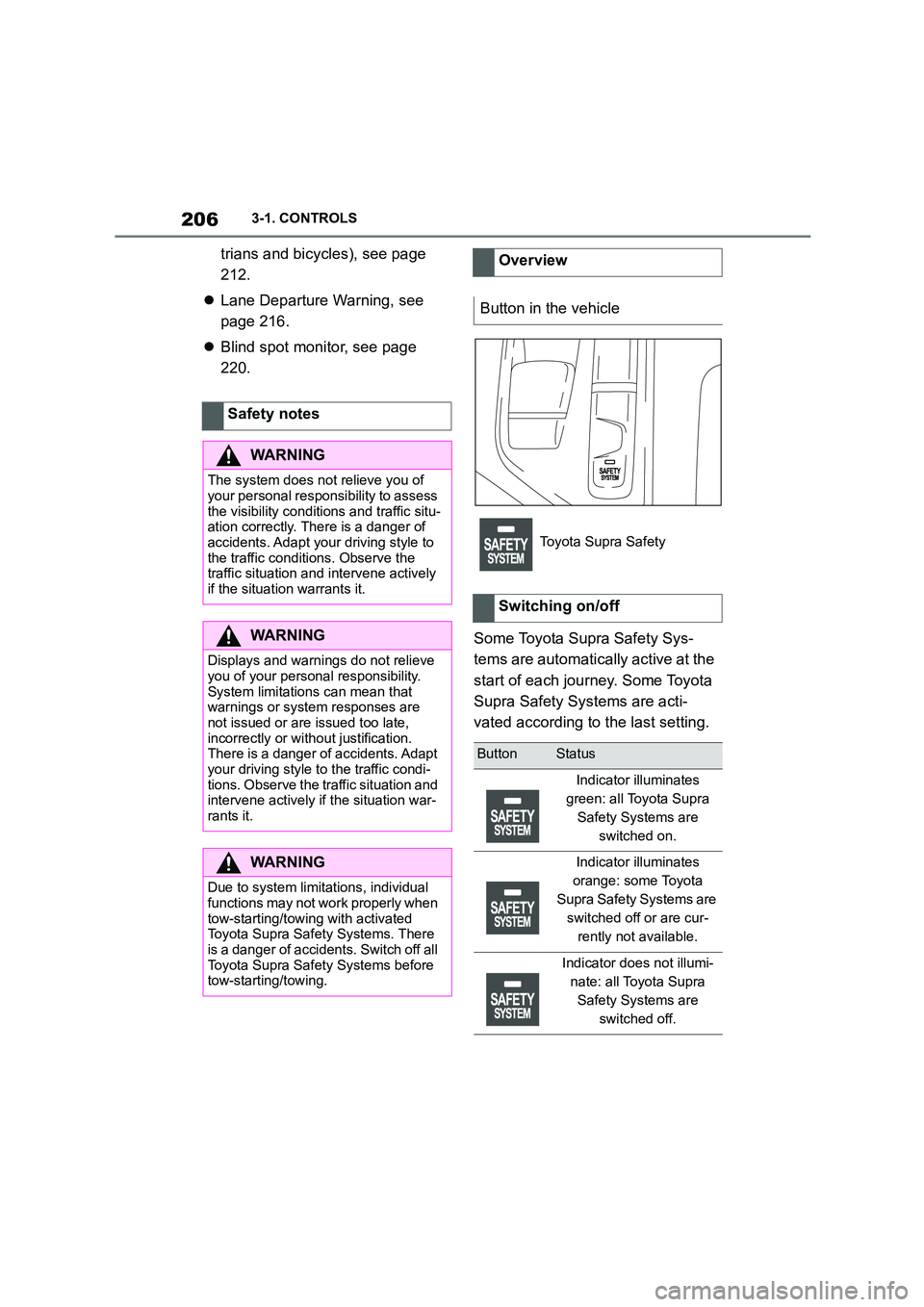
Overview
Button in the vehicle
Toyota Supra Safety
Switching on/off
ButtonStatus
Indicator illuminates
green: all Toyota Supra
Safety Systems are
switched on.
Indicator illuminates
orange: some Toyota
Supra Safety Systems are
switched off or are cur-
rently not available.
Indicator does not illumi-
nate: all Toyota Supra
Safety Systems are
switched off.
Page 210 of 498
2083-1. CONTROLS
The system is automatically acti-
vated at the start of each journey.
The menu for the Toyota Supra
Safety Systems is shown.
If all Toyota Supra Safety Systems
were switched off, all systems are
now switched on.
"Customise Settings": depending
on the equipment, the Toyota Supra
Safety Systems can be configured
individually. The custom settings
are activated and saved. As soon
Safety notes
WA R N I N G
The system does not relieve you of
your personal responsibility to assess the visibility conditions and traffic situ-
ation correctly. There is a danger of
accidents. Adapt your driving style to the traffic conditions. Observe the
traffic situation and intervene actively
if the situation warrants it.
WA R N I N G
Displays and warnings do not relieve
you of your personal responsibility.
System limitations can mean that warnings or system responses are
not issued or are issued too late,
incorrectly or wit hout justification. There is a danger of accidents. Adapt
your driving style to the traffic condi-
tions. Observe the traffic situation and intervene actively if the situation war-
rants it.
WA R N I N G
Due to system limitations, individual functions may not work properly when
tow-starting/towing with activated
Toyota Supra Safety Systems. There is a danger of accidents. Switch off all
Toyota Supra Safety Systems before
tow-starting/towing.
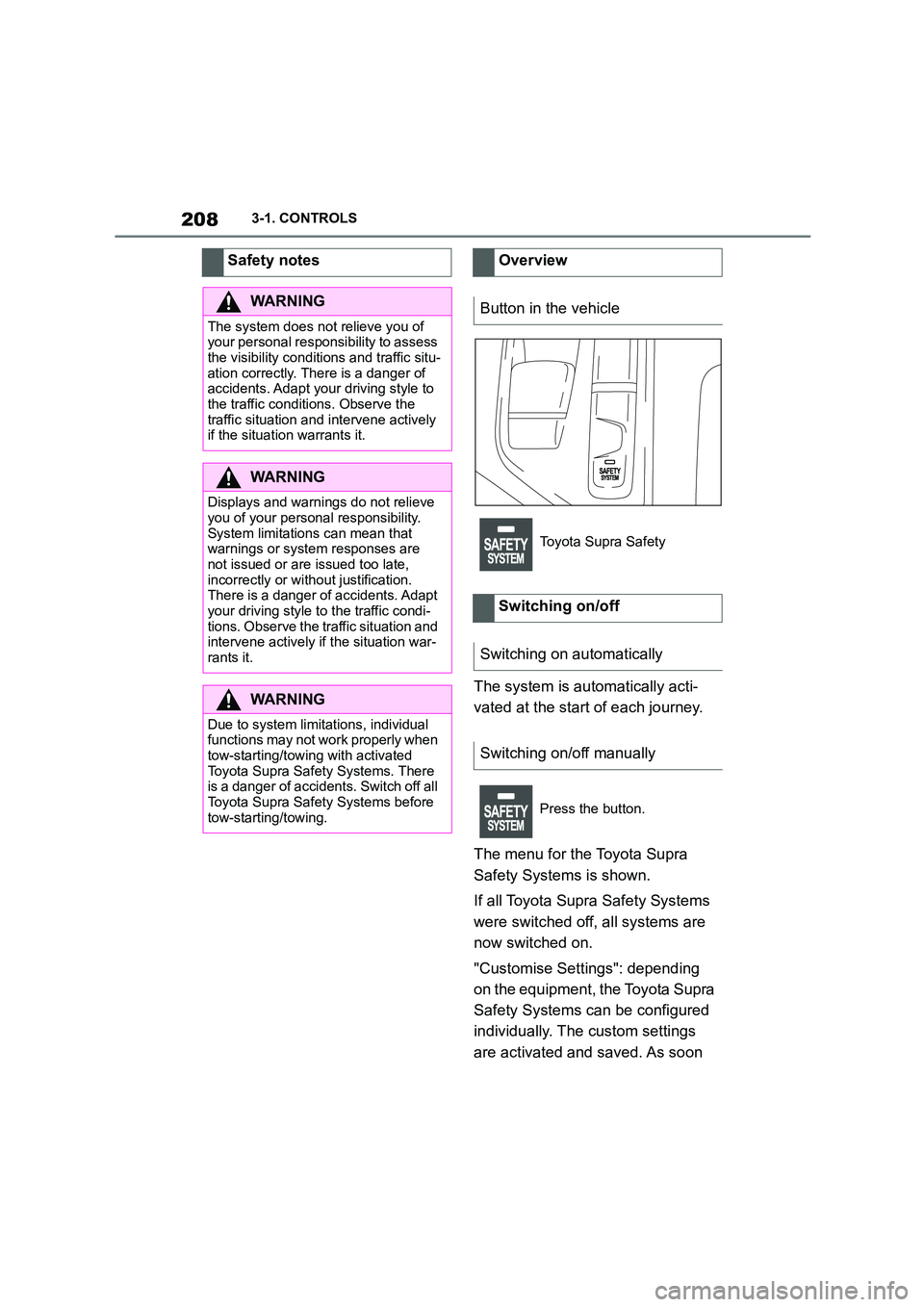
Overview
Button in the vehicle
Toyota Supra Safety
Switching on/off
Switching on automatically
Switching on/off manually
Press the button.
Page 214 of 498
2123-1. CONTROLS
The system can help to avoid acci-
dents with pedestrians and cyclists.
If an accident cannot be avoided,
the system helps to reduce the col-
lision speed.
The system warns of the possible
risk of collision in the urban speed
range and brakes automatically, as
necessary.
At speeds above approx. 5 km/h, 3
mph, the system warns of the pos-
sible risk of collision with pedestri-
ans and cyclists.
Pedestrians and cyclists are taken
into account if they are located
within the detection range of the
system.
The system is controlled using the
following sensors, depending on
the equipment:
Camera in the area of the
rear-view mirror.
Radar sensor in front bumper.
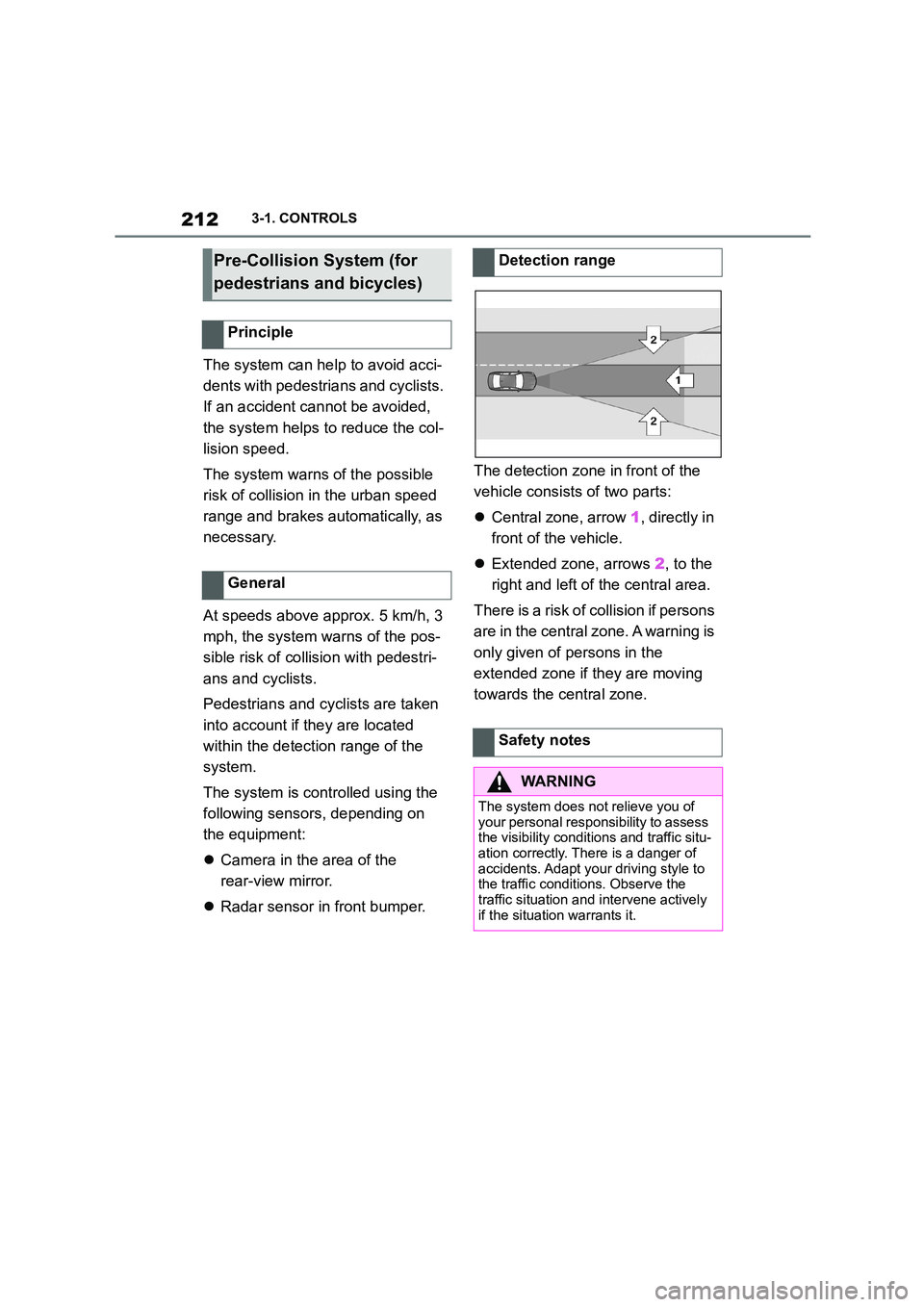
The detection zone in front of the
vehicle consists of two parts:
Central zone, arrow 1, directly in
front of the vehicle.
Extended zone, arrows 2, to the
right and left of the central area.
There is a risk of collision if persons
are in the central zone. A warning is
only given of persons in the
extended zone if they are moving
towards the central zone.
Pre-Collision System (for
pedestrians and bicycles)
Principle
General
Detection range
Safety notes
WA R N I N G
The system does not relieve you of
your personal responsibility to assess the visibility conditions and traffic situ-
ation correctly. There is a danger of
accidents. Adapt your driving style to the traffic conditions. Observe the
traffic situation and intervene actively
if the situation warrants it.
Page 215 of 498
213
3
3-1. CONTROLS
CONTROLS
The system is controlled using the
following sensors:
• Cameras behind the windscreen.
• With radar sensor: front radar
sensor.
For further information:
Sensors of the vehicle, see page
P. 5 0 .
The system is automatically acti-
vated at the start of each journey.
The menu for the Toyota Supra
Safety Systems is shown.
If all Toyota Supra Safety Systems
were switched off, all systems are
now switched on.
"Customise Settings": depending
on the equipment, the Toyota Supra
Safety Systems can be configured
individually. The custom settings
are activated and saved. As soon
as a setting is changed in the
menu, all settings in the menu are
activated.
The setting switches between the
following:
"ALL ON": all Toyota Supra Safety
WA R N I N G
Displays and warnings do not relieve
you of your personal responsibility.
System limitations can mean that warnings or system responses are
not issued or are issued too late,
incorrectly or wit hout justification. There is a danger of accidents. Adapt
your driving style to the traffic condi-
tions. Observe the traffic situation and
intervene actively if the situation war- rants it.
WA R N I N G
Due to system limitations, individual functions may not work properly when
tow-starting/towing with activated
Toyota Supra Safety Systems. There is a danger of accidents. Switch off all
Toyota Supra Safety Systems before
tow-starting/towing.
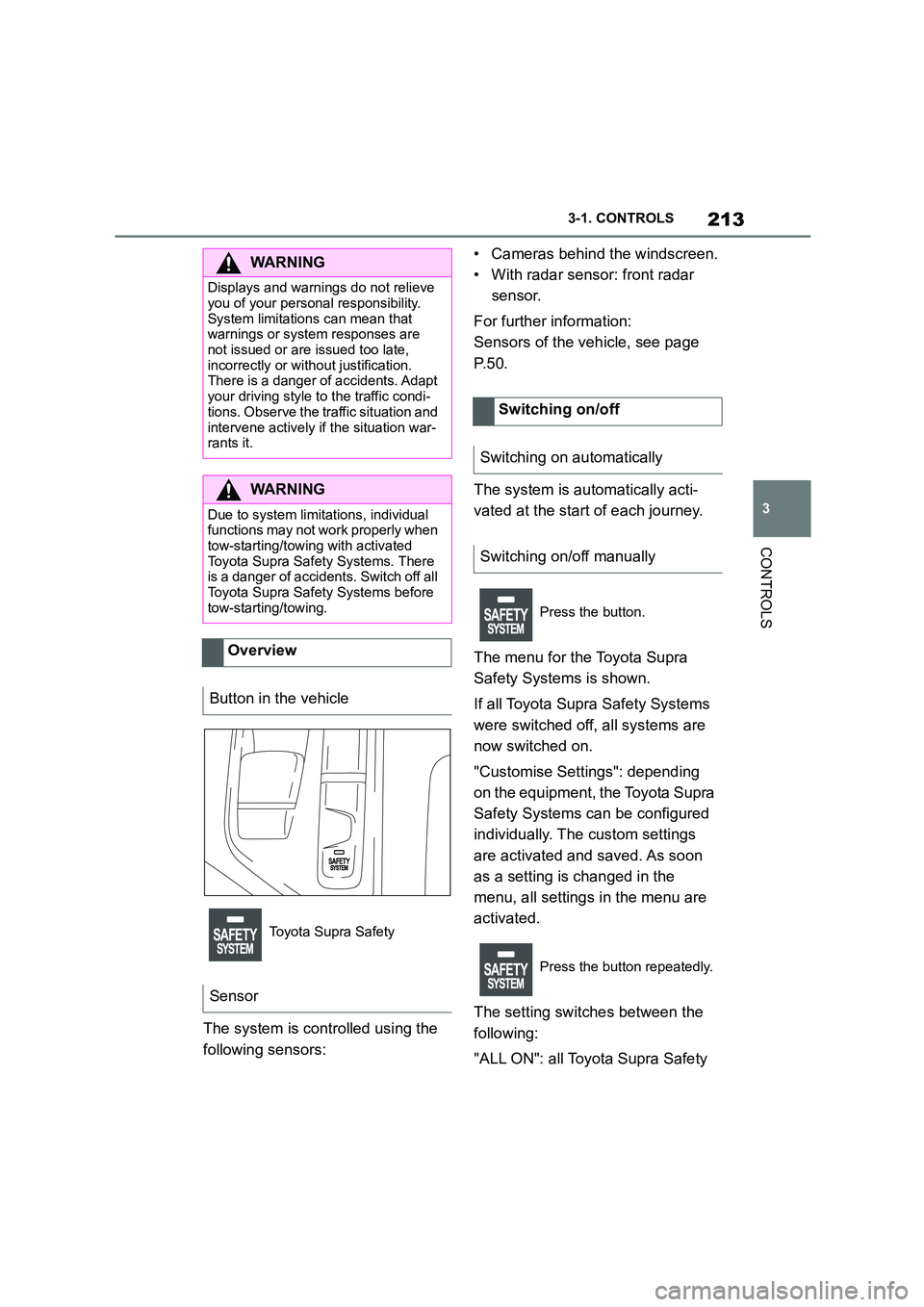
Overview
Button in the vehicle
Toyota Supra Safety
Sensor
Switching on/off
Switching on automatically
Switching on/off manually
Press the button.
Press the button repeatedly.
Page 240 of 498
2383-1. CONTROLS
The desired speed is also main-
tained when drivi ng downhill. The
vehicle may drive slower than the
desired speed on uphill gradients if
there is not enough engine power.
*: if equipped
This system allows you to set a
desired speed and a desired dis-
tance from the vehicle in front,
using the buttons on the steering
wheel.
When the road ahead is clear, the
system maintains the desired
speed by braking or accelerating
the vehicle automatically, as
required.
If there is a vehicle driving in front,
the system adapts your own vehicle
speed in order to maintain the set
distance from the vehicle ahead.
The speed is adapted as far as the
given situation allows.
Depending on the vehicle settings,
the characteristics of the Cruise
Control may change.
The distance can be set in several
stages, and is dependent on the
individual speed for reasons of
safety.
If the vehicle ahead brakes to a
standstill and sets off again shortly
afterwards, the system can recog-
nise this within the bounds of what
is possible in the given conditions.
The symbol is displayed
when the set desired speed
has been reached.
System limits
Dynamic radar cruise con-
trol with full-speed range*
Principle
General
Safety notes
WA R N I N G
The system does not relieve you of
your personal responsibility to assess
the traffic situation correctly. Due to system limitations, it cannot respond
independently and appropriately in all
traffic conditions. There is a danger of accidents. Adapt your driving style to
the traffic conditions. Observe the
traffic situation and intervene actively if the situation warrants it.
WA R N I N G
An unsecured vehicle can start mov-
ing and rolling away. There is a dan- ger of accidents. Before leaving the
vehicle, secure it to prevent it from
rolling away.
Observe the following to ensure that
the vehicle is secured against rolling away:
●Apply the parking brake.
●Turn the front wheels towards the
kerb on upward or downward gradi- ents.
●Additionally secure the vehicle on upward or downward gradients, for
example with a chock.
Page 265 of 498
263
3
3-1. CONTROLS
CONTROLS
The cooling function is switched on
when the engine is running.
The cooling function is switched on
automatically during recirculated-air
mode to dry the air and prevent
condensation.
Depending on the weather condi-
tions, the windscreen and side win-
dows may mist over for a short time
when the drive-ready state has
been switched on.
The cooling function is switched on
automatically in the AUTO pro-
gramme.
When the automatic air condition-
ing is in operation, condensation
develops and exits underneath the
vehicle.
When drive-ready state is switched
on, the system is set to lowest tem-
perature, optimum air flow and
recirculated-air mode.
The function is available at an out-
side temperature above approxi-
mately 0°C/32°F and when
drive-ready state is switched on.
The LED is illuminated when the
system is switched on.
The air flows from the side nozzles
for the upper body area. Therefore
open the side nozzles.
The air flow can be adapted when
the programme is active.
The AUTO programme cools, venti-
lates or heats the interior automati-
cally.
It does this by automatically regu-
lating the air flow, air distribution
and temperature depending on the
interior temperature and the
selected temperature setting.
The LED is illuminated when the
AUTO programme is switched on.
Depending on the selected temper-
ature and external influences, the
air is directed towards the wind-
screen, the side windows the upper
Switching on/off
Press the button.
Maximum cooling effect
Principle
General
Switching on/off
Press the button.
AUTO programme
Principle
Switching on/off
Press the button.
Page 267 of 498
265
3
3-1. CONTROLS
CONTROLS
In order to protect the battery the
air flow rate of the automatic air
conditioning is reduced, if neces-
sary.
The air distribution for air condition-
ing can be set manually.
Windows, upper body area and
footwell.
Upper body area and footwell.
Footwell.
Windows and footwell.
Windows.
Windows and upper body.
Upper body area.
The selected air distribution is
shown on the display for automatic
air conditioning.
If there is condensation, remove it,
see page 265.
Ice and condensation are quickly
removed from the windscreen and
the front side windows.
The LED is illuminated when the
system is switched on.
The air flow can be adjusted manu-
ally when the system is switched
on.
The function is available when the
engine is running.
The rear window heating is
switched off automatically after a
certain period of time.
To adjust the air distribution
manually
Principle
Operation
Press the button repeat-
edly to select a pro-
gramme:
Defrosting the windscreen
and removing condensation
Principle
Switching on/off
Press the button.
If there is condensation on
the window, press the but-
ton on the driver's side or
switch on the cooling func-
tion. Ensure that air can
flow towards the wind-
screen.
Rear window heating
Press the button. The LED
is illuminated.
Page 268 of 498
2663-1. CONTROLS
The microfilter traps dust and pol-
len in the incoming air.
Have this filter replaced during
maintenance, see page 330, of the
vehicle.
The direction of the air flows can be
set individually.
The direction of the air flows can be
set for direct or indirect ventilation.
Align the air flow directly onto the
vehicle occupants. The air flow pro-
vides noticeable heating or cooling
depending on the set temperature.
Do not align the air flow directly
onto the vehicle occupants. The
vehicle interior is cooled or heated
indirectly depending on the set tem-
perature.
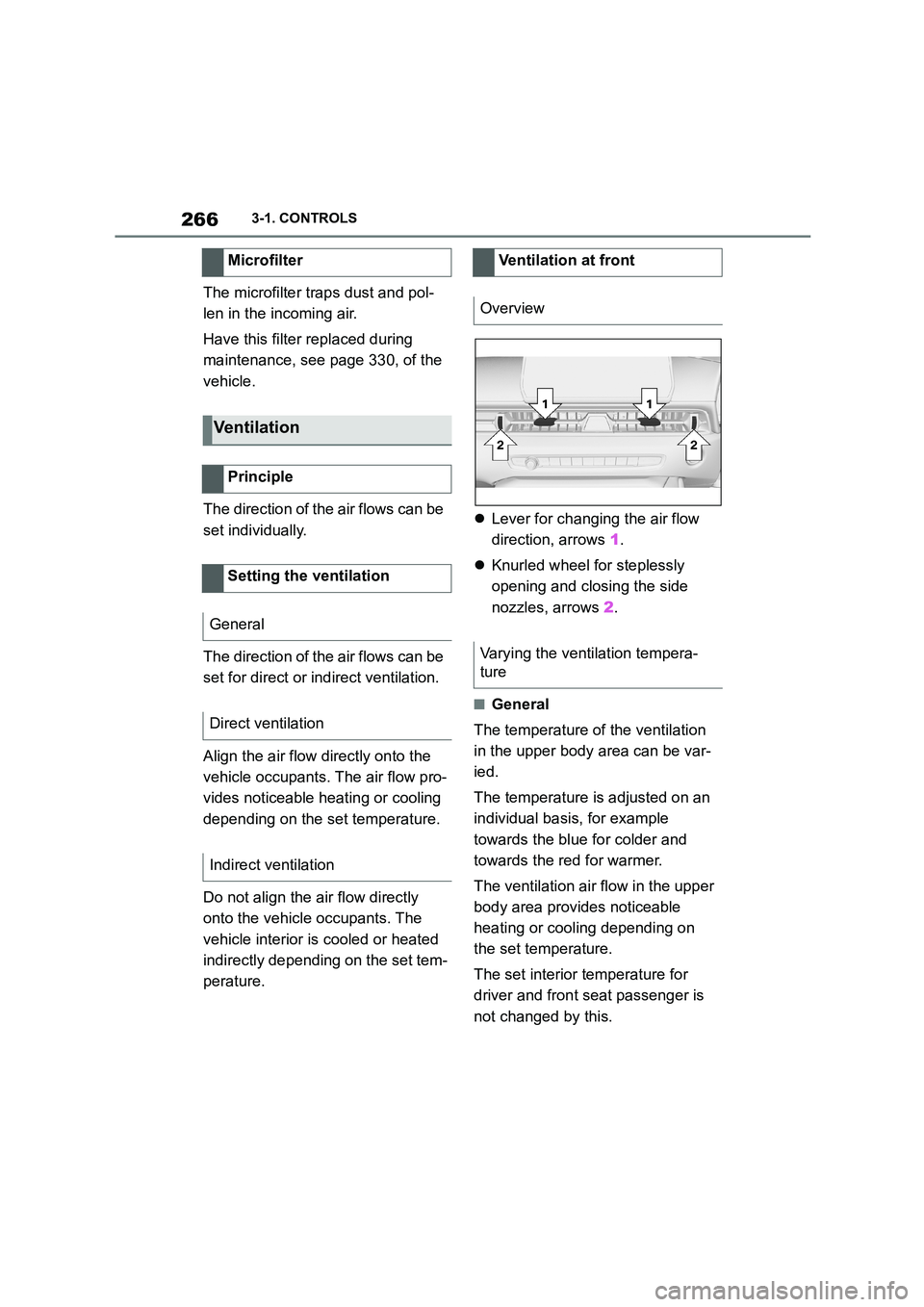
Lever for changing the air flow
direction, arrows 1.
Knurled wheel for steplessly
opening and closing the side
nozzles, arrows 2.
■General
The temperature of the ventilation
in the upper body area can be var-
ied.
The temperature is adjusted on an
individual basis, for example
towards the blue for colder and
towards the red for warmer.
The ventilation air flow in the upper
body area provides noticeable
heating or cooling depending on
the set temperature.
The set interior temperature for
driver and front seat passenger is
not changed by this.
Microfilter
Ventilation
Principle
Setting the ventilation
General
Direct ventilation
Indirect ventilation
Ventilation at front
Overview
Varying the ventilation tempera-
ture
Page 276 of 498
2743-1. CONTROLS
The vehicle interior contains multi-
ple storage compartments for stow-
ing objects.
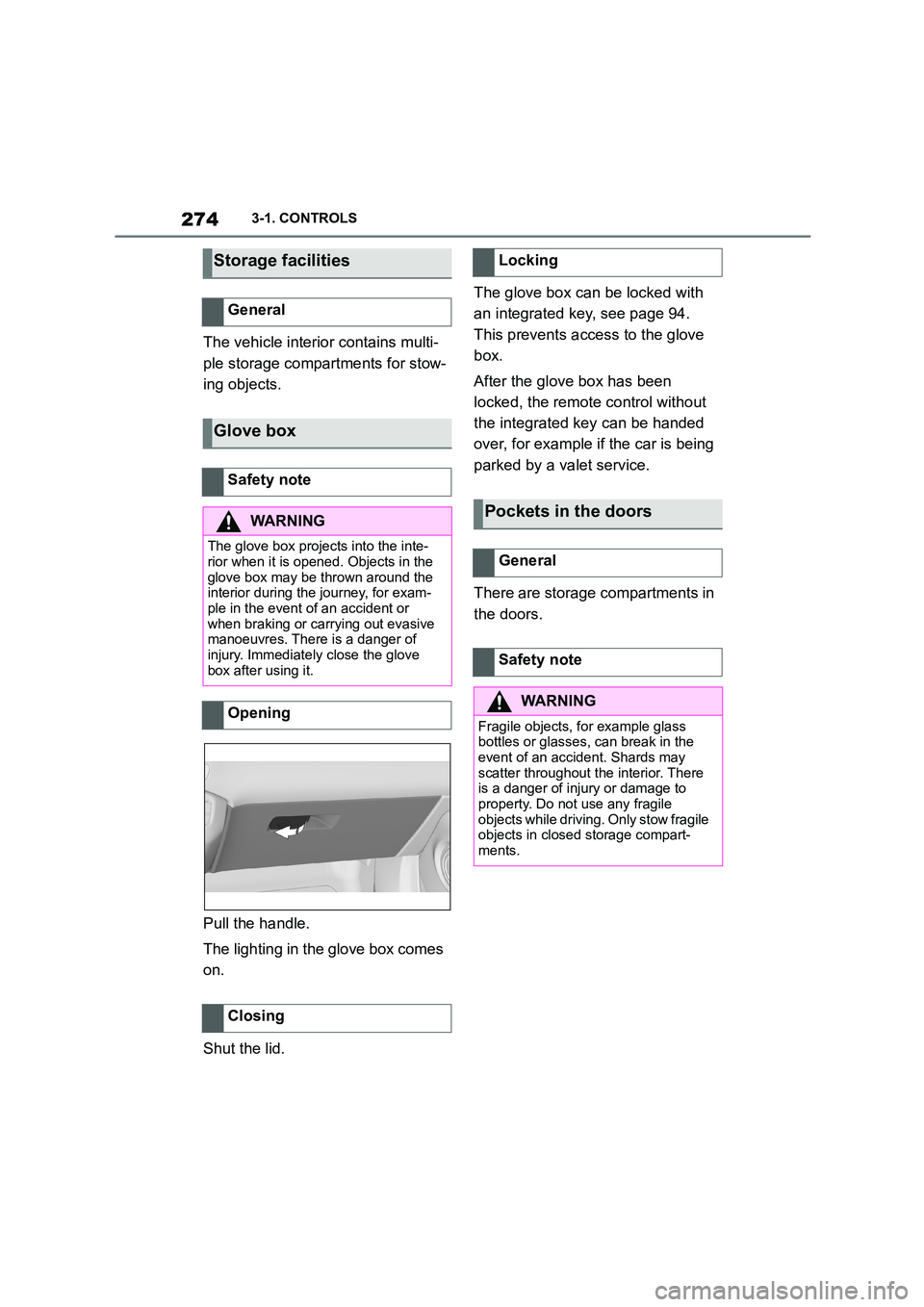
Pull the handle.
The lighting in the glove box comes
on.
Shut the lid.
The glove box can be locked with
an integrated key, see page 94.
This prevents access to the glove
box.
After the glove box has been
locked, the remote control without
the integrated key can be handed
over, for example if the car is being
parked by a valet service.
There are storage compartments in
the doors.
Storage facilities
General
Glove box
Safety note
WA R N I N G
The glove box projects into the inte- rior when it is opened. Objects in the
glove box may be thrown around the
interior during the journey, for exam- ple in the event of an accident or
when braking or carrying out evasive
manoeuvres. There is a danger of injury. Immediately close the glove
box after using it.
Opening
Closing
Locking
Pockets in the doors
General
Safety note
WA R N I N G
Fragile objects, for example glass
bottles or glasses, can break in the event of an accident. Shards may
scatter throughout the interior. There
is a danger of injury or damage to property. Do not use any fragile
objects while driving. Only stow fragile
objects in closed storage compart- ments.
Page 278 of 498
2763-1. CONTROLS
Wrap protective material around
any sharp corners and edges on
the load.
Heavy transported loads: stow
as far forward and as low down
as possible, ideally directly
behind the boot partition.
Small and lightweight loads:
secure with retaining straps, a
luggage net or other suitable
straps.
Large and heavy loads: secure
with lashing straps.
*: if equipped
Equipment for securing the trans-
ported load, for example lashing
straps, tensioning straps or luggage
nets, must be secured to the lash-
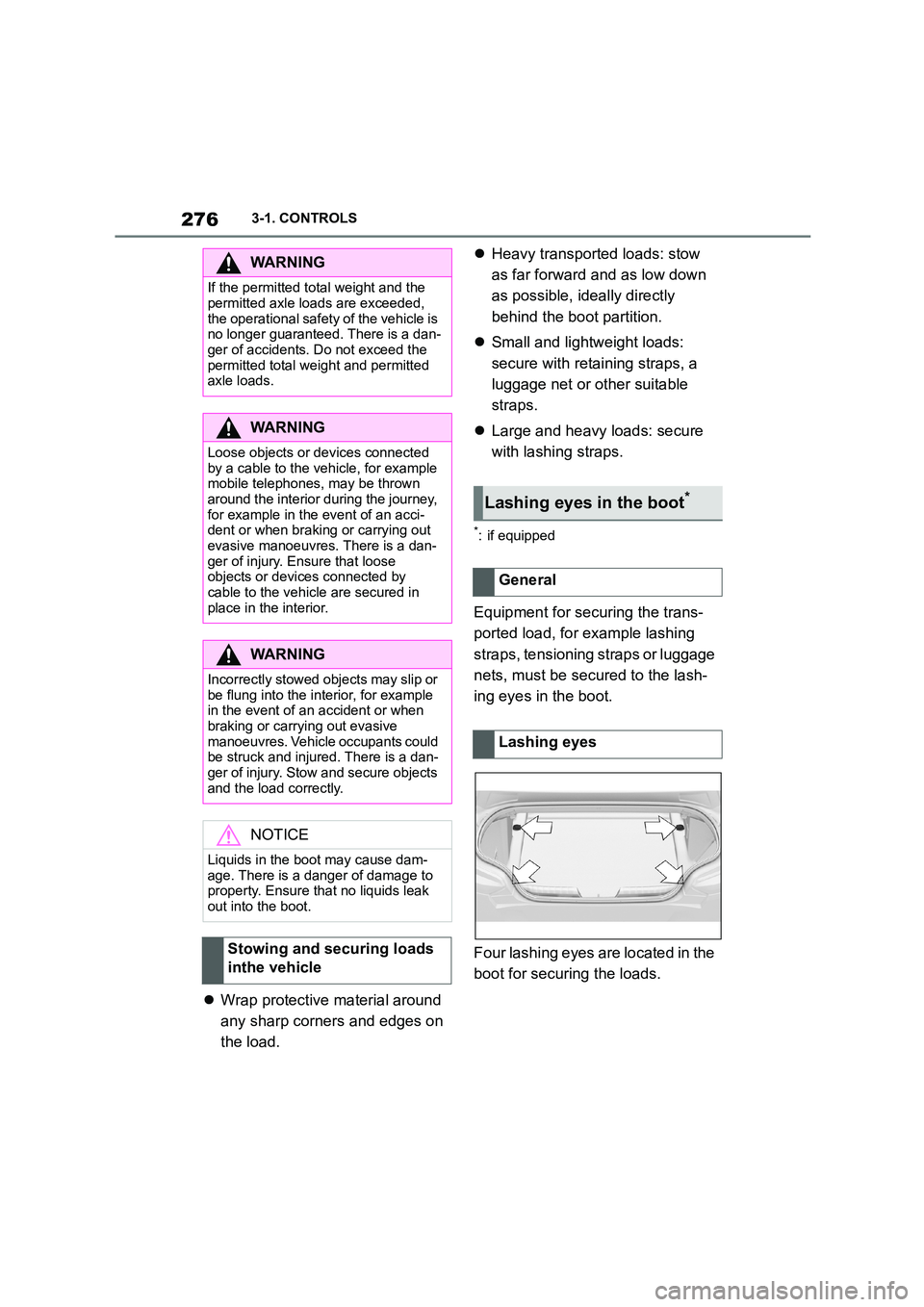
ing eyes in the boot.
Four lashing eyes are located in the
boot for securing the loads.
WA R N I N G
If the permitted total weight and the
permitted axle loads are exceeded,
the operational safety of the vehicle is no longer guaranteed. There is a dan-
ger of accidents. Do not exceed the
permitted total weight and permitted axle loads.
WA R N I N G
Loose objects or devices connected
by a cable to the vehicle, for example mobile telephones, may be thrown
around the interior during the journey,
for example in the event of an acci- dent or when braking or carrying out
evasive manoeuvres. There is a dan-
ger of injury. Ensure that loose objects or devices connected by
cable to the vehicle are secured in
place in the interior.
WA R N I N G
Incorrectly stowed objects may slip or
be flung into the interior, for example
in the event of an accident or when braking or carrying out evasive
manoeuvres. Vehicle occupants could
be struck and injured. There is a dan- ger of injury. Stow and secure objects
and the load correctly.
NOTICE
Liquids in the boot may cause dam- age. There is a danger of damage to
property. Ensure that no liquids leak
out into the boot.
Stowing and securing loads
inthe vehicle
Lashing eyes in the boot*
General
Lashing eyes