tow TOYOTA SUPRA 2022 Owners Manual
[x] Cancel search | Manufacturer: TOYOTA, Model Year: 2022, Model line: SUPRA, Model: TOYOTA SUPRA 2022Pages: 498, PDF Size: 104.06 MB
Page 28 of 498
262-1. QUICK REFERENCE
2-1.QUICK REFERENCE
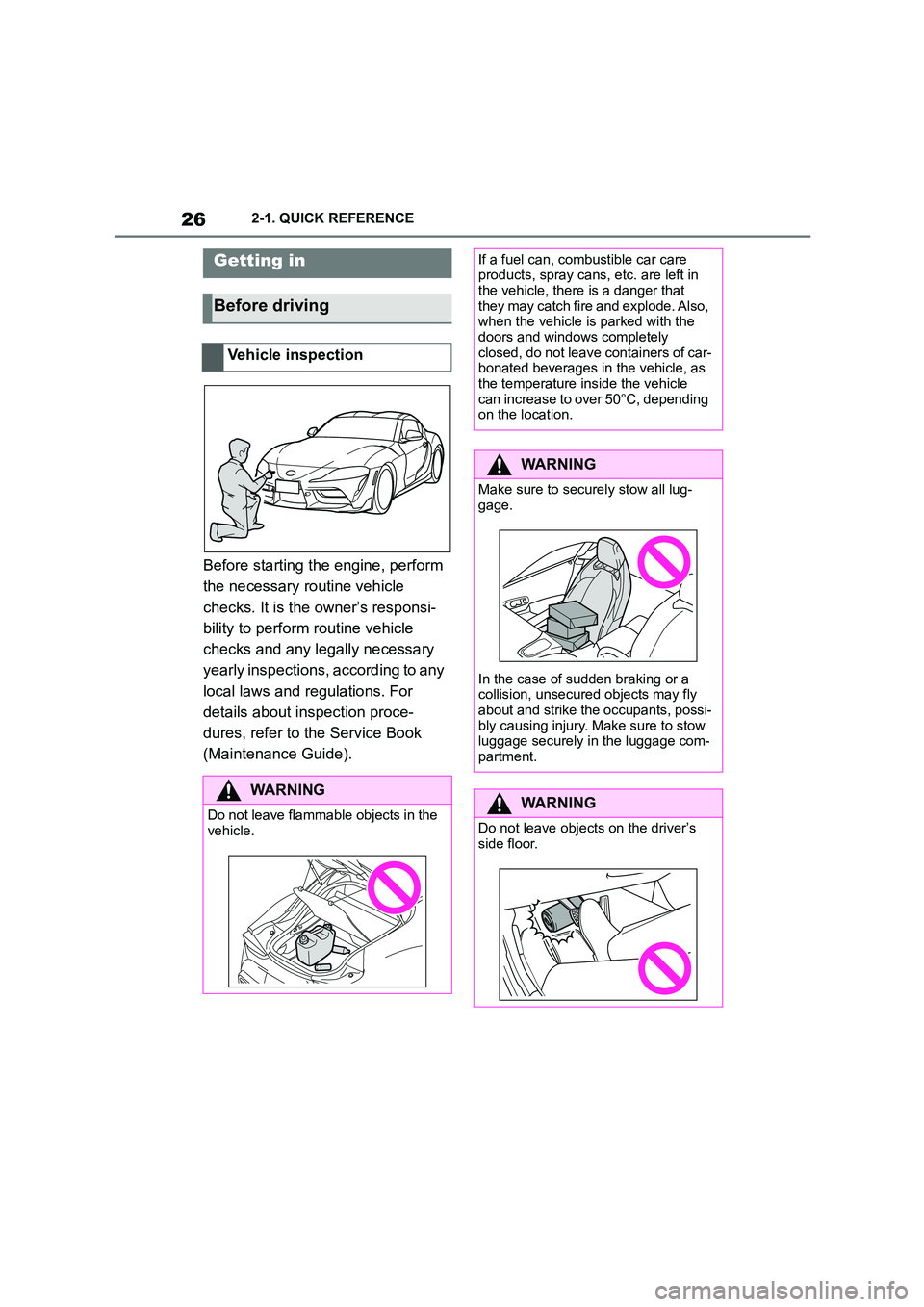
Before starting the engine, perform
the necessary routine vehicle
checks. It is the owner’s responsi-
bility to perform routine vehicle
checks and any legally necessary
yearly inspections, according to any
local laws and regulations. For
details about inspection proce-
dures, refer to the Service Book
(Maintenance Guide).
Getting in
Before driving
Vehicle inspection
WA R N I N G
Do not leave flammable objects in the vehicle.
If a fuel can, combustible car care products, spray cans, etc. are left in
the vehicle, there is a danger that
they may catch fire and explode. Also, when the vehicle is parked with the
doors and windows completely
closed, do not leave containers of car- bonated beverages in the vehicle, as
the temperature inside the vehicle
can increase to over 50°C, depending on the location.
WA R N I N G
Make sure to secu rely stow all lug-
gage.
In the case of sudden braking or a
collision, unsecure d objects may fly
about and strike the occupants, possi- bly causing injury. Ma ke sure to stow
luggage securely in the luggage com-
partment.
WA R N I N G
Do not leave objects on the driver’s
side floor.
Page 54 of 498
523-1. CONTROLS
• At steep crests/hilltops or dips.
A Check Control message may be
displayed if the system has failed.
*: if equipped
The physical limits of ultrasound
measurement may be reached
when detecting objects in situations
including the following:
• If the sensors are contaminated.
• If the sensors are obscured, for
example by stickers.
• If the sensor is not correctly
aligned, for example following
parking damage.
• After work performed incorrectly
on the vehicle paintwork near to
the sensors.
• Small children and animals.
• Persons wearing certain types of
clothing, for example a coat.
• If there is external interference
with the ultrasonic sound, for
example by passing vehicles,
loud machines or other ultra-
sonic sources.
• Certain weather conditions: for
example, high humidity, wet con-
ditions, snowfall, cold, extreme
heat or strong wind.
• Trailer drawbars and tow hitches
of other vehicles.
• Thin or wedge-shaped objects.
• Moving objects.
• Higher protruding objects, for
example projecting walls.
• Objects with corners, edges and
smooth surfaces.
• Objects with fine surfaces or
structures, for example fences.
• Objects with porous surfaces.
• Small and low objects such as
boxes.
• Soft obstacles or obstacles cov-
ered in foam.
• Plants or shrubs.
• In washing bays and car washes.
• On uneven surfaces, for exam-
ple speed bumps.
• In the presence of dense
exhaust fumes.
• The ultrasonic sensors do not
take into accoun t loads project-
ing beyond the outline of the
vehicle.
A Check Control message may be
displayed if the system has failed.
Ultrasonic sensors
Ultrasonic sensors in the
front/rear bumpers*
Ultrasonic sensors of the
Parking Sensor, for exam-
ple in the bumpers.
System limits of the ultra-
sonic sensors
Page 55 of 498
53
3
3-1. CONTROLS
CONTROLS
This chapter describes all standard,
country-specific and special equip-
ment available for the model series.
It may therefore describe equip-
ment and functions which are not
installed in your vehicle, for exam-
ple on account of the special equip-
ment selected or the country
specification. This also applies to
safety-relevant functions and sys-
tems. Please comply with the rele-
vant laws and regulations when
using the corresponding functions
and systems.
Depending on the situation, the
vehicle is in one of the three states:
• Idle state.
• Standby state.
• Drive-ready state.
If the vehicle is in rest state, it is
switched off.
The vehicle is in idle state before
you open it from outside and once
you have left the vehicle and locked
it.Vehicle operating state
Vehicle equipment
General
Idle state
Principle
General
Safety notes
WA R N I N G
An unsecured vehicle can start mov-
ing and rolling away. There is a dan- ger of accidents. Before leaving the
vehicle, secure it to prevent it from
rolling away.
Observe the following to ensure that
the vehicle is secured against rolling
away:
• Apply the parking brake.
• Turn the front wheels towards the
kerb on upward or downward gradi-
ents.
• Additionally secure the vehicle on
upward or downward gradients, for example with a chock.
WA R N I N G
Unsupervised children or pets in the
vehicle can set the vehicle in motion and endanger themselves or other
road users, for example by the follow-
ing actions:
• Pressing the start/stop button.
• Releasing the parking brake.
• Opening and closing doors or win- dows.
• Engaging selector lever position N.
• Operating vehicle equipment.
There is a risk of accidents or injury.
Do not leave children or pets unsu-
pervised in the vehicle. When leaving the vehicle, take the remote control
with you and lock the vehicle.
Page 57 of 498
55
3
3-1. CONTROLS
CONTROLS
Switching on drive-ready state cor-
responds to starting the engine.
Some functions, for example Vehi-
cle Stability Control VSC, can only
be operated when drive-ready state
is switched on.
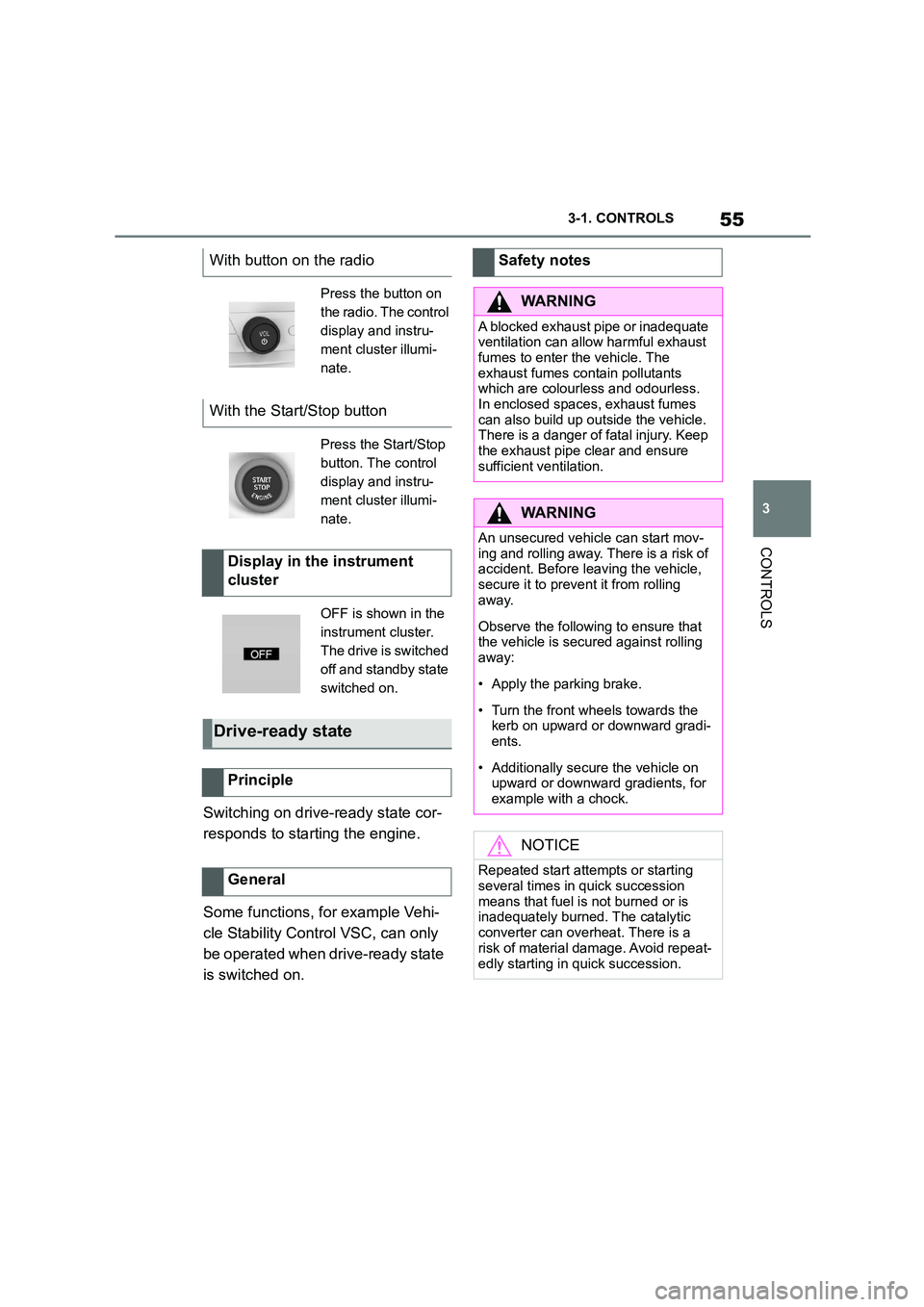
With button on the radio
Press the button on
the radio. The control
display and instru-
ment cluster illumi-
nate.
With the Start/Stop button
Press the Start/Stop
button. The control
display and instru-
ment cluster illumi-
nate.
Display in the instrument
cluster
OFF is shown in the
instrument cluster.
The drive is switched
off and standby state
switched on.
Drive-ready state
Principle
General
Safety notes
WA R N I N G
A blocked exhaust pipe or inadequate
ventilation can allow harmful exhaust fumes to enter the vehicle. The
exhaust fumes contain pollutants
which are colourless and odourless. In enclosed spaces, exhaust fumes
can also build up outside the vehicle.
There is a danger of fatal injury. Keep
the exhaust pipe clear and ensure sufficient ventilation.
WA R N I N G
An unsecured vehicle can start mov-ing and rolling away. There is a risk of
accident. Before leaving the vehicle,
secure it to prevent it from rolling away.
Observe the following to ensure that the vehicle is secured against rolling
away:
• Apply the parking brake.
• Turn the front wheels towards the
kerb on upward or downward gradi- ents.
• Additionally secure the vehicle on upward or downward gradients, for
example with a chock.
NOTICE
Repeated start attempts or starting
several times in quick succession
means that fuel is not burned or is inadequately burned. The catalytic
converter can overheat. There is a
risk of material damage. Avoid repeat-
edly starting in quick succession.
Page 105 of 498
103
3
3-1. CONTROLS
CONTROLS
is opened.
• Movements inside the vehicle.
• A change in the vehicle's incline,
for instance if an attempt is made
to jack it up and steal the wheels
or to raise it prior to towing away.
• An interruption in the power sup-
ply from the battery.
• Improper use of the socket for
on-board diagnosis OBD.
• The vehicle is locked while a
device is connected to the socket
for on-board diagnosis OBD.
Socket for on-board diagnosis
OBD, see page 332.
The alarm system indicates the fol-
lowing changes visually and audi-
bly:
• Audible alarm: Depending on
local regulations, the acoustic
alarm may be suppressed.
• Visual alarm: By flashing of the
hazard warning lights and, if
applicable, the headlights.
To safeguard the function of the
alarm system, do not modify the
system.
The alarm system is switched off
and on at the same time as the
vehicle is unlocked and locked via
the remote control or Smart Key
System.
The alarm system is triggered on
opening a door if the door has been
unlocked using the integrated key
in the door lock.
To stop the alarm, see page 104.
The boot lid can be opened even
with the alarm system switched on.
On closing the boot lid, it is locked
again and monitored, as long as the
doors are locked. The hazard warn-
ing lights flash once.
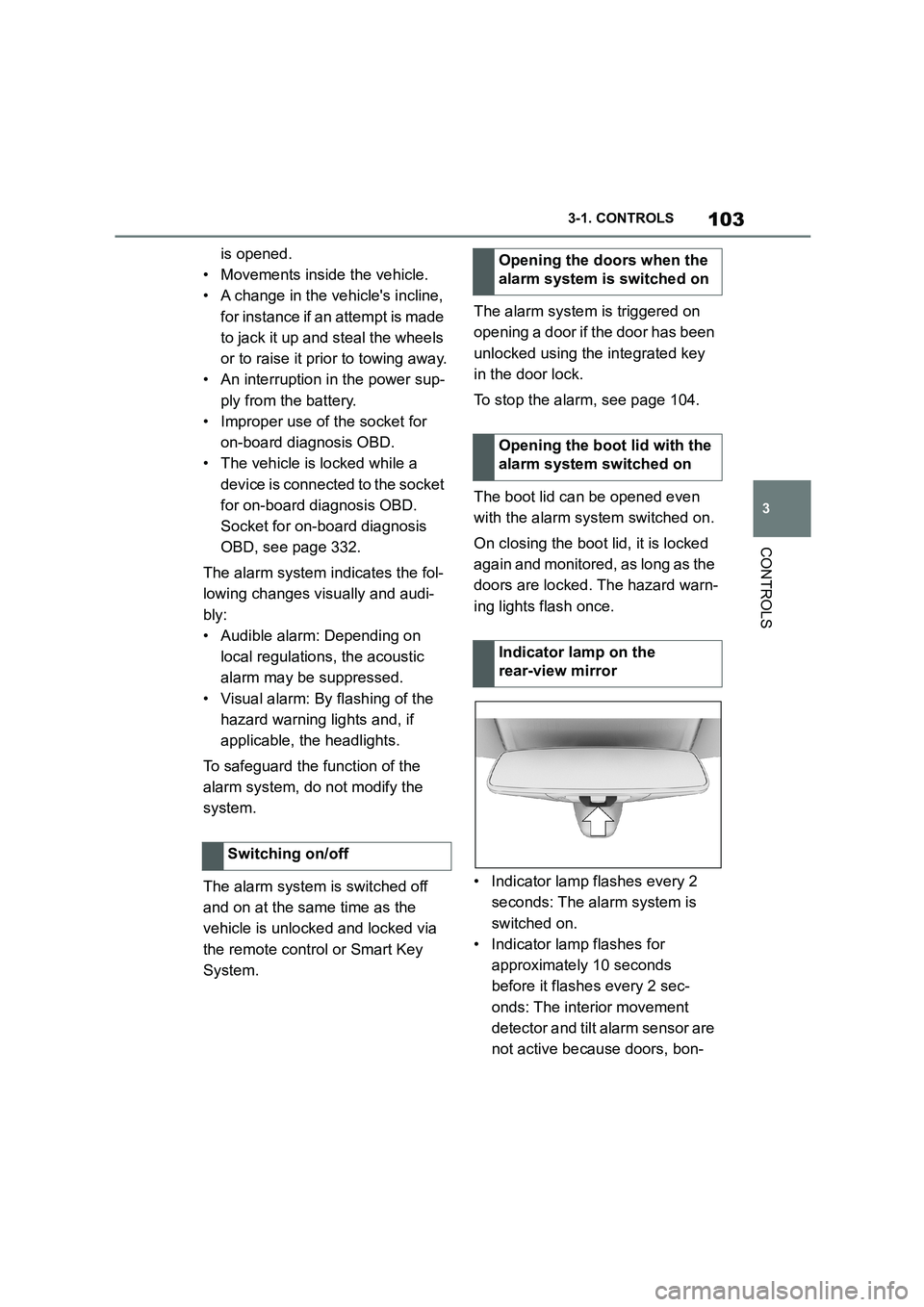
• Indicator lamp flashes every 2
seconds: The alarm system is
switched on.
• Indicator lamp flashes for
approximately 10 seconds
before it flashes every 2 sec-
onds: The interior movement
detector and tilt alarm sensor are
not active because doors, bon-
Switching on/off
Opening the doors when the
alarm system is switched on
Opening the boot lid with the
alarm system switched on
Indicator lamp on the
rear-view mirror
Page 106 of 498
1043-1. CONTROLS
net or boot lid are not closed cor-
rectly. Correctly closed access
points are secured.
If the open access points are then
closed, the interior protection and tilt
alarm sensor are switched on.
• The indicator lamp extinguishes
after the vehicle has been
unlocked: No attempt has been
made to tamper with the vehicle.
• The indicator lamp flashes after
unlocking until the drive-ready
state is switched on, but for no
longer than approximately 5 min-
utes: The alarm has been trig-
gered.
The incline of the vehicle is moni-
tored.
The alarm system responds, for
example, when there is an attempt
to steal a wheel or when towing
away.
The passenger compartment is
monitored to the height of the seat
cushions. Therefore the alarm sys-
tem, including the interior move-
ment detector, is switched on even
when the window is open. Falling
objects such as leaves can acci-
dentally trigger the alarm.
The tilt alarm sensor and the inte-
rior movement detector may trigger
an alarm without any unauthorised
activity taking place.
Possible situations for an unwanted
alarm:
• In washing bays or car washes.
• In two-level garages.
• During transport via motorail, car
ferry or trailer.
• When there are pets in the vehi-
cle.
• When the vehicle is locked after
starting to refuel.
The tilt alarm sensor and interior
protection can be switched off for
such situations.
The indicator lamp illuminates for
approximately 2 seconds and then
flashes again.
The tilt alarm sensor and the inte-
rior movement detector are
switched off until the next time the
vehicle is locked.
• Unlock the vehicle with the
Tilt alarm sensor
Interior move ment detector
Avoiding false alarms
General
Switching off the tilt alarm sensor
and interior movement detector
Within 10 seconds of locking
the vehicle, press the button
on the remote control.
Stopping the alarm
Page 150 of 498
1483-1. CONTROLS
example in order to leave it.
1 Press the start/stop button.
Drive-ready state is switched off.
Standby state is switched on.
Selector lever position P is auto-
matically engaged.
2 Apply the parking brake.
In certain situations the Auto
Start/Stop is deactivated automati-
cally for safety reasons, for exam-
ple if the absence of the driver is
detected.
The Auto Start/Stop no longer shuts
down the engine automatically. A
vehicle message is shown. It is
possible to keep driving. Have the
system checked by any authorized
Toyota retailer or Toyota authorized
repairer, or any reliable repairer.
The parking brake is used to pre-
vent the vehicle from rolling when it
is parked.
Automatic deactivation
General
Malfunction
Parking brake
Principle
Safety notes
WA R N I N G
An unsecured vehicle can start mov-
ing and rolling away. There is a risk of accident. Before leaving the vehicle,
secure it to prevent it from rolling
away.
Observe the following to ensure that
the vehicle is secured against rolling
away:
●Apply the parking brake.
●Turn the front wheels towards the kerb on upward or downward gradi-
ents.
●Additionally secure the vehicle on
upward or downward gradients, for
example with a chock.
WA R N I N G
Unsupervised children or pets in the
vehicle can set the vehicle in motion
and endanger themselves or other road users, for example by the follow-
ing actions:
●Pressing the start/stop button.
●Releasing the parking brake.
●Opening and closing doors or win-
dows.
●Engaging selector lever position N.
●Operating vehicle equipment.
There is a risk of accidents or injury. Do not leave children or pets unsu-
pervised in the vehicle. When leaving
the vehicle, take the remote control with you and lock the vehicle.
Page 157 of 498
155
3
3-1. CONTROLS
CONTROLS
Selector lever posi tion for all nor-
mal driving. All gears for forward
driving are selected automatically.
Only engage selector lever posi-
tion R when the vehicle is station-
ary.
In selector lever position N, the
vehicle can be pushed or can roll
without power from the engine, for
example in car washes, see page
156.
Selector lever position for parking
the vehicle, for example. In selector
lever position P, the transmission
blocks the drive wheels.
Only engage selector lever posi-
tion P when the vehicle is station-
ary.
■P is engaged automatically
Selector lever position P is auto-
matically engaged in the following
situations, for example:
After switching off drive-ready
state if selector lever position R,
D or M is engaged.
After switching off standby state
if selector leve r position N is
engaged.
If, while the vehicle is at a stand-
still and selector le ver position D,
M or R is engaged, the driver's
seat belt is unfastened, the
driver's door is opened and the
brake pedal is not depressed.
Apply the brakes until you are
ready to drive off, otherwise the
vehicle will move wh en a drive posi-
tion is selected.
Safety note
WA R N I N G
An unsecured vehicle can start mov-
ing and rolling away. There is a dan- ger of accidents. Before leaving the
vehicle, secure it to prevent it from
rolling away, for example by applying the parking brake.
Observe the following to ensure that
the vehicle is secured against rolling away:
• Apply the parking brake.
• Turn the front wheels towards the
kerb on upward or downward gradi- ents.
• Additionally secure the vehicle on upward or downward gradients, for
example with a chock.
Selector lever positions
D drive position
R Reverse
N neutral
P Park
Engaging selector lever posi-
tions
General
Page 161 of 498
159
3
3-1. CONTROLS
CONTROLS
can turn the engine.
Before the transmission lockout is
released, apply the parking brake
to prevent the ve hicle from rolling
away.
1 Apply the brakes and keep them
applied.
2 Press the start/stop button. The
starter must be heard to start
turning. Press and hold the
start/stop button.
3 With your free hand, press the
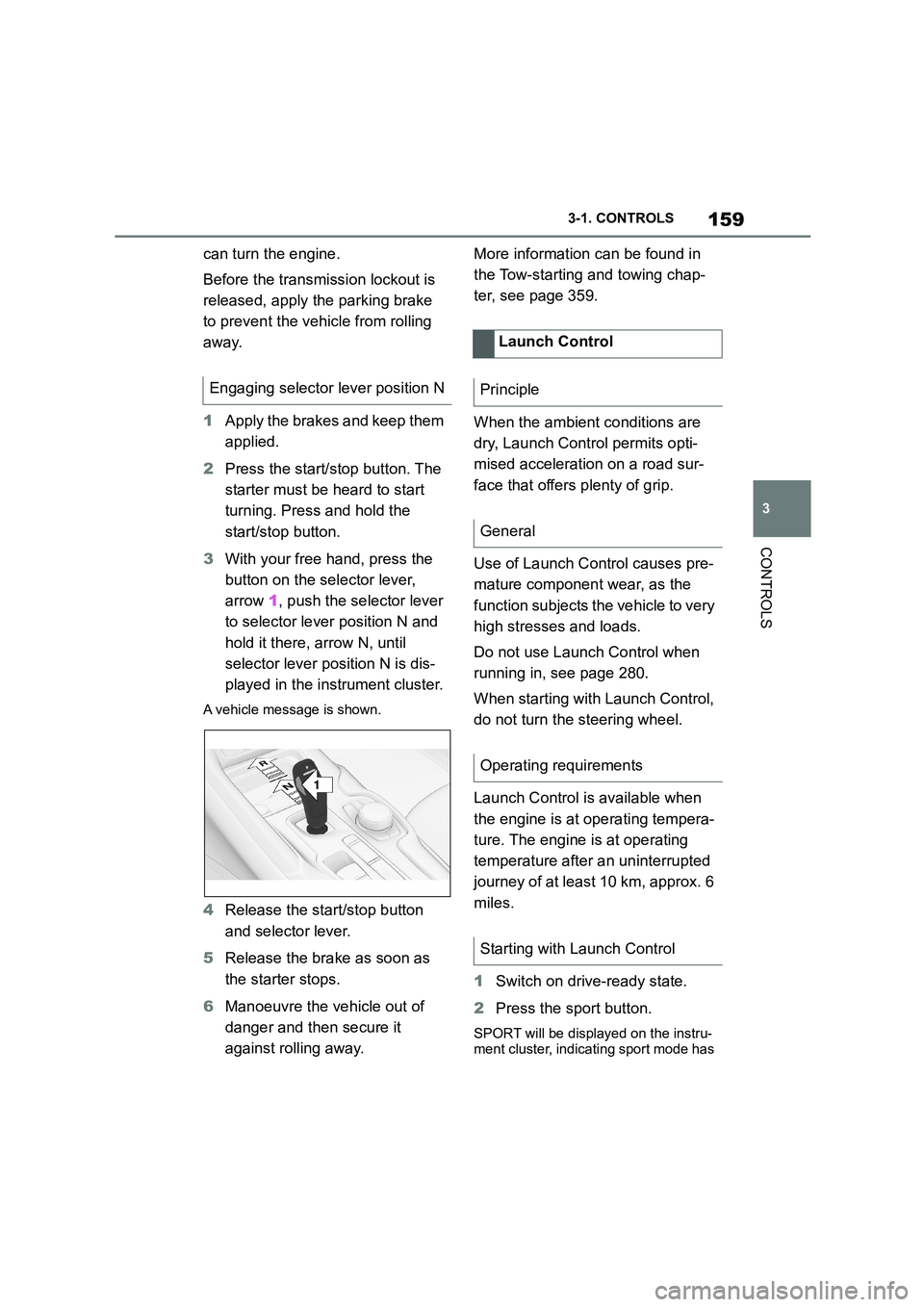
button on the selector lever,
arrow 1, push the selector lever
to selector lever position N and
hold it there, arrow N, until
selector lever position N is dis-
played in the instrument cluster.
A vehicle message is shown.
4 Release the start/stop button
and selector lever.
5 Release the brake as soon as
the starter stops.
6 Manoeuvre the vehicle out of
danger and then secure it
against rolling away.
More information can be found in
the Tow-starting and towing chap-
ter, see page 359.
When the ambient conditions are
dry, Launch Control permits opti-
mised acceleration on a road sur-
face that offers plenty of grip.
Use of Launch Control causes pre-
mature component wear, as the
function subjects t he vehicle to very
high stresses and loads.
Do not use Launch Control when
running in, see page 280.
When starting with Launch Control,
do not turn the steering wheel.
Launch Control is available when
the engine is at operating tempera-
ture. The engine is at operating
temperature after an uninterrupted
journey of at least 10 km, approx. 6
miles.
1 Switch on drive-ready state.
2 Press the sport button.
SPORT will be displayed on the instru-
ment cluster, indicating sport mode has
Engaging selector lever position N
1
R
N
Launch Control
Principle
General
Operating requirements
Starting with Launch Control
Page 192 of 498
1903-1. CONTROLS
tem will not operate or its operation
will be impaired and your interven-
tion may be required:
In extremely unfavourable
weather conditions such as fog
or heavy precipitation.
When detecting poorly lit road
users such as pedestrians,
cyclists or horse riders or car-
riages and when trains or ships
are close to the road, or when
animals are crossing the road.
On narrow bends, on steep hill-
tops or in depressions, when
there is crossing traffic or if the
view of oncoming vehicles on a
motorway is obstructed.
In poorly lit towns or where there
are highly reflective signs.
If the area of windscreen in front
of the rearview mirror is covered
with condensation, dirt, stickers,
labels, etc.
Before the rear fog light is switched
on, the low-beam headlights must
be switched on.
If automatic driving lights control,
see page 185, has been activated,
the low-beam headlights switch on
automatically when the rear fog
light is switched on.
When driving in countries where
vehicles drive on the opposite side
of the road to your vehicle's country
of registration, you will need to pre-
vent your headlights from dazzling
oncoming vehicles.
Via Toyota Supra Command:
1 "My Vehicle"
2 "Vehicle settings"
3 "Exterior lighting"
4 "Right-hand/left-hand traffic"
5 Select the desired setting.
Depending on the national-market ver- sion, the parking brake must be
applied.
Fog lights
Rear fog light
Operating requirements
Switching on/off
Press the button.
The yellow indicator lamp
in the instrument cluster is
illuminated when the rear
fog light is switched on.
Left-hand/right-hand traffic
General
Switching over the head-
lights