wheel TOYOTA SUPRA 2022 Owner's Guide
[x] Cancel search | Manufacturer: TOYOTA, Model Year: 2022, Model line: SUPRA, Model: TOYOTA SUPRA 2022Pages: 498, PDF Size: 104.06 MB
Page 193 of 498
191
3
3-1. CONTROLS
CONTROLS
The automatic high-beam may only
function to a limited extent.
The availability of the adaptive light
functions might be restricted.
The brightness can only be
adjusted when the side lights or the
low-beam headlights are switched
on.
Depending on the equipment, the
interior light, the footwell lights and
door entry lighting are controlled
automatically.
To switch off permanently: press
and hold the button for approxi-
mately 3 seconds.
System limits
Instrument lighting
Operating requirements
Adjusting
The brightness can be
set using the knurled
wheel.
Interior light
General
Overview
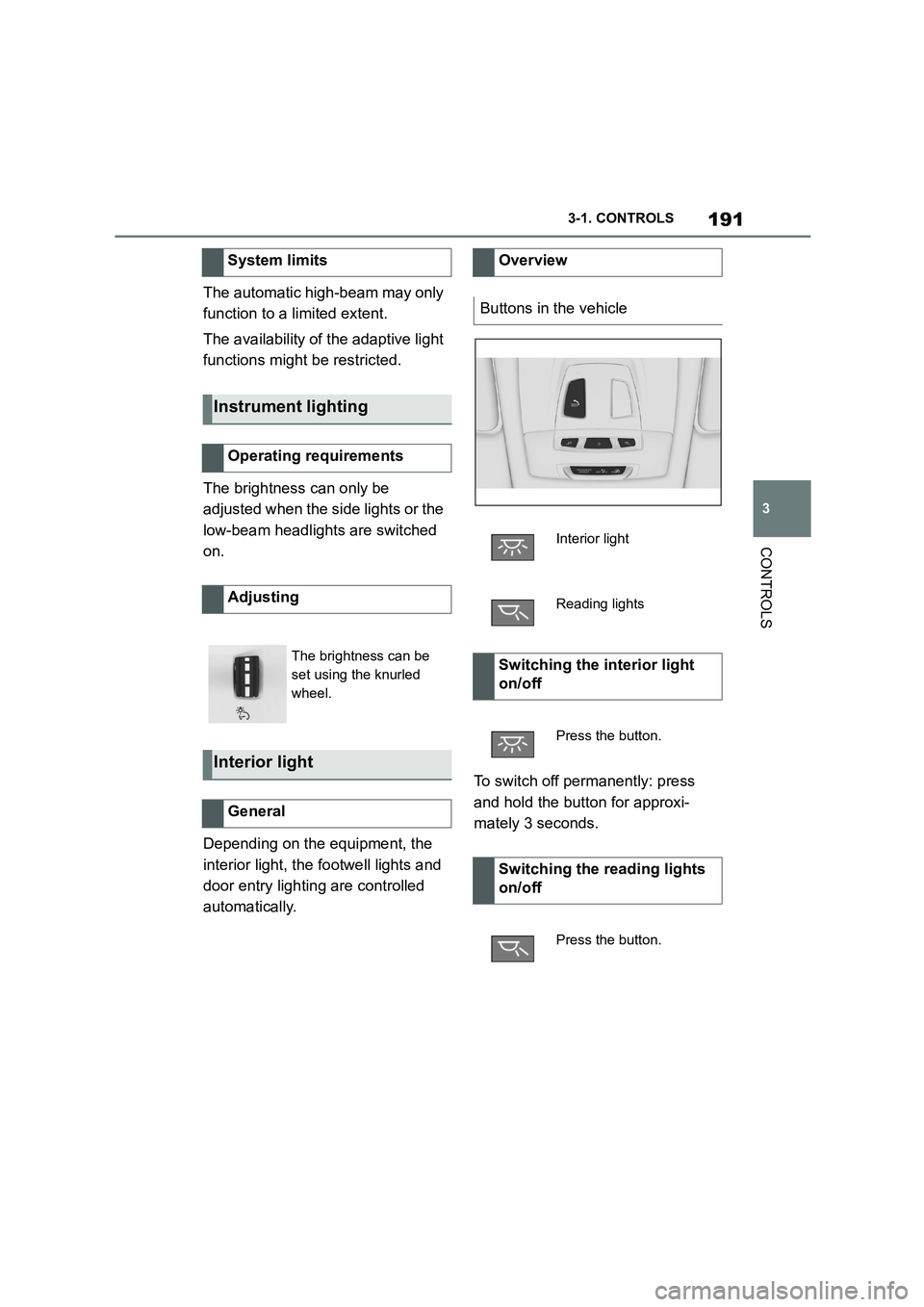
Buttons in the vehicle
Interior light
Reading lights
Switching the interior light
on/off
Press the button.
Switching the reading lights
on/off
Press the button.
Page 196 of 498
1943-1. CONTROLS
collision, for example, in minor acci-
dents.
Keep your distance from the
airbags.
Always grip the steering wheel
on the steering wheel rim. Place
your hands in the 3 o'clock and 9
o'clock positions to minimise the
risk of injury to hands or arms
when the airbag deploys.
Adjust the seat and steering
wheel so the driver can reach
over the steering wheel diago-
nally. Select the settings so that,
when reaching over, the shoul-
ders stay in contact with the
backrest and the upper body
stays as far away from the steer-
ing wheel as possible.
Make sure that the front-seat
passenger is sitting correctly, i.e.
with their feet and legs in the
footwell, not resting on the dash-
board.
Make sure that vehicle occu-
pants keep their head away from
the side airbag.
Do not place any other persons,
pets or objects between the
airbags and occupants.
Keep the dashboard and wind-
screen area on the passenger
side clear, for example do not
attach adhesive foil or covers
and do not fit brackets for navi-
gation devices or mobile tele-
phones.
Do not glue the airbag covers
and do not cover or modify them
in any way.
Do not use the front airbag cover
on the front passenger's side as
a tray.
Do not install seat covers, cush-
ions or other objects on the front
seats if they are not specifically
designed for use on seats with
integral side airbags.
Do not hang items of clothing for
example coats or jackets over
the backrests.
Do not modify individual compo-
nents of the system or its wiring
in any way. This also applies to
the covers of the steering wheel,
the dashboard and seats.
Do not dismantle the airbag sys-
tem.
Even if all this information is
observed, depending on the cir-
cumstances in which an accident
occurs, certain injuries as a result
of contact with the airbag cannot be
Notes on achieving optimum
airbag effectiveness
WA R N I N G
If the seat position is wrong or the
deployment area of the airbag is
restricted, the airbag system cannot provide the intended protection or
may cause additional injuries when it
deploys. There is a danger of injury or even death. Observe the following to
achieve optimum protective effect.
Page 198 of 498
1963-1. CONTROLS
3Readjust the desired seat posi-
tion.
The calibration is concluded when
the message on the Control Display
disappears.
If the message is still displayed,
repeat the calibration.
If the message still does not go out
after repeated calibration, have the
system checked as soon as possi-
ble.
The airbags are not designed to be
used in place of the seat belts.
The SRS front airbags and SRS
knee airbags are designed to sup-
plement the seat belts, not be used
in place of them, to increase their
effectiveness as an occupant pro-
tection device.
SRS is an acronym for Supplemental
Restraint System
In the event of a collision, the seat
belts restrain the occupants in their
seats, but if the impact of the colli-
sion is especially severe, there is
danger of an occupant’s head and
chest contacting the steering
wheel, dashboard and windshield.
In this case, the SRS front airbags
and SRS knee airbags deploy
(inflate), instantly creating an air
cushion to help reduce the impact
on the occupants and restrain them
from contacting the steering wheel,
etc. with their head, chest and
knees.
The SRS front air bags and SRS
knee airbags deploy only when an
impact exceeding a certain thresh-
old is detected. In a collision, even
if the impact is severe enough to
cause the vehicle body to deform,
the SRS airbags may not deploy if
the impact of the collision is suffi-
ciently dispersed by the crash
structures of the vehicle body. If the
force of the collision does not cause
the airbags to deploy, the seatbelts
will protect the occupants.
When an airbag deploys, as it will
inflate nearly instantly, it may
impact an occupant and cause an
injury, or the loud noise emitted by
ignition or deployment may cause
temporary partial loss of hearing.
Also, as an airbag and nearby parts
will be extremely hot after the
airbag deploys, touching them may
cause burns. For these reasons,
deployment of the airbags is not
entirely risk free. Therefore, in
order to reduce this risk, the
airbags are designed to only deploy
when additional reduction of the
impact applied to the occupants in
a collision is necessary.
SRS front airbag/SRS knee
airbag
WA R N I N G
Wear the seatbelt correctly and sit
with the correct posture.
Page 199 of 498
197
3
3-1. CONTROLS
CONTROLS
When the vehicle is involved in a
frontal collision which exceeds a
threshold equivale nt to colliding
with a concrete wall which does not
move or deform
WA R N I N G
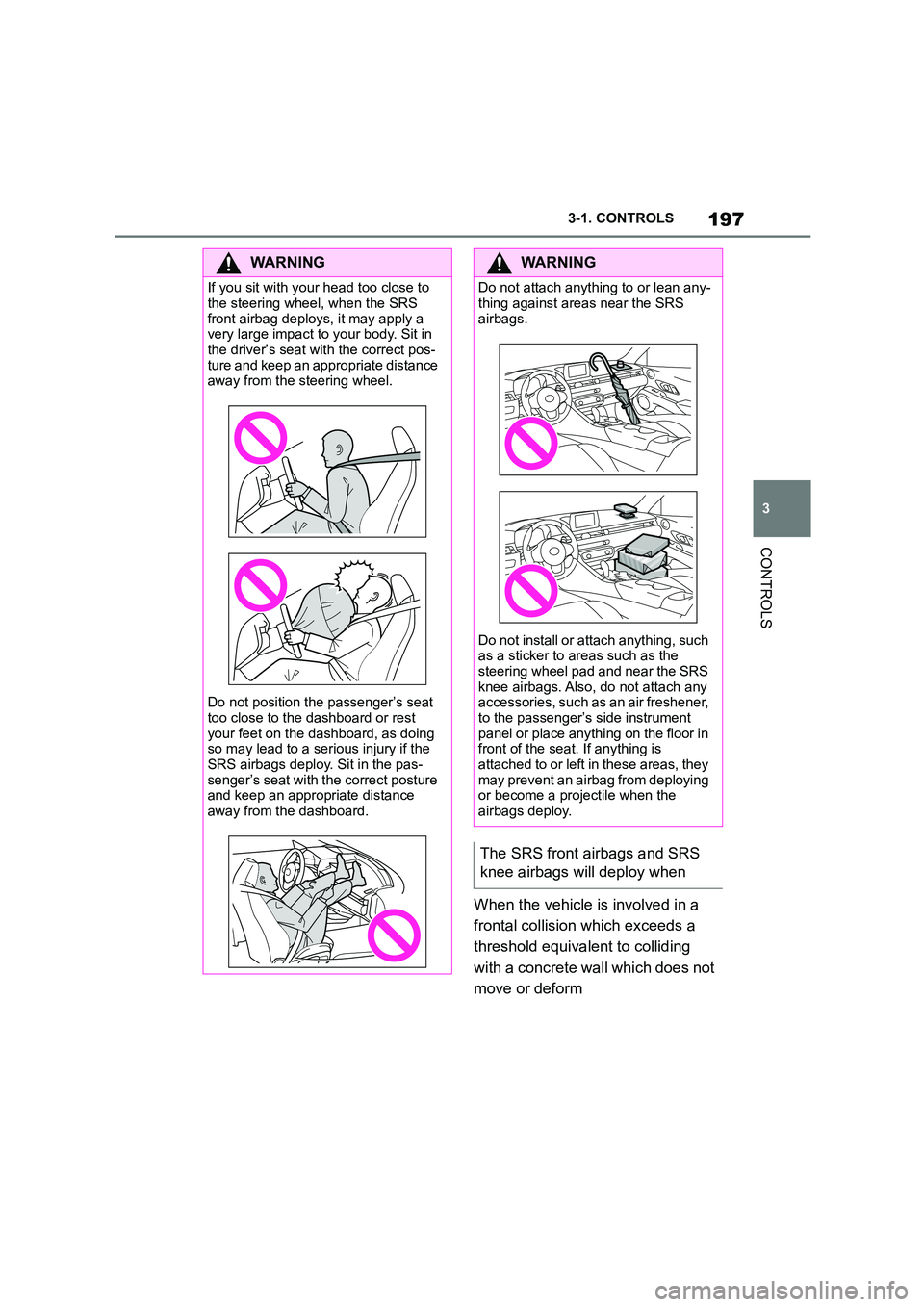
If you sit with your head too close to
the steering wheel, when the SRS
front airbag deploys, it may apply a very large impact to your body. Sit in
the driver’s seat with the correct pos-
ture and keep an appropriate distance away from the steering wheel.
Do not position the passenger’s seat
too close to the dashboard or rest your feet on the dashboard, as doing
so may lead to a serious injury if the
SRS airbags deploy. Sit in the pas- senger’s seat with the correct posture
and keep an appropriate distance
away from the dashboard.
WA R N I N G
Do not attach anything to or lean any-
thing against areas near the SRS
airbags.
Do not install or attach anything, such
as a sticker to areas such as the
steering wheel pad and near the SRS knee airbags. Also, do not attach any
accessories, such as an air freshener,
to the passenger’s side instrument panel or place anything on the floor in
front of the seat. If anything is
attached to or left in these areas, they may prevent an airbag from deploying
or become a projectile when the
airbags deploy.
The SRS front airbags and SRS
knee airbags will deploy when
Page 204 of 498
2023-1. CONTROLS
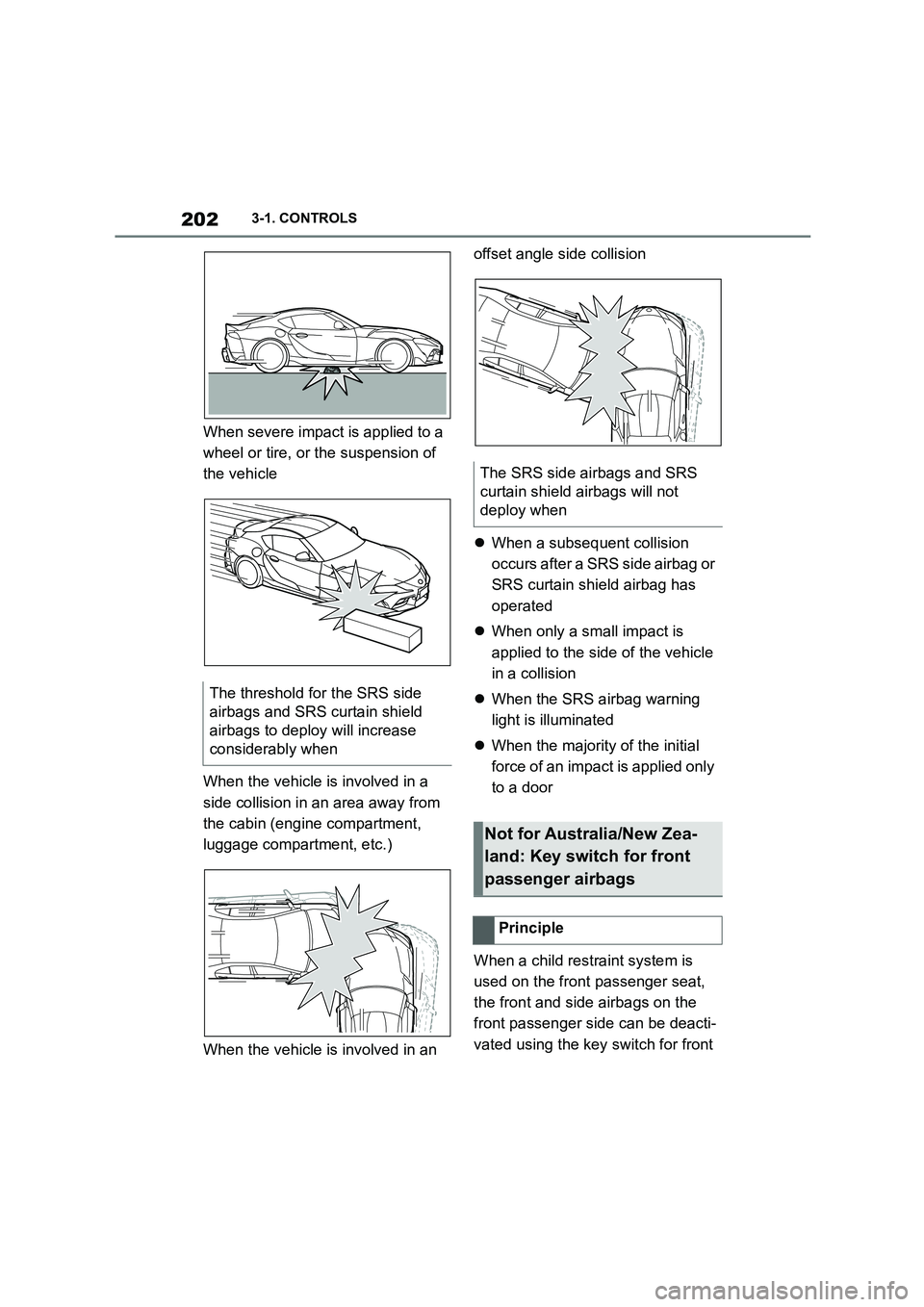
When severe impact is applied to a
wheel or tire, or the suspension of
the vehicle
When the vehicle is involved in a
side collision in an area away from
the cabin (engine compartment,
luggage compartment, etc.)
When the vehicle is involved in an
offset angle side collision
When a subsequent collision
occurs after a SRS side airbag or
SRS curtain shield airbag has
operated
When only a small impact is
applied to the side of the vehicle
in a collision
When the SRS airbag warning
light is illuminated
When the majority of the initial
force of an impact is applied only
to a door
When a child restraint system is
used on the front passenger seat,
the front and side airbags on the
front passenger side can be deacti-
vated using the key switch for front
The threshold for the SRS side
airbags and SRS curtain shield
airbags to deploy will increase
considerably when
The SRS side airbags and SRS
curtain shield airbags will not
deploy when
Not for Australia/New Zea-
land: Key switch for front
passenger airbags
Principle
Page 212 of 498
2103-1. CONTROLS
An advance warning is given for
example if there is an impending
risk of collision or the distance from
the vehicle ahead is too short.
The driver must intervene person-
ally if there is an advance warning.
An acute warning is given when the
vehicle is approaching another
object at a high differential speed
and there is an immediate risk of a
collision.
The driver must intervene person-
ally if there is an acute warning.
Depending on the driving situation
and the vehicle's equipment, the
acute warning may be supported by
a brief jolt in the brakes.
If the warning time setting is "Late",
the jolt does not occur.
If necessary, the system can also
assist by braking the vehicle auto-
matically if there is a risk of a colli-
sion.
An acute warning can be triggered
even without a previous advance
warning.
The warning prompts the driver to
intervene actively. When the brake
is operated during a warning, the
maximum necessary braking force
is applied. Braking assistance
requires that the brake pedal is
depressed sufficiently quickly and
firmly beforehand.
The system can also assist by brak-
ing the vehicle automatically if there
is a risk of a collision.
At low speeds, the vehicle can be
braked to a stop.
City braking function: brake inter-
vention takes place at up to approx.
85 km/h, 53 mph.
With radar sensor: brake interven-
tion takes place at up to approx.
250 km/h, 155 mph.
At speeds above approx. 210 km/h,
130 mph, the brake intervention
takes the form of a brief jolt. There
is no automatic deceleration.
A brake intervention can be discon-
tinued either by depressing the
accelerator pedal or by actively
moving the steering wheel.
The detection of objects may be
limited. Take in to account the
detection range limits and the func-
tional limitations.
Advance warning
Acute warning with braking func-
tion
Brake intervention
Page 213 of 498
211
3
3-1. CONTROLS
CONTROLS
At speeds over approx. 250 km/h,
155 mph, the system is temporarily
disabled. As soon as the speed
drops back below this value, the
system responds once again
according to its settings.
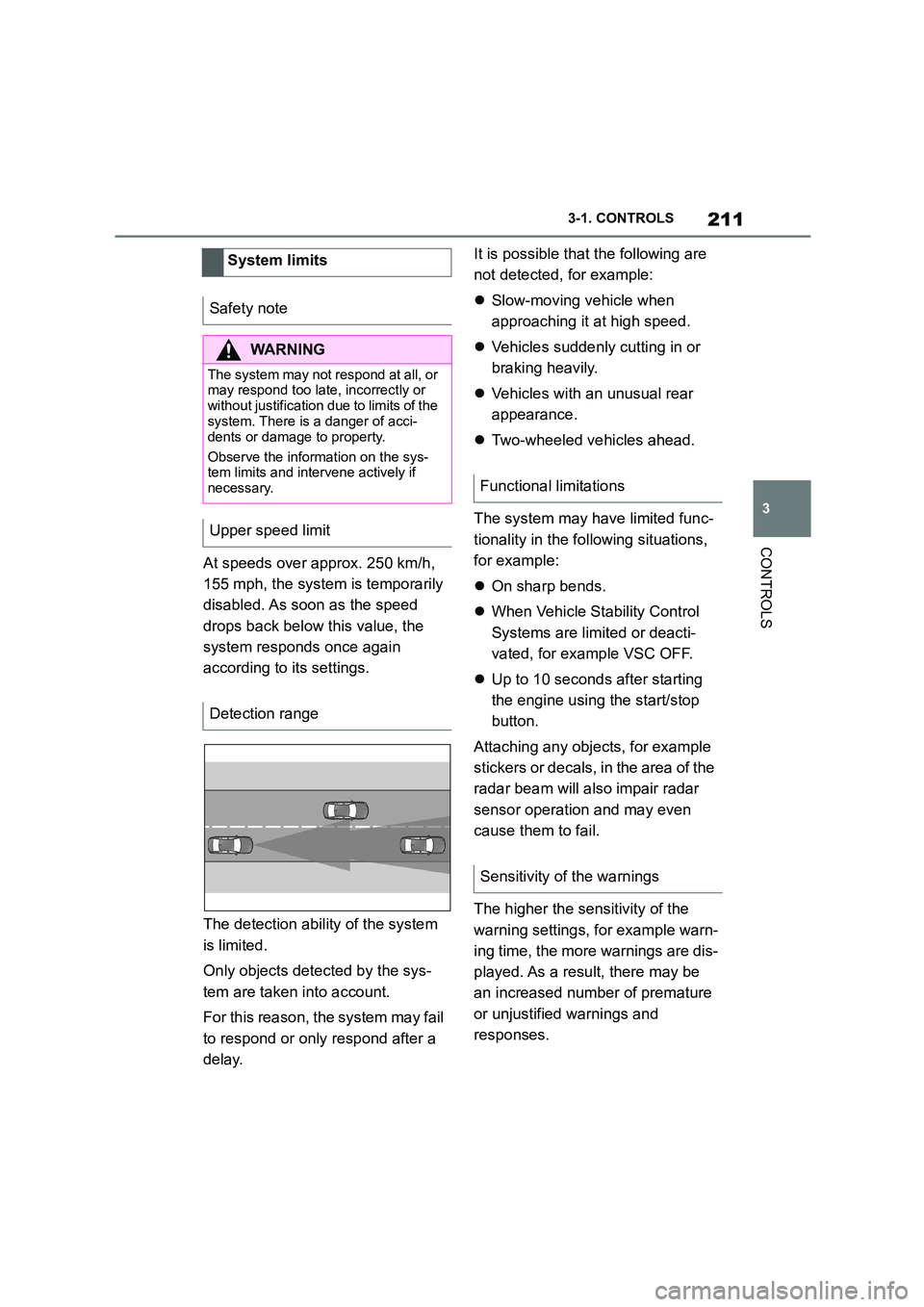
The detection ability of the system
is limited.
Only objects detected by the sys-
tem are taken into account.
For this reason, the system may fail
to respond or only respond after a
delay.
It is possible that the following are
not detected, for example:
Slow-moving vehicle when
approaching it at high speed.
Vehicles suddenly cutting in or
braking heavily.
Vehicles with an unusual rear
appearance.
Two-wheeled vehicles ahead.
The system may have limited func-
tionality in the following situations,
for example:
On sharp bends.
When Vehicle Stability Control
Systems are limited or deacti-
vated, for example VSC OFF.
Up to 10 seconds after starting
the engine using the start/stop
button.
Attaching any objects, for example
stickers or decals, in the area of the
radar beam will also impair radar
sensor operation and may even
cause them to fail.
The higher the sensitivity of the
warning settings, fo r example warn-
ing time, the more warnings are dis-
played. As a result, there may be
an increased number of premature
or unjustified warnings and
responses.
System limits
Safety note
WA R N I N G
The system may not re spond at all, or may respond too late, incorrectly or
without justification due to limits of the
system. There is a danger of acci-
dents or damage to property.
Observe the information on the sys-
tem limits and intervene actively if
necessary.
Upper speed limit
Detection range
Functional limitations
Sensitivity of the warnings
Page 216 of 498
2143-1. CONTROLS
Systems are switched on. Basic
settings are activated for the
sub-functions.
"Customise": the Toyota Supra
Safety Systems are switched on
according to the individual settings.
Some Toyota Supra Safety Sys-
tems cannot be switched off individ-
ually.
All Toyota Supra Safety Systems
are switched off.
If there is a risk of collision with a
detected pedestrian or a cyclist, a
warning symbol is shown in the
instrument cluster and, where appli-
cable, in the Head-Up Display.
Take action yourself immediately by
braking or swerving.
The warning prompts the driver to
intervene actively. When the brake
is operated during a warning, the
maximum braking force is applied.
Braking force assistance requires
that the brake pedal is depressed
sufficiently quickly and firmly
beforehand.
In addition, the system can assist
with brake intervention if there is
the risk of a collision.
At low speeds, the vehicle can be
braked to a stop.
A brake intervention can be discon-
tinued either by depressing the
accelerator pedal or by actively
moving the steering wheel.
The detection of objects may be
limited. Take in to account the
detection range limits and the func-
tional limitations.
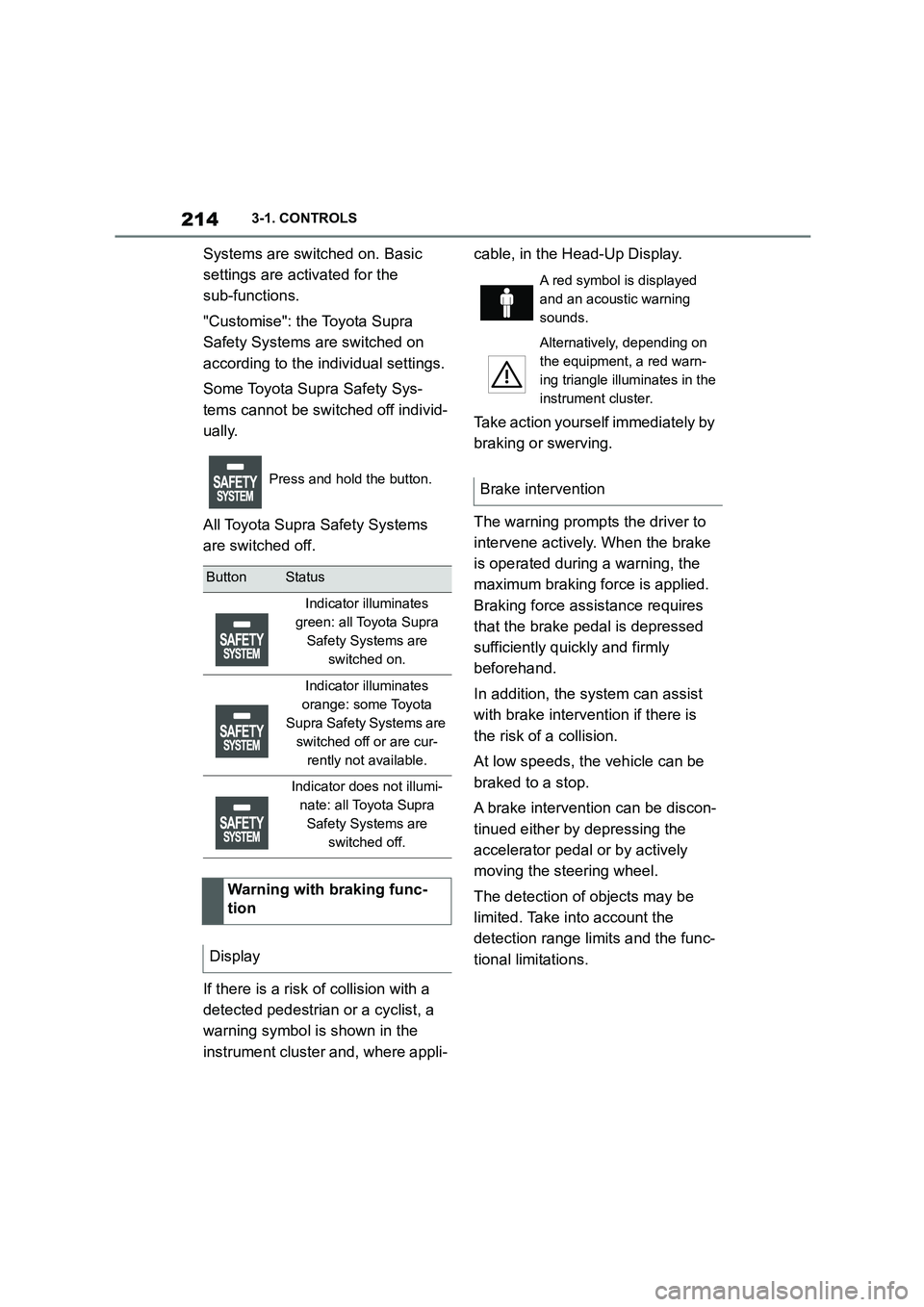
Press and hold the button.
ButtonStatus
Indicator illuminates
green: all Toyota Supra
Safety Systems are
switched on.
Indicator illuminates
orange: some Toyota
Supra Safety Systems are
switched off or are cur-
rently not available.
Indicator does not illumi-
nate: all Toyota Supra
Safety Systems are
switched off.
Warning with braking func-
tion
Display
A red symbol is displayed
and an acoustic warning
sounds.
Alternatively, depending on
the equipment, a red warn-
ing triangle illuminates in the
instrument cluster.
Brake intervention
Page 218 of 498
2163-1. CONTROLS
film, for example – in the beam
area of the radar sensors will also
restrict the function of the radar
sensors and may even cause them
to fail.
*: if equipped
The Lane Departure Warning
issues a warning if the vehicle
leaves the road or its lane.
This camera-based system warns
once a minimum speed has been
reached.
The minimum speed is coun-
try-specific and is displayed in the
menu for the Toyota Supra Safety
Systems.
Warnings are issued by means of a
steering wheel vibration. The
strength of the steering wheel
vibration can be adjusted.
The system does not issue a warn-
ing if the driver in dicates in the cor-
responding direction before leaving
the driving lane.
Depending on the equipment, if a
lane marking is crossed in the
speed range up to 250 km/h,
approx. 155 mph, the system may
intervene not only by vibrating but
also with a brief active steering
intervention. The system thereby
helps to keep the vehicle in lane.
The lane marking must be detected
by the camera in order for the Lane
Departure Warning to be active.
Lane Departure Warning*
Principle
General
Safety notes
WA R N I N G
The system does not relieve you of
your personal responsibility to assess
the course of the road and the traffic situation. There is a danger of acci-
dents. Adapt your driving style to the
traffic conditions. Observe the traffic situation and intervene actively if the
situation warrants it. In the event of a
warning, do not move the steering wheel unnecessarily abruptly.
WA R N I N G
Displays and warnings do not relieve you of your personal responsibility.
System limitations can mean that
warnings or system responses are not issued or are issued too late,
incorrectly or without justification.
There is a danger of accidents. Adapt
your driving style to the traffic condi- tions. Observe the traffic situation and
intervene actively if the situation war-
rants it.
Operating requirements
Page 220 of 498
2183-1. CONTROLS
Via Toyota Supra Command:
1 "My Vehicle"
2 "Vehicle settings"
3 "Toyota Supra Safety"
4 "Lane departure warning"
5 Select the desired setting:
"Early": the system issues an
early warning whenever a haz-
ardous situation is detected.
"Medium": the system meets
standardised safety require-
ments.
"Reduced": depending on the sit-
uation, some warnings are sup-
pressed, for example when
deliberately crossing driving lane
lines on bends.
"Off": no warnings are given.
Via Toyota Supra Command:
1 "My Vehicle"
2 "Vehicle settings"
3 "Steering wheel vibration"
4 Select the desired setting.
Steering intervention can be sepa-
rately switched on and off for Blind
spot monitor or Lane Departure
Warning.
Via Toyota Supra Command:
1 "My Vehicle"
2 "Vehicle settings"
3 "Toyota Supra Safety"
4 "Steering intervention"
Depending on the national-market ver-
sion, the steering intervention is auto- matically active after every driving off.
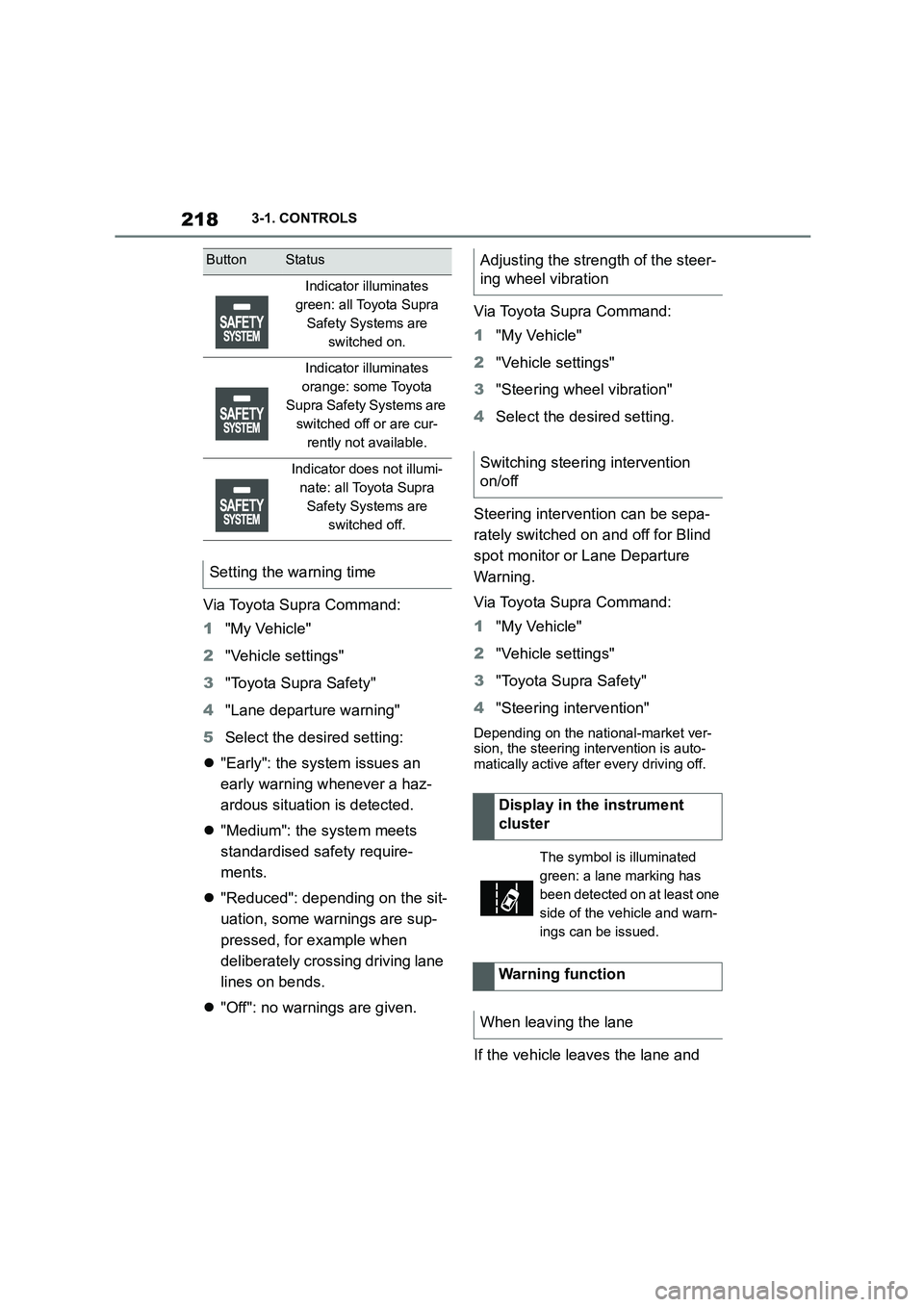
If the vehicle leaves the lane and
ButtonStatus
Indicator illuminates
green: all Toyota Supra
Safety Systems are
switched on.
Indicator illuminates
orange: some Toyota
Supra Safety Systems are
switched off or are cur-
rently not available.
Indicator does not illumi-
nate: all Toyota Supra
Safety Systems are
switched off.
Setting the warning time
Adjusting the strength of the steer-
ing wheel vibration
Switching steering intervention
on/off
Display in the instrument
cluster
The symbol is illuminated
green: a lane marking has
been detected on at least one
side of the vehicle and warn-
ings can be issued.
Warning function
When leaving the lane