alarm TOYOTA SUPRA 2022 Owners Manual
[x] Cancel search | Manufacturer: TOYOTA, Model Year: 2022, Model line: SUPRA, Model: TOYOTA SUPRA 2022Pages: 498, PDF Size: 104.06 MB
Page 92 of 498
903-1. CONTROLS
unlocked.
• With anti-theft system: The
anti-theft system is switched off.
• With alarm system: The alarm
system is switched off.
Depending on the settings, the win-
dow is lowered further when open-
ing a door.
The vehicle is operational after one
of the front doors is opened.
The lighting functions may depend
on the ambient brightness.
The windows are opened for as
long as the button on the remote
control is pressed.
Exterior mirrors which were folded
in via the comfort closing feature
are folded out.
The behaviour of the vehicle in the
case of remote control locking
depends on the following settings:
• Whether locking of the vehicle is
acknowledged with a light signal.
• Whether the exterior mirrors are
automatically folded in when the
vehicle is unlocked and locked.
• Whether the headlight courtesy
delay feature is activated when
the vehicle is locked.
1 Close the driver's door.
2 Press the button on the
remote control.
The following functions are carried
out:
• All the doors, the boot lid and
fuel filler flap are locked.
• With anti-theft system: The
anti-theft system is switched on.
This prevents the doors from
being unlocked using the locking
buttons or the door openers.
• With alarm system: The alarm
system is switched on.
If the drive-ready state is still
switched on when locking, the vehi-
cle horn sounds twice. In this case,
switch off the drive-ready state
using start/ stop button.
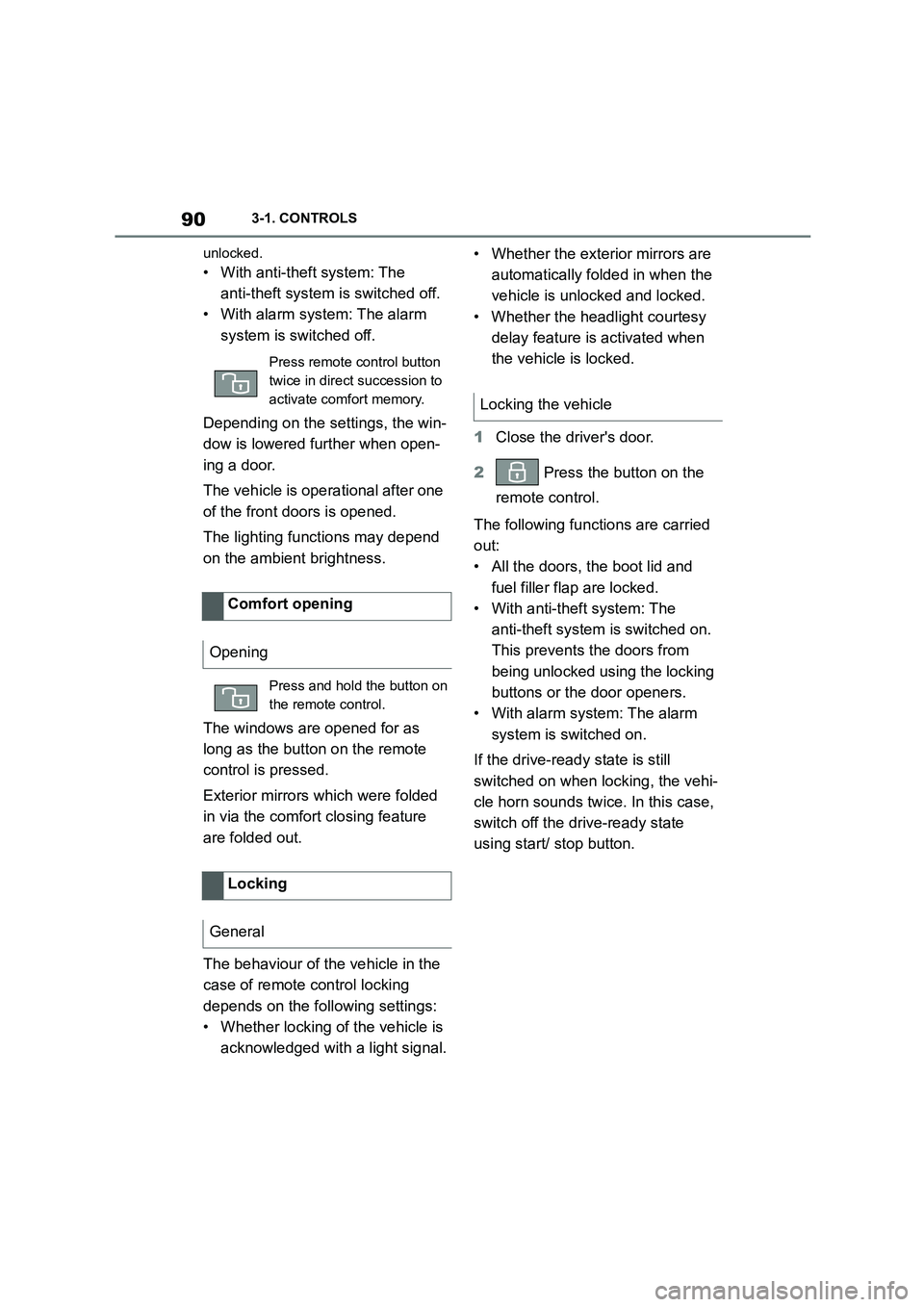
Press remote control button
twice in direct succession to
activate comfort memory.
Comfort opening
Opening
Press and hold the button on
the remote control.
Locking
General
Locking the vehicle
Page 97 of 498
95
3
3-1. CONTROLS
CONTROLS
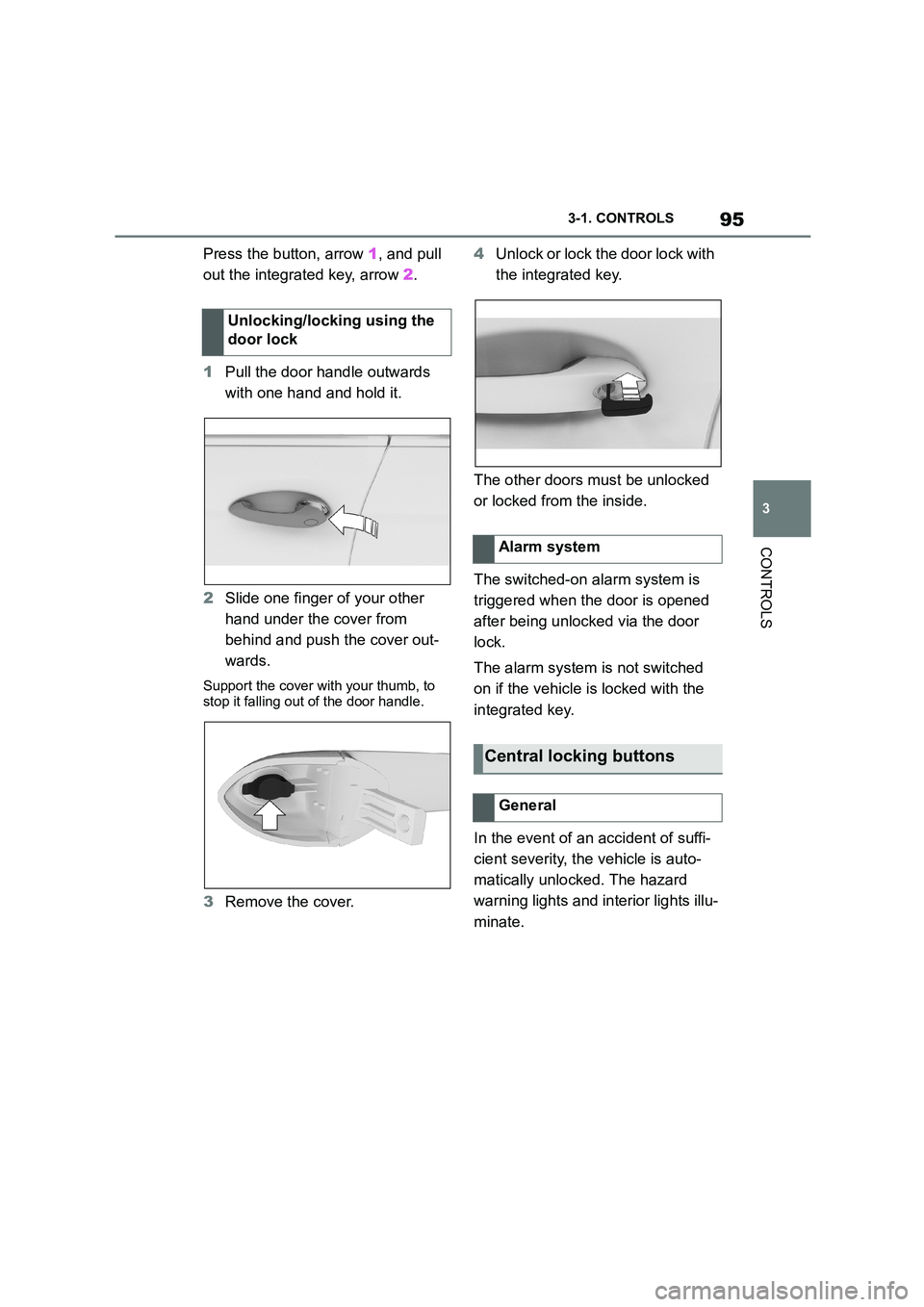
Press the button, arrow 1, and pull
out the integrated key, arrow 2.
1 Pull the door handle outwards
with one hand and hold it.
2 Slide one finger of your other
hand under the cover from
behind and push the cover out-
wards.
Support the cover with your thumb, to
stop it falling out of the door handle.
3 Remove the cover.
4 Unlock or lock the door lock with
the integrated key.
The other doors must be unlocked
or locked from the inside.
The switched-on alarm system is
triggered when the door is opened
after being unlocked via the door
lock.
The alarm system is not switched
on if the vehicle is locked with the
integrated key.
In the event of an accident of suffi-
cient severity, the vehicle is auto-
matically unlocked. The hazard
warning lights and in terior lights illu-
minate.
Unlocking/locking using the
door lock
Alarm system
Central locking buttons
General
Page 101 of 498
99
3
3-1. CONTROLS
CONTROLS
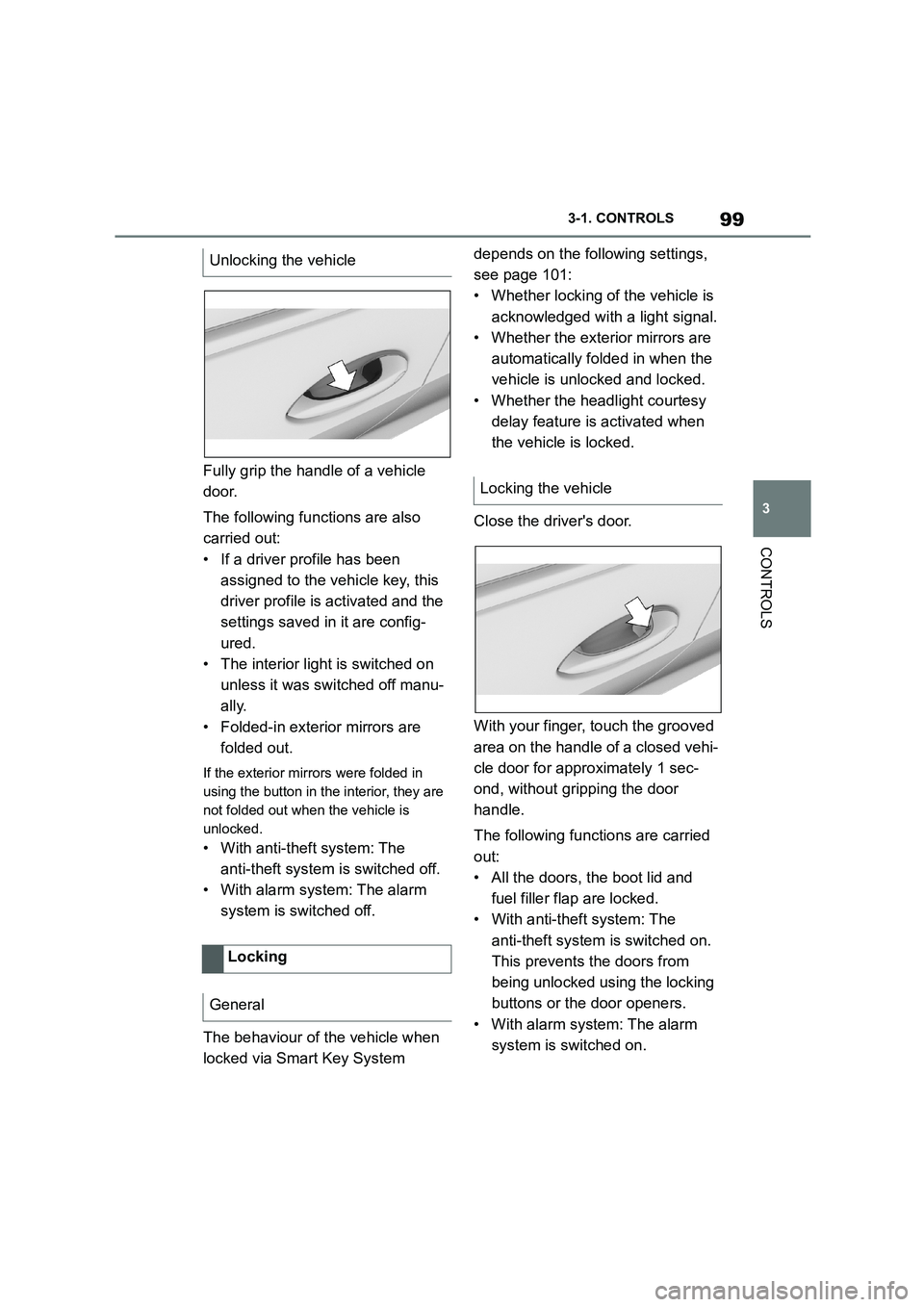
Fully grip the handle of a vehicle
door.
The following functions are also
carried out:
• If a driver profile has been
assigned to the vehicle key, this
driver profile is activated and the
settings saved in it are config-
ured.
• The interior light is switched on
unless it was switched off manu-
ally.
• Folded-in exterior mirrors are
folded out.
If the exterior mirrors were folded in
using the button in the interior, they are
not folded out when the vehicle is
unlocked.
• With anti-theft system: The
anti-theft system is switched off.
• With alarm system: The alarm
system is switched off.
The behaviour of the vehicle when
locked via Smart Key System
depends on the following settings,
see page 101:
• Whether locking of the vehicle is
acknowledged with a light signal.
• Whether the exterior mirrors are
automatically folded in when the
vehicle is unlocked and locked.
• Whether the headlight courtesy
delay feature is activated when
the vehicle is locked.
Close the driver's door.
With your finger, touch the grooved
area on the handle of a closed vehi-
cle door for approximately 1 sec-
ond, without gripping the door
handle.
The following functions are carried
out:
• All the doors, the boot lid and
fuel filler flap are locked.
• With anti-theft system: The
anti-theft system is switched on.
This prevents the doors from
being unlocked using the locking
buttons or the door openers.
• With alarm system: The alarm
system is switched on.
Unlocking the vehicle
Locking
General
Locking the vehicle
Page 104 of 498
1023-1. CONTROLS
The last position setting is inde-
pendent of the positions saved via
the seat memory.
Via Toyota Supra Command:
1 "My Vehicle"
2 "Vehicle settings"
3 "Doors/Key"
4 "Flash for lock/unlock"
Unlocking is acknowledged by flashing
twice, locking by flashing once.
Via Toyota Supra Command:
1 "My Vehicle"
2 "Vehicle settings"
3 "Doors/Key"
4 "Relock automatically"
The vehicle is automatically locked
again after a short while if no door is
opened after unlocking.
Via Toyota Supra Command:
1 "My Vehicle"
2 "Vehicle settings"
3 "Doors/Key"
4 Select the desired setting:
• "Unlock doors when in Park"
• "Unlock at end of journey"
After the drive-ready state has been
switched off by pressing the start/stop
button, the locked vehicle is automati-
cally unlocked.
Via Toyota Supra Command:
1 "My Vehicle"
2 "Vehicle settings"
3 "Doors/Key"
4 "Fold mirrors in when locked"
The exterior mirrors are folded in auto-
matically when the vehicle is locked.
Via Toyota Supra Command:
1 "My Vehicle"
2 "Vehicle settings"
3 "Doors/Key"
4 "Switch off after door opening"
Idle state, see page 53, is established
when the front doors are opened.
The alarm system visually and
acoustically signals when some-
one attempts to open the locked
vehicle.
The alarm system responds to the
following changes when the vehicle
is locked:
• A door, the bonnet or the boot lid
Acknowledgement signals of
the vehicle
Automatic locking
Automatic unlocking
Folding the mirrors automati-
cally
Establishing idle state after
opening the front doors
Alarm system
Principle
General
Page 105 of 498
103
3
3-1. CONTROLS
CONTROLS
is opened.
• Movements inside the vehicle.
• A change in the vehicle's incline,
for instance if an attempt is made
to jack it up and steal the wheels
or to raise it prior to towing away.
• An interruption in the power sup-
ply from the battery.
• Improper use of the socket for
on-board diagnosis OBD.
• The vehicle is locked while a
device is connected to the socket
for on-board diagnosis OBD.
Socket for on-board diagnosis
OBD, see page 332.
The alarm system indicates the fol-
lowing changes visually and audi-
bly:
• Audible alarm: Depending on
local regulations, the acoustic
alarm may be suppressed.
• Visual alarm: By flashing of the
hazard warning lights and, if
applicable, the headlights.
To safeguard the function of the
alarm system, do not modify the
system.
The alarm system is switched off
and on at the same time as the
vehicle is unlocked and locked via
the remote control or Smart Key
System.
The alarm system is triggered on
opening a door if the door has been
unlocked using the integrated key
in the door lock.
To stop the alarm, see page 104.
The boot lid can be opened even
with the alarm system switched on.
On closing the boot lid, it is locked
again and monitored, as long as the
doors are locked. The hazard warn-
ing lights flash once.
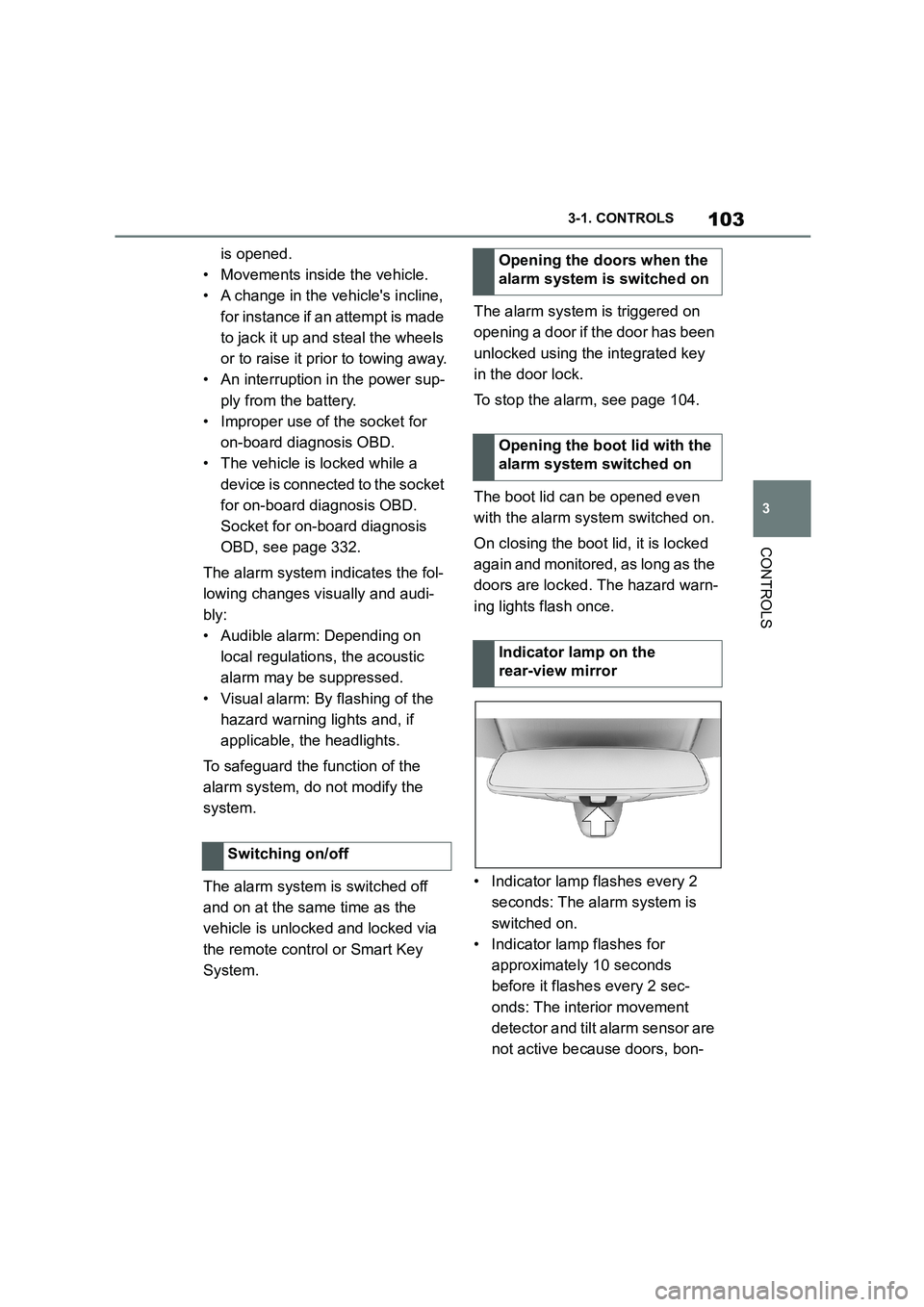
• Indicator lamp flashes every 2
seconds: The alarm system is
switched on.
• Indicator lamp flashes for
approximately 10 seconds
before it flashes every 2 sec-
onds: The interior movement
detector and tilt alarm sensor are
not active because doors, bon-
Switching on/off
Opening the doors when the
alarm system is switched on
Opening the boot lid with the
alarm system switched on
Indicator lamp on the
rear-view mirror
Page 106 of 498
1043-1. CONTROLS
net or boot lid are not closed cor-
rectly. Correctly closed access
points are secured.
If the open access points are then
closed, the interior protection and tilt
alarm sensor are switched on.
• The indicator lamp extinguishes
after the vehicle has been
unlocked: No attempt has been
made to tamper with the vehicle.
• The indicator lamp flashes after
unlocking until the drive-ready
state is switched on, but for no
longer than approximately 5 min-
utes: The alarm has been trig-
gered.
The incline of the vehicle is moni-
tored.
The alarm system responds, for
example, when there is an attempt
to steal a wheel or when towing
away.
The passenger compartment is
monitored to the height of the seat
cushions. Therefore the alarm sys-
tem, including the interior move-
ment detector, is switched on even
when the window is open. Falling
objects such as leaves can acci-
dentally trigger the alarm.
The tilt alarm sensor and the inte-
rior movement detector may trigger
an alarm without any unauthorised
activity taking place.
Possible situations for an unwanted
alarm:
• In washing bays or car washes.
• In two-level garages.
• During transport via motorail, car
ferry or trailer.
• When there are pets in the vehi-
cle.
• When the vehicle is locked after
starting to refuel.
The tilt alarm sensor and interior
protection can be switched off for
such situations.
The indicator lamp illuminates for
approximately 2 seconds and then
flashes again.
The tilt alarm sensor and the inte-
rior movement detector are
switched off until the next time the
vehicle is locked.
• Unlock the vehicle with the
Tilt alarm sensor
Interior move ment detector
Avoiding false alarms
General
Switching off the tilt alarm sensor
and interior movement detector
Within 10 seconds of locking
the vehicle, press the button
on the remote control.
Stopping the alarm
Page 255 of 498
253
3
3-1. CONTROLS
CONTROLS
For further information:
• Ultrasonic sensors, see page 52.
Certain conditions and objects may
push ultrasound measurement to
its limits, including the following:
Obstacles and people at the
edge of the lane.
Low objects already indicated,
for example kerbs, may enter the
sensors' blind areas before or
after a continuous tone is given.
If the system is approaching its lim-
its, falsealarms may occur.
To reduce false alarms, for example
in automatic car washes, switch off,
see page 50, automatic activation
of Parking Sensor when obstacles
are detected if necessary.
A vehicle message is shown.
Parking Sensor has failed. Have
the system checked by any author-
ized Toyota retailer or Toyota
authorized repairer, or any reliable
repairer.
The rear-view camera provides
assistance when reverse parking or
manoeuvring. It does this by show-
ing an image of the area behind the
vehicle on the Control Display.
Assistance functions, for example
auxiliary lines, ca n also be shown
on the display.
System limits
Safety note
WA R N I N G
The system may not re spond at all, or may respond too late, incorrectly or
without justification due to limits of the
system. There is a risk of accident.
Adapt your driving style to the traffic conditions. Additionally, look directly
to check the traffic situation and the
area around the vehicle and intervene actively where appropriate.
System limits of the sensors
Limits of ultrasound measurement
False alarms
Malfunction
A white symbol is shown and
the capture area of the sen-
sors is shown in dark colour
on the Control Display.
Rear-view camera
Principle
Safety note
WA R N I N G
The system does not relieve you of your personal responsibility to assess
the traffic situation correctly. There is
a danger of accidents. Adapt your driving style to the traffic conditions.
Additionally, look directly to check the
traffic situation and the area around the vehicle and intervene actively in
the corresponding situations.
Page 334 of 498
3325-1. MOBILITY
maintenance on your vehicle reliably
and economically.
Rubber hoses (for cooling and heater
system, brake system and fuel system)
should be inspected by a qualified tech-
nician according to the Toyota mainte-
nance schedule.
Rubber hoses are particularly important
maintenance items. Have any deterio-
rated or damaged hoses replaced
immediately. Note that rubber hoses
will deteriorate with age, resulting in
swelling, chafing or cracking.
No maintenance work other than
normal maintenance is required to
keep the emission levels of your
vehicle within the design limits.
Devices connected to the OBD
socket trigger the alarm system
when the vehicle is locked.
Remove any devices connected to
the OBD socket before locking the
vehicle.
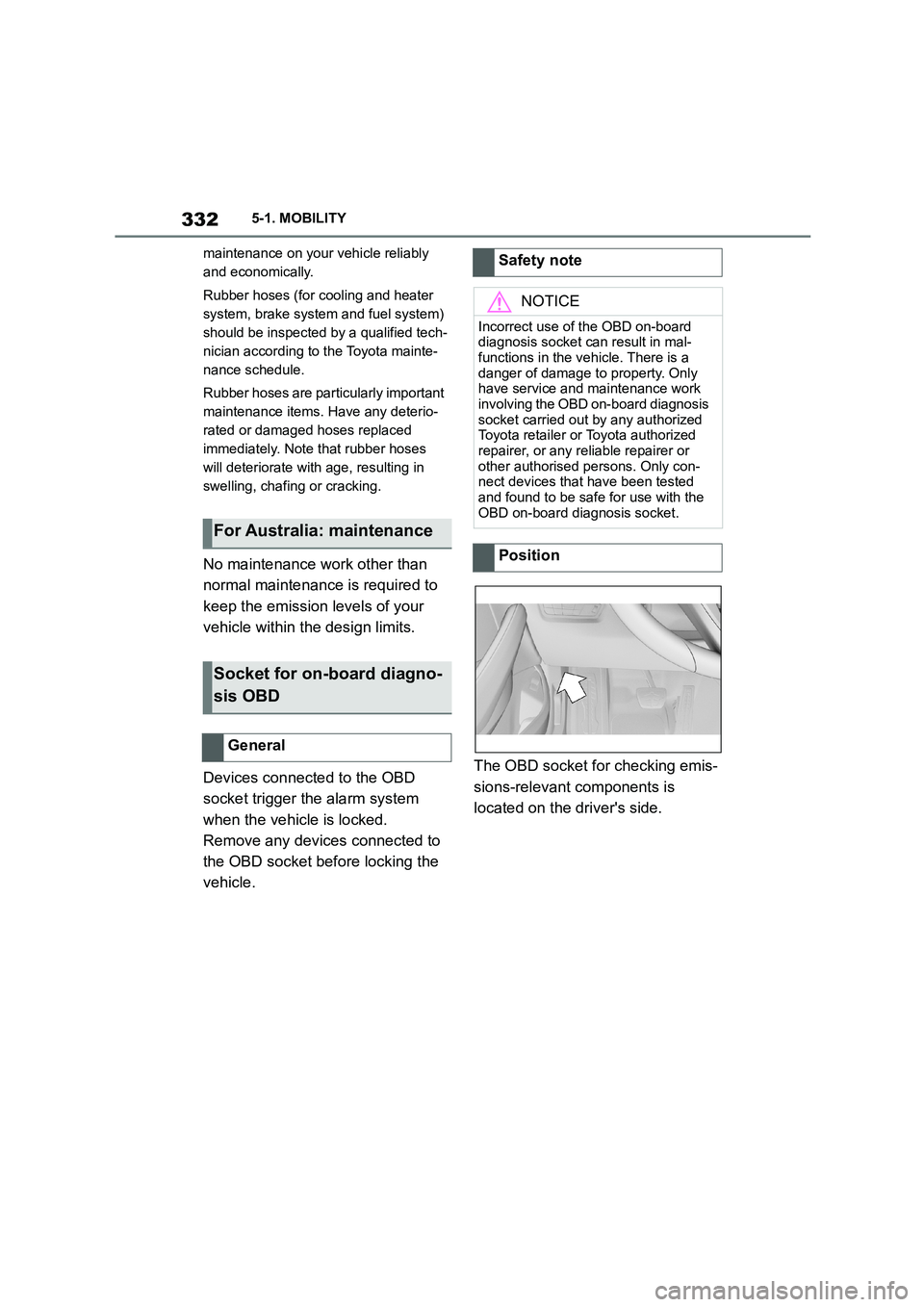
The OBD socket for checking emis-
sions-relevant components is
located on the driver's side.
For Australia: maintenance
Socket for on-board diagno-
sis OBD
General
Safety note
NOTICE
Incorrect use of the OBD on-board
diagnosis socket can result in mal- functions in the vehicle. There is a
danger of damage to property. Only
have service and maintenance work involving the OBD on-board diagnosis
socket carried out by any authorized
Toyota retailer or Toyota authorized
repairer, or any reliable repairer or other authorised persons. Only con-
nect devices that have been tested
and found to be safe for use with the OBD on-board diagnosis socket.
Position
Page 378 of 498
3766-1. REFERENCE
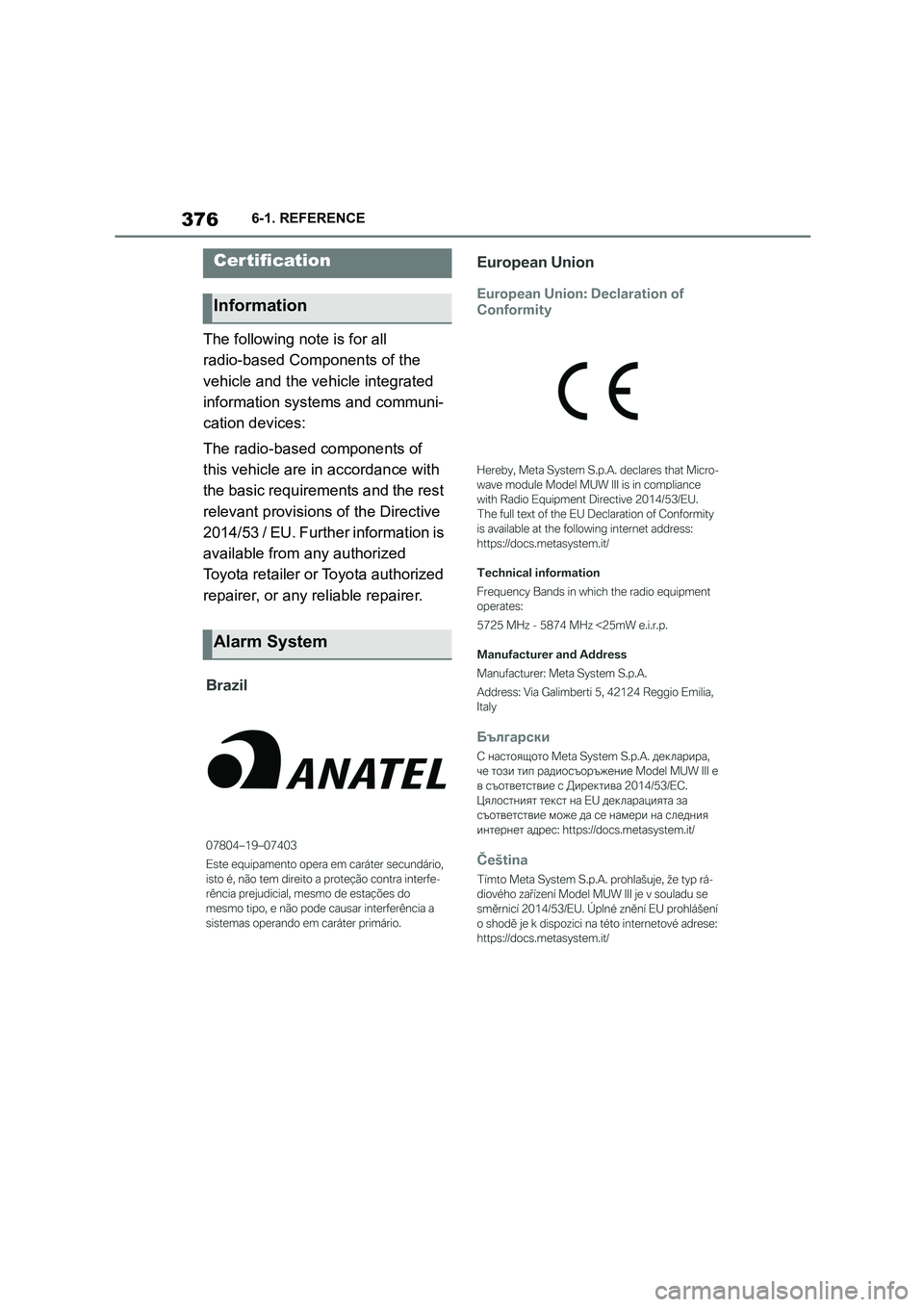
The following note is for all
radio-based Components of the
vehicle and the vehicle integrated
information systems and communi-
cation devices:
The radio-based components of
this vehicle are in accordance with
the basic requirements and the rest
relevant provisions of the Directive
2014/53 / EU. Further information is
available from any authorized
Toyota retailer or Toyota authorized
repairer, or any reliable repairer.
Certification
Information
Alarm System
Page 486 of 498
484Alphabetical Index
Alphabetical Index
A
A/C button, see Cooling function 262
ABS, anti-lock braking system .... 228
ACC, see Dynamic radar cruise con-
trol ............................................... 238
Acceleration assistant, see Launch
Control ........................................ 159
Accessories and parts ..................... 7
Acknowledgement signals of the
vehicle ......................................... 102
Activated carbon filter.................. 266
Activation, airbags ....................... 202
Active bonnet, see Active pedestrian
protection.................................... 204
Active Guard, see Toyota Supra
Safety .......................................... 205
Active pedestrian protection ....... 204
Adaptive brake assist .................. 228
Adaptive variable suspension ..... 259
Adaptive variable suspension, adap-
tive ............................................... 259
Additional coolant tank cooling,
Capacity ...................................... 375
Additives, engine oil grades........ 326
Adjustable speed limit, see Manual
Speed Limiter ............................. 232
Adjusting the headlights.............. 190
Age of tyres................................... 295
Air conditioning ............................ 261
Air outlets, see Ventilation........... 266
Air pressure, tyres........................ 292
Airbag switch, see Key switch for
front passenger airbags ............ 202
Airbags .......................................... 192
Airbags, indicator/warning lamp . 195
Alarm system ................................ 102
Alarm, false ................................... 104
All-season tyres, see Winter tyres
..................................................... 297
Angle, backrest ............................. 110
Anti-lock braking system, ABS ... 228
Anti-theft alarm system, see Alarm
system ......................................... 102
Anti-theft system, locking.............. 90
Anti-theft system, see Thiefproof
wheel studs ................................. 314
Anti-theft, wheel studs ................. 314
Anti-trap mechanism, windows ... 106
Apple CarPlay, connection to the
vehicle ........................................... 84
Aquaplaning .................................. 283
AUTO programme, automatic air
conditioning ................................263
Auto Start Stop function .............. 145
Automatic air conditioning ..........261
Automatic anti-glare control, see
Automatic high-beam................. 188
Automatic Cruise Control, see
Dynamic radar cruise control .... 238
Automatic driving lights control .185
Automatic emergency call ........... 355
Automatic high-beam ................... 188
Automatic locking......................... 102
Automatic parking function, exterior
mirror ........................................... 118
Automatic start-sto p function ..... 145
Automatic transmission ...............154
Automatic transmission, Fluid .... 375
Automatic transmission, see Auto-
matic transmission.....................154
Automatic unlocking .................... 102
Avoiding false alarms................... 104
Axle load limit ............................... 371
Axle loads, weight ........................371
B
Backrest angle .............................. 110
Backrest contour, see Lumbar sup-
port .............................................. 110
Backrest width .............................. 110
Backrest, seats .............................107
Bag holders ...................................277
Bar for tow-starting/towing ..........360
Battery, vehicle .............................341
Belts, see Seat belts ..................... 111
Black ice, see Outside temperature
warning........................................169
Blind spot monitor ........................220