automatic transmission TOYOTA SUPRA 2022 Owners Manual
[x] Cancel search | Manufacturer: TOYOTA, Model Year: 2022, Model line: SUPRA, Model: TOYOTA SUPRA 2022Pages: 498, PDF Size: 104.06 MB
Page 38 of 498
362-1. QUICK REFERENCE
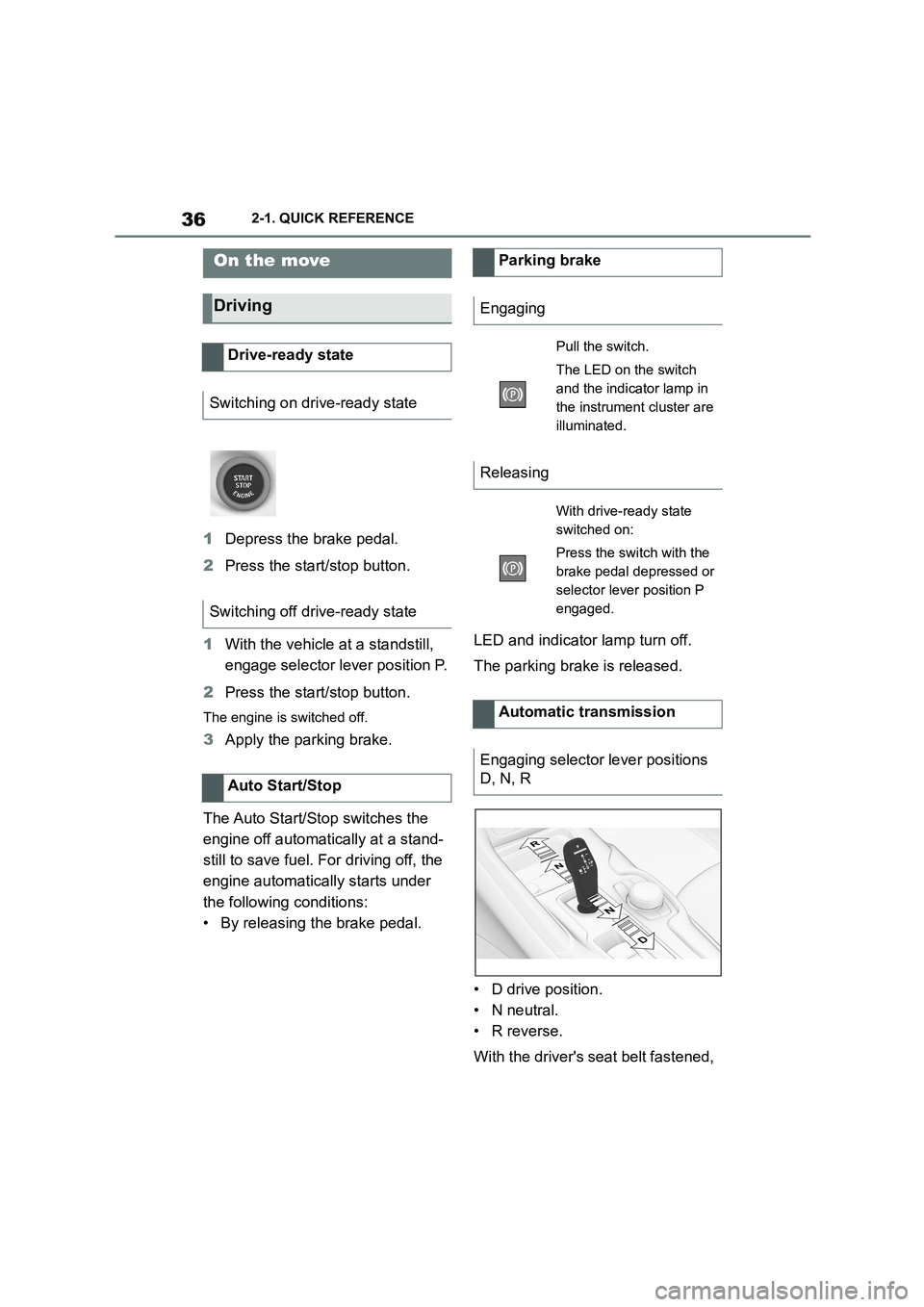
1Depress the brake pedal.
2 Press the start/stop button.
1 With the vehicle at a standstill,
engage selector lever position P.
2 Press the start/stop button.
The engine is switched off.
3Apply the parking brake.
The Auto Start/St op switches the
engine off automatically at a stand-
still to save fuel. For driving off, the
engine automatically starts under
the following conditions:
• By releasing the brake pedal.
LED and indicator lamp turn off.
The parking brake is released.
• D drive position.
• N neutral.
• R reverse.
With the driver's seat belt fastened,
On the move
Driving
Drive-ready state
Switching on drive-ready state
Switching off drive-ready state
Auto Start/Stop
Parking brake
Engaging
Pull the switch.
The LED on the switch
and the indicator lamp in
the instrument cluster are
illuminated.
Releasing
With drive-ready state
switched on:
Press the switch with the
brake pedal depressed or
selector lever position P
engaged.
Automatic transmission
Engaging selector lever positions
D, N, R
Page 39 of 498
37
2
2-1. QUICK REFERENCE
QUICK REFERENCE
briefly press the se lector lever in
the desired direction, possibly over-
coming a resistance point. Selector
lever returns to centre position in
each case.
Apply the brakes until ready to drive
off, otherwise the vehicle will move
when a drive position or reverse
gear is selected.
A selector lever lock prevents inad-
vertently shifting to selector lever
position R or inadvertently shifting
from selector lever position P.
Only engage selector lever posi-
tion R when the vehicle is station-
ary.
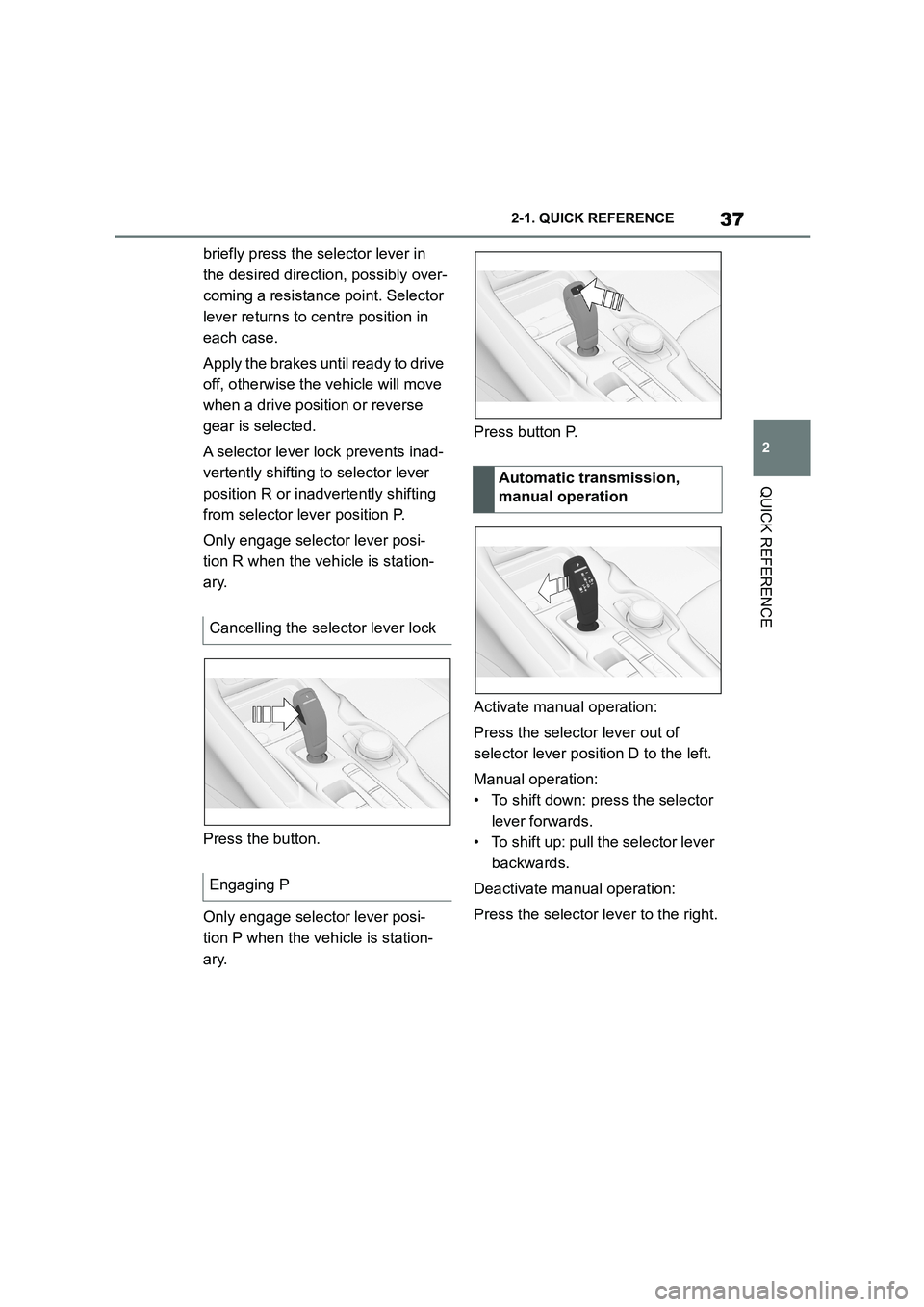
Press the button.
Only engage selector lever posi-
tion P when the vehicle is station-
ary.
Press button P.
Activate manual operation:
Press the selector lever out of
selector lever position D to the left.
Manual operation:
• To shift down: press the selector
lever forwards.
• To shift up: pull the selector lever
backwards.
Deactivate manual operation:
Press the selector lever to the right.
Cancelling the selector lever lock
Engaging P
Automatic transmission,
manual operation
Page 50 of 498
483-1. CONTROLS
13 Horn, entire area
14 To release the bonnet
P. 3 2 1
15 Unlocking the boot lid P.91
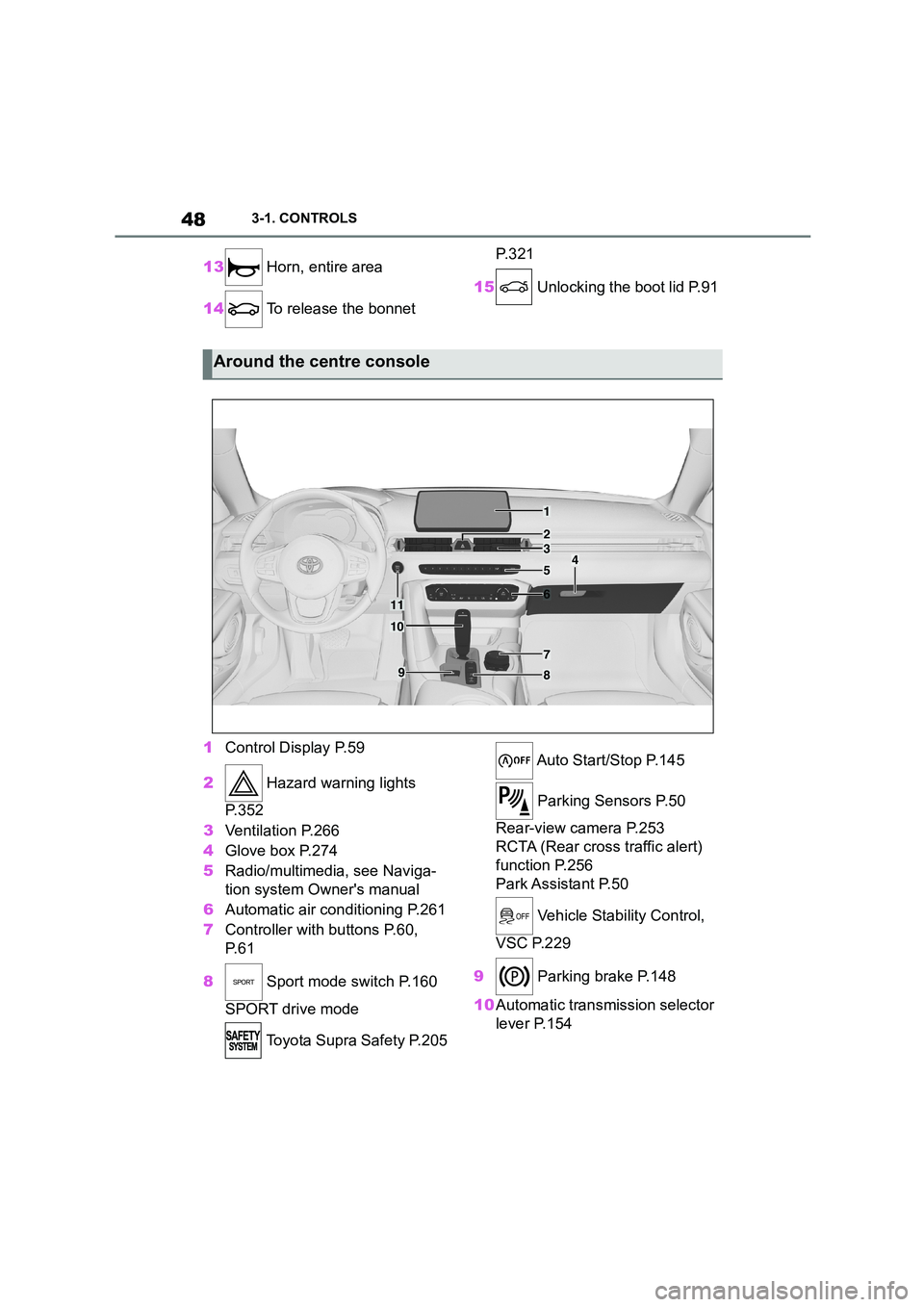
1 Control Display P.59
2 Hazard warning lights
P. 3 5 2
3 Ventilation P.266
4 Glove box P.274
5 Radio/multimedia, see Naviga-
tion system Owner's manual
6 Automatic air conditioning P.261
7 Controller with buttons P.60,
P. 6 1
8 Sport mode switch P.160
SPORT drive mode
Toyota Supra Safety P.205
Auto Start/Stop P.145
Parking Sensors P.50
Rear-view camera P.253
RCTA (Rear cross traffic alert)
function P.256
Park Assistant P.50
Vehicle Stability Control,
VSC P.229
9 Parking brake P.148
10 Automatic transmission selector
lever P.154
Around the centre console
1
4
23
5
6
7
89
10
11
Page 58 of 498
563-1. CONTROLS
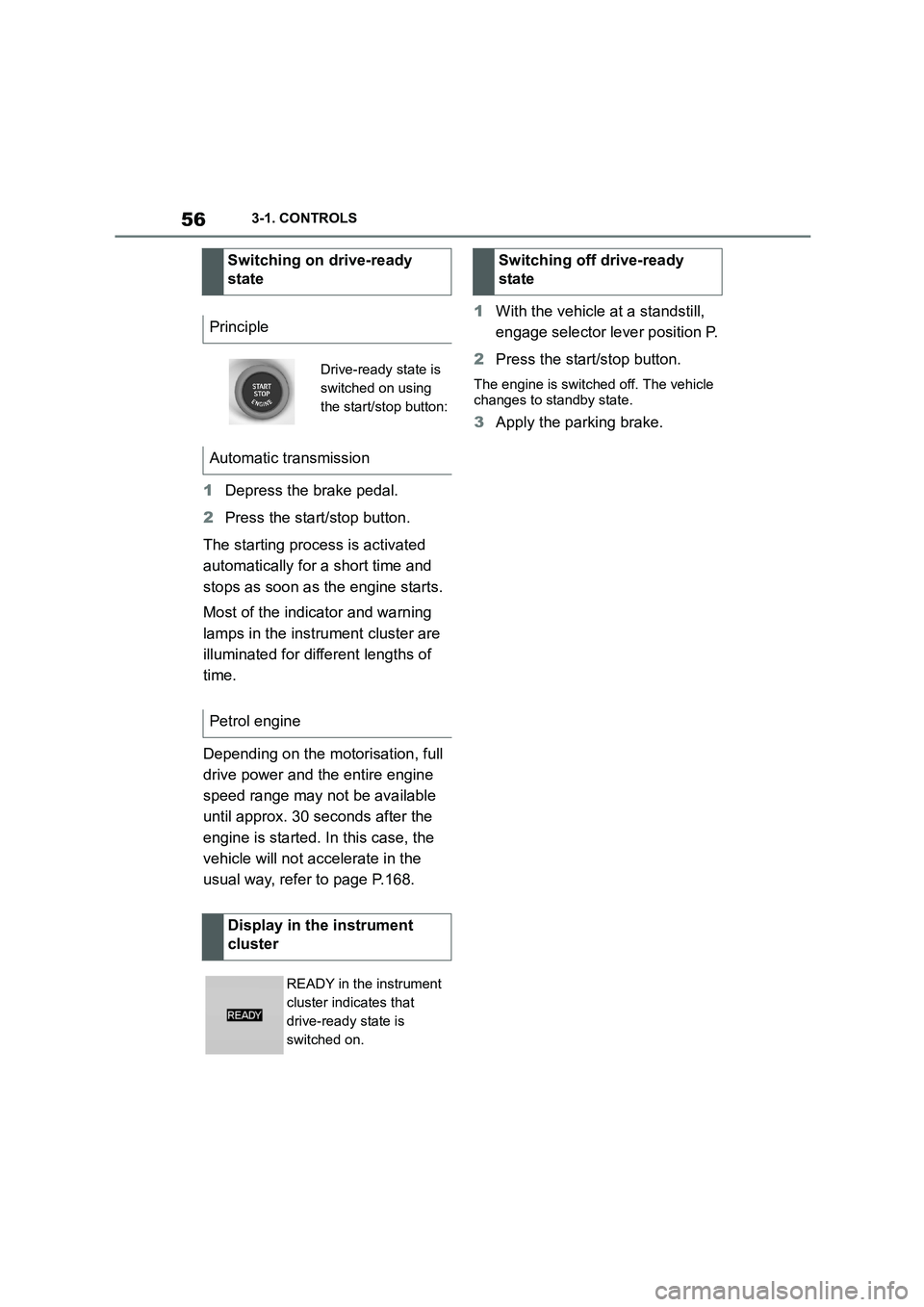
1Depress the brake pedal.
2 Press the start/stop button.
The starting process is activated
automatically for a short time and
stops as soon as the engine starts.
Most of the indicator and warning
lamps in the instrument cluster are
illuminated for different lengths of
time.
Depending on the motorisation, full
drive power and the entire engine
speed range may not be available
until approx. 30 seconds after the
engine is started. In this case, the
vehicle will not accelerate in the
usual way, refer to page P.168.
1 With the vehicle at a standstill,
engage selector lever position P.
2 Press the start/stop button.
The engine is switched off. The vehicle
changes to standby state.
3 Apply the parking brake.
Switching on drive-ready
state
Principle
Drive-ready state is
switched on using
the start/stop button:
Automatic transmission
Petrol engine
Display in the instrument
cluster
READY in the instrument
cluster indicates that
drive-ready state is
switched on.
Switching off drive-ready
state
Page 156 of 498
1543-1. CONTROLS
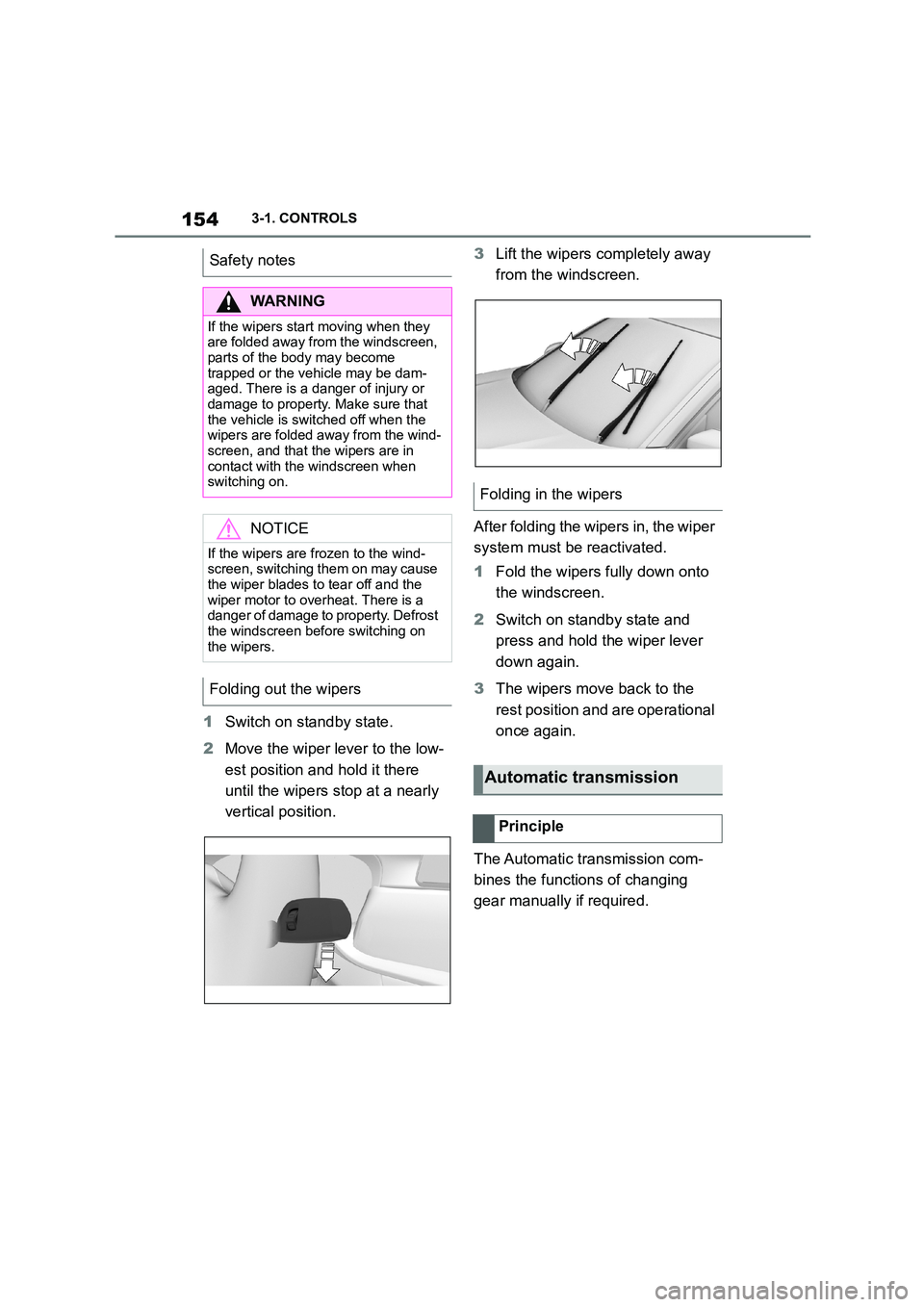
1Switch on standby state.
2 Move the wiper lever to the low-
est position and hold it there
until the wipers stop at a nearly
vertical position.
3 Lift the wipers completely away
from the windscreen.
After folding the wipers in, the wiper
system must be reactivated.
1 Fold the wipers fully down onto
the windscreen.
2 Switch on standby state and
press and hold the wiper lever
down again.
3 The wipers move back to the
rest position and are operational
once again.
The Automatic transmission com-
bines the functions of changing
gear manually if required.
Safety notes
WA R N I N G
If the wipers start moving when they
are folded away from the windscreen, parts of the body may become
trapped or the vehicle may be dam-
aged. There is a danger of injury or damage to property. Make sure that
the vehicle is switched off when the
wipers are folded away from the wind-
screen, and that the wipers are in contact with the windscreen when
switching on.
NOTICE
If the wipers are frozen to the wind-
screen, switching them on may cause
the wiper blades to tear off and the wiper motor to overheat. There is a
danger of damage to property. Defrost
the windscreen before switching on the wipers.
Folding out the wipers
Folding in the wipers
Automatic transmission
Principle
Page 157 of 498
155
3
3-1. CONTROLS
CONTROLS
Selector lever posi tion for all nor-
mal driving. All gears for forward
driving are selected automatically.
Only engage selector lever posi-
tion R when the vehicle is station-
ary.
In selector lever position N, the
vehicle can be pushed or can roll
without power from the engine, for
example in car washes, see page
156.
Selector lever position for parking
the vehicle, for example. In selector
lever position P, the transmission
blocks the drive wheels.
Only engage selector lever posi-
tion P when the vehicle is station-
ary.
■P is engaged automatically
Selector lever position P is auto-
matically engaged in the following
situations, for example:
After switching off drive-ready
state if selector lever position R,
D or M is engaged.
After switching off standby state
if selector leve r position N is
engaged.
If, while the vehicle is at a stand-
still and selector le ver position D,
M or R is engaged, the driver's
seat belt is unfastened, the
driver's door is opened and the
brake pedal is not depressed.
Apply the brakes until you are
ready to drive off, otherwise the
vehicle will move wh en a drive posi-
tion is selected.
Safety note
WA R N I N G
An unsecured vehicle can start mov-
ing and rolling away. There is a dan- ger of accidents. Before leaving the
vehicle, secure it to prevent it from
rolling away, for example by applying the parking brake.
Observe the following to ensure that
the vehicle is secured against rolling away:
• Apply the parking brake.
• Turn the front wheels towards the
kerb on upward or downward gradi- ents.
• Additionally secure the vehicle on upward or downward gradients, for
example with a chock.
Selector lever positions
D drive position
R Reverse
N neutral
P Park
Engaging selector lever posi-
tions
General
Page 160 of 498
1583-1. CONTROLS
■Gearshift
Gear shifting is only carried out at
the appropriate engine RPM and
vehicle speed.
■Short-term manual operation
In selector lever position D, operat-
ing a shift paddle causes the sys-
tem to switch to manual operation
temporarily.
The gearbox reverts to automatic
operation from manual operation
after a certain period of time of
moderate driving without accelera-
tion or gear shifts using the shift
paddles.
Changing to automatic operation is
possible as follows:
Pull and hold the right shift pad-
dle until D is shown in the instru-
ment cluster.
In addition to pulling the right
shift paddle, pull the left shift
paddle.
■Permanent manual operation
In selector lever position M, operat-
ing a shift paddle causes the sys-
tem to switch permanently to
manual operation (mode).
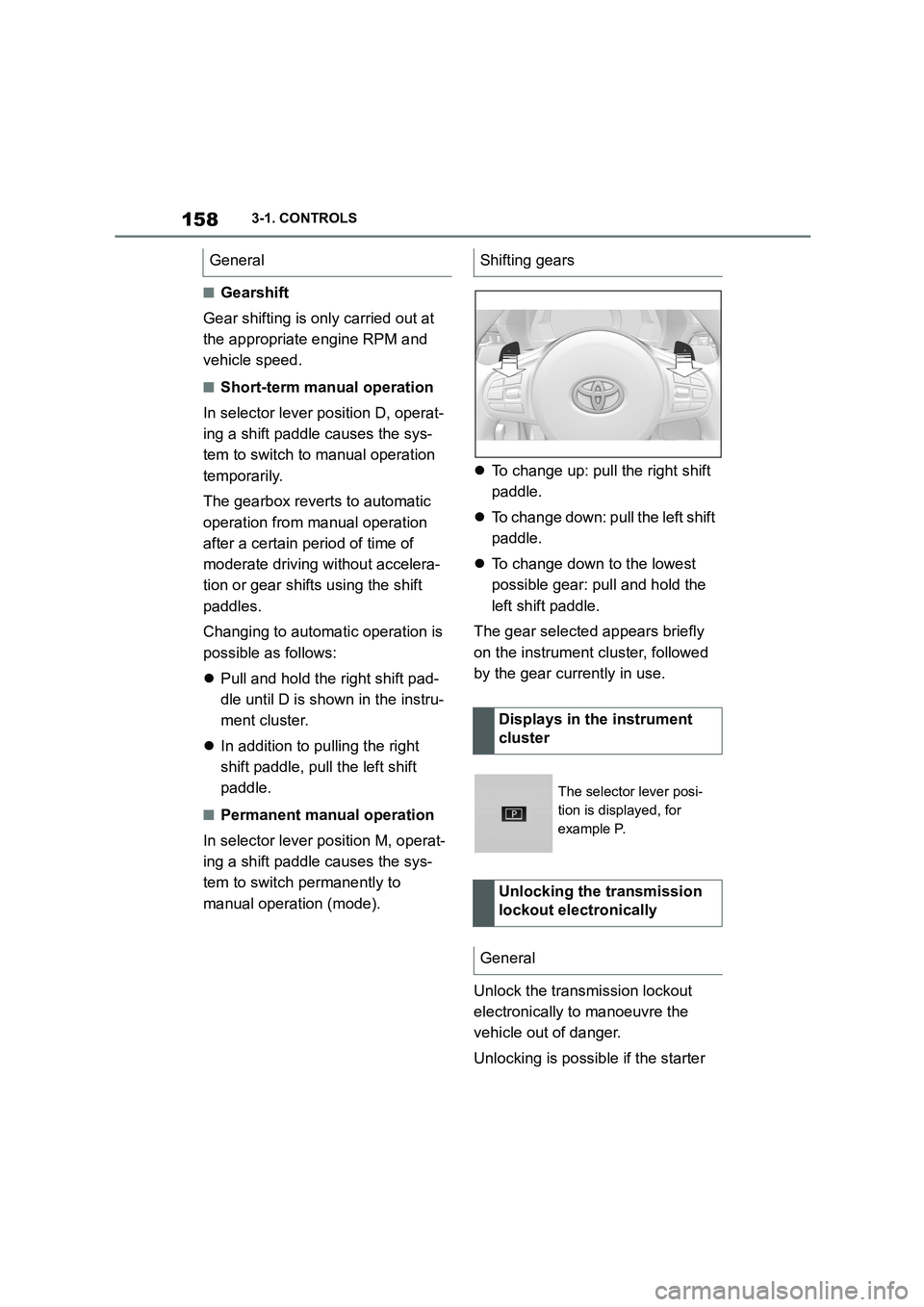
To change up: pull the right shift
paddle.
To change down: pull the left shift
paddle.
To change down to the lowest
possible gear: pull and hold the
left shift paddle.
The gear selected appears briefly
on the instrument cluster, followed
by the gear currently in use.
Unlock the transmission lockout
electronically to manoeuvre the
vehicle out of danger.
Unlocking is possible if the starter
GeneralShifting gears
Displays in the instrument
cluster
The selector lever posi-
tion is displayed, for
example P.
Unlocking the transmission
lockout electronically
General
Page 162 of 498
1603-1. CONTROLS
been selected.
3 Press the button.
TRACTION will be displayed on the instrument cluster and the VSC OFF
indicator lamp will illuminate.
4 Select the D selector lever posi-
tion.
5 Firmly depress the brake pedal
with your left foot.
6 Fully depress and hold the
accelerator pedal at the kick-
down position.
A flag symbol will be shown in the instrument cluster.
7 The engine speed will be
adjusted for launching. Release
the brake pedal within 3 sec-
onds.
Once Launch Control has been
used, the transmission requires
approximately 5 minutes to cool
down before Launch Control can be
used again. Launch Control adapts
to the ambient conditions when
used again.
To support driving stability, re-acti-
vate Vehicle Stab ility Control, VSC
as soon as possible.
An experienced driver may be able
to achieve better acceleration val-
ues in VSC OFF mode.
The sport mode switch influences
the driving dynamics characteristics
of the vehicle.
The following systems are influ-
enced, for example:
Engine characteristics.
Automatic transmission.
Adaptive variable suspension.
Steering.
Display in the instrument cluster.
Cruise Control. Using again during a journey
After using Launch Control
System limits
Sport mode switch
Principle
General
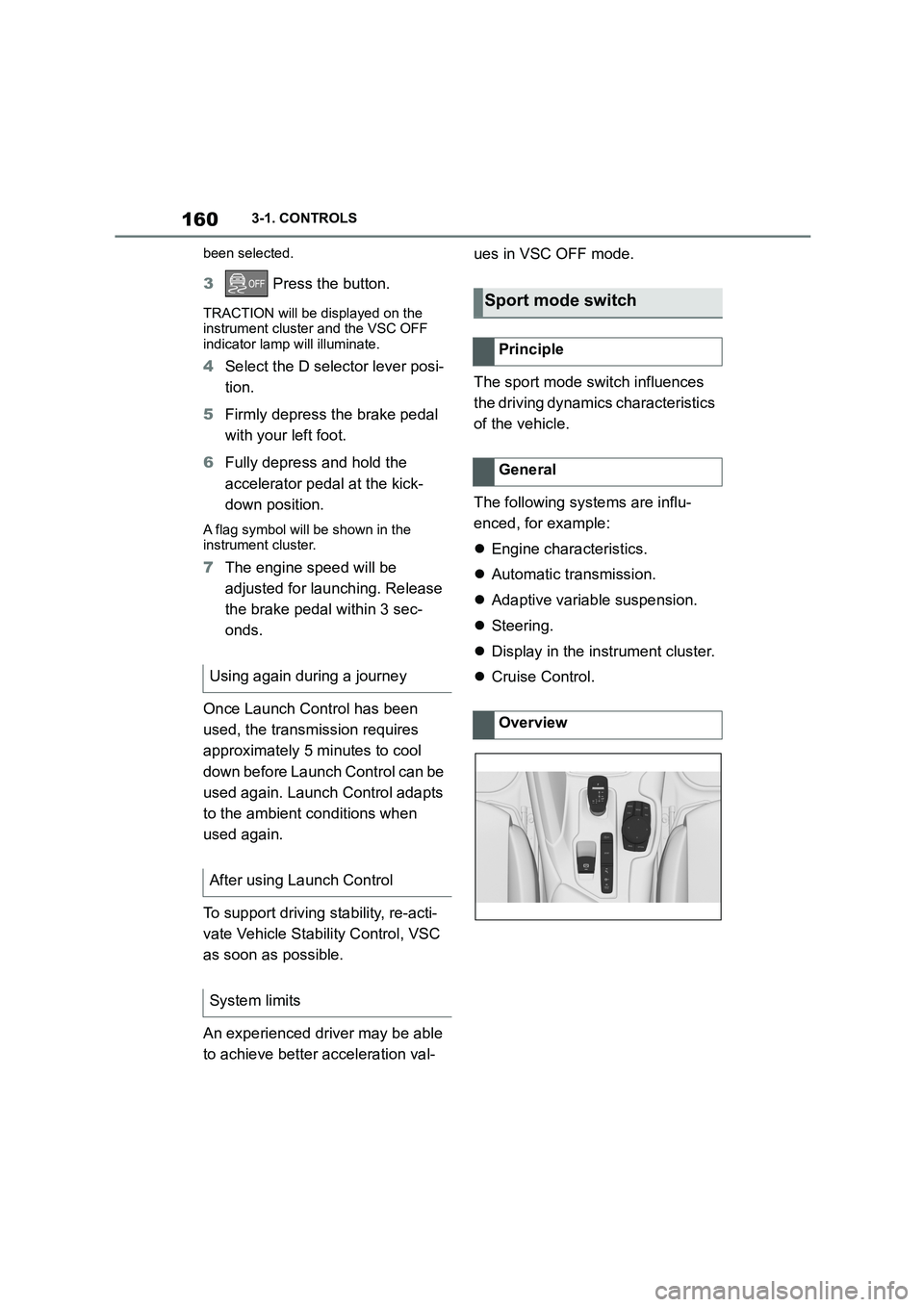
Overview
Page 170 of 498
1683-1. CONTROLS
The current fill level of the fuel tank
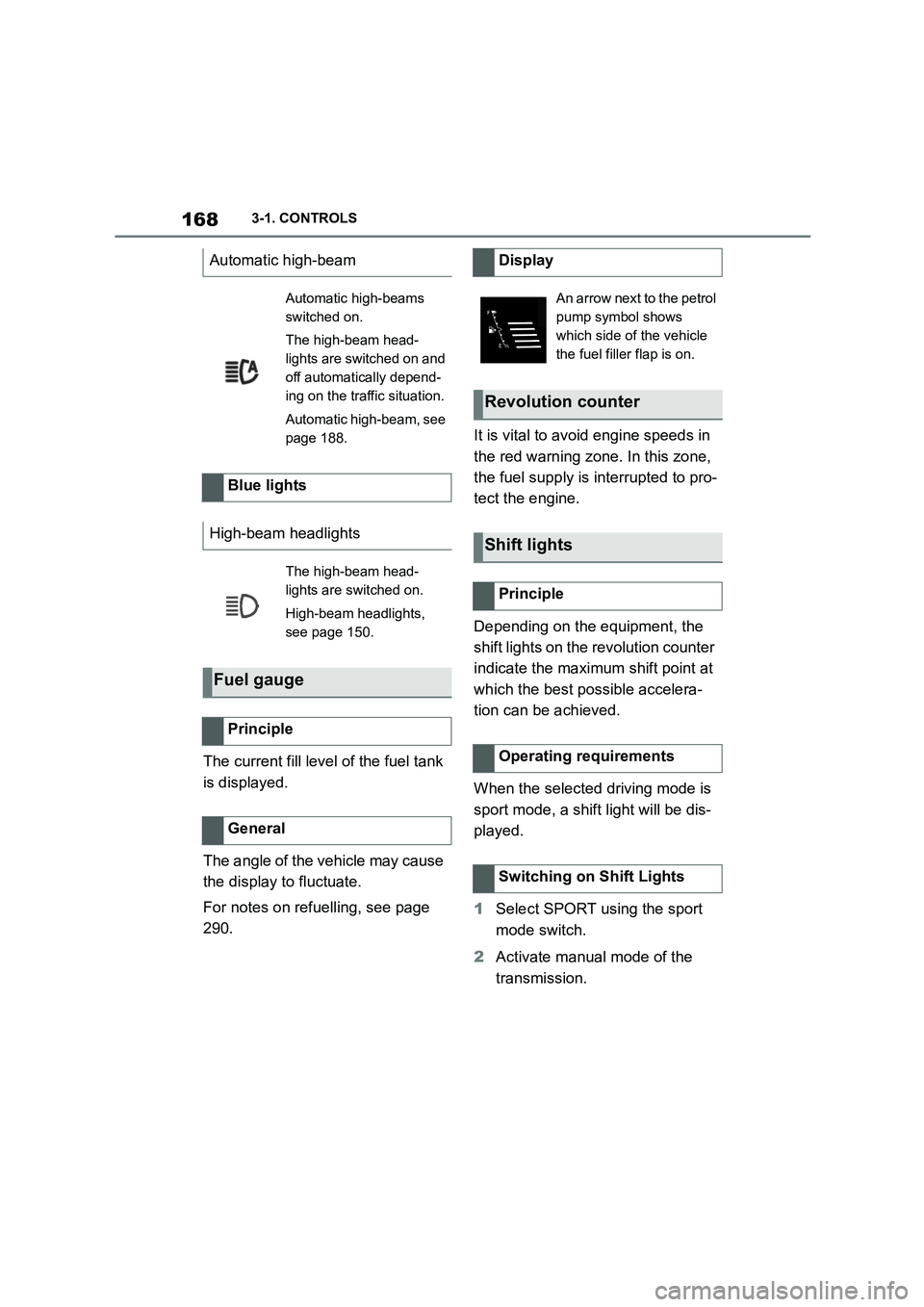
is displayed.
The angle of the vehicle may cause
the display to fluctuate.
For notes on refuelling, see page
290.
It is vital to avoid engine speeds in
the red warning zone. In this zone,
the fuel supply is interrupted to pro-
tect the engine.
Depending on the equipment, the
shift lights on the revolution counter
indicate the maximum shift point at
which the best possible accelera-
tion can be achieved.
When the selected driving mode is
sport mode, a shift light will be dis-
played.
1 Select SPORT using the sport
mode switch.
2 Activate manual mode of the
transmission.
Automatic high-beam
Automatic high-beams
switched on.
The high-beam head-
lights are switched on and
off automatically depend-
ing on the traffic situation.
Automatic high-beam, see
page 188.
Blue lights
High-beam headlights
The high-beam head-
lights are switched on.
High-beam headlights,
see page 150.
Fuel gauge
Principle
General
Display
An arrow next to the petrol
pump symbol shows
which side of the vehicle
the fuel filler flap is on.
Revolution counter
Shift lights
Principle
Operating requirements
Switching on Shift Lights
Page 173 of 498
171
3
3-1. CONTROLS
CONTROLS
2 "Vehicle status"
3 "Service requirements"
4 "Date:"
5 Select the desired setting.
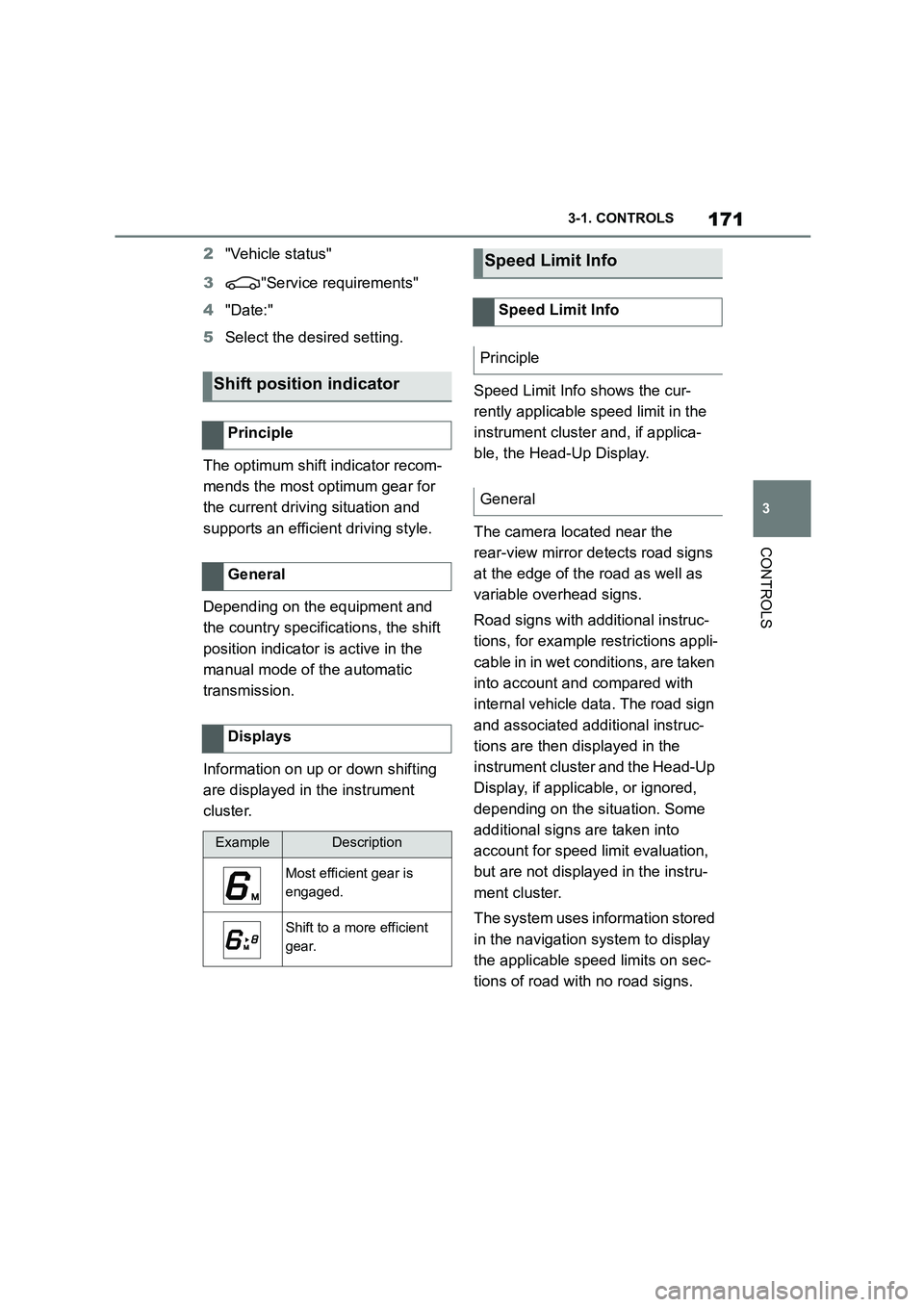
The optimum shift indicator recom-
mends the most optimum gear for
the current driving situation and
supports an efficient driving style.
Depending on the equipment and
the country specifications, the shift
position indicator is active in the
manual mode of the automatic
transmission.
Information on up or down shifting
are displayed in the instrument
cluster.
Speed Limit Info shows the cur-
rently applicable speed limit in the
instrument cluster and, if applica-
ble, the Head-Up Display.
The camera located near the
rear-view mirror detects road signs
at the edge of the road as well as
variable overhead signs.
Road signs with additional instruc-
tions, for example restrictions appli-
cable in in wet conditions, are taken
into account and compared with
internal vehicle data. The road sign
and associated additional instruc-
tions are then displayed in the
instrument cluster and the Head-Up
Display, if applic able, or ignored,
depending on the situation. Some
additional signs are taken into
account for speed limit evaluation,
but are not displayed in the instru-
ment cluster.
The system uses information stored
in the navigation system to display
the applicable speed limits on sec-
tions of road with no road signs.
Shift position indicator
Principle
General
Displays
ExampleDescription
Most efficient gear is
engaged.
Shift to a more efficient
gear.
Speed Limit Info
Speed Limit Info
Principle
General