cruise control TOYOTA SUPRA 2022 Owners Manual
[x] Cancel search | Manufacturer: TOYOTA, Model Year: 2022, Model line: SUPRA, Model: TOYOTA SUPRA 2022Pages: 498, PDF Size: 104.06 MB
Page 12 of 498
101-1. NOTES
• Personal settings: settings saved
in the vehicle profile, for example
seat setting.
• Multimedia, navigation, for
example destinations.
Personal data may be collected at
the following times:
• When the customer makes direct
contact with the manufacturer of
the vehicle, for example via the
web page.
• When requesting information on
products and services or direct
purchases, for example on web
pages or in apps.
• When making direct purchases,
for example on the web page.
• When purchasing services
directly, for example online ser-
vices.
• When responding to the cus-
tomer regarding direct market-
ing activities, for example when
personal data is provided.
• When using vehicles, products,
services and digital offers, for
example web pages, apps.
• When transferring personal data
through any authorized Toyota
retailer or Toyota authorized
repairer, or any reliable repairer,
provided that data protection
requirements are met.
• When providing personal data
through certified address provid-
ers, provided that data protection
requirements are met.
• When reading out vehicle data,
including the vehicle identifica-
tion number, during service and
repair activities.
A number of electronic control
devices are installed in your vehi-
cle. Electronic control units process
data that they receive from vehicle
sensors, generate themselves or
exchange with one another, for
example. A high number of control
units are necessary for the vehicle
to function safely or provide assis-
tance during driv ing, for example
driver assistance systems. There
are also control devices which
manage comfort or infotainment
functions.
Data saved in the vehicle can be
deleted at any time. This data is
only transmitted to third parties if
expressly requested in the course
of using online services. The trans-
fer depends on the settings
selected for using the services.
Driver assistance systems, for
example dynamic radar cruise con-
trol, Driver Attention Control, pro-
cess sensor data which is used to
evaluate the vehicle surroundings
Time of data collectionData in the vehicle
General
Sensor data
Page 49 of 498
47
3
3-1. CONTROLS
CONTROLS
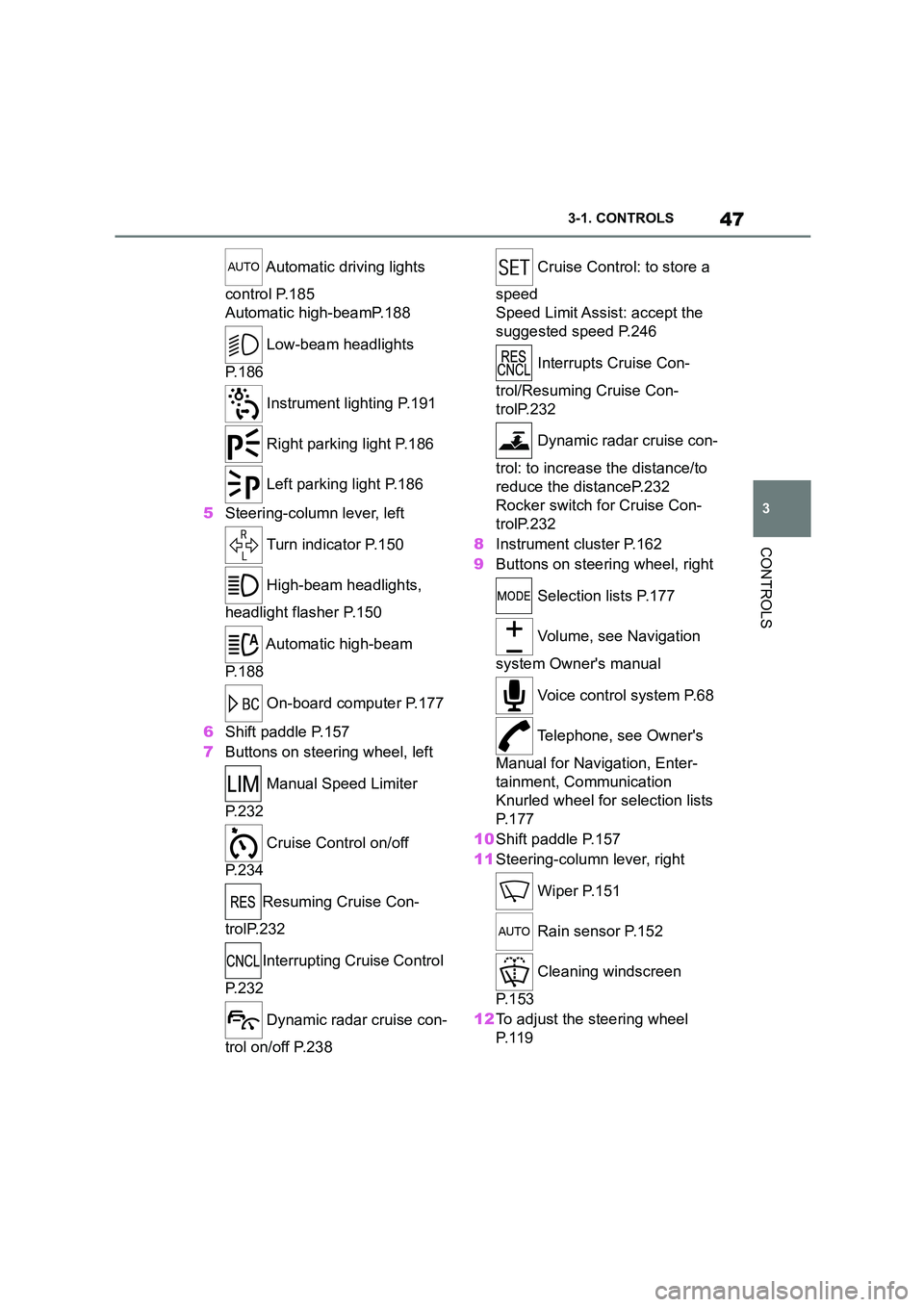
Automatic driving lights
control P.185
Automatic high-beamP.188
Low-beam headlights
P. 1 8 6
Instrument lighting P.191
Right parking light P.186
Left parking light P.186
5 Steering-column lever, left
Turn indicator P.150
High-beam headlights,
headlight flasher P.150
Automatic high-beam
P. 1 8 8
On-board computer P.177
6 Shift paddle P.157
7 Buttons on steering wheel, left
Manual Speed Limiter
P. 2 3 2
Cruise Control on/off
P. 2 3 4
Resuming Cruise Con-
trolP.232
Interrupting Cr uise Control
P. 2 3 2
Dynamic radar cruise con-
trol on/off P.238
Cruise Control: to store a
speed
Speed Limit Assist: accept the
suggested speed P.246
Interrupts Cruise Con-
trol/Resuming Cruise Con-
trolP.232
Dynamic radar cruise con-
trol: to increase the distance/to
reduce the distanceP.232
Rocker switch for Cruise Con-
trolP.232
8 Instrument cluster P.162
9 Buttons on steering wheel, right
Selection lists P.177
Volume, see Navigation
system Owner's manual
Voice control system P.68
Telephone, see Owner's
Manual for Navigation, Enter-
tainment, Communication
Knurled wheel for selection lists
P. 1 7 7
10 Shift paddle P.157
11 Steering-column lever, right
Wiper P.151
Rain sensor P.152
Cleaning windscreen
P. 1 5 3
12 To adjust the steering wheel
P. 1 1 9
Page 79 of 498
77
3
3-1. CONTROLS
CONTROLS
files.
To ensure that the correct driver
profile can be set, the system must
be able to allocate the detected
remote control uniquely to the
driver.
This is ensured if the following con-
ditions are met:
• The driver is only carrying their
own remote control.
• The driver unlocks the vehicle.
• The driver enters the vehicle
through the driver's door.
The name of the currently used
driver profile is displayed when the
Control Display is switched on.
Select a driver profile, see page 77.
As soon as the engine is started or
any button pressed, the display
selected last is shown on the Con-
trol Display.
To cancel the welcome screen via
Toyota Supra Command: "OK"
Settings for the following systems
and functions are saved in the cur-
rently used driv er profile. Which
settings can be saved depends on
the country and equipment.
• Unlocking and locking.
•Lights.
• Air conditioning.
• Radio.
• Instrument cluster.
• Favourites buttons.
• Volumes, sound.
• Control Display.
• Parking Sensors.
• Rear-view camera.
• Head-Up Display.
• Sport mode switch.
• Seat position, exterior mirror
position
The positions set via the seat memory
and the last position set are saved.
• Cruise Control.
• Toyota Supra Safety.
Regardless of which remote control
is currently being used, it is possi-
ble to call up a different driver pro-
file. This enables the personal
vehicle settings to be called up,
even if the vehicle was not
unlocked with the driver's own
remote control.
Via Toyota Supra Command:
1 "My Vehicle"
2 "Driver profiles"
3 Select a driver profile.
4 "OK"
• The settings saved in the
selected driver profile are
applied automatically.
Operating requirements
Currently used driver profile
Settings
Profile management
Selecting a driver profile
Page 162 of 498
1603-1. CONTROLS
been selected.
3 Press the button.
TRACTION will be displayed on the instrument cluster and the VSC OFF
indicator lamp will illuminate.
4 Select the D selector lever posi-
tion.
5 Firmly depress the brake pedal
with your left foot.
6 Fully depress and hold the
accelerator pedal at the kick-
down position.
A flag symbol will be shown in the instrument cluster.
7 The engine speed will be
adjusted for launching. Release
the brake pedal within 3 sec-
onds.
Once Launch Control has been
used, the transmission requires
approximately 5 minutes to cool
down before Launch Control can be
used again. Launch Control adapts
to the ambient conditions when
used again.
To support driving stability, re-acti-
vate Vehicle Stab ility Control, VSC
as soon as possible.
An experienced driver may be able
to achieve better acceleration val-
ues in VSC OFF mode.
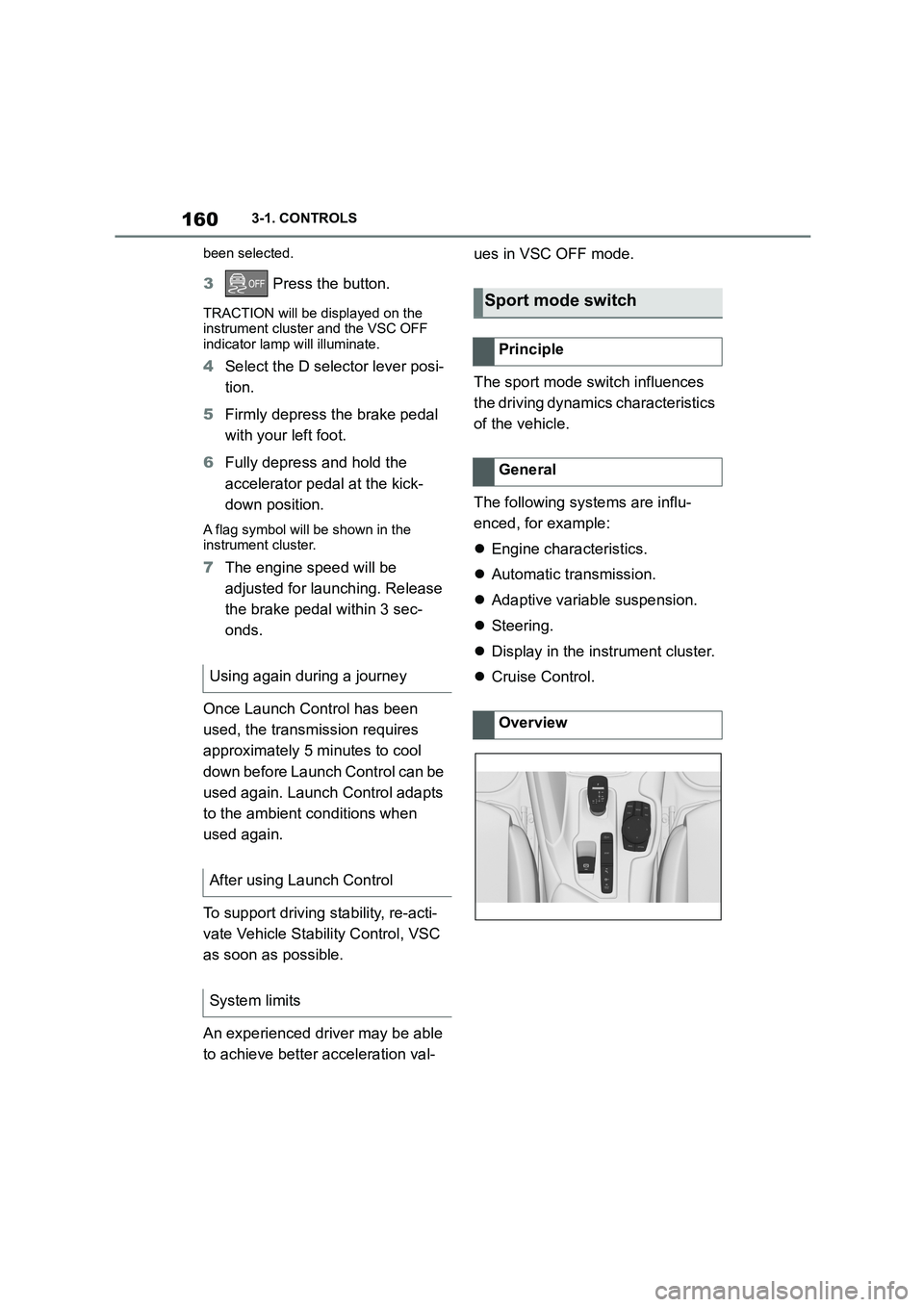
The sport mode switch influences
the driving dynamics characteristics
of the vehicle.
The following systems are influ-
enced, for example:
Engine characteristics.
Automatic transmission.
Adaptive variable suspension.
Steering.
Display in the instrument cluster.
Cruise Control. Using again during a journey
After using Launch Control
System limits
Sport mode switch
Principle
General
Overview
Page 164 of 498
1623-1. CONTROLS
This chapter describes all standard,
country-specific and special equip-
ment available for the model series.
It may therefore describe equip-
ment and functions which are not
installed in your vehicle, for exam-
ple on account of the special equip-
ment selected or the country
specification. This also applies to
safety-relevant functions and sys-
tems. Please comply with the rele-
vant laws and regulations when
using the corresponding functions
and systems.
The instrument cluster is a variable
display. When the sport mode
switch is used to change the driving
mode, the instrument cluster dis-
plays change to match the driving
mode.
Changes to the displays in the
instrument cluster can be deacti-
vated via Toyota Supra Command.
The displays in the instrument clus-
ter can sometimes differ from the
illustrations in th is Owner's Manual.
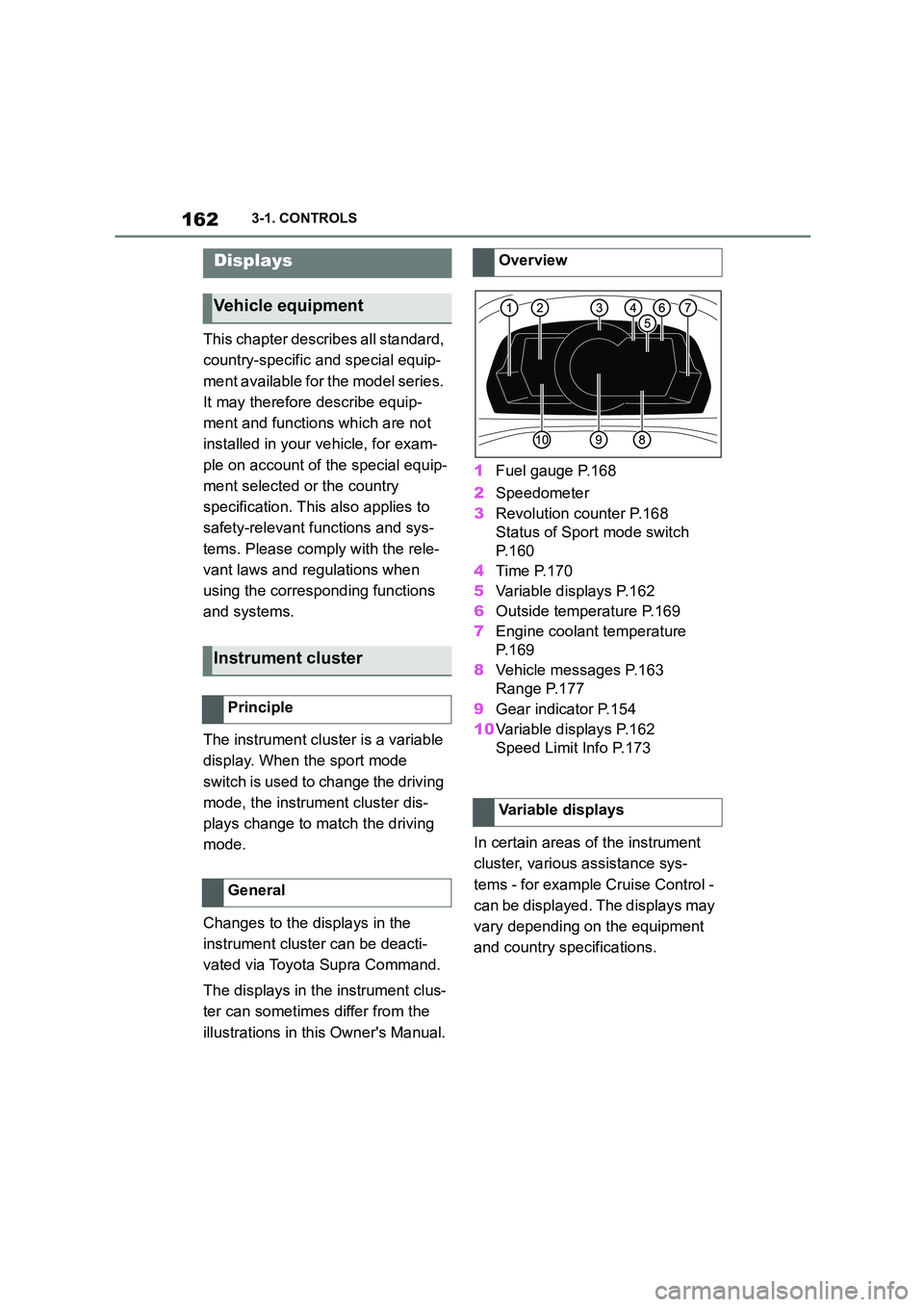
1 Fuel gauge P.168
2 Speedometer
3 Revolution counter P.168
Status of Sport mode switch
P. 1 6 0
4 Time P.170
5 Variable displays P.162
6 Outside temperature P.169
7 Engine coolant temperature
P. 1 6 9
8 Vehicle messages P.163
Range P.177
9 Gear indicator P.154
10 Variable displays P.162
Speed Limit Info P.173
In certain areas of the instrument
cluster, various assistance sys-
tems - for example Cruise Control -
can be displayed. The displays may
vary depending on the equipment
and country specifications.
Displays
Vehicle equipment
Instrument cluster
Principle
General
Overview
Variable displays
Page 209 of 498
207
3
3-1. CONTROLS
CONTROLS
The menu for the Toyota Supra
Safety Systems is shown.
If all Toyota Supra Safety Systems
were switched off, all systems are
now switched on.
"Customise Settings": depending
on the equipment, the Toyota Supra
Safety Systems can be configured
individually. The custom settings
are activated and saved. As soon
as a setting is changed in the
menu, all settings in the menu are
activated.
"ALL ON": all Toyota Supra Safety
Systems are switched on. Basic
settings are activated for the
sub-functions, for example the set-
ting for warning time.
"Customise": the Toyota Supra
Safety Systems are switched on
according to the individual settings.
Some Toyota Supra Safety Sys-
tems cannot be switched off individ-
ually.
All Toyota Supra Safety Systems
are switched off.
The system can help avoid acci-
dents. If an accident cannot be
avoided, the system helps to
reduce the co llision speed.
The system warns of the possible
risk of collision and brakes auto-
matically, as necessary.
The system is controlled using the
following sensors, depending on
the equipment:
Camera in the area of the
rear-view mirror.
Radar sensor in front bumper.
The Pre-Collision System is opera-
tional even if Cruise Control is disa-
bled.
When deliberately moving closer to
a vehicle, the front-end collision
warning and braking intervention
are activated later to avoid unjusti-
fied system responses.
From speeds of approximately 5
km/h, 3 mph, the system provides a
two-stage warning of any possible
risk of collision with vehicles. The
timing of these warnings may vary
depending on the current driving
situation.
Press the button:
Press the button repeatedly.
The setting switches between
the following:
Press and hold the button:
Pre-Collision System
Principle
General
Page 230 of 498
2283-1. CONTROLS
This chapter describes all standard,
country-specific and special equip-
ment available for the model series.
It may therefore describe equip-
ment and functions which are not
installed in your vehicle, for exam-
ple on account of the special equip-
ment selected or the country
specification. This also applies to
safety-relevant functions and sys-
tems. Please comply with the rele-
vant laws and regulations when
using the corresponding functions
and systems.
ABS prevents the wheels from lock-
ing when the brakes are applied.
Steering control is retained even in
the event of full braking, thereby
enhancing active road safety.
ABS is ready to operate each time
the engine is started.
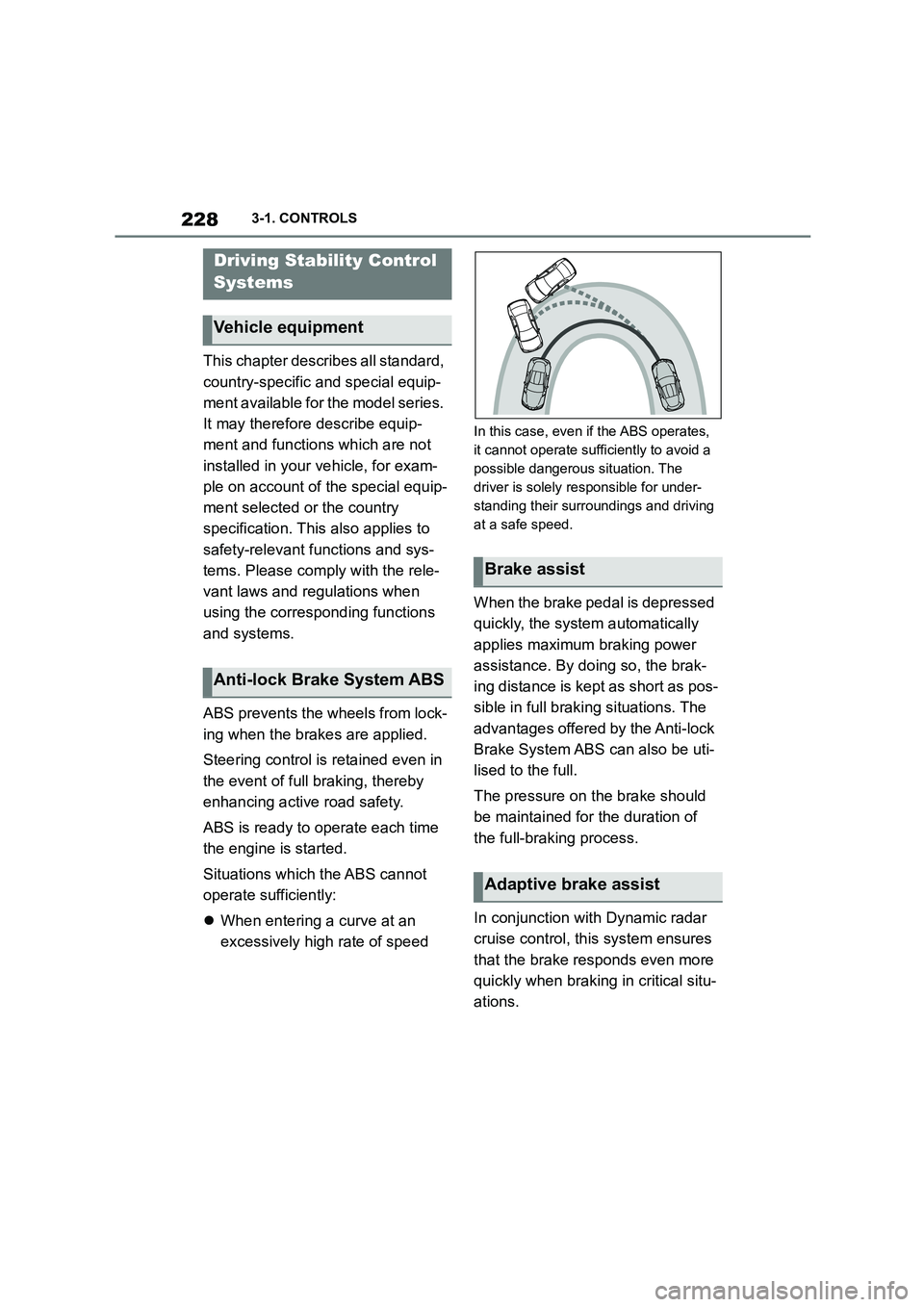
Situations which the ABS cannot
operate sufficiently:
When entering a curve at an
excessively high rate of speed
In this case, even if the ABS operates,
it cannot operate sufficiently to avoid a
possible dangerous situation. The
driver is solely responsible for under-
standing their surroundings and driving
at a safe speed.
When the brake pedal is depressed
quickly, the system automatically
applies maximum braking power
assistance. By doi ng so, the brak-
ing distance is kept as short as pos-
sible in full braking situations. The
advantages offered by the Anti-lock
Brake System ABS can also be uti-
lised to the full.
The pressure on the brake should
be maintained for the duration of
the full-braking process.
In conjunction with Dynamic radar
cruise control, th is system ensures
that the brake responds even more
quickly when braking in critical situ-
ations.
Driving Stability Control
Systems
Vehicle equipment
Anti-lock Brake System ABS
Brake assist
Adaptive brake assist
Page 233 of 498
231
3
3-1. CONTROLS
CONTROLS
what limited driving stability.
Activating Traction mode provides
maximum traction. Driving stability
during acceleration and cornering is
limited.
Activating Traction mode briefly
may be useful in the following situa-
tions:
When driving in slush or on
uncleared, snow-covered roads.
When starting in deep snow or
on a loose surface.
When driving with snow chains.
When Traction mode is activated,
TRACTION is displayed in the
instrument cluster.
In certain situations, VSC is acti-
vated automatically:
If Dynamic radar cruise control
with full-speed range is acti-
vated.
General
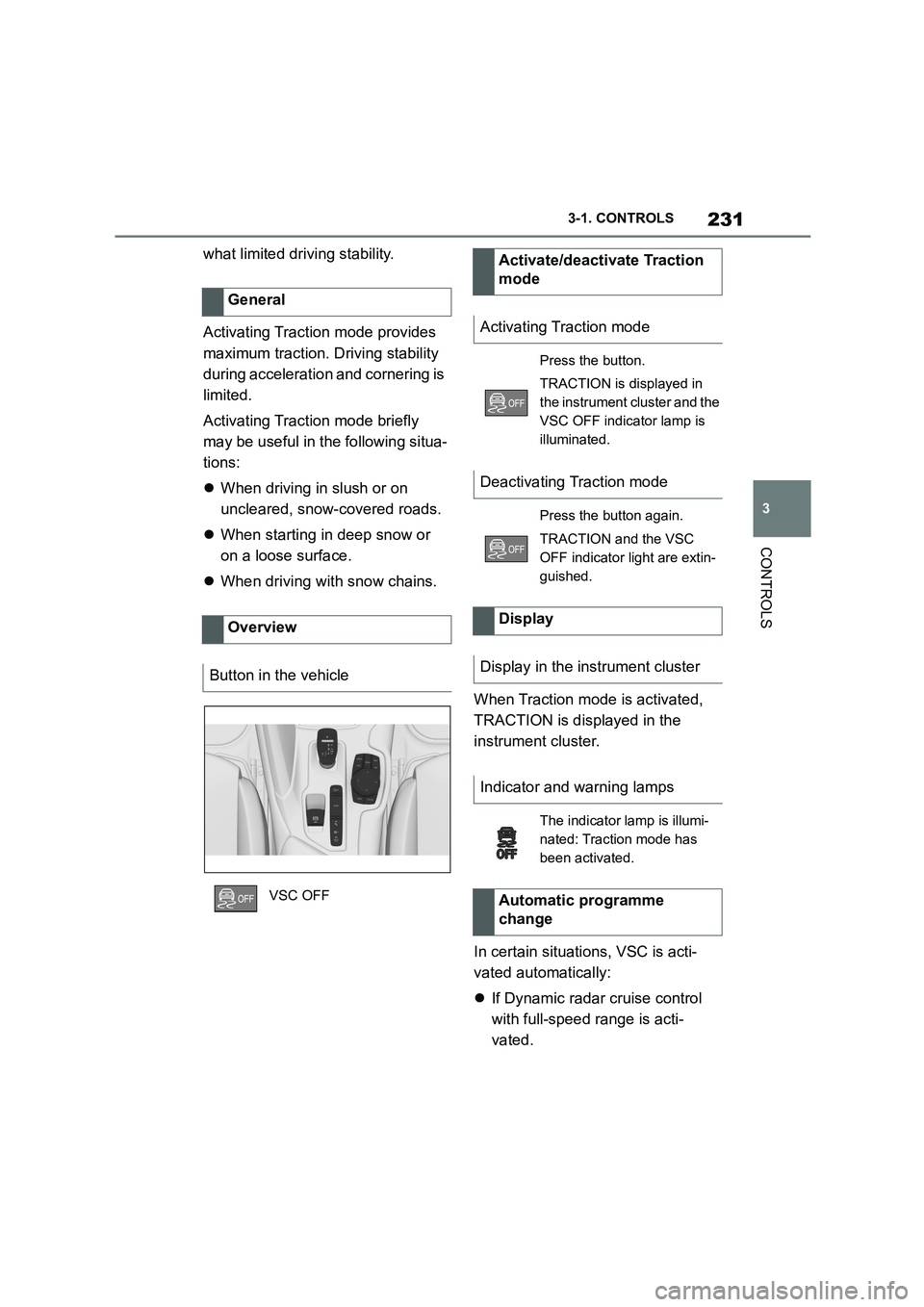
Overview
Button in the vehicle
VSC OFF
Activate/deactivate Traction
mode
Activating Traction mode
Press the button.
TRACTION is displayed in
the instrument cluster and the
VSC OFF indicator lamp is
illuminated.
Deactivating Traction mode
Press the button again.
TRACTION and the VSC
OFF indicator light are extin-
guished.
Display
Display in the instrument cluster
Indicator and warning lamps
The indicator lamp is illumi-
nated: Traction mode has
been activated.
Automatic programme
change
Page 235 of 498
233
3
3-1. CONTROLS
CONTROLS
The current speed is adopted as
the speed limit.
When switching on at a standstill or
driving at low speed, 30 km/h/20
mph is set as the speed limit.
When activating the speed limit it is
possible that Vehicle Stability Con-
trol VSC will be switched on and
the drive mode switched to NOR-
MAL.
The system switches off automati-
cally in the followi ng situations, for
example:
When switching the engine off.
When switching on Cruise Con-
trol.
When activating sport mode
using the sport mode switch.
The displays turn off.
The system is interrupted when
reverse gear is engaged or the
transmission is in neutral.
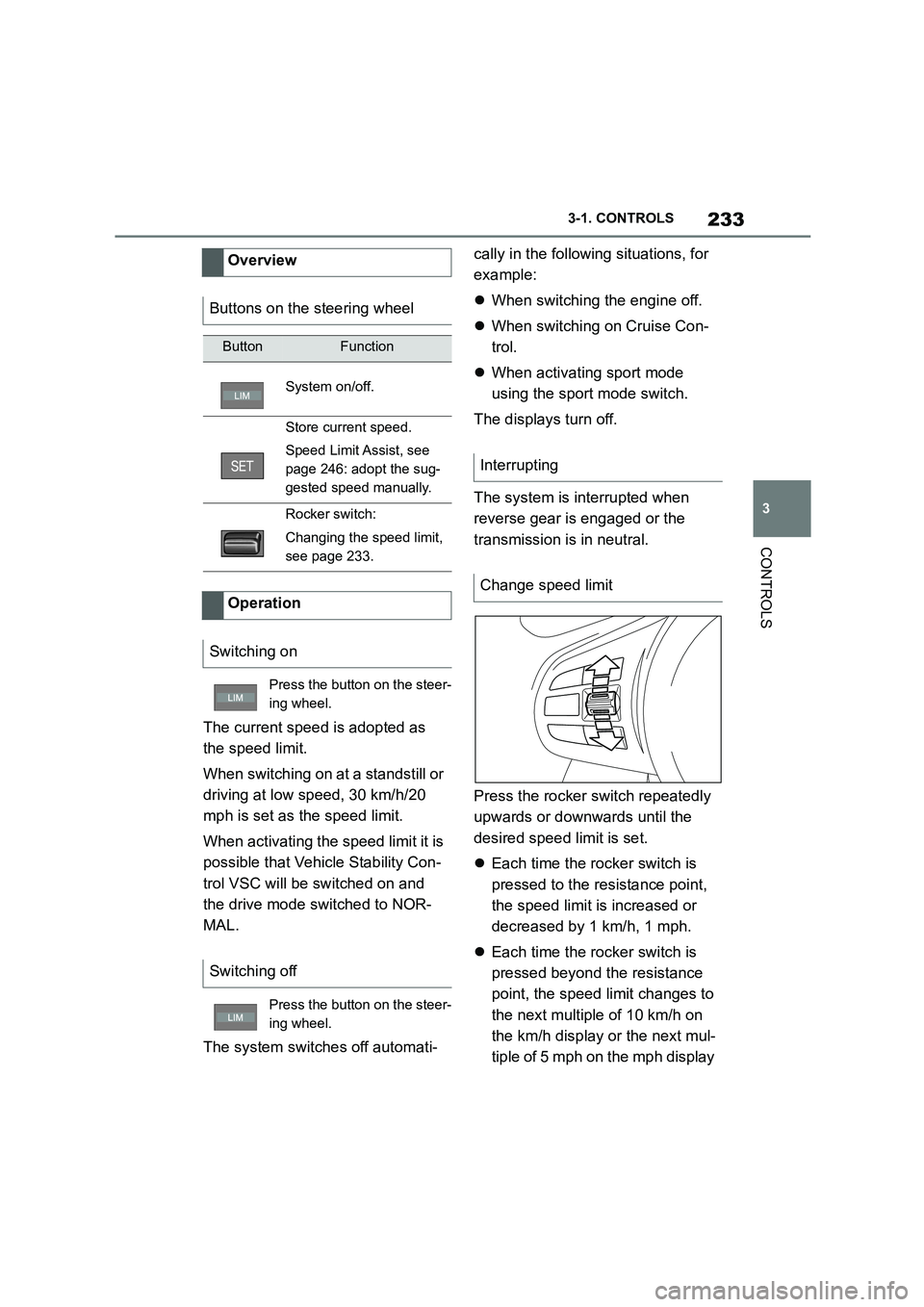
Press the rocker switch repeatedly
upwards or downwards until the
desired speed limit is set.
Each time the rocker switch is
pressed to the resistance point,
the speed limit is increased or
decreased by 1 km/h, 1 mph.
Each time the rocker switch is
pressed beyond the resistance
point, the speed limit changes to
the next multiple of 10 km/h on
the km/h display or the next mul-
tiple of 5 mph on the mph display
Overview
Buttons on the steering wheel
ButtonFunction
System on/off.
Store current speed.
Speed Limit Assist, see
page 246: adopt the sug-
gested speed manually.
Rocker switch:
Changing the speed limit,
see page 233.
Operation
Switching on
Press the button on the steer-
ing wheel.
Switching off
Press the button on the steer-
ing wheel.
Interrupting
Change speed limit
Page 236 of 498
2343-1. CONTROLS
in the speedometer.
If the set speed limit has been
reached or unintentionally
exceeded, for example when driv-
ing downhill, ther e is no active
brake intervention.
If you set a speed limit while driving
which is below the current speed,
the vehicle coasts down to the set
speed limit.
Vehicles with Speed Limit Assist,
see page 246: a change in the
speed limit detected by Speed Limit
Assist can be adopted for the
Speed Limiter as a new speed limit.
The current speed can also be
stored by pressing the button:
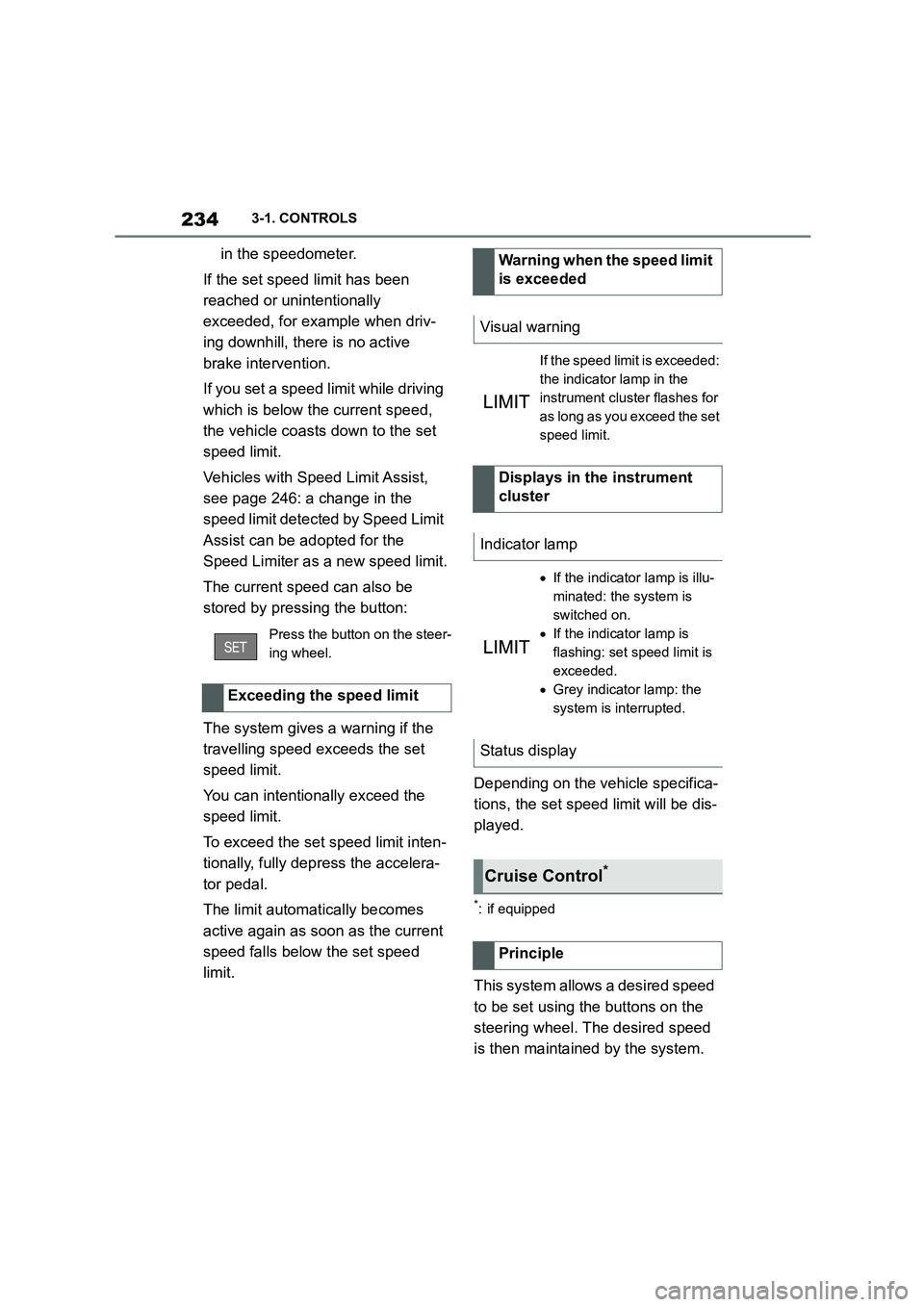
The system gives a warning if the
travelling speed exceeds the set
speed limit.
You can intentionally exceed the
speed limit.
To exceed the set speed limit inten-
tionally, fully depress the accelera-
tor pedal.
The limit automatically becomes
active again as soon as the current
speed falls below the set speed
limit.
Depending on the vehicle specifica-
tions, the set speed limit will be dis-
played.
*: if equipped
This system allows a desired speed
to be set using the buttons on the
steering wheel. The desired speed
is then maintained by the system.
Press the button on the steer-
ing wheel.
Exceeding the speed limit
Warning when the speed limit
is exceeded
Visual warning
If the speed limit is exceeded:
the indicator lamp in the
instrument cluster flashes for
as long as you exceed the set
speed limit.
Displays in the instrument
cluster
Indicator lamp
If the indicator lamp is illu-
minated: the system is
switched on.
If the indicator lamp is
flashing: set speed limit is
exceeded.
Grey indicator lamp: the
system is interrupted.
Status display
Cruise Control*
Principle