reset TOYOTA SUPRA 2022 Owners Manual
[x] Cancel search | Manufacturer: TOYOTA, Model Year: 2022, Model line: SUPRA, Model: TOYOTA SUPRA 2022Pages: 498, PDF Size: 104.06 MB
Page 15 of 498
13
1
1-1. NOTES
NOTES
only use this data for the purposes
of performing the service or repair
order in question. This prevents
work from being duplicated unnec-
essarily on the vehicle, for exam-
ple.
The data logs the technical condi-
tions of the vehicle and helps in
locating errors, complying with war-
ranty obligations and improving
quality.
To ensure product quality and the
development of new products, data
on the usage of individual compo-
nents and systems may be read
out, for example lights, brakes,
power windows, displays. This data
helps the vehicle manufacturer to
optimise the design of components
and systems. Data analysis also
provides the basis for Technical
Campaigns and statutory recalls.
Furthermore, the manufacturer has
product monitoring obligations to
meet in line with product liability
law. To fulfil these obligations, the
vehicle manufacturer requires tech-
nical data from the vehicle.
Data from the vehicle can also be
used to check customer warranty
claims. If goodw ill or warranty
claims are asserted, the read out
data is transferred to the vehicle
manufacturer to resolve the claims
promptly.
Error and event memories in the
vehicle can be reset when any
authorized Toyota retailer or Toyota
authorized repairer, or any reliable
repairer performs repair or servic-
ing work.
Data transferred to the vehicle
manufacturer for the purposes of
ensuring product quality or optimis-
ing service processes can be pre-
vented upon request.
According to current law, the vehi-
cle manufacturer is obliged to pro-
vide the authorities with any data it
has stored. Data is provided to the
extent required and on a
case-by-case basis, for example to
investigate a criminal offence.
The current law also gives state
bodies authorisation to read out
data from the vehicle themselves
for individual cases. This could
include reading out data from the
airbag control device to shed light
on the circumstances of an acci-
dent, for example.
In the context of legal obligations
within the EU, certain vehicle con-
sumption data, so-called OBFCM
data, are transmitted to the EU
Ensuring product quality
Goodwill and warr anty claims
Control over data
Legal requirements regard-
ing data disclosure
Page 43 of 498
41
2
2-1. QUICK REFERENCE
QUICK REFERENCE
in sulphur content.
Fuels labelled on the pump as con-
taining metal must not be used.
P. 3 2 2
Information about the recom-
mended petrol grade is provided in
the Owner’s Manual.
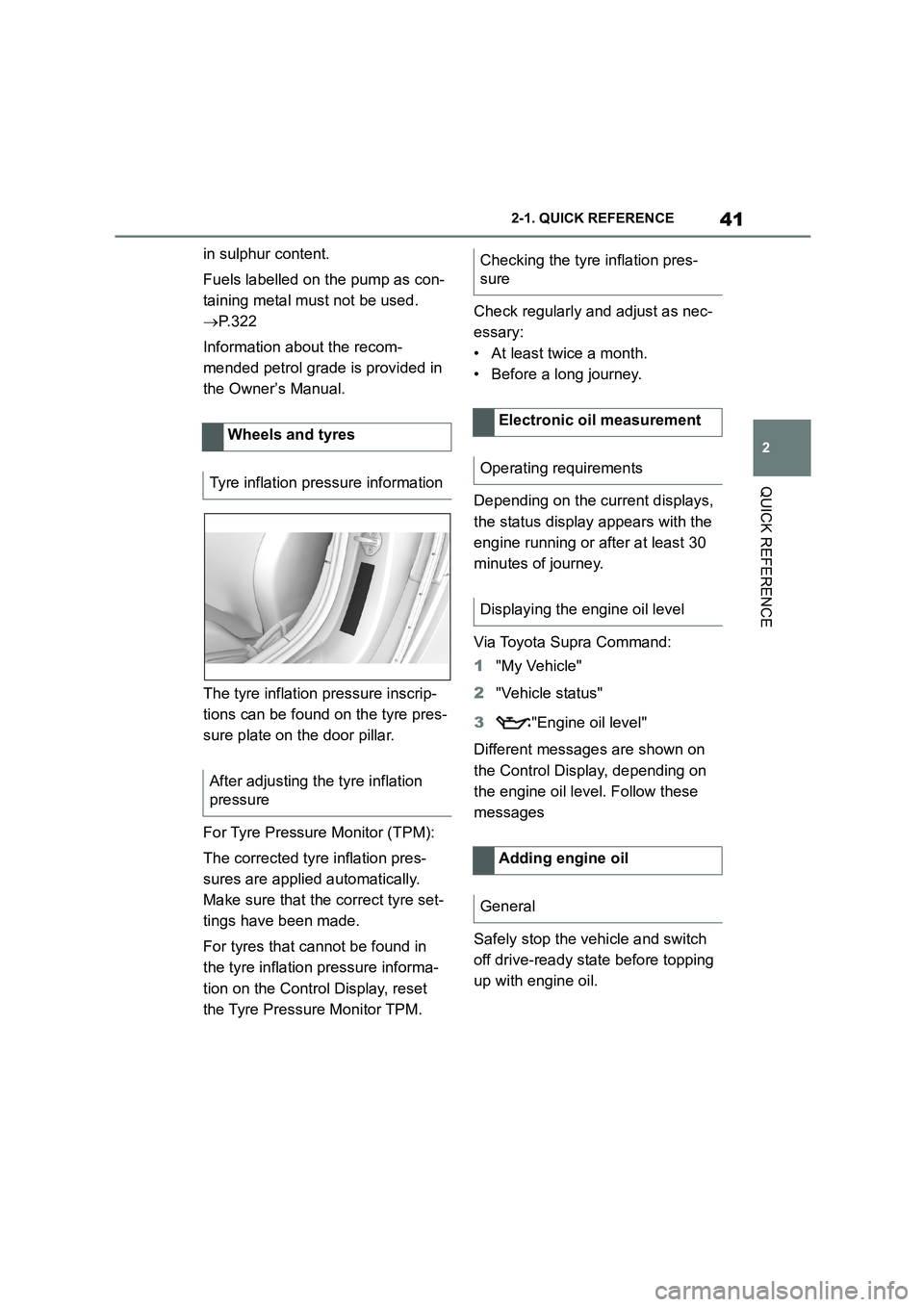
The tyre inflation pressure inscrip-
tions can be found on the tyre pres-
sure plate on the door pillar.
For Tyre Pressure Monitor (TPM):
The corrected tyre inflation pres-
sures are applied automatically.
Make sure that the correct tyre set-
tings have been made.
For tyres that cannot be found in
the tyre inflation pressure informa-
tion on the Control Display, reset
the Tyre Pressure Monitor TPM.
Check regularly and adjust as nec-
essary:
• At least twice a month.
• Before a long journey.
Depending on the current displays,
the status display appears with the
engine running or after at least 30
minutes of journey.
Via Toyota Supra Command:
1 "My Vehicle"
2 "Vehicle status"
3 "Engine oil level"
Different messages are shown on
the Control Display, depending on
the engine oil le vel. Follow these
messages
Safely stop the vehicle and switch
off drive-ready state before topping
up with engine oil.
Wheels and tyres
Tyre inflation pres sure information
After adjusting the tyre inflation
pressure
Checking the tyre inflation pres-
sure
Electronic oil measurement
Operating requirements
Displaying the engine oil level
Adding engine oil
General
Page 80 of 498
783-1. CONTROLS
• The selected driver profile is allo-
cated to the currently used
remote control.
• If the driver profile has already
been allocated to another remote
control, this driver profile then
applies to both remote controls.
With the guest profile, individual
settings can be performed that are
not saved in any of the three driver
profiles.
Via Toyota Supra Command:
1 "My Vehicle"
2 "Driver profiles"
3 "Drive off (guest)"
4 "OK"
The guest profile cannot be
renamed. It is not allocated to the
currently used remote control.
To avoid mixing up driver profiles, it
is possible to assign a personal
name to the currently used driver
profile.
Via Toyota Supra Command:
1 "My Vehicle"
2 "Driver profiles"
3 Select a driver profile.
The driver profile marked with this
symbol can be renamed.
4 "Change driver profile name"
5 Enter a profile name.
6 Select the symbol.
The settings of the active driver
profile are reset to factory settings.
Via Toyota Supra Command:
1 "My Vehicle"
2 "Driver profiles"
3 Select a driver profile.
The driver profile marked with this
symbol can be reset.
4 "Reset driver profile"
5 "OK"
Most of the settings of the currently
used driver profile can be exported.
Exporting can be useful for backing
up and calling up pe rsonal settings,
for example before taking the vehi-
cle into a workshop. Once backed
up, the driver profiles can be taken
into a different vehicle.
Via Toyota Supra Command:
1 "My Vehicle"
2 "Driver profiles"
3 Select a driver profile.
The driver profile marked with this
symbol can be exported.
4 "Export driver profile"
5 Select a medium for exporting
the driver profile.
• "USB device"
Guest profile
Renaming the driver profile
Resetting the driver profile
Exporting a driver profile
Page 163 of 498
161
3
3-1. CONTROLS
CONTROLS
The NORMAL drive mode is auto-
matically selected when
drive-ready state is switched on.
■Principle
Balanced configuration between
dynamic and efficient driving.
■Principle
Dynamic configuration for greater
agility with an optimised suspen-
sion.
■Switching on
■Principle
Individual settings can be made in
SPORT INDIVIDUAL drive mode.
■Configuring
Via Toyota Supra Command:
1 "My Vehicle"
2 "Vehicle settings"
3 "Configure SPORT INDIVID-
UAL"
4 "Customise Settings"
5 Select the desired setting.
Reset customize settings to default
setting:
"Reset to SPORT STANDARD".
Displays in the instrument
cluster
The selected drive mode
is shown in the instru-
ment cluster.
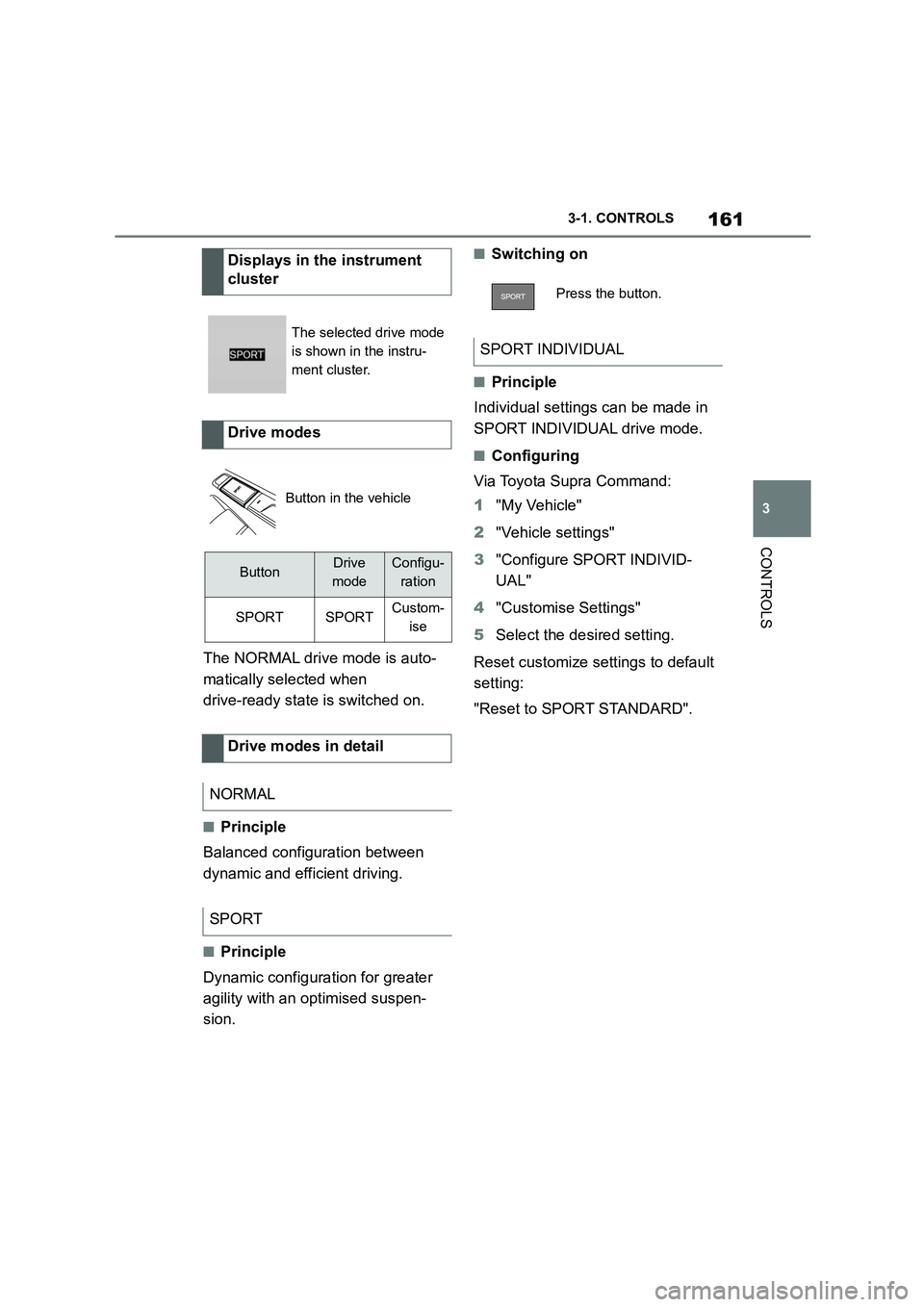
Drive modes
Button in the vehicle
ButtonDrive
mode
Configu-
ration
SPORTSPORTCustom-
ise
Drive modes in detail
NORMAL
SPORT
Press the button.
SPORT INDIVIDUAL
Page 180 of 498
1783-1. CONTROLS
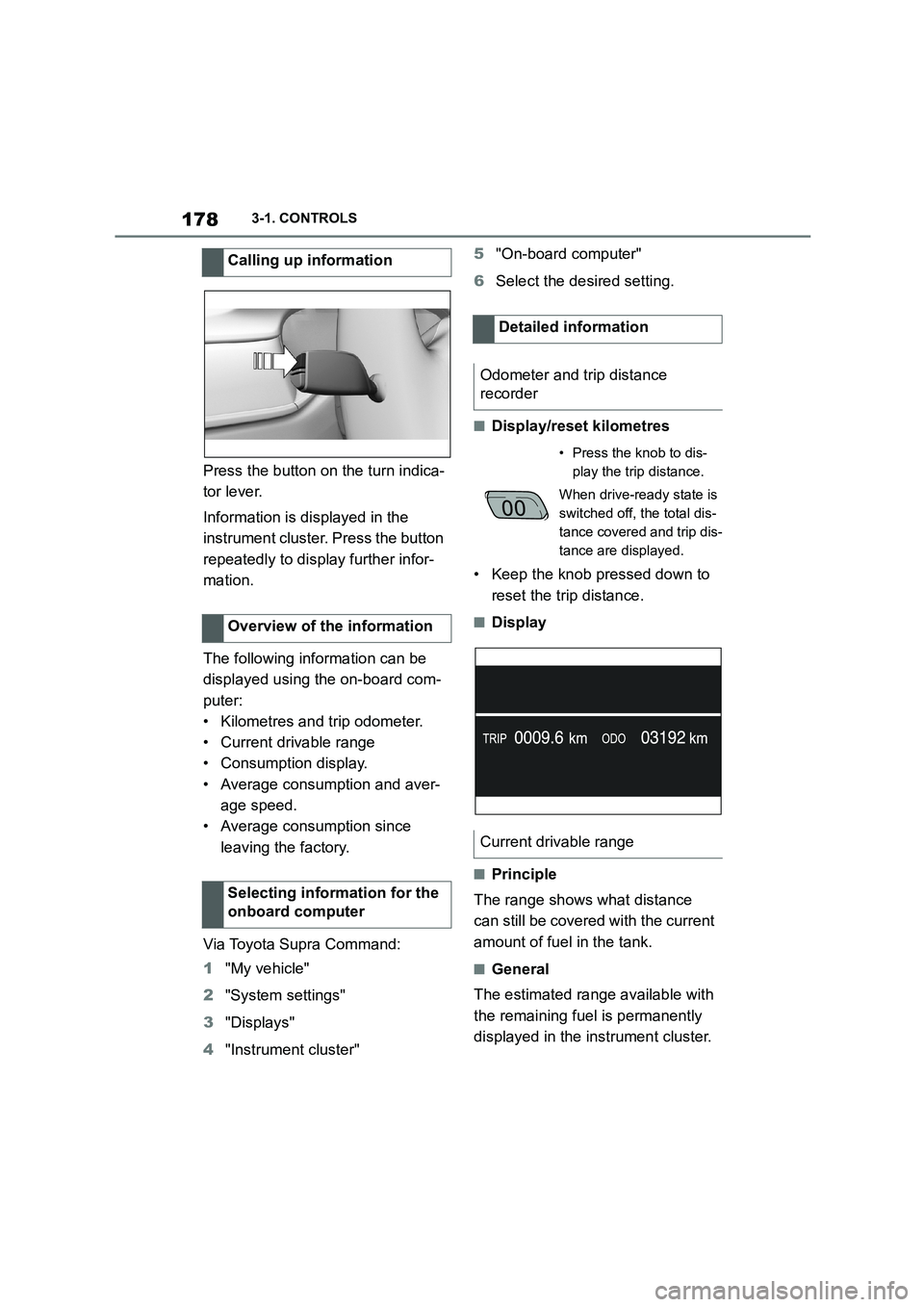
Press the button on the turn indica-
tor lever.
Information is displayed in the
instrument cluster. Press the button
repeatedly to display further infor-
mation.
The following information can be
displayed using the on-board com-
puter:
• Kilometres and trip odometer.
• Current drivable range
• Consumption display.
• Average consumption and aver-
age speed.
• Average consumption since
leaving the factory.
Via Toyota Supra Command:
1 "My vehicle"
2 "System settings"
3 "Displays"
4 "Instrument cluster"
5 "On-board computer"
6 Select the desired setting.
■Display/reset kilometres
• Keep the knob pressed down to
reset the trip distance.
■Display
■Principle
The range shows what distance
can still be covered with the current
amount of fuel in the tank.
■General
The estimated range available with
the remaining fuel is permanently
displayed in the instrument cluster.
Calling up information
Overview of the information
Selecting information for the
onboard computer
Detailed information
Odometer and trip distance
recorder
• Press the knob to dis-
play the trip distance.
When drive-ready state is
switched off, the total dis-
tance covered and trip dis-
tance are displayed.
Current drivable range
Page 181 of 498
179
3
3-1. CONTROLS
CONTROLS
A vehicle message is displayed
briefly if the remaining range is low.
If a sporty driving style is adopted,
for example fast cornering, engine
function is not always ensured.
If the range drops below approxi-
mately 50 km, 30 miles the vehicle
message is continuously displayed.
■Safety note
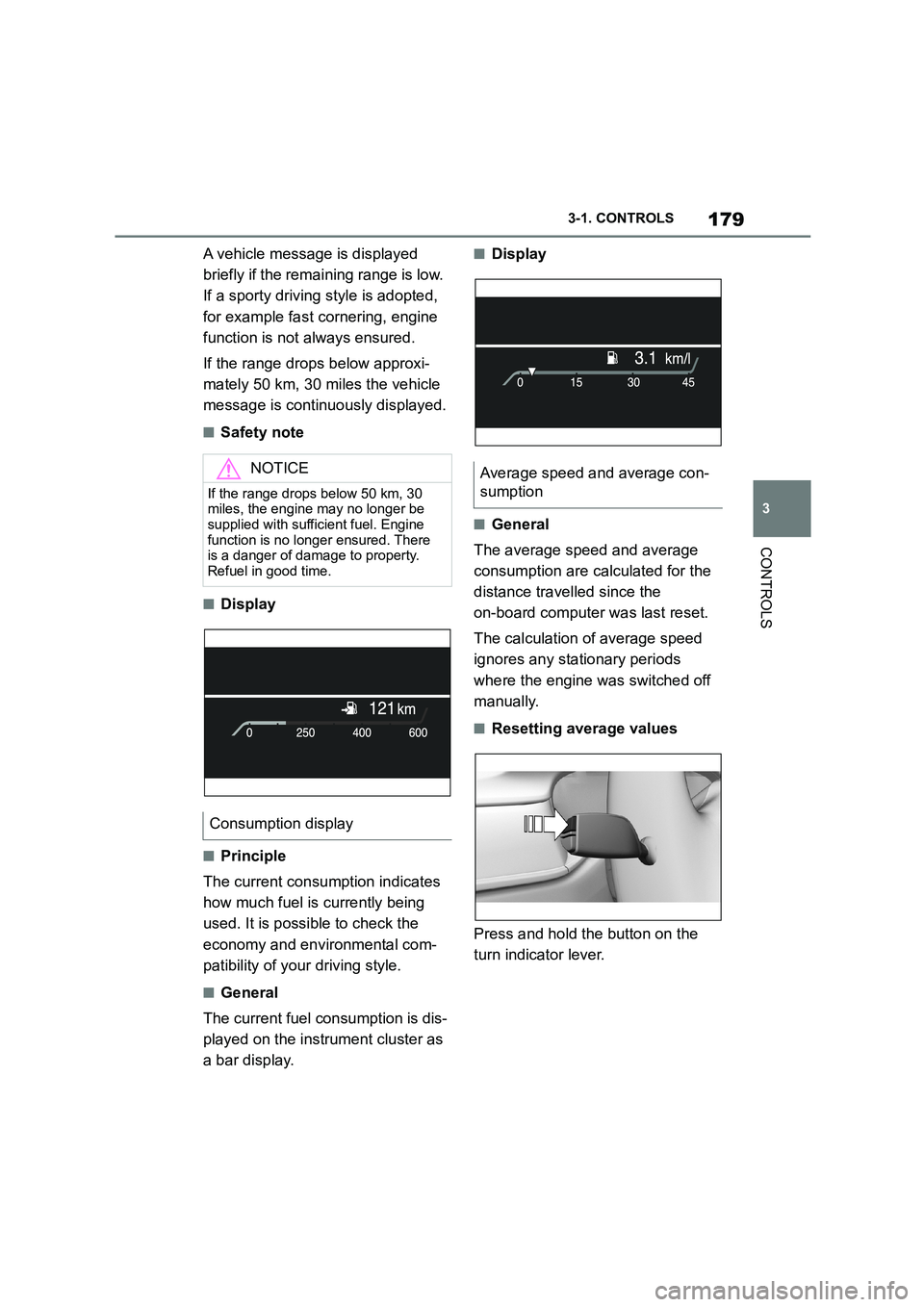
■Display
■Principle
The current consumption indicates
how much fuel is currently being
used. It is possible to check the
economy and environmental com-
patibility of your driving style.
■General
The current fuel consumption is dis-
played on the instrument cluster as
a bar display.
■Display
■General
The average speed and average
consumption are calculated for the
distance travelled since the
on-board computer was last reset.
The calculation of average speed
ignores any stationary periods
where the engine was switched off
manually.
■Resetting average values
Press and hold the button on the
turn indicator lever.
NOTICE
If the range drops below 50 km, 30
miles, the engine may no longer be supplied with sufficient fuel. Engine
function is no longer ensured. There
is a danger of damage to property. Refuel in good time.
Consumption display
Average speed and average con-
sumption
Page 182 of 498
1803-1. CONTROLS
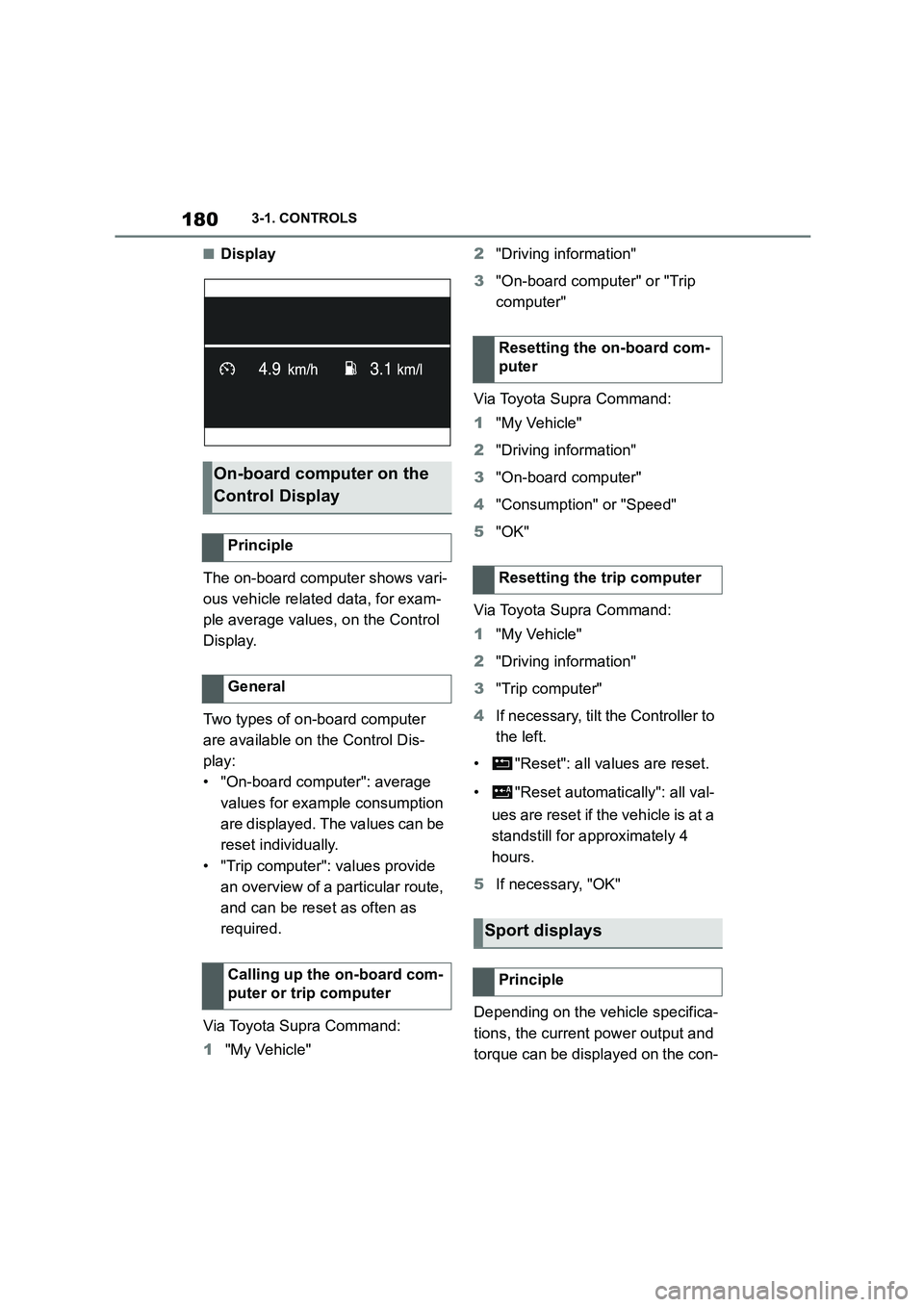
■Display
The on-board computer shows vari-
ous vehicle related data, for exam-
ple average values, on the Control
Display.
Two types of on-board computer
are available on the Control Dis-
play:
• "On-board computer": average
values for example consumption
are displayed. The values can be
reset individually.
• "Trip computer": values provide
an overview of a pa rticular route,
and can be reset as often as
required.
Via Toyota Supra Command:
1 "My Vehicle"
2 "Driving information"
3 "On-board computer" or "Trip
computer"
Via Toyota Supra Command:
1 "My Vehicle"
2 "Driving information"
3 "On-board computer"
4 "Consumption" or "Speed"
5 "OK"
Via Toyota Supra Command:
1 "My Vehicle"
2 "Driving information"
3 "Trip computer"
4 If necessary, tilt the Controller to
the left.
• "Reset": all va lues are reset.
• "Reset automatically": all val-
ues are reset if the vehicle is at a
standstill for ap proximately 4
hours.
5 If necessary, "OK"
Depending on the vehicle specifica-
tions, the current power output and
torque can be displayed on the con-
On-board computer on the
Control Display
Principle
General
Calling up the on-board com-
puter or trip computer
Resetting the on-board com-
puter
Resetting the trip computer
Sport displays
Principle
Page 229 of 498
227
3
3-1. CONTROLS
CONTROLS
4 Select the desired setting:
“Off”: no break recommendation
is given.
“Standard”: the break recom-
mendation is given with a
defined value.
“Sensitive”: the break recom-
mendation is given earlier.
If the driver shows signs of
decreasing attention or of fatigue, a
message is shown on the Control
Display with the recommendation to
take a break.
The following settings can be
selected during the display:
"Do not ask again"
"Places to stop"
"Remind me later"
The break recommendation is repeated
after 20 minutes.
After a break, another break recom-
mendation cannot be displayed
until after approximately 45 minutes
at the earliest.
The system may have limited func-
tionality in situations such as the
following and an incorrect warning,
or no warning at all, may be output:
If the time is set incorrectly.
When the speed is predomi-
nantly below approx. 70 km/h, 43
mph.
If a sporty driving style is
adopted, for example sharp
acceleration or fast cornering.
In active driving situations, for
example frequent lane changes.
In poor road conditions.
In strong crosswinds.
The system is reset approximately
45 minutes after the vehicle is
stopped, for example when taking a
break during a long motorway jour-
ney.
Display
System limits
Page 296 of 498
2945-1. MOBILITY
2Check the tyre inflation pressure
in all four tyres, using a pressure
gauge, for example.
3 Correct the tyre inflation pres-
sure if the current tyre inflation
pressure value deviates from
the specified value.
4 Check whether all valve caps
are screwed onto the tyre
valves.
Via Toyota Supra Command:
1 "My vehicle"
2 "Vehicle status"
3 "Tyre Pressure Monitor"
4 Check if the current tyre inflation
pressures match the specified
tyre pressure value.
5 Correct the tyre inflation pres-
sure if the current tyre inflation
pressure value deviates from
the specified value.
For Tyre Pressure Monitor (TPM):
The corrected tyre inflation pres-
sures are applied automatically.
Make sure that the correct tyre set-
tings have been performed.
For tyres that cannot be found in
the tyre inflation pressure informa-
tion on the Control Display, reset
the Tyre Pressure Monitor (TPM).
The tyre tread depth should not be
less than 3 mm, 0.12 in, otherwise
there is a high risk of aquaplaning.
The tyre tread depth should not be
less than 4 mm, 0.16 in, otherwise
the vehicle's suitability for winter
use is restricted.
Checking using the tyre inflation
pressure information on the Con-
trol Display
After adjusting the tyre inflation
pressure
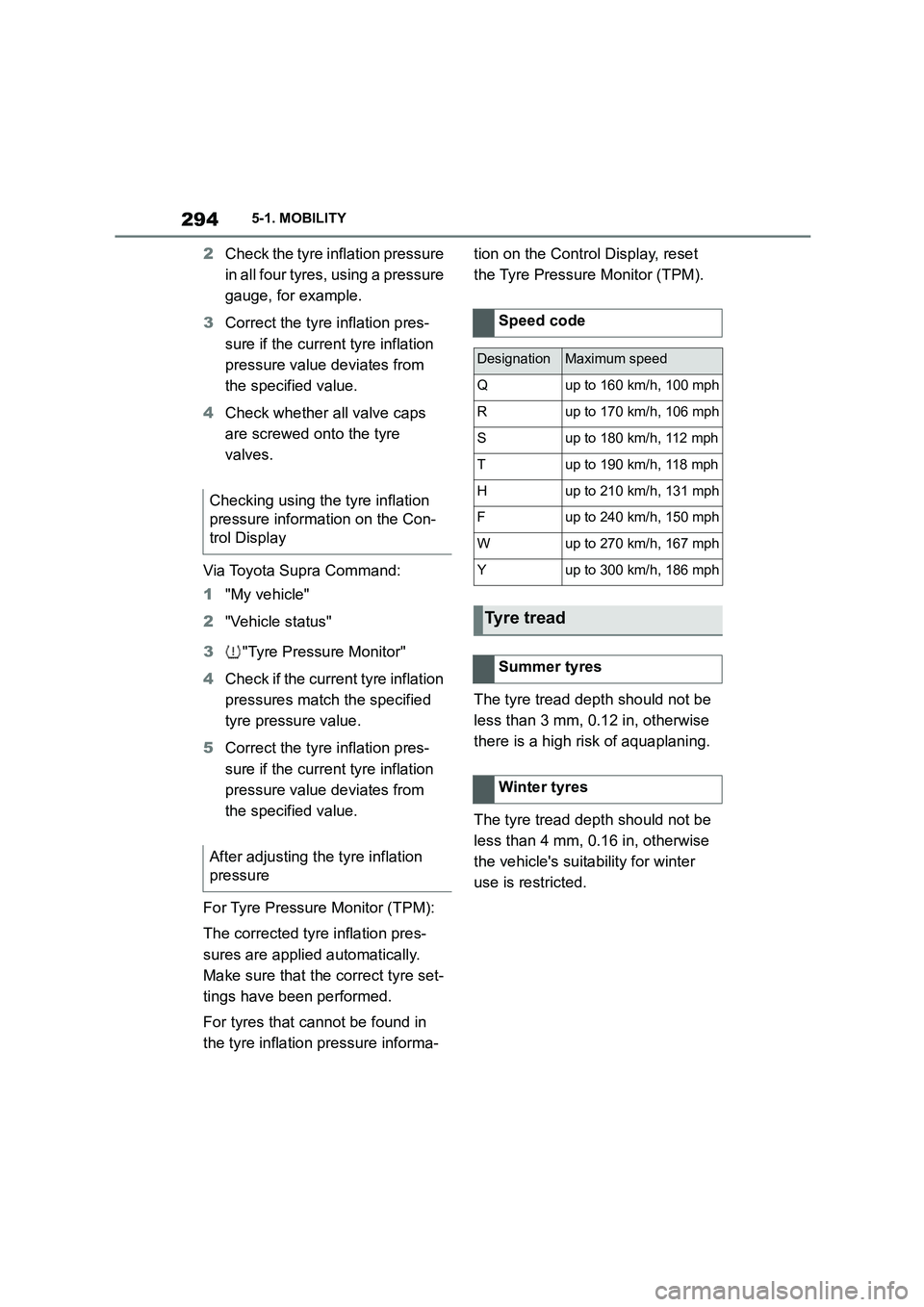
Speed code
DesignationMaximum speed
Qup to 160 km/h, 100 mph
Rup to 170 km/h, 106 mph
Sup to 180 km/h, 112 mph
Tup to 190 km/h, 118 mph
Hup to 210 km/h, 131 mph
Fup to 240 km/h, 150 mph
Wup to 270 km/h, 167 mph
Yup to 300 km/h, 186 mph
Tyre tread
Summer tyres
Winter tyres
Page 306 of 498
3045-1. MOBILITY
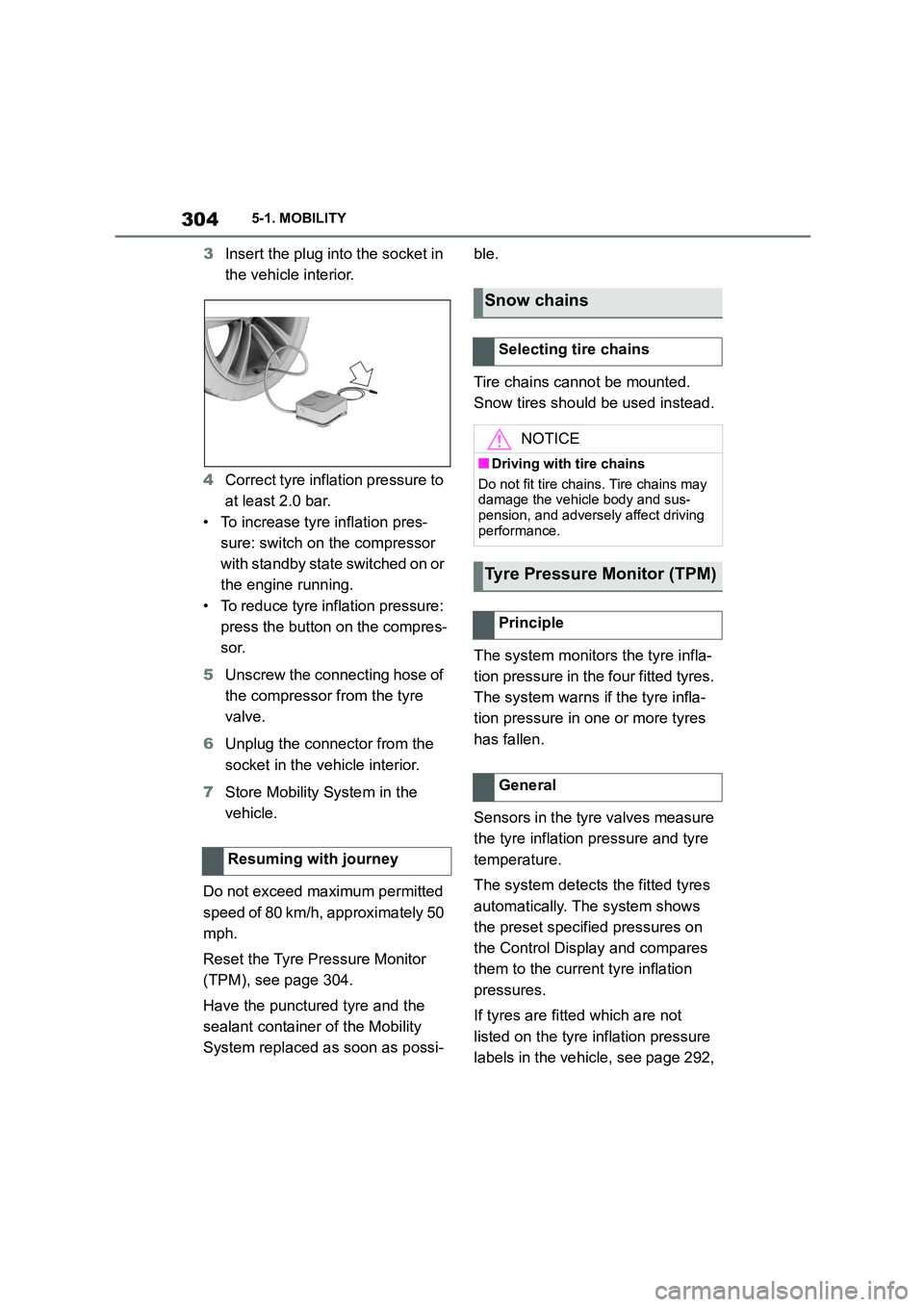
3Insert the plug into the socket in
the vehicle interior.
4 Correct tyre inflation pressure to
at least 2.0 bar.
• To increase tyre inflation pres-
sure: switch on the compressor
with standby state switched on or
the engine running.
• To reduce tyre inflation pressure:
press the button on the compres-
sor.
5 Unscrew the connecting hose of
the compressor from the tyre
valve.
6 Unplug the connector from the
socket in the vehicle interior.
7 Store Mobility System in the
vehicle.
Do not exceed maximum permitted
speed of 80 km/h, approximately 50
mph.
Reset the Tyre Pressure Monitor
(TPM), see page 304.
Have the punctured tyre and the
sealant containe r of the Mobility
System replaced as soon as possi-
ble.
Tire chains cannot be mounted.
Snow tires should be used instead.
The system monitors the tyre infla-
tion pressure in the four fitted tyres.
The system warns if the tyre infla-
tion pressure in one or more tyres
has fallen.
Sensors in the tyre valves measure
the tyre inflation pressure and tyre
temperature.
The system detects the fitted tyres
automatically. The system shows
the preset specified pressures on
the Control Display and compares
them to the current tyre inflation
pressures.
If tyres are fitted which are not
listed on the tyre inflation pressure
labels in the vehicle, see page 292,
Resuming with journey
Snow chains
Selecting tire chains
NOTICE
■Driving with tire chains
Do not fit tire chains. Tire chains may
damage the vehicle body and sus- pension, and adversely affect driving
performance.
Tyre Pressure Monitor (TPM)
Principle
General