radio TOYOTA VERSO 2016 User Guide
[x] Cancel search | Manufacturer: TOYOTA, Model Year: 2016, Model line: VERSO, Model: TOYOTA VERSO 2016Pages: 664, PDF Size: 62.24 MB
Page 333 of 664
3Interior features
333
VERSO_EE_OM64590E
3-1. Using the air conditioning
system and defogger
Manual air conditioning
system ............................ 334
Automatic air conditioning
system ............................ 340
Power heater .................... 347
Rear window and outside
rear view mirror
defoggers ....................... 349
3-2. Using the audio system
Audio system types .......... 351
Using the radio ................. 353
Using the CD player ......... 357
Playing back MP3 and
WMA discs...................... 362
Operating an iPod............. 368
Operating
a USB memory ............... 375
Optimal use of the audio
system ............................ 382
Using the AUX port ........... 384
Using the steering
wheel audio switches...... 385
3-3. Using the interior lights
Interior lights list................ 388
• Personal/interior
lights main switch ........... 389
• Personal/interior lights .... 390
3-4. Using the storage features
List of storage features ..... 392
• Glove box ....................... 394
• Console box.................... 395
• Overhead console .......... 397
• Cup holders .................... 397
• Bottle holders.................. 399
• Auxiliary boxes ............... 400
3-5. Other interior features
Sun visors ......................... 402
Vanity mirrors.................... 403
Power outlets .................... 404
Seat heaters ..................... 406
Armrests ........................... 408
Front seatback tables ....... 409
Rear side sunshades ........ 411
Assist grips ....................... 412
Floor mat........................... 413
Luggage compartment
features........................... 415
Page 351 of 664
351
3
Interior features
VERSO_EE_OM64590E
3-2. Using the audio system
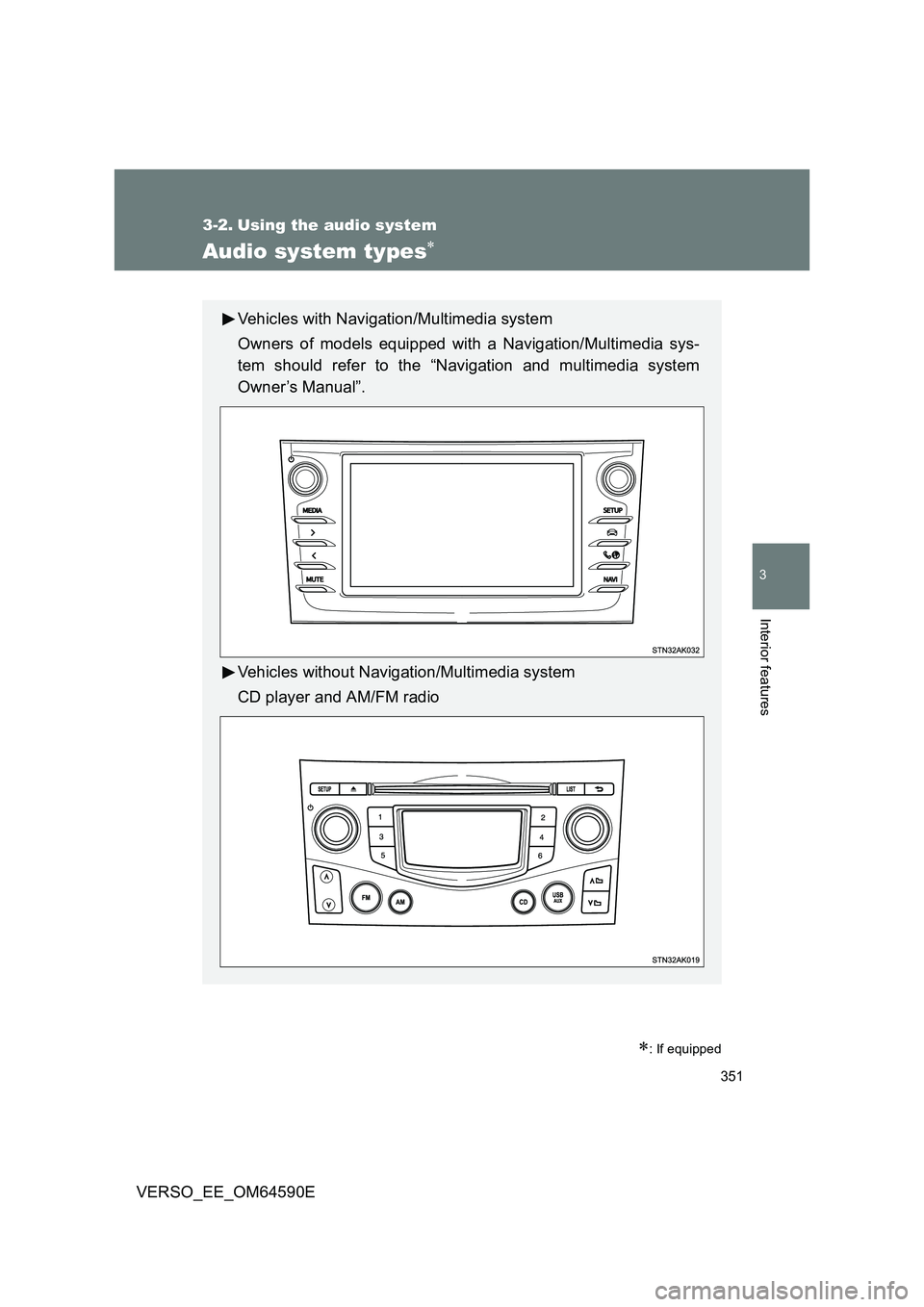
Audio system types
: If equipped
Vehicles with Navigation/Multimedia system
Owners of models equipped with a Navigation/Multimedia sys-
tem should refer to the “Navigation and multimedia system
Owner’s Manual”.
Vehicles without Navigation/Multimedia system
CD player and AM/FM radio
Page 352 of 664
352
3-2. Using the audio system
VERSO_EE_OM64590E
■ Using cellular phones
Interference may be heard through the audio system’s speakers if a cellular
phone is being used inside or close to the vehicle while the audio system is
operating.
NOTICE
■ To prevent battery discharge
Do not leave the audio system on longer than necessary when the engine is
stopped.
■ To avoid damaging the audio system
Take care not to spill drinks or other fluids over the audio system.
■ To prevent damage to USB memory or its terminal
Depending on the size and shape of the USB memory that is connected to
the system, the passenger’s seat may hit the USB memory when moving the
seat forward. In this case, do not forcibly move the seat forward as this may
damage the USB memory or the terminal, etc.
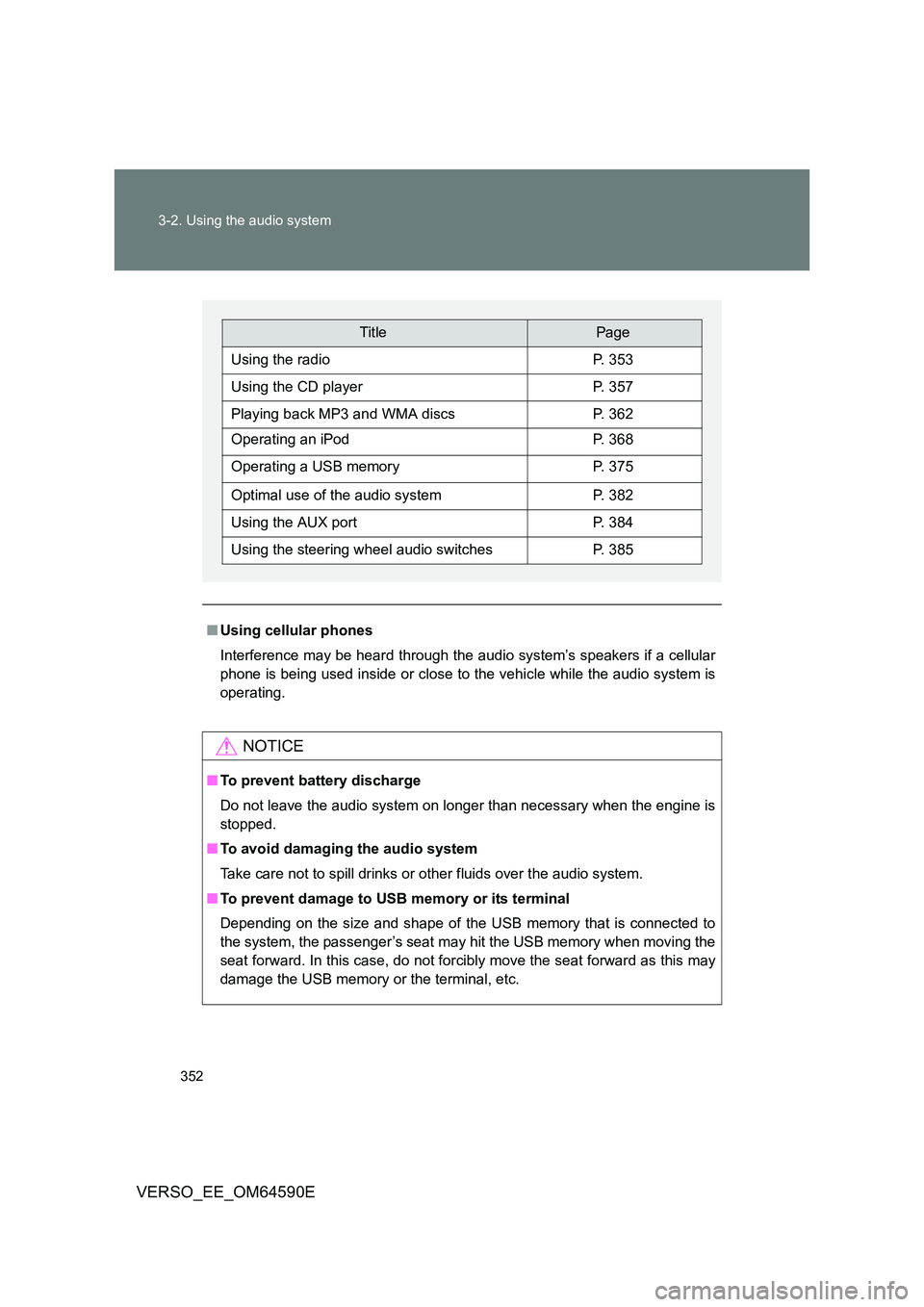
TitlePage
Using the radioP. 353
Using the CD playerP. 357
Playing back MP3 and WMA discsP. 362
Operating an iPodP. 368
Operating a USB memoryP. 375
Optimal use of the audio systemP. 382
Using the AUX portP. 384
Using the steering wheel audio switchesP. 385
Page 353 of 664
353
3-2. Using the audio system
3
Interior features
VERSO_EE_OM64590E
Using the radio
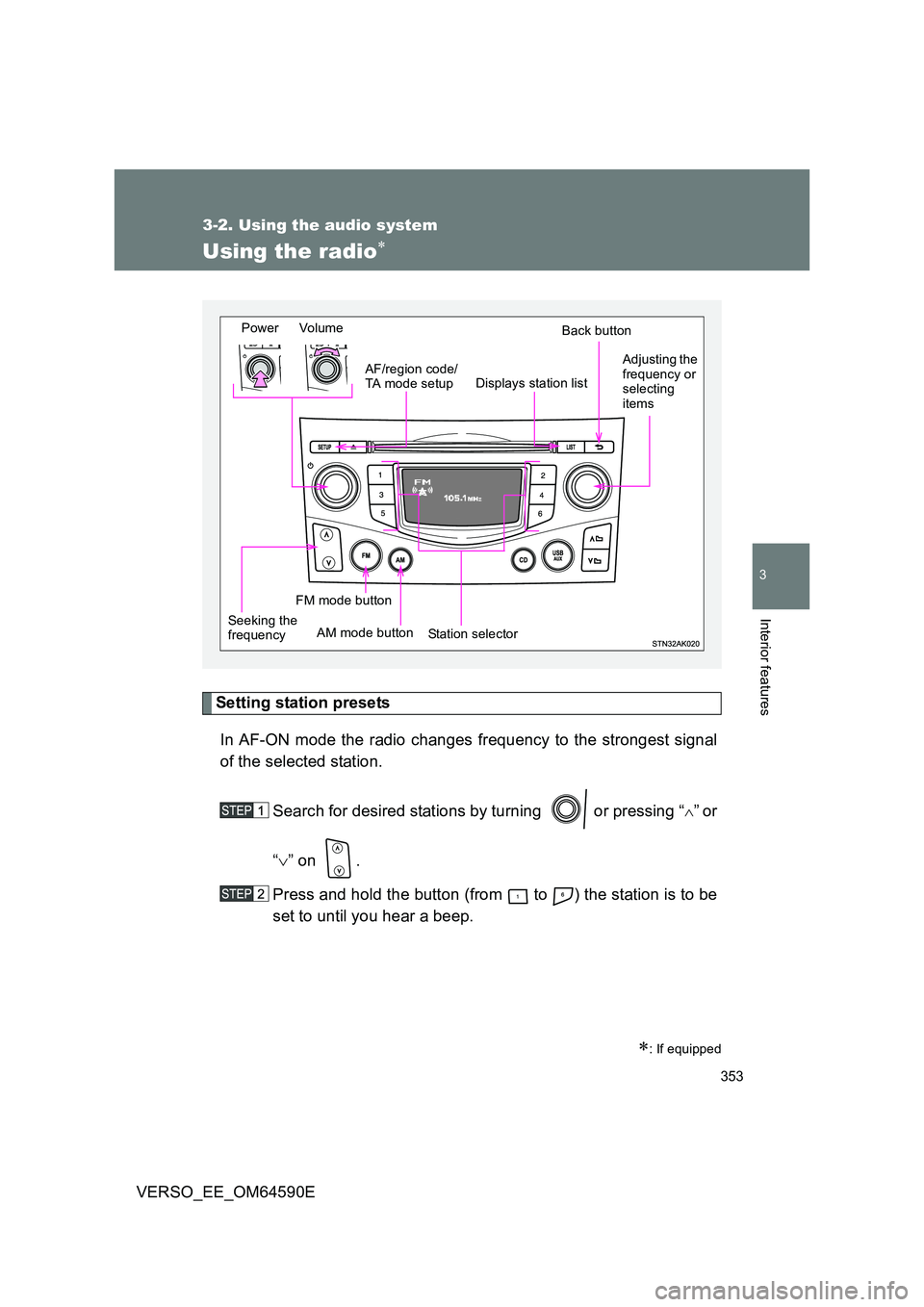
Setting station presets
In AF-ON mode the radio changes frequency to the strongest signal
of the selected station.
Search for desired stations by turning or pressing “”or
“ ” on .
Press and hold the button (from to ) the station is to be
set to until you hear a beep.
: If equipped
Power Volume
Station selector
Back button
Adjusting the frequency or selecting items
AM mode button
AF/region code/ TA mode setup
Seeking the frequency
Displays station list
FM mode button
Page 354 of 664
354
3-2. Using the audio system
VERSO_EE_OM64590E
Using the station list
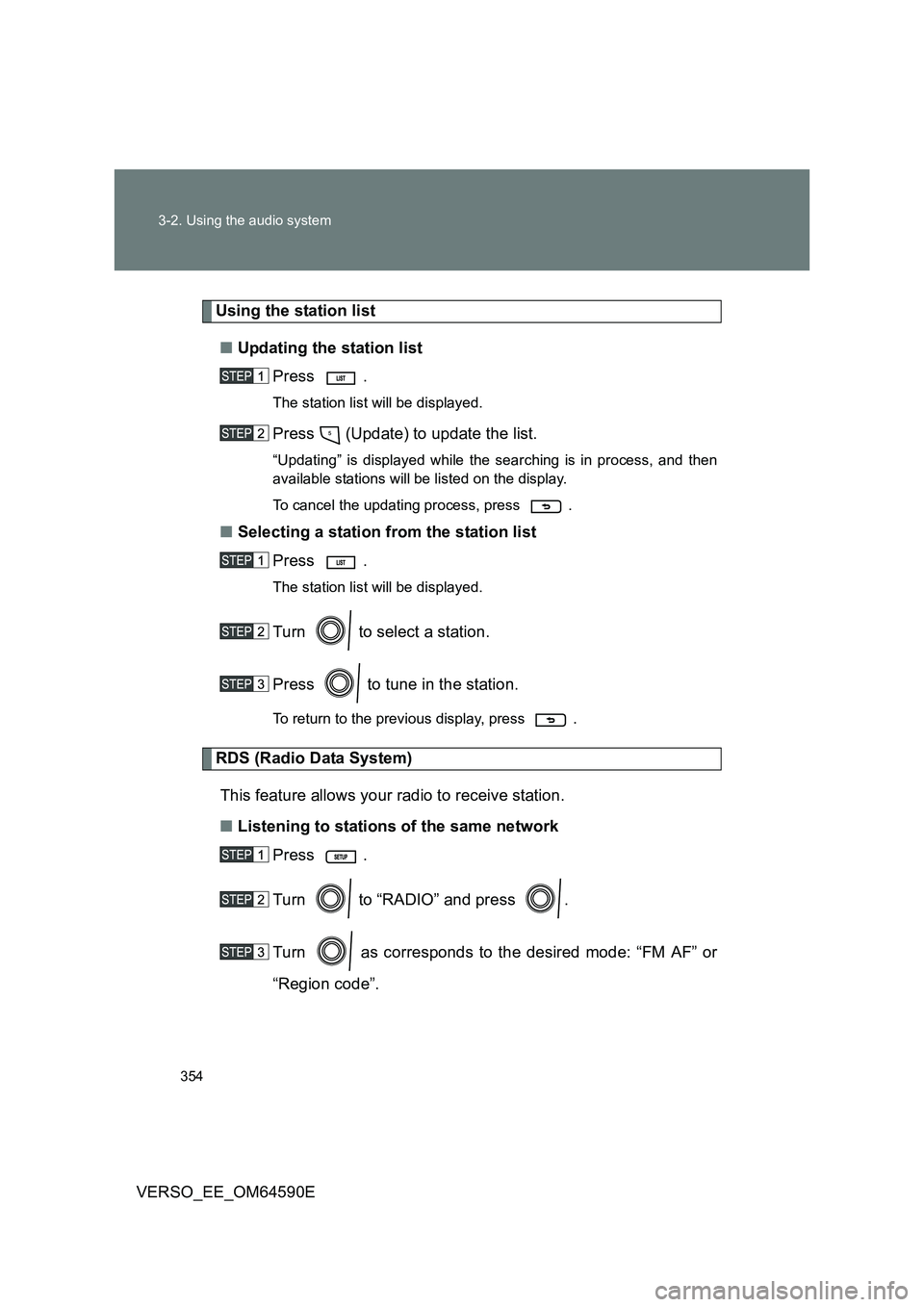
■ Updating the station list
Press .
The station list will be displayed.
Press (Update) to update the list.
“Updating” is displayed while the searching is in process, and then
available stations will be listed on the display.
To cancel the updating process, press .
■ Selecting a station from the station list
Press .
The station list will be displayed.
Turn to select a station.
Press to tune in the station.
To return to the previous display, press .
RDS (Radio Data System)
This feature allows your radio to receive station.
■ Listening to stations of the same network
Press .
Turn to “RADIO” and press .
Turn as corresponds to the desired mode: “FM AF” or
“Region code”.
Page 355 of 664
355
3-2. Using the audio system
3
Interior features
VERSO_EE_OM64590E
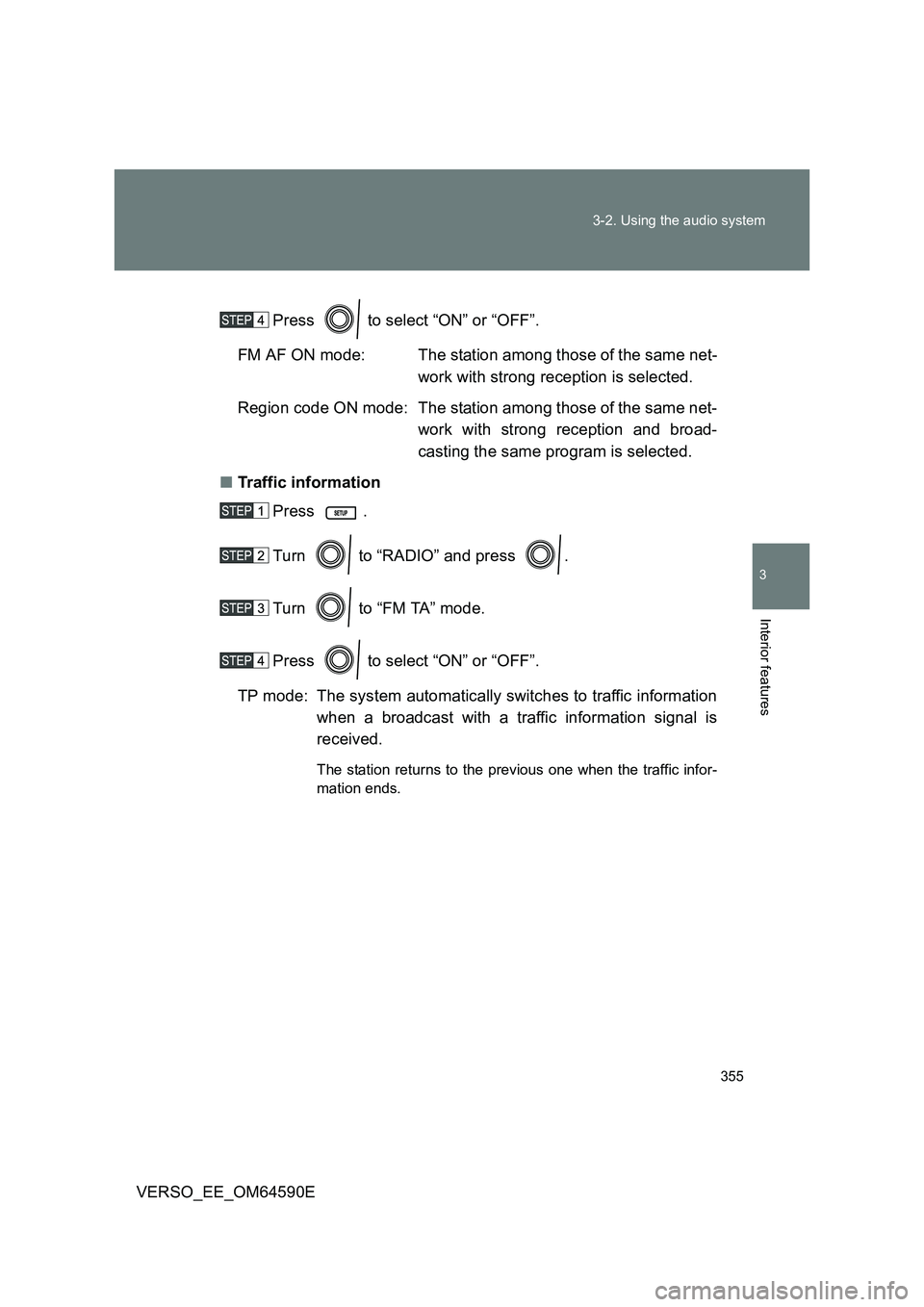
Press to select “ON” or “OFF”.
FM AF ON mode: The station among those of the same net-
work with strong reception is selected.
Region code ON mode: The station among those of the same net-
work with strong reception and broad-
casting the same program is selected.
■ Traffic information
Press .
Turn to “RADIO” and press .
Turn to “FM TA” mode.
Press to select “ON” or “OFF”.
TP mode: The system automatically switches to traffic information
when a broadcast with a traffic information signal is
received.
The station returns to the previous one when the traffic infor-
mation ends.
Page 356 of 664
356
3-2. Using the audio system
VERSO_EE_OM64590E
■ EON (Enhanced Other Network) system (for traffic announcement
function)
If the RDS station (with EON data) you are listening to is not broadcasting a
traffic information program and the audio system is in the TA (traffic
announcement) mode, the radio will be switched automatically to a station
broadcasting a traffic information progr am in the EON AF list when traffic
information begins.
■ When the battery is disconnected
Stations presets are erased.
■ Reception sensitivity
● Maintaining perfect radio reception at all times is difficult due to the con-
tinually changing position of the antenna, differences in signal strength
and surrounding objects, such as trains, transmitters, etc.
● The radio antenna is mounted on the rear roof. The antenna can be
removed from the base by turning it.
NOTICE
■ To prevent damage, remove the antenna in the following cases
● The antenna will touch the ceiling of a garage.
● A cover will be put on the roof.
Page 385 of 664
385
3-2. Using the audio system
3
Interior features
VERSO_EE_OM64590E
Using the steering wheel audio switches
Turning on the power
Press when the audio system is turned off.
Changing the audio source
Press when the audio system is turned on. The audio source
changes as follows each time is pressed. If a mode cannot be
used, it will be skipped.
AM FMCD modeiPod or USB memory*AUX*
*: If equipped
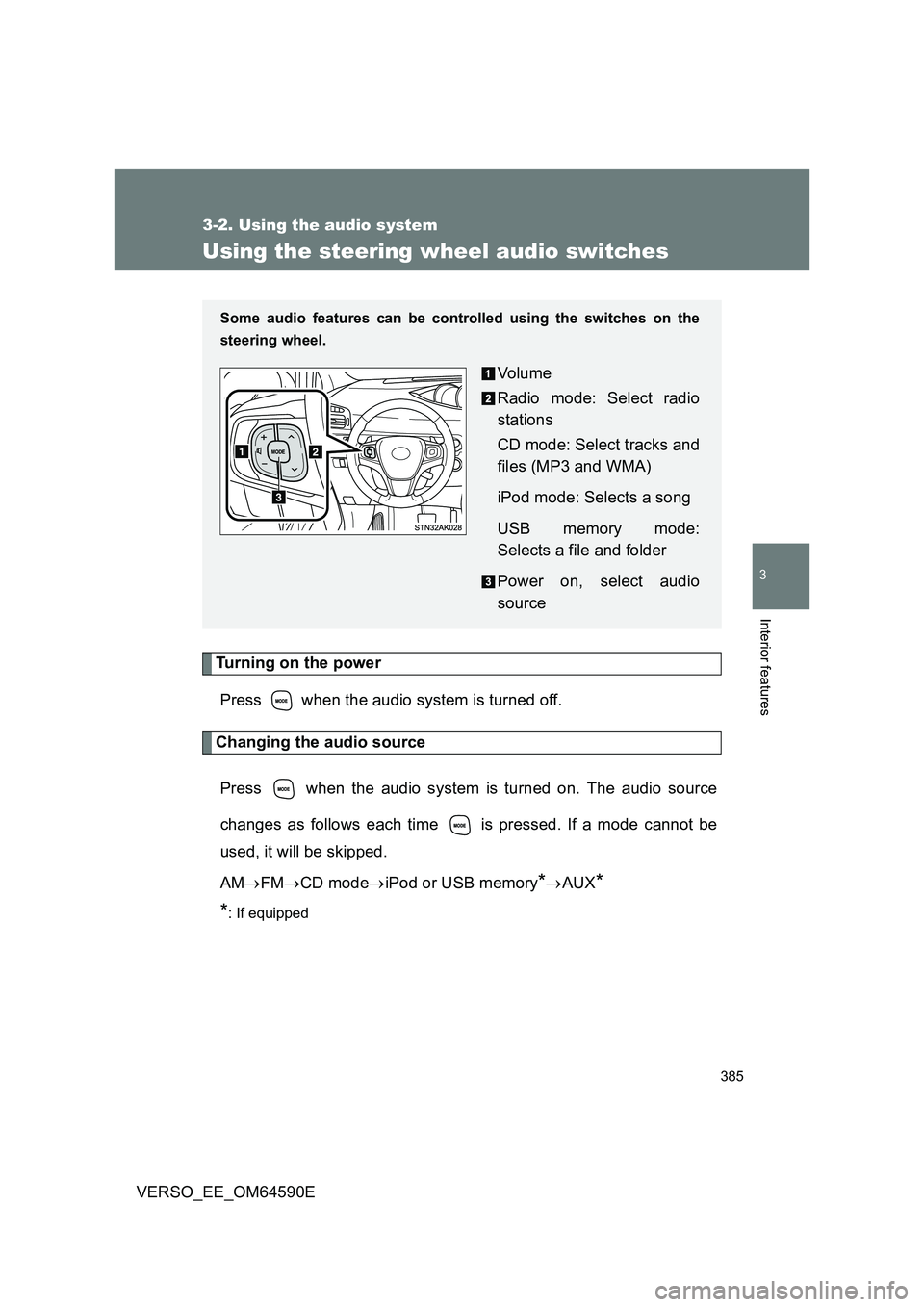
Some audio features can be cont rolled using the switches on the
steering wheel.
Vo lu m e
Radio mode: Select radio
stations
CD mode: Select tracks and
files (MP3 and WMA)
iPod mode: Selects a song
USB memory mode:
Selects a file and folder
Power on, select audio
source
Page 386 of 664
386
3-2. Using the audio system
VERSO_EE_OM64590E
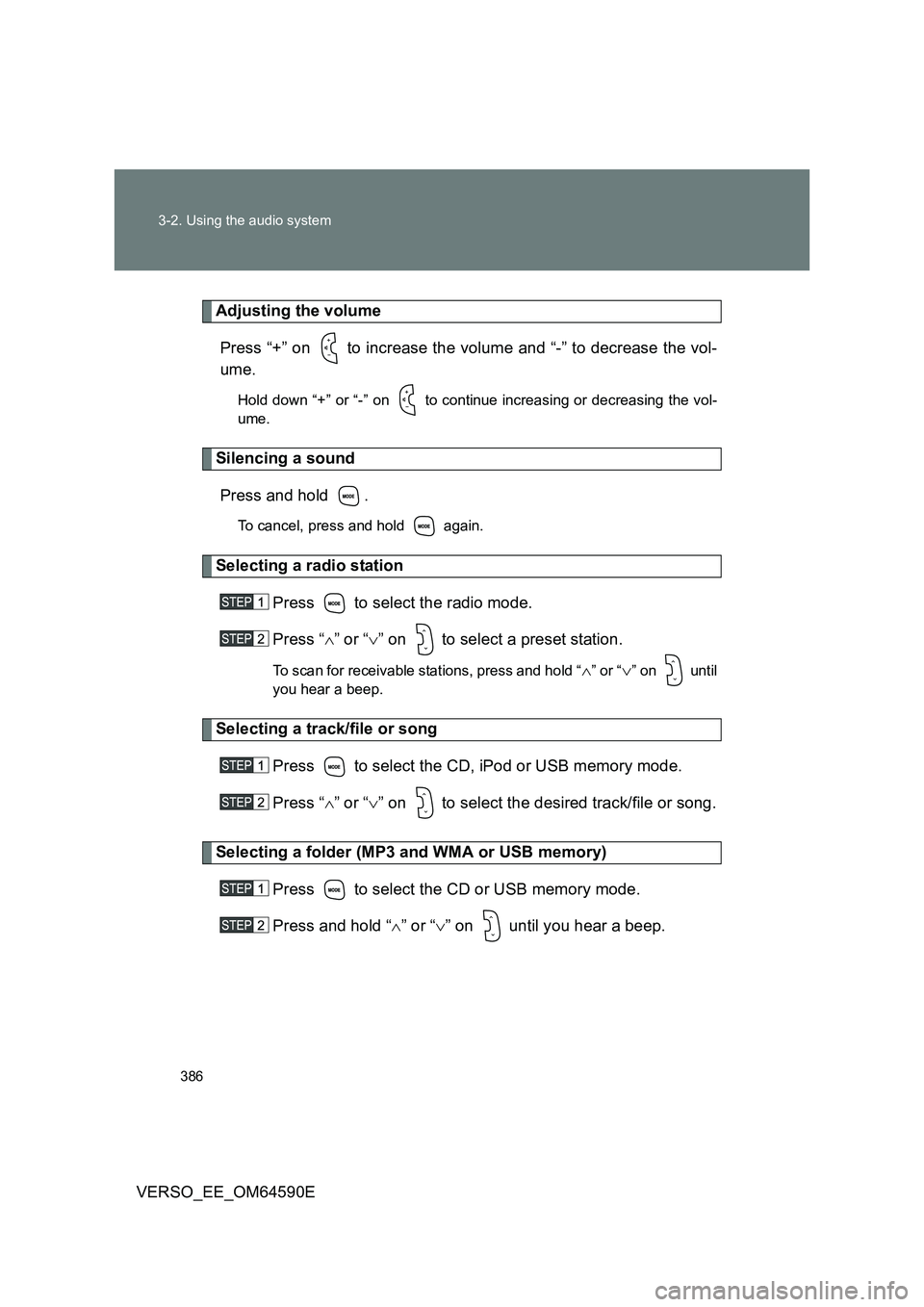
Adjusting the volume
Press “+” on to increase the volume and “-” to decrease the vol-
ume.
Hold down “+” or “-” on to continue increasing or decreasing the vol-
ume.
Silencing a sound
Press and hold .
To cancel, press and hold again.
Selecting a radio station
Press to select the radio mode.
Press “ ” or “” on to select a preset station.
To scan for receivable stations, press and hold “” or “” on until
you hear a beep.
Selecting a track/file or song
Press to select the CD, iPod or USB memory mode.
Press “ ” or “” on to select the desired track/file or song.
Selecting a folder (MP3 and WMA or USB memory)
Press to select the CD or USB memory mode.
Press and hold “ ” or “” on until you hear a beep.
Page 543 of 664
5
543
5-2. Steps to take in an emergency
When trouble arises
VERSO_EE_OM64590E
■ If the tire pressure warning system is not functioning (vehicles with a
tire pressure warning light system)
The tire pressure warning system will be disabled in the following conditions:
(When the condition becomes normal, the system will work properly.)
● If tires not equipped with tire pressure warning valves and transmitters
are used
● If the ID code on the tire pressure warning valves and transmitters is not
registered in the tire pressure warning computer
● If the tire inflation pressure is 380 kPa (3.9 kgf/cm2 or bar, 55 psi) or
higher
The tire pressure warning system may be disabled in the following condi-
tions:
(When the condition becomes normal, the system will work properly.)
● If electronic devices or facilities using similar radio wave frequencies are
nearby
● If a radio set at a similar frequency is in use in the vehicle
● If a window tint that affects the radio wave signals is installed
● If there is a lot of snow or ice on the vehicle, particularly around the
wheels or wheel housings
● If non-genuine Toyota wheels are used (Even if you use Toyota wheels,
the tire pressure warning system may not work properly with some types
of tires.)
● If tire chains are used
■ If the tire pressure warning light frequently comes on after blinking for
1 minute (vehicles with a tire pressure warning light system)
If the tire pressure warning light frequently comes on after blinking for 1
minute when the engine switch (vehicles without smart entry & start system)
or the “ENGINE START STOP” switch (vehicles with smart entry & start sys-
tem) is turned on, have it checked by any authorized Toyota dealer or
repairer, or another duly qualified and equipped professional.