display TOYOTA VERSO 2016 Repair Manual
[x] Cancel search | Manufacturer: TOYOTA, Model Year: 2016, Model line: VERSO, Model: TOYOTA VERSO 2016Pages: 664, PDF Size: 62.24 MB
Page 376 of 664
376
3-2. Using the audio system
VERSO_EE_OM64590E
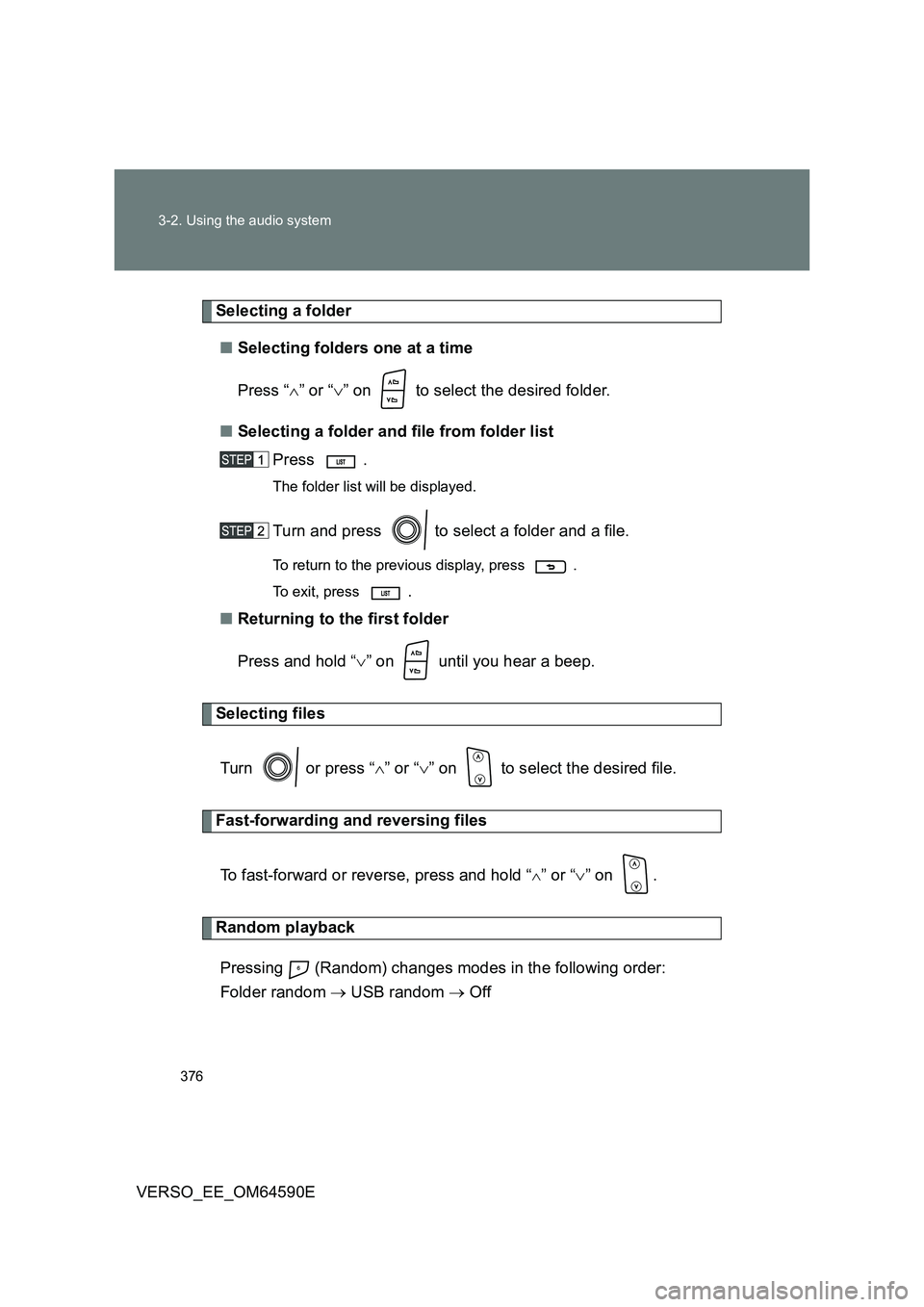
Selecting a folder
■ Selecting folders one at a time
Press “ ” or “” on to select the desired folder.
■ Selecting a folder and file from folder list
Press .
The folder list will be displayed.
Turn and press to select a folder and a file.
To return to the previous display, press .
To exit, press .
■ Returning to the first folder
Press and hold “ ” on until you hear a beep.
Selecting files
Turn or press “ ” or “” on to select the desired file.
Fast-forwarding and reversing files
To fast-forward or reverse, press and hold “” or “ ” on .
Random playback
Pressing (Random) changes modes in the following order:
Folder random USB random Off
Page 377 of 664
377
3-2. Using the audio system
3
Interior features
VERSO_EE_OM64590E
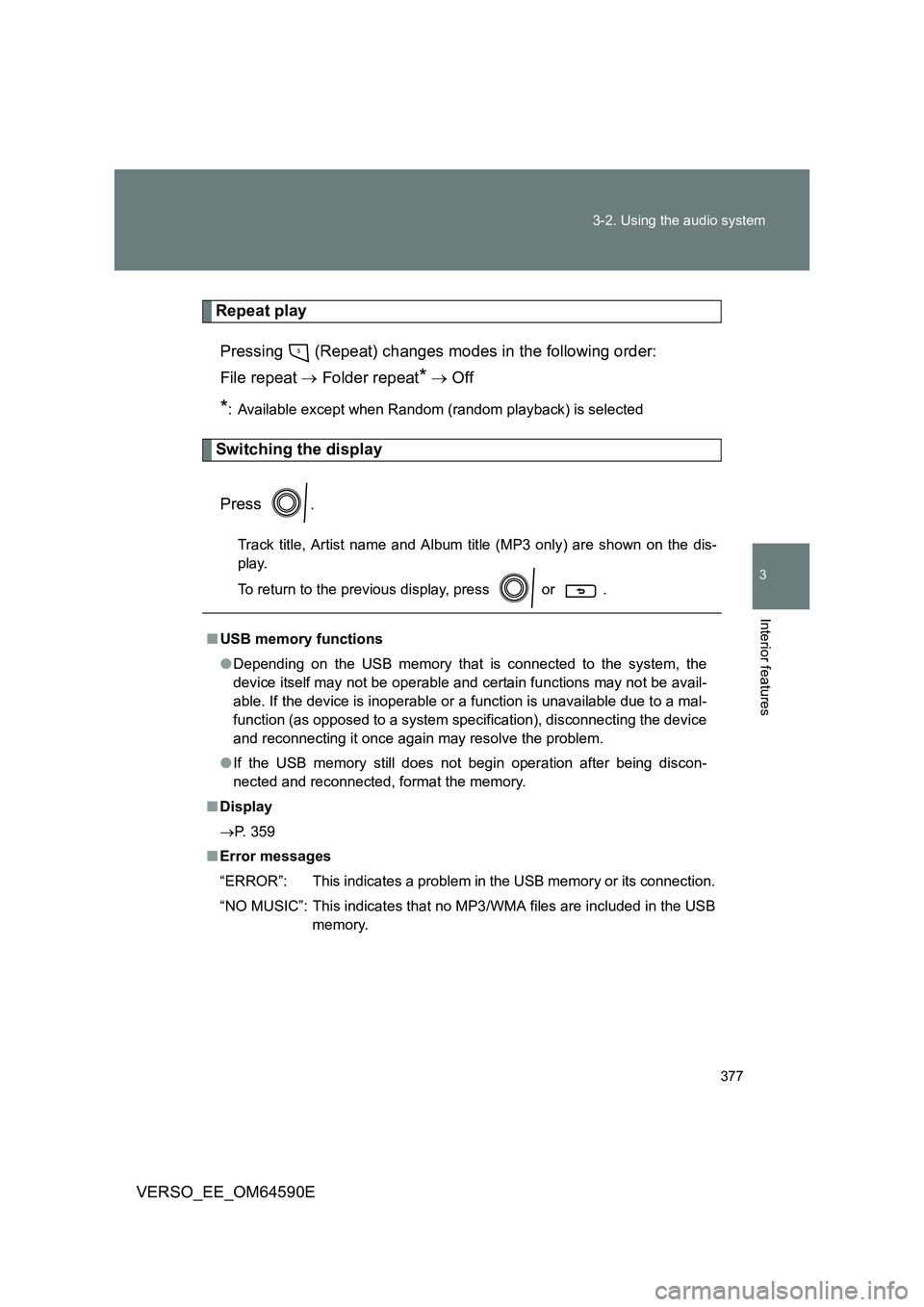
Repeat play
Pressing (Repeat) changes modes in the following order:
File repeat Folder repeat* Off
*: Available except when Random (random playback) is selected
Switching the display
Press .
Track title, Artist name and Album title (MP3 only) are shown on the dis-
play.
To return to the previous display, press or .
■ USB memory functions
● Depending on the USB memory that is connected to the system, the
device itself may not be operable and certain functions may not be avail-
able. If the device is inoperable or a function is unavailable due to a mal-
function (as opposed to a system specification), disconnecting the device
and reconnecting it once again may resolve the problem.
● If the USB memory still does not begin operation after being discon-
nected and reconnected, format the memory.
■ Display
P. 359
■ Error messages
“ERROR”: This indicates a problem in the USB memory or its connection.
“NO MUSIC”: This indicates that no MP3/WMA files are included in the USB
memory.
Page 378 of 664
378
3-2. Using the audio system
VERSO_EE_OM64590E
■ USB memory
● Compatible devices
USB memory that can be used for MP3 and WMA playback
● Compatible device formats
The following device formats can be used:
• USB communication formats: USB2.0 FS (12 mbps)
• File formats: FAT16/32 (Windows)
• Correspondence class: Mass storage class
MP3 and WMA files written in any format other than those listed above
may not play correctly, and their file names and folder names may not be
displayed correctly.
Items related to standards and limitations are as follows:
• Maximum directory hierarchy: 8 levels
• Maximum number of folders in a device: 999 (including the root)
• Maximum number of files in a device: 9999
• Maximum number of files per folder: 255
● MP3 and WMA files
MP3 (MPEG Audio LAYER 3) is a standard audio compression format.
Files can be compressed to approximately 1/10 of their original size using
MP3 compression.
WMA (Windows Media Audio) is a Microsoft audio compression format.
This format compresses audio data to a size smaller than that of the MP3
format.
There is a limit to the MP3 and WMA file standards that can be used and
to the media/formats on which the files are recorded.
Page 382 of 664
382
3-2. Using the audio system
VERSO_EE_OM64590E
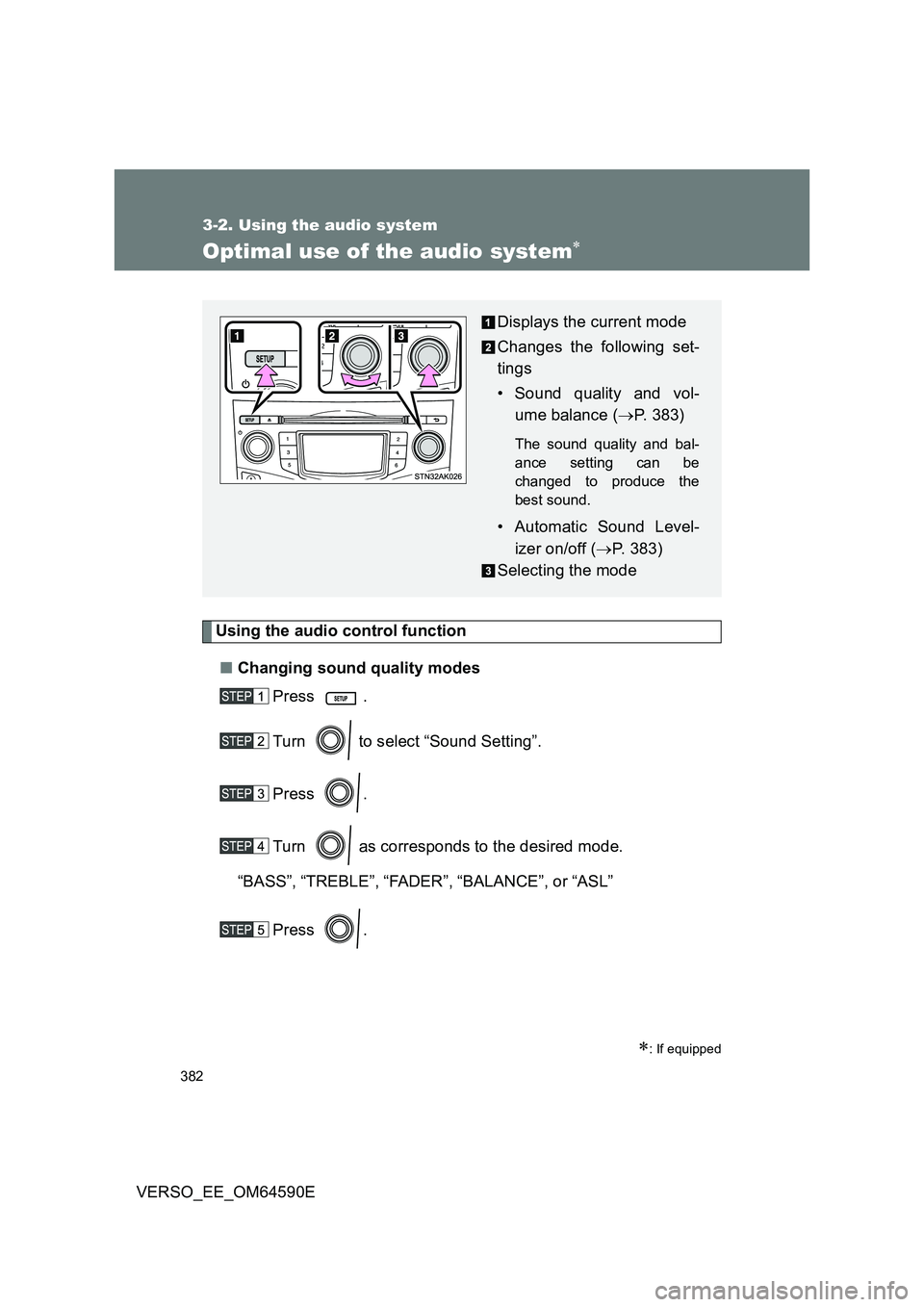
Optimal use of the audio system
Using the audio control function
■ Changing sound quality modes
Press .
Turn to select “Sound Setting”.
Press .
Turn as corresponds to the desired mode.
“BASS”, “TREBLE”,“FADER”,“BALANCE”, or“ASL”
Press .
: If equipped
Displays the current mode
Changes the following set-
tings
• Sound quality and vol-
ume balance ( P. 383)
The sound quality and bal-
ance setting can be
changed to produce the
best sound.
• Automatic Sound Level-
izer on/off ( P. 383)
Selecting the mode
Page 383 of 664
383
3-2. Using the audio system
3
Interior features
VERSO_EE_OM64590E
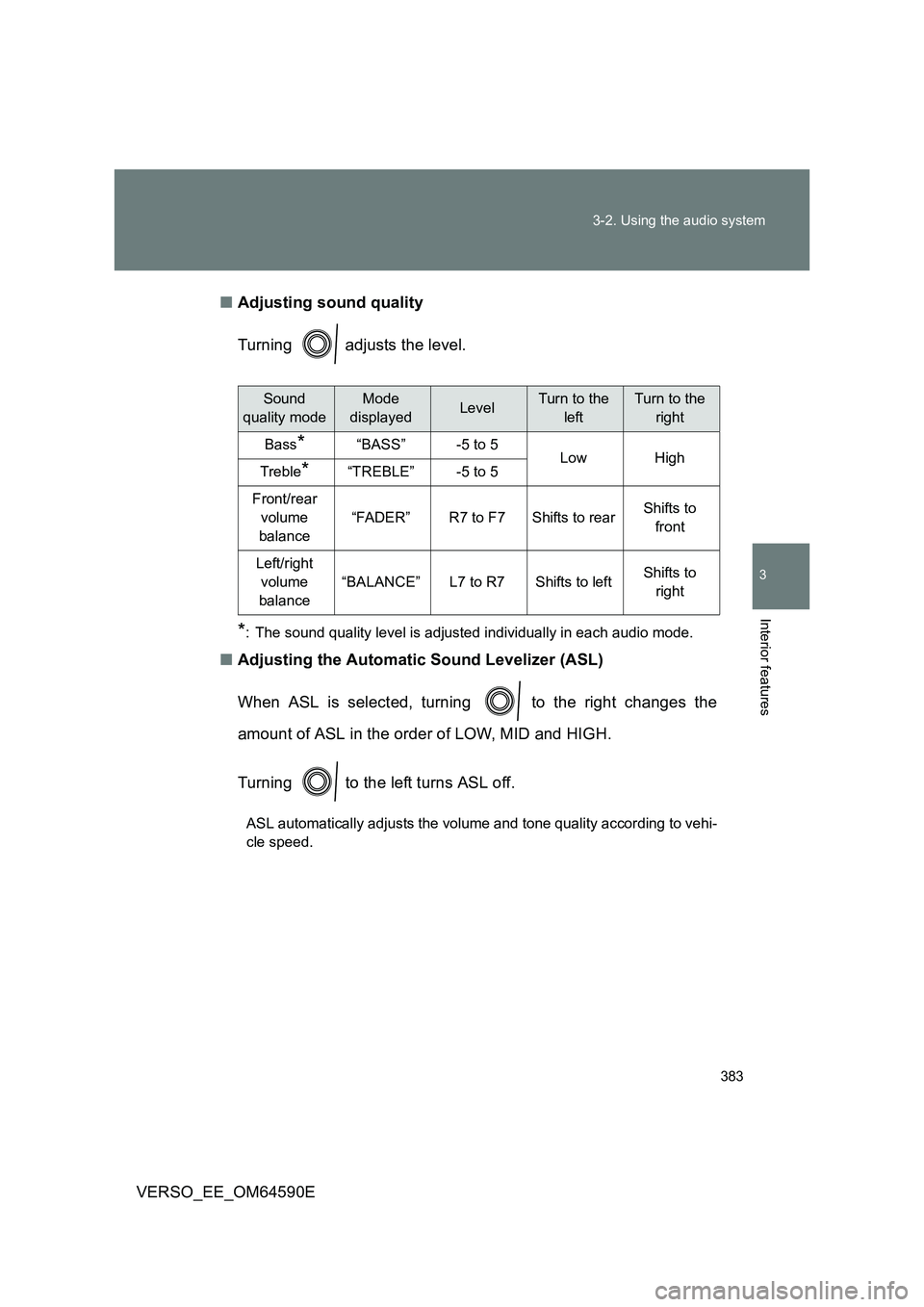
■ Adjusting sound quality
Turning adjusts the level.
*: The sound quality level is adjusted individually in each audio mode.
■ Adjusting the Automatic Sound Levelizer (ASL)
When ASL is selected, turning to the right changes the
amount of ASL in the order of LOW, MID and HIGH.
Turning to the left turns ASL off.
ASL automatically adjusts the volume and tone quality according to vehi-
cle speed.
Sound
quality mode
Mode
displayedLevelTurn to the
left
Turn to the
right
Bass*“BASS”-5 to 5LowHighTreble*“TREBLE”-5 to 5
Front/rear
volume
balance
“FADER”R7 to F7Shifts to rearShifts to
front
Left/right
volume
balance
“BALANCE”L7 to R7Shifts to leftShifts to
right
Page 384 of 664
384
3-2. Using the audio system
VERSO_EE_OM64590E
Using the AUX port
: If equipped
■Operating portable audio devices connected to the audio system
The volume can be adjusted using the vehicle’s audio controls. All other
adjustments must be made on the portable audio device itself.
■ When using a portable audio device connected to the power outlet
Noise may occur during playback. Use the power source of the portable
audio device.
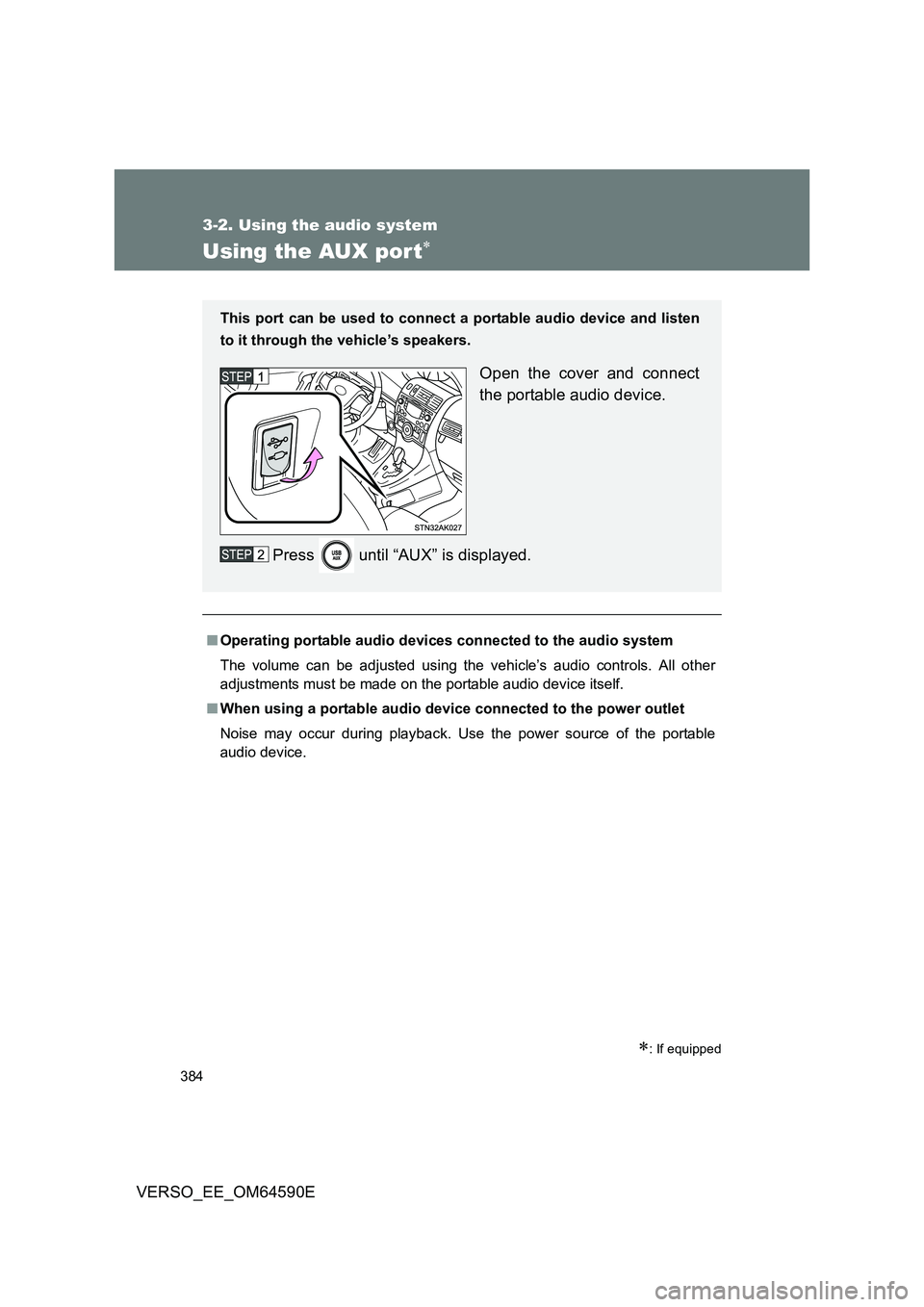
This port can be used to connect a portable audio device and listen
to it through the vehicle’s speakers.
Open the cover and connect
the portable audio device.
Press until “AUX” is displayed.
Page 450 of 664
450
4-3. Do-it-yourself maintenance
VERSO_EE_OM64590E
■ Engine oil consumption
A certain amount of engine oil will be consumed while driving. In the follow-
ing situations, oil consumption may increase, and engine oil may need to be
refilled in between oil maintenance intervals.
● When the engine is new, for example directly after purchasing the vehicle
or after replacing the engine
● If low quality oil or oil of an inappropriate viscosity is used
● When driving at high engine speeds or with a heavy load, when towing,
or when driving while accelerating or decelerating frequently
● When leaving the engine idling for a long time, or when driving frequently
through heavy traffic
The oil maintenance interval is variable and depending on the vehicle usage
condition.
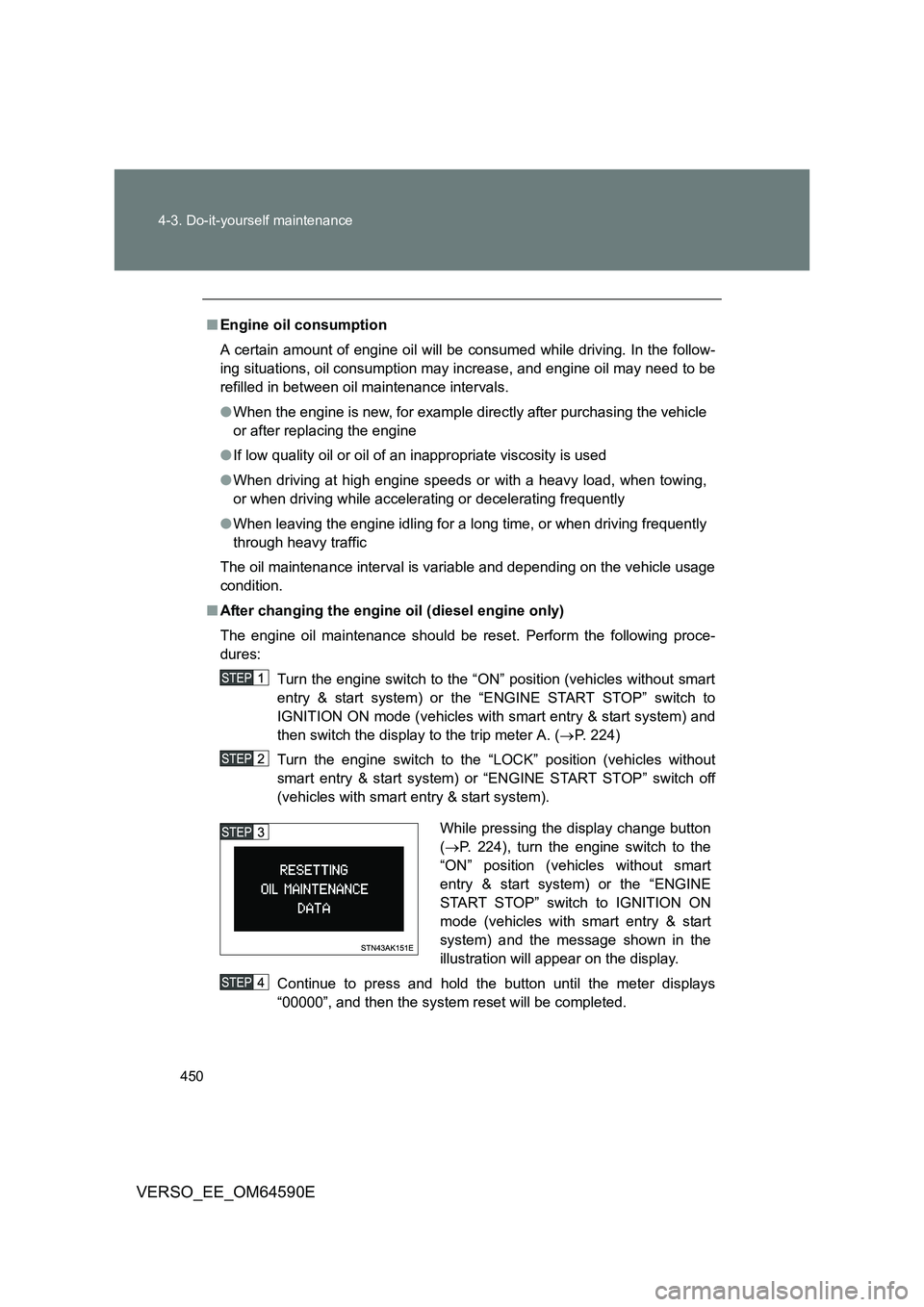
■ After changing the engine oil (diesel engine only)
The engine oil maintenance should be reset. Perform the following proce-
dures:
Turn the engine switch to the “ON” position (vehicles without smart
entry & start system) or the “ENGINE START STOP” switch to
IGNITION ON mode (vehicles with smart entry & start system) and
then switch the display to the trip meter A. ( P. 224)
Turn the engine switch to the “LOCK” position (vehicles without
smart entry & start system) or “ENGINE START STOP” switch off
(vehicles with smart entry & start system).
Continue to press and hold the button until the meter displays
“00000”, and then the system reset will be completed.
While pressing the display change button
( P. 224), turn the engine switch to the
“ON” position (vehicles without smart
entry & start system) or the “ENGINE
START STOP” switch to IGNITION ON
mode (vehicles with smart entry & start
system) and the message shown in the
illustration will appear on the display.
Page 525 of 664
5When trouble arises
525
VERSO_EE_OM64590E
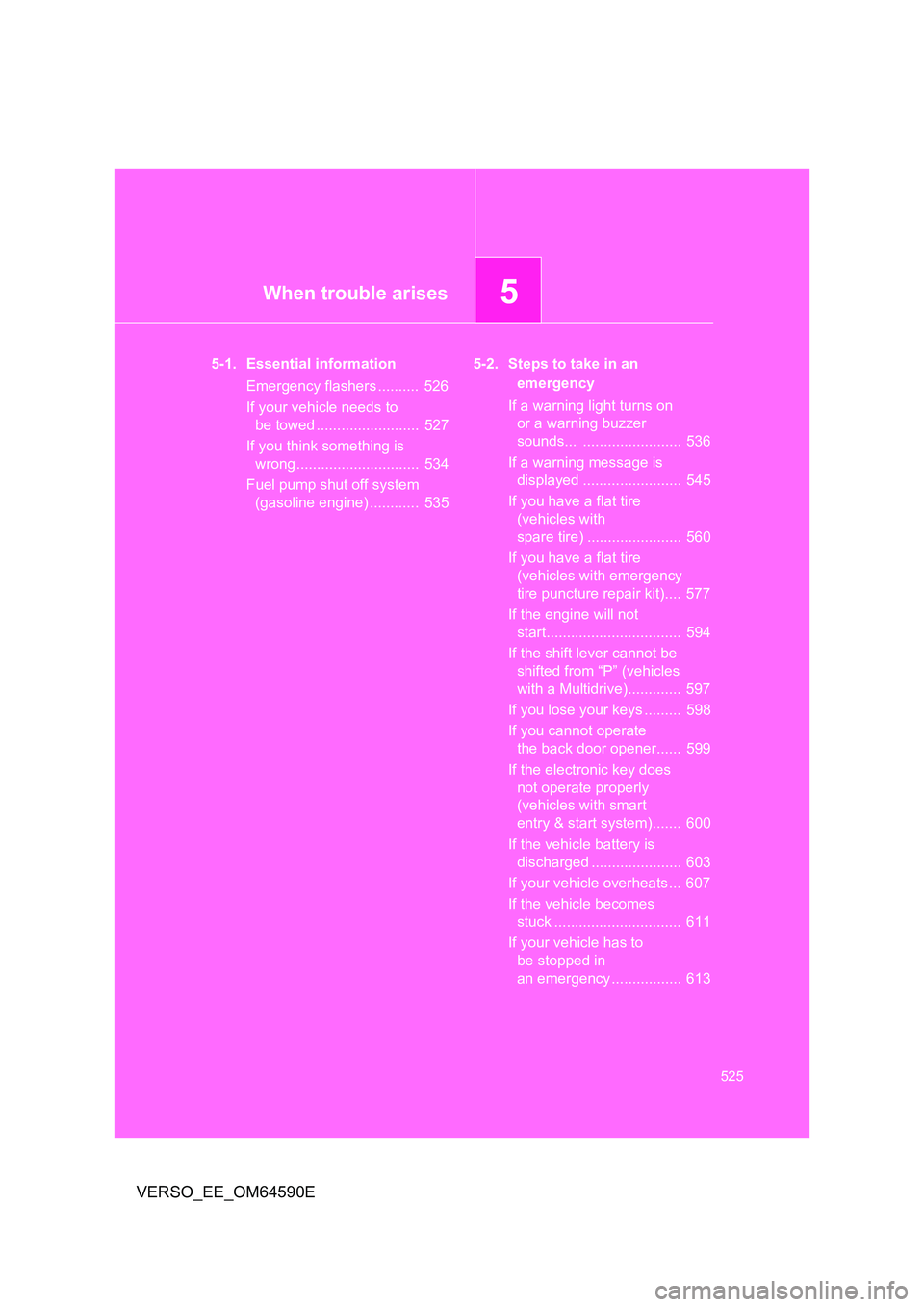
5-1. Essential information
Emergency flashers .......... 526
If your vehicle needs to
be towed ......................... 527
If you think something is
wrong .............................. 534
Fuel pump shut off system
(gasoline engine) ............ 535
5-2. Steps to take in an
emergency
If a warning light turns on
or a warning buzzer
sounds... ........................ 536
If a warning message is
displayed ........................ 545
If you have a flat tire
(vehicles with
spare tire) ....................... 560
If you have a flat tire
(vehicles with emergency
tire puncture repair kit).... 577
If the engine will not
start................................. 594
If the shift lever cannot be
shifted from “P” (vehicles
with a Multidrive)............. 597
If you lose your keys ......... 598
If you cannot operate
the back door opener...... 599
If the electronic key does
not operate properly
(vehicles with smart
entry & start system)....... 600
If the vehicle battery is
discharged ...................... 603
If your vehicle overheats ... 607
If the vehicle becomes
stuck ............................... 611
If your vehicle has to
be stopped in
an emergency ................. 613
Page 540 of 664
540
5-2. Steps to take in an emergency
VERSO_EE_OM64590E
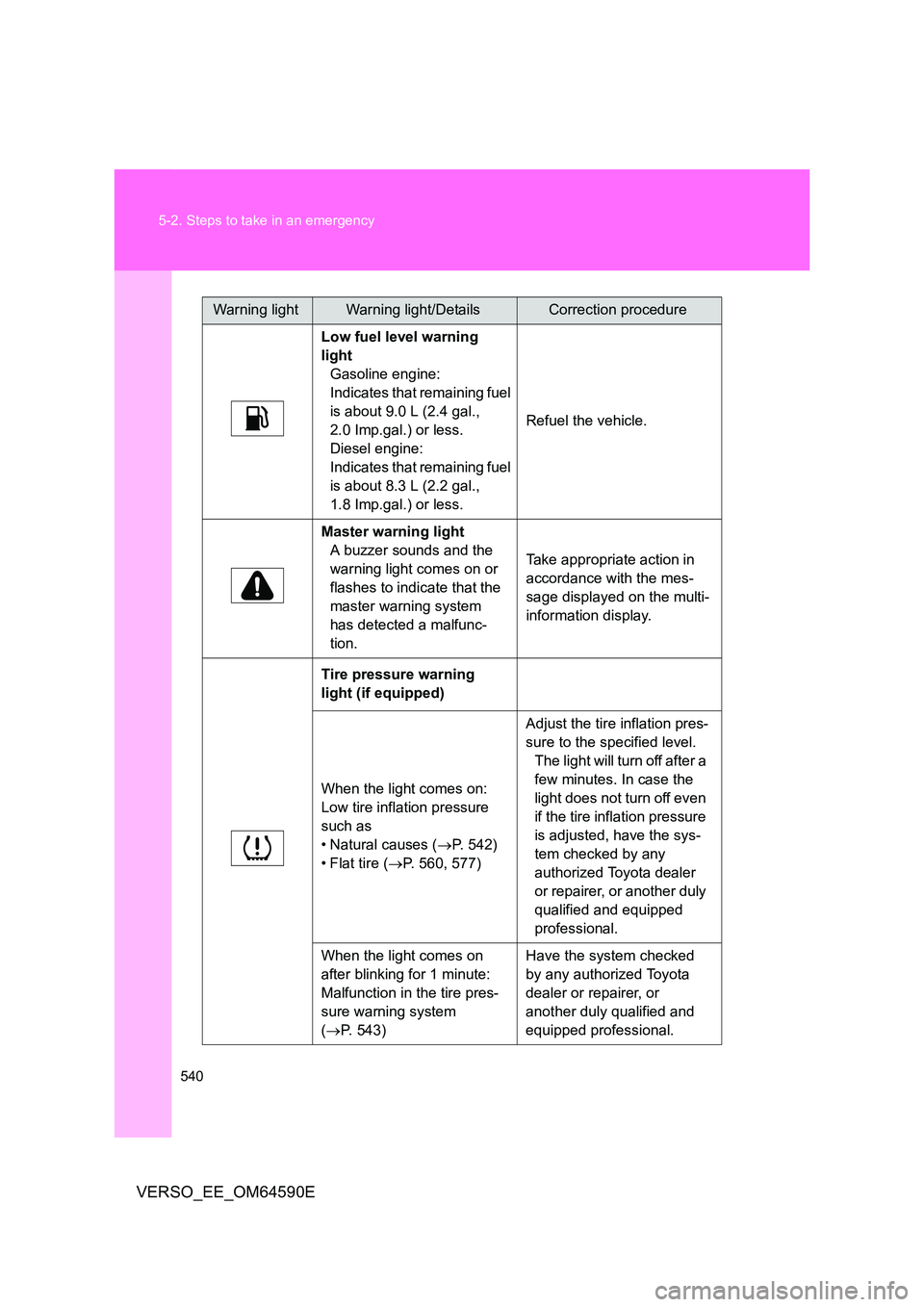
Low fuel level warning
light
Gasoline engine:
Indicates that remaining fuel
is about 9.0 L (2.4 gal.,
2.0 Imp.gal.) or less.
Diesel engine:
Indicates that remaining fuel
is about 8.3 L (2.2 gal.,
1.8 Imp.gal.) or less.
Refuel the vehicle.
Master warning light
A buzzer sounds and the
warning light comes on or
flashes to indicate that the
master warning system
has detected a malfunc-
tion.
Take appropriate action in
accordance with the mes-
sage displayed on the multi-
information display.
Tire pressure warning
light (if equipped)
When the light comes on:
Low tire inflation pressure
such as
• Natural causes ( P. 542)
• Flat tire ( P. 560, 577)
Adjust the tire inflation pres-
sure to the specified level.
The light will turn off after a
few minutes. In case the
light does not turn off even
if the tire inflation pressure
is adjusted, have the sys-
tem checked by any
authorized Toyota dealer
or repairer, or another duly
qualified and equipped
professional.
When the light comes on
after blinking for 1 minute:
Malfunction in the tire pres-
sure warning system
( P. 543)
Have the system checked
by any authorized Toyota
dealer or repairer, or
another duly qualified and
equipped professional.
Warning lightWarning light/DetailsCorrection procedure
Page 545 of 664
5
545
5-2. Steps to take in an emergency
When trouble arises
VERSO_EE_OM64590E
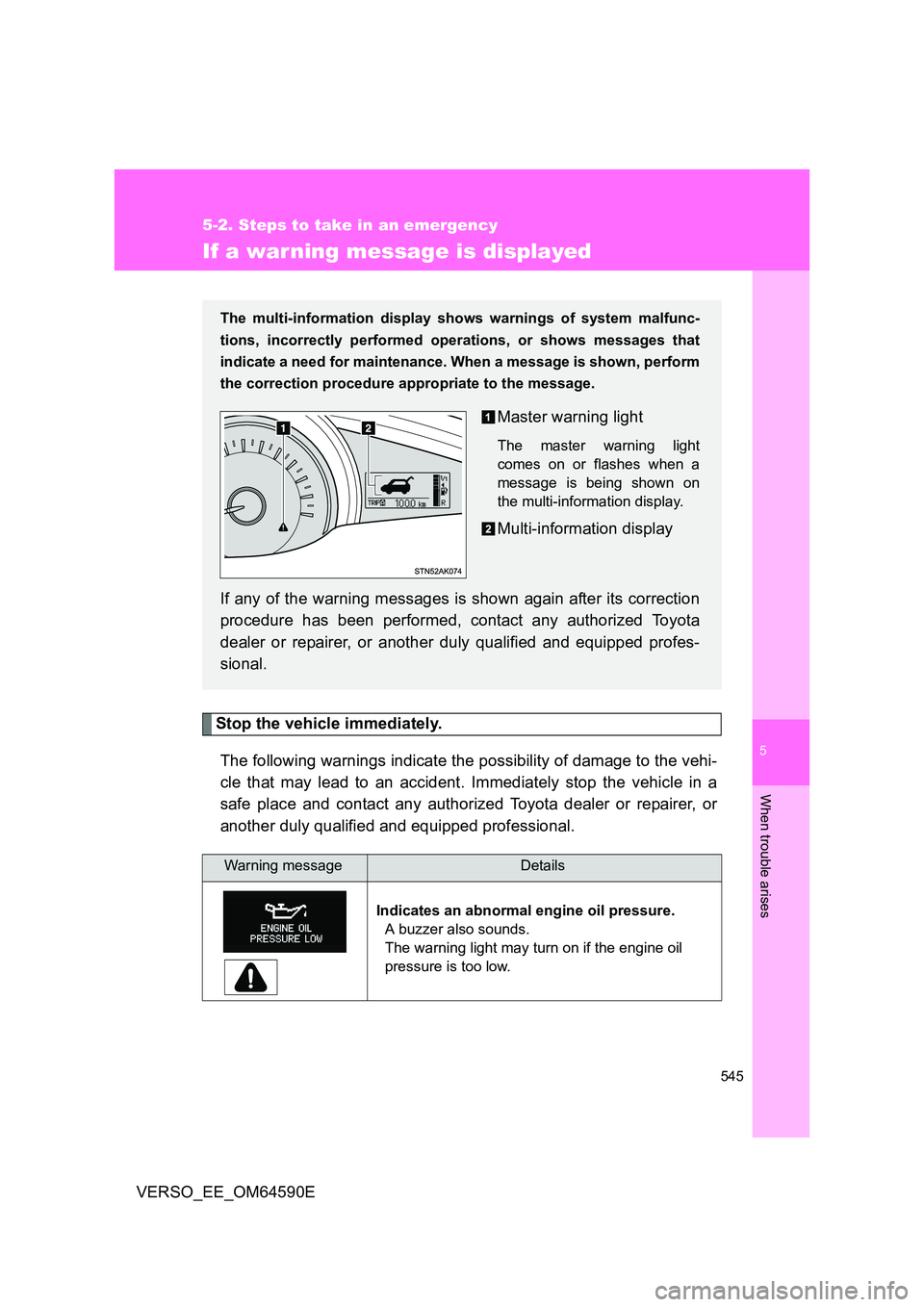
If a war ning message is displayed
Stop the vehicle immediately.
The following warnings indicate the possibility of damage to the vehi-
cle that may lead to an accident. Immediately stop the vehicle in a
safe place and contact any authorized Toyota dealer or repairer, or
another duly qualified and equipped professional.
Warning messageDetails
Indicates an abnormal engine oil pressure.
A buzzer also sounds.
The warning light may turn on if the engine oil
pressure is too low.
The multi-information display show s warnings of system malfunc-
tions, incorrectly performed operations, or shows messages that
indicate a need for maintenance. When a message is shown, perform
the correction procedure ap propriate to the message.
Master warning light
The master warning light
comes on or flashes when a
message is being shown on
the multi-information display.
Multi-information display
If any of the warning messages is shown again after its correction
procedure has been performed, contact any authorized Toyota
dealer or repairer, or another duly qualified and equipped profes-
sional.