steering TOYOTA YARIS 2021 Owner's Guide
[x] Cancel search | Manufacturer: TOYOTA, Model Year: 2021, Model line: YARIS, Model: TOYOTA YARIS 2021Pages: 568, PDF Size: 110.34 MB
Page 161 of 568
161
4
YARIS(HB) Owner's Manual_Europe_MK0001_en
4-2. Driving procedures
Driving
■Customization
If the smart entry & start system has been deactivated in a customized set-ting, refer to P.399.
Multidrive
1 Stop the vehicle completely.
2 Set the parking brake (→P.171),
and shift the shift lever to P.
Check the parking brake indicator is
illuminated.
3 Press the engine switch.
The engine will stop, and the meter dis- play will be extinguished.
4 Release the brake pedal and
check that “ACCESSORY” or
“IGNITION ON” is not shown on
the multi-information display.
Manual transmission
1 Stop the vehicle completely.
2 If the parking brake is in manual
mode, set the parking brake.
( →P.171)
Check the parking brake indicator is illuminated.
3 Shift the shift lever to N.
( →P.168)
4 Press the engine switch.
The engine will stop, and the meter dis-
play will be extinguished.
5 Release the brake pedal and
check that “ACCESSORY” or
“IGNITION ON” is not shown on
the multi-information display.
WARNING
■When starting the engine
Always start the engine while sitting in the driver’s seat. Do not depress the
accelerator pedal while starting the engine under any circumstances.Doing so may cause an accident
resulting in death or serious injury.
■Caution while driving
If engine failure occurs while the vehi- cle is moving, do not lock or open the doors until the vehicle reaches a safe
and complete stop. Activation of the steering lock in this circumstance may lead to an accident, resulting in death
or serious injury.
NOTICE
■When starting the engine
●Do not race a cold engine.
●If the engine becomes difficult to start or stalls frequently, have your vehicle checked by any authorized
Toyota retailer or Toyota authorized repairer, or any reliable repairer immediately.
■Symptoms indicating a malfunc-tion with the engine switch
If the engine switch seems to be oper- ating somewhat differently than usual, such as the switch sticking slightly,
there may be a malfunction. Contact any authorized Toyota retailer or Toyota authorized repairer, or any reli-
able repairer immediately.
Stopping the engine
Page 162 of 568
162
YARIS(HB) Owner's Manual_Europe_MK0001_en
4-2. Driving procedures
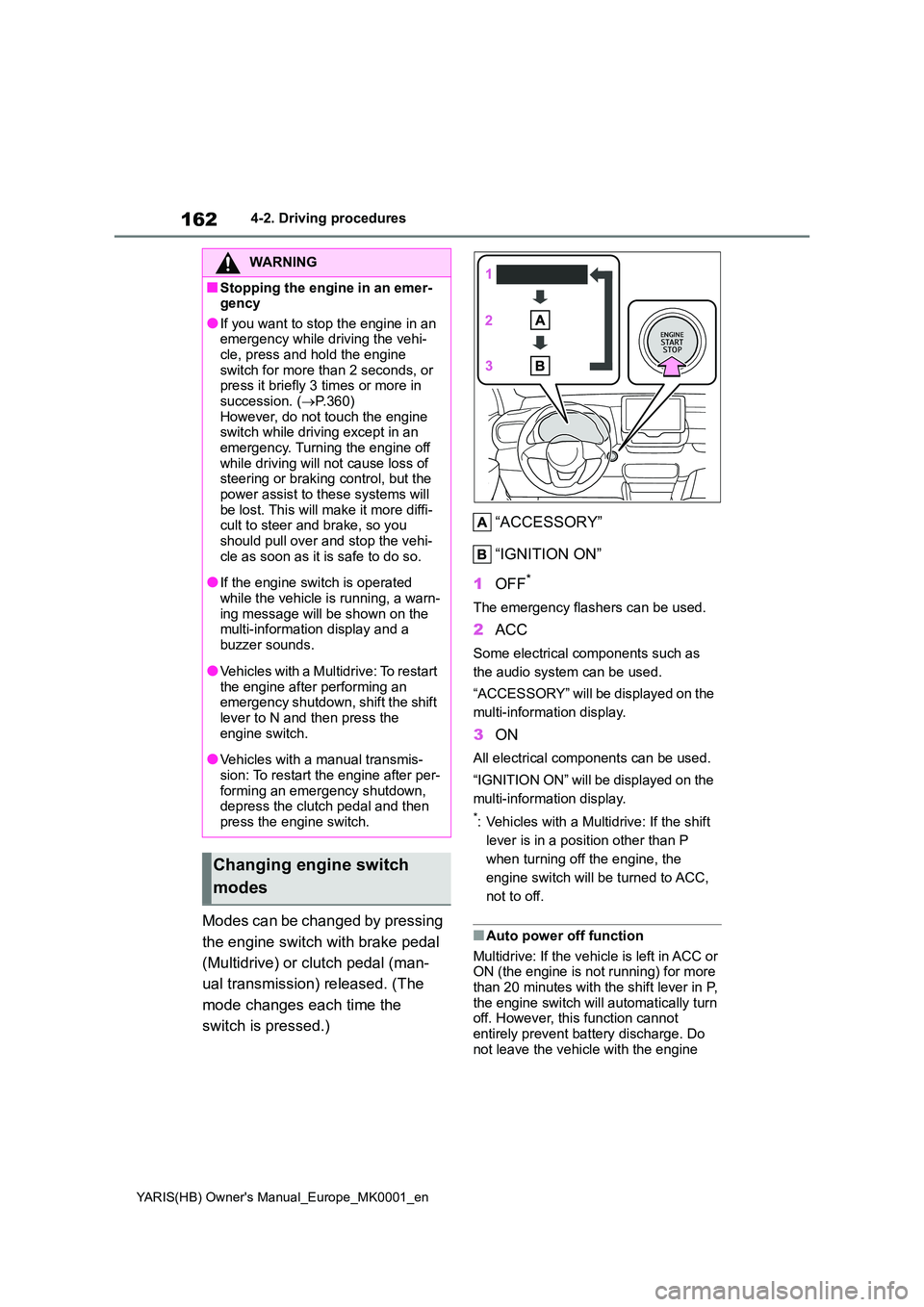
Modes can be changed by pressing
the engine switch with brake pedal
(Multidrive) or clutch pedal (man-
ual transmission) released. (The
mode changes each time the
switch is pressed.)
“ACCESSORY”
“IGNITION ON”
1 OFF*
The emergency flashers can be used.
2ACC
Some electrical components such as
the audio system can be used.
“ACCESSORY” will be displayed on the
multi-information display.
3 ON
All electrical components can be used.
“IGNITION ON” will be displayed on the
multi-information display.
*: Vehicles with a Multidrive: If the shift
lever is in a position other than P
when turning off the engine, the
engine switch will be turned to ACC,
not to off.
■Auto power off function
Multidrive: If the vehicle is left in ACC or ON (the engine is not running) for more than 20 minutes with the shift lever in P,
the engine switch will automatically turn off. However, this function cannot entirely prevent battery discharge. Do
not leave the vehicle with the engine
WARNING
■Stopping the engine in an emer- gency
●If you want to stop the engine in an emergency while driving the vehi-cle, press and hold the engine
switch for more than 2 seconds, or press it briefly 3 times or more in succession. ( →P.360)
However, do not touch the engine switch while driving except in an emergency. Turning the engine off
while driving will not cause loss of steering or braking control, but the power assist to these systems will
be lost. This will make it more diffi- cult to steer and brake, so you should pull over and stop the vehi-
cle as soon as it is safe to do so.
●If the engine switch is operated
while the vehicle is running, a warn- ing message will be shown on the multi-information display and a
buzzer sounds.
●Vehicles with a Multidrive: To restart
the engine after performing an emergency shutdown, shift the shift lever to N and then press the
engine switch.
●Vehicles with a manual transmis-
sion: To restart the engine after per- forming an emergency shutdown, depress the clutch pedal and then
press the engine switch.
Changing engine switch
modes
Page 193 of 568
193
4
YARIS(HB) Owner's Manual_Europe_MK0001_en
4-5. Using the driving support systems
Driving
*: If equipped
The system can detect the follow-
ing (The detectable objects differs
depending on the function.):
zVehicles
zBicyclists
zPedestrians
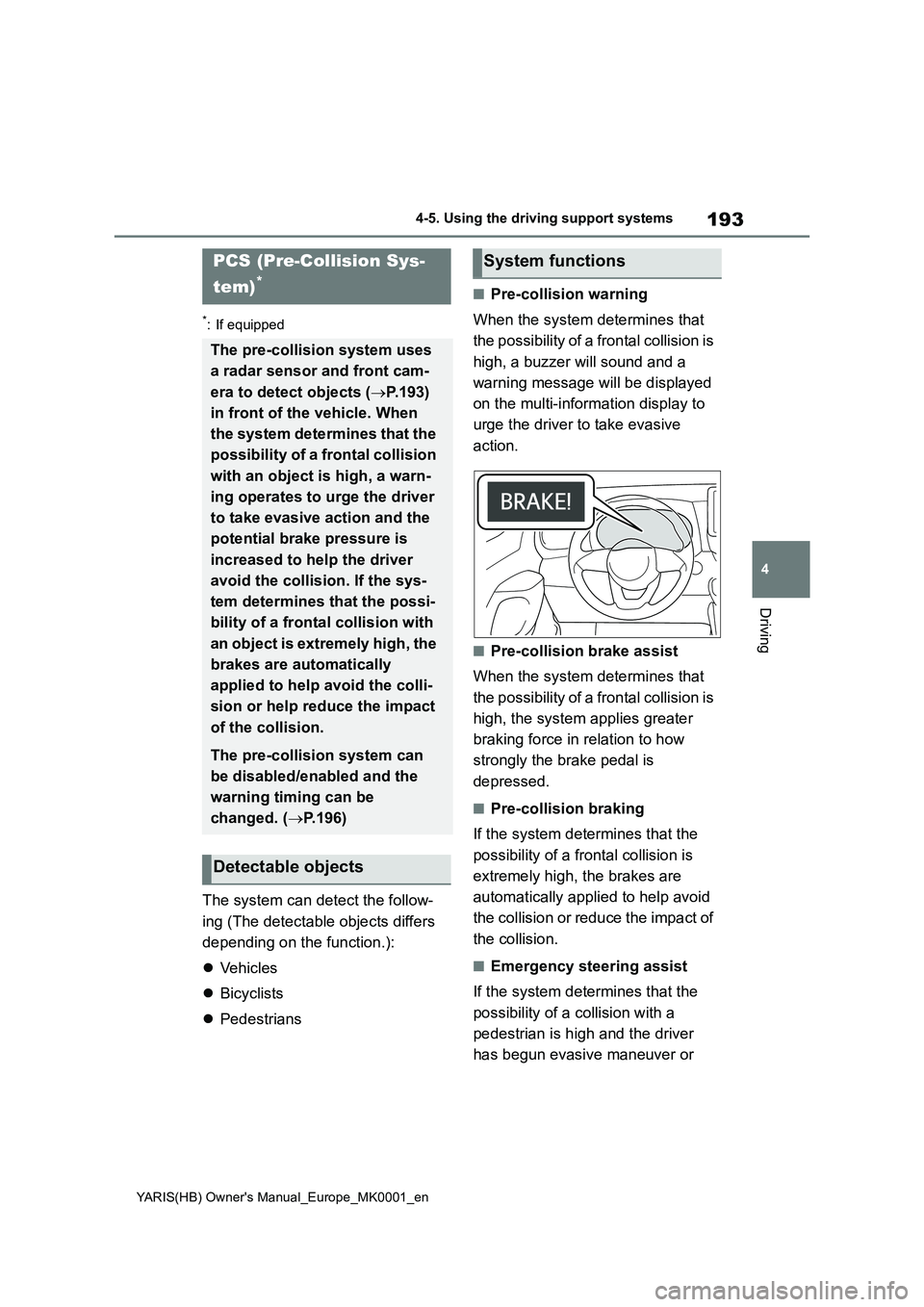
■Pre-collision warning
When the system determines that
the possibility of a frontal collision is
high, a buzzer will sound and a
warning message will be displayed
on the multi-information display to
urge the driver to take evasive
action.
■Pre-collision brake assist
When the system determines that
the possibility of a frontal collision is
high, the system applies greater
braking force in relation to how
strongly the brake pedal is
depressed.
■Pre-collision braking
If the system determines that the
possibility of a frontal collision is
extremely high, the brakes are
automatically applied to help avoid
the collision or reduce the impact of
the collision.
■Emergency steering assist
If the system determines that the
possibility of a collision with a
pedestrian is high and the driver
has begun evasive maneuver or
PCS (Pre-Collision Sys-
tem)
*
The pre-collision system uses
a radar sensor and front cam-
era to detect objects (→P.193)
in front of the vehicle. When
the system determines that the
possibility of a frontal collision
with an object is high, a warn-
ing operates to urge the driver
to take evasive action and the
potential brake pressure is
increased to help the driver
avoid the collision. If the sys-
tem determines that the possi-
bility of a frontal collision with
an object is extremely high, the
brakes are automatically
applied to help avoid the colli-
sion or help reduce the impact
of the collision.
The pre-collision system can
be disabled/enabled and the
warning timing can be
changed. (→P.196)
Detectable objects
System functions
Page 194 of 568
194
YARIS(HB) Owner's Manual_Europe_MK0001_en
4-5. Using the driving support systems
steering, emergency steering assist
will assist the steering movements
to help enhance the vehicle stability
and for lane departure prevention.
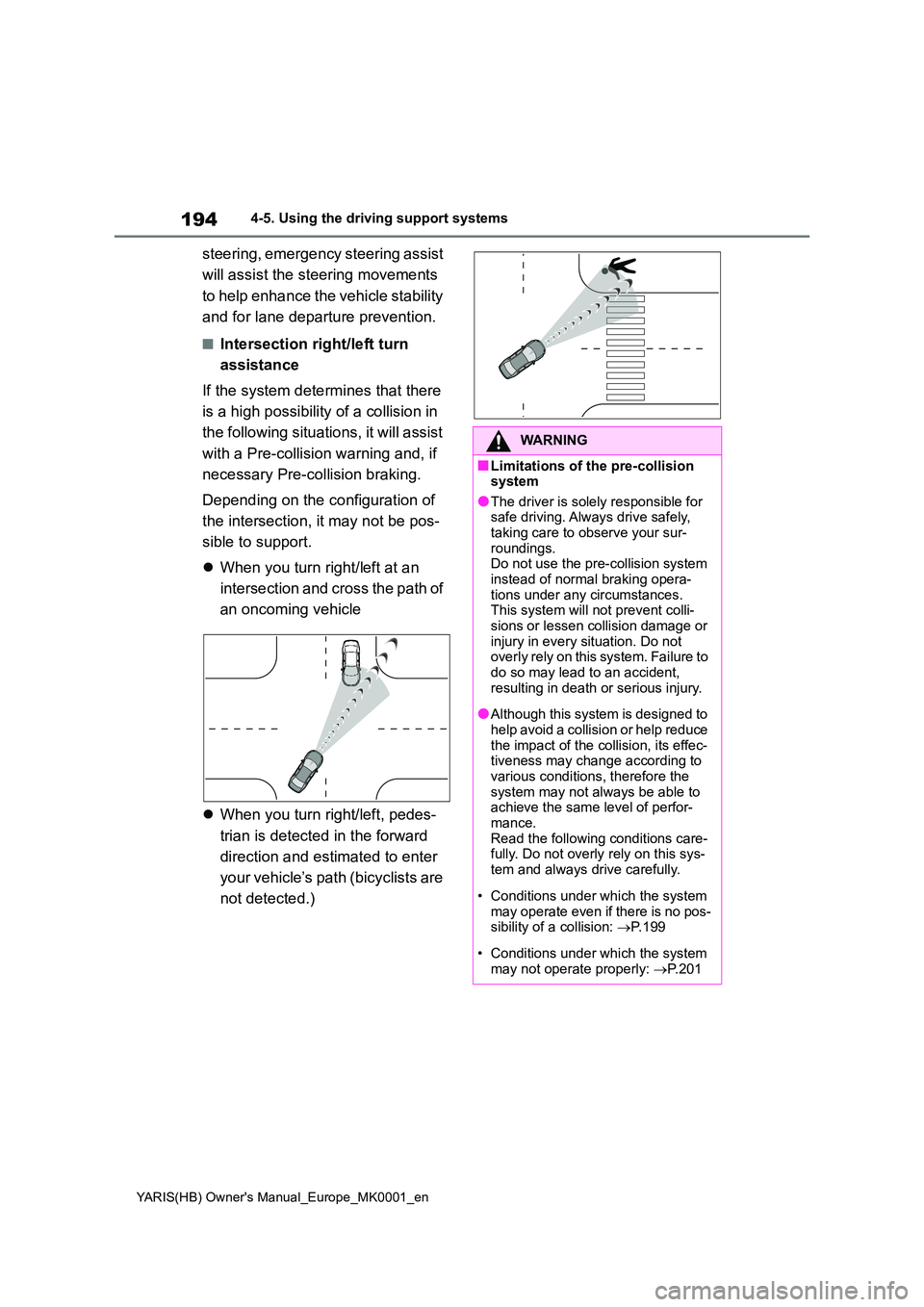
■Intersection right/left turn
assistance
If the system determines that there
is a high possibility of a collision in
the following situations, it will assist
with a Pre-collision warning and, if
necessary Pre-collision braking.
Depending on the configuration of
the intersection, it may not be pos-
sible to support.
z When you turn right/left at an
intersection and cross the path of
an oncoming vehicle
z When you turn right/left, pedes-
trian is detected in the forward
direction and estimated to enter
your vehicle’s path (bicyclists are
not detected.)
WARNING
■Limitations of the pre-collision system
●The driver is solely responsible for safe driving. Always drive safely, taking care to observe your sur-
roundings. Do not use the pre-collision system instead of normal braking opera-
tions under any circumstances. This system will not prevent colli-sions or lessen collision damage or
injury in every situation. Do not overly rely on this system. Failure to do so may lead to an accident,
resulting in death or serious injury.
●Although this system is designed to
help avoid a collision or help reduce the impact of the collision, its effec-tiveness may change according to
various conditions, therefore the system may not always be able to achieve the same level of perfor-
mance. Read the following conditions care-fully. Do not overly rely on this sys-
tem and always drive carefully.
• Conditions under which the system
may operate even if there is no pos- sibility of a collision: →P. 1 9 9
• Conditions under which the system may not operate properly: →P. 2 0 1
Page 195 of 568
195
4
YARIS(HB) Owner's Manual_Europe_MK0001_en
4-5. Using the driving support systems
Driving
WARNING
●Do not attempt to test the operation of the pre-collision system yourself.
Depending on the objects used for testing (dummies, cardboard objects imitating detectable objects,
etc.), the system may not operate properly, possibly leading to an accident.
■Pre-collision braking
●When the pre-collision braking
function is operating, a large amount of braking force will be applied.
●If the vehicle is stopped by the operation of the pre-collision brak-
ing function, the pre-collision brak- ing function operation will be canceled after approximately 2 sec-
onds. Depress the brake pedal as necessary.
●The pre-collision braking function may not operate if certain opera-tions are performed by the driver. If
the accelerator pedal is being depressed strongly or the steering wheel is being turned, the system
may determine that the driver is tak- ing evasive action and possibly pre-vent the pre-collision braking
function from operating.
●In some situations, while the pre-
collision braking function is operat- ing, operation of the function may be canceled if the accelerator pedal
is depressed strongly or the steer- ing wheel is turned and the system determines that the driver is taking
evasive action.
●If the brake pedal is being
depressed, the system may deter- mine that the driver is taking eva-sive action and possibly delay the
operation timing of the pre-collision braking function.
■Emergency steering assist
●As emergency steering assist oper-ation will be canceled when the sys-
tem determines that lane departure prevention function has been com-pleted.
●Emergency steering assist may not operate or may be cancel in the fol-
lowing cases as the system may determine the driver is taking actions.
• If the accelerator pedal is being depressed strongly, the steering
wheel is being operated sharply, the brake pedal is being depressed or the driver is giving turn signal. In
this case the system may deter- mine that the driver is taking eva-sive action and the emergency
steering assist may not operate.
• In some situations, while the emer-
gency steering assist is operating, operation of the function may be canceled if the accelerator pedal is
depressed strongly, the steering wheel is operated sharply or the brake pedal is being depressed and
the system determines that the driver is taking evasive action.
• When the emergency steering assist is operating, if the steering wheel is held firmly or is operated in
the opposite direction to that which the system is generating torque, the function may be canceled.
■When to disable the pre-colli-sion system
In the following situations, disable the system, as it may not operate prop-erly, possibly leading to an accident
resulting in death or serious injury:
●When the vehicle is being towed
●When your vehicle is towing another vehicle
Page 197 of 568
197
4
YARIS(HB) Owner's Manual_Europe_MK0001_en
4-5. Using the driving support systems
Driving
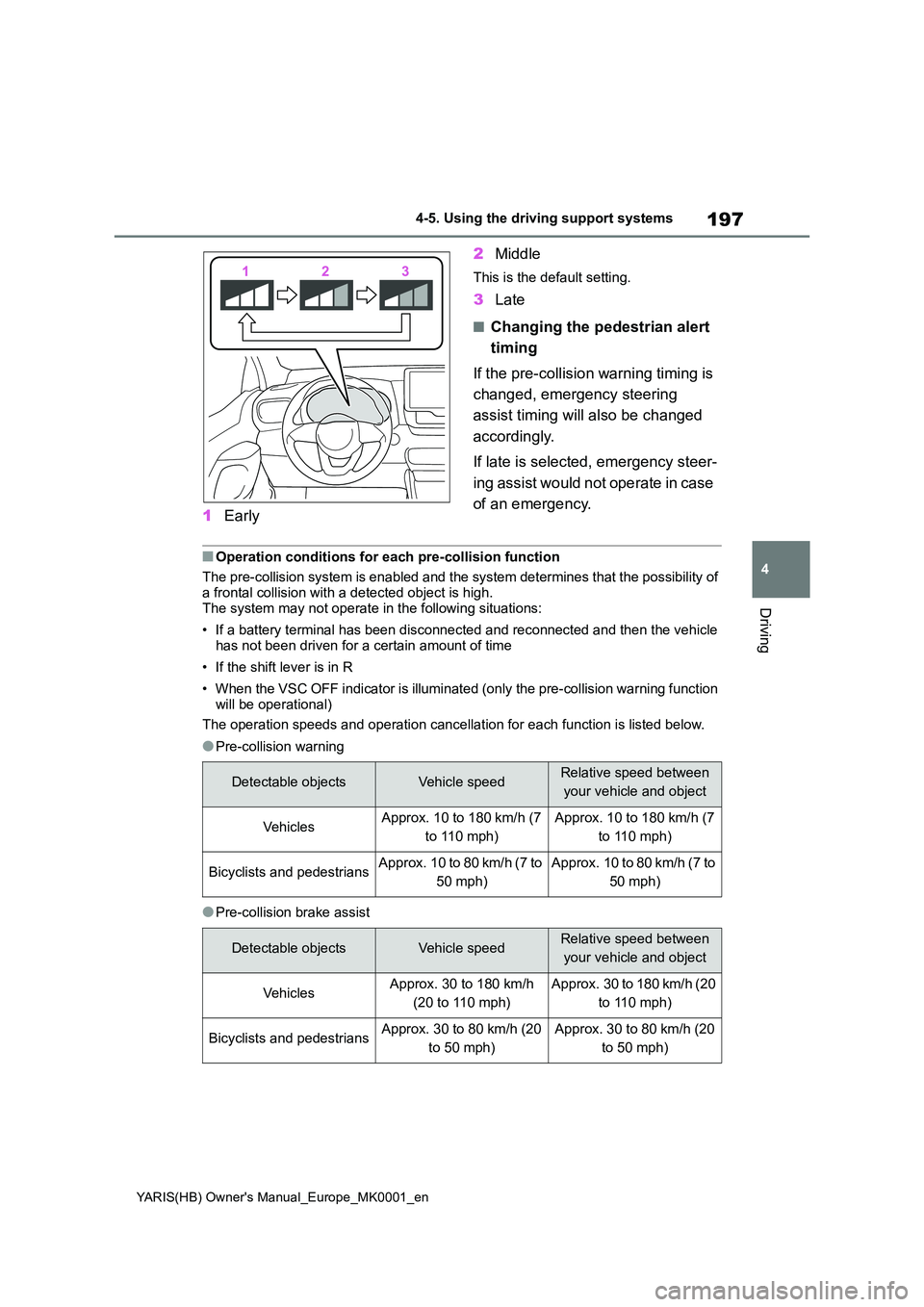
1Early
2 Middle
This is the default setting.
3Late
■Changing the pedestrian alert
timing
If the pre-collision warning timing is
changed, emergency steering
assist timing will also be changed
accordingly.
If late is selected, emergency steer-
ing assist would not operate in case
of an emergency.
■Operation conditions for each pre-collision function
The pre-collision system is enabled and the system determines that the possibility of
a frontal collision with a detected object is high. The system may not operate in the following situations:
• If a battery terminal has been disconnected and reconnected and then the vehicle has not been driven for a certain amount of time
• If the shift lever is in R
• When the VSC OFF indicator is illuminated (only the pre-collision warning function
will be operational)
The operation speeds and operation cancellation for each function is listed below.
●Pre-collision warning
●Pre-collision brake assist
Detectable objectsVehicle speedRelative speed between
your vehicle and object
Ve hi cl e sApprox. 10 to 180 km/h (7
to 110 mph)
Approx. 10 to 180 km/h (7
to 110 mph)
Bicyclists and pedestriansApprox. 10 to 80 km/h (7 to
50 mph)
Approx. 10 to 80 km/h (7 to
50 mph)
Detectable objectsVehicle speedRelative speed between
your vehicle and object
Ve hi cl e sApprox. 30 to 180 km/h
(20 to 110 mph)
Approx. 30 to 180 km/h (20
to 110 mph)
Bicyclists and pedestriansApprox. 30 to 80 km/h (20
to 50 mph)
Approx. 30 to 80 km/h (20
to 50 mph)
Page 198 of 568
198
YARIS(HB) Owner's Manual_Europe_MK0001_en
4-5. Using the driving support systems
●Pre-collision braking
If either of the following occur while the pre-collision braking function is operating, it
will be canceled:
• The accelerator pedal is depressed strongly.
• The steering wheel is turned sharply or abruptly.
●Emergency steering assist
When the turn signals are flashing, emergency steering assist will not operate in
case of an emergency.
If either of the following occur while the emergency steering assist function is operat-
ing, it will be canceled:
• The accelerator pedal is depressed strongly.
• The steering wheel is turned sharply or abruptly.
• The brake pedal is depressed.
●Intersection right/left turn assistance (pre-collision warning)
When the turn signal is not operating, support for turning left or right at an intersec-
tion which targets oncoming vehicles does not work.
Detectable objectsVehicle speedRelative speed between
your vehicle and object
Ve hi cl e sApprox. 10 to 180 km/h (7
to 110 mph)Approx. 10 to 180 km/h (7
to 110 mph)
Bicyclists and pedestriansApprox. 10 to 80 km/h (7 to
50 mph)Approx. 10 to 80 km/h (7 to
50 mph)
Detectable objectsVehicle speedRelative speed between
your vehicle and object
PedestriansApprox. 40 to 80 km/h (25
to 50 mph)Approx. 40 to 80 km/h (25
to 50 mph)
Detectable
objectsVehicle speedOncoming vehicle
speedRelative speed
between your vehicle
and object
Ve hi cl e sApprox. 10 to 25 km/h
(7 to 15 mph)Approx. 30 to 55 km/h
(20 to 35 mph)Approx. 40 to 80 km/h
(25 to 50 mph)
PedestriansApprox. 10 to 25 km/h
(7 to 15 mph)-Approx. 10 to 25 km/h
(7 to 15 mph)
Page 200 of 568
200
YARIS(HB) Owner's Manual_Europe_MK0001_en
4-5. Using the driving support systems
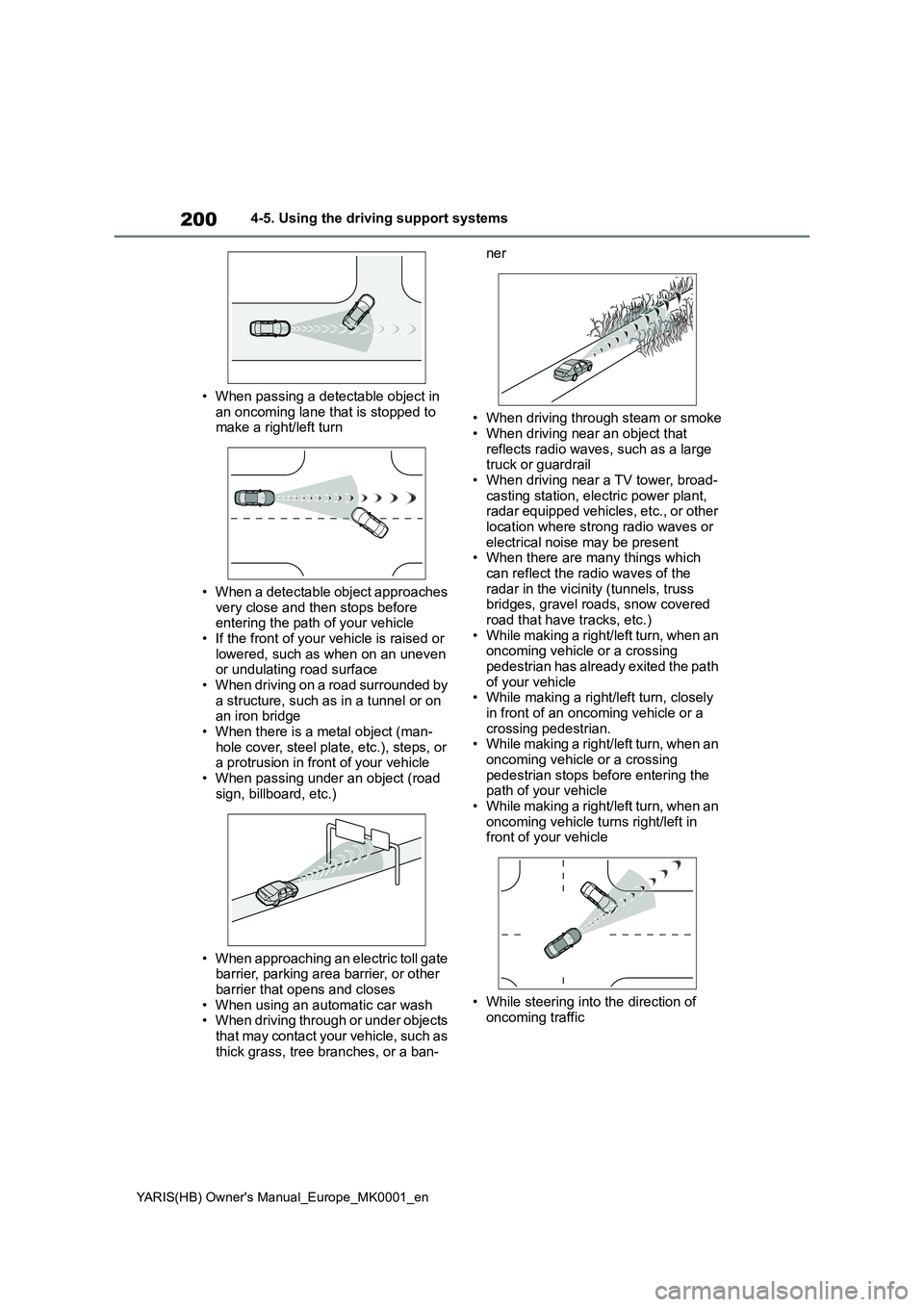
• When passing a detectable object in
an oncoming lane that is stopped to make a right/left turn
• When a detectable object approaches very close and then stops before entering the path of your vehicle
• If the front of your vehicle is raised or lowered, such as when on an uneven or undulating road surface
• When driving on a road surrounded by a structure, such as in a tunnel or on an iron bridge
• When there is a metal object (man- hole cover, steel plate, etc.), steps, or a protrusion in front of your vehicle
• When passing under an object (road sign, billboard, etc.)
• When approaching an electric toll gate barrier, parking area barrier, or other barrier that opens and closes
• When using an automatic car wash • When driving through or under objects that may contact your vehicle, such as
thick grass, tree branches, or a ban-
ner
• When driving through steam or smoke • When driving near an object that
reflects radio waves, such as a large truck or guardrail• When driving near a TV tower, broad-
casting station, electric power plant, radar equipped vehicles, etc., or other location where strong radio waves or
electrical noise may be present • When there are many things which can reflect the radio waves of the
radar in the vicinity (tunnels, truss bridges, gravel roads, snow covered road that have tracks, etc.)
• While making a right/left turn, when an oncoming vehicle or a crossing pedestrian has already exited the path
of your vehicle • While making a right/left turn, closely in front of an oncoming vehicle or a
crossing pedestrian. • While making a right/left turn, when an oncoming vehicle or a crossing
pedestrian stops before entering the path of your vehicle• While making a right/left turn, when an
oncoming vehicle turns right/left in front of your vehicle
• While steering into the direction of oncoming traffic
Page 202 of 568
202
YARIS(HB) Owner's Manual_Europe_MK0001_en
4-5. Using the driving support systems
• If a pedestrian/bicyclist is wearing
oversized clothing (a rain coat, long
skirt, etc.), making their silhouette
obscure
• If a pedestrian is bending forward or
squatting or bicyclist is bending for-
ward
• If a pedestrian/bicyclist is moving fast
• If a pedestrian is pushing a stroller,
wheelchair, bicycle or other vehicle
• When driving in inclement weather
such as heavy rain, fog, snow or a
sandstorm
• When driving through steam or smoke
• When the surrounding area is dim,
such as at dawn or dusk, or while at
night or in a tunnel, making a detect-
able object appear to be nearly the
same color as its surroundings
• When driving in a place where the sur-
rounding brightness changes sud-
denly, such as at the entrance or exit
of a tunnel
• After the engine has started the vehi-
cle has not been driven for a certain
amount of time
• While making a left/right turn and for a
few seconds after making a left/right
turn
• While driving on a curve and for a few
seconds after driving on a curve
• If your vehicle is skidding
• If the front of the vehicle is raised or
lowered
• If the wheels are misaligned
• If a wiper blade is blocking the front
camera
• The vehicle is being driven at
extremely high speeds
• When driving on a hill
• If the radar sensor or front camera is
misaligned
• When driving in a traffic lane sepa-rated by more than 2 lanes where
oncoming vehicles are driving while
making a right/left turn
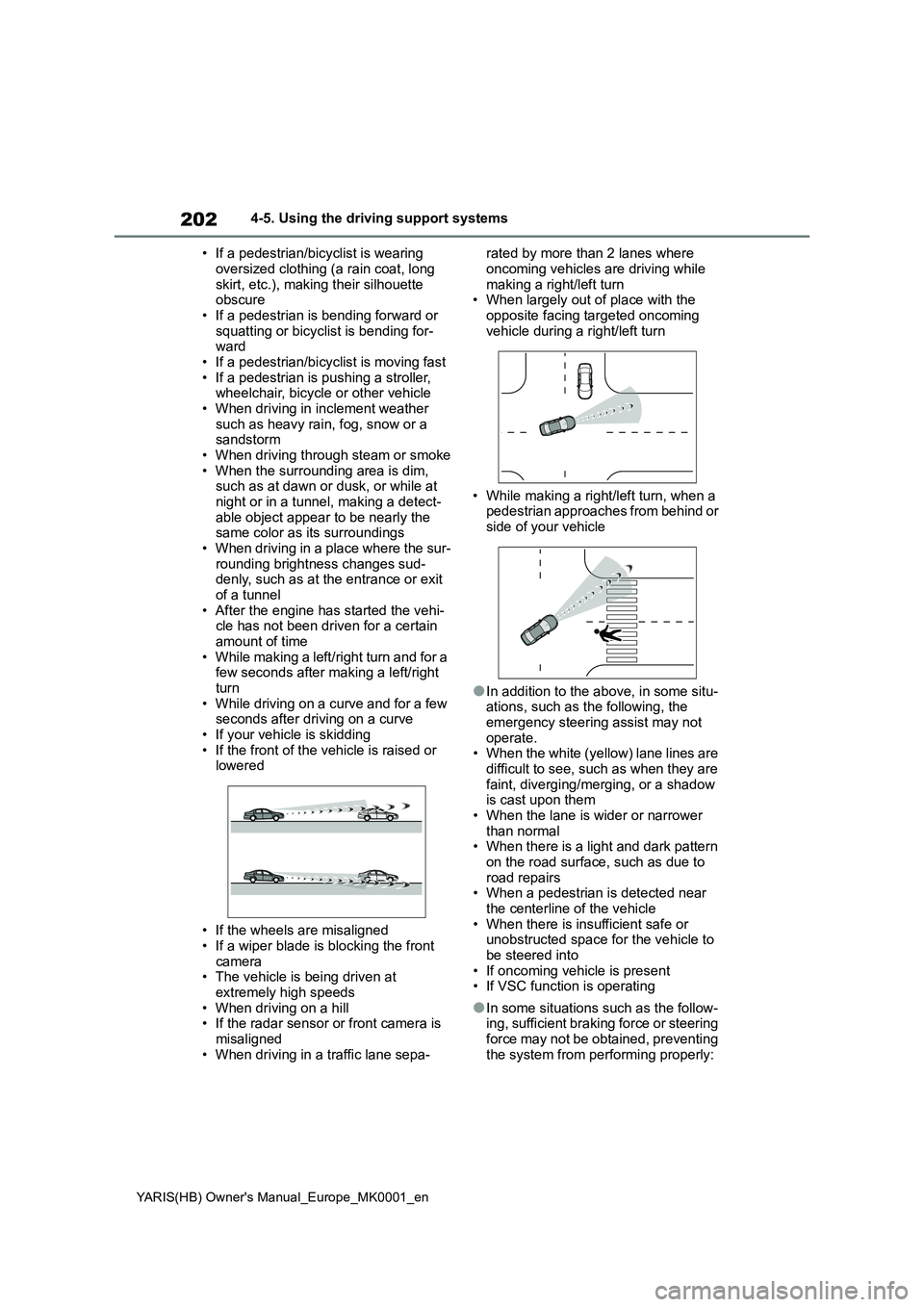
• When largely out of place with the
opposite facing targeted oncoming
vehicle during a right/left turn
• While making a right/left turn, when a
pedestrian approaches from behind or
side of your vehicle
●In addition to the above, in some situ-
ations, such as the following, the
emergency steering assist may not
operate.
• When the white (yellow) lane lines are
difficult to see, such as when they are
faint, diverging/merging, or a shadow
is cast upon them
• When the lane is wider or narrower
than normal
• When there is a light and dark pattern
on the road surface, such as due to
road repairs
• When a pedestrian is detected near
the centerline of the vehicle
• When there is insufficient safe or
unobstructed space for the vehicle to
be steered into
• If oncoming vehicle is present
• If VSC function is operating
●In some situations such as the follow-
ing, sufficient braking force or steering
force may not be obtained, preventing
the system from performing properly:
Page 203 of 568
203
4
YARIS(HB) Owner's Manual_Europe_MK0001_en
4-5. Using the driving support systems
Driving
• If the braking functions cannot operate
to their full extent, such as when the
brake parts are extremely cold,
extremely hot, or wet
• If the vehicle is not properly main-
tained (brakes or tires are excessively
worn, improper tire inflation pressure,
etc.)
• When the vehicle is being driven on a
gravel road or other slippery surface
• When the road surface has deep
wheel tracks
• When driving on a hill road
• When driving on a road that has
inclines to the left or right
■If VSC is disabled
●If VSC is disabled (→P.270), the pre-
collision brake assist and pre-collision
braking functions are also disabled.
●The PCS warning light will turn on and
“VSC Turned OFF Pre-Collision Brake
System Unavailable” will be displayed
on the multi-information display.
*: If equipped
LTA (Lane Tracing
Assist)
*
When driving on highways and
freeways with white (yellow)
lane lines, this function alerts
the driver when the vehicle
might depart from its lane or
course
* and provides assis-
tance by operating the steering
wheel to keep the vehicle in its
lane or course
*. Furthermore,
the system provides steering
assistance when dynamic
radar cruise control is operat-
ing to keep the vehicle in its
lane.
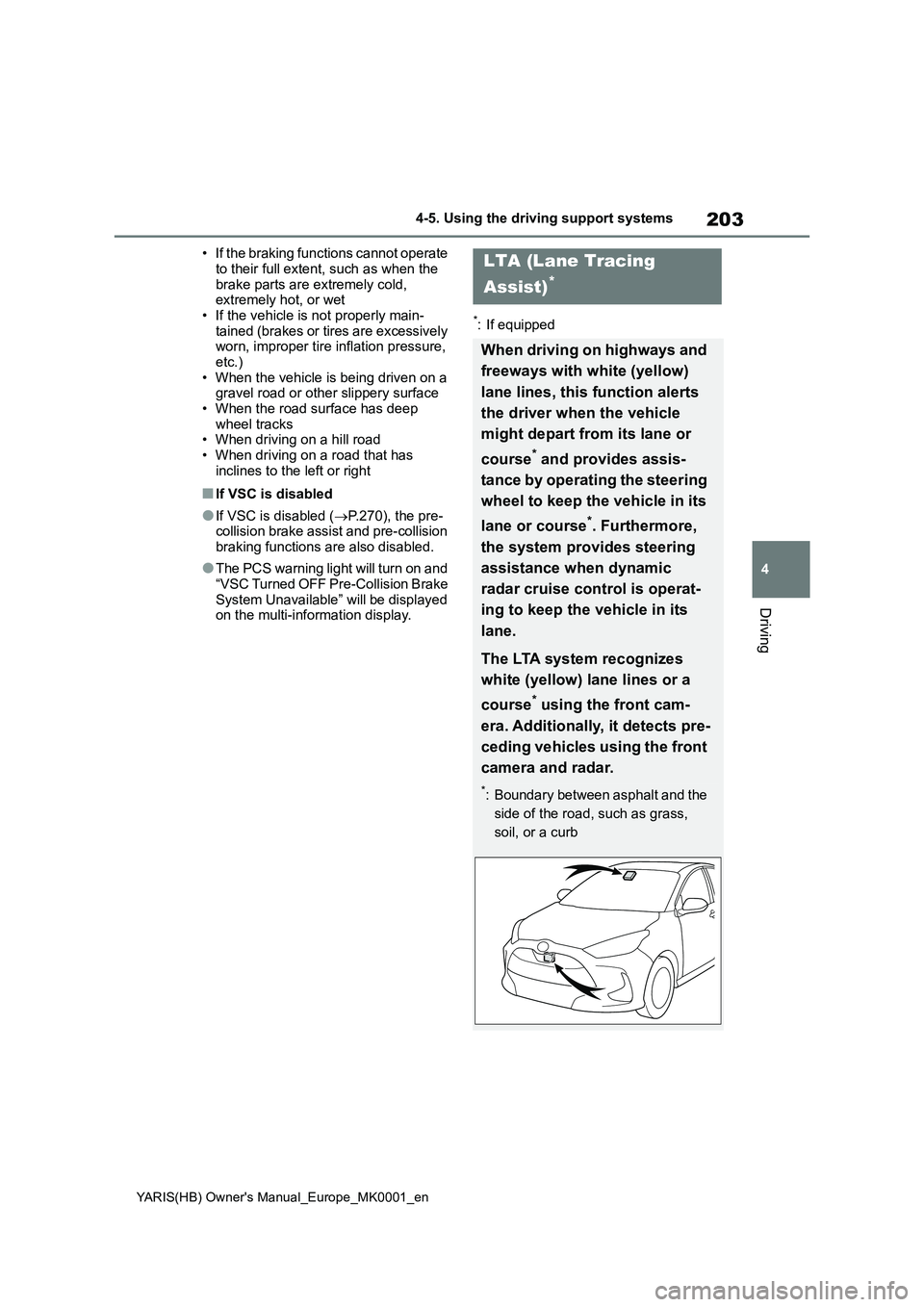
The LTA system recognizes
white (yellow) lane lines or a
course
* using the front cam-
era. Additionally, it detects pre-
ceding vehicles using the front
camera and radar.
*: Boundary between asphalt and the
side of the road, such as grass,
soil, or a curb