lock TOYOTA YARIS GRMN 2017 Owner's Manual
[x] Cancel search | Manufacturer: TOYOTA, Model Year: 2017, Model line: YARIS GRMN, Model: TOYOTA YARIS GRMN 2017Pages: 404, PDF Size: 54.2 MB
Page 111 of 404
111
3
Operation of
each component
YARIS_GRMN_OM_Europe_OM52J40E
3-1. Key information
Keys ................................... 112
3-2. Opening, closing
and locking the doors
Side doors.......................... 116
Back door........................... 120
Smart entry &
start system ..................... 125
3-3. Adjusting the seats
Front seats ......................... 154
Rear seats ......................... 156
Head restraints .................. 159
3-4. Adjusting the steering
wheel and mirrors
Steering wheel ................... 162
Inside rear view mirror ....... 164
Outside rear view mirrors... 166
3-5. Opening and closing
the windows
Power windows .................. 171
Page 112 of 404
1123-1. Key information
YARIS_GRMN_OM_Europe_OM52J40E
Keys
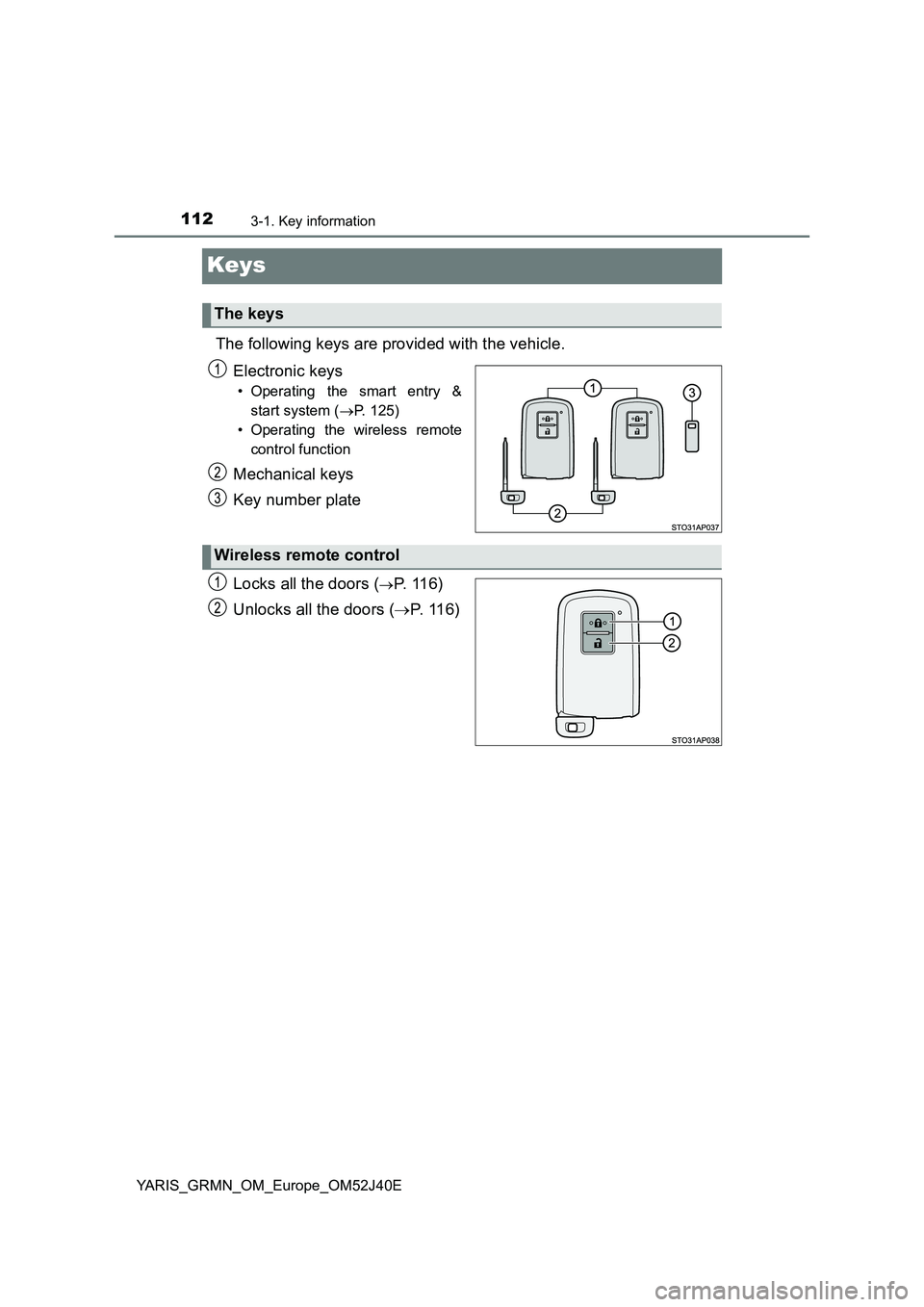
The following keys are provided with the vehicle.
Electronic keys
• Operating the smart entry &
start system ( P. 125)
• Operating the wireless remote
control function
Mechanical keys
Key number plate
Locks all the doors (P. 1 1 6 )
Unlocks all the doors ( P. 116)
The keys
Wireless remote control
Page 113 of 404
1133-1. Key information
3
Operation of each component
YARIS_GRMN_OM_Europe_OM52J40E
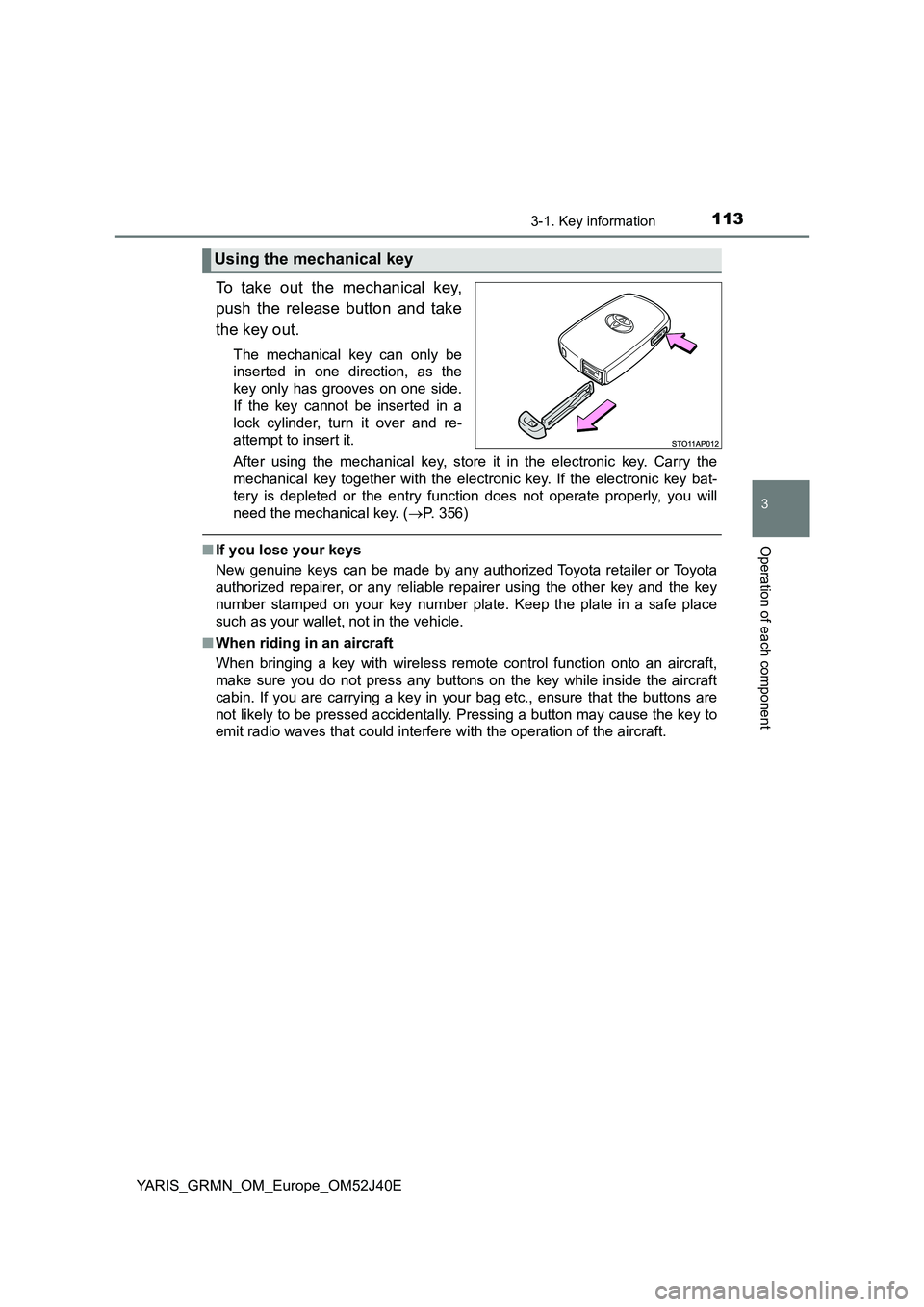
To take out the mechanical key,
push the release button and take
the key out.
The mechanical key can only be
inserted in one direction, as the
key only has grooves on one side.
If the key cannot be inserted in a
lock cylinder, turn it over and re-
attempt to insert it.
After using the mechanical key, store it in the electronic key. Carry the
mechanical key together with the electronic key. If the electronic key bat-
tery is depleted or the entry func tion does not operate properly, you will
need the mechanical key. ( P. 356)
■If you lose your keys
New genuine keys can be made by any authorized Toyota retailer or Toyota
authorized repairer, or any reliable repairer using the other key and the key
number stamped on your key number plate. Keep the plate in a safe place
such as your wallet, not in the vehicle.
■ When riding in an aircraft
When bringing a key with wireless remote control function onto an aircraft,
make sure you do not press any buttons on the key while inside the aircraft
cabin. If you are carrying a key in your bag etc., ensure that the buttons are
not likely to be pressed accidentally. Pressing a button may cause the key to
emit radio waves that could interfere with the operation of the aircraft.
Using the mechanical key
Page 116 of 404
1163-2. Opening, closing and locking the doors
YARIS_GRMN_OM_Europe_OM52J40E
Side doors
◆Entry function
Carry the electronic key to enable this function.
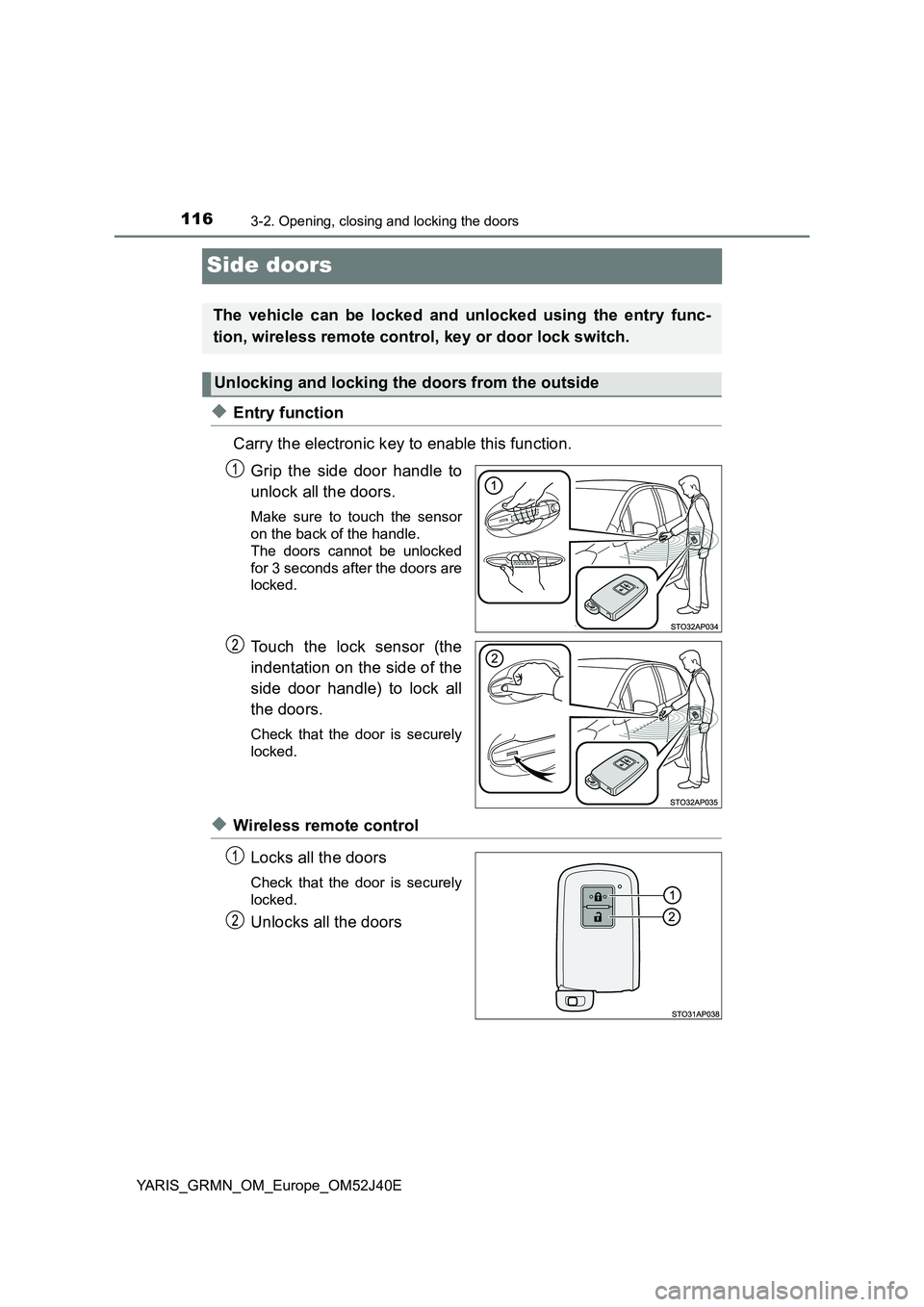
Grip the side door handle to
unlock all the doors.
Make sure to touch the sensor
on the back of the handle.
The doors cannot be unlocked
for 3 seconds after the doors are
locked.
Touch the lock sensor (the
indentation on the side of the
side door handle) to lock all
the doors.
Check that the door is securely
locked.
◆Wireless remote control
Locks all the doors
Check that the door is securely
locked.
Unlocks all the doors
The vehicle can be locked and unlocked using the entry func-
tion, wireless remote control, key or door lock switch.
Unlocking and locking the doors from the outside
Page 117 of 404
1173-2. Opening, closing and locking the doors
3
Operation of each component
YARIS_GRMN_OM_Europe_OM52J40E
■Operation signals
The emergency flashers flash to indicate that the doors have been locked/
unlocked. (Locked: once; Unlocked: twice)
■ Security feature
If a door is not opened within approximately 30 seconds after the vehicle is
unlocked, the security feature automatically locks the vehicle again. (How-
ever, depending on the location of the electronic key, the key may be
detected as being in the vehicle. In this case, vehicle may be unlocked.)
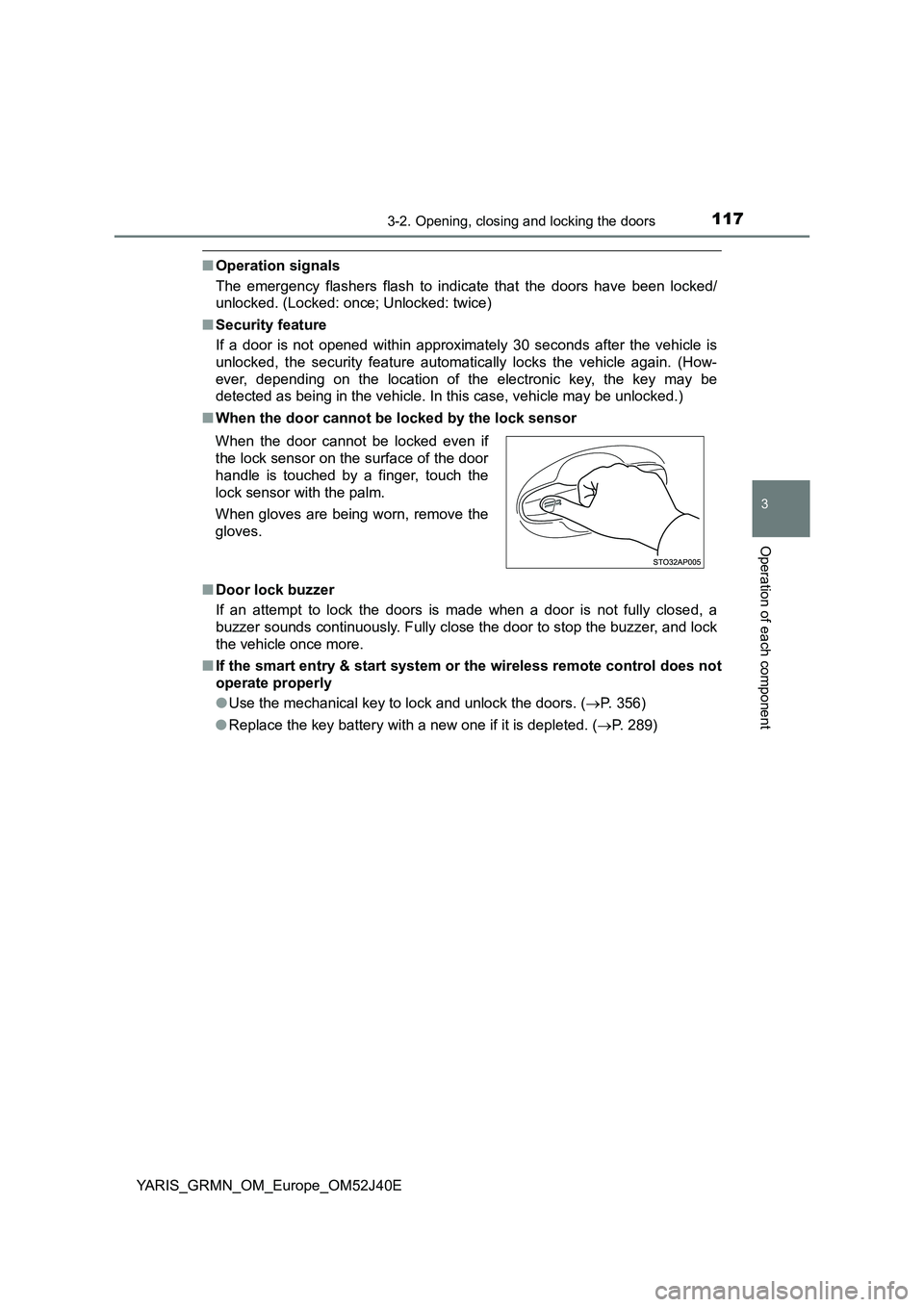
■ When the door cannot be locked by the lock sensor
■ Door lock buzzer
If an attempt to lock the doors is made when a door is not fully closed, a
buzzer sounds continuously. Fully close the door to stop the buzzer, and lock
the vehicle once more.
■ If the smart entry & start system or the wireless remote control does not
operate properly
● Use the mechanical key to lock and unlock the doors. (P. 356)
● Replace the key battery with a new one if it is depleted. (P. 289)
When the door cannot be locked even if
the lock sensor on the surface of the door
handle is touched by a finger, touch the
lock sensor with the palm.
When gloves are being worn, remove the
gloves.
Page 118 of 404
1183-2. Opening, closing and locking the doors
YARIS_GRMN_OM_Europe_OM52J40E
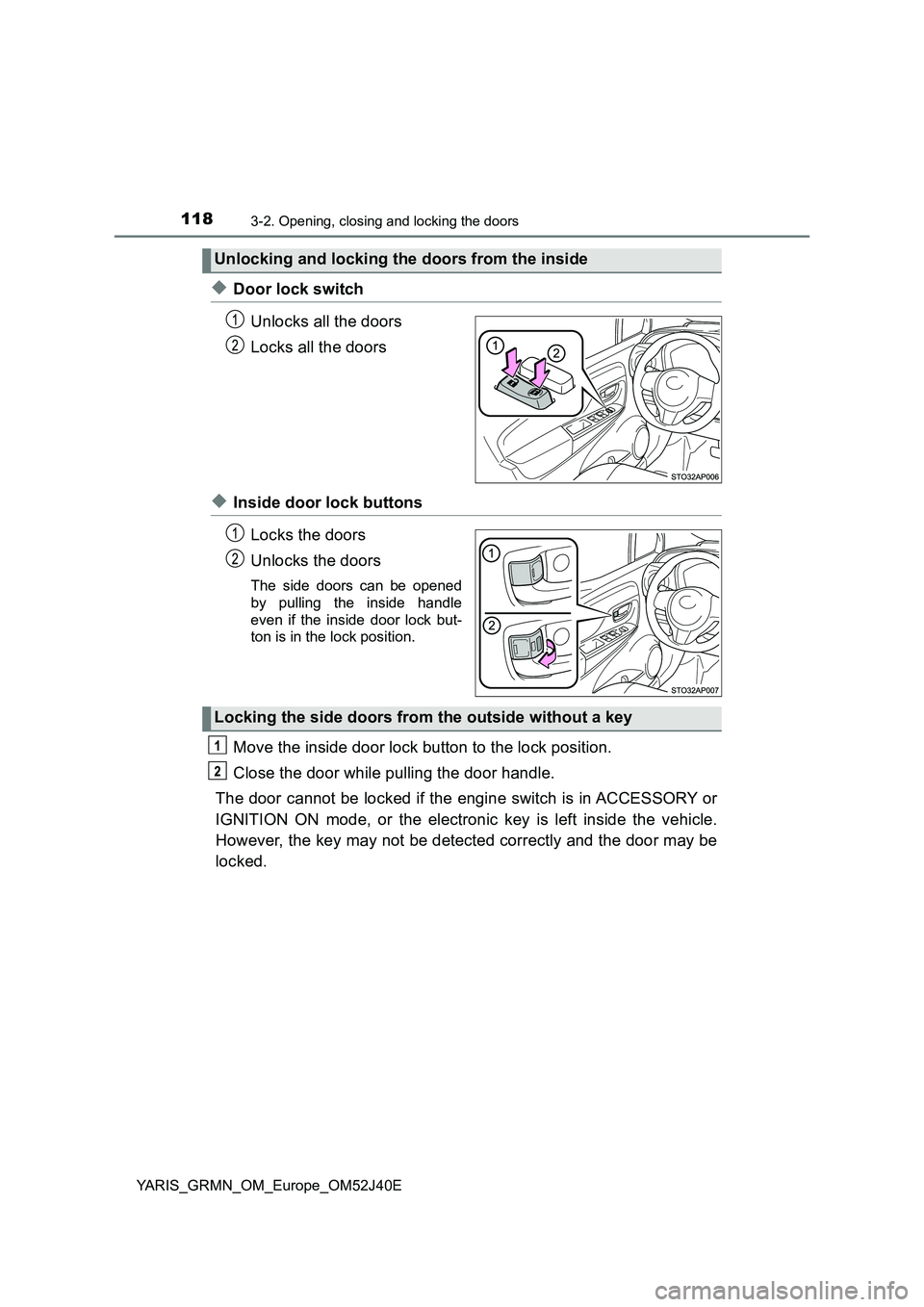
◆Door lock switch
Unlocks all the doors
Locks all the doors
◆Inside door lock buttons
Locks the doors
Unlocks the doors
The side doors can be opened
by pulling the inside handle
even if the inside door lock but-
ton is in the lock position.
Move the inside door lock button to the lock position.
Close the door while pulling the door handle.
The door cannot be locked if the engine switch is in ACCESSORY or
IGNITION ON mode, or the electronic key is left inside the vehicle.
However, the key may not be detected correctly and the door may be
locked.
Unlocking and locking the doors from the inside
Locking the side doors from the outside without a key
Page 119 of 404
1193-2. Opening, closing and locking the doors
3
Operation of each component
YARIS_GRMN_OM_Europe_OM52J40E
■Using the mechanical key
The doors can also be locked and unlocked with the mechanical key.
P. 356)
■ Open door warning buzzer
If a door or the back door is not fully closed, a buzzer will sound when the
vehicle speed reaches 5 km/h (3 mph).
The open door(s) or back door is indicat ed on the multi-information display.
■ Conditions affecting the operation of the smart entry & start system or
wireless remote control
P. 128
■ Customization
Settings (e.g. operation signal) can be changed.
(Customizable features: P. 380)
WARNING
■To prevent an accident
Observe the following precautions while driving the vehicle.
Failure to do so may result in a door opening and an occupant falling out,
resulting in death or serious injury.
● Ensure that all the doors are properly closed.
● Do not pull the inside handle of the doors while driving.
Be especially careful for the side doors, as the doors may be opened
even if the inside lock buttons are in locked position.
Page 120 of 404
1203-2. Opening, closing and locking the doors
YARIS_GRMN_OM_Europe_OM52J40E
Back door
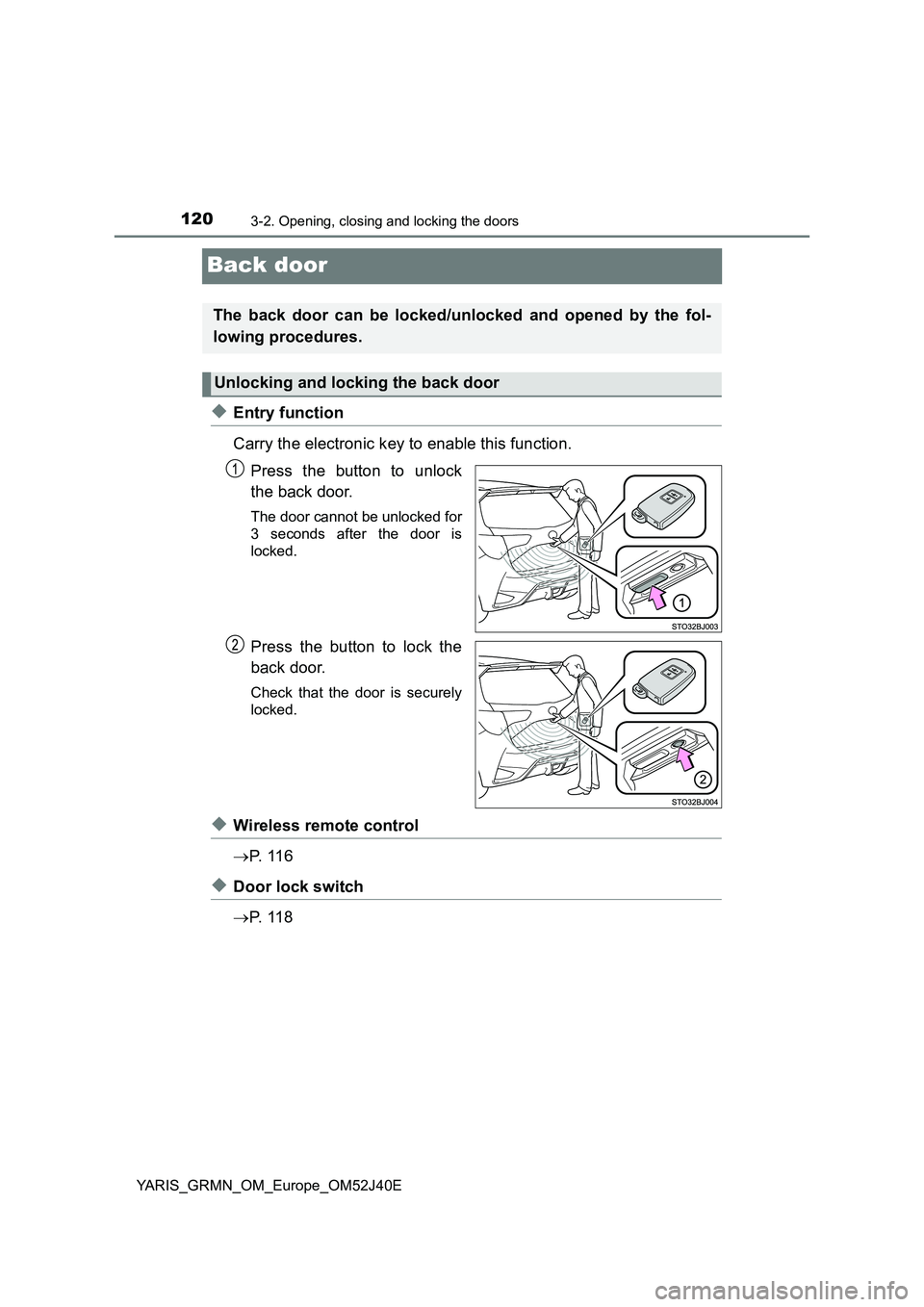
◆Entry function
Carry the electronic key to enable this function.
Press the button to unlock
the back door.
The door cannot be unlocked for
3 seconds after the door is
locked.
Press the button to lock the
back door.
Check that the door is securely
locked.
◆Wireless remote control
P. 1 1 6
◆Door lock switch
P. 1 1 8
The back door can be locked/unlocked and opened by the fol-
lowing procedures.
Unlocking and locking the back door
Page 121 of 404
1213-2. Opening, closing and locking the doors
3
Operation of each component
YARIS_GRMN_OM_Europe_OM52J40E
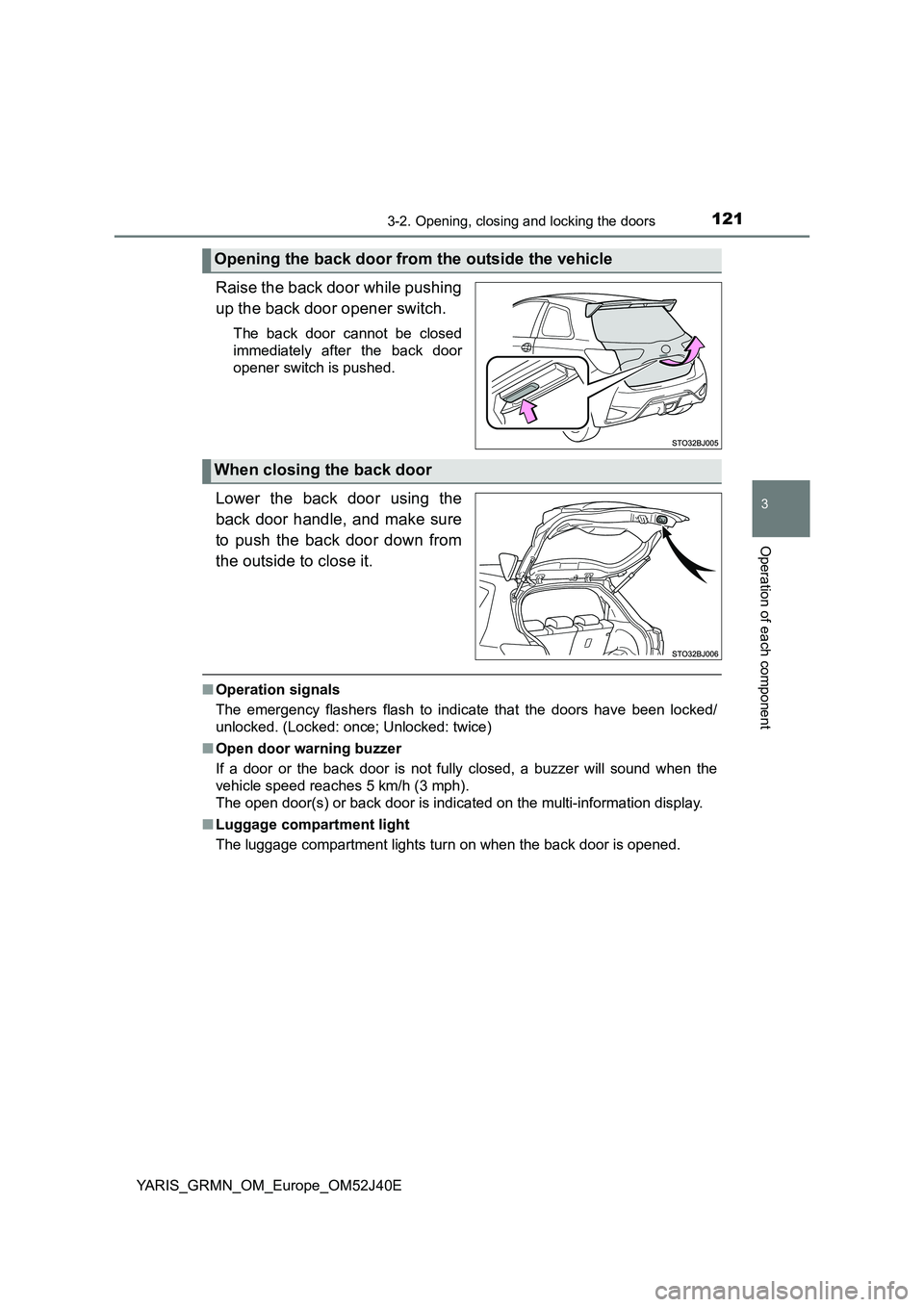
Raise the back door while pushing
up the back door opener switch.
The back door cannot be closed
immediately after the back door
opener switch is pushed.
Lower the back door using the
back door handle, and make sure
to push the back door down from
the outside to close it.
■ Operation signals
The emergency flashers flash to indicate that the doors have been locked/
unlocked. (Locked: once; Unlocked: twice)
■ Open door warning buzzer
If a door or the back door is not fully closed, a buzzer will sound when the
vehicle speed reaches 5 km/h (3 mph).
The open door(s) or back door is indicat ed on the multi-information display.
■ Luggage compartment light
The luggage compartment lights turn on when the back door is opened.
Opening the back door from the outside the vehicle
When closing the back door
Page 122 of 404
1223-2. Opening, closing and locking the doors
YARIS_GRMN_OM_Europe_OM52J40E
WARNING
■Caution while driving
● Keep the back door closed while driving.
If the back door is left open, it may hit near-by objects while driving or lug-
gage may be unexpectedly thrown out, causing an accident.
In addition, exhaust gases may enter the vehicle, causing death or a seri-
ous health hazard. Make sure to close the back door before driving.
● Before driving the vehicle, make sure that the back door is fully closed. If
the back door is not fully closed, it may open unexpectedly while driving,
causing an accident.
● Never let anyone sit in the luggage compartment. In the event of sudden
braking or a collision, they are susceptible to death or serious injury.
■ When children are in the vehicle
Observe the following precautions.
Failure to do so may result in death or serious injury.
● Do not allow children to play in the luggage compartment.
If a child is accidentally locked in the luggage compartment, they could
have heat exhaustion or other injuries.
● Do not allow a child to open or close the back door.
Doing so may cause the back door to move unexpectedly, or cause the
child’s hands, head, or neck to be caught by the closing back door.