Page 24 VOLKSWAGEN GOLF 2009 Repair Manual
[x] Cancel search | Manufacturer: VOLKSWAGEN, Model Year: 2009, Model line: GOLF, Model: VOLKSWAGEN GOLF 2009Pages: 516, PDF Size: 105.12 MB
Page 127 of 516
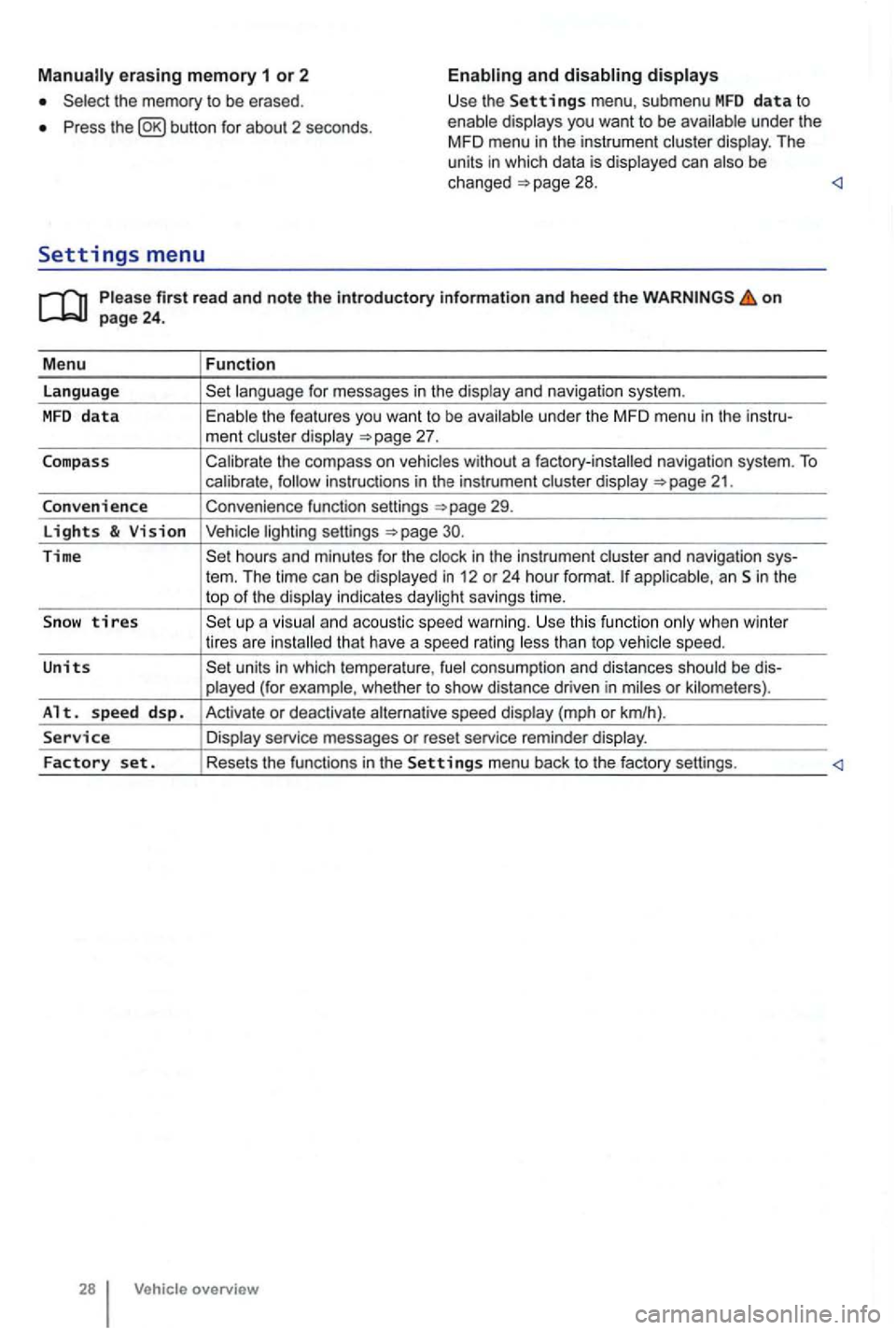
erasing memory 1 or 2
Press button for about 2 seconds.
and
Please firs t r ead and note t he i ntrodu ctory infor ma tion an d heed th e o n page 24 .
M enu
Function
language
unde r the MFD menu in the instru-
ment cluste r display
Calibrate the compass on vehicles without a factory-installed navigation system. To calibrate ,
Convenience function settings
30.
Time hours and minutes for the and navigation sys-
tern. The time can be displayed in 12 or 24 hour format. applicab le, an Sin the
top of the disp lay indicates daylight savings time.
S
now tires t han top vehicle speed.
Units units in which tempera ture , consumption and distances should be dis-
p layed (for example , whet her to show distance driven in miles or kilomete rs).
Alt. s p ee d d sp. Activate or deactiva te speed display (mph or km/h).
Service Display service messages or reset service reminder display.
Factory set . Resets the functions in the Se tting s menu back to the factory settings.
Vehicle overv ie w
Page 129 of 516
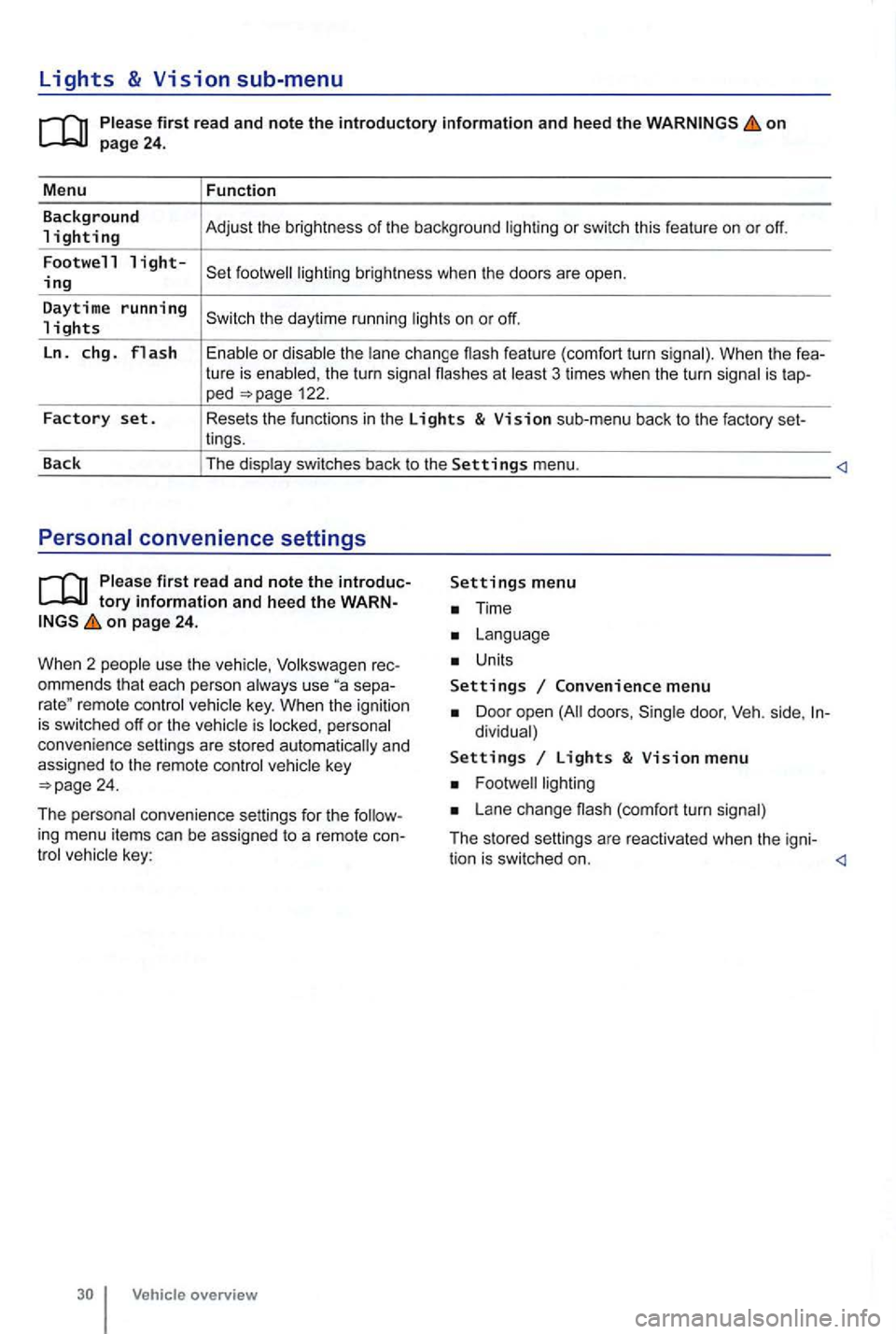
Lights & Vision sub-menu
on
the turn signa l flashes at 3 times when the turn signal is tap-ped 122.
Factory set. Resets the functions in the Lights & Vision sub-menu back to the factory set-
lings.
Back The display switches back to the
Settings menu.
tory information and heed the WARNon page 24.
W hen 2 people use th e
Volksw agen rec
ommends that each person always use separemote control veh icle key. When the ignition is switched off or the vehicle is personal
convenience settings are stored automatically and
assigned
to the remote control
Time
Units
Settings Convenience menu
Door open doors , dividual)
Settings Lights & Vision menu
Lane change (com fort turn signal)
The stored settings are reac tivated when the igni-
tion is switched on.
Page 132 of 516
N
on page 31.
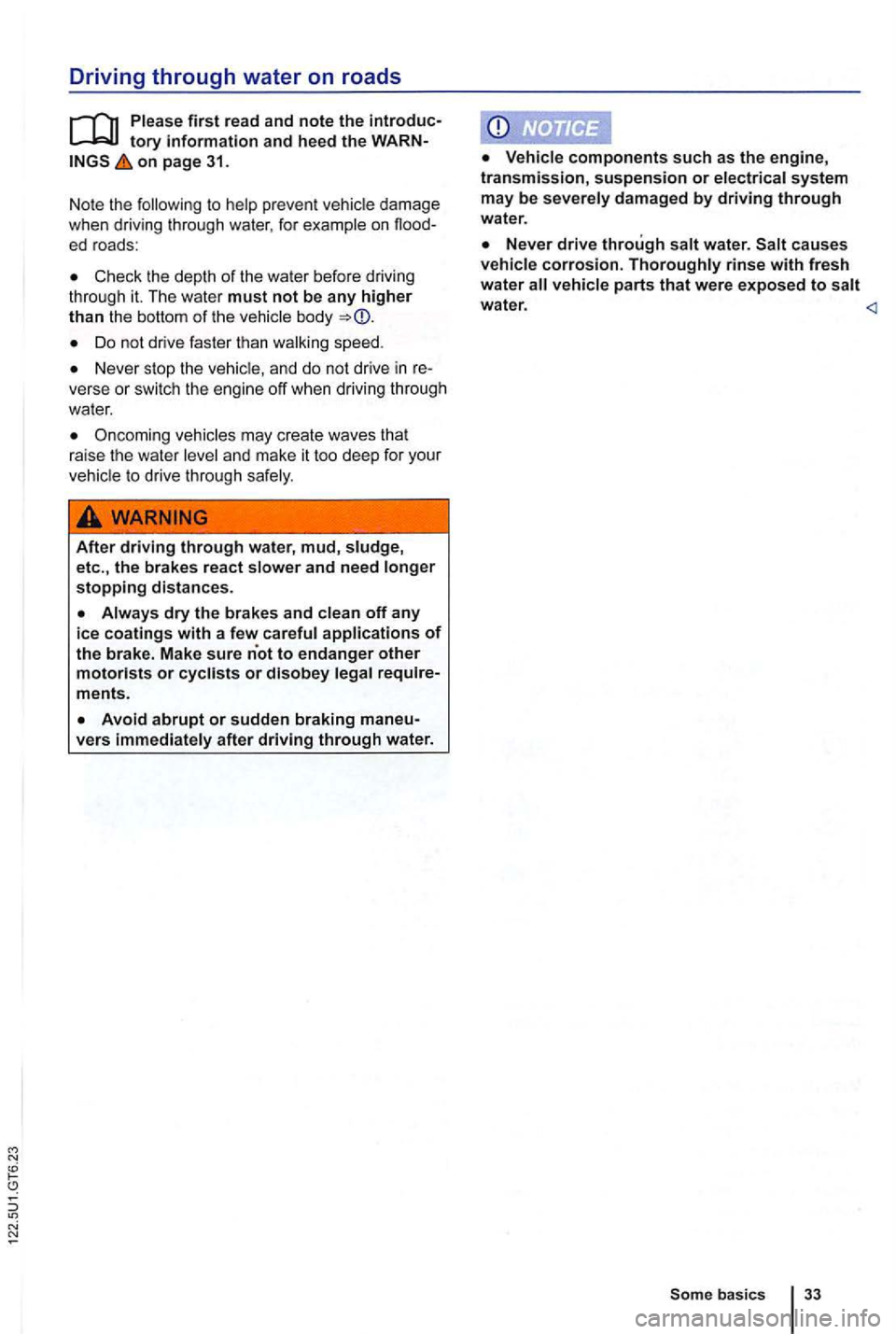
Note the
Check th e depth of the water before driving
thr ough it. The wate r must not be any higher than the bottom of th e body
Do not dr ive faster tha n wa lking speed.
Never stop th e vehicle, and do not drive in verse or switch the engi ne off when driving through
water.
Oncoming vehicles may create waves that
raise the water
After driving through water, mud, etc., the brakes react
water.
Some basics 33
Page 133 of 516
Introduction
137
Saving fuel and helping the environment
WVlJ J L9
3C25LD
Lirn
147kW D6F
352 BTC
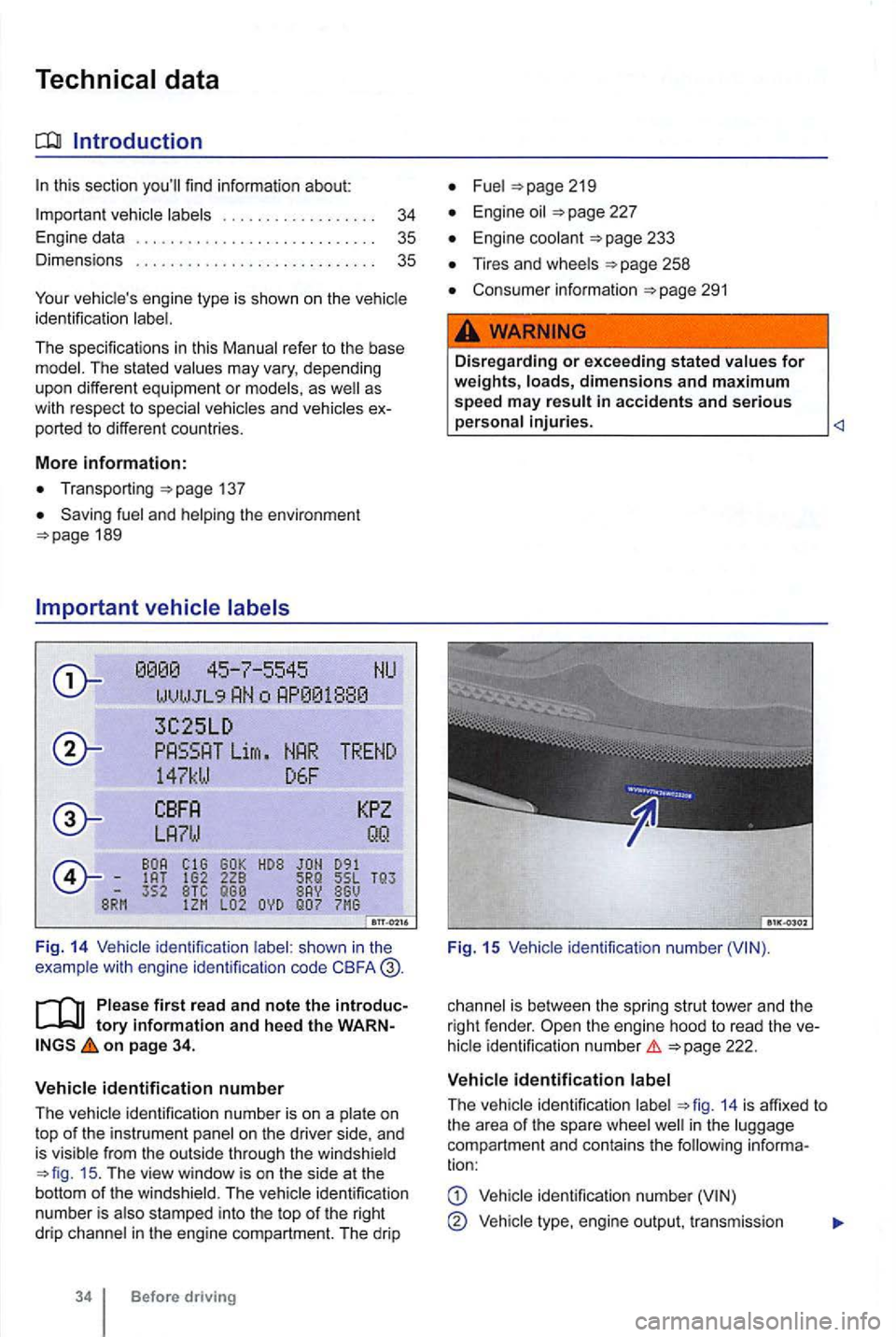
F ig . 14 Vehicle identification shown in the
example wit h engine identificalion code CBFA
first read and n ote the int roductory information and h eed t he WA RNon page 34.
V ehicle id entification numb e r
The
ide ntifica tion number is on a and
is visib le from the outside through the windshield 15 . The view window is on the side at the
botto m of the winds hie ld. The identification
n umber is also stamped into the top of the right
drip channel in the engine compartment. The drip
Before driving
Fuel
Engine oil
Engine coolant
Tires and wheels
Consumer informatio n 291
.
Dis regarding or exceeding s tat ed values for weights, loads, dimensions and m aximum speed m ay result in accidents and s erious ____________________
Fig. 15
is bet ween the spring strut tower and the
right fende r.
ident ificat io n numbe r
ide ntification 14 is affixed to
t h e a rea of the spare well in the comp artment an d contains the following informa
tion:
identification number
Vehicl e engine ou tput, tr ansmission
Page 134 of 516
Engine and transmiss ion code letters , pain t
numbe r, interio r.
14.
important vehicle
Radiator fan and high voltage warning sticker in the engine compartment next to th e engine
hood re lease (see
Tire inflation pressure la bel on the drive r door
jamb (see
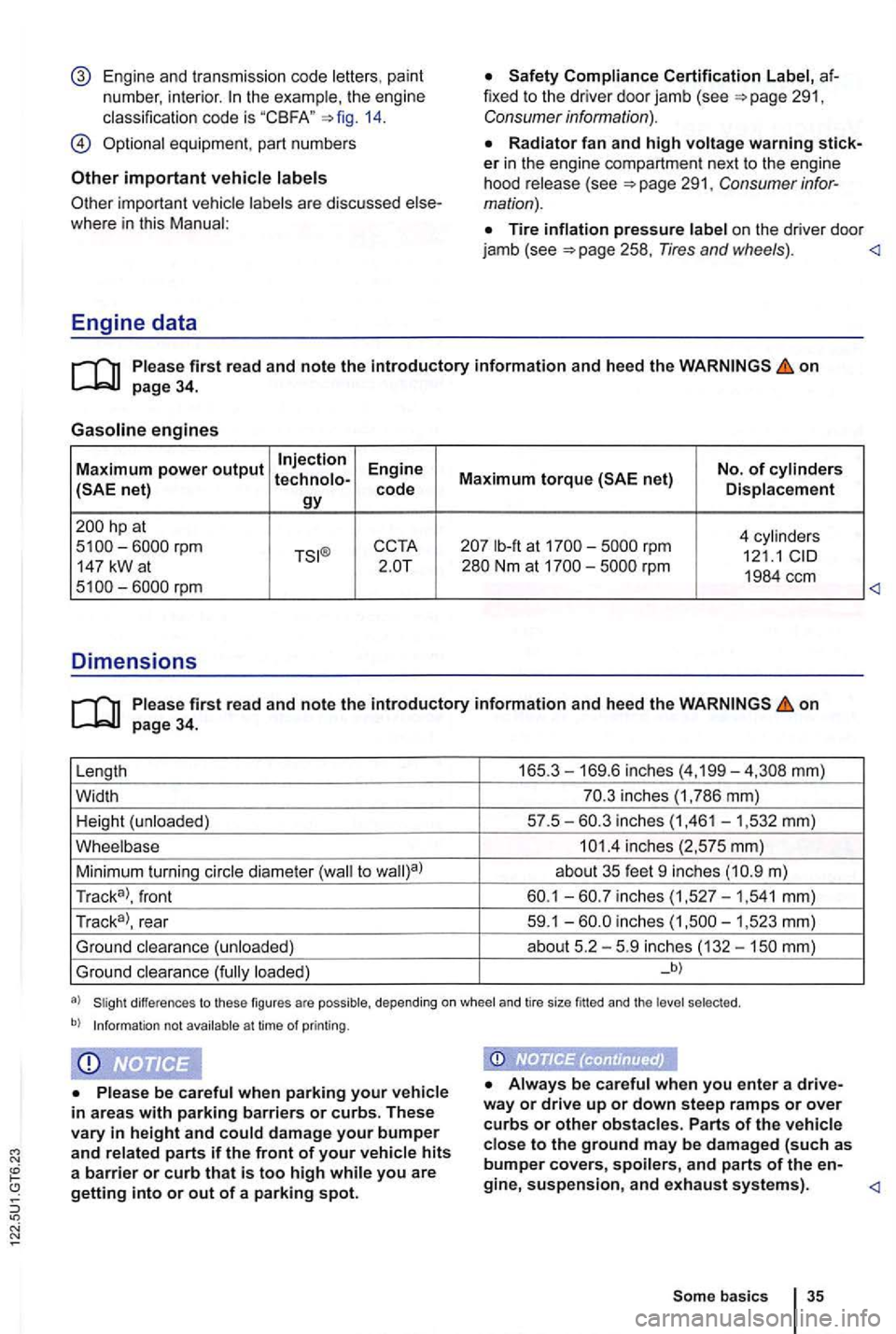
Engine data
on page 34.
Gasoline engines
Maximum power output Injection Engine No. of cylinders
hp at
4 cy lin d er s lb-ft at rpm 121.1 147 kW a t
on page 34.
Length 165 .
3-169.6 inches (4,199-
m)
Tr ac k
a>, front
inches
loaded) _b)
differences to these figures are possible, depending on whee l and tire size fitted and the selec ted .
b) Informat ion not avail able a t time of printing .
Always be careful when you enter a drive
way or drive up or down stee p ramps or over curbs or other obstacle s. Parts of the vehicle close to the ground may be dam ag ed (such as bumper covers, spoilers, and parts of the en-
Page 136 of 516
Remote control vehicle keys
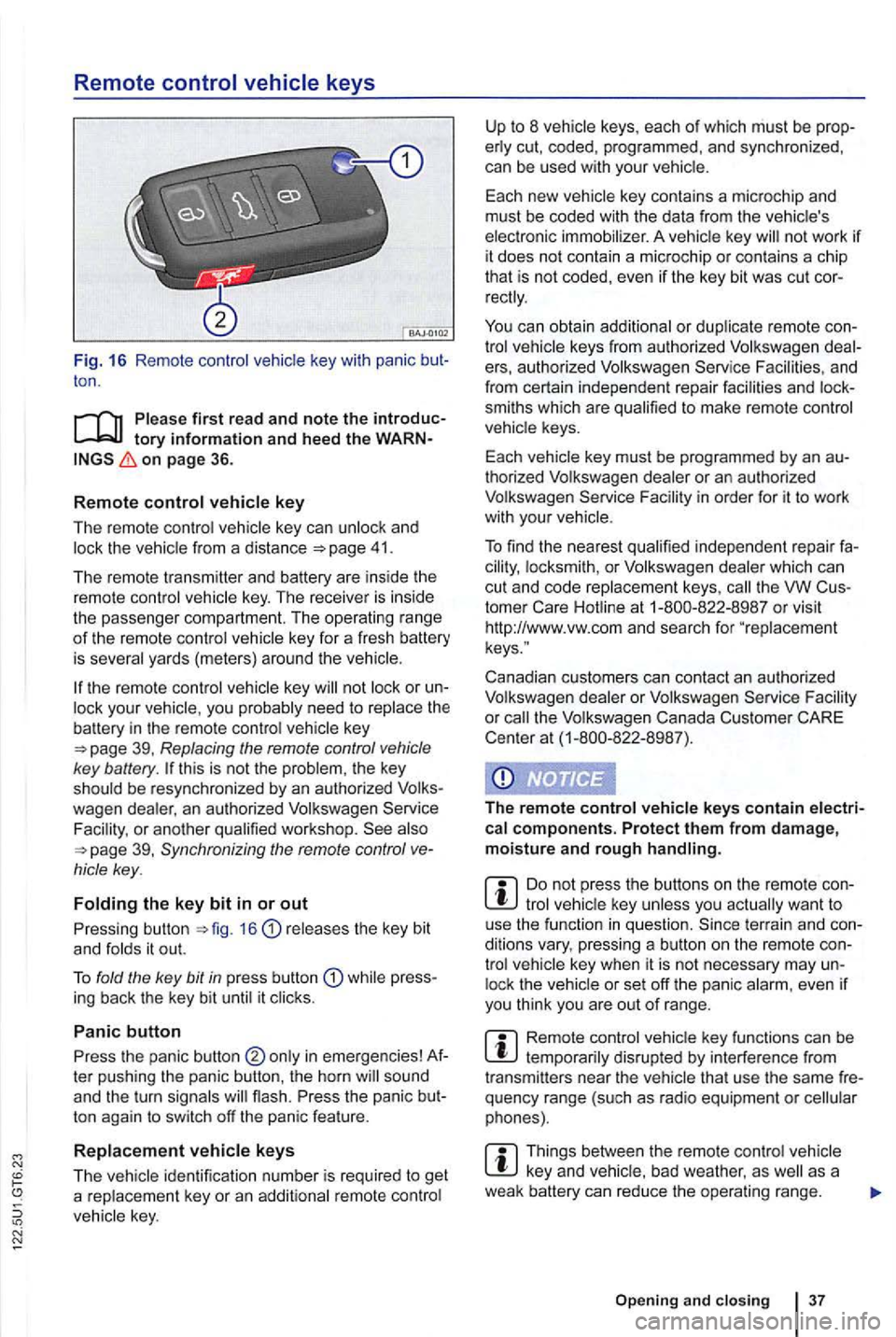
Fig. 16 Remote contro l key with panic ton .
on page 36.
R
emot e control key
The remote control vehicle key can unlock and 41.
The remote transmitter and battery are ins ide the
remot e control vehicle key . The receiver is inside
the passenger compartment. The operating ra
nge of th e remote control key for a fresh battery
is severa l yards (meter s) around the
key or your vehic le , you probably need to rep lace the battery in the remote control key
this is not the problem , the key
should be resynchronized by an authorized
39, Synchronizing the remote control
releases the key bit
and fo lds it out.
T o fold the key
bit in press butt on while press
ing back the key bit until it clicks .
Panic button
Press the panic button ter pushing the panic button , the horn
ton again to switch off the panic feature .
R
eplacement vehicle keys
The
not work if it does not contain a microchip or contai ns a chip
th at is not coded, even if the key bit was cut
keys from authorized Volkswagen e rs, au thorized Volkswagen Service and
from certain independent repair facilities and
smiths which are qualified to make remote control
vehicle keys.
Each vehicle key must be programmed by an
thorized Volkswagen dealer or an au thorized
Volkswagen Service
th e VW
Canadian customers can contact an authorized
Volkswagen dealer or Volkswagen Service
the Volkswagen Canada Customer CARE
Center at (1-800-822 -8987).
The r
emote control vehicle keys contain electrical components. Protect them from damage, moisture and rough handling.
tro l lock the
Remote control disrupted by interferenc e from
transmitters near the vehicle that use the same
Things between the remo te control vehicle as a
weak battery can re duce the opera ting range.
Open ing and clo sin g 3 7
Page 137 of 516
21 or the power locking buttons 22 are pushed repeatedly in quick succes
sion , the power locking system is switched off for a
br i
ef period to help keep it from being overloaded.
Mechanical key
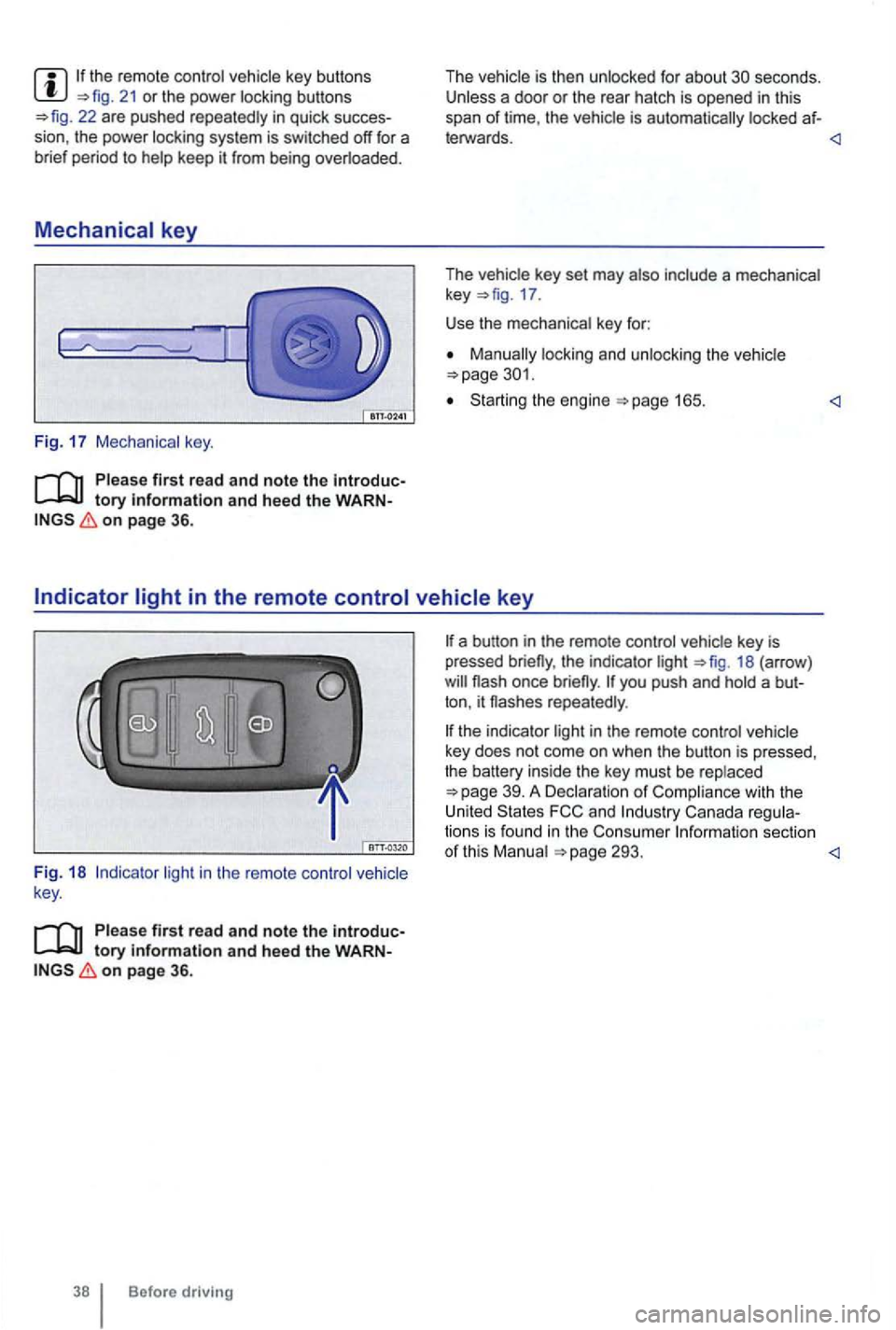
Fig. 17 Mechanical key.
tory information and heed the WARNon page 36.
The vehicle is then unlocked for about secon ds. Unless a door or the rear hatch is opened in this
span of lime , th e vehicle is automatically locked af-
leiWards.
key 17 .
Use the mechanical key for:
locking and unlocking the vehicle
Starting the engine
light in the remote control vehicle
key .
Please first read and note the introductory information and heed the WARNon page 36.
Before driving
the indicator light 18 (arrow )
repeatedly .
the indicator light in the remote control vehicle
key does not come on whe n the button is pressed,
t he battery inside
the key mus t be rep laced
293.
Page 138 of 516
Replacing the remote control vehicle key battery
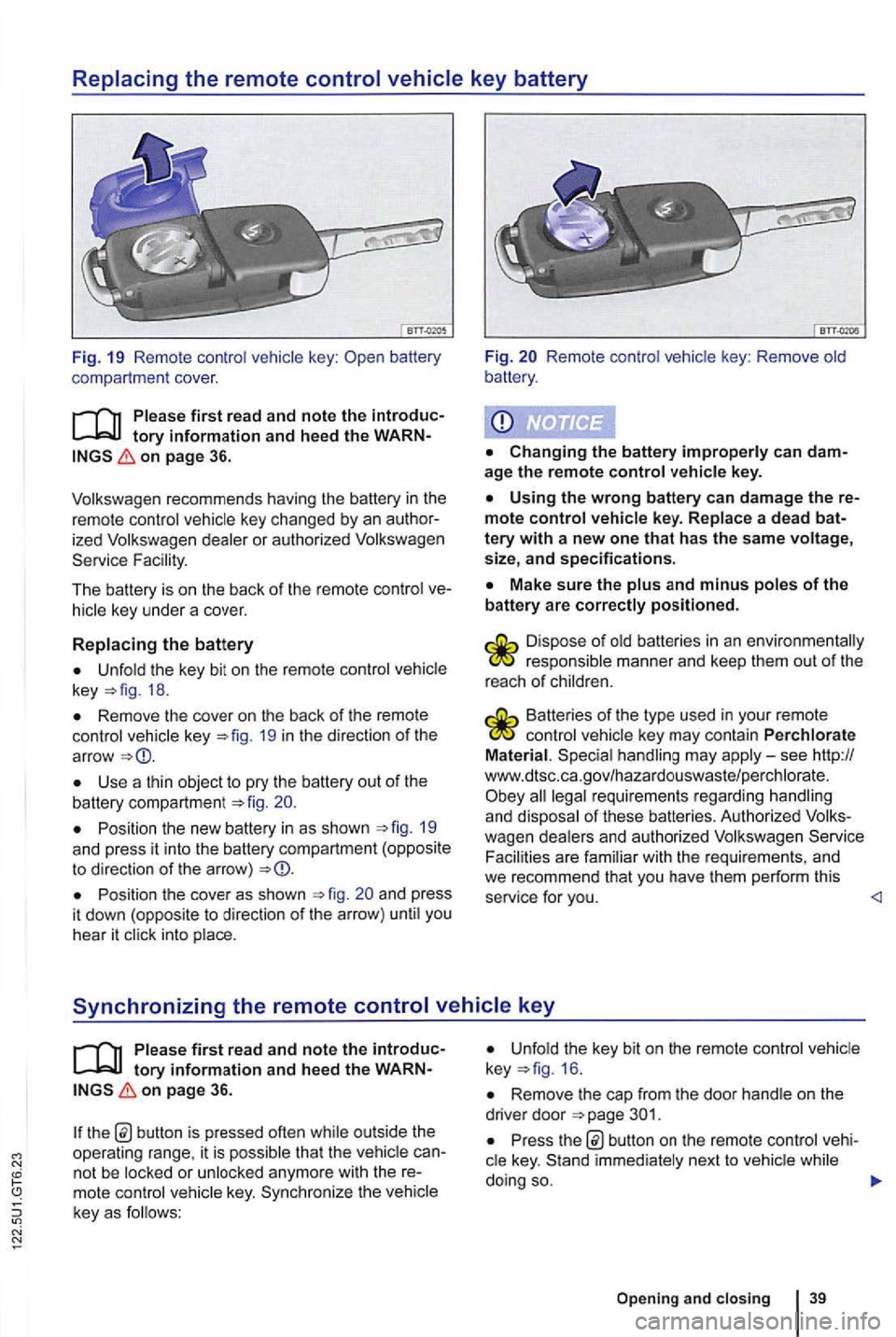
Fig. 19 Remo te contr ol key :
on page 36.
ized dealer or authori zed Service Fac ility.
The battery is on the back of the remo te control
Unfold the key bit on th e re mote control key 18.
Remove the cover on th e back of the remote control vehicle key 19 in th e d irection of th e
ar row
Use a thin object to pry the battery out of the battery compartment 20.
Position the new battery in as shown 19 and press it into the battery compartm ent (opposite to direction of the arro w)
Position the cove r as shown and press
i t dow n (oppos ite to direction of the arrow ) unti l you
hear it click into place.
Fig. Remote control vehic le key : Remove old
battery .
age the remote control vehicle key.
Using the wrong battery can damage the mote control vehicle key. Replace a dead
Make sure the plus and minus poles of the battery are correctly positioned .
responsible manner and keep them out of the
r eac h of ch ild ren.
Batteries of the type used in your re mote control veh icle key may contain Perchlorate
Material . Special handling may apply-see http://
www.dtsc .c a.go v/hazar douswaste/pe rchlo rate. all legal requirement s regardin g han dling and dispo sal of these batteries. Authorized Serv ice
Facili ties are fami lia r with the re quirements , and we recommend that you have them perform this
service for you.
tory information and hee d the on page 36.
th e b utton is pressed often while out side the
operating range, it is p ossib le tha t the vehicl e
key. Sy nchr oniz e the veh icle
key as f o llows:
Unfold the key bit on the remote control 16 .
Remove the cap from the door hand le on the
drive r door
Pr ess button on the remote cont rol
Opening and closing 39
Page 140 of 516
Power locking and closing system
Introduction
this section find information about:
Description of the power locking system .
41
Unlocking and locking the
Exterior views 6
Persona l comfort setting in the Volkswagen formation
Veh icle key set 36
Doors
Rear hatch 49
Power windows
Power sunroof 56
149
Emergency closing and opening
can result in se
rious personal injury.
The power locking button doors. Locking the doors from the inside can
assistance to vehicle occupants and rescue from the outside in an accident or other emergency.
children or anyone who cannot doors can be locked from the inside with the power button. This people trapped in the vehicle in an emergency. De
pending on the time of year, people trapped in the vehicle can be exposed to very high or very temperature s.
A closed vehicle can become very hot or very depending on the season. Particuin the summer, heat build-up in the pas
senger and luggage compartment of a parked vehicle can result in temperatures in the vehithat are much higher than the outside temperatures. Temperatures can quickly reach
Never passengers to remain in a
locked vehicle. an emergency any person inside the vehicle might not be
Description of the power locking system
on page 41.
The power lock
ing system you unlock and lock doors , the rear hatch , and the flap:
From outside with Keyless Access
From the inside with the power locking switch
fun ctions of the power locking system can
be activated or deac tivated via the Convenience
sub-menu in the Settings menu on
Facility .
The doors,
the rear hatch, and the fuel
Page 141 of 516
Automatic locking (Auto Lock)
The vehicle locks au tomatically when it reaches a
speed of about 10 mph (15 km/h) . When the vehi
cle is locked , the indicator light comes on in the
power lock ing button
a door once.
-
a door once.
- Lock the vehicle with the remote control vehicle key.
21 or one of th e power locking buttons
on page 41.
Fun c
tion
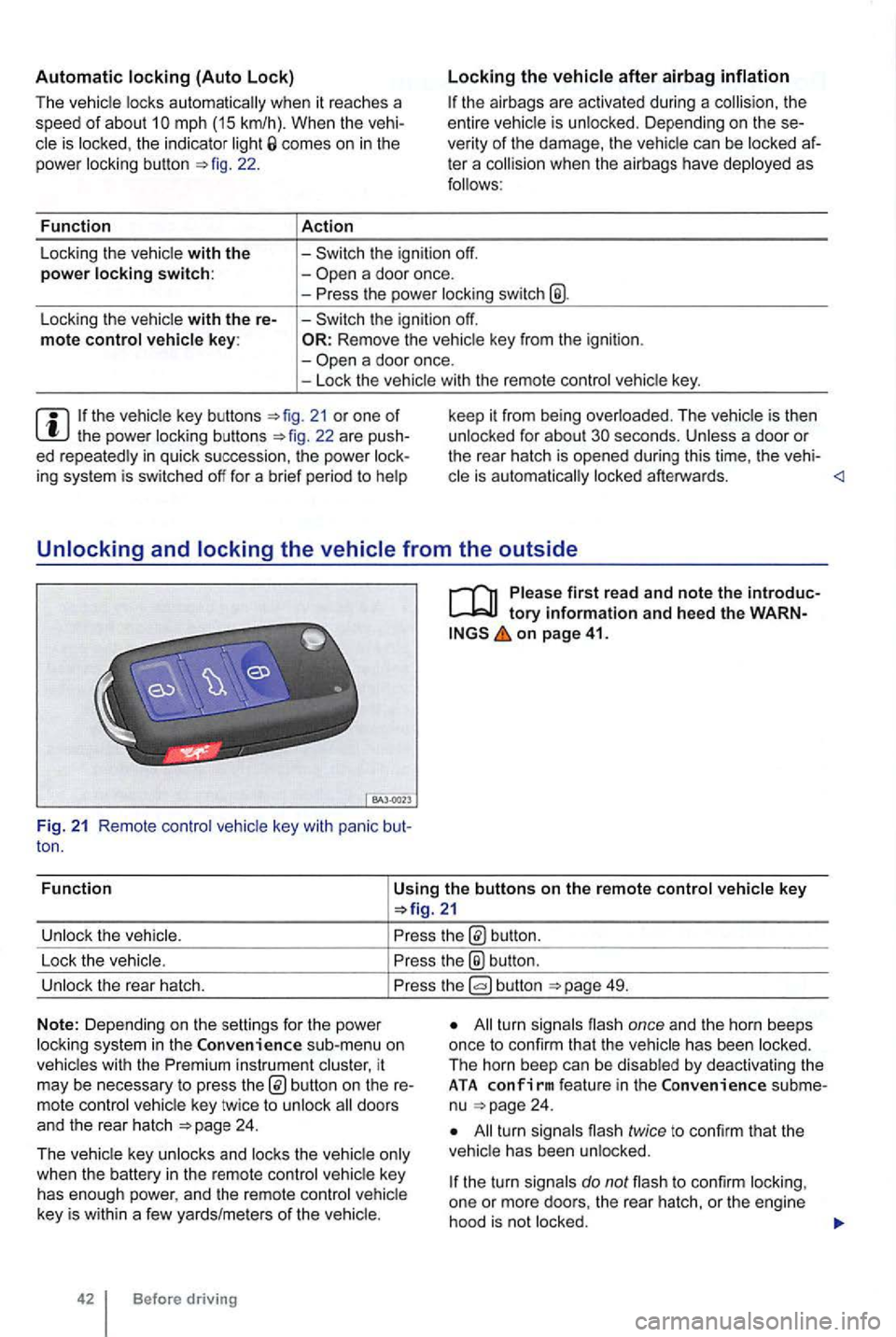
Using the buttons on the remote control vehicle key
button.
Lock the vehic le.
the® button .
Unlock the rear hatch. button 49.
N o
te: Depending on the settin gs for the power
l ock ing system in the sub-menu on
vehicles with the instrument cluster, it
may be necessary to press
24 .
T he vehicle key unlocks and locks the vehicle only
when the battery
in the remote control vehicle key
has enough power, and the remote control vehicle
key is wi
thin a few yards/me ters of the vehicle.
42 Before driving
All turn signals flash once and the horn beeps
once to confirm that the vehic le has been locked.
The horn beep can be disabled
by deactivating the ATA co nfirm feat ure in the subme
nu 24 .
All turn signals flash twice to confirm that the
vehicle has been unlocked.
the turn signals do not flash to confirm lock ing,
one or mor e doors , the rear hatch, or the engine
hood is not
locked.