front VOLKSWAGEN T-ROC 2021 Owner´s Manual
[x] Cancel search | Manufacturer: VOLKSWAGEN, Model Year: 2021, Model line: T-ROC, Model: VOLKSWAGEN T-ROC 2021Pages: 502, PDF Size: 9.42 MB
Page 121 of 502
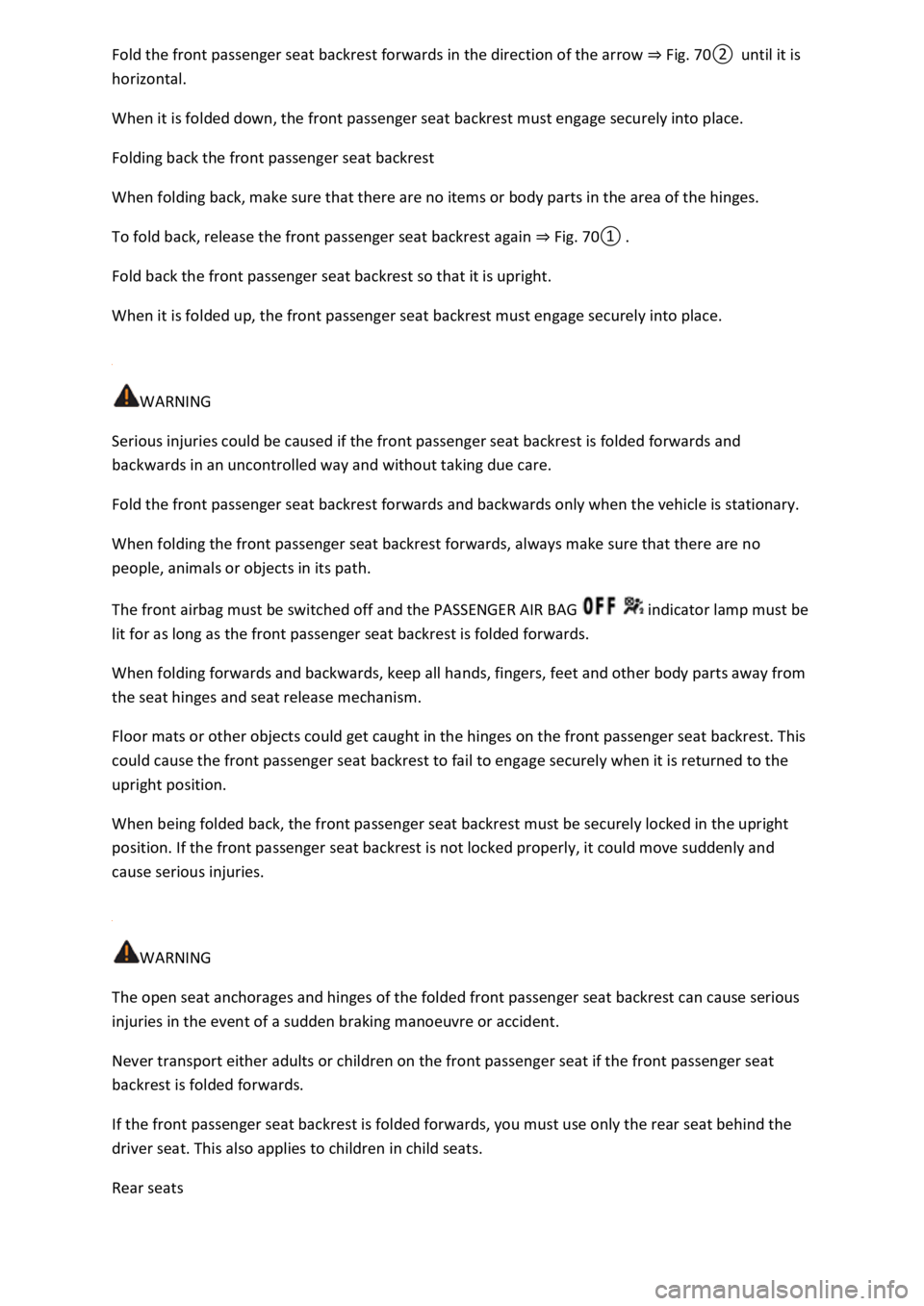
Fold the front passenger seat backrest forwards in the direction of the arrow ⇒ Fig. 70② until it is
horizontal.
When it is folded down, the front passenger seat backrest must engage securely into place.
Folding back the front passenger seat backrest
When folding back, make sure that there are no items or body parts in the area of the hinges.
To fold back, release the front passenger seat backrest again ⇒ Fig. 70① .
Fold back the front passenger seat backrest so that it is upright.
When it is folded up, the front passenger seat backrest must engage securely into place.
WARNING
Serious injuries could be caused if the front passenger seat backrest is folded forwards and
backwards in an uncontrolled way and without taking due care.
Fold the front passenger seat backrest forwards and backwards only when the vehicle is stationary.
When folding the front passenger seat backrest forwards, always make sure that there are no
people, animals or objects in its path.
The front airbag must be switched off and the PASSENGER AIR BAG indicator lamp must be
lit for as long as the front passenger seat backrest is folded forwards.
When folding forwards and backwards, keep all hands, fingers, feet and other body parts away from
the seat hinges and seat release mechanism.
Floor mats or other objects could get caught in the hinges on the front passenger seat backrest. This
could cause the front passenger seat backrest to fail to engage securely when it is returned to the
upright position.
When being folded back, the front passenger seat backrest must be securely locked in the upright
position. If the front passenger seat backrest is not locked properly, it could move suddenly and
cause serious injuries.
WARNING
The open seat anchorages and hinges of the folded front passenger seat backrest can cause serious
injuries in the event of a sudden braking manoeuvre or accident.
Never transport either adults or children on the front passenger seat if the front passenger seat
backrest is folded forwards.
If the front passenger seat backrest is folded forwards, you must use only the rear seat behind the
driver seat. This also applies to children in child seats.
Rear seats
Page 124 of 502
WARNING
Injuries can be caused if the rear seat backrests are folded forwards and backwards in an
uncontrolled way and without taking due care.
While folding the rear seat backrest forward, always make sure that no people or animals are in its
path.
Never fold the rear seat backrest forwards or backwards while the vehicle is in motion.
Ensure that the seat belt is not trapped or damaged when folding back the rear seat backrest.
Always keep hands, fingers, feet or other body parts away from the swivel area when folding the
rear seat backrest forwards and backwards.
Ensure that each rear seat backrest engages securely, otherwise the seat belts for the rear seats will
not offer maximum protection. This applies to the centre seat of the rear bench seat in particular. If
a seat is occupied and the corresponding rear seat backrest has not engaged securely into place, the
seat occupant and rear seat backrest may move forwards in the event of a sudden braking or driving
manoeuvre or during accidents.
Adults and children must not use seats if the corresponding backrest is folded forwards or is not
engaged securely into place.
NOTICE
Damage to the vehicle or to other objects could be caused if the rear bench seat backrest is folded
forwards and backwards in an uncontrolled way or without due care.
Before folding the rear seat backrests forwards, always adjust the front seats so that the rear head
restraints or rear seat cushions do impact the front seats.
Before folding down the rear seat backrest, always make sure that there are no objects located in its
path.
Head restraints
Introduction
This chapter contains information on the followingsubjects:
⇒ Adjusting the head restraints
⇒ Removing and installing head restraints
The following section describes the options for adjusting and removing the head restraints. Always
ensure that you adjust the correct sitting position ⇒ Sitting position .
Every seat is fitted with a head restraint. The centre head restraint at the rear is designed solely for
use with the centre rear bench seat. Therefore you should not install this head restraint in any of the
other positions.
Page 125 of 502
Correct head restraint adjustment
Adjust the head restraint so that its upper edge is at the same height as the top of the head, but not
lower than eye level. Position the back of your head as close to the head restraint as possible.
Head restraint adjustment for small people
Push the head restraint all the way down, even if the head is then located underneath the top edge
of the head restraint. There may be a small gap between the head restraint and backrest in the
lowest position.
Head restraint adjustment for tall people
Push the head restraint up as far as it will go.
WARNING
Driving without head restraints or with incorrectly adjusted head restraints increases the risk of
serious or fatal injuries in the event of an accident or sudden driving or braking manoeuvre.
If a seat is occupied, the head restraint for that seat must be fitted and adjusted correctly.
Each vehicle occupant must adjust the head restraint to suit their body size in order to reduce the
risk of neck injuries in an accident. The upper edge of the head restraint must, as far as possible, be
level with the top of the head, but no lower than eye level. Position the back of your head in the
middle and as close to the head restraint as possible.
Never adjust the head restraint when the vehicle is in motion.
NOTICE
When removing or fitting head restraints, make sure that they do not hit the roof, the front seat
backrest or other vehicle parts. This will prevent damage from occurring.
Adjusting the head restraints
Fig. 72 Front head restraint: adjusting.
Page 126 of 502
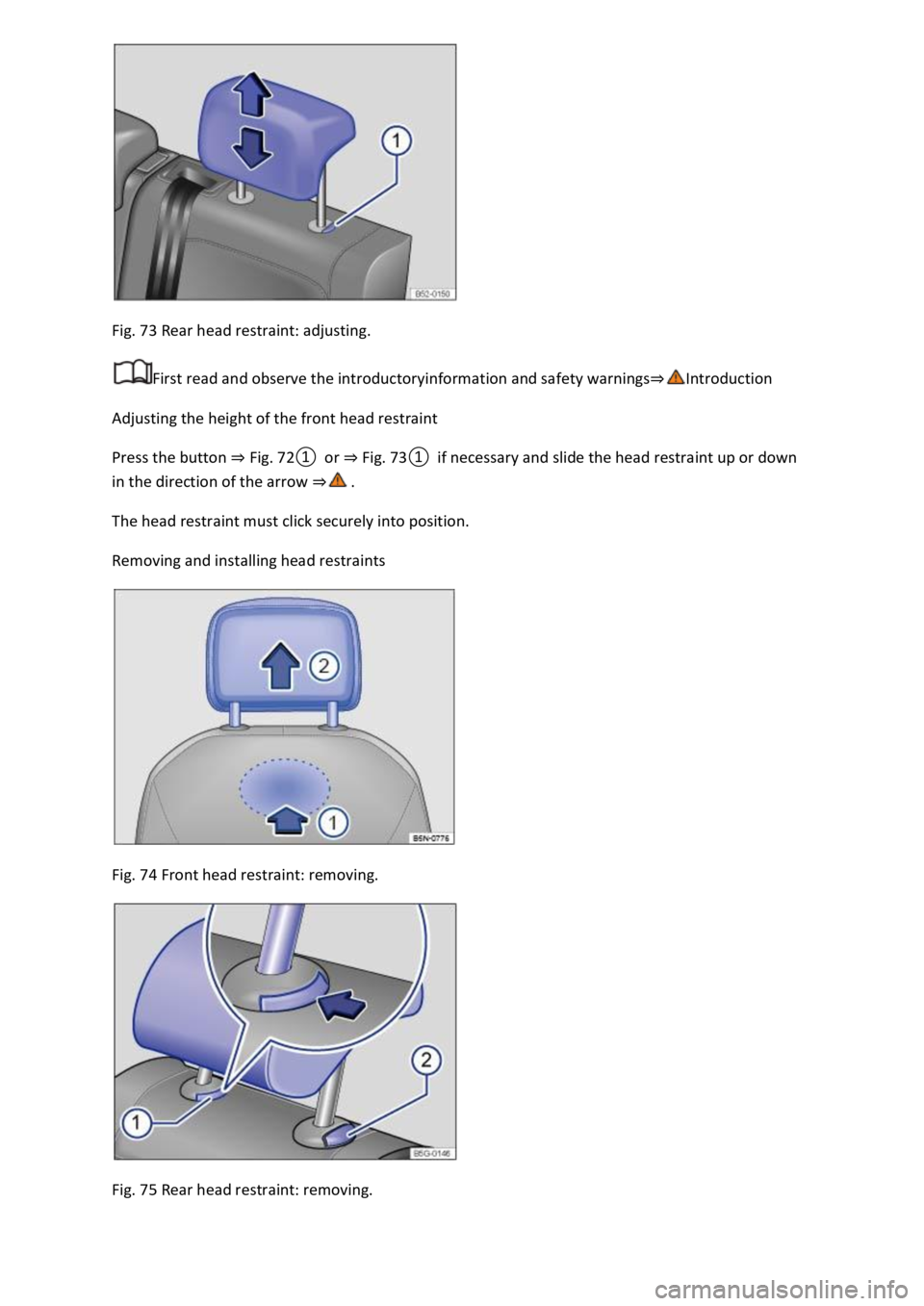
Fig. 73 Rear head restraint: adjusting.
First read and observe the introductoryinformation and safety warnings⇒Introduction
Adjusting the height of the front head restraint
Press the button ⇒ Fig. 72① or ⇒ Fig. 73① if necessary and slide the head restraint up or down
in the direction of the arrow ⇒ .
The head restraint must click securely into position.
Removing and installing head restraints
Fig. 74 Front head restraint: removing.
Fig. 75 Rear head restraint: removing.
Page 127 of 502
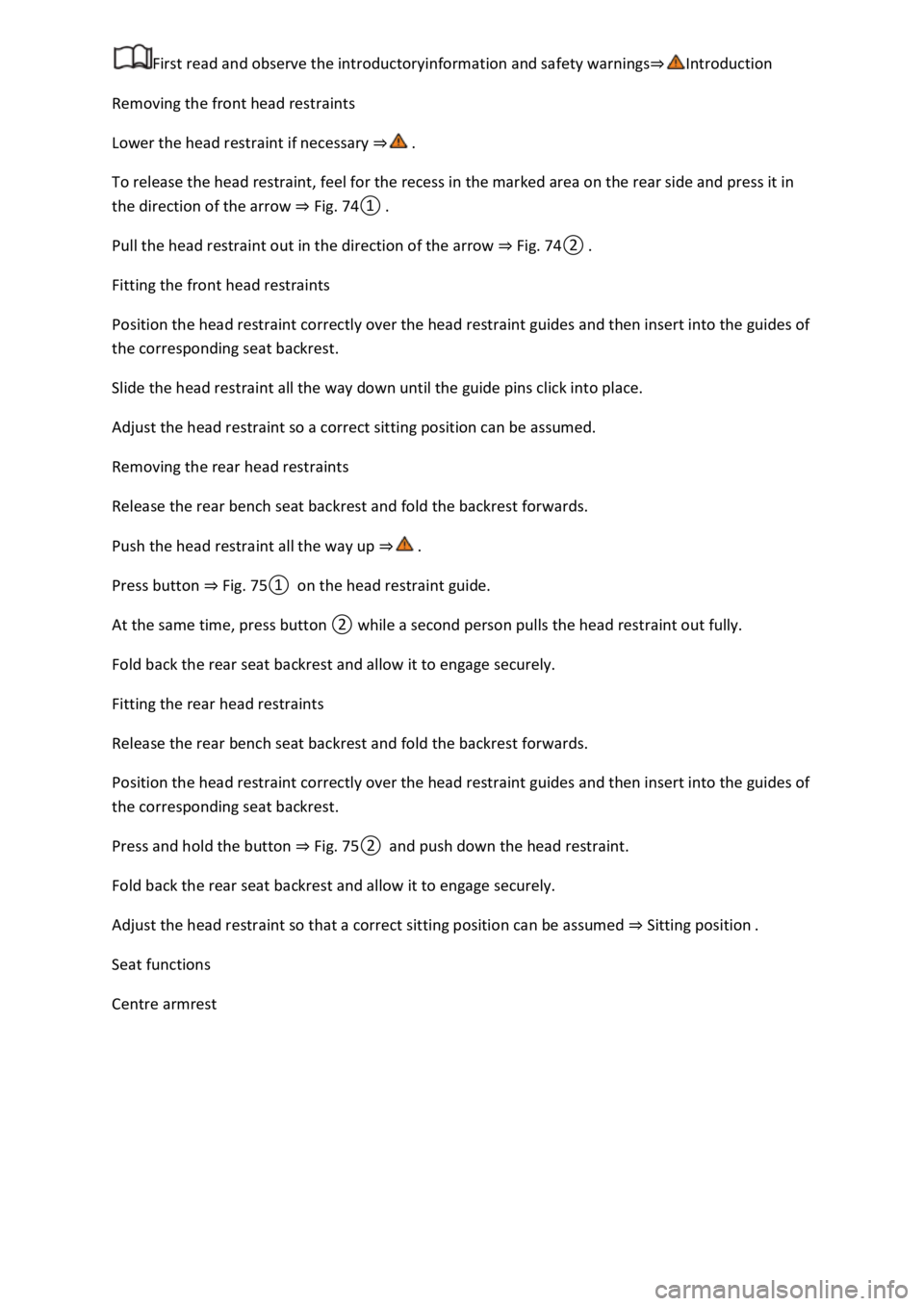
First read and observe the introductoryinformation and safety warnings⇒Introduction
Removing the front head restraints
Lower the head restraint if necessary ⇒ .
To release the head restraint, feel for the recess in the marked area on the rear side and press it in
the direction of the arrow ⇒ Fig. 74① .
Pull the head restraint out in the direction of the arrow ⇒ Fig. 74② .
Fitting the front head restraints
Position the head restraint correctly over the head restraint guides and then insert into the guides of
the corresponding seat backrest.
Slide the head restraint all the way down until the guide pins click into place.
Adjust the head restraint so a correct sitting position can be assumed.
Removing the rear head restraints
Release the rear bench seat backrest and fold the backrest forwards.
Push the head restraint all the way up ⇒ .
Press button ⇒ Fig. 75① on the head restraint guide.
At the same time, press button ② while a second person pulls the head restraint out fully.
Fold back the rear seat backrest and allow it to engage securely.
Fitting the rear head restraints
Release the rear bench seat backrest and fold the backrest forwards.
Position the head restraint correctly over the head restraint guides and then insert into the guides of
the corresponding seat backrest.
Press and hold the button ⇒ Fig. 75② and push down the head restraint.
Fold back the rear seat backrest and allow it to engage securely.
Adjust the head restraint so that a correct sitting position can be assumed ⇒ Sitting position .
Seat functions
Centre armrest
Page 128 of 502
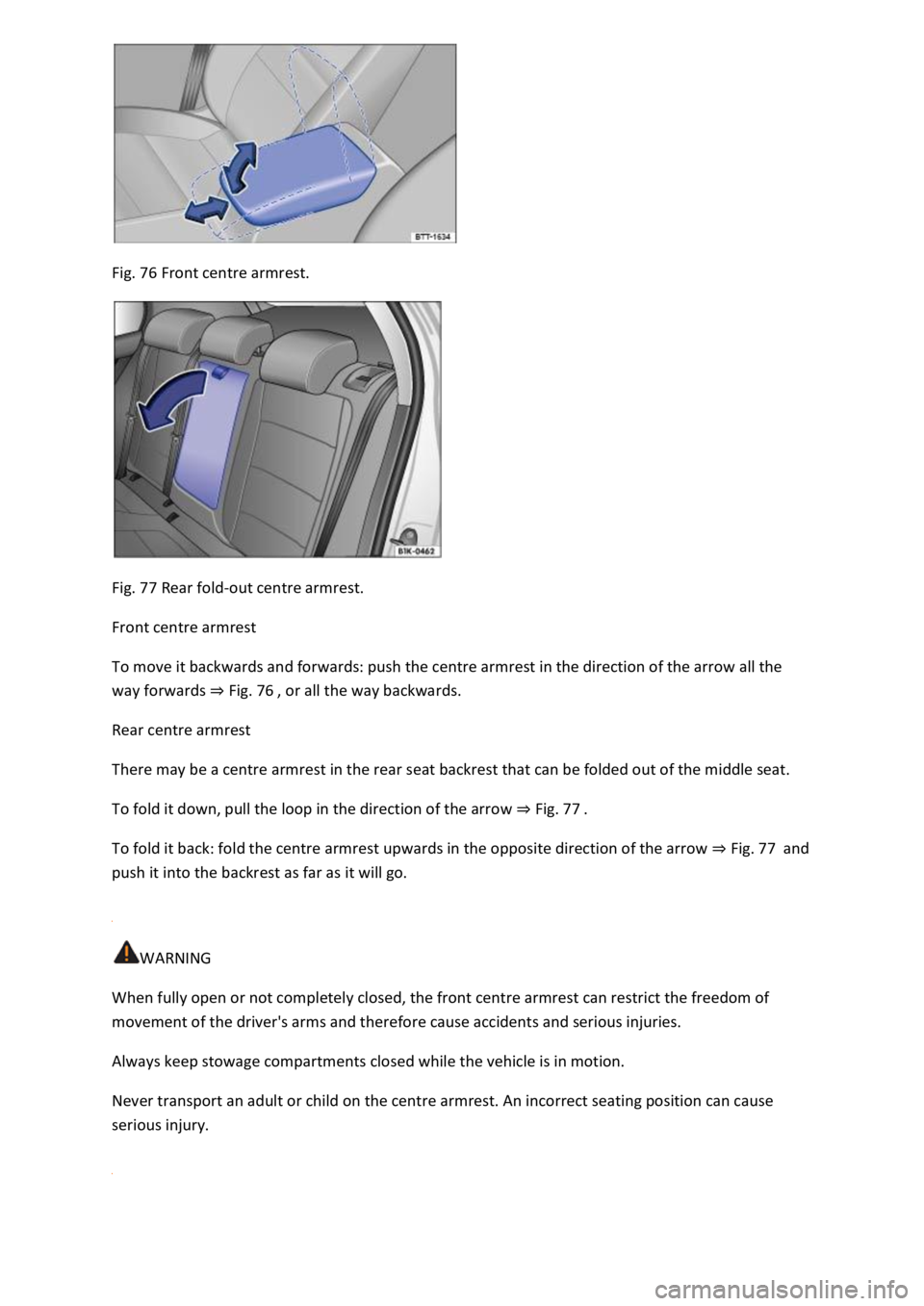
Fig. 76 Front centre armrest.
Fig. 77 Rear fold-out centre armrest.
Front centre armrest
To move it backwards and forwards: push the centre armrest in the direction of the arrow all the
way forwards ⇒ Fig. 76 , or all the way backwards.
Rear centre armrest
There may be a centre armrest in the rear seat backrest that can be folded out of the middle seat.
To fold it down, pull the loop in the direction of the arrow ⇒ Fig. 77 .
To fold it back: fold the centre armrest upwards in the opposite direction of the arrow ⇒ Fig. 77 and
push it into the backrest as far as it will go.
WARNING
When fully open or not completely closed, the front centre armrest can restrict the freedom of
movement of the driver's arms and therefore cause accidents and serious injuries.
Always keep stowage compartments closed while the vehicle is in motion.
Never transport an adult or child on the centre armrest. An incorrect seating position can cause
serious injury.
Page 132 of 502
When reverse gear is engaged, the cornering light on both sides of the vehicle switches on to
provide better illumination of the surrounding area when manoeuvring.
Switching the fog lights on and off
Switching on the front fog lights : pull the light switch ⇒ Fig. 79 out to the first position. The
indicator lamp in the light switch lights up green.
Switching on the rear fog light : pull the light switch all the way out. The indicator lamp in the
instrument cluster lights up yellow.
To switch the fog lights off, press in the light switch or turn it to position .
When the automatic headlights are switched on and the front or rear fog lights are switched
on, the dipped beam headlights will also be switched on irrespective of the current light conditions
outside.
In vehicles with a factory-fitted towing bracket: the vehicle's rear fog light is not switched on if a
trailer with rear fog light is electrically connected to the vehicle ⇒ Trailer towing .
Light functions
Side lights
If the side lights are switched on, both headlights light up with the side lights, parts of the tail
light clusters, the number plate lighting and the buttons in the centre console and the dash panel.
The daytime running lights also switch on when the ignition is switched on.
If the vehicle is not locked from outside when the ignition is switched off, the continuous parking
light on both sides of the vehicle switches on automatically after around 10 minutes to reduce 12-
volt vehicle battery discharge ⇒ Switching the parking lights on and off .
Automatic headlights
If the automatic headlights are switched on, the vehicle lighting and the instrument and
switch lighting will switch on and off according to the light conditions. When the lights are switched
on, the indicator lamp lights up yellow.
The automatic headlights are merely an aid and will not always be able to detect all driving
situations.
In vehicles with a corresponding equipment level, the switch-on time of the automatic headlights
can be adjusted in the Infotainment system in the Vehicle settings menu ⇒ Infotainment system
controls and displays .
Cornering light
A cornering light is switched on when turning slowly or travelling around very tight bends.
Signal tones if lights are not switched off
Page 134 of 502
Main beam
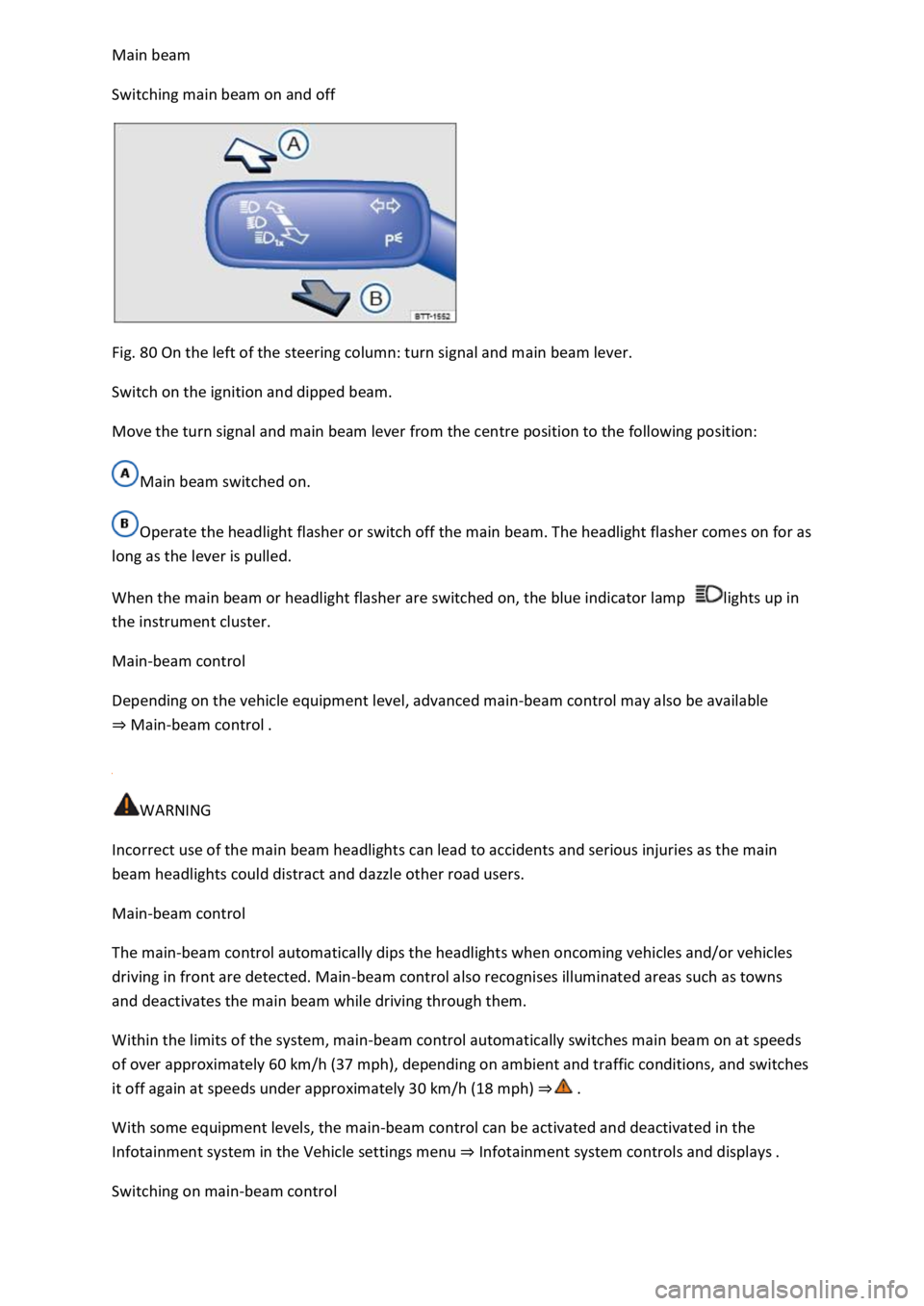
Switching main beam on and off
Fig. 80 On the left of the steering column: turn signal and main beam lever.
Switch on the ignition and dipped beam.
Move the turn signal and main beam lever from the centre position to the following position:
Main beam switched on.
Operate the headlight flasher or switch off the main beam. The headlight flasher comes on for as
long as the lever is pulled.
When the main beam or headlight flasher are switched on, the blue indicator lamp lights up in
the instrument cluster.
Main-beam control
Depending on the vehicle equipment level, advanced main-beam control may also be available
⇒ Main-beam control .
WARNING
Incorrect use of the main beam headlights can lead to accidents and serious injuries as the main
beam headlights could distract and dazzle other road users.
Main-beam control
The main-beam control automatically dips the headlights when oncoming vehicles and/or vehicles
driving in front are detected. Main-beam control also recognises illuminated areas such as towns
and deactivates the main beam while driving through them.
Within the limits of the system, main-beam control automatically switches main beam on at speeds
of over approximately 60 km/h (37 mph), depending on ambient and traffic conditions, and switches
it off again at speeds under approximately 30 km/h (18 mph) ⇒ .
With some equipment levels, the main-beam control can be activated and deactivated in the
Infotainment system in the Vehicle settings menu ⇒ Infotainment system controls and displays .
Switching on main-beam control
Page 139 of 502
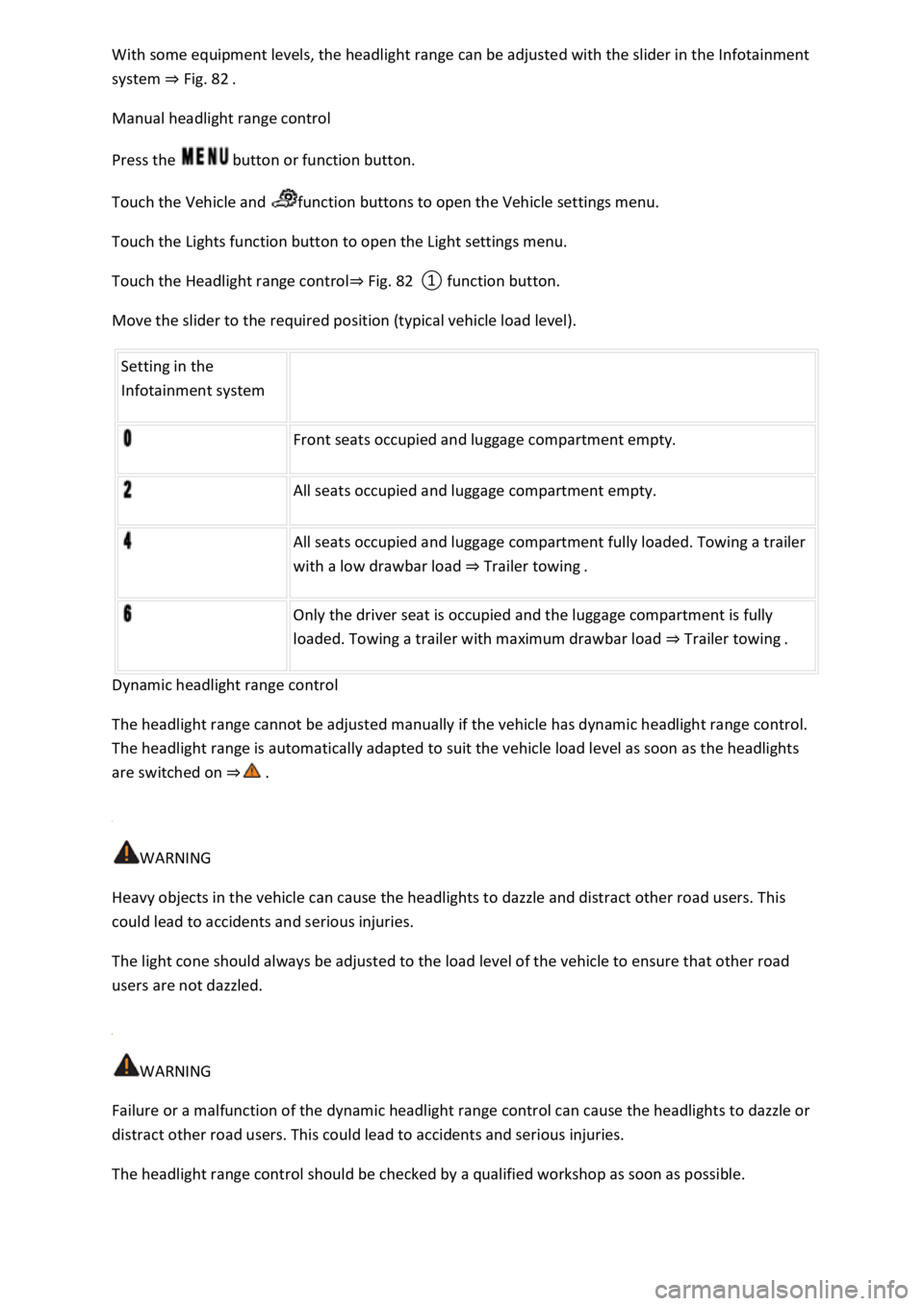
With some equipment levels, the headlight range can be adjusted with the slider in the Infotainment
system ⇒ Fig. 82 .
Manual headlight range control
Press the button or function button.
Touch the Vehicle and function buttons to open the Vehicle settings menu.
Touch the Lights function button to open the Light settings menu.
Touch the Headlight range control⇒ Fig. 82 ① function button.
Move the slider to the required position (typical vehicle load level).
Setting in the
Infotainment system
Front seats occupied and luggage compartment empty.
All seats occupied and luggage compartment empty.
All seats occupied and luggage compartment fully loaded. Towing a trailer
with a low drawbar load ⇒ Trailer towing .
Only the driver seat is occupied and the luggage compartment is fully
loaded. Towing a trailer with maximum drawbar load ⇒ Trailer towing .
Dynamic headlight range control
The headlight range cannot be adjusted manually if the vehicle has dynamic headlight range control.
The headlight range is automatically adapted to suit the vehicle load level as soon as the headlights
are switched on ⇒ .
WARNING
Heavy objects in the vehicle can cause the headlights to dazzle and distract other road users. This
could lead to accidents and serious injuries.
The light cone should always be adjusted to the load level of the vehicle to ensure that other road
users are not dazzled.
WARNING
Failure or a malfunction of the dynamic headlight range control can cause the headlights to dazzle or
distract other road users. This could lead to accidents and serious injuries.
The headlight range control should be checked by a qualified workshop as soon as possible.
Page 140 of 502
Switching over headlights for driving abroad (travel mode)
If you have to drive a right-hand drive vehicle in a left-hand drive country, or vice versa, the
asymmetric dipped beam headlights may dazzle oncoming traffic. The headlights must therefore be
switched over when you travel to these countries.
With some equipment levels, the headlight alignment can be adjusted in the Infotainment system in
the Vehicle settings menu ⇒ Infotainment system controls and displays .
In vehicles in which the headlights cannot be switched over in the menu, masking stickers should be
applied to certain parts of the headlight lenses, or the headlights should be adjusted by a qualified
workshop. A qualified workshop can provide you with further information. Volkswagen recommends
using a Volkswagen dealership for this purpose.
Travel mode may be used only for a short period. Please contact a qualified workshop for a
permanent conversion. Volkswagen recommends using a Volkswagen dealership for this purpose.
Interior lighting
Instrument and switch lighting
The brightness of the instrument and switch lighting can be adjusted in the Infotainment system in
the Vehicle settings menu ⇒ Infotainment system controls and displays .
The brightness setting is automatically adjusted to the changing light conditions in the vehicle.
When the light switch is in position , a sensor will switch the dipped beam and the lighting in
the instruments and switches on and off automatically depending on the ambient brightness level.
When the light is switched off and the ignition switched on, the instrument and switch lighting
(needles and scales) is switched on. As the ambient light becomes lower, the illumination of the
scales is automatically reduced and may be switched off entirely. This function is intended to remind
the driver to switch on the dipped beam in good time, i.e. when driving through tunnels.
Interior and reading lights
Press the appropriate button or move the switch to the appropriate position:
Switch off the interior light.Switch on the interior lights.The interior lights are switched on
automatically when the vehicle is unlocked, a door is opened or the vehicle key is removed from the
ignition.Switch the reading light on or off.
Stowage compartment and luggage compartment lights
A light will be switched on and off when the stowage compartment on the front passenger side or
the boot lid is opened or closed.
Background lighting